Best OCR API
2026: 10 Developer APIs Compared for Accuracy & Price
This comparison evaluates 10 OCR APIs across six dimensions — accuracy on printed and handwritten text, per-page pricing at multiple volume tiers, SDK language support, output format quality, latency profile, and cloud ecosystem integration — to help you make an informed decision for your next project. Each API was assessed against publicly documented specifications, official pricing pages, and developer community feedback. Disclosure: This article includes one no-code tool alongside nine APIs for context. All pricing data was verified against official sources as of June 2026. Links to third-party services use nofollow.
Key Takeaways
- A $1.50-per-1,000-pages headline rate hides a 33× cost multiplier — turn on form extraction in Textract and your bill jumps to $51.50 per 1,000 pages before you've processed a single table.
- Every major OCR API delivers 97–99% accuracy on clean documents — obsessing over benchmark scores wastes the one resource you cannot buy back: the engineering weeks your team will spend on SDK integration, IAM configuration, and pipeline plumbing.
- "The best OCR API" is the wrong question — start with the cloud you already pay for, the SDK your team knows, and the document types you actually receive, then pick the API that minimizes integration friction.
Quick Comparison: 10 OCR APIs at a Glance
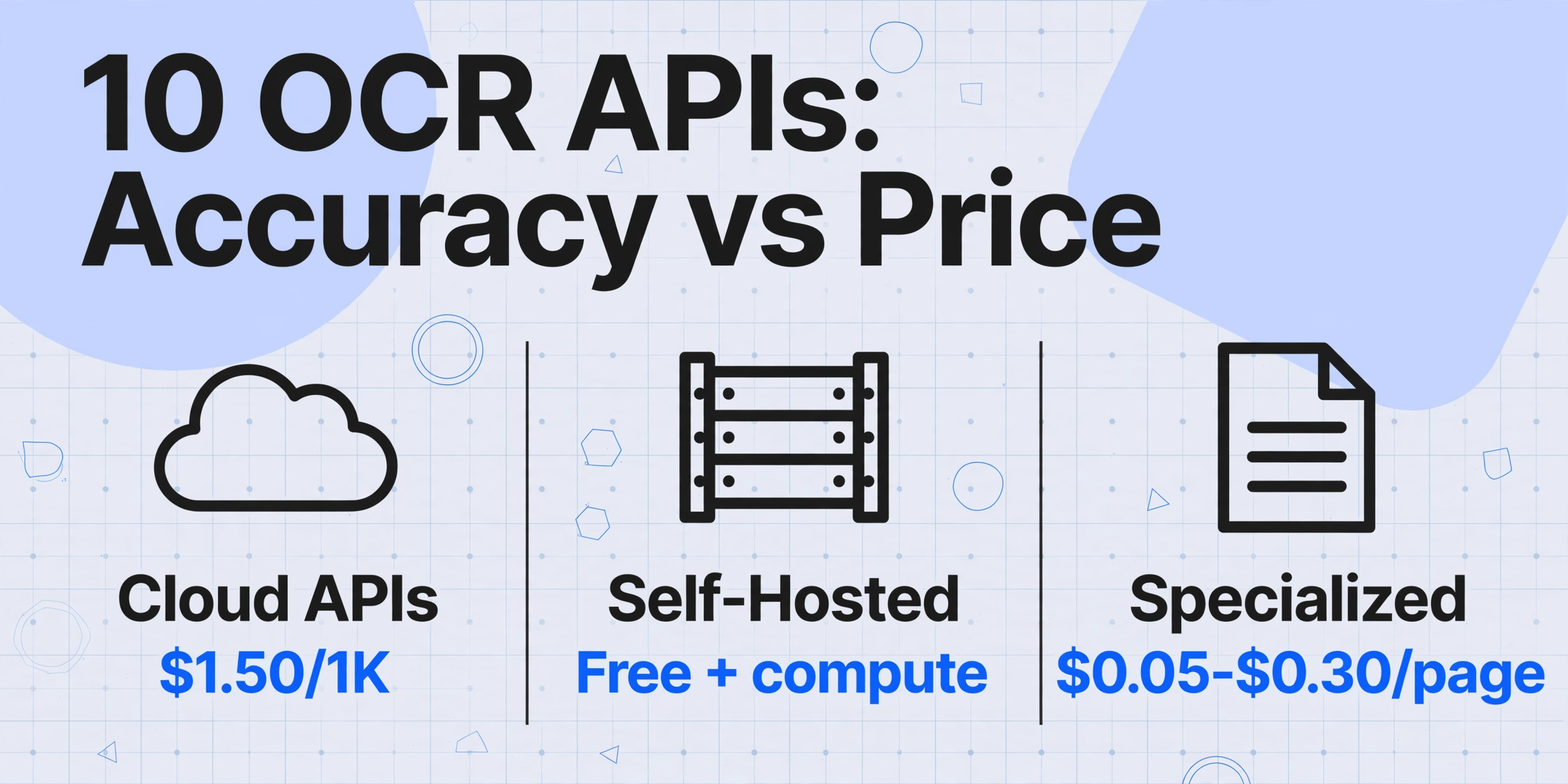
The table below distills each API into its defining strength, starting price point, document-type specialty, and the ecosystems it integrates with naturally. Use it as a first filter, then dive into the full section for the API you're leaning toward.
| API | Best For | Starting Price | Documents | Cloud Ecosystem |
|---|---|---|---|---|
| Google Cloud Vision | General OCR + scene text | Free: 1K/mo; then $1.50/1K | Any (images, PDFs) | Google Cloud (Doc AI, Storage, BigQuery) |
| AWS Textract | Forms, tables, structured docs | Free: 1K/mo (3 mo); then $1.50/1K | Forms, tables, invoices, receipts, IDs | AWS (S3, Lambda, Comprehend, SQS) |
| Azure Document Intelligence | Prebuilt models + Microsoft stack | Free: 500/mo; then $1.50/1K Read | Invoices, receipts, IDs, health cards, contracts | Azure (Logic Apps, Power Automate, Purview) |
| Tesseract | Free self-hosted OCR | Free (compute cost only) | Clean printed documents | Self-hosted (Linux, Windows, macOS) |
| ABBYY Cloud OCR SDK | Enterprise high-accuracy OCR | $99/mo (5K pages) | Any (200+ languages, handwriting) | Azure-hosted, on-prem available |
| Mindee | Developer DX + pre-trained models | Free: 250/mo; from €44/mo (500 credits) | Invoices, receipts, IDs, passports, resumes | Standalone API (no ecosystem lock-in) |
| Nanonets | Custom model training + workflows | $499/mo (10K pages) | Custom document types, invoices, receipts | Standalone + integrations (Zapier, QuickBooks) |
| Veryfi | Receipts, invoices, financial docs | Free: 100 docs; $500/mo min (Starter) | Receipts, invoices, bank statements, checks | Standalone + QuickBooks, Xero integrations |
| OCR.space | Free budget OCR at volume | Free: 25K req/mo; $30/mo (PRO) | Clean text documents, multi-page PDFs | Standalone API (no-frills) |
| Base64.ai | Any document type, one API | Custom pricing (pay-per-page) | 100+ document types, handwriting, tables | Standalone API + Slack, Zapier |
How We Picked and Evaluated These APIs
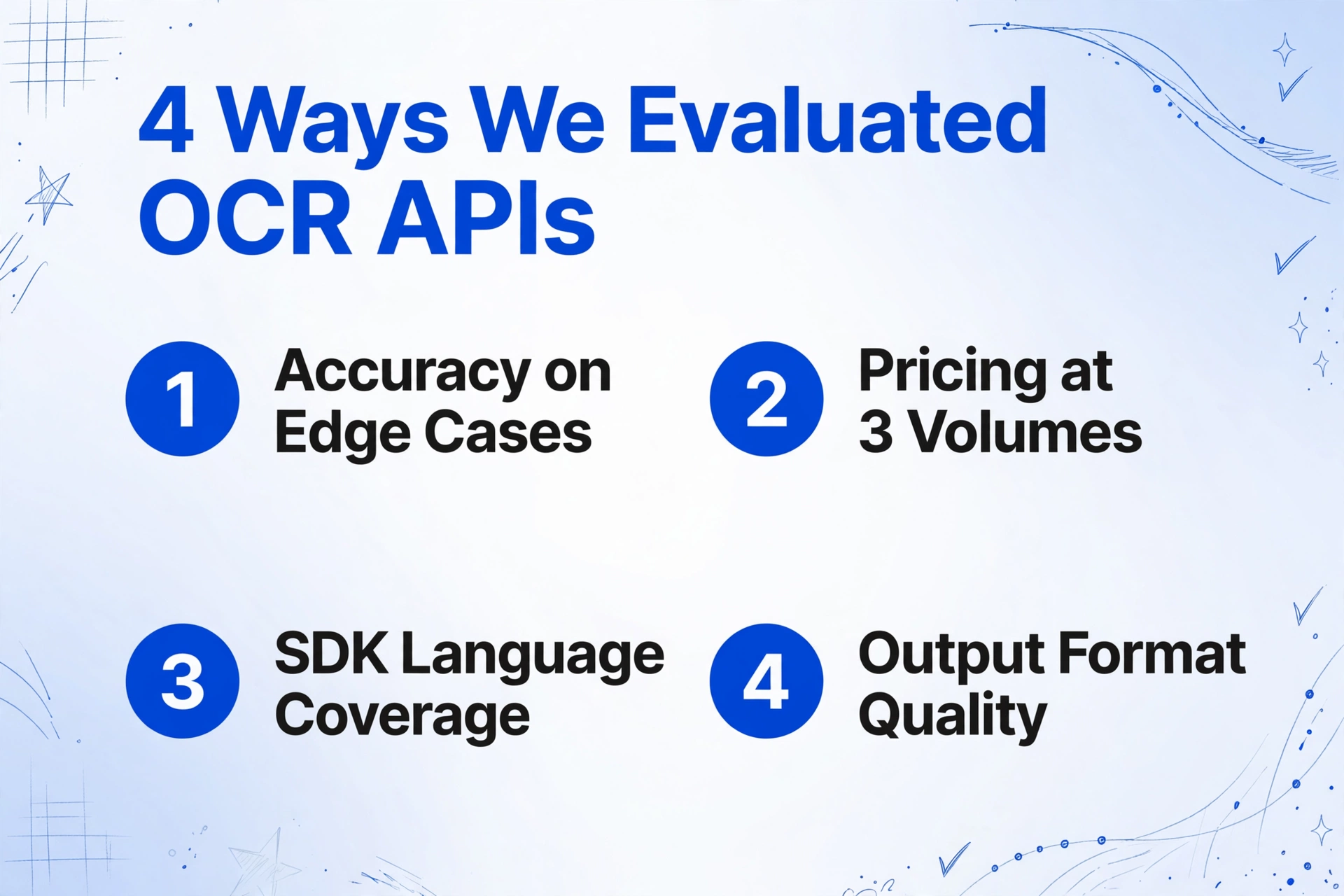
Every evaluation dimension below was verified against official documentation, published pricing pages, and developer SDK repositories. Where independent benchmarks existed (olmOCR benchmark, OmniDocBench, IDP Leaderboard), they were cross-referenced with hands-on developer reports from Stack Overflow and Reddit communities.
1. Accuracy — printed text, handwriting, tables, and forms
For printed text on clean documents, all major cloud APIs deliver 97–99% accuracy under normal conditions. The divergence shows up on handwriting, low-quality scans, complex tables, and multi-language documents. We evaluated each API's stated accuracy ranges for these edge cases and weighed community validation of real-world performance.
2. Pricing — per page, per 1,000 pages, and hidden costs
OCR API pricing is deceptively simple at first glance: most providers quote a headline rate of $1.50 per 1,000 pages. The real cost depends on which API endpoint you use (basic text vs. form analysis vs. custom queries) and whether you stay within the first pricing tier. We calculated total cost at three volume levels: 1,000 pages, 10,000 pages, and 100,000 pages per month.
3. SDK and language support
A good SDK means the difference between a one-day integration and a one-week ordeal. We checked official SDK availability for Python, Node.js, Java, Go, .NET, Ruby, and PHP — the seven languages that cover the vast majority of backend and data-processing use cases.
4. Output format quality
Raw text is table stakes. The differentiating factor is whether the API returns bounding box coordinates per word or line, preserves hierarchical table structure, extracts key-value pairs from forms, and outputs confidence scores. We scored each API on the richness of its JSON response.
5. Latency and throughput
Synchronous responses under two seconds are essential for interactive applications. Batch throughput (pages per minute at scale) matters for background processing pipelines. We noted each API's documented latency characteristics.
6. Cloud ecosystem and native integrations
An API that connects directly to S3, Cloud Storage, or Blob Storage — and feeds extracted data into a data warehouse or ERP — saves weeks of pipeline engineering. We evaluated each API's depth of integration with its parent cloud platform and third-party services.
Google Cloud Vision API
Google Cloud Vision is the broadest OCR API on the market — not because it's the most accurate for every document type, but because it handles everything from street signs to dense contract pages through a single endpoint. It splits OCR into two calls: TEXT_DETECTION for scene text (signs, labels, photos) and DOCUMENT_TEXT_DETECTION for dense document pages, the latter optimized through Google's Document AI pipeline.
Pricing. The first 1,000 units per month per feature are free. After that, Text Detection runs $1.50 per 1,000 images up to 5 million, dropping to $0.60 beyond that. Document Text Detection follows the same tier. Through Document AI, specialized processors (Invoice Parser, Expense Parser) charge $0.10 per 10 pages — notably cheaper than Textract's form analysis for financial documents.
SDK support. Python, Node.js, Java, Go, C#, PHP, and Ruby — all first-party, all maintained. Google's client libraries are among the most mature in the cloud OCR space.
Output quality. The JSON response includes per-word bounding boxes, confidence scores, and page-level layout blocks. Document AI processors add key-value pairs and table structures, though table reconstruction requires post-processing compared to Textract's native table output.
Best for teams already on Google Cloud, applications that need both scene-text OCR and document OCR through one SDK, and projects that benefit from Vertex AI or BigQuery integrations down the line.
Not ideal for heavy table extraction at scale (Textract is cheaper and more structured) or workflows that need to stay cloud-agnostic.
AWS Textract
Amazon Textract was built specifically for document understanding rather than general image analysis — and it shows. Its AnalyzeDocument API exposes separate feature flags for Tables, Forms, Queries, and Signatures, allowing you to pay only for the extraction depth you need. The Tables feature returns native row-and-column structure with confidence per cell; the Forms feature extracts key-value pairs without any template configuration.
Pricing. Basic DetectDocumentText costs $1.50 per 1,000 pages (first 1M) and $0.60 beyond. Tables add $15 per 1,000 pages; Forms add $50 per 1,000 pages; Queries add $15 per 1,000 pages. For invoice processing, AnalyzeExpense API runs $8–10 per 1,000 pages — purpose-built for financial documents and generally more accurate than running generic Forms analysis. The free tier includes 1,000 pages of DetectDocumentText per month for the first three months.
SDK support. Python, Node.js, Java, Go, .NET, PHP, Ruby — all first-party AWS SDKs. The Textract pagination and async APIs are well-documented with working examples in each language.
Output quality. Textract's table output is the industry benchmark for structured extraction. The JSON response preserves row-span, column-span, merged cells, and per-cell confidence. Forms extraction returns key-value pairs with bounding boxes and relationships. Queries support natural-language questions against documents — a unique capability for ad-hoc field extraction.
Best for AWS-native stacks, any project that needs high-fidelity table or form extraction, and teams that want to combine OCR with Lambda, S3 event triggers, or Step Functions for document processing pipelines.
Not ideal for general scene-text OCR (Vision API is better) or teams that want predictable costs without feature-based pricing tiers.
Azure Document Intelligence
Azure Document Intelligence (formerly Azure Form Recognizer) offers the tightest integration with the Microsoft ecosystem — Logic Apps, Power Automate, Power BI, and SharePoint. Its prebuilt models cover invoices, receipts, identity documents, health insurance cards, W-2 forms, 1098 tax forms, and contracts. The Layout model extracts tables and text with structure preservation.
Pricing. The Read model (basic OCR + layout) costs $1.50 per 1,000 pages, with 500 pages free per month. Prebuilt document analysis runs approximately $10 per 1,000 pages. Custom extraction starts at $30 per 1,000 pages for training and inference. The free tier's 500 pages per month is less generous than Google's 1,000 but adequate for prototyping.
SDK support. Python, Node.js, Java, .NET (C#), and Go — strong first-party support. The .NET SDK is particularly well-maintained, reflecting Azure's enterprise .NET customer base.
Output quality. The Layout model returns tables, selection marks (checkboxes), and paragraph structure with bounding boxes and confidence scores. Prebuilt models add document-specific field extraction (e.g., invoice line items, receipt merchant name). The JSON output is well-structured but less granular per-cell than Textract for complex table scenarios.
Best for organizations already on Microsoft 365 or Azure, scenarios that need Power Automate workflows, and teams that value prebuilt compliance documentation (SOC 2, HIPAA, GDPR).
Not ideal for high-volume basic OCR where OCR.space or Tesseract would be cheaper, or teams that prefer Google's or AWS's SDK maturity.
Tesseract (Self-Hosted Open Source)
Tesseract, originally developed by HP and now maintained by Google, remains the default starting point for developers who want full control over their OCR pipeline. It supports 100+ languages, runs on any platform, and costs nothing beyond compute. But "free" is not the same as "cheap" — the engineering time required to productionize Tesseract can exceed the cost of a cloud API subscription within a few weeks.
Pricing. Free. The only cost is infrastructure: a modest VM or container. For high-volume processing (1M+ pages/month), self-hosted Tesseract on a CPU instance typically breaks even with cloud APIs between 100,000 and 130,000 pages per month, depending on document complexity.
SDK support. Python (pytesseract), C++ (native), Java (Tess4J), Node.js (tesseract.js). The Python wrapper is the most widely used, with extensive community documentation and Stack Overflow coverage. However, SDK maturity varies significantly — tesseract.js runs entirely in the browser but is slower than the native build.
Output quality. On clean printed documents with good resolution and uniform backgrounds, Tesseract achieves 95–99% word-level accuracy. On low-quality scans, skewed pages, or documents with decorative fonts, accuracy drops sharply. It has minimal native support for table structure — output is flat text with whitespace positioning. Handwriting recognition is not reliable without additional model training. The hocr and ALTO output formats provide bounding boxes but no semantic understanding of fields.
Best for teams that need data sovereignty (no data leaves the server), high-volume processing where infrastructure cost is lower than API per-page fees, and developers who are comfortable tuning preprocessing pipelines (deskew, binarization, page segmentation).
Not ideal for teams that need production-ready extraction in days rather than weeks, documents with complex layouts or handwriting, or any scenario where maintenance burden should be minimal.
For a deeper comparison between Tesseract and modern extraction approaches, see our article on OCR vs AI Extraction.
ABBYY Cloud OCR SDK
ABBYY Cloud OCR SDK has been in the OCR business for over three decades, and its Cloud OCR SDK reflects that maturity. It supports 200+ recognition languages (including 126 handwritten languages), preserves document layout with high fidelity, and handles zone-based extraction alongside full-page OCR. ABBYY's strength is consistency across varied input quality — where Tesseract might struggle with a slightly skewed scan, ABBYY's preprocessing engine compensates.
Pricing. Cloud OCR SDK starts at $99 per month for 5,000 pages. Enterprise deployments (1M+ pages/year) typically negotiate per-page rates in the $0.02–$0.10 range with annual commitments starting around $15,000. There is no permanently free tier, only trials. For small teams, this makes ABBYY significantly more expensive than cloud hyperscaler APIs.
SDK support. Python, Java, .NET (C#), and C++ — solid but narrower than the cloud trio. The REST API is fully documented, and code samples are available for all supported languages.
Output quality. ABBYY's layout preservation is among the best in the industry — it reconstructs the original document structure including columns, tables, headers, and footers. Its XML output (through the FineReader engine) is the richest format available for downstream document processing. Handprint recognition in 126 languages is a differentiator that only a handful of APIs match.
Best for enterprise document digitization projects where layout fidelity is critical, regulated industries (finance, healthcare, government) that need on-premises deployment options, and multilingual OCR at scale across both print and handwriting.
Not ideal for startups or small teams with limited budgets, quick prototyping, or projects where per-page costs must stay below $0.01.
Mindee
Mindee is one of the most developer-friendly OCR APIs available today. Its documentation is clear, its API responses are consistent, and its pre-trained models (invoices, receipts, passports, driver licenses, resumes, and more) work out of the box without any training step. Mindee makes a deliberate design choice: instead of offering a generic OCR endpoint and leaving extraction logic to you, it returns field-level JSON that maps directly to your data model.
Pricing. The Developer plan is free for 250 pages per month (no credit card required). Paid plans start at €44/month (about $47) for 500 pages billed annually, with additional pages at €0.05 each. The Pro plan (€179/month) includes 2,500 pages at €0.04 per extra page. Enterprise pricing drops toward €0.01 per page at high volume. This is one of the most transparent pricing structures in the OCR API space — no hidden tiers or surprise feature costs.
SDK support. Python, Node.js, Java, Go, Ruby, PHP, and .NET — the broadest SDK coverage outside the big three cloud providers. All SDKs are auto-generated from the OpenAPI spec, which means they stay up to date with the API. On Reddit r/programming and r/MachineLearning, Mindee's Python SDK is frequently cited as the most intuitive for rapid prototyping.
Output quality. Mindee's field-level extraction returns structured JSON with confidence scores per field. For invoices, this means line-item arrays with descriptions, quantities, unit prices, and totals — not raw text that you need to parse yourself. The trade-off is that Mindee is optimized for specific document types rather than arbitrary documents; for a generic form with custom fields, you'd need to train a custom model.
Best for developers who want field-level JSON out of the box (no regex post-processing), teams that value documentation quality and SDK maturity, and projects that process standard document types (invoices, receipts, IDs, passports, resumes).
Not ideal for arbitrary document layouts without predefined models, scene-text OCR (street signs, whiteboards), or use cases where on-premises deployment is mandatory.
Nanonets
Nanonets positions itself between OCR API and AI workflow platform. Its core differentiator is custom model training — you upload sample documents and Nanonets learns to extract the fields you care about, without writing extraction rules. For teams that process non-standard documents, this training-based approach often yields better accuracy than generic pre-trained models.
Pricing. Nanonets starts at $499 per month for up to 10,000 pages — a significant jump from cloud API pricing. Additional extraction is approximately $0.30 per page, plus separate charges for formatting, lookups, and premium integrations. Developer reviews on G2 and Reddit frequently cite cost unpredictability as a concern as volume scales. The free tier offers 500 pages with a credit card.
SDK support. Python, Node.js, Java, and Go — these four cover most use cases. The Python SDK is the most feature-complete, with examples for batch processing, custom model training, and workflow automation.
Output quality. For documents that match your training set, Nanonets achieves high field-level accuracy. Its recent Nanonets OCR-3 model (released April 2026) scored 93.1 on the olmOCR benchmark and 90.5 on OmniDocBench, putting it in the top tier of commercial OCR models. The JSON output includes per-field confidence and bounding boxes.
Best for teams that need to extract custom fields from non-standard documents, organizations that benefit from the built-in workflow engine (approvals, validations, Slack notifications), and mid-market businesses that want OCR-plus-workflow in one platform.
Not ideal for teams on a tight budget (pricing escalates quickly), simple text extraction where Tesseract or OCR.space would suffice, or projects that need cloud-provider-native integrations.
Veryfi
Veryfi specializes in financial document OCR — receipts, invoices, bank statements, checks, and W-2 forms. Unlike general-purpose OCR APIs that return raw text and leave field identification to you, Veryfi returns accountant-ready JSON: merchant name, date, total, tax, line items, payment type, and category. This specialization makes it the fastest path from scanned receipt to bookkeeping entry.
Pricing. Veryfi offers a free tier of 100 documents total (not per month). The Starter plan requires a $500/month minimum commitment, which buys approximately 5,000 receipts or 3,125 invoices at $0.08 per receipt and $0.16 per invoice. This pricing structure works well for high-volume processing but creates a high entry barrier for smaller projects. Growth and Enterprise plans are custom-quoted.
SDK support. Python, Node.js, Java, Go, C#, and PHP — solid coverage across backend languages. The SDKs include built-in support for file upload from URLs, local files, and base64-encoded images. Veryfi also offers mobile SDKs for iOS and Android document capture.
Output quality. Veryfi's financial document extraction is among the most accurate in its niche. Its multi-modal LLM API (AnyDocs) extends the same approach to arbitrary document types. The response includes 38+ languages, 91+ currencies, categories, and normalized line items. On Reddit r/bookkeeping and r/accounting, Veryfi is frequently mentioned as the go-to API for receipt-heavy workflows.
Best for expense management applications, fintech products that process receipts and invoices at scale, and accounting firms building automated data ingestion pipelines.
Not ideal for general-purpose OCR needs (it's overkill for simple text extraction), small-scale evaluations (the $500 minimum is hard to justify for prototyping), or non-financial document types.
OCR.space
OCR.space is the best free OCR API for high-volume, budget-constrained projects. Its free tier — 25,000 requests per month with no credit card — is unmatched by any other commercial API. You give up some accuracy and features compared to the cloud trio, but for clean printed documents where 90–95% accuracy is acceptable, OCR.space is hard to beat on cost.
Pricing. The free tier includes 25,000 requests per month (500/day rate limit) with a 1 MB file size limit. The PRO plan costs $29.99/month for 300,000 requests, 5 MB file size, and faster processing. The PRO PDF plan ($59.99/month) adds multi-page PDF support (up to 999 pages). Enterprise plans start at $999/month for dedicated servers. Compared to cloud APIs at $1.50 per 1,000 pages, OCR.space's free tier is effectively unlimited for low-volume projects.
SDK support. OCR.space does not provide language-specific SDKs — communication is through its REST API. However, community-maintained wrappers exist for Python, JavaScript, PHP, and Java. The API returns JSON with per-word bounding boxes and confidence scores.
Output quality. On clean, high-contrast printed text, OCR.space achieves approximately 90–95% character accuracy — sufficient for searchable PDFs and data extraction from simple forms. Accuracy drops on small fonts, unusual layouts, handwriting, or low-resolution images. There is no native table extraction; table data comes back as text with positional coordinates but no row/column structure.
Best for prototyping and MVPs where budget is the primary constraint, internal tools that process clean printed documents, and developers who need a zero-commitment API to test OCR integration patterns before committing to a paid provider.
Not ideal for production systems requiring 99%+ accuracy, complex layouts (tables, forms), handwriting recognition, or any scenario where per-document accuracy directly impacts business outcomes.
Base64.ai
Base64.ai is a lesser-known but technically impressive OCR API that positions itself as "one API for any document." It supports over 100 document types — from medical records and insurance forms to passports, contracts, and invoices — with deep-learning models trained on each type. Its claim to fame is handling edge cases: rotated pages, folded documents, handwritten annotations, and mixed-layout pages.
Pricing. Base64.ai uses custom per-page pricing based on document type and volume, with no publicly listed standard tier. Prospective users contact sales for a quote, making it difficult to evaluate cost without a pilot. Expect pricing between enterprise-class APIs (ABBYY tier) and cloud hyperscalers.
SDK support. REST API with community wrappers for Python and JavaScript. The core integration is through direct HTTP requests with JSON payloads. Base64.ai also integrates with Zapier and Slack for workflow automation.
Output quality. Base64.ai's extraction quality is strong across its supported document types, particularly for ID documents, financial forms, and medical records. The JSON response includes per-field confidence, bounding boxes, and document classification labels. For handwriting on forms, it performs better than Tesseract or OCR.space but behind ABBYY's dedicated handprint recognition.
Best for document-heavy industries (insurance, healthcare, legal) that process diverse document types through a single integration, teams that need a dedicated account manager for setup, and scenarios where document classification + extraction in one API reduces architecture complexity.
Not ideal for budget-conscious teams (no self-serve pricing), quick prototyping without a sales conversation, or projects that need cloud-provider-native infrastructure.
Honorable Mentions: Other APIs Worth Knowing
Beyond the ten APIs covered above, several other services deserve a brief mention for specific use cases:
LlamaParse is built specifically for RAG pipelines and document agents. It preserves semantic structure and outputs markdown, making it a strong choice for AI engineers building retrieval-augmented generation systems. Pricing starts at a free tier with 1,000 pages per day, then $0.003 per page.
Clarifai offers a full-stack AI platform with OCR capabilities through its document understanding models. Its pay-as-you-go plan (max $100/month default) and developer plan at $1/month (first year) make it one of the more affordable options for teams that also need image recognition and model training on the same platform.
Rossum is an enterprise IDP platform optimized for invoice processing at scale. Pricing starts at $18,000/year, placing it firmly in the enterprise tier alongside ABBYY. Rossum's strength is its AI-powered validation engine and ERP integrations (SAP, Coupa, Workday), but for most developer use cases, the entry cost is prohibitive.
These platforms weren't included in the main comparison because their target audience (RAG pipeline builders, full-stack AI platform users, enterprise AP teams) is narrower than the developer-general OCR scope of this guide.
Which API Is Right for Your Use Case?
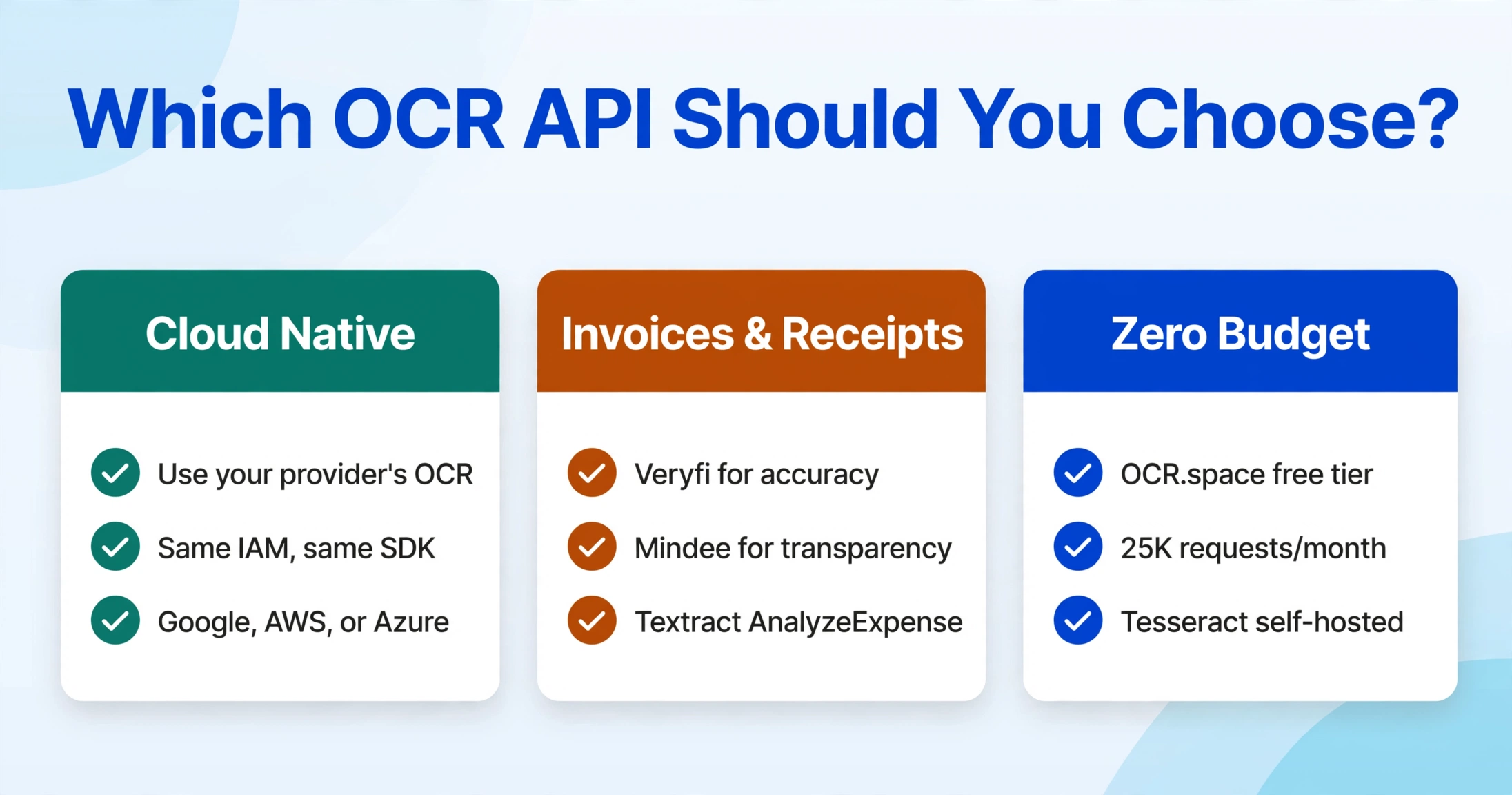
The answer depends on your document types, budget, timeline, and ecosystem. There is no single "best OCR API" — the right choice is the one that minimizes the total cost of integration, operation, and maintenance for your specific scenario. Here are six common situations and the APIs that fit best:
You're building a general OCR feature and already use Google Cloud, AWS, or Azure
Use your cloud provider's OCR API. The integration cost savings alone (same IAM, same SDK, same networking) outweigh accuracy edge cases. Google Cloud Vision for scene text + document OCR; AWS Textract if you need forms and tables; Azure Document Intelligence if you're in the Microsoft stack.
You process invoices and receipts at scale
Veryfi is purpose-built for this and has the best financial-document accuracy. Mindee is a strong second option with better pricing transparency and no $500/month floor. AWS Textract's AnalyzeExpense API ($8–10/1K pages) is a viable alternative if you're already on AWS.
You need table and form extraction with high fidelity
AWS Textract's Tables feature remains the gold standard for native table structure in JSON. Azure Document Intelligence's Layout model is close behind, with better checkbox/selection-mark extraction. For enterprise compliance + layout preservation, ABBYY's SDK is the most proven option.
Your budget is close to zero and documents are clean printed pages
OCR.space's free tier (25,000 requests/month) is the best option. If you need higher accuracy and can invest engineering time, Tesseract with proper preprocessing will beat OCR.space on accuracy at the cost of setup effort. For a comparison of self-hosted vs cloud OCR economics, see our open source OCR tools guide.
You need custom field extraction from non-standard documents
Nanonets offers the most accessible custom model training pipeline — upload samples, define fields, and train without coding. Mindee's custom models follow a similar workflow with lower entry pricing. Google Document AI's Custom Extractor and Azure's Custom Extraction both work but require more cloud-platform familiarity.
You want document extraction without writing any integration code
If your team doesn't have the bandwidth to manage API integrations, authentication, error handling, and result parsing, a no-code tool like ImageToTable.ai provides the same extraction capability through a web interface or Google Sheets add-on — no API key, no SDK, no deployment pipeline. Upload files or PDFs, define your columns, and get structured data back in seconds. The trade-off is throughput: APIs win at automation scale, but for ad-hoc document sets or teams without dedicated engineering resources, the no-code approach delivers faster time-to-value. To understand how this approach differs from traditional OCR, read What Is AI OCR?
Frequently Asked Questions
Which OCR API is best for developers building a production application?
Mindee offers the best balance of developer experience, documentation quality, SDK coverage (7 languages), and transparent pricing for production workloads below 10,000 pages per month. For AWS-native stacks, Textract is the logical choice. For Google Cloud-native stacks, Cloud Vision + Document AI. The "best" API depends more on your existing infrastructure than on raw OCR accuracy, because all major cloud APIs deliver 97%+ accuracy on clean documents.
What's the cheapest OCR API for high-volume processing?
For self-hosted, Tesseract is free but requires engineering time to productionize. For a managed API at scale, AWS Textract's DetectDocumentText at $1.50/1K pages (and $0.60/1K above 1M pages) is among the cheapest per-page rates. OCR.space's PRO plan at $29.99/month for 300,000 requests is the best value at low-to-mid volume. At very high volume (1M+ pages/month), negotiating custom rates with any major provider typically yields the lowest per-page cost.
Can OCR APIs handle handwriting?
Yes, but quality varies significantly. ABBYY Cloud OCR SDK has the most mature handprint recognition, supporting 126 handwritten languages in its zone-based ICR mode. Google Cloud Vision's handwriting support covers printed handwriting reasonably well. For cursive handwriting or mixed hand-printed documents, newer vision-language-model approaches (Gemini, GPT-5, Mistral OCR 3 accessed through cloud APIs) often outperform traditional OCR engines — but at higher per-page cost. See our handwriting OCR guide for a deeper comparison.
Does OCR API preserve table structure?
AWS Textract returns native row-and-column table JSON with cell confidence scores — this is the most developer-friendly table output available. Azure Document Intelligence's Layout model also preserves table structure with bounding boxes. Google Cloud Vision's Document AI returns table blocks but requires more post-processing for reliable structural reconstruction. Tesseract and OCR.space return text with positional data but no table structure inference.
Which OCR APIs support the most programming languages?
Google Cloud Vision, AWS Textract, and Mindee all offer first-party SDKs for Python, Node.js, Java, Go, and at least three additional languages. Azure Document Intelligence's .NET SDK is particularly strong. For long-tail language support (PHP, Ruby), Google and AWS have the broadest coverage across all their SDKs.
What free OCR API tiers are available in 2026?
OCR.space offers the most generous free tier at 25,000 requests/month. Google Cloud Vision provides 1,000 units/month free. AWS Textract offers 1,000 pages/month for the first 3 months. Azure Document Intelligence gives 500 pages/month. Mindee's Developer plan includes 250 pages/month free with no credit card required. Veryfi includes 100 documents free (not recurring). Tesseract is free but self-hosted.
Which APIs support synchronous vs asynchronous processing?
Google Cloud Vision, AWS Textract, and Azure Document Intelligence all support both sync (single page, sub-second latency) and async (multi-page batch) modes. Mindee, Veryfi, and Nanonets default to synchronous processing with async options available for batch workloads. OCR.space is synchronous only. For interactive applications, ensure the API you choose offers sync responses under 2 seconds.
Can I run OCR APIs on-premises or in a private cloud?
Tesseract and other open-source engines (PaddleOCR, EasyOCR) run anywhere. ABBYY offers on-premises deployment for its FlexiCapture platform. AWS Textract, Google Cloud Vision, and Azure Document Intelligence are cloud-only, though Azure provides connected container deployments for some Document Intelligence features. For sensitive data (PII, PHI), Tesseract with local preprocessing followed by a cloud API call (with data masking) is a common hybrid pattern.
What if I do not want to integrate an OCR API at all?
OCR APIs are the right choice when you need programmatic access at scale. But if you process documents occasionally — or if your team doesn't have engineering bandwidth for API integration — no-code extraction tools offer a faster path to structured data. ImageToTable.ai lets you upload documents, name your columns, and get structured table output without writing any code. The Google Sheets add-on takes this further: upload directly from your spreadsheet and get data appended to the active sheet — no API key, no SDK, no server to manage. It's a different trade-off from an OCR API (less automation, zero setup) but for the right use case, it's the faster answer.
Which OCR API supports the most languages?
ABBYY Cloud OCR SDK leads with 200+ print languages and 126 handprint languages. Google Cloud Vision supports 200+ languages through its Document AI pipeline. Tesseract supports 100+ languages with language packs available for most scripts. Azure Document Intelligence and AWS Textract support approximately 100+ languages each. For East Asian languages (Chinese, Japanese, Korean), Google Cloud Vision and ABBYY typically deliver the highest accuracy. For European languages, all major cloud APIs perform similarly.
Are there independent benchmarks comparing OCR API accuracy?
Several independent benchmarks track OCR model accuracy. The olmOCR benchmark from the Allen Institute for AI evaluates document understanding and structure preservation. OmniDocBench covers multi-format document extraction quality. The IDP Leaderboard tracks extraction accuracy across invoice, receipt, and identity document types. As of early 2026, Nanonets OCR-3 scored 93.1 on olmOCR, while GPT-5.2 and Gemini 3 Pro lead VLM-based approaches on combined accuracy and form understanding. These benchmarks update frequently — check the source for the latest rankings.