OCR vs AI Extraction:
Understanding the Difference Between Reading and Understanding
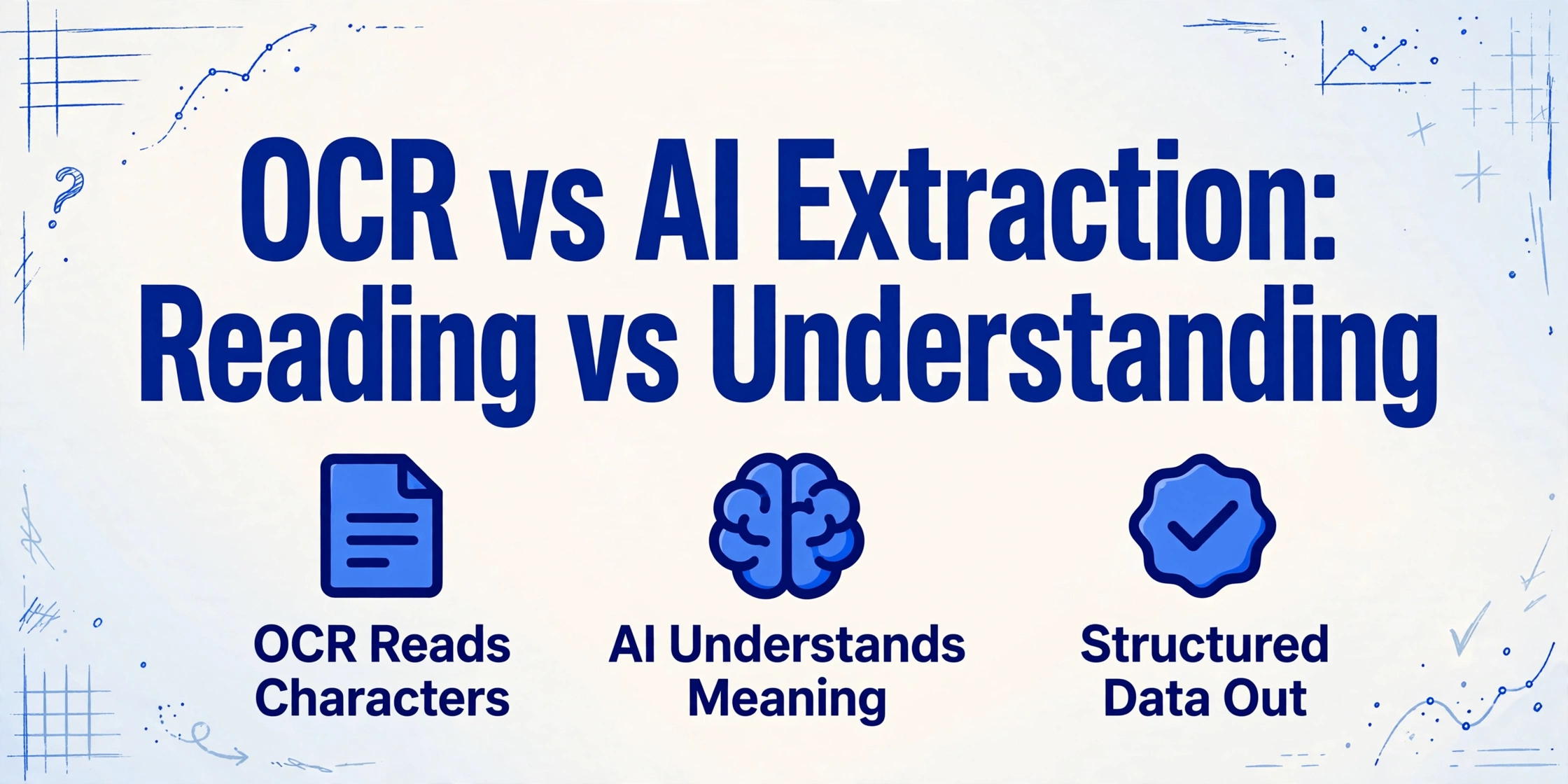
OCR and AI extraction both process documents, but they answer fundamentally different questions: OCR tells you what characters appear on the page, while AI extraction tells you what those characters mean. The confusion between the two is understandable — both take document images and produce digital output — but conflating them is like confusing a typewriter with an editor. One transcribes. The other interprets.
Key Takeaways
- Your OCR reads every character flawlessly — and hands you one unlabelled text blob. An ERP can't tell the invoice number from the vendor address, so someone still opens each file and sorts them by hand.
- Every time a vendor changes their invoice layout, you build a new template. The real cost isn't the template — it's that position-based extraction treats every document as identical, and the world never sends you identical documents.
- AI extraction finds "Invoice Total" whether it's in the top-right corner of one document or the bottom-left of another. It doesn't ask where on the page — it asks what the data means, the way a person would.
What OCR and AI Extraction Actually Do (and Don't Do)
Optical Character Recognition (OCR) is a technology that converts images of typed, handwritten, or printed text into machine-readable text. It recognizes individual characters — letters, numbers, symbols — by comparing them against known patterns or using pattern-matching algorithms. The output is raw text: a string of characters that represents what was physically printed on the page.
AI document extraction — sometimes called intelligent document processing or AI-powered extraction — uses vision-language models, natural language processing, and deep learning to understand the content of a document. It doesn't just read characters; it identifies what those characters mean in context. An AI extraction system can tell you that a particular number is the invoice total, that a date is the due date, and that a name is the vendor — because it understands the semantic role each piece of information plays.
The core distinction: OCR converts images to text. AI extraction converts images to structured, meaningful data. One is a transcription technology. The other is an understanding technology.
This difference matters because downstream systems — spreadsheets, accounting software, ERPs — don't want raw text. They want clean fields with known meaning: "Invoice Number: INV-2026-0891", "Total: $1,234.56", "Due Date: 2026-07-15". OCR can give you the first part (the text characters), but it cannot give you the second part (what each piece of text means).
The Same Document, Two Different Answers
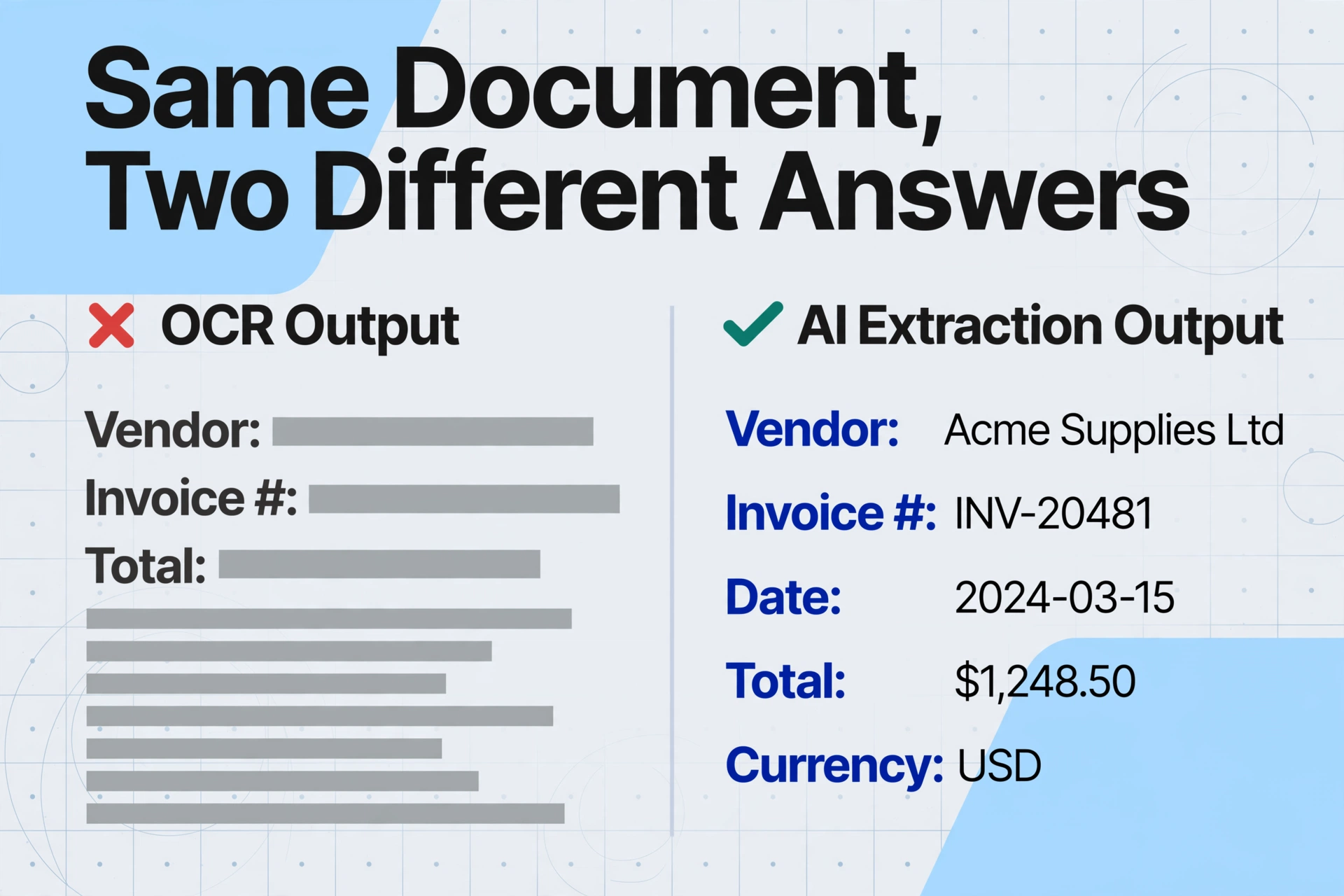
The most effective way to understand the distinction is to see what each technology actually outputs when given the same document. Consider a standard invoice with the following content:
Sample invoice fragment:
Vendor: Pacific Maritime Supplies
Invoice #: INV-2026-0891
Date: 06/15/2026
Due Date: 2026-07-15
Description: 40ft Shipping Container – Refurbished
Qty: 2 × Unit Price: $3,800.00
Subtotal: $7,600.00
Tax (8.25%): $627.00
Invoice Total: $8,227.00
OCR output — a single string of recognized characters, stripped of meaning:
OCR successfully transcribed every character. But the output is a flat text blob. To extract meaning — to know that "INV-2026-0891" is the invoice number and "$8,227.00" is the total — you need a human to read it, or a template that tells the system where each field lives by position.
AI extraction output — structured data with semantic labels:
| Field | Value |
|---|---|
| Vendor Name | Pacific Maritime Supplies |
| Invoice Number | INV-2026-0891 |
| Invoice Date | 2026-06-15 |
| Due Date | 2026-07-15 |
| Line Item Description | 40ft Shipping Container – Refurbished |
| Quantity | 2 |
| Unit Price | $3,800.00 |
| Subtotal | $7,600.00 |
| Tax | $627.00 |
| Invoice Total | $8,227.00 |
The difference is stark. AI extraction doesn't just transcribe the text — it understands what each value represents and organizes it into labeled fields. The invoice total isn't just a string of characters ($8,227.00); it's the Invoice Total — a semantic data point that a spreadsheet can sum, an ERP can post, and a report can analyze.
This is the defining difference: OCR gives you text. AI extraction gives you answers.
Myth 1: "OCR and AI Extraction Are the Same Kind of Technology"
This is the most common misconception — and it's understandable. Both OCR and AI extraction take document images as input and produce digital data as output. Both are sold under overlapping marketing terms like "document capture," "data extraction," and "intelligent OCR." But the underlying technology is fundamentally different.
OCR is a pattern-matching technology. Traditional OCR works by comparing character shapes against an internal database of known glyphs. It asks: "Does this pixel pattern match the letter 'A', the number '8', or the symbol '$'?" It operates at the character level — each glyph is recognized independently, with no understanding of the word or phrase it belongs to. Modern OCR has improved with machine learning, but its fundamental task remains character recognition.
AI extraction is a semantic understanding technology. It uses vision-language models (VLMs) that process the entire document as a visual scene — not just individual characters, but the layout, the spatial relationships between text blocks, the formatting cues (bold = header, large font = title), and the contextual meaning of each data point. It asks: "Given everything on this page, what is the invoice number? What is the total? What is the vendor name?"
A helpful analogy: OCR is like a person who can sound out every word in a book but cannot tell you what the story is about. AI extraction is like a reader who understands the plot, the characters, and the themes — and can summarize them for you.
The complete guide to what OCR is explains this in more depth, including the three generations of OCR technology from 1974 to today.
Myth 2: "AI Extraction Replaces OCR — You Only Need One"
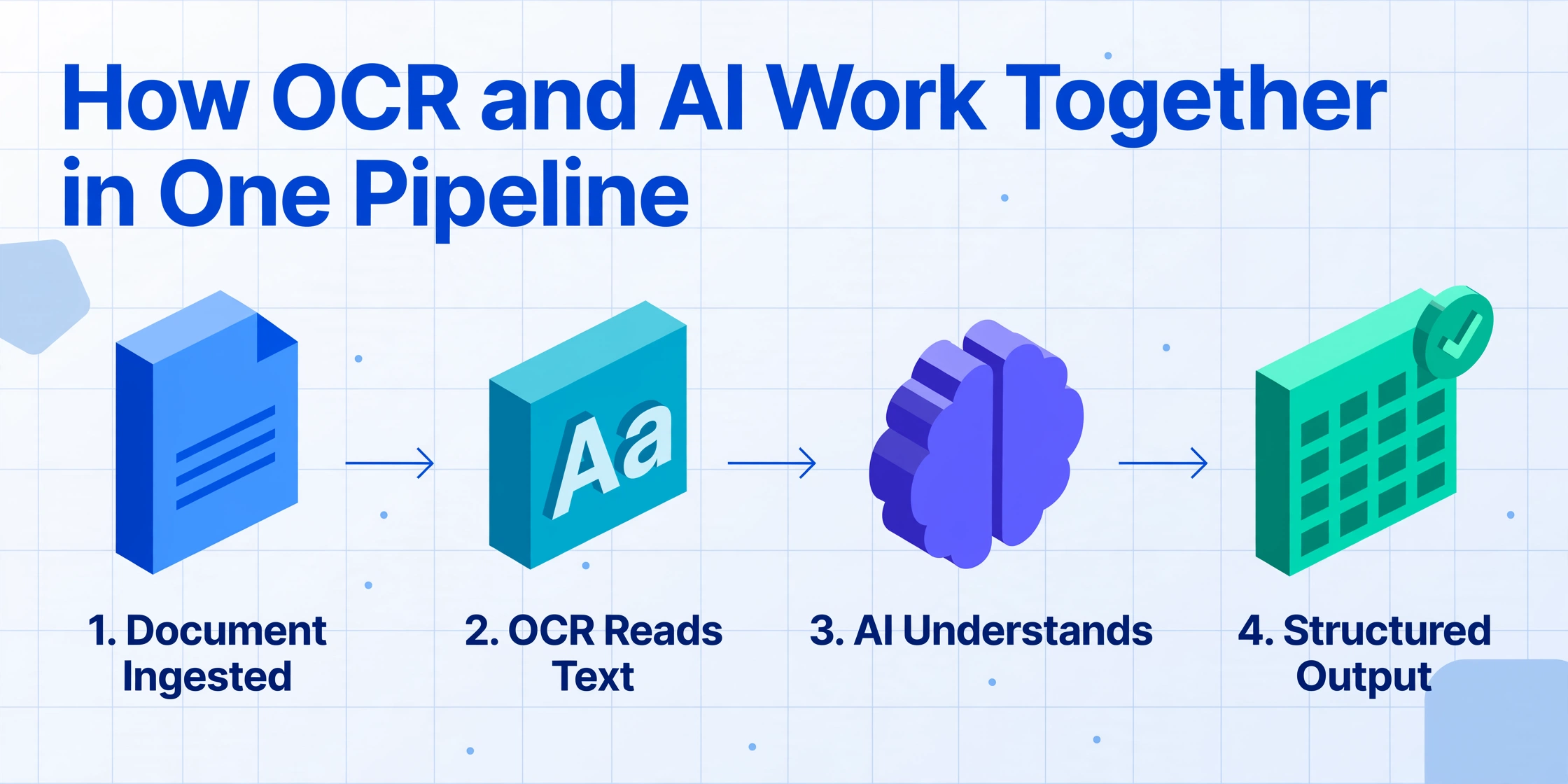
This misconception leads many businesses to believe they must choose between the two technologies. The reality is that they operate at different layers of the same stack, and many AI extraction pipelines actually use OCR as their first step.
Think of it this way: OCR is the foundation — it converts the visual document into machine-readable text. AI extraction is the layer on top — it takes that text (or the raw visual data) and interprets it. A typical AI document processing pipeline looks like this:
PDF, image, or screenshot enters the system.
Characters are identified and extracted as raw text — this is where OCR does its job.
The AI model analyzes the document layout, context, and relationships to identify what each piece of data means.
The interpreted data is organized into labeled fields and exported to a spreadsheet, database, or API.
In many modern systems, the OCR and AI layers are so tightly integrated that the user never sees the boundary. But conceptually, the separation is important: OCR provides the raw material. AI extraction gives it meaning.
This is also the key difference between traditional AI OCR — which is essentially OCR enhanced with machine learning for better character recognition — and full AI document extraction, which understands document semantics. The article on what AI OCR is and how it differs from traditional OCR explores this distinction in detail.
Myth 3: "If You Have OCR, You Don't Need AI Extraction"
This myth persists because OCR has been "good enough" for many document tasks for years. And in certain scenarios, it genuinely is. But those scenarios are narrowing as document volume grows and formats proliferate.
When OCR alone is sufficient
OCR works well when documents are structurally consistent — every document follows the same template, uses the same layout, and places key information in the same positions. Examples include:
- Digitizing standardized government forms (W-2s, 1099s) from a single source
- Converting printed book pages into searchable text
- Processing internal company forms where all departments use the same template
- Creating searchable PDF archives from scanned documents where the goal is full-text search, not data extraction
In these cases, OCR plus a template (or manual review) can produce usable results. The document variability is low, so position-based extraction works.
When you need AI extraction
AI extraction becomes essential when any of the following conditions exist:
| Condition | Why OCR alone fails | What AI extraction does |
|---|---|---|
| Multiple vendors or sources | Each vendor uses a different invoice layout — template-based OCR breaks on every format change | Understands field meaning regardless of position — adapts automatically |
| Handwritten content | Traditional OCR struggles with handwriting variability | Vision-language models interpret handwriting using visual context |
| Mixed document types | Each type needs its own template — maintenance scales linearly | Single AI model handles invoices, receipts, purchase orders, and contracts |
| Need for specific fields, not all text | OCR outputs everything — you still need to find the data you want | You define the fields (Invoice Number, Total, Due Date) — AI extracts only what you asked for |
| Poor quality scans or photos | Blurry images, skewed angles, and low contrast degrade accuracy | VLMs handle degradation better — they process the image as a visual scene, not just character shapes |
| Need for computed or inferred data | OCR cannot calculate — it only reads what's printed | AI can compute line totals, categorize expenses, or infer data not explicitly written |
If your document workflow involves only the first scenario — consistent templates from a single source — OCR may serve you well. For virtually every other modern document processing need, AI extraction is the practical choice.
The Shift: From Position-Based to Semantic-Based Extraction
The confusion between OCR and AI extraction isn't just a terminology problem. It reflects a deeper shift in how document data extraction works — a shift from position-based extraction to semantic-based extraction.
For decades, document data extraction followed a simple formula: OCR extracts all text → a template maps field positions → the system reads the value at each coordinate. This is the position-based paradigm. It works as long as every document places its fields in exactly the same location.
The problem is that real-world documents don't work that way. Vendors use different invoice layouts. Bank statements come in varying formats. Purchase orders from different companies arrange information differently. In a position-based system, every format variation requires a new template or a rule adjustment — which is why traditional OCR workflows break down as document variety grows.
Semantic-based extraction — the paradigm that AI extraction enables — flips the formula. Instead of asking "where is the data on the page?", it asks "what does the data mean?" The AI model reads the entire document as a unified visual scene, understands the relationships between text blocks, and identifies each data point by its semantic role — regardless of where it sits on the page.
This is not an incremental improvement. It's a different approach to the problem — one that shifts the burden of adaptation from the user (creating templates) to the technology (understanding documents).
ImageToTable.ai, for example, operates entirely on this semantic-based paradigm. You define the output — the column names you want — and the AI locates the corresponding data in any document layout by understanding what each field represents. This is what the product description calls Template-Free and Format-Independent extraction — capabilities that are simply impossible with OCR alone, because OCR has no concept of what a "Vendor Name" or "Invoice Total" means.
The emerging concept of agentic OCR represents the next evolution — where the AI not only reads and understands documents but can also reason about document structure and act on the extracted data. But the foundational leap is from reading to understanding.
For a broader overview of how all these technologies fit together, the AI document extraction guide serves as the hub for this topic cluster.
Frequently Asked Questions
Does AI extraction use OCR?
Many AI extraction systems use OCR as one component in their pipeline — typically as the text recognition layer. But the AI layer goes far beyond what OCR alone can do by understanding the meaning, context, and relationships between data points. Some modern vision-language models bypass traditional OCR entirely by processing the document image directly.
Can OCR and AI extraction work together?
Yes — and in many systems they do. OCR handles the character recognition step, converting visual text into machine-readable format. AI extraction then interprets that text to identify specific fields, validate data, and structure the output. They are complementary technologies, not competitors.
Is AI extraction more accurate than OCR?
It depends on the task. For simple character recognition on clean, standardized documents, OCR can achieve high accuracy. But for extracting specific data fields — like finding the invoice total among dozens of numbers on a page — AI extraction is significantly more accurate because it understands which number is the total based on context, not just position. For printed table data with consistent formatting, modern AI-powered systems can achieve up to 99% accuracy.
What types of documents work best with AI extraction?
AI extraction works well with virtually any document type that has text content: invoices, receipts, purchase orders, bank statements, contracts, packing slips, timesheets, insurance certificates, and more. It handles structured documents (forms with fixed layouts), semi-structured documents (invoices with varying layouts), and even unstructured documents (handwritten notes, inspection reports). The key advantage is that it doesn't require templates for any of them.
Do I still need OCR if I use AI extraction?
Not necessarily — many modern AI extraction tools handle the entire pipeline from image to structured data without exposing OCR as a separate step. The AI reads the document directly and outputs the fields you need. You don't need to run OCR first and then feed the output into an AI tool. The AI extraction system handles both the reading and the understanding in one pass.
Which is more expensive: OCR or AI extraction?
The direct cost comparison depends on the specific tool and volume. However, the total cost of ownership often favors AI extraction when you account for the hidden costs of OCR: template creation and maintenance, manual validation of miss-extracted fields, and handling exceptions when formats change. AI extraction tools typically use subscription pricing and eliminate most template-related overhead. Many offer free tiers or demo access for testing on your own documents.
See the Difference on Your Own Documents
The best way to understand the gap between OCR and AI extraction is to see it with your own documents. What follows is a live demo — upload any invoice, receipt, or document and see what an AI extraction system produces. No templates. No configuration. Just upload and see the structured fields the AI identifies.
Files are processed securely and not stored.
Upload a document and type a few column names — "Invoice Number", "Total", "Vendor Name", "Due Date" — and watch the AI locate and extract each field by understanding what it means, not where it sits on the page. That's the difference between reading characters and understanding a document.
This is what separates OCR from AI extraction: OCR reads what's written. AI extraction knows what it means. And in a world where documents come in endless variations, understanding matters.