What Is OCR?
How Optical Character Recognition Actually Works
OCR — Optical Character Recognition — is the technology that converts images of typed, handwritten, or printed text into machine-readable characters. It takes what a human eye sees on a scanned page or photo and turns it into what a computer can edit, search, and store. But there is a critical distinction most explanations skip: OCR digitizes characters, yet it does not understand what those characters mean. That gap determines whether you get a searchable PDF or a structured spreadsheet.
Key Takeaways
- OCR reads every word on a scanned page with 99% character accuracy — and still cannot distinguish an invoice number from a ZIP code, because it reads character shapes, not document meaning.
- Three generations of OCR engines spent 40 years solving the wrong problem: better character recognition. None learned that a string of digits could be a purchase order number — the output stayed undifferentiated text that still required manual copy-paste into every spreadsheet column.
- Third-generation vision AI reads documents the way a human does — holistically, by meaning — and maps fields into labeled columns before you even open a spreadsheet.
What OCR Actually Does — and What It Has Never Done
OCR does one thing: it reads text from an image and outputs a string of characters. A scanned page goes in; raw text comes out, organized roughly in reading order — left to right, top to bottom. The engine makes no attempt to understand what the text means, what kind of document it belongs to, or which parts are important and which are boilerplate. It reads shapes and produces characters. That is the complete transaction.
To see why this matters, consider what happens when you pass a standard invoice through OCR. The engine processes every visible character — the company logo text, the invoice number, the date, the line item descriptions, the unit prices, the total — and assembles them into a continuous text stream. The output will tell you the page contains the string "$1,234.56," but it cannot tell you whether that is the invoice total, a line item subtotal, the tax amount, or the shipping charge. It has no concept of "invoice total" as a category. It does not know what "line item" means. It reads, but it does not comprehend.
This is why OCR is not document extraction, and OCR is not data entry automation. It is the first layer of a pipeline — the layer that converts pixels to characters. Everything after that — identifying which characters belong to which field, validating formats, structuring the output into rows and columns — requires additional intelligence layered on top.
OCR answers the question "what characters are on this page?" It does not answer "what data does this document contain?" The difference between those two questions is the difference between a text file and a spreadsheet.
How OCR Works: The Four-Step Pipeline
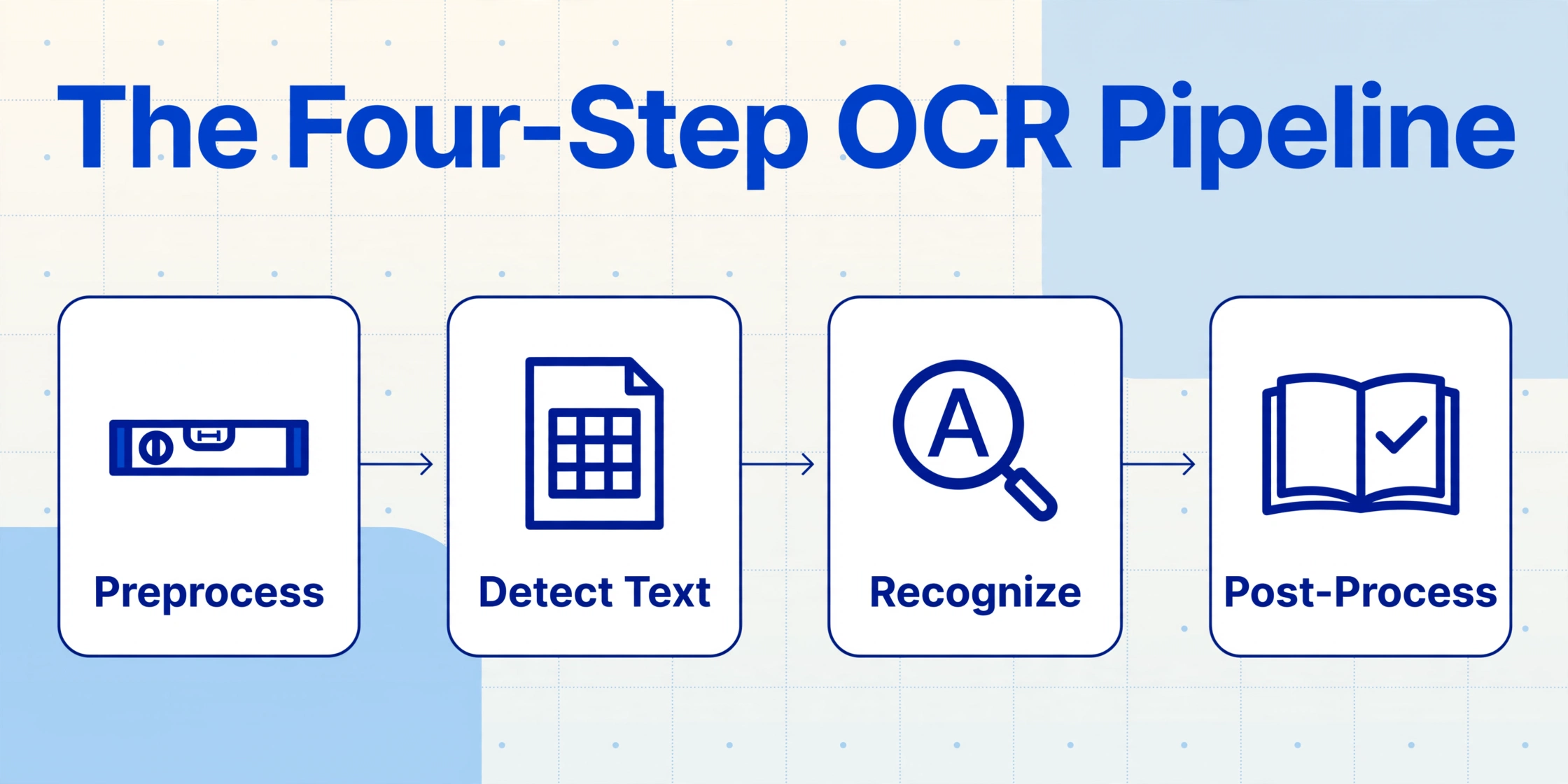
Despite significant advances in accuracy, the core OCR pipeline has remained structurally consistent for decades. Understanding these four steps explains why some OCR limitations are not fixable by "better algorithms" — they are built into the architecture.
Preprocessing
The raw image is cleaned up before any recognition happens. This includes deskewing (straightening a crooked scan), removing noise (speckles from a fax line), binarizing (converting to pure black-and-white), and adjusting lighting and contrast. The quality of this step determines everything that follows — a poor preprocess guarantees poor recognition.
Text Detection (Layout Analysis)
The engine identifies which regions of the image contain text versus images, logos, blank space, or page decorations. It breaks the page into blocks, lines, and individual characters. This step determines reading order — but it has no understanding of document structure. A page header and a table header look the same to the detection layer.
Character Recognition
The actual OCR step. Historically done via template matching (comparing each character shape against a library of known glyphs), modern engines use neural networks trained on millions of character examples. Each character is classified by shape — the letter "O," the digit "0," and a circle icon are all different patterns the engine must distinguish.
Post-Processing
The recognized characters are assembled into words and checked against dictionaries and language models. "Recognition" might be corrected to "recognition." Context-sensitive rules may resolve ambiguous characters — for example, using surrounding context to decide whether "1" is a digit or a lowercase "l."
The key observation is that every step operates bottom-up: start from pixels, build to characters, assemble to words, group into lines. The engine never sees the whole page as a meaningful document. It processes one small region at a time and stitches the results together by reading order. Think of it like reading a book through a pinhole — you can eventually reconstruct every word, but you have no idea whether you are reading a novel, a tax form, or a shopping list.
The Three Generations of OCR Technology
OCR has evolved through three distinct technological generations. Each represents a fundamentally different approach to the character recognition problem, and each left behind a different set of limitations.
Generation 1 — Pattern Matching and Template OCR (1974–2014). The first commercial OCR systems used template matching: scanning a captured character and comparing it pixel-by-pixel against a library of stored glyph patterns. The most famous example is Tesseract, originally developed at HP Labs in 1974 and now maintained by Google as the leading open-source OCR engine. These systems performed well on clean, typed text in known fonts (achieving 80–95% character accuracy), but degraded sharply on unusual typefaces, handwriting, or noisy scans (often below 50%). Each new font or document layout required manual tuning — no semantic understanding existed at any level.
Generation 2 — Machine Learning OCR (2015–2022). The introduction of convolutional neural networks (CNNs) and later recurrent neural networks (RNNs) transformed character recognition accuracy. Major cloud providers — Google Cloud Vision, Amazon Textract, Azure Document Intelligence — deployed ML-powered OCR that learned character shapes from millions of training examples rather than matching fixed templates. Character accuracy on clean documents rose above 99%. But the output remained undifferentiated text. Better character recognition did not produce better data understanding. An ML-based OCR engine could tell you the font weight and character confidence score of every letter on the page — but it still could not tell you whether a string of digits was an invoice number or a ZIP code.
Generation 3 — Vision AI OCR (2023+). The latest generation replaces the bottom-up pipeline with a top-down, holistic approach. Instead of processing character by character, a vision-language model (VLM) takes in the entire page as a visual image and reasons about what each region, label, and value means in context. Trained on billions of image-text pairs, these models can identify the document type, parse spatial layouts, read text in its visual context, and map values to data fields by meaning — not position. This is the technology behind tools like ImageToTable.ai. For a detailed accuracy comparison across generations, see our breakdown of AI OCR vs traditional OCR accuracy.
| Gen 1: Pattern Matching | Gen 2: ML OCR | Gen 3: Vision AI | |
|---|---|---|---|
| Approach | Glyph template comparison | Neural character classification | Whole-page visual understanding |
| Clean text accuracy | 80–95% | 99%+ | 98–99% |
| Handling varied layouts | Fails — requires per-layout templates | Limited — better characters, same structure blindness | Native — understands layout via visual context |
| Handwriting | Below 50% | 50–70% | 75–93% |
| Output | Raw text string | Raw text with confidence scores | Structured data, field-mapped |
OCR vs Document Extraction — Why the Difference Matters
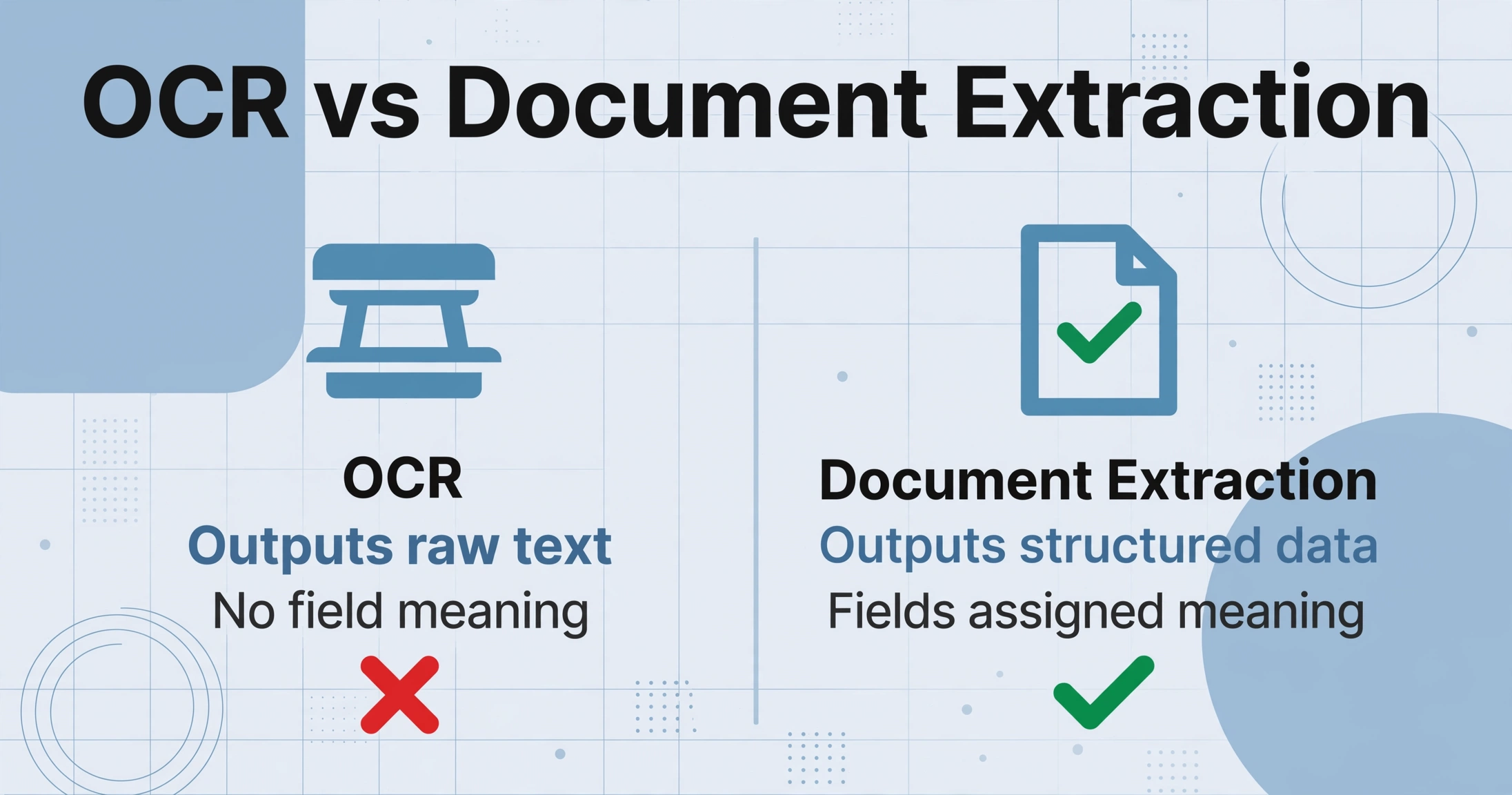
This distinction is the most important concept in the document processing industry — and the one most "what is OCR" explanations gloss over.
OCR answers: "What characters are on this page?"
Document extraction answers: "What data does this document contain?"
The difference looks academic until you process your first multi-vendor invoice batch with OCR alone. Here is what you get when you run a purchase order through a traditional OCR engine:
PURCHASE ORDER PO-2026-0412 DATE 12/04/2026 VENDOR ATLAS FASTENERS QTY 500 DESC M8 HEX BOLT UNIT $0.42 TOTAL $210.00
A wall of text, roughly in reading order. The OCR engine extracted every character correctly — likely at 99%+ character accuracy. But you still have to highlight each field, find the correct column in your spreadsheet, and copy-paste the value. The OCR digitized the characters. It did not do the data entry.
Now run the same purchase order through an AI document extraction tool like ImageToTable.ai. The output is a structured table:
| PO Number | Date | Vendor | Qty | Description | Unit Price | Total |
|---|---|---|---|---|---|---|
| PO-2026-0412 | 12/04/2026 | Atlas Fasteners | 500 | M8 Hex Bolt | $0.42 | $210.00 |
The difference is not speed of character recognition. It is the presence or absence of semantic understanding. The extraction engine reads the same pixels as the OCR engine — but it also understands that "PO-2026-0412" is a purchase order number, "12/04/2026" is the issue date, and "$0.42" is a unit price that belongs in a specific column. It assigns meaning during the read step, not after.
This matters because document extraction eliminates the post-OCR bottleneck — the manual copy-paste step where most errors actually occur. Human data entry has a consistent error rate of 1–4% per field. For a 10-field document processed at volume, that translates to 100–400 errors per 1,000 records. And because OCR output is undifferentiated, those errors are hard to catch programmatically — a wrong digit that happens to look plausible passes through to your ERP without triggering any alert. For a complete breakdown of how extraction solves this, see our guide to what AI document extraction actually is.
When OCR Is the Right Tool (and When It Isn't)
OCR is not obsolete — it is the right solution for specific problems. The key is knowing which problems those are, and being honest about where it falls short.
OCR is the right tool when:
1. You need scanned documents to be searchable. This is OCR's original and most natural use case. Converting a scanned PDF into a searchable document — where you can Ctrl+F to find a term — requires OCR. No extraction layer needed.
2. You are digitizing text archives. Books, historical records, typed correspondence — when the goal is preservation and keyword search rather than structured data extraction — OCR is sufficient.
3. You need text-to-speech or accessibility output. Screen readers for visually impaired users rely on OCR to convert document images into readable text. Document structure matters less than accurate character reproduction.
OCR is not enough when:
1. You need structured data in a spreadsheet. If your end goal is a table with columns and rows — invoice numbers in one column, dates in another, totals in a third — OCR alone cannot produce it. You need an extraction layer that assigns meaning to the characters it reads.
2. You process documents from multiple sources with different layouts. Every supplier or customer who sends a differently formatted invoice creates a new parsing problem for traditional OCR workflows. Without semantic understanding, each layout variation requires a separate template or manual mapping.
3. Accuracy matters at the field level, not the character level. A 99% character accuracy figure can mask a 20% field error rate. When one wrong digit in a PO number or tax ID creates a reconciliation problem that takes weeks to surface, character-level accuracy is the wrong metric. This is not just a productivity issue — under regulatory frameworks like SOX (Sarbanes-Oxley Act) and HIPAA, digitized financial and medical records must maintain demonstrable accuracy and completeness (see IRS Revenue Procedure 97-22 §3.02 for scanned document retention standards).
The honest answer is that most businesses searching for OCR are not looking for OCR at all. They are looking for a way to get data out of documents and into their systems — a problem that OCR was never designed to solve. OCR converts pages to pixels to characters. Document extraction converts characters to meaning to spreadsheets. The two technologies are complementary, but they serve fundamentally different jobs.
Frequently Asked Questions
Does OCR work with handwriting?
Traditional OCR engines struggle with handwriting — accuracy typically lands between 50% and 70% for block print and below 50% for cursive. The reason is architectural: OCR identifies characters by shape, and handwriting has far more shape variation than printed text. Third-generation vision AI systems perform significantly better (75–93%) because they read words in context rather than matching character shapes in isolation.
How accurate is OCR for printed text?
On clean, typed documents scanned at 300 DPI, modern OCR engines achieve 95–99% character accuracy. That figure drops significantly on degraded scans, faxed documents, unusual fonts, or low-contrast originals. More importantly, character accuracy is not field accuracy — 99% character accuracy can still mean 15–40% of the fields you care about contain errors. Always test OCR accuracy on your actual documents, not on idealized benchmarks.
Can OCR extract data from scanned PDFs?
OCR can convert a scanned PDF's image content into text, making it searchable and selectable. But extracting specific data fields — invoice numbers, dates, amounts — and placing them in a spreadsheet requires an additional extraction layer. OCR produces the text; extraction organizes it. A scanned PDF through OCR alone gives you a searchable document. A scanned PDF through extraction gives you structured data in rows and columns.
Is OCR the same as document scanning?
No. Document scanning is the hardware step — converting a physical paper page into a digital image (a scan or photo). OCR is the software step that follows — converting that digital image into machine-readable text. Scanning without OCR produces a picture of your document. Scanning with OCR produces a document you can search, edit, and copy text from. Scanning with OCR plus extraction produces structured data you can analyze.
What file formats does OCR support?
OCR engines accept any image-based format: JPG, PNG, TIFF, and PDF (both scanned and native). Output formats typically include plain text, searchable PDF, Microsoft Word document, and in some cases structured formats like CSV or JSON — though the structured output requires an extraction layer on top of the core OCR engine.
Do I need OCR or AI document extraction?
If your goal is to make documents searchable or editable — digitizing a scanned contract, creating a searchable PDF archive, enabling text-to-speech — OCR is sufficient. If your goal is to get structured data (invoice numbers, dates, line items) into a spreadsheet or accounting system without manual entry, you need AI document extraction. The deciding question is: do you want a searchable document, or do you want usable data?
OCR gives your documents a digital voice. The next step is making that voice speak in columns and rows. See how AI document extraction reads meaning — not just characters.