How Does OCR Work?
A Step-by-Step Guide (No Jargon)
Optical Character Recognition (OCR) is the technology that converts images of text into machine-readable characters through a sequential process of image cleaning, text detection, character recognition, and output refinement. If you have ever scanned a document and wondered how the computer magically "reads" the printed words — or why it sometimes hilariously misreads them — this is the article that explains exactly what happens, one step at a time, in plain language.
Key Takeaways
- OCR doesn't read — it plays a precise matching game, comparing unknown pixel blobs against a library of stored letter shapes. It knows "T" by its strokes, not because it's the first letter of "Total."
- OCR's most dangerous errors are invisible — when adjacent characters merge into one ("rn" becomes "m"), the output still looks like a valid English word, and every downstream step treats the corruption as the truth.
- A 99% character accuracy rate still means 15–40% of your data fields contain errors — because OCR answers "what characters are on this page?" not "which of these numbers is the invoice total?"
What OCR Actually Does (and Doesn't Do)
OCR is not a single magical step — it is a four-stage assembly line that transforms pixels into text. Imagine you had to teach someone to read who had never seen a written language before. You would start by helping them see that some marks on the page are letters and others are just smudges or paper texture. Then you would teach them that each letter has a recognizable shape — a capital A always has roughly a triangle form with a crossbar, no matter which font it appears in. Only after that could they start combining letters into words, then words into sentences. This is exactly how an OCR engine works: it processes a document in layers, building understanding from the ground up, one step at a time.
But there is a critical catch: OCR reads shapes, not meaning. The engine knows that a sequence of strokes forms the letter "T," but it has no idea that "T" is the first letter of "Total" or "Tax." It digitizes your document — it does not understand it. That distinction is why OCR output is useful for searchable PDFs but falls short when you need structured data in a spreadsheet. For a complete overview of what OCR is and what its three technological generations look like, see our guide on what OCR is and how it has evolved.
The Four-Step OCR Pipeline at a Glance
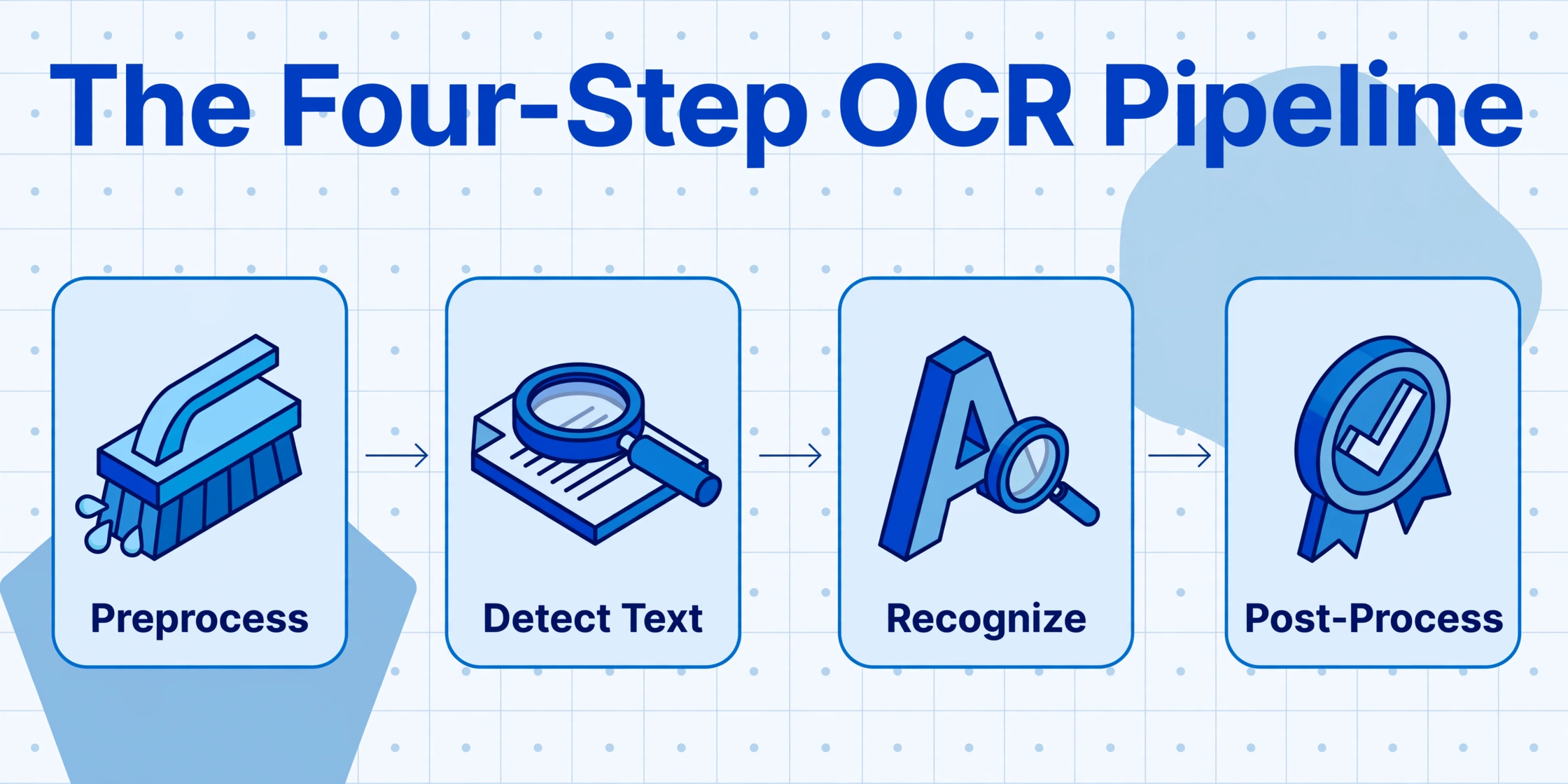
Every OCR engine — from the free Tesseract to commercial systems — follows the same four-step workflow. Think of it as a factory assembly line where each station has one specific job. The output of one station becomes the input of the next. If any station does its job poorly, every station downstream produces worse results.
Preprocessing
Clean the image. Remove noise, correct skew, adjust contrast. The engine cannot read what it cannot see clearly.
Text Detection
Find the text. Identify which parts of the image contain characters and which contain photos, logos, or blank space. Then break the text into lines, words, and individual characters.
Character Recognition
Identify each character by matching its shape against a known library of letters, numbers, and symbols. This is the core OCR step — everything else supports it.
Post-Processing
Refine the output. Check words against dictionaries, resolve ambiguous characters using context, and format the text for the output file.
Now let us walk through each step in detail — with what the engine actually does, why it matters, and a concrete analogy to make it stick.
Step 1 — Preprocessing: Cleaning the Image Before Reading
Before the engine can recognize a single letter, it must clean the image to eliminate anything that would confuse the recognition step. This is like cleaning your glasses before reading a book — you cannot read words clearly if the lens is smudged, tilted, or scratched.
A scanned document arriving at the OCR engine is rarely in perfect condition. The page may have been placed slightly crooked on the scanner (a problem called skew). The scan may contain speckles of dust, fax artifacts, or the shadow of a book spine. The contrast between ink and paper could be low — especially with old documents, carbon copies, or faded receipts. The preprocessing stage fixes all of this before any actual reading begins.
The most important preprocessing step is binarization — converting the image to pure black and white using a threshold that separates text from background. A common technique called Otsu's method analyzes the histogram of pixel intensities and automatically picks the optimal threshold value. If you have ever seen a scanned document that looks like stark black text on a bright white page, you have seen the result of binarization.
Other preprocessing operations include deskewing (rotating the image to straighten crooked text), noise removal (filtering out dust specks and scanner artifacts), despeckling (removing stray marks that could be mistaken for punctuation or diacritics), and contrast normalization (adjusting brightness so faint text becomes legible).
This step is where many OCR failures are already baked in. If binarization cuts off the tails of lowercase letters or merges adjacent characters into blobs, the recognition step has no chance of getting them right, no matter how sophisticated its algorithm is. Garbage in, garbage out — and in OCR, that saying applies to every single pixel.
A poor preprocessing pass guarantees poor recognition — even the best character-matching engine cannot fix what was lost in the cleaning stage.
Step 2 — Text Detection: Finding Where the Words Are
Now that the image is clean, the engine must figure out which parts of the page actually contain text. This is the layout analysis phase. Think of it like looking at a newspaper page: you can instantly tell the difference between a headline, a photo caption, a sidebar, and a pull quote — but the OCR engine has to learn this distinction pixel by pixel.
The engine scans the preprocessed image to identify text regions — areas dense with characters — and separate them from images, logos, decorative borders, and blank space. It then breaks each text region into progressively smaller units:
1. Blocks — Large rectangular regions that likely contain related content (a column of text, a table, a header).
2. Lines — Within each block, the engine identifies individual lines of text by finding horizontal bands of pixels that contain characters.
3. Words — Within each line, it groups characters into words by measuring the spacing between character shapes.
4. Characters — Finally, each word is split into individual character segments that will be passed to the recognition engine.
This seemingly straightforward step hides a significant challenge: proportional fonts. In a proportional font, the space between two letters (like "r" and "n") can be wider than the space between two words set in a compressed typeface. The engine has to decide whether a gap separates two letters within the same word or two words. It uses heuristics — typical character width, white-space thresholds, language-specific patterns — but these heuristics are not always right. When they guess wrong, words get merged or split incorrectly, and every downstream step inherits the error.
Detection errors are the most insidious type of OCR failure because they do not look like errors. A merged word looks like a legitimate (if unfamiliar) word to a human reviewer. The engine reads "rn" as "m," and suddenly "commercial" becomes "commeicial" — a mistake a spell-checker will catch, but only if the output goes through one.
Step 3 — Character Recognition: The Heart of OCR
This is the step people actually mean when they say "OCR." The engine takes each isolated character image and decides which letter, digit, or symbol it represents. Imagine a child learning the alphabet with a deck of flashcards: you show them a picture of the letter A in different fonts — Arial A, Times New Roman A, handwriting A — until they learn to recognize it regardless of style. OCR engines do the same thing, except they have millions of flashcards and process them in milliseconds.
There are two fundamental approaches to character recognition:
Pattern matching (template OCR) — The engine keeps a database of character images (glyphs) in known fonts and sizes. When it encounters a new character, it compares the pixel pattern against each stored glyph and picks the closest match. This approach was the standard for decades and powers engines like Tesseract, the open-source OCR engine originally developed at HP Labs in 1974 and now maintained by Google. Pattern matching works well when the document uses a font the engine has seen before. It fails when the font is unusual, the text is handwritten, or the image quality degrades — because the input no longer resembles any stored template.
Feature extraction (intelligent OCR) — Instead of comparing whole pixel patterns, the engine breaks each character into its constituent features: lines, curves, loops, intersections, endpoints, and angles. The letter "A" has two diagonal lines meeting at a point and a horizontal crossbar. The letter "O" has a single closed loop. By identifying these features regardless of font or size, the engine can recognize characters it has never seen before. Most modern OCR engines use this approach, often enhanced with neural networks trained on datasets like EMNIST (Extended MNIST) — a collection of 814,255 labeled character images spanning digits and upper- and lowercase letters.
The critical limitation of both approaches is the same: they identify shapes, not meaning. The engine can tell you with 99% confidence that a pixel group is the character "5" — but it cannot tell you whether that "5" is a quantity, a price, a date, a room number, or a model code. It reads characters as isolated symbols, not as parts of a coherent document. This is why a traditional OCR engine can achieve 99% character accuracy on a clean invoice and still produce output where you cannot find the invoice total — every character is correct, but none of them are labeled.
For a detailed comparison of how this step differs between traditional OCR and modern AI-based approaches, including accuracy benchmarks across document types, see our breakdown of how AI OCR compares with classic OCR.
Step 4 — Post-Processing: Making the Output Readable
The raw output from the character recognition step is a string of guessed characters — some correct, some not, all without context. Post-processing is where the engine tries to fix its own mistakes. Think of this as a very aggressive autocorrect system — one that knows the difference between "there," "their," and "they're" based on surrounding context, not just dictionary lookup.
The most common post-processing techniques include:
Dictionary correction
The engine checks each recognized word against a language dictionary. If "reciept" appears, it is corrected to "receipt." If the engine is unsure whether a middle character is "O" or "0" in the word "m0del," the dictionary confirms it should be "model."
Context-based disambiguation
When a character is ambiguous — like the digit "1" versus lowercase "l" — the engine examines surrounding characters to decide. "C1ient" will be corrected to "Client" (because "C1ient" is not a word), while "Page 1" keeps the digit (because "Page l" would be nonsensical).
Confidence scoring
Every recognized character gets a confidence score. Low-confidence regions can be flagged for human review, re-processed with different recognition parameters, or passed through a secondary recognition pass using a different algorithm.
Format reconstruction
The engine reassembles the recognized text into the document's original layout — preserving line breaks, paragraph spacing, table alignment, and reading order. This is the step that produces a searchable PDF that looks like the original scanned page.
Despite all this intelligence, post-processing has a fundamental limit: it can correct spelling errors, but it cannot add semantic meaning. The output $1,234.56 is now known to be a valid currency amount — but the engine still does not know whether it is the invoice total, a line item subtotal, the tax amount, or a reference number. Post-processing makes the text readable, not usable as data.
The Difference That Changes Everything — Traditional OCR vs AI Extraction
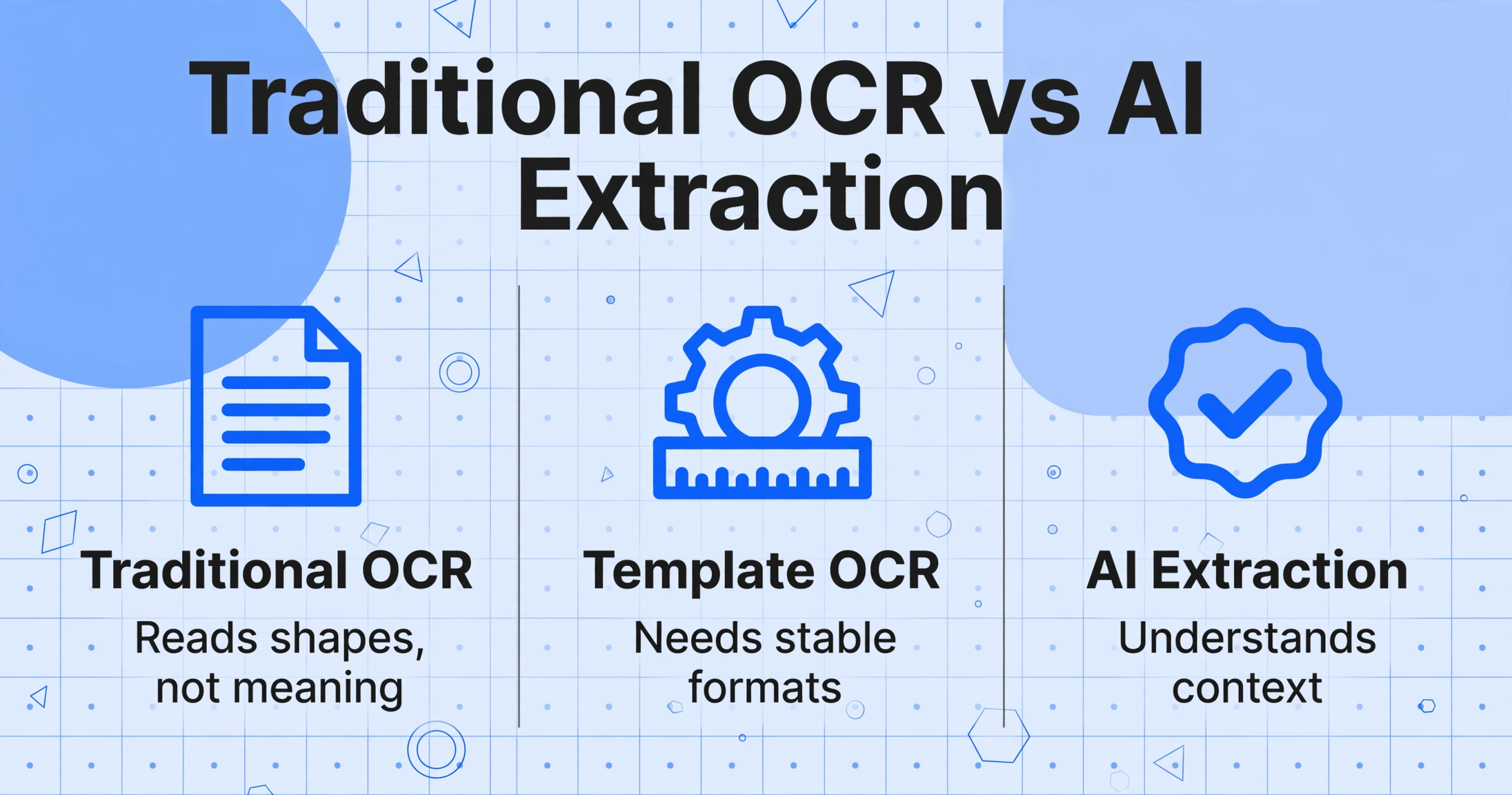
The four-step pipeline described above is the traditional OCR approach — and it has not fundamentally changed since the 1990s. Modern AI-based extraction works differently at every single step.
Understanding the contrast helps clarify why traditional OCR is the right tool for some jobs (searchable PDFs, text archives) but falls short when you need structured data (spreadsheets, databases, accounting systems). The table below maps how each pipeline step differs between the old approach and a modern AI extraction tool like ImageToTable.ai.
| Pipeline Step | Traditional OCR | AI Extraction (Vision Model) |
|---|---|---|
| Preprocessing | Critical — poor cleanup guarantees recognition failure. Heavy algorithmic preprocessing (binarization, deskewing, despeckling) is mandatory. | Less critical — the vision model can read through moderate noise, low contrast, and skewed angles. Basic cleanup still helps but is not a hard prerequisite. |
| Text Detection | Rule-based heuristics for line/word/character segmentation. Breaks on complex layouts, multi-column documents, and mixed content (text + tables + images). | Holistic page understanding — the model identifies headers, tables, footers, and field labels by visual context, not by detecting character boundaries first. |
| Character Recognition | Pattern matching or feature extraction against a fixed character database. Each character is identified in isolation. | The model reads entire words, phrases, and values in visual context. It recognizes "INV-2026-001" as an invoice number because of where it sits and what surrounds it, not because it matched a glyph template. |
| Post-Processing | Dictionary correction + format reconstruction. Output is a plain-text or formatted document with no field labels or data structure. | Semantic field mapping — the model outputs each value paired with its field name (e.g., "Invoice Number: INV-2026-001"). No manual labeling or restructuring needed. |
| End Result | A text file or searchable PDF. Every character is there — but you still have to read, copy, and paste each field into the right spreadsheet column. | A structured table or JSON object. Values are already labeled, organized, and ready for your spreadsheet or accounting system. No copy-paste step required. |
The fundamental difference is that traditional OCR converts pixels to characters. AI extraction converts pixels to meaning. One gives you a searchable document. The other gives you usable data. For a complete breakdown of the AI extraction category — how it works, when it makes sense, and how it compares to other approaches — see our hub article on what AI document extraction is.
And if you want to understand exactly how the AI version handles the reading step — with vision-language models that process the entire page at once instead of character by character — our what is AI OCR article covers the technology in depth.
Frequently Asked Questions
Can OCR read handwriting?
Traditional OCR struggles with handwriting — accuracy typically lands between 50% and 70% for block print and below 50% for cursive. The reason is architectural: the character recognition step identifies letters by matching shapes against a database of known glyphs, and handwriting introduces far more variation than any template library can cover. Modern AI-powered OCR performs significantly better (75–93% for block handwriting) because it reads words in context rather than matching individual character shapes. However, fully freeform cursive remains challenging for all systems.
How accurate is OCR for printed text?
On clean, typed documents scanned at 300 DPI, modern OCR engines achieve 95–99% character accuracy. That figure drops on degraded scans, unusual fonts, low-contrast originals, or documents with complex layouts. Importantly, character accuracy is not field accuracy — a 99% character accuracy rate can still produce output where 15–40% of the individual data fields you care about contain errors, because the character errors that do occur tend to cluster in numeric fields (where one wrong digit changes the entire value) and field boundaries (where characters from adjacent fields get merged).
Is OCR the same as document extraction?
No. OCR converts images of text into machine-readable characters — it digitizes the text. Document extraction goes a step further: it identifies which characters belong to which data field (invoice number, date, total, vendor name) and outputs them as structured data in labeled columns. OCR answers "what characters are on this page?" Document extraction answers "what data does this document contain?" The difference between those two questions is the difference between a text file you still have to sort through and a spreadsheet you can use immediately.
Does OCR work on PDFs, or only images?
OCR works on any image-based input: scanned PDFs (which are essentially images wrapped in a PDF container), born-digital PDFs (when processed as images), JPGs, PNGs, and TIFFs. The crucial distinction is between scanned PDFs (page images with no underlying text layer) and native PDFs (which contain selectable text). Scanned PDFs must go through OCR to become searchable. Native PDFs already contain text and do not need OCR — but they may still need extraction if you want to pull specific data fields into a spreadsheet.
What is the difference between OCR and OMR?
OCR (Optical Character Recognition) reads text — letters, numbers, punctuation — from images. OMR (Optical Mark Recognition) reads marks on a page — filled-in bubbles on a survey, checkboxes on a form, tick marks on a ballot. OMR is simpler because it only needs to detect whether a mark is present or absent in a predefined location, not identify which character the mark represents. Many modern document processing tools combine both: OCR for text fields, OMR for checkboxes and selection marks.
Understanding how OCR works is the first step toward knowing when it is enough — and when you need something more. The four-step pipeline has served document digitization well for decades, but the gap between "readable text" and "usable data" is a gap that traditional OCR was never designed to bridge. See how AI document extraction bridges that gap by reading meaning, not just characters.