What Is AI OCR?
How AI Transforms Traditional Character Recognition
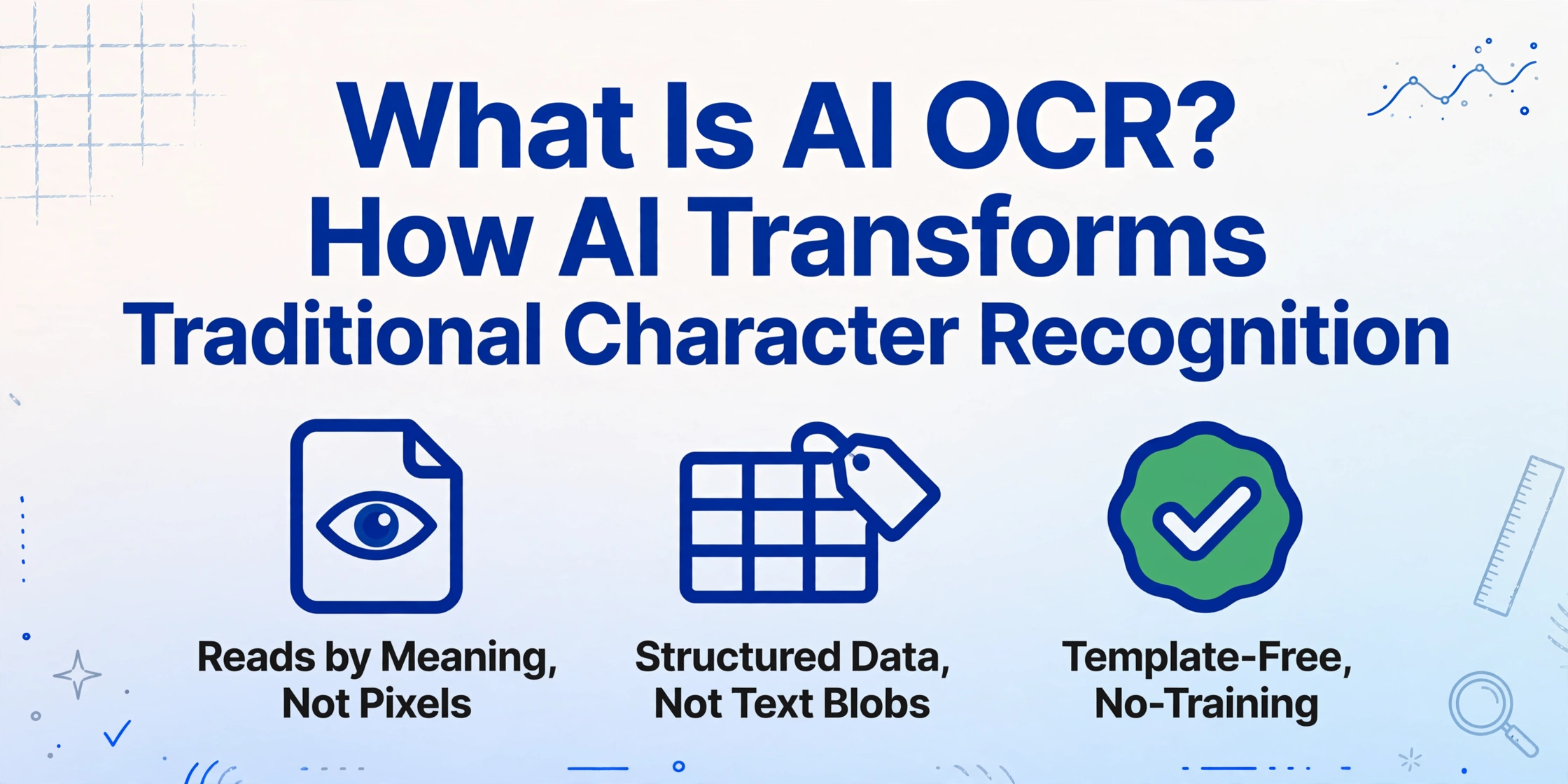
AI OCR — AI-powered Optical Character Recognition — is a technology that uses vision-language models to read and understand entire documents, not just individual characters, extracting structured data by grasping layout, context, and meaning. This is not traditional OCR with a machine learning coat of paint. The underlying architecture is fundamentally different: instead of comparing pixel patterns against a character database, AI OCR reads a page the way a human reader would — visually, holistically, semantically. It knows that a number below "Total" is an invoice total and that "05/15/2026" is a due date, not a quantity.
Key Takeaways
- AI OCR is not a better OCR engine — it is an entirely separate category of technology that reads document meaning instead of matching character shapes one by one.
- The gap between traditional OCR and AI OCR cannot be measured in accuracy points alone — one tells you what characters are on a page, the other tells you what data the document contains.
- When every extracted value already carries its own field label, the manual step of sorting undifferentiated text into spreadsheet columns disappears and data entry becomes a quick review.
What AI OCR Actually Is — and Isn't
AI OCR is not a better version of the OCR you already know. It is a different category of technology entirely. Traditional OCR and AI OCR share a starting point — they both take an image of text and produce digital output — but they diverge completely in how they get there and what they can deliver.
Traditional OCR is a pattern-matching technology. It works bottom-up: scan the image, detect regions that look like text, compare each character shape against a library of known glyphs, and output the recognized characters in reading order. The engine has no understanding of what the text means. It reads shapes, not content. Ask a traditional OCR engine to process an invoice, and it will tell you the page contains the characters "$1,234.56" — but it cannot tell you whether that is the total due, a line item subtotal, the tax, or a reference number. Every field is just another string of characters with no semantic weight.
AI OCR replaces that entire pipeline with a vision-language model (VLM) — a neural network trained on millions of document images and their corresponding text, layouts, and structures. Instead of recognizing characters one by one, the VLM processes the entire page as a visual scene. It identifies the header, the line-item table, the totals section, the footer. It understands that the number in the bottom-right cell is different from the number in the top-left cell, even if both happen to contain the digits "1,234.56." It reads by meaning, not by pixel coördinates.
The phrase "AI OCR" itself is misleading — it suggests the technology is OCR with AI added, like sprinkles on a cupcake. In reality, AI OCR is closer to document reading than character recognition. The "OCR" part describes the input (images of text), not the method.
This distinction matters because it changes what you can expect from the tool. Traditional OCR gives you a digital copy of the text. AI OCR gives you a structured understanding of the document. Those are two different outcomes that serve two different needs. For a deeper look at what traditional OCR actually does and where its limits fall, see our guide on what OCR is and how it works.
Traditional OCR answers the question "what characters are on this page?" AI OCR answers the question "what data does this document contain?" The distance between those two questions is the gap between a text file and a spreadsheet.
The Difference That Changes Everything
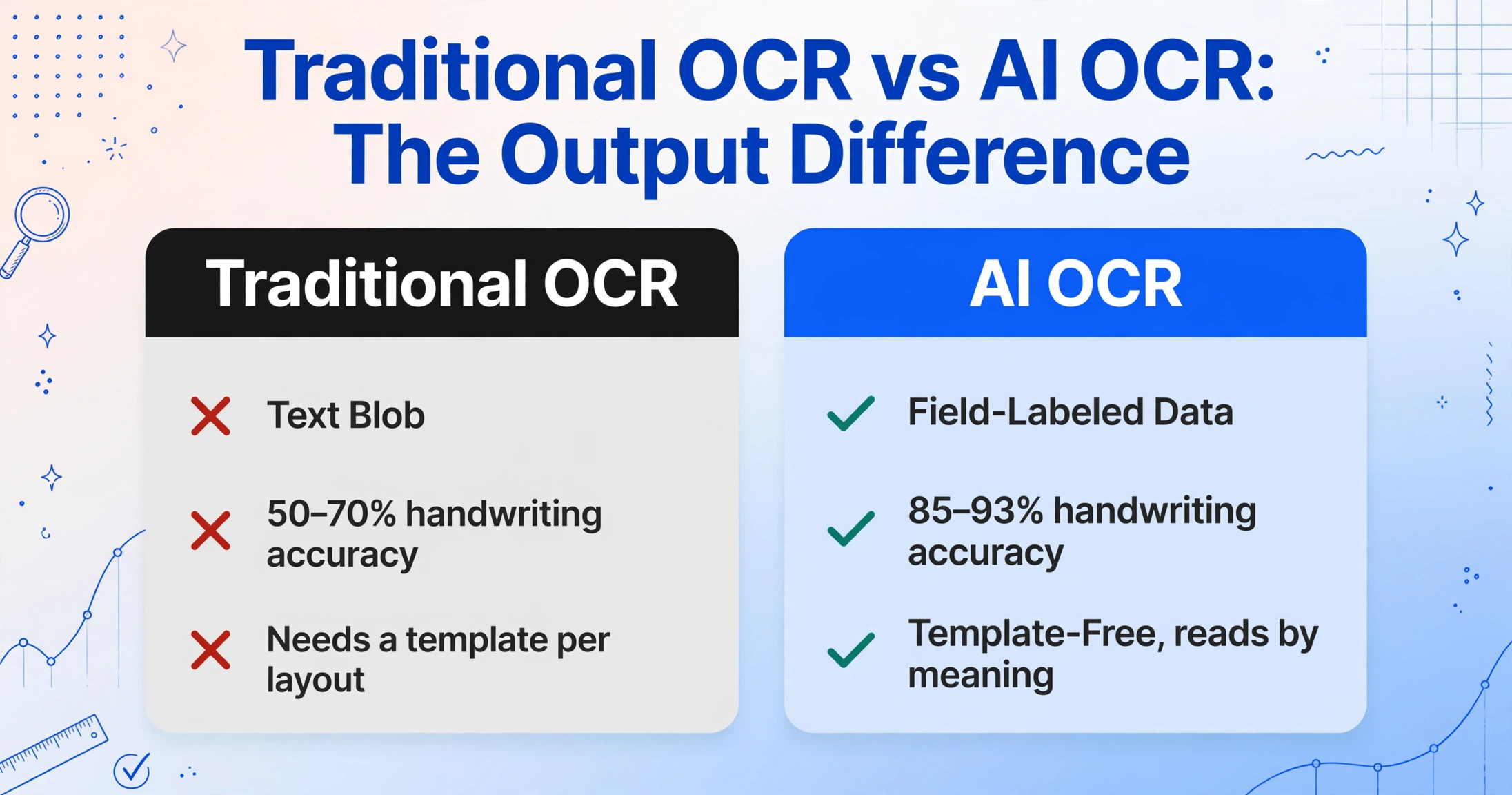
The gap between traditional OCR and AI OCR is not a matter of degree — it is a difference in kind. Here is how the two technologies compare across the dimensions that actually matter when you are processing real business documents:
| Dimension | Traditional OCR | AI OCR |
|---|---|---|
| Core method | Character-by-character pattern matching against a glyph database | Holistic page reading using vision-language models |
| Output | Undifferentiated text string in reading order | Structured data with field labels (Invoice Number, Due Date, Total) |
| Handles layout changes | No — each format requires a new template | Yes — reads by meaning, not position |
| Handles handwriting | Poor (~50-70% field accuracy) | Good (~85-93% with modern VLMs) |
| Table understanding | Loses row/column relationships | Preserves table structure with headers |
| Setup time | Days to weeks per document template | Minutes — no templates or training needed |
The row that matters most in practice is the second one: output. When you run a scanned invoice through traditional OCR, you get a blob of text you still have to read, interpret, and copy into the correct cells of your spreadsheet or accounting system. That is not data entry automation — it is digitization with a manual sorting step still attached. AI OCR eliminates that sorting step because it outputs data that is already labeled. The "Invoice Number" goes into the invoice number column because the model understood it was an invoice number.
That shift — from undifferentiated text to field-labeled data — is what transforms OCR from a scanning aid into a genuine data-entry replacement. For specific accuracy benchmarks across document types, see our detailed comparison of AI OCR vs traditional OCR accuracy.
How AI OCR Reads Documents
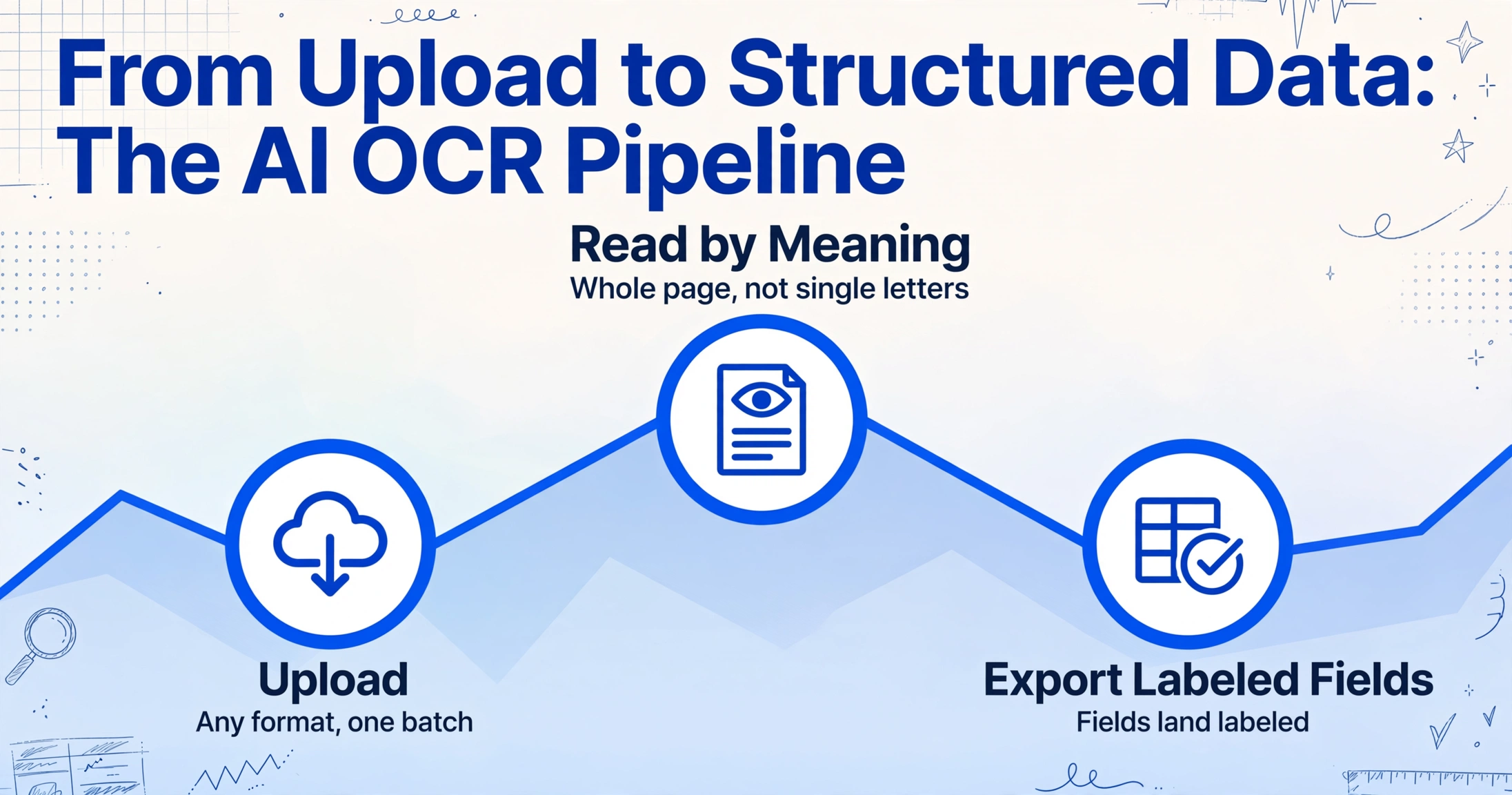
To understand how AI OCR works, forget everything you know about character recognition. The approach is completely different.
Traditional OCR processes a document like a conveyor belt of individual letters: find letter-shaped region → match against database → output character → move to next. This is why it struggles with rotated text, mixed fonts, handwritten characters that don't match the database, and any layout where reading order is not obvious.
AI OCR uses a vision-language model (VLM) that processes the entire page as a single image. The model was trained on millions of document pages — invoices, receipts, contracts, bank statements, purchase orders — paired with descriptions of their structure and content. Through that training, the VLM learns what a "header" looks like, what a "table" is, and that a field labeled "Invoice No." on one document and "INV#" on another both refer to the same thing.
When you give it a new document, the VLM does not scan left-to-right looking for characters. It looks at the whole page, identifies the visual regions (title area, table area, totals area, footer), reads each region in context, and maps the extracted information to the correct output fields. It understands that a bold number in the bottom-right corner of an invoice is likely the total, even if there is no explicit label next to it. It recognizes that a multi-column table on page 2 continues the same structure from page 1, even when the column headers only appear on the first page.
This is why AI OCR handles documents that break traditional OCR entirely: crumpled receipts, phone photos of invoices, scanned multi-page contracts with embedded tables, handwritten delivery notes with printed header information. The VLM is not looking for known character shapes — it is looking for document meaning.
Files are processed securely and not stored.
When You Need AI OCR (and When Traditional OCR Still Works)
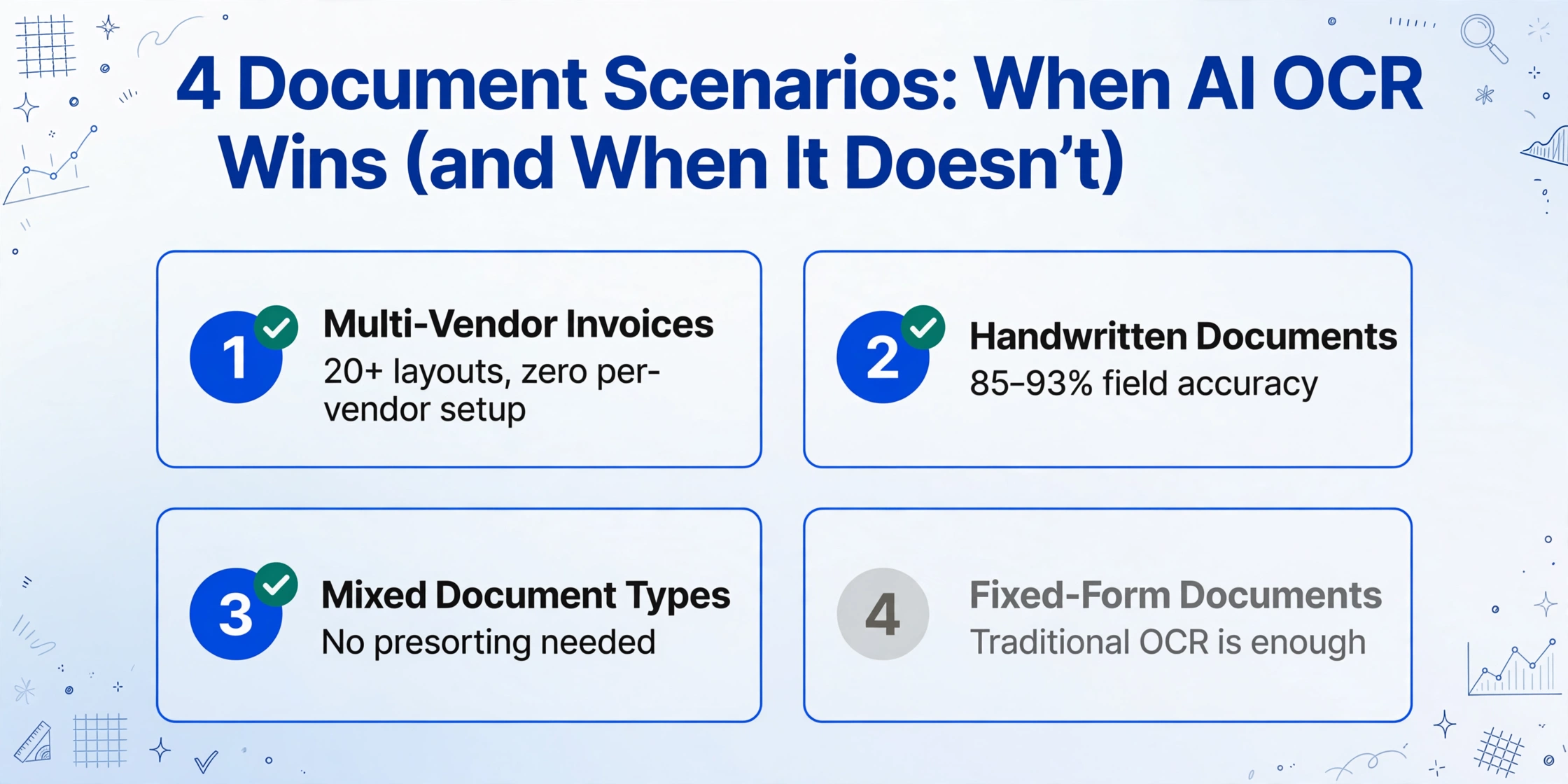
Not every document processing task requires AI OCR. Knowing when to use which saves you time and money.
Multi-Vendor Invoice Processing
You receive invoices from 20+ suppliers, each with a different layout. Some send PDFs, some email images, some use a web portal you screenshot. Traditional OCR requires a separate template for each format — and every redesign breaks it. AI OCR processes them all with zero per-vendor setup. This is the single most common trigger.
Handwritten or Semi-Structured Documents
Field service reports, delivery receipts with handwritten signatures, warehouse picking notes, inspection checklists. Traditional OCR sees handwriting as random marks. AI OCR reads block print and cursive handwriting with field accuracy that makes it usable for data entry — not perfect, but dramatically better than the 50-70% traditional OCR delivers.
Mixed Document Types in One Batch
A single collection batch might contain invoices, purchase orders, packing slips, and delivery confirmations — all from different senders, all in different formats. Traditional OCR cannot handle this without manual sorting and separate templates. AI OCR reads each document type automatically and outputs the relevant fields, so you get one structured table without presorting.
When Traditional OCR Is Enough
If all your documents are clean printed text with the same layout every time — a fixed-form government application, a standardized internal report — traditional OCR can be perfectly adequate. You are converting text to digital text, not extracting structured data. AI OCR would still work, but if speed and cost per page are your constraints, traditional OCR remains a viable option in this narrow scenario.
What to Look For in an AI OCR Tool
Not every tool that calls itself "AI OCR" actually uses vision-language models. Some are traditional OCR with a script that tries to guess field labels after extraction. Here is what separates genuine AI OCR from dressed-up legacy software.
First, template-free extraction. If the tool asks you to define zones, draw boxes around fields, or create per-vendor templates, it is not AI OCR — it is traditional OCR with a fancier interface. A genuine AI OCR tool extracts data from any document layout without per-format setup. This is the non-negotiable feature that determines whether the tool adapts to your documents or you adapt to the tool.
Second, semantic field recognition. Upload the same invoice with two different layouts. If the tool correctly identifies the invoice number, vendor name, and total in both, it is using semantic understanding. If it gets one right and the other wrong — or requires you to tell it where each field lives — it is relying on position-based extraction under the hood. ImageToTable.ai uses what it calls Custom Column Extraction: you type the column names you want (e.g., "Invoice Number," "Due Date," "Total"), and the AI locates each value on any document layout by understanding what it means, not where it sits. This same approach is available as a dedicated AI OCR software tool for teams that need to process documents at scale.
Third, batch processing that preserves structure. The real value of AI OCR appears when you process 50 documents at once and get back one structured table — not 50 individual outputs you must merge manually. A tool designed for batch extraction should merge results into a single spreadsheet automatically, with each field in its own column, from the first document to the last.
Fourth, no-training setup. Some "AI" tools actually require you to train a model by uploading 10-50 sample documents and manually labeling the fields you want extracted. That is machine learning, but it is not what "AI OCR" should mean in 2026. A true AI OCR tool should work on your first upload with no training, no samples, and no configuration beyond naming the fields you want.
For a full comparison of how AI OCR differs from brother AI document extraction and other data-processing categories, see our topic hub on document extraction.
Frequently Asked Questions
Is AI OCR the same as intelligent document processing (IDP)?
No, although the terms are often conflated. AI OCR is the reading layer — converting images of text into structured, labeled data. IDP is a broader platform category that includes AI OCR plus workflow routing, approval processes, ERP integration, and document classification. AI OCR is a capability that IDP platforms use, but not every AI OCR tool is an IDP platform.
Does AI OCR work with handwritten documents?
Yes, with important caveats. Modern vision-language models can read block-print handwriting with 85-93% field accuracy — a major improvement over traditional OCR's 50-70%. However, cursive handwriting and heavily stylized script still pose challenges. AI OCR handles handwriting best when the document has a clear structure (printed headers with handwritten values, forms with defined fields). For fully freeform handwritten pages, expect lower accuracy and a higher need for manual review.
Can AI OCR process PDFs and images, or only scanned documents?
AI OCR can process any visual input that contains text: scanned PDFs, born-digital PDFs (including those with embedded fonts), phone photos of documents, screenshots, and even web page captures. The vision-language model treats all of them as images to read, so the format of the original file matters far less than the quality and clarity of the text within it.
Do I need coding skills to use an AI OCR tool?
Not with modern tools designed for business users. The workflow is typically: upload a document, type the column names you want extracted, and download the structured result. No API configuration, no model training, no template design. Some tools also offer API access for developers who want to integrate extraction into custom workflows, but the core use case is non-technical.
How accurate is AI OCR compared to traditional OCR?
On clean printed documents with fixed layouts, both achieve high character accuracy (95-99%). The gap widens dramatically when documents involve complex tables, multiple columns, handwriting, or varying layouts. On multi-vendor invoice batches, traditional OCR field accuracy drops to 40-60%, while AI OCR maintains 85-99%. The difference is not in character recognition but in field identification — AI OCR correctly identifies which extracted value belongs to which field, which is what makes the output usable without manual repositioning.