What Is Agentic OCR?
The 2026 Evolution of Document Reading
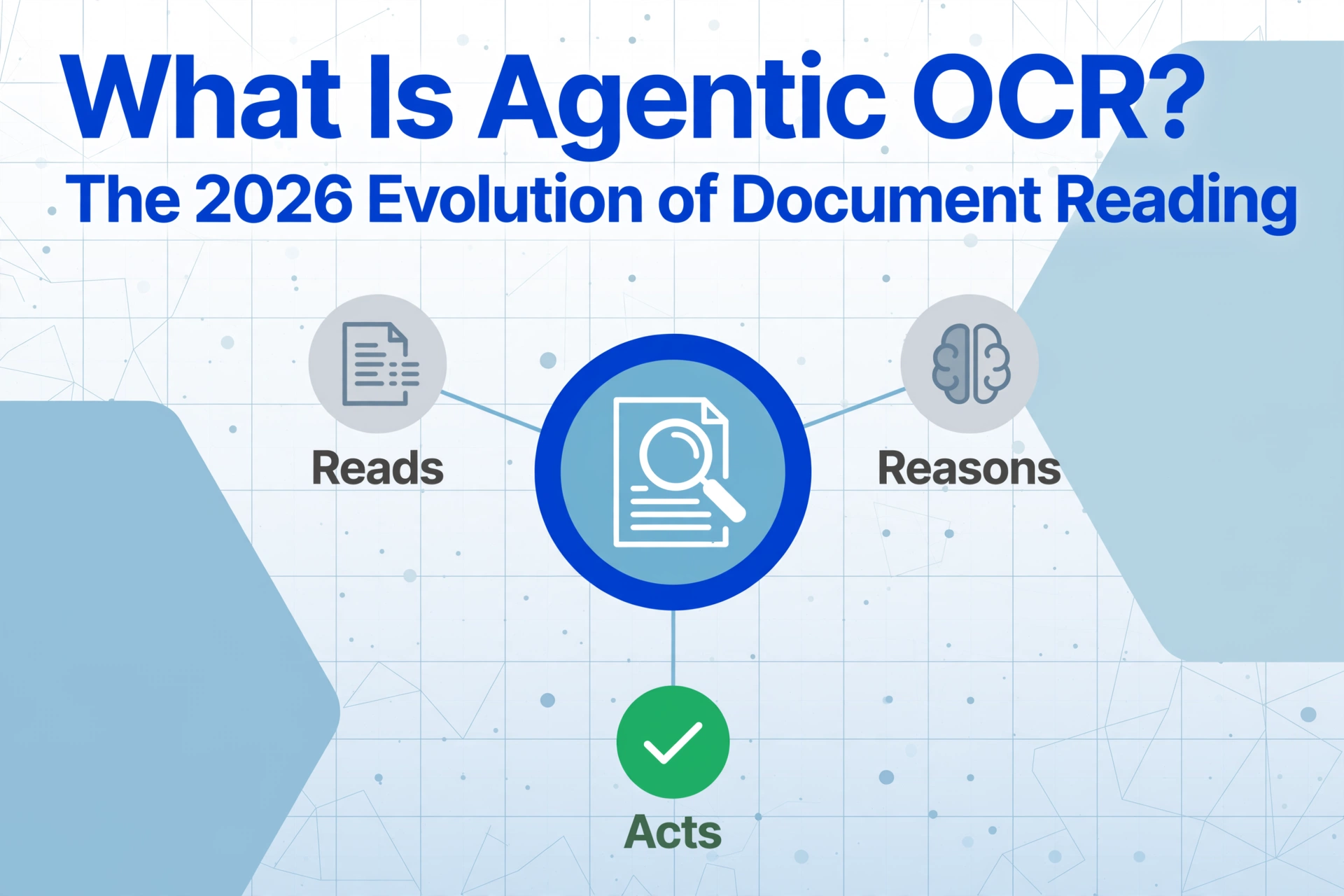
Agentic OCR — agentic Optical Character Recognition — is a document reading technology that uses vision-language models to not just recognize text but reason about document structure, decide what information matters, and output it as structured data — all without templates, training, or per-format setup. The term entered the mainstream in early 2025 when Andrew Ng introduced agentic document extraction as the next frontier beyond traditional OCR. By mid-2026 it has become a fast-growing search term — not because the technology is brand new, but because the label finally names something that has been quietly changing how machines read documents.
Key Takeaways
- You spend hours sorting extracted data after the tool says it's done and assume you just need better OCR.
- 60-80% straight-through processing isn't bad configuration — it's the ceiling of tools that read characters but never decide what they mean.
- Your role shifts from proofreading every extracted cell to reviewing only the exceptions the system flagged as genuinely uncertain.
Why Agentic OCR Matters Now
Every few years, a term appears that reclassifies what was previously called "good enough" as "legacy." Agentic OCR is that term for document reading in 2026.
To understand why the shift is happening now, it helps to see the trajectory. Traditional OCR emerged in the 1970s and solved one problem: converting printed text into digital characters. AI OCR, which arrived in the 2020s with vision-language models, solved a second: understanding what those characters mean. Both are essential and widely deployed. But they share a fundamental limitation: they stop at understanding. Neither takes the next step — deciding what to do with what they read and acting on that decision.
That next step is what "agentic" adds. An agentic system does not wait for a human to tell it "put the invoice number here and the total there." It decides. It routes the right data to the right output field. It catches inconsistencies and flags them. It learns from corrections without requiring a retraining cycle.
This distinction matters now because the volume of documents businesses process has outgrown the manual sorting step that traditional and even AI OCR still leaves behind. Processing 50 invoices from 50 vendors is no longer a 50-document problem — it is a 50-format problem. Agentic OCR collapses that into one pass by treating every document as something the system can reason about, not just read.
The data supports the pattern. In enterprise deployments, traditional OCR and template-based IDP systems achieve 60-80% straight-through processing rates on documents they were configured for. Agentic OCR systems consistently reach 90-95%+ because the self-correction loop catches edge cases that would otherwise require human review. For a detailed breakdown of how agentic OCR compares to traditional character recognition, see our guide on what OCR is and how it works.
Agentic OCR does not replace OCR or AI OCR — it extends them. OCR answers "what characters are on this page?" AI OCR answers "what data does this document contain?" Agentic OCR answers "what should happen with that data, and is it right?"
What Actually Changed — From Reading to Reasoning
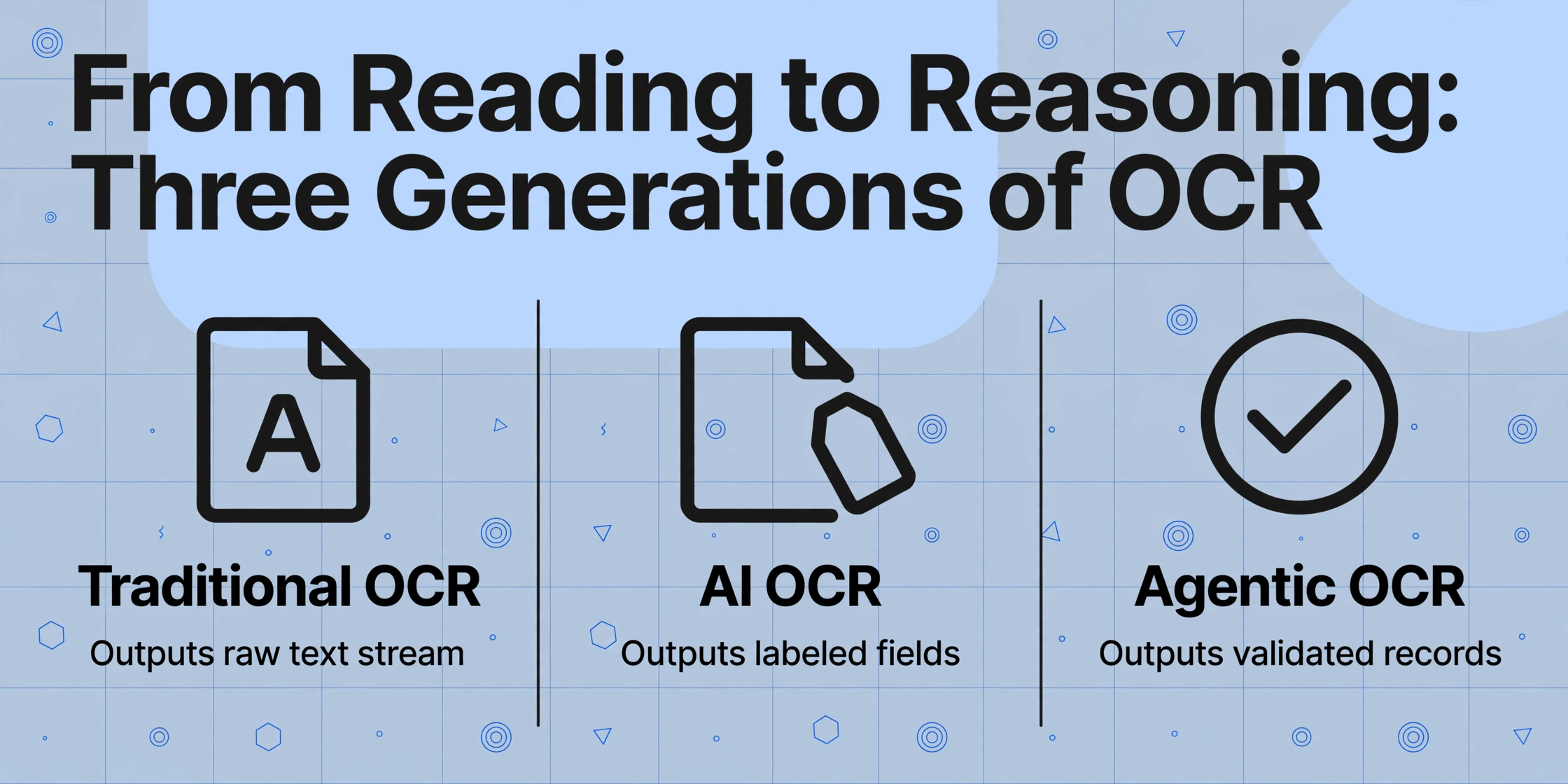
The change is not in the reading capability. It is in what happens after the reading is done.
To see the difference, consider how a single document element — the string "INV-2026-0842" — passes through each generation of technology:
Traditional OCR reads the page and outputs: INV-2026-0842 somewhere in a running text stream. A human must find it, recognize it as an invoice number, and copy it into the correct cell. The OCR engine cannot distinguish it from the ZIP code or the customer reference number that happen to share the same format. This is discussed in detail in our step-by-step guide on how OCR works.
AI OCR reads the same page and outputs: Invoice Number: INV-2026-0842. It understands the label-to-value relationship and maps text to the correct semantic field. The sorting step is partially automated. But AI OCR still depends on the document's own labels and structure. If the invoice number appears in an unusual location — embedded in a header graphic or handwritten next to a different label — AI OCR may miss it because expected semantic cues are absent. We covered this in depth in our article on what AI OCR is and how it differs from traditional OCR.
Agentic OCR reads the page and outputs a structured record: { "document_type": "invoice", "invoice_number": "INV-2026-0842", "vendor": "Acme Supply", "total": 1247.50, "confidence": 0.97 } — but only after reasoning through alternatives. Is this string likely an invoice number? Does it follow known patterns? If confidence is low, it does not guess — it flags the field for review or attempts a second pass. The "agentic" part is the loop: read, decide, validate, correct.
This reasoning layer is what separates agentic OCR from every document reading technology that came before it. Traditional OCR reads and stops. AI OCR reads and understands. Agentic OCR reads, understands, decides, validates, and adapts. It is not a faster conveyor belt — it is a different process entirely.
How Agentic OCR Works Under the Hood
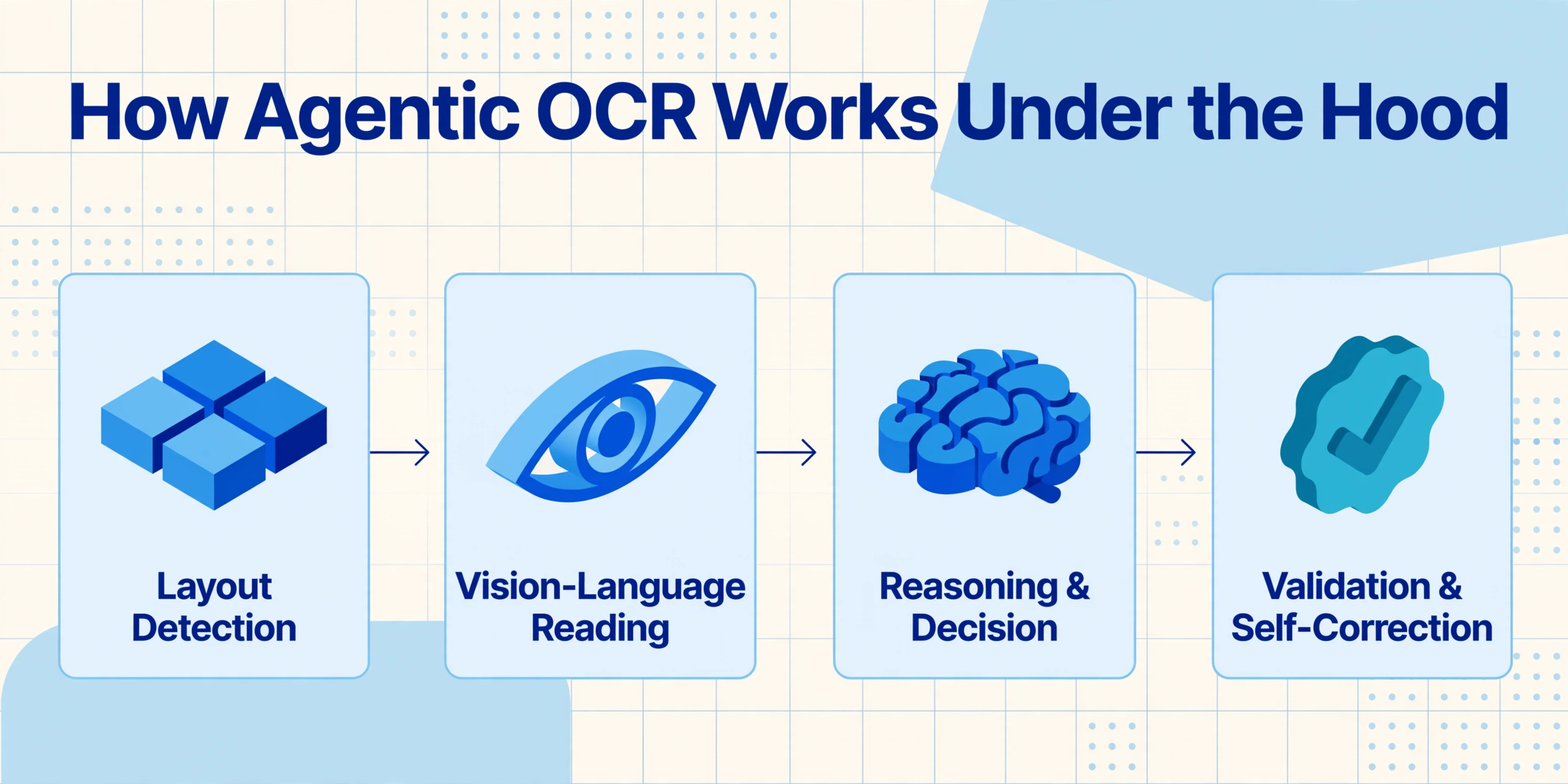
Agentic OCR is not a single model or algorithm. It is an orchestrated pipeline of specialized components that work together like a team of document specialists.
While the exact architecture varies between implementations, the core design follows four functional layers:
Layout Detection
The system scans the page and identifies structural regions: headers, table areas, signature blocks, footers. This is spatial reasoning — the model learns what a "table" looks like versus a "paragraph" regardless of content. This layer answers "where am I on this page and what kind of content is here?"
Vision-Language Reading
A vision-language model reads each region with context awareness. Unlike character-by-character OCR, the VLM processes entire visual blocks simultaneously. It recognizes that a bold number in a bottom-right cell means "total" even without an explicit label nearby. It preserves reading order across multi-column layouts and merged table cells — the structural relationships that traditional OCR discards.
Reasoning & Decision
This is the agentic core. The system evaluates what it has read and decides: which extracted values map to which output fields? Does the extracted "total" reconcile with the sum of line items? If a value is ambiguous — a number that could be a PO number or a customer ID — the system applies context from document type and field patterns to resolve it before outputting.
Validation & Self-Correction
Extracted data is checked against known patterns, field relationships, and business rules. A total that does not match the sum of line items is flagged. An invoice number outside the expected format triggers a second reading pass. The system does not assume its first answer is correct — it verifies, and only outputs when confidence thresholds are met. Field-level confidence scores let reviewers focus on uncertain cases rather than rechecking every field.
Think of it like the difference between a photocopier and a trained accounting clerk. The photocopier (traditional OCR) produces an exact copy of every character. The clerk (agentic OCR) reads the document, understands it is an invoice, verifies the math, enters the data into the correct accounts, and initials any line items that look unusual. The photocopier is faster per page. The clerk produces work that is ready to use.
How Different Roles Use Agentic OCR
The value of agentic OCR is not abstract — it shows up differently depending on who is using it and what they are trying to accomplish.
Bookkeepers and Accountants
You receive invoices from 30+ vendors — some as emailed PDFs, some as photos from field staff. Each vendor uses a different layout, and several change their format without notice. With template-based OCR, every layout change means rebuilding a template. With agentic OCR, you drop all 30 into one batch, define the output columns you need — Invoice Number, Date, Vendor, Total — and get back a single structured table. The system handles layout variance automatically because it reads by meaning, not position. When a total looks wrong relative to line items, it flags the row instead of passing bad data into your books.
Small Business Owners
You take photos of receipts on your phone and occasionally receive handwritten delivery notes. Your need is straightforward: get the data into a spreadsheet without typing. Agentic OCR handles the format chaos — crumpled receipts, glare, angled shots, mixed handwriting — because its reasoning layer adjusts reading strategy per document. A crumpled receipt triggers a different preprocessing step than a clean scan; the system decides which strategy to use and validates the output without you needing to intervene.
Developers Building Document Pipelines
You are integrating document processing into a custom application — an expense management system, a supplier onboarding portal. Traditional OCR forces you to handle every edge case: layout variants, missing fields, format mismatches. Each variant adds code. Agentic OCR collapses that complexity because the extraction layer handles the variance. You define the output schema; the system figures out how to populate it. Self-correction reduces the exception-handling logic you need to maintain. For an overview of the broader technology category, see our guide on AI document extraction and how it works.
Key Capabilities to Look For
Not every tool that claims "agentic" capabilities actually adds reasoning and self-correction to the pipeline. Here is what separates genuine agentic OCR from tools that are simply AI OCR with a new label.
First, template-free extraction is baseline. If a tool requires you to define zones, draw boxes, or create templates for each document format, it is not agentic — it is template-based OCR with a modern interface. Agentic OCR decides how to approach each document based on what it sees, not a preconfigured field map. This is the most reliable indicator of whether the underlying technology has changed.
Second, semantic field mapping with context. A genuine agentic system does not just extract text and hope labels match. It evaluates relationships between fields. If it extracts a line-item table, it checks that the line items sum to the subtotal. If values conflict, it does not guess — it flags, re-reads, or applies business rules. The result is not raw extracted data; it is validated output with confidence indicators you can act on.
Third, self-correction without retraining. Traditional ML systems improve through retraining. Agentic systems improve on the fly — when a human corrects a flagged extraction, that correction feeds back into the reasoning layer for similar documents. This is fundamentally different from the "10-sample minimum" approach that some tools still require.
Fourth, batch processing that maintains data integrity. The real test of an agentic OCR system is not how it handles one perfect PDF but how it handles 50 messy documents of different types in a single batch. Do the relationships between fields hold across all 50? Are confidence scores consistent? Does the system flag the outlier documents rather than silently outputting bad data? The batch is where agency matters most, because it is where the system operates without per-document human supervision.
ImageToTable.ai implements these capabilities through its Custom Column Extraction approach: you name the columns you want, and the AI locates and extracts matching data from any document by understanding what each field means — not where it sits on the page. The same technology is available through our AI OCR software tool for processing documents at scale.
Getting Started with Agentic Document Reading
One of the advantages of agentic OCR over earlier technologies is that you do not need to configure anything before you try it. No templates to create, no training samples to label, no zones to define. The system adapts to whatever document you give it.
The simplest way to experience the difference is to take a document you are currently processing manually — an invoice from a new supplier, a receipt you have not entered yet, a contract you need to extract key dates from — and run it through an agentic OCR tool without changing any settings. If the tool extracts the right fields in the right format on the first try with no per-document setup, you have just witnessed the agentic difference. If it asks you to draw boxes or select a template, it is not agentic.
For a hands-on demonstration, try uploading any document below. Define the columns you want — the field names you would normally type into a spreadsheet — and see how the system reasons about your document structure, locates each value, and outputs structured data ready to use.
Files are processed securely and not stored.
Frequently Asked Questions
Is agentic OCR the same as AI OCR?
No. AI OCR adds understanding to character recognition — it can read a document and identify that a number is an invoice total rather than just a string of digits. Agentic OCR adds reasoning and action on top of that understanding. An AI OCR system reads and labels. An agentic OCR system reads, labels, decides whether the extracted data is internally consistent, flags what does not add up, and adapts its approach when confidence is low. AI OCR is a prerequisite for agentic OCR, but agentic OCR adds the decision-making layer that AI OCR alone does not provide.
Do I need to train or configure agentic OCR before using it?
No — and that is the defining characteristic of the category. Agentic OCR systems are designed to work on first use with no training samples, no templates, and no per-format configuration. You upload a document, define the output fields you want, and the system reasons about the document structure to locate and extract each value. If a tool asks you to upload 10 sample documents for training or to draw zones on a template, it is not agentic OCR — it is a template-based system with AI features.
Can agentic OCR handle handwritten documents?
Yes, but with the same caveats that apply to AI OCR generally. Agentic OCR handles handwriting better than traditional OCR because the vision-language model reads visual patterns rather than matching character shapes against a fixed database. The agentic layer adds a specific advantage: if the system reads a handwritten value with low confidence, it can flag that field for review rather than outputting an incorrect value silently. On structured documents with mixed print and handwriting — such as delivery notes or inspection forms — agentic OCR achieves field accuracy of 85-93% in practice.
How accurate is agentic OCR compared to traditional OCR?
On character-level accuracy, both achieve high rates on clean printed text (95-99%). The meaningful difference is in field-level accuracy and straight-through processing rates: traditional OCR and template-based IDP systems achieve 60-80% STP on documents they were configured for, dropping sharply when formats change. Agentic OCR systems achieve 90-95%+ STP across varying formats, because the self-correction layer catches errors that would otherwise require manual review. The practical result is that agentic OCR requires significantly less human intervention per document batch, especially when documents come from multiple sources.
Is agentic OCR available today, or is it still a research concept?
It is available today, although the term is still being adopted across the industry. Many document processing tools that launched as "AI OCR" or "AI document extraction" already include agentic capabilities — self-correction, semantic reasoning, template-free extraction — without using the label. If a tool reads any document layout without per-format setup, validates extracted data against business rules, and flags low-confidence fields for review, it is functioning as an agentic OCR system whether or not it uses the term. The label is catching up to capabilities that already exist in production.