Best OCR Software for Healthcare 2026:
12 Medical Document Tools Tested
This guide evaluates 12 OCR and AI-powered document extraction tools against five criteria that matter specifically to healthcare teams: accuracy on medical terminology and coding systems, handwriting capability for clinical notes and prescriptions, HIPAA compliance readiness, EHR and practice management integration, and each tool's honest fit for different healthcare organization sizes and technical capabilities. Every pricing figure is sourced from the vendor's public page as of June 2026. Disclosure: ImageToTable.ai is included in this roundup. I have no affiliation with any other tool listed. Every external link points to the vendor's website so you can verify claims independently.
Key Takeaways
- Every healthcare OCR tool on this list claims 95% accuracy but that benchmark was tested on clean typed invoices while your actual daily stack includes EOBs with nested summary tables and prescriptions written in cursive by a physician who was late for rounds.
- The one feature that determines whether OCR saves you time or wastes it is code-type discrimination because a tool that collapses CPT procedure codes and ICD-10 diagnosis codes into a single Code column creates a manual re-sorting step that erases every second the extraction saved you.
- Skip the accuracy percentage comparison and ask whether the tool signs a BAA for your HIPAA workload and can read the handwriting your physicians actually produce at 11pm in a busy clinic.
Quick Comparison Table
| Tool | Best For | Handwriting | BAA Available | Setup | Starting Price |
|---|---|---|---|---|---|
| ImageToTable.ai | No-code extraction for diverse medical docs | ✅ Strong | ❌ | Minutes | Free tier / $9/mo |
| Amazon Textract | High-volume AWS-native pipelines | ✅ Good | ✅ | Hours–days | Pay per page |
| Google Document AI | GCP-based healthcare parsers | ✅ Good | ✅ | Hours–days | Pay per page |
| Azure Document Intelligence | Microsoft-centric health systems | ✅ Good | ✅ | Hours–days | Pay per page |
| ABBYY Vantage | Enterprise IDP with low-code skills | ✅ Moderate | ✅ | Weeks | Custom quote |
| Nanonets | Custom-trained models for niche formats | ✅ Moderate | ✅ | Days–weeks | Free tier / custom |
| LlamaParse (LlamaIndex) | Developer-led healthcare AI products | ✅ Strong | Enterprise | Hours | Free tier / custom |
| Docsumo | Admin and insurance document processing | ⚠️ Limited | ✅ | Days | Custom quote |
| Hyland OnBase | Enterprise DMS with capture | ⚠️ Limited | ✅ | Months | Custom quote |
| Kofax | Enterprise document capture at scale | ⚠️ Limited | ✅ | Months | Custom quote |
| Koncile | API-first healthcare OCR | ✅ Good | ✅ | Days | Custom quote |
| Tesseract | Free open-source baseline | ❌ Poor | N/A (self-hosted) | Hours (dev) | Free |
How We Picked and Tested
Healthcare document processing is not the same problem as general-purpose OCR. A tool that handles invoices flawlessly can fail catastrophically on an Explanation of Benefits form with nested tables, a lab report with results in both numeric and narrative form, or a CMS-1500 claim form where coding errors have real financial consequences. We evaluated every tool against five healthcare-specific dimensions.
1. Medical terminology and coding accuracy
Healthcare documents carry ICD-10 diagnosis codes, CPT procedure codes, revenue codes, LOINC lab identifiers, SNOMED CT clinical terms, and NDC drug codes. These follow precise syntactic patterns — CPT codes are always five digits, ICD-10 codes are alphanumeric strings of three to seven characters, revenue codes are four-digit location identifiers. A tool that cannot distinguish a CPT code from a revenue code produces output that requires manual re-sorting. We evaluated each tool's ability to preserve these coding structures without collapsing them into generic "Code" fields.
2. Handwriting recognition
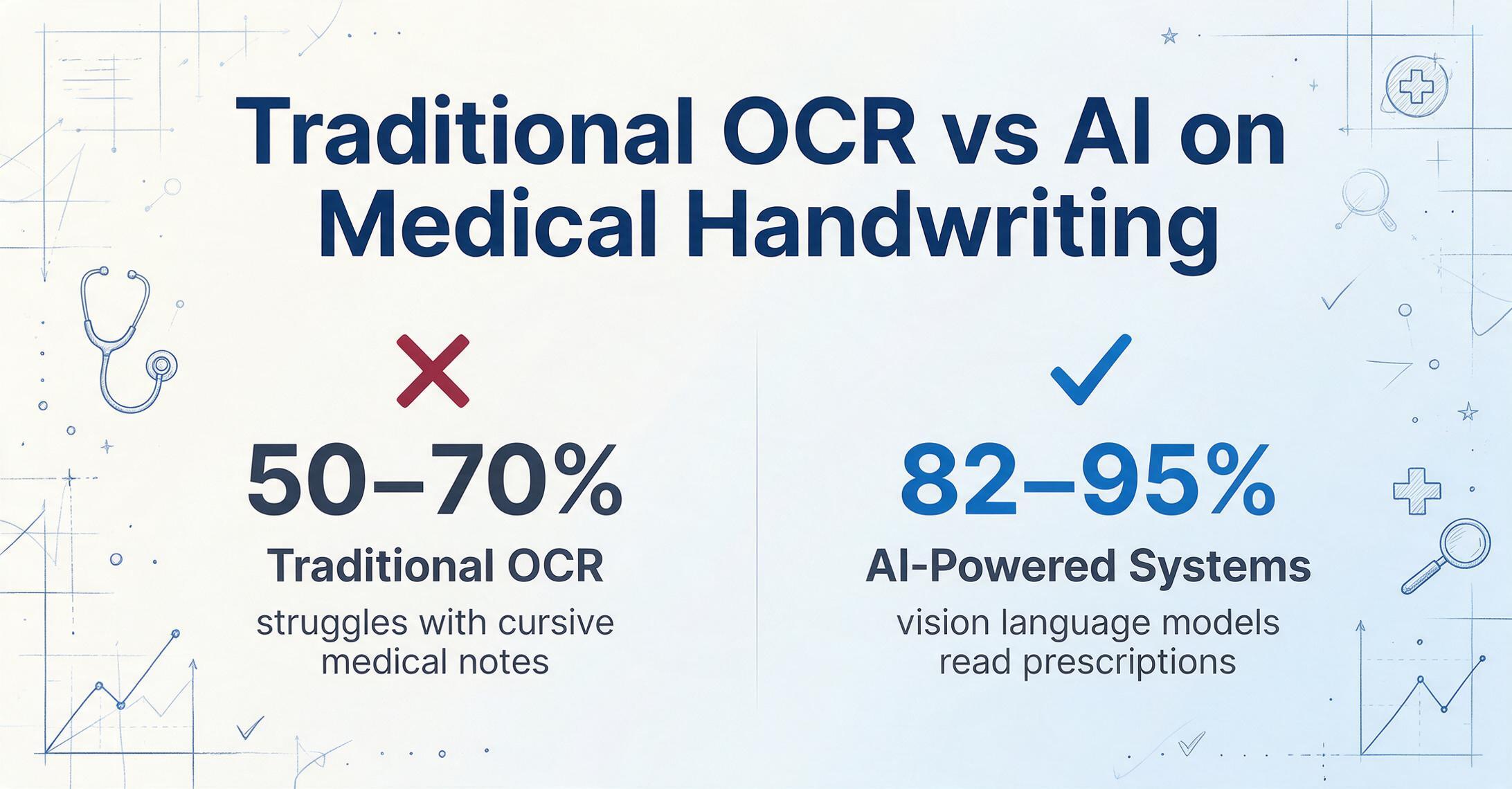
Physician handwriting is a notorious bottleneck in healthcare document processing. Academic research on OCR for healthcare prescriptions published in the European Journal of AI and Machine Learning confirms that traditional OCR achieves roughly 50–70% accuracy on medical handwriting, while AI-powered systems reach 82–95%. We evaluated how each tool handles cursive medical notes, handwritten prescription pads, and clinician annotations in margins. A tool that only reads printed text covers perhaps 60% of the real healthcare document surface area.
3. HIPAA compliance and BAA support
HIPAA does not certify specific software. Compliance is a combination of the vendor's security safeguards, policies, and willingness to sign a Business Associate Agreement (BAA). The Office for Civil Rights (OCR) escalated enforcement dramatically in 2024–2025: HIPAA financial penalties increased by 340%, and Advocate Health paid a $5.55 million settlement after a breach tied to a business associate that lacked a proper BAA. For any tool that processes protected health information (PHI), having a signed BAA is not optional. We note where each tool offers a BAA, and more importantly, where it does not.
4. EHR and practice management integration
Healthcare organizations run on specific software ecosystems: Epic dominates large hospital systems, Oracle Cerner (now Oracle Health) covers academic medical centers, Meditech serves community hospitals, Athenahealth and eClinicalWorks lead ambulatory care, and Kareo and AdvancedMD serve small practices. A tool that outputs Excel files but cannot push data into an EHR workflow requires a manual intermediate step. We evaluated each tool's integration depth — from native EHR connectors to API-first architectures that a developer can wire into an HL7 FHIR pipeline.
5. Deployment model and time-to-value
Healthcare IT teams are chronically overstretched. According to HIMSS 2025 data, 86% of health systems are using some form of AI, but only 18% are ready to deploy it in care delivery. The gap is not desire — it is implementation bandwidth. We evaluated each tool along a spectrum from "minutes to first extraction" (no-code, browser-based) to "months-long enterprise deployment" (on-premise installation, model training, workflow configuration). The right choice depends on your team's technical capacity and the urgency of the problem.
For a deeper look at how AI-powered extraction differs from traditional character recognition in document processing, our guide on what AI OCR is and how it works covers the technology shift that makes semantic extraction possible. The complete guide to what OCR is provides the baseline understanding of how traditional OCR works and where its limits are.
ImageToTable.ai — Best No-Code Extraction for Diverse Medical Documents
Best for: healthcare teams — clinic administrators, medical billing staff, insurance claims processors — who need to extract structured data from a wide variety of medical documents without configuring templates or training models. Not ideal for: organizations that require a signed BAA for HIPAA compliance, native EHR integration, or on-premise deployment.
ImageToTable.ai uses a vision language model that reads documents the same way a human does: it understands what each field means, not where it sits on the page. This matters in healthcare because medical documents come in more layout variations than almost any other industry. A lab report from one hospital system places the patient name in the top-left corner; another places it in a centered header. An EOB from Cigna uses nested summary tables; one from UnitedHealthcare uses flat line-item listings. Template-based tools break on these differences. Semantic extraction does not.
Custom Column Extraction is the core mechanism: you type the column names you want — "CPT Code," "ICD-10 Dx," "Revenue Code," "Patient Name," "Charge Amount" — and the AI locates each value by understanding the semantic meaning of the field. It distinguishes a CPT code (five-digit procedure identifier) from a revenue code (four-digit location code) automatically, placing each in the correct output column. This is fundamentally different from template-based tools that dump every code into a single "Code" field regardless of type.
The tool handles printed text, handwriting, checkboxes, tables, and signatures. Batch processing is first-class: upload 50 EOBs from different insurers as a single batch and get a unified Excel file with consistent columns. The Google Sheets add-on lets users upload documents and append results directly to a spreadsheet without leaving Sheets. Processing takes 5–10 seconds per page — an 18x improvement over the average 3 minutes of manual data entry. For a complete walkthrough of the EOB-to-Excel workflow — from defining columns to exporting the merged batch — see our guide on converting EOBs to Excel.
Pricing starts with a free tier (limited extractions per month), then $9/month (Basic) and $59/month (Pro). There is no setup required beyond creating an account. The tradeoff is significant for healthcare: ImageToTable.ai does not offer a BAA today, so it is not suitable for workflows that require HIPAA-compliant vendor handling of PHI. It works well for de-identified document processing, internal administrative use where PHI is not transmitted to the service, or as a productivity tool for individual healthcare professionals who handle their own data.
Amazon Textract — Best for High-Volume AWS-Native Healthcare Pipelines
Best for: healthcare organizations already invested in AWS that process high volumes of standardized documents — intake forms, claims forms, insurance cards — and have DevOps capacity to build and maintain extraction pipelines. Not ideal for: teams without AWS infrastructure expertise or those needing a turnkey user interface.
Amazon Textract is a HIPAA-eligible AWS service (BAA available through the standard AWS BAA), making it one of the most straightforward options for healthcare organizations that need compliant cloud infrastructure. It extracts text, handwriting, forms, and tables from scanned documents. Change Healthcare has used Textract to process over 16 million pages, reducing per-document processing time from 3 minutes to under 1 minute and achieving a 68% automation rate, according to AWS customer case studies.
Textract integrates natively with AWS HealthLake, Amazon Comprehend Medical (for PHI detection and medical entity extraction), and other AWS services, making it a strong building block for custom healthcare automation. It handles printed text and handwriting, with good accuracy on standardized forms. However, Textract is API-only — there is no graphical interface for uploading documents and reviewing results. HIPAA compliance requires manual configuration of the AWS environment (encryption, access controls, audit logging) rather than being default. Pricing is per-page and varies by volume; at scale it is among the most cost-effective options.
Google Document AI — Best for GCP-Based Healthcare Workflows
Best for: healthcare teams using Google Cloud who need pre-trained processors for common medical documents, with human-in-the-loop review options. Not ideal for: teams outside the GCP ecosystem or those processing highly variable custom form types.
Google Document AI offers pre-trained processors for invoices, receipts, W-2s, and identity documents, plus the ability to train custom extractors via its AutoML tier. Its integration with Vertex AI and Gemini enables summarization and reasoning on top of extracted data — a useful capability for clinical trial data extraction, medical record summarization, and patient intake automation. Google offers a BAA for GCP services, making Document AI available for HIPAA-eligible workloads.
The strength here is the broader Google ecosystem: Document AI feeds into BigQuery for analytics, Healthcare API for FHIR-native data exchange, and Vertex AI for custom model development. The limitation is that pre-trained processors cover only a fixed set of document types; for highly specific medical forms (a unique lab report layout from a regional hospital system), custom training is required. Pricing combines OCR processing with GenAI features, which can become complex at scale for multi-step extraction pipelines.
Azure Document Intelligence — Best for Microsoft-Centric Health Systems
Best for: healthcare organizations running on Microsoft infrastructure (Active Directory, Office 365, Dynamics 365) who need HIPAA-eligible document processing with strong governance controls. Not ideal for: teams without Azure experience or those needing a no-code extraction interface.
Azure Document Intelligence (formerly Form Recognizer) provides pre-built models for common document types and custom extraction capabilities via Azure AI. It is covered under the Microsoft BAA for HIPAA compliance when configured correctly, and integrates with Azure's role-based access control, audit logging, and encryption frameworks — natural strengths for organizations already managing PHI within Microsoft's compliance boundary.
Azure DI handles printed text, handwriting, tables, and key-value pairs. Its pre-built models cover invoices, receipts, identity documents, and health insurance cards. For healthcare-specific documents like lab reports or EOBs, custom model training is typically required. The platform supports .NET, Python, and REST APIs, making it accessible to Microsoft-centric development teams. Pricing follows a pay-per-page model with volume discounts.
Visit Azure Document Intelligence →
ABBYY Vantage — Best Enterprise IDP for Regulated Healthcare
Best for: large health systems and insurance payers that need a mature, low-code document processing platform with pre-trained skills and comprehensive compliance features. Not ideal for: small practices or teams that need quick, template-free extraction without a deployment cycle.
ABBYY is one of the historical leaders in OCR and intelligent document processing, with a platform used across regulated industries including healthcare. ABBYY Vantage offers pre-trained "skills" (extraction models for specific document types), a low-code skill builder for custom forms, and integration connectors for ECM systems and ERP platforms. It supports handwriting recognition, though accuracy on dense cursive medical notes is moderate compared to newer AI-native tools.
ABBYY offers a BAA and has significant experience with healthcare deployments. Its strength is breadth: it can cover invoices, claims, patient forms, clinical trial documents, and provider correspondence within a single platform. The tradeoff is that deployment typically takes weeks to months, pricing is custom-quoted and enterprise-grade (five figures annually and up), and the platform requires dedicated administrative effort to maintain extraction skills as document formats change. For large organizations with a dedicated document processing team, ABBYY Vantage is a proven choice.
Nanonets — Best for Custom-Trained Niche Medical Document Models
Best for: organizations that process a high volume of a specific, stable medical document type and have the resources to train and maintain a dedicated model. Not ideal for: teams that need zero-setup extraction across many different document layouts.
Nanonets offers an AI OCR platform with over 300 pre-trained models across document categories including healthcare forms, insurance documents, and medical records. Its core differentiator is the training pipeline: users upload sample documents (typically 20–50 per format), label the fields, and the platform trains a custom extraction model. For a hospital system that processes the same lab report format from 50 affiliated clinics, this can deliver high accuracy. Nanonets offers a BAA for enterprise customers and supports both cloud and on-premise deployment.
The limitation is that each new document format requires a new training cycle. A clinic that receives lab reports from five different hospital systems needs five labeled training sets. A medical billing team processing EOBs from 20 different insurance plans needs 20 training iterations. For stable, high-volume formats, the up-front investment pays off. For diverse, variable document mixes, the training maintenance cost accumulates. Pricing starts with a free tier (limited pages) and scales to custom enterprise plans.
LlamaParse (LlamaIndex) — Best for Developer-Led Healthcare AI Products
Best for: engineering teams building agentic healthcare applications — clinical assistants, automated medical coding pipelines, research synthesis tools — that need deep document understanding with field-level confidence scores and source citations. Not ideal for: non-technical healthcare teams who need a graphical interface for document processing.
LlamaParse takes an agentic approach to document processing: instead of brittle templates or layout-based extraction, it uses multi-modal AI to understand document structure, tables, handwriting, and charts, then extracts structured data with field-level confidence scores. It integrates with the broader LlamaIndex ecosystem for RAG pipelines, making it a strong fit for organizations building document-aware AI products on their own medical data.
The platform supports schema-based extraction (LlamaExtract), where you define the fields you need (MRN, ICD-10 codes, medication names, lab values, dosages) and the AI extracts them with page-level citations for auditability. LlamaIndex offers a BAA for enterprise customers and supports both cloud and self-hosted deployment. The tradeoff is that it is API-first and SDK-based (Python + TypeScript), with no no-code interface. Pricing starts with a free tier for evaluation and scales to enterprise custom quotes.
Docsumo — Best for Health Insurance Administrative and Claims Processing
Best for: health insurers, third-party administrators (TPAs), and back-office medical billing teams processing high volumes of structured forms, claims documents, and insurance paperwork. Not ideal for: clinical document extraction from handwritten physician notes or complex lab reports.
Docsumo is a general-purpose intelligent document processing platform that excels on structured and semi-structured documents common in healthcare administration: claims forms, explanation of benefits, eligibility verification documents, and insurance applications. It offers pre-trained models for common document types, built-in validation rules, and integration with workflows via API and webhooks. A BAA is available for healthcare customers.
Docsumo's strengths are on the administrative side of healthcare — for a health insurer processing 10,000 claims forms per month with stable layouts, it delivers reliable straight-through processing. Its handwriting recognition is limited compared to AI-native tools, so it is not the right choice for handwritten prescriptions or clinical notes. Pricing is custom-quoted and based on document volume.
Hyland OnBase — Best Enterprise Document Management with Healthcare Capture
Best for: large health systems that need a unified enterprise content services platform combining document management, capture, workflow, and compliance — with OCR as one component inside a broader infrastructure. Not ideal for: teams that need a standalone document extraction tool without a major ECM deployment.
Hyland OnBase is a mature enterprise content services platform with deep healthcare penetration. It provides document capture, indexing, storage, workflow automation, and release-of-information management — all within a HIPAA-compliant framework with a BAA. Its capture module uses OCR to classify and extract data from scanned documents, routing them into the appropriate clinical or administrative workflows.
OnBase is used by hundreds of hospitals for scanning and indexing patient records, EOBs, and administrative documents. Reddit users in r/healthIT describe using "onbase to index bulk scans / faxes into the chart" as part of a manual but flexible workflow. The tradeoff is that OnBase is a massive enterprise platform: deployment takes months, costs are custom-quoted and typically six figures, and handwriting recognition is basic. It is a content management investment with extraction capabilities, not an extraction-first tool.
Kofax — Best Enterprise Document Capture at Scale
Best for: large healthcare organizations and business process outsourcers that process millions of pages monthly through automated capture workflows with validation and classification. Not ideal for: small clinics, individual practitioners, or any team that needs a lightweight extraction tool.
Kofax (part of Tungsten Automation) provides enterprise intelligent document capture with AI-powered classification, extraction, and validation. Its platform scans, classifies, extracts data from, and routes documents across healthcare workflows — from patient intake scanning at registration to EOB processing in the revenue cycle department. Kofax offers a BAA and has significant healthcare deployment experience.
The platform's strength is high-volume automated capture: scanning 50,000 pages per day, classifying document types automatically, extracting key fields, and validating them against business rules before routing to downstream systems. The tradeoff is complexity: Kofax deployments typically require professional services, months of configuration, and significant capital expenditure. Handwriting recognition is limited. For organizations below enterprise scale, it is overkill.
Koncile — Best API-First Healthcare OCR for Prescriptions and Medical Documents
Best for: healthcare technology companies and digital health platforms that need an API-first OCR service with strong performance on prescriptions and French/GDPR-compliant medical document processing. Not ideal for: US-focused teams that need no-code extraction or deep EHR integrations with Epic/Cerner.
Koncile is a healthcare-focused AI OCR platform built primarily for the European market, with strong performance on prescriptions, medical reports, and clinical documents. It offers ready-made healthcare extraction models and an API-first architecture that makes it suitable for integration into digital health products and pharmacy automation platforms. Koncile provides a BAA-equivalent under GDPR and hosts data on French servers.
Its handwriting recognition is stronger than general-purpose OCR tools owing to specialized training on medical handwriting samples, including prescription notations. The tradeoff is geographic: Koncile's document training is strongest on European medical formats, and its integration ecosystem does not include US-specific EHR systems. Pricing is custom-quoted and volume-based.
Tesseract — Best Free Open-Source OCR Baseline
Best for: developers building custom healthcare document processing pipelines who need a free, self-hosted OCR engine for printed text extraction as a starting point. Not ideal for: any healthcare workflow involving handwriting, complex layouts, structured data extraction, or direct PHI processing without additional security hardening.
Tesseract is the most widely used open-source OCR engine, maintained by Google since 2006. Version 5 (released 2024) added LSTM-based neural network recognition that improved accuracy on clean printed text. It supports 100+ languages and can be customized and extended for specific document types.
For healthcare, Tesseract's value is limited to printed text on clean, high-contrast documents. It has minimal handwriting capability — academic research confirms Tesseract achieves roughly 64% accuracy on medical handwriting — and no structured data extraction. An ICD-10 code extracted by Tesseract lands in a flat text blob with no field label, requiring additional processing to identify and route each code. Tesseract has no BAA, no audit logging, and no PHI handling infrastructure by default; any HIPAA-compliant use requires the deploying organization to build security controls around it. It is a useful component in a custom pipeline, not a standalone healthcare OCR solution.
Which Tool Is Right for Your Healthcare Organization?
One tool does not fit all healthcare OCR needs, because healthcare is not one workflow — it is a collection of dramatically different document processing problems that happen to share a regulatory framework. Here is how to match your situation to the right tool category.
You run a small clinic or solo practice
You process patient intake forms, insurance cards, and a modest volume of EOBs. You have no IT team and need something that works in minutes. ImageToTable.ai is the most practical option for turning scanned forms into structured data without setup. For HIPAA-compliant processing of PHI through the cloud, Google Document AI or Azure Document Intelligence with a BAA are viable if you have the administrative bandwidth to set up the cloud account. For a completely free but limited option, Tesseract through a GUI wrapper can handle printed text on clean documents — but expect to verify every output.
You run a mid-size medical group or ambulatory care network
You use an EHR like Athenahealth, eClinicalWorks, or Kareo. Your document volume is thousands per month — EOBs, referral letters, lab reports from multiple labs. You need flexibility across formats but may not have a dedicated data engineering team. ImageToTable.ai handles format diversity well and requires no template configuration. If your organization requires BAA protection, Docsumo for administrative documents or Nanonets for high-volume, stable-format documents are appropriate. Google Document AI with its Healthcare API can bridge to FHIR if you have the technical resources.
You work in a large health system or hospital network
You run Epic, Oracle Cerner, or Meditech. You process millions of pages annually — patient records, insurance claims, clinical trial documents, provider correspondence. You have an IT department and compliance office. Hyland OnBase or Kofax are the established enterprise choices for capture-plus-content-management, with proven integration into large hospital workflows. ABBYY Vantage offers a more extraction-focused alternative with low-code skill building. Amazon Textract plugged into an AWS HealthLake FHIR pipeline is the most scalable cloud-native option for organizations with DevOps capacity.
You work for a health insurer or TPA
Your core OCR need is claims processing — CMS-1500, UB-04, encounter data, and EOBs — at high volume with consistent formats. Docsumo and Nanonets both have strong form processing for insurance documents. Amazon Textract on AWS health infrastructure can handle very high throughput with cost predictability. ABBYY Vantage covers the full claims lifecycle from intake to adjudication support.
You are building a healthcare technology product
Your OCR need is embedded into your own application — a clinical assistant, a medical coding automation tool, a patient-facing health data product. LlamaParse offers the most advanced developer toolkit with schema-guided extraction and field-level confidence scores. Amazon Textract is a proven high-volume API. Azure Document Intelligence integrates well with .NET stacks. Koncile is a specialized option for European healthcare use cases with GDPR compliance.
For a broader view of the OCR landscape that includes free options and open-source alternatives, see our best free OCR software guide and best open-source OCR tools comparison. If handwritten medical documents are your primary challenge — and for many healthcare teams they are — our dedicated handwriting OCR roundup goes deeper on that specific capability. For a general overview that includes enterprise tools not covered here, best OCR software 2026 maps the full landscape.
Frequently Asked Questions
What makes an OCR tool HIPAA-compliant?
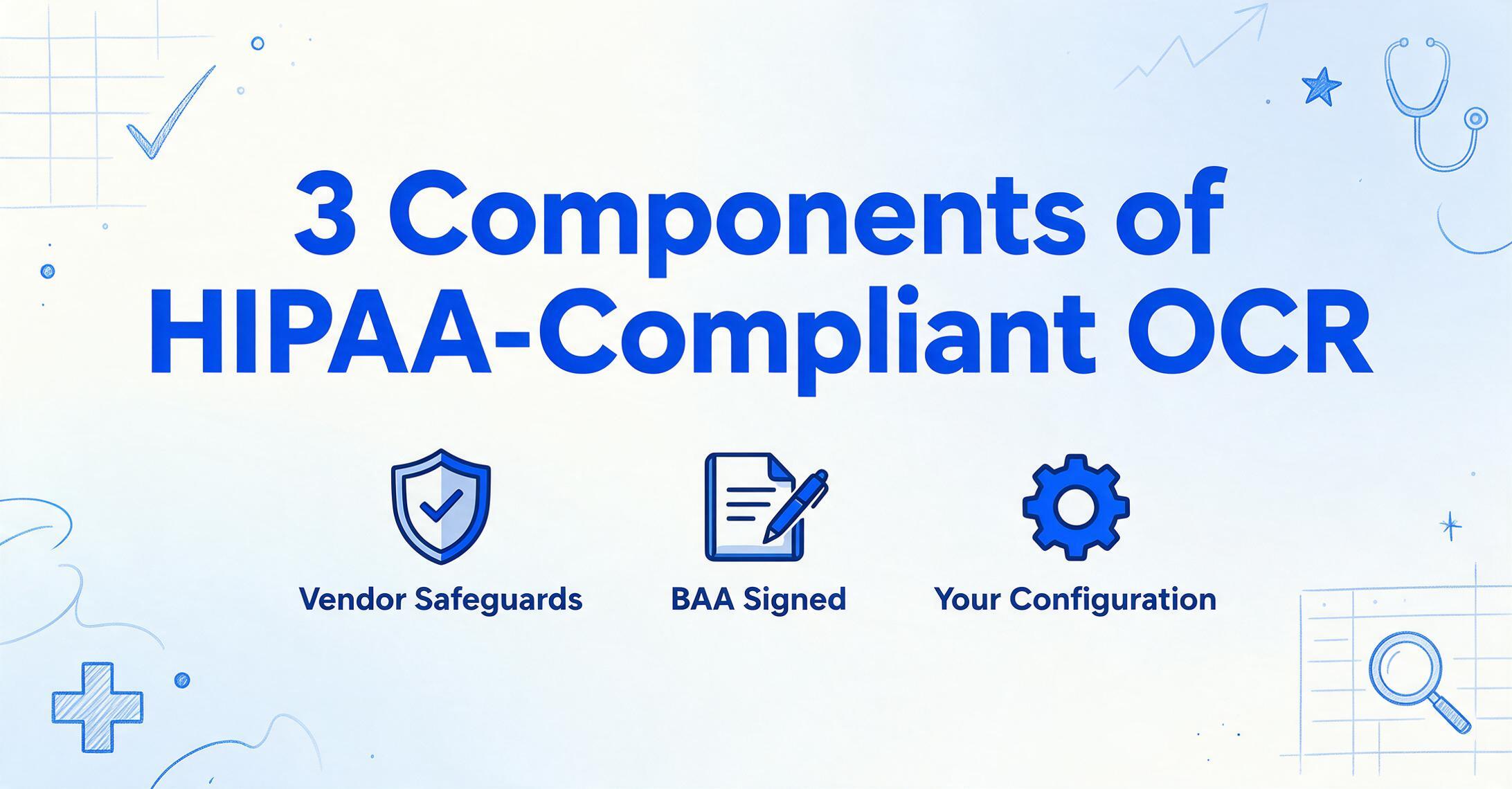
HIPAA compliance for OCR software requires three components working together. First, the vendor must maintain strong security safeguards — encryption at rest and in transit, role-based access controls, comprehensive audit logging, and clear PHI handling policies. Second, the vendor must sign a Business Associate Agreement (BAA) that contractually binds them to HIPAA's Privacy and Security Rule requirements for any PHI they process on your behalf. Third, your organization must configure and operate the tool within your own HIPAA compliance program — a BAA does not make your workflow compliant if you configure the tool to store PHI in an unencrypted location or grant access to unauthorized users. The Office for Civil Rights has made clear through enforcement actions — including the $5.55 million Advocate Health settlement — that both the vendor agreement and the operational controls must be in place.
Can OCR accurately read doctors' handwriting?
This is the single most common question in healthcare OCR, and the honest answer is: it depends on the handwriting and the tool. Traditional OCR achieves roughly 50–70% accuracy on handwritten medical text. Modern AI-powered tools, including vision language models, reach 82–95% on medical handwriting — a meaningful improvement, but still below printed-text accuracy. The best results come from tools specifically trained on medical handwriting samples or built on vision language models that understand semantic context (a five-character string following "Dx:" is likely a diagnosis code, even if one character is ambiguous). No OCR tool achieves 99% on handwriting. For critical clinical data — medication names, dosages, diagnosis codes — always budget time for human verification against the original document. Our handwriting OCR roundup covers this topic in depth.
Can OCR extract CPT codes and ICD-10 codes from medical documents?
Yes, but the quality of extraction depends on whether the tool understands code structure or just reads raw text. AI-powered tools that use semantic extraction can distinguish between code types: CPT codes are five-digit numeric identifiers (99213, 93000), ICD-10 codes are alphanumeric strings (E11.9, I10), revenue codes are four-digit location identifiers (0450 for Emergency Room), and NDC drug codes are 11-digit identifiers. A tool that maps each code type to the correct output column is far more useful for downstream medical billing and claims processing than one that dumps all codes into a single text field. Define columns for each code type separately — "CPT Code," "ICD-10 Dx," "Revenue Code," "NDC" — and let the tool route them by semantic type.
Does OCR integrate with Epic, Cerner, or Meditech?
Direct EHR integration is the exception, not the rule, among OCR tools. Most tools output structured data as Excel, CSV, or JSON, which must then be imported into the EHR through a separate interface or API layer. Enterprise platforms like Hyland OnBase and Kofax have pre-built connectors to major EHR systems because they function as content management platforms that wrap around the clinical record. Cloud API tools like Amazon Textract integrate with AWS HealthLake's FHIR API, which can then connect to an EHR. For most no-code OCR tools, the workflow is: extract data to a spreadsheet → validate → upload or import into the EHR. This intermediate step is not ideal, but it is the practical reality for most healthcare organizations.
Is there a free OCR tool for healthcare documents?
Tesseract is free and open-source, but its practical limitations for healthcare are significant: minimal handwriting support, no structured data extraction, no PHI security infrastructure, and a developer-only interface. Google Drive's built-in OCR is free and can produce searchable PDFs from scanned medical documents, but it outputs flat text — not structured data with field labels. ImageToTable.ai offers a free tier for limited extractions, which is useful for testing whether semantic extraction works on your specific documents before committing to a paid plan. For a comprehensive comparison of free options, see our best free OCR software guide.
Can OCR handle the nested tables in Explanation of Benefits forms?
EOB nested tables are one of the hardest document types for traditional OCR, because a single table cell may contain both a dollar amount and a coded explanation, with sub-rows indented under parent line items. Template-based tools typically flatten these into a single text block per row, losing the hierarchy. AI-powered tools with layout understanding perform significantly better because they can identify the parent-child relationship between a primary charge and its adjustments. The key is to define columns that match the EOB structure: "Billed Amount," "Allowed Amount," "Insurance Payment," "Patient Responsibility," "Adjustment Code" — and let the AI map each value by understanding where it sits in the document's logical hierarchy, not by reading a fixed grid coordinate. For a deeper look at how extraction tools handle multi-payer EOB and claim formats, see our healthcare document extraction tools roundup; for the underlying OCR mechanics across medical document types, our OCR for healthcare guide covers the full document spectrum.
What about processing handwritten prescriptions?
Handwritten prescriptions present a unique OCR challenge because the consequences of misreading are clinical, not just administrative. A misread dosage or drug name can directly affect patient safety. Academic studies on OCR for prescription processing show that traditional OCR achieves roughly 50–70% accuracy on prescription handwriting, while AI systems trained on medical samples reach 82–95%. The most practical approach for pharmacies and prescription processors is to use an AI-powered tool that can read handwriting contextually (understanding that "Metf" is likely "Metformin") combined with a pharmacist verification step for every prescription. No OCR tool should be the sole check in a prescription fulfillment workflow — the clinical risk is too high.
How long does it take to deploy OCR in a healthcare setting?
The deployment timeline varies by tool category by orders of magnitude. No-code tools like ImageToTable.ai: minutes to first extraction. Cloud API tools like Amazon Textract, Google Document AI, or Azure Document Intelligence: hours to days for API integration, plus additional time for HIPAA-compliant infrastructure configuration. Training-based platforms like Nanonets: days to weeks, depending on how many document formats need labeled samples and how many iterations the training pipeline requires. Enterprise platforms like ABBYY Vantage, Hyland OnBase, or Kofax: months, including professional services engagements, workflow configuration, integration development, and compliance validation. According to HIMSS 2025 data, only 18% of health systems report being ready to deploy AI tools in care delivery — the gap is not technology availability, it is implementation bandwidth. Choose a tool whose deployment timeline matches your organization's capacity to absorb it.
The Bottom Line
Healthcare document processing in 2026 is a story of two gaps. The technology gap — what AI-powered tools can actually do versus what healthcare teams believe they can do — is closing rapidly. Vision language models can now read medical handwriting, distinguish CPT codes from ICD-10 codes by their structure, and extract data from nested EOB tables without templates. The implementation gap — the chasm between what is technically possible and what healthcare organizations have the bandwidth to deploy — remains the binding constraint.
The right OCR tool for your healthcare organization is the one whose deployment model matches your team's technical capacity and whose extraction approach matches your document diversity. If your documents are standardized and your volume is high, a training-based or enterprise platform will deliver predictable accuracy. If your documents vary by the hour — different insurers, different labs, different clinics — a semantic, template-free approach saves you from maintaining extraction configurations for every format variation. And if you process handwritten clinical data — prescriptions, physician notes, annotated lab reports — make handwriting capability a non-negotiable evaluation criterion, not a nice-to-have feature.
Start by testing one tool on the documents your team actually processes — not the perfect documents, the messy ones. The tool that makes your real-world paperwork extractable is the tool you should use.