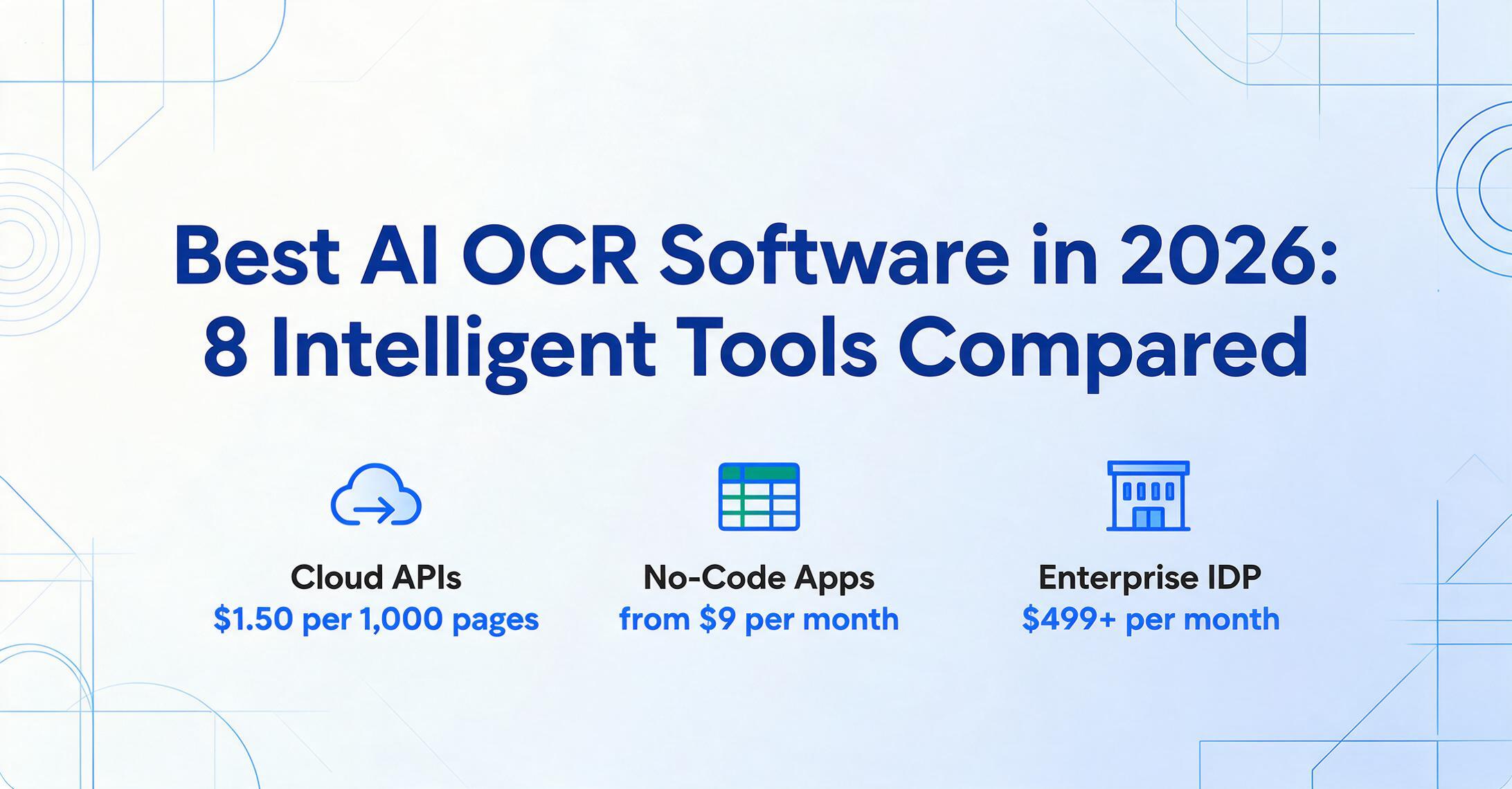
Best AI OCR Software in 2026:
8 Intelligent Tools Compared
Most "best OCR" lists quietly mix two different things: tools that turn pictures of text into characters, and tools that understand what those characters mean. The second group — AI OCR — is what this guide is about. The catch is that "AI OCR" now spans a $1,500/month enterprise platform that needs a 90-day rollout and a $9/month app you can use in the next ten minutes, and both claim 99% accuracy. This is a technical-advisor comparison of eight of them: what each one actually costs, who it fits, and — just as importantly — who it doesn't.
Key Takeaways
- Eight AI OCR tools (software that reads and understands documents) all advertise around 99% accuracy, which means accuracy is the one number that won't help you choose between them.
- The cheapest tool costs $9 a month and the priciest costs $18,000 a year — yet both read documents the same way, because that 200x gap buys infrastructure, integrations, and compliance, not sharper reading.
- The right pick isn't the most powerful tool, it's the one whose shape matches your volume, your team, and your budget — so the only question worth asking is which one fits, not which one wins.
What "AI OCR" Actually Means (and How It Differs From Traditional OCR)
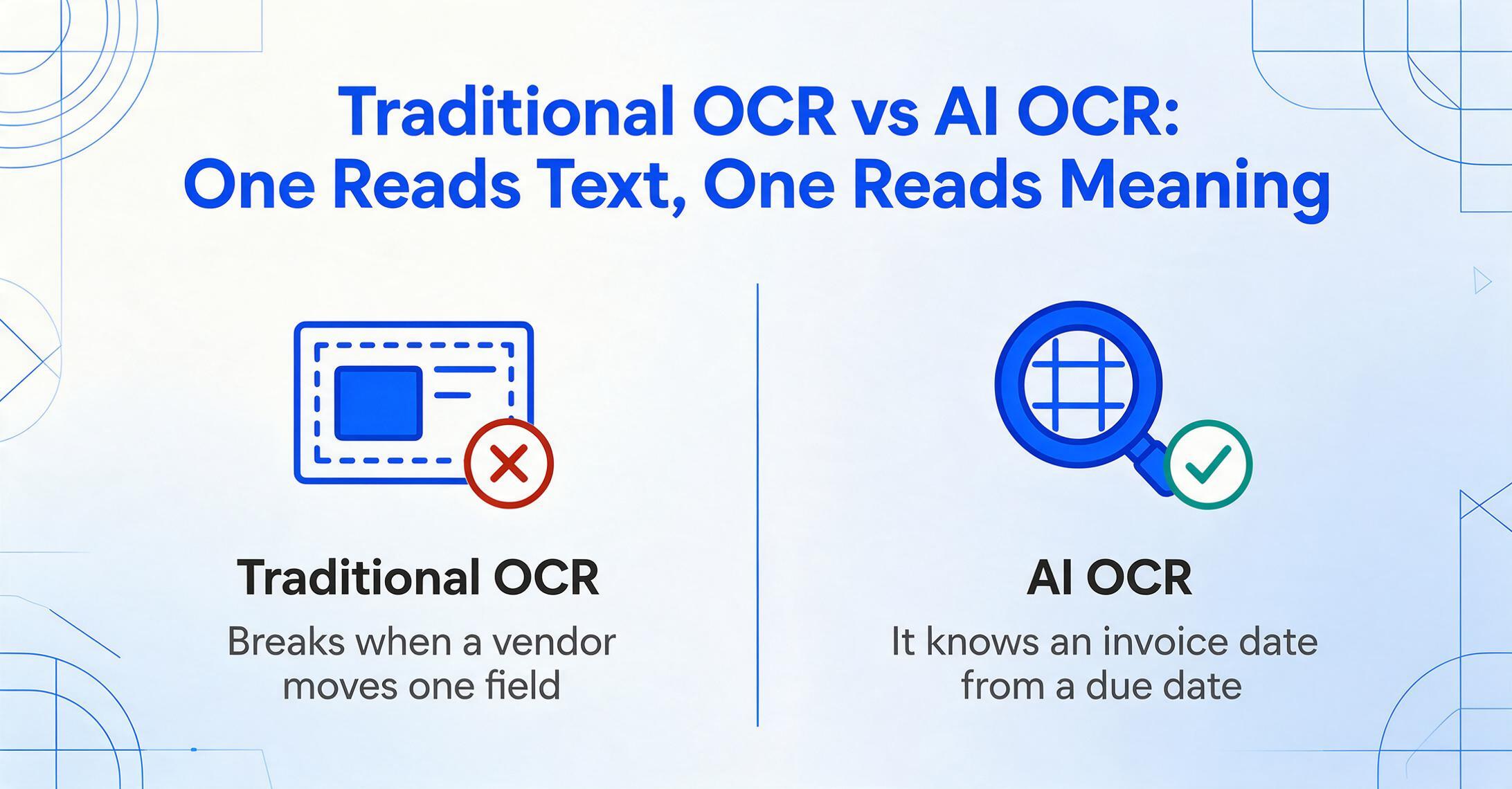
AI OCR is optical character recognition that uses a vision language model to understand a document, not just transcribe it. The distinction matters because it changes what you can ask the tool to do — and what you'll pay for it.
Traditional OCR is a pattern-recognition technology. It scans an image, matches pixel shapes against a database of character forms, and outputs text. It has no idea whether a number is an invoice total or a purchase-order reference; it just knows the characters are "1," "2," "0," "0." It works well on clean, predictable layouts and breaks the moment a vendor moves a field, changes a font, or sends a slightly skewed scan. To extract specific fields, traditional OCR tools rely on templates — you draw a box around where the "invoice number" sits, and the tool copies whatever appears at those coordinates on every document. Change the layout, and the box points at the wrong thing.
Traditional OCR reads where the data sits. AI OCR reads what the data means — which is why it keeps working when the layout changes and why it can tell an invoice date from a due date without being told where either one lives on the page.
AI OCR, built on vision large models, adds contextual reasoning on top of character recognition. It looks at the whole page, recognizes that a dollar figure in a table belongs to a specific column header, infers an unclear word from surrounding context, and understands that headers repeat across a multi-page table. That's why it's often called "intelligent OCR" or, when it feeds a full workflow, intelligent document processing (IDP). The practical payoff: it handles documents it has never seen before, with no template to build. If you want the underlying mechanics in depth, we cover the accuracy difference between AI OCR and traditional OCR and where the line sits between OCR, document AI, and IDP in separate guides.
This is the line this guide draws. If you're shopping across all OCR — including traditional desktop scanners and free open-source engines — our full OCR software market map and AI-vs-traditional OCR breakdown are the better starting points. Here, every tool reviewed uses AI to read documents, and the question is which one fits your volume, budget, and team.
How We Picked and Tested
Eight tools made this list because they represent the genuine span of the AI OCR market, not because they're the easiest to praise. We started from the tools that buyers actually search for and that competing roundups consistently include — the enterprise cloud APIs (Google, AWS), the IDP platforms (ABBYY, Nanonets, Rossum, Docsumo, Affinda), and the lightweight no-code apps (our own ImageToTable.ai). We deliberately excluded pure traditional OCR engines (Tesseract, basic PDF scanners) since they fall outside the "AI OCR" question — if your stack is open-source, we cover that lane in our best open-source OCR tools for developers guide.
Each tool was evaluated on four things: extraction approach (does it understand documents or match templates?), real pricing (the lowest published monthly figure, not "starting from"), setup burden (can a non-developer use it, or does it need a model-training phase?), and honest fit (the document types and team sizes where it genuinely wins — and where it doesn't). Pricing was pulled from each vendor's public pricing page or neutral review platforms (Capterra, G2, Software Advice) and is current as of Pricing checked June 2026. Where a vendor publishes no rate card (Rossum, ABBYY's enterprise tier), we say so rather than guess.
One disclosure up front: ImageToTable.ai — the product this site belongs to — is one of the eight tools reviewed. We've positioned it where it honestly fits (no-code, small teams, low per-document cost) and named the scenarios where ABBYY, Google, AWS, or Rossum are the better call. A roundup that pretended otherwise wouldn't be worth your time.
On the accuracy question beneath this whole category: our own first-party benchmark of 8 open-source OCR engines on identical receipts found the best traditional engine and the best VLM statistically tied on character accuracy (docTR CER 0.197 vs Surya2 0.191 on SROIE 2019), and that adding an LLM postprocessor pulls six of eight engines into a 0.57–0.62 field-F1 band — so "VLM beats OCR on accuracy" is not a universal law; it depends on document mix and what you consume. The measurement caveats around CER are quantified in our why CER misleads analysis. That context is why this list evaluates tools on document-type fit and pricing rather than a single accuracy number.
The 8 Best AI OCR Tools at a Glance
The table below is the fast answer. The starting price is the lowest published monthly figure for each tool (usage-based tools are shown at their per-page rate, since they have no monthly minimum). "Pricing checked June 2026."
| Tool | Starting Price | Pricing Model | Best For | Key Limitation | Free Trial? |
|---|---|---|---|---|---|
| ImageToTable.ai | $9/mo | Subscription + PAYG (credit-based) | No-code, small teams, spreadsheet output | No native ERP sync, no SOC 2/HIPAA | Free tier |
| ABBYY FineReader / Vantage | $16/mo (desktop) | Per-seat (desktop); per-page custom (enterprise) | Accuracy-critical OCR, 198 languages, on-prem | Enterprise IDP is sales-led, complex setup | Yes |
| Google Document AI | $1.50 / 1,000 pages | Usage-based (per page) | High-volume cloud OCR, developers | Requires dev setup; raw output needs post-processing | Free tier (GCP) |
| AWS Textract | $1.50 / 1,000 pages | Usage-based (per API call/page) | High-volume cloud OCR inside AWS stacks | Developer-only; forms/tables cost 10–33x base | Free tier (1,000 pg/mo, 3 mo) |
| Nanonets | $499/mo (Pro) | Per-run credits ($0.30/extraction) | Mid-market to enterprise AP automation | Often needs sample training; pricey for SMB | Free tier/trial |
| Docsumo | ~$500/mo | Per-page / enterprise custom | Mid-market financial document workflows | Production pricing is custom; SMB-unfriendly | 14-day trial (1,000 pg) |
| Affinda | Usage-based (~$299/mo prod.) | Usage-based platform | Mid-market document AI, resume/HR parsing | No simple published rate card; quote-based | Yes |
| Rossum | $18,000/yr (~$1,500/mo) | Annual enterprise, sales-led | Enterprise AP shared-service centers | No self-serve; 30–90 day implementation | Trial on request |
Two patterns jump out. First, "AI OCR" pricing splits into three models: flat subscriptions (ImageToTable.ai, ABBYY desktop), usage-based per-page billing that scales with volume (Google, AWS, Nanonets, Affinda), and sales-led annual contracts with no published price (Rossum, Docsumo enterprise, ABBYY Vantage). Second, the cheapest entry point ($9/month) and the most expensive ($18,000/year) both deliver AI extraction — the price difference buys infrastructure, integrations, and compliance, not fundamentally better reading. Which of those you actually need is the whole decision, and the rest of this guide walks through it tool by tool.
Cloud OCR APIs for Developers: Google Document AI & AWS Textract
If you have engineering resources and high, steady volume, the two hyperscaler OCR APIs are hard to beat on raw cost per page. They are not products you "use" — they're APIs you build on.
Google Document AI
Google's Document AI is a cloud platform with a family of processors: a general Enterprise Document OCR processor, plus Form Parser and Custom Extractor processors that pull structured fields. The base OCR runs $1.50 per 1,000 pages (dropping to $0.60 above 5 million pages/month), while Custom Extractor and Form Parser cost $30 per 1,000 pages. Handwriting support spans 60+ languages with strong accuracy on structured forms.
Best for: development teams needing scalable, API-based recognition for business forms at high volume, especially those already on Google Cloud. Not ideal for: non-developers — there's no point-and-click app, and the OCR returns raw text blocks that need post-processing before they're spreadsheet-ready. Pricing also climbs quickly once you move from base OCR to structured field extraction. View Google Document AI pricing →
AWS Textract
Textract is Amazon's document OCR and data-extraction service, exposed through several APIs (Detect Document Text, Analyze Document, Analyze Expense, Analyze ID). Detect Document Text costs $1.50 per 1,000 pages, but the structured features are far pricier: tables run ~$15 per 1,000 pages and forms ~$50 per 1,000 pages. A free tier covers 1,000 pages/month for the first three months. One Reddit user building on it noted Textract is "pretty reasonable (~1 cent USD per document)" for basic text — but that figure rises sharply with forms and tables.
Best for: teams already inside the AWS ecosystem who want OCR as a building block in a larger pipeline. Not ideal for: anyone without developers, or workloads dominated by forms and tables, where the per-page cost is 10–33x the base rate. We break down the trade-offs in our AWS Textract comparison. View AWS Textract pricing →
Both APIs share the same fundamental ceiling for non-technical buyers: they read documents well, but turning their output into a finished spreadsheet — with your column names, your formats, your calculations — is a project, not a feature. That's the gap the no-code tools later in this list close.
Enterprise IDP Platforms: ABBYY, Nanonets, Rossum, Docsumo & Affinda
The middle of the market is occupied by intelligent document processing platforms — tools that wrap AI OCR in workflow, validation, and integrations. They're built for organizations processing thousands of documents a month with people whose job is to manage that pipeline.
ABBYY (FineReader PDF & Vantage)
ABBYY is the elder statesman of OCR, and it sells two very different things. FineReader PDF is a desktop OCR-and-PDF tool starting at $16/month (Standard for Windows; Corporate at $24/month), prized for accuracy — independent comparisons cite ~99.8% — and support for 198 languages. ABBYY Vantage and FlexiCapture are the enterprise IDP products, priced per page through custom quotes (anonymized buyer data shows roughly $0.04–$0.08/page at moderate volume).
Best for: accuracy-critical OCR, multilingual archives, on-premise deployments, and PDF-editing workflows where FineReader's desktop polish shines. Not ideal for: teams wanting a self-serve cloud app — the enterprise IDP tier is sales-led with a real implementation phase, and FineReader desktop isn't built for batch API automation. See the head-to-head in our ABBYY FineReader comparison. View ABBYY FineReader pricing →
Nanonets
Nanonets is a workflow-automation and document-AI platform aimed squarely at accounts-payable teams. It has a free Starter tier, but the production Pro plan starts at $499/month, with extraction billed at $0.30 per run on a credit system. It's powerful and integration-rich, with QuickBooks, Sage, and Xero connectors.
Best for: mid-market to enterprise AP automation, where workflow approvals and accounting integrations justify the price. Not ideal for: small teams or anyone who wants zero setup — Nanonets often involves uploading samples and training models for complex document types, which adds an onboarding curve. Our Nanonets comparison covers where that setup pays off and where it doesn't. View Nanonets pricing →
Rossum
Rossum positions itself around a custom-trained "transactional LLM" — it trains an extraction model on each customer's historical documents, then deploys it into AP shared-service workflows with human-in-the-loop validation. Pricing is fully sales-led: the entry tier reportedly starts at $18,000/year (~$1,500/month), with Business pricing on quote. Public reviews on G2 and Gartner Peer Insights are strong from enterprise AP buyers.
Best for: large enterprises running high-volume AP through a shared-service center, where a 30–90 day implementation and custom model training are acceptable investments. Not ideal for: SMBs, bookkeepers, or anyone processing under ~5,000 documents/month — the implementation timeline and pricing are overkill, and there's no self-serve signup. More detail in our Rossum comparison. View Rossum pricing →
Docsumo
Docsumo is a mid-market IDP platform with a strong focus on financial documents — bank statements, invoices, and risk-assessment paperwork — reporting 95%+ straight-through-processing rates for some customers. It offers a 14-day free trial (1,000 pages), but production plans start at roughly $500/month, with enterprise pricing custom-scoped to use case and support needs.
Best for: mid-market finance and lending teams that need validated, integration-ready output at volume. Not ideal for: solo users and small businesses — the entry price assumes a team and a workflow, not an individual digitizing receipts. Compare approaches in our Docsumo comparison. View Docsumo pricing →
Affinda
Affinda is a document-AI platform known for resume/CV parsing and broader HR and financial document workflows, with a control layer that grounds every extracted answer to its source. Pricing is usage-based and largely quote-driven; trials start very low, while production runs commonly land around $299/month for ~5,000 pages.
Best for: recruitment-tech and mid-market teams needing governed, auditable extraction — especially structured HR documents. Not ideal for: buyers who want a transparent self-serve price; like most platform vendors, production pricing requires a conversation. Affinda doesn't yet have a dedicated comparison page on this site, but it fits the same mid-market IDP bracket as Docsumo and Nanonets. View Affinda pricing →
The common thread across all five: real capability, real workflow features — and real overhead. They make sense when document processing is a department, not a task. If it's a task, the next two tools are built for you.
No-Code AI OCR for Lean Teams: ImageToTable.ai
At the accessible end of the market sits a tool designed for people who want extracted data in a spreadsheet without writing code, training a model, or signing an annual contract. This is where ImageToTable.ai — the product behind this site, and one of the eight tools in this comparison — lives.
ImageToTable.ai
ImageToTable.ai is an AI data-extraction tool built on a vision large model. Its core mechanism is Custom Column Extraction: instead of drawing zones or training a model, you type the column names you want — "Invoice Number," "Due Date," "Total" — and the AI locates each value anywhere on the page by understanding what it means. Because it's template-free, a new vendor layout needs no setup; you upload and go. It adds two things most budget tools lack: computed columns (define "Line Total (Qty × Unit Price)" and the AI does the math during extraction) and inferred columns (a "Category" column the AI fills in even when the document has no such field). Output lands directly in Excel, CSV, JSON, or Word, with a native Google Sheets add-on. Pricing starts with a free tier, then $9/month (Basic), with pay-as-you-go credits that don't expire.
Best for: freelancers, bookkeepers, and small-to-mid teams who want no-code, template-free extraction into a spreadsheet at the lowest per-document cost — including handwritten documents and phone photos. Not ideal for: enterprises needing native one-click ERP sync, on-premise deployment, or SOC 2 / HIPAA compliance — for those, ABBYY, Rossum, or the hyperscaler APIs are the right call. It's an extraction tool, not an AP workflow platform with approval routing. You can see the no-code approach in action on our AI OCR extraction page or read when it makes sense to switch from traditional OCR to AI extraction. Try ImageToTable.ai free →
What About ChatGPT and Gemini for OCR?
General-purpose multimodal models — ChatGPT, Gemini, Claude — read documents impressively well, and they show up in every 2026 OCR ranking for good reason: their contextual accuracy on messy handwriting is genuinely strong. For a one-off document, pasting an image into a chat window and asking for a table is a legitimate option.
Where they fall short is repeatable, batch extraction. They have no built-in batch pipeline that merges 50 invoices into one consistent spreadsheet, no enforced output schema (the same prompt can return slightly different column structures across runs), and a tendency to occasionally "fill in" plausible-looking values rather than flag a gap. The dedicated AI OCR tools in this guide wrap the same class of model in the guardrails that make output reliable at volume. We dig into the specifics in our ChatGPT comparison. The short version: use a chatbot for a document, use a purpose-built tool for a process.
How to Choose: By Team Size, Budget, and Document Type
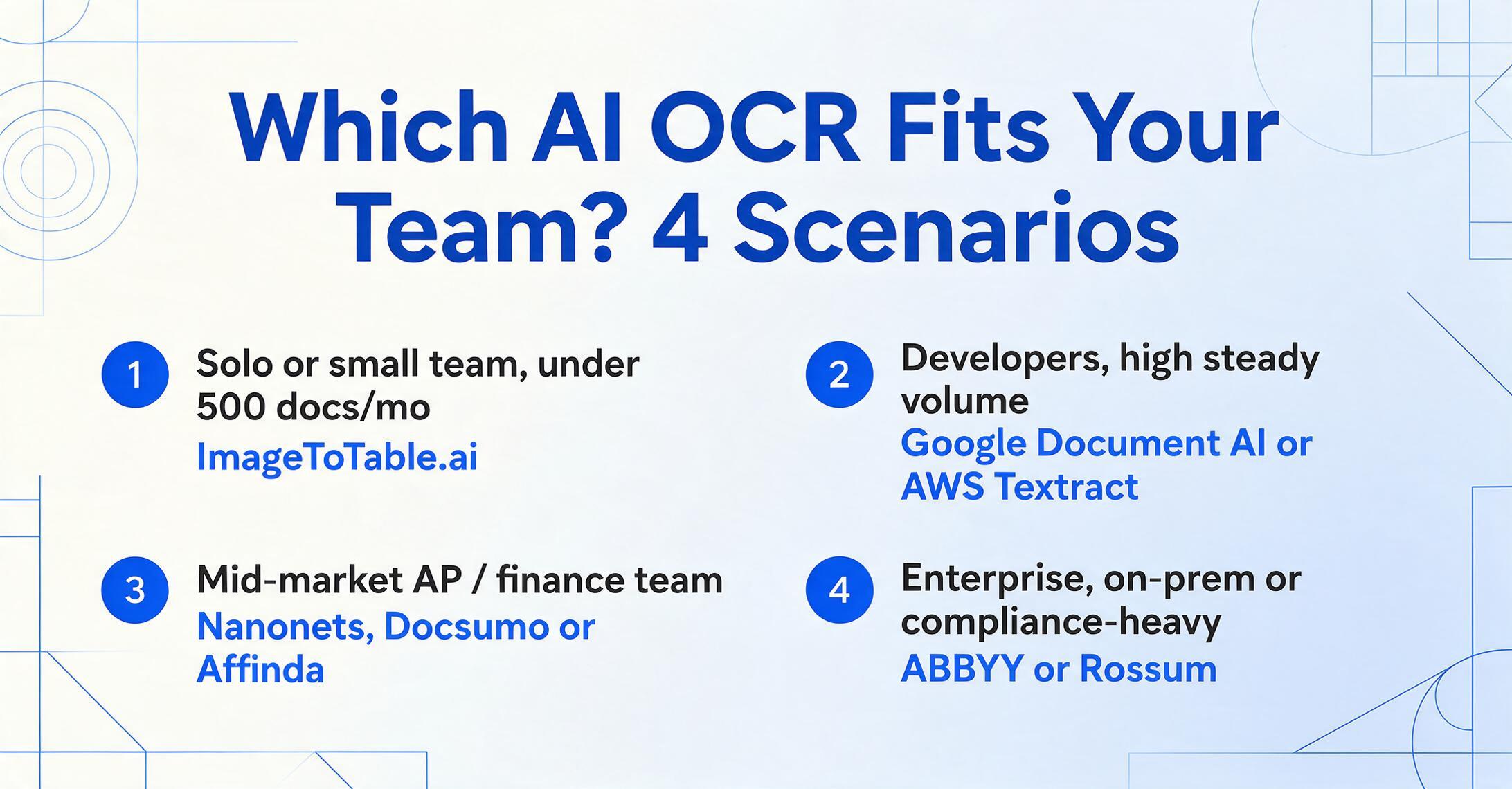
The right AI OCR tool is less about which is "best" overall and more about which matches your shape. Here's the decision in four common scenarios.
Solo / small team, <500 docs/mo
Best fit: ImageToTable.ai
No-code, no setup, spreadsheet output, and a price that matches the volume. A $499/month platform wastes 90% of its capacity here. Start with a free tier and confirm the AI reads your specific documents before paying anything.
Developers, high steady volume
Best fit: Google Document AI or AWS Textract
Lowest cost per page at scale, and you have the engineering to turn raw output into structured data. Pick by which cloud you already live in. Budget for the jump in price once you add forms and tables.
Mid-market AP / finance team
Best fit: Nanonets, Docsumo, or Affinda
When document processing is a workflow with approvals, validation, and accounting-system feeds, the IDP platforms earn their price. Expect a trial and an onboarding period. Compare them on integration depth, not just accuracy.
Enterprise, on-prem or compliance-heavy
Best fit: ABBYY or Rossum
On-premise deployment, 198-language coverage, custom-trained models, and shared-service-center scale. Sales-led pricing and a real implementation, but that's the cost of enterprise-grade governance.
If your situation spans categories — say, a lean team today that expects to scale — it's worth reading the sibling roundups that go deeper on each segment: document data extraction tools, intelligent document processing platforms, and data extraction software for unstructured documents.
How to Evaluate Any Tool Before You Buy
The one step that separates a good AI OCR purchase from a regretted one is testing on your documents — not the vendor's polished sample PDFs. Every tool in this guide advertises ~99% accuracy; that number is measured on clean printed text, and your stack is likely messier. Run a pilot with 20–50 of your real files — the low-quality scans, phone photos, multi-page tables, and handwriting you actually process, not the cleanest ones. Watch three things during the pilot:
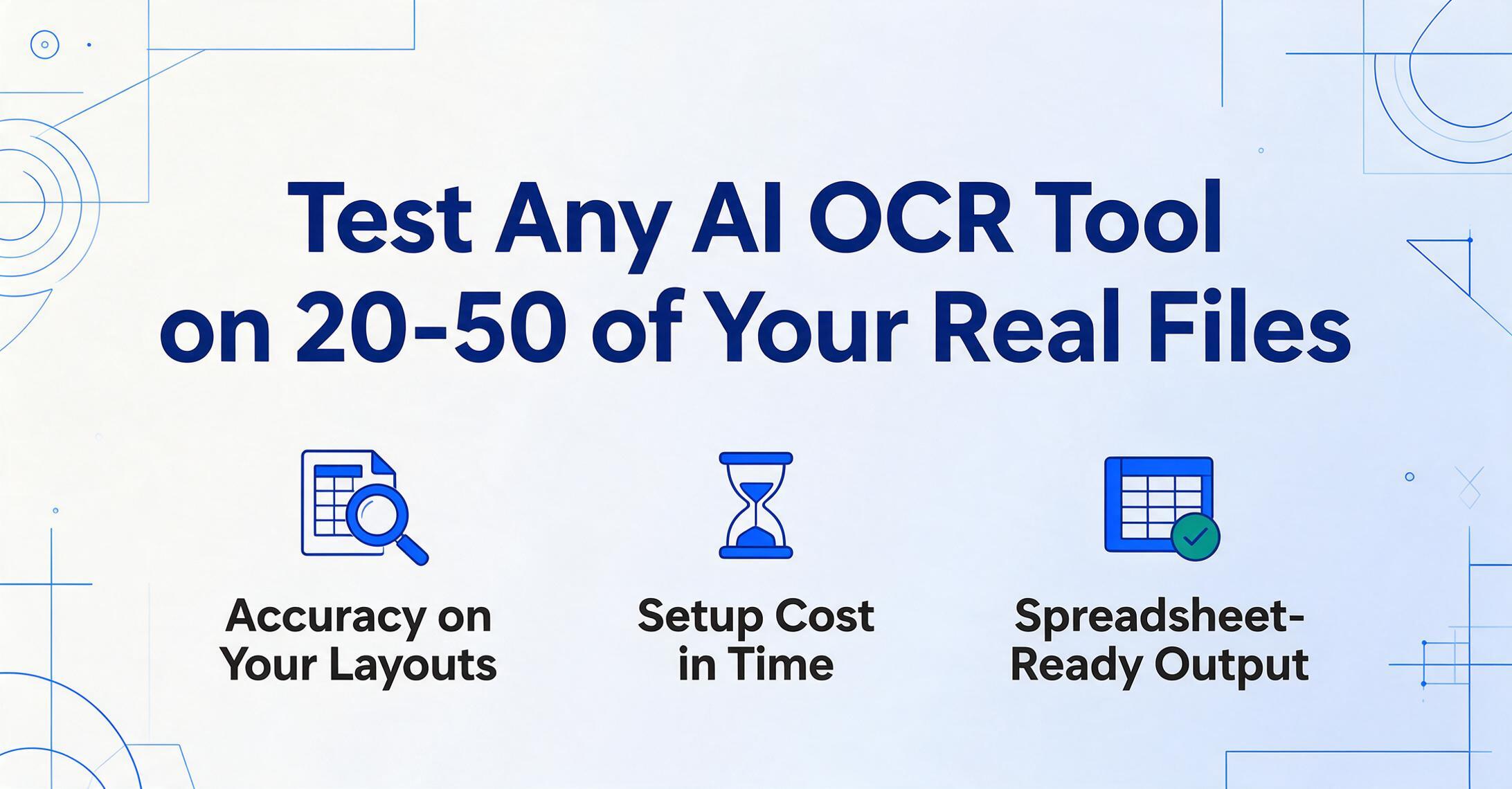
- Accuracy on your layouts: does the tool read the fields you care about correctly, or just "most" of the page? Check the specific document types that dominate your workflow, not the demo document.
- Setup cost in time: can a non-developer get structured output in minutes, or does it need sample training, templates, or a sales call and implementation phase? Add the onboarding hours to the price when comparing tools.
- Output quality: is what comes back spreadsheet-ready — columns mapped to your field names — or raw text you'll still need to clean up by hand? That cleanup time is a real cost, and it's exactly where no-code extraction tools like ImageToTable.ai earn their keep.
Most tools here offer a free tier or trial precisely for this test — use it. If a tool can't pass a 20-document pilot on your real files, no benchmark table or review score will save the deployment.
Frequently Asked Questions
What is the difference between AI OCR and traditional OCR?
Traditional OCR converts images of text into characters by matching pixel shapes — it reads where text sits but doesn't understand what it means, so it relies on templates and breaks when layouts change. AI OCR uses a vision language model to understand the document's structure and context: it knows an amount belongs to a specific column, distinguishes an invoice date from a due date, and handles layouts it has never seen — no template required.
Which AI OCR software is the most affordable?
Among the eight tools here, ImageToTable.ai has the lowest entry point at $9/month (plus a free tier and non-expiring pay-as-you-go credits). The cloud APIs (Google Document AI, AWS Textract) are cheapest per page at very high volume — $1.50 per 1,000 pages for basic OCR — but require developer setup. The enterprise platforms (Nanonets, Docsumo, Rossum) start at $499/month or higher.
Is AI OCR more accurate than traditional OCR?
On clean, predictable documents, both can reach the high 90s in accuracy. The difference shows on real-world documents — varied layouts, poor scans, handwriting, multi-page tables — where traditional OCR degrades sharply and AI OCR holds up because it reasons from context. Our first-party open-source benchmark quantified the boundary: on clean English receipts the best traditional engine (docTR, CER 0.197) tied the best VLM (Surya2, 0.191), and the VLM advantage only appears when field extraction or messy layouts enter the picture. Leading AI tools report up to 99% accuracy on printed table data; the meaningful question isn't peak accuracy but how often your documents fall outside the "clean and predictable" case.
Do I need coding skills to use AI OCR?
It depends on the tool. Google Document AI and AWS Textract are APIs that require developers. ABBYY Vantage, Nanonets, Docsumo, and Affinda are platforms that need configuration and often a model-training or onboarding phase. ImageToTable.ai is no-code: you upload a document, type the columns you want, and get a spreadsheet — no code, no model training.
Can AI OCR read handwriting?
Yes, far better than traditional OCR. Vision-model-based tools interpret handwriting using context, which is why they outperform pattern-matching engines on cursive and messy notes. Accuracy still drops on very messy handwriting, so for handwriting-heavy workloads it's worth testing your actual documents on a free tier before committing.
What does "pricing model" mean — subscription vs usage-based vs sales-led?
Subscription tools (ImageToTable.ai, ABBYY desktop) charge a flat monthly fee for a set capacity — predictable, good for steady volume. Usage-based tools (Google, AWS, Nanonets, Affinda) bill per page or per run — cost scales with volume, good if usage is variable or very high. Sales-led tools (Rossum, ABBYY Vantage, Docsumo enterprise) quote a custom annual price after a sales process — built for enterprises with complex requirements.
The Bottom Line
The most useful thing to internalize from this comparison is that "AI OCR" is not one product category — it's three. There's the developer building block (Google, AWS), the enterprise platform (ABBYY, Nanonets, Rossum, Docsumo, Affinda), and the no-code app (ImageToTable.ai). They all read documents intelligently; they differ entirely in who's expected to operate them and what surrounds the reading.
Don't buy the most powerful AI OCR tool. Buy the one whose shape matches yours — your volume, your team, your budget — because every tool here reads documents well, and the price difference pays for infrastructure you may never use.
If you're a lean team or solo professional who just wants document data in a spreadsheet — no developers, no model training, no annual contract — the no-code end of this list is where to start, and it costs nothing to find out whether the AI reads your specific documents correctly. Upload one and watch a column you named appear, filled in, in seconds.
Disclosure: This guide is published by ImageToTable.ai, which is one of the eight tools reviewed above. We've aimed for a fair, technical assessment — including naming the scenarios where competing tools are the better choice. Competitor pricing was taken from public pricing pages and neutral review platforms and is current as of June 2026; verify the latest figures on each vendor's site before purchasing.