ImageToTable.ai vs Docsumo:
Self-Serve Extraction vs Enterprise IDP Platform
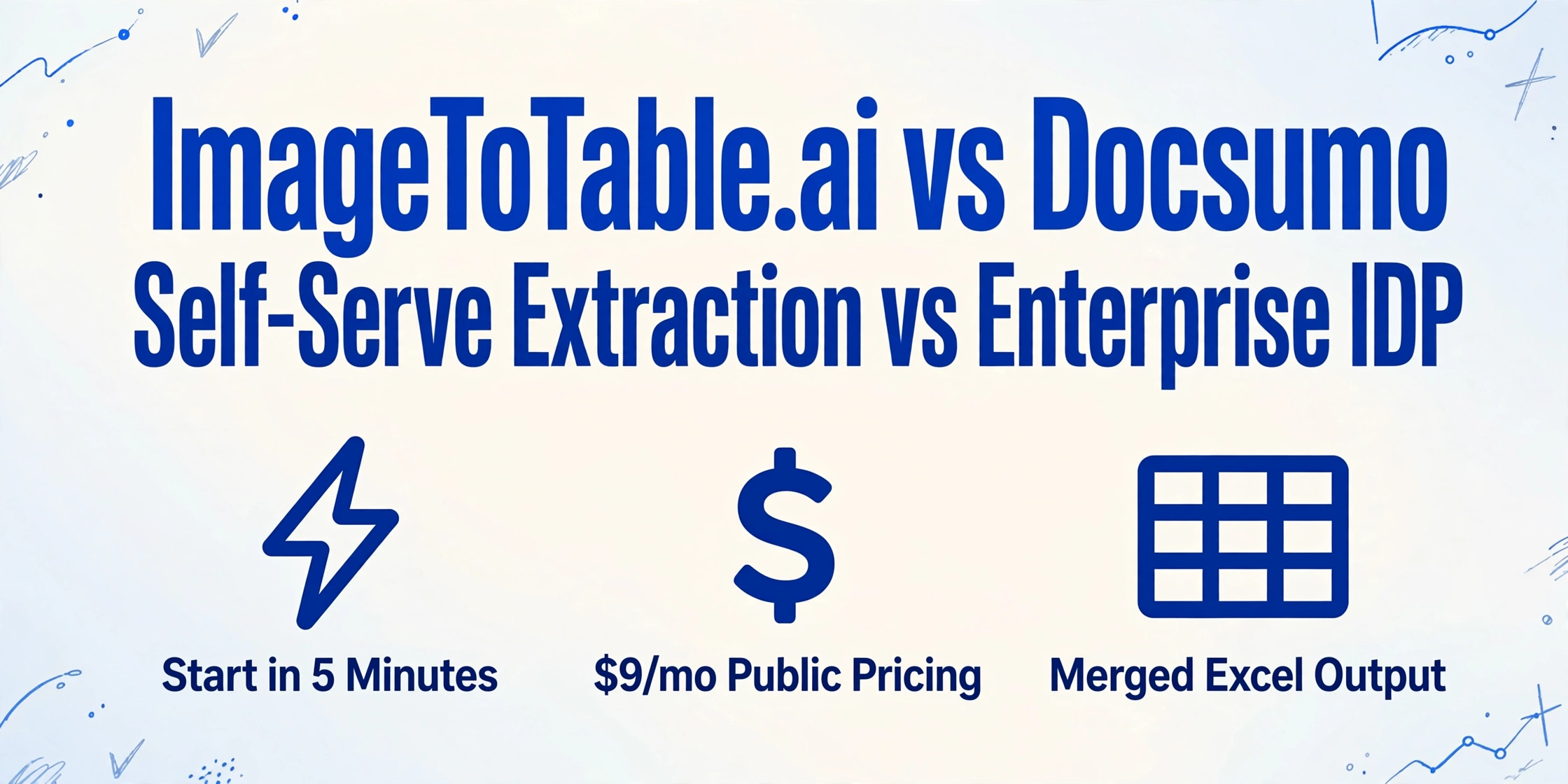
Docsumo and ImageToTable.ai both extract structured data from invoices, receipts, and business documents. The difference is in who they're built for. Docsumo is an enterprise Intelligent Document Processing platform — it comes with a validation rules engine, compliance certifications, and a sales-first pricing model. ImageToTable.ai is a self-serve extraction tool: upload your documents, type the column names you want, download a merged Excel. No sales call, no contract, no review queue.
Quick Comparison
Choose ImageToTable.ai if…
- You want to start extracting documents today — no demo request, no contract, no onboarding call
- You need transparent self-serve pricing: $9/month or pay-as-you-go from $6/50 pages
- Your workflow is "upload batch → specify columns → download merged Excel"
- You work in Google Sheets and want extracted data appended directly via the sidebar add-on
- You're a small team or individual without IT resources for enterprise platform setup
Choose Docsumo if…
- Your organization requires HIPAA BAA or SOC-2 compliance for document processing
- You need business validation rules — e.g., verifying that invoice line-item totals match the header total before data is accepted downstream
- You process a high, consistent volume of documents where continuous model learning compounds accuracy over time
- You need direct ERP or Salesforce integration with a human-in-the-loop review screen built in
- You have IT resources and a dedicated AP team to configure and operate an enterprise IDP platform
Feature Comparison
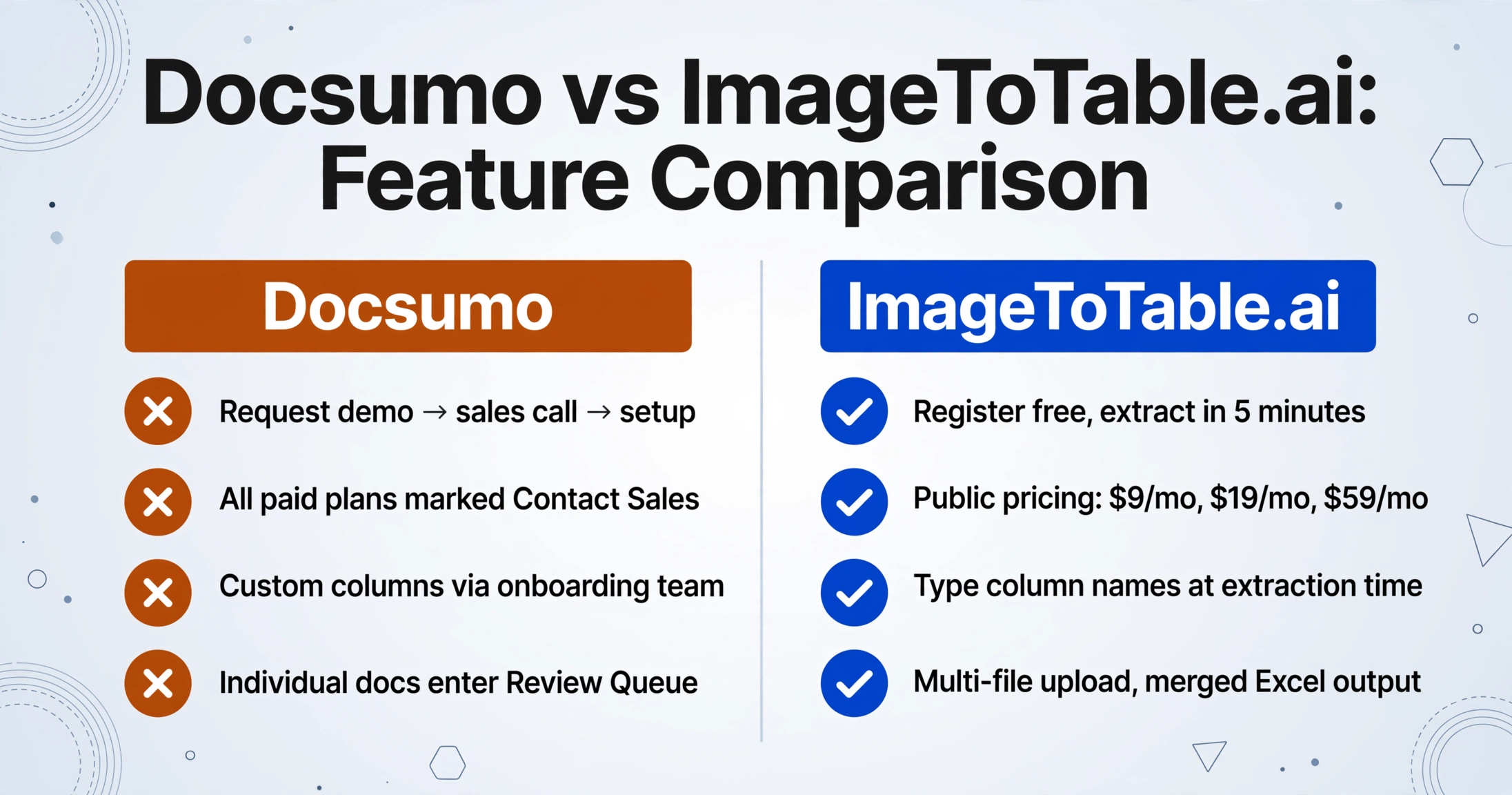
| Feature | Docsumo | ImageToTable.ai |
|---|---|---|
| Getting started | Request demo → sales call → account setup. No self-serve signup or immediate access. | Register free, or upload as a guest with no account required. First extraction in under 5 minutes. |
| Pricing transparency | All paid plans marked "Contact Sales." No public per-page or per-month rates for Business or Enterprise tiers. | Public pricing table: Basic $9/mo (150 credits), Pro $19/mo (400), Max $59/mo (1,500). Pay-as-you-go from $6/50 pages. |
| Extraction approach | AI + ML with 100+ pre-trained document models; continuous learning improves accuracy over time on your specific document types | Vision LLM semantic extraction; understands document layout and extracts named fields from any position on the page without prior training |
| Custom column naming | Configurable during model setup; field names defined during onboarding with Docsumo team | Type column names at extraction time — no setup, no configuration; applies across every file in a batch instantly |
| Batch processing | Documents processed individually; enter a Review Queue for human verification before data is exported or pushed downstream | Multi-file upload; all files automatically merged into one aligned spreadsheet on download |
| Business validation rules | Excel-like formula rules to validate extracted data cross-field (e.g., line items must sum to invoice total) | Not available — extraction without built-in validation logic |
| Compliance | HIPAA BAA, SOC-2 certification, audit logging on Enterprise plan | No published compliance certifications |
| Output formats | Excel (XLSX), CSV, JSON; plus ERP/Salesforce integration endpoints | Excel (XLSX), CSV, JSON, Word |
| Google Sheets | Available via integration; requires API configuration | Dedicated sidebar add-on — upload files, name columns, append extracted data to active sheet without leaving Sheets |
| Free tier | 14-day trial, 1,000 pages — requires demo request to access | Guest mode with no account; daily free quota on registered accounts |
Enterprise Platform vs. Self-Serve Tool: A Structural Difference
Docsumo is built around a specific workflow: documents enter the system, the AI extracts data, a human reviewer verifies output in Docsumo's built-in review screen, and validated data is pushed downstream to an ERP or database. That's a powerful pipeline for an AP department processing thousands of invoices monthly with a compliance and accuracy SLA — but it also means data passes through at least three handoff steps before it reaches a spreadsheet.
Most teams searching for document extraction tools don't need a review queue. They have a batch of invoices, receipts, or forms, and they want those documents turned into a spreadsheet with specific column headers. ImageToTable.ai's workflow collapses to three steps: upload files, type the column names you want, download the merged Excel. There's no model configuration, no review step, no integration to set up. The column names you type become the headers of your output — applied consistently across every document in the batch.
Docsumo's additional infrastructure isn't unnecessary complexity — it's designed for a real enterprise use case. But if that use case isn't yours, you're paying for and configuring capability you won't use.
The Contact Sales Barrier
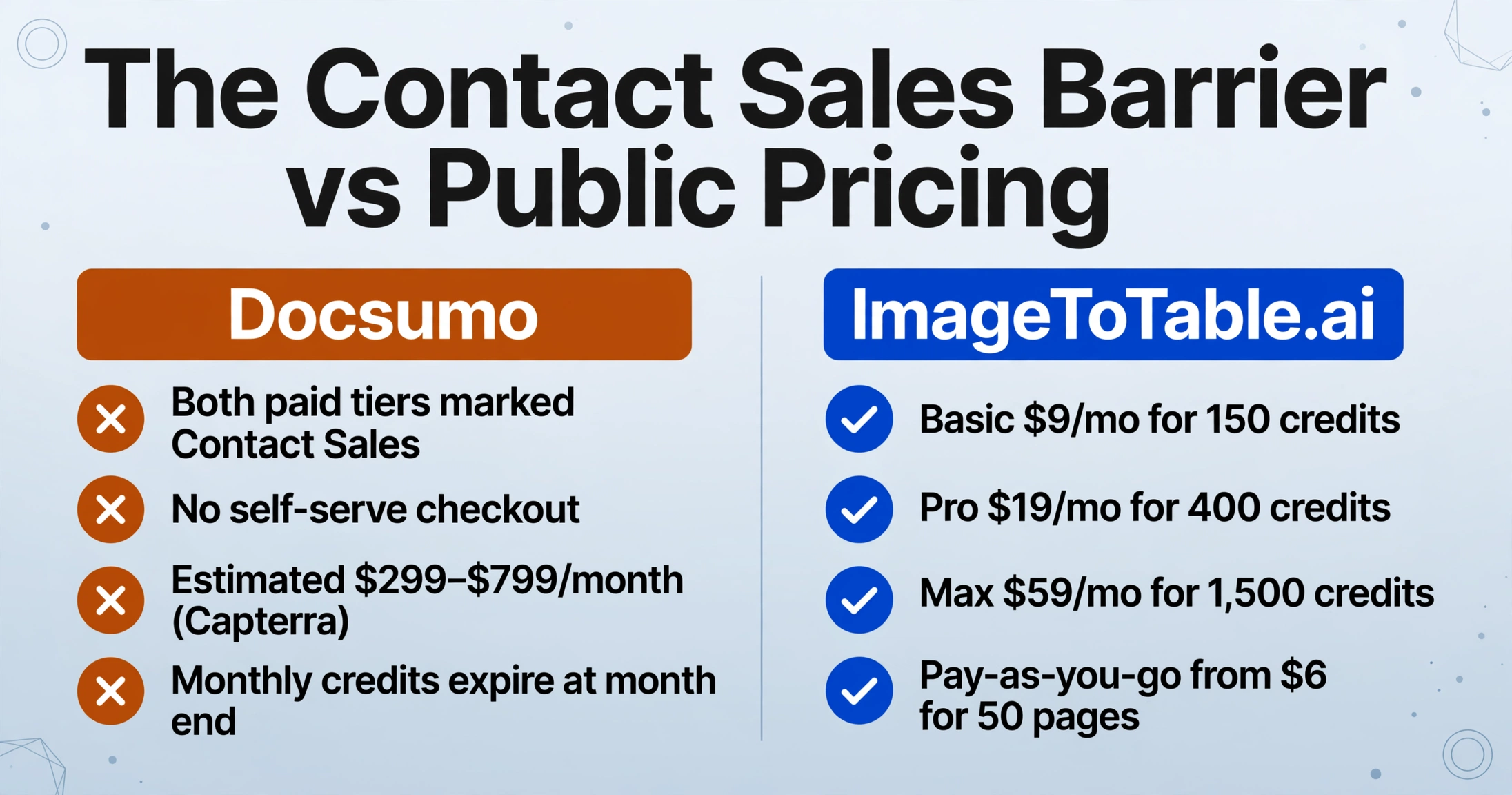
Docsumo's pricing page shows two paid tiers — both marked "Contact Sales." There is no self-serve checkout. To get pricing, you request a demo, speak with a sales representative, and negotiate a contract. Third-party review platforms suggest Business plan pricing starts around $299–$799/month — Capterra. Enterprise pricing is custom to volume and requirements. Monthly credits don't roll over on monthly plans; annual subscribers receive all credits upfront for the year.
For a team evaluating tools, the contact-sales model creates a specific friction: you can't compare costs without entering a sales process. ImageToTable.ai publishes its full pricing table — Basic $9/month for 150 credits, Pro $19/month for 400 credits, Max $59/month for 1,500 credits, pay-as-you-go starting at $6 for 50 pages. No annual lock-in, no minimum commitment, no sales interaction required.
Pricing Comparison
| Scenario | Docsumo | ImageToTable.ai |
|---|---|---|
| Try before committing | 14-day / 1,000-page trial — requires requesting a demo first | Free guest mode (no account); free daily quota on signup |
| 50 documents/month | Contact Sales — no published rate | Pay-as-you-go: $6 (50 pages at $0.12/page) |
| 150 documents/month | Contact Sales — estimated $299+/month based on third-party data | Basic plan: $9/month |
| 400 documents/month | Contact Sales — estimated $299–$799/month | Pro plan: $19/month |
| Unused credits | Monthly credits expire at month end; annual subscribers get all credits upfront | Pay-as-you-go credits don't expire; monthly plan credits reset each cycle |
Pricing as of 2026-04. Docsumo paid-plan pricing based on third-party sources — Capterra. Check docsumo.com/pricing for current rates.
When Docsumo Is the Better Fit
Docsumo's strengths are real for the use cases it's designed around.
Enterprise AP automation with validation requirements. If your organization needs to verify that extracted invoice line items reconcile with header totals before data enters your accounting system — and needs that logic enforced automatically at scale — Docsumo's formula-based validation rules engine provides capabilities that self-serve extraction tools don't offer. This is genuinely valuable for AP teams with accuracy SLAs. Rossum is built for the same enterprise tier with a heavier ERP-integration focus — our Rossum comparison covers that.
Compliance-regulated industries. Healthcare organizations processing medical billing documents, financial firms handling sensitive client records — if your document workflow requires HIPAA BAA or SOC-2 certification, Docsumo has those certifications in place. ImageToTable.ai does not publish equivalent compliance documentation.
High-volume consistent document workflows. Docsumo's continuous learning model compounds accuracy on your specific document formats the more you use it. For an organization processing thousands of invoices monthly from a consistent vendor set, that accumulated model training is a meaningful advantage. For teams processing varied or occasional document batches, the training volume required to realize that benefit typically isn't there. Nanonets operates in the same bracket with per-document-type pricing — see our Nanonets comparison.
What Users Say About Docsumo
"Services, support and software are not mature enough... disappointing responses including scheduled and accepted calls either missed or Docsumo representatives joining very late." — Capterra reviewer
"Would have liked a more complex reporting system. Also could expand the coverage of documents it offers." — Capterra reviewer
On the positive side, Docsumo scores 9.2/10 for data extraction capability and 9.5/10 for quality of support on G2 — G2 reviews. Users who fit the enterprise AP use case consistently report accurate extraction and responsive onboarding. The complaints tend to come from teams at the edges of the platform's designed scope or from early-stage support interactions.
Frequently Asked Questions
Is Docsumo free? How does its pricing compare to ImageToTable.ai?
Docsumo offers a 14-day free trial with up to 1,000 pages, but accessing it requires requesting a demo first — there's no self-serve signup. All paid plans require contacting sales; third-party sources suggest Business plan pricing starts around $299–$799/month. ImageToTable.ai publishes pricing publicly: Basic $9/month, Pro $19/month, pay-as-you-go from $6 for 50 pages. No sales call or annual commitment required.
Can Docsumo extract custom fields like vendor name, invoice number, and line items?
Yes. Docsumo supports configurable field extraction — you define the fields you need during model setup with the Docsumo onboarding team. ImageToTable.ai handles custom field extraction differently: type the column names you want at extraction time and the AI maps them across every document in your batch, with no prior configuration. Neither approach requires templates, but Docsumo's setup involves onboarding coordination while ImageToTable.ai's is immediate.
Does Docsumo require technical expertise to use?
Docsumo's full feature set — validation rules, ERP integration, model training — requires configuration during onboarding. Capterra reviewers note that "certain advanced configuration options and custom training processes may demand a higher level of technical expertise." Teams with dedicated IT or AP operations staff handle this smoothly. For individuals or small teams without technical support, the setup requirement is a real barrier. ImageToTable.ai requires no configuration: upload files, type column names, download results.
What's the difference between Docsumo's continuous learning and ImageToTable.ai's approach?
Docsumo's continuous learning model improves accuracy on your specific document formats the more documents you process — accumulated training from your vendor set becomes a precision advantage at scale. ImageToTable.ai uses a vision LLM that understands documents semantically without prior training, handling varied layouts and mixed document types from the first upload. Continuous learning pays off at high volume with consistent formats; LLM extraction handles variety without a warm-up period.
Can I switch from Docsumo to ImageToTable.ai?
Yes. ImageToTable.ai has no minimum commitment and no required onboarding — you can test extraction quality immediately using the free guest mode without even creating an account. There's no equivalent to Docsumo's Review Queue; extracted data downloads directly as Excel, CSV, or JSON. If you use Google Sheets, the sidebar add-on lets you append extracted data directly to an active sheet without leaving the spreadsheet.
Try ImageToTable.ai Free
Upload your documents, type the column names you want, and download a merged Excel — no sales call, no contract, no configuration required.
No credit card required. Free credits included on signup.