ImageToTable.ai vs Nanonets:
Upload and Extract vs Train, Configure, and Maintain
Nanonets is a capable document processing platform — but before you extract your first invoice, you'll spend 2–3 days collecting labeled training samples, running model training cycles, and iterating on accuracy. ImageToTable.ai requires none of that. The difference isn't just convenience: it's a fundamentally different architecture. One is built for enterprise teams that invest in model configuration upfront; the other is built for teams that need structured data out of documents today.
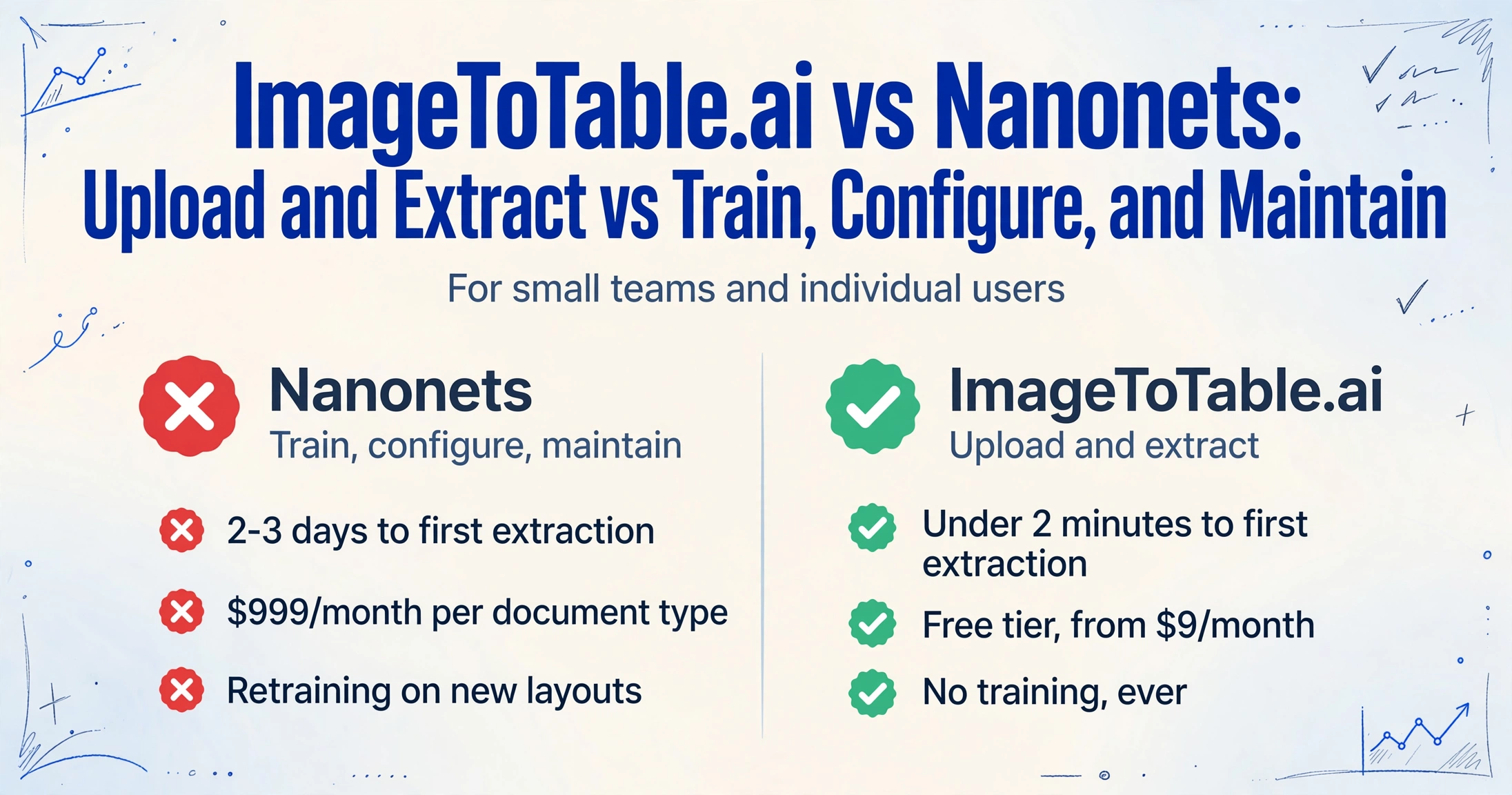
Quick Comparison
This page is written for small teams and individual users. If you're an enterprise AP team processing 10,000+ pages/month and need ERP integrations, scroll to Where Nanonets Is the Right Call first.
Choose ImageToTable.ai if…
- You need extraction to work today, not after days of model training
- Your documents come from many vendors with inconsistent layouts
- You want to define column names in plain language — no model building
- Your monthly volume is under 5,000 pages and $999/month per document type is out of scope
- You need results from scanned images, phone photos, or handwritten forms
Choose Nanonets if…
- You're an enterprise AP or finance team processing 10,000+ pages/month
- You need deep ERP integrations: NetSuite, SAP, QuickBooks, Salesforce
- SOC 2, GDPR, or HIPAA compliance is required by your industry
- You have technical staff to configure, train, and maintain extraction models
- Straight-through processing (no human review per document) is the goal
Feature Comparison
| Feature | Nanonets | ImageToTable.ai |
|---|---|---|
| Time to first extraction | 2–3 days (collect samples, annotate, train model, iterate); pre-trained models available for common types but custom fields require training | Under 2 minutes — upload files, type column names, download Excel |
| Model training required | Yes for custom fields — minimum 10 labeled samples per field per document type; retraining needed when new layouts appear | No — vision LLM reads document semantics directly; no training data required |
| Custom column naming | Configurable via field annotation in the model builder | Type the column names you want; those become your Excel headers instantly |
| Batch processing | Yes; Starter limited to 2 pages/minute; Pro at 20 pages/minute | Unlimited files per batch, all merged into one aligned spreadsheet |
| Scanned / handwritten documents | Accuracy drops on blurred scans; OCR-s model does not support handwriting | Handled by vision LLM; works on scanned images, phone photos, and handwritten forms |
| ERP / app integrations | 1,000+ native connectors: NetSuite, SAP, Salesforce, QuickBooks, email, etc. | Excel, CSV, JSON, Word export; Google Sheets add-on; REST API on paid plans |
| Compliance certifications | SOC 2, GDPR, HIPAA | Not certified for regulated industries |
| Pricing entry point | $0.30/page (Starter, 2 pages/min); first 500 pages free | Free guest tier; paid plans from $9/month; pay-as-you-go from $6/50 pages |
| Team / workflow pricing | Pro: $999/month per workflow (per document type), 10,000 pages included | Team plan with shared quota; no per-document-type pricing |
| Failed extraction charges | Reprocessing a failed document consumes an additional credit | Failed extractions do not consume credits |
Before Your First Invoice: The Setup Tax
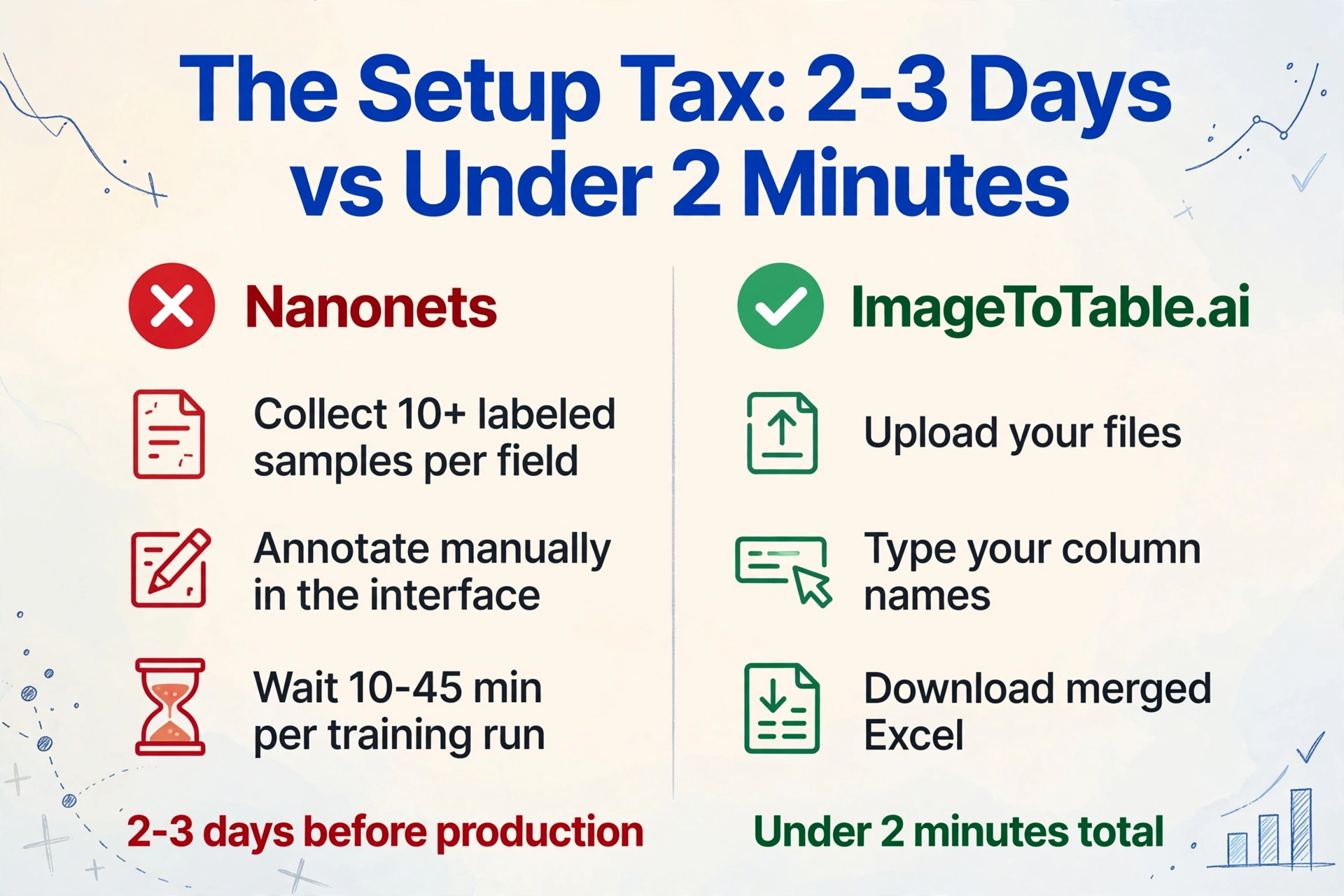
Nanonets ships pre-trained models for invoices, receipts, and purchase orders. For common fields on standard document types, these work without training. The friction begins the moment you need a custom field — and for most real-world workflows, you do.
The process: collect at least 10 labeled sample files for each field you want to extract, annotate them manually in the Nanonets interface, submit for training, wait 10 to 45 minutes for the model to finish, review results, and iterate. For a simple invoice workflow, expect 2–3 days before you're processing production documents reliably.
The retraining problem doesn't end there. Every time a new vendor invoice layout appears — a different column order, a new table structure, a slightly different field name — the model may require retraining to handle it. One G2 reviewer at a gas distribution company processing 27,000 documents per month described the reality directly: "We spend a ton of time retraining the models." — G2
For a team with a stable set of two or three known vendor formats and the technical capacity to maintain models, this is manageable. For a small team processing documents from dozens of vendors — each with their own invoice format — the retraining cycle is effectively continuous.
ImageToTable.ai skips this entirely. There is no model to train and no samples to collect. You type the column names you want, and the vision LLM extracts matching data from each document — including documents it has never seen before and layouts that don't match any prior training data.
The $999/Month Cliff
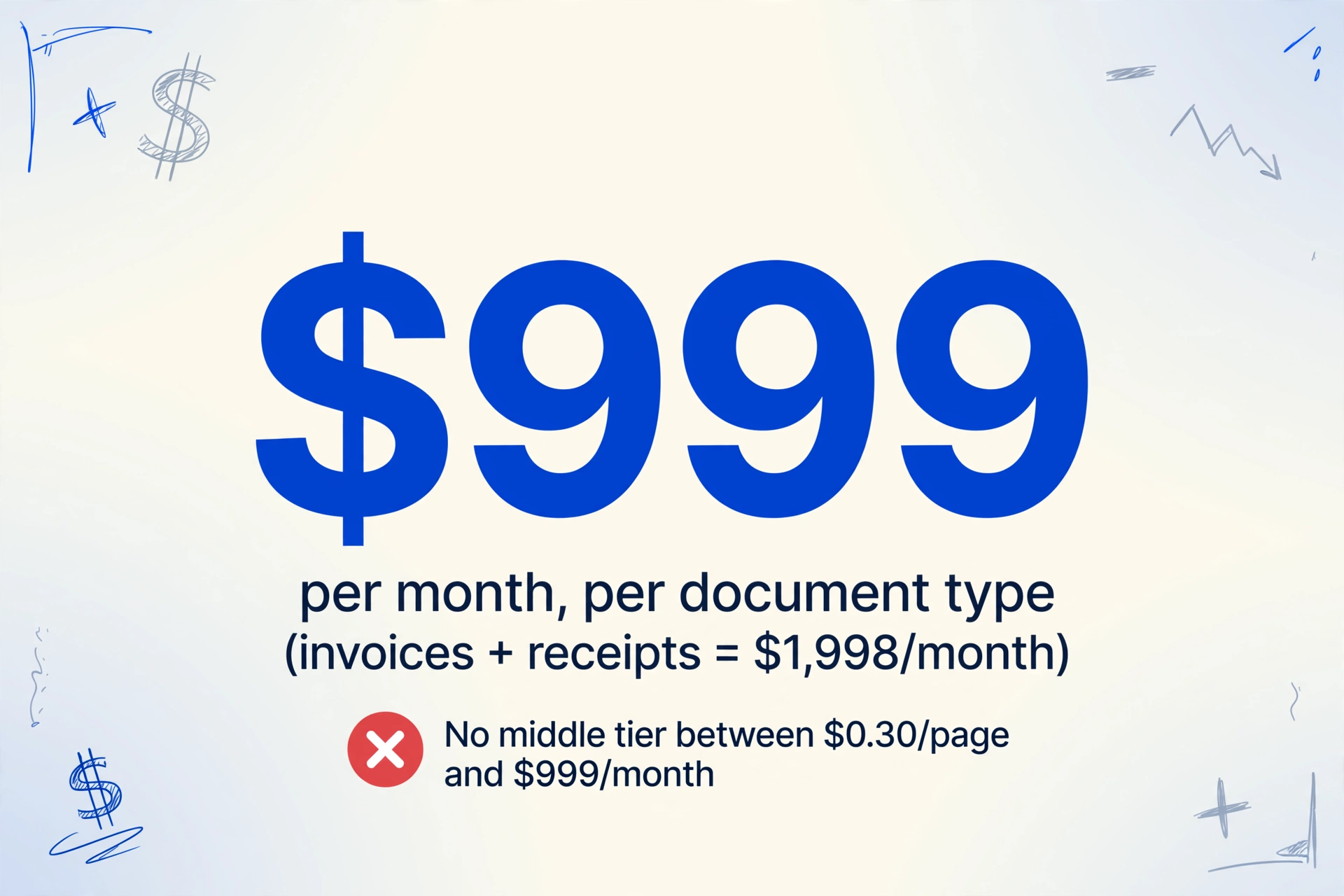
Nanonets' pricing has one of the sharpest tier gaps in the document processing market. The Starter plan charges $0.30 per page with a 2-pages-per-minute processing cap — workable for low volumes, but slow for any real batch. The next tier is Pro at $999/month per workflow, with 10,000 pages included.
"Per workflow" means per document type. A small business that extracts both invoices and receipts pays $1,998/month — $23,976/year — before processing a single page above the included quota. There is no middle tier between $0.30/page-slow and $999/month-per-type.
At the Starter rate, the math for a small team is uncomfortable: 500 pages costs $150 above the free tier. A freelancer or small business processing 300 pages/month pays $90/month at $0.30/page, with no SLA and no dedicated support. The pricing assumes either very low volume (where Starter is tolerable) or enterprise volume (where Pro justifies itself). The middle — a 5-person finance team processing 500–2,000 pages/month — has no good option.
There is one additional pricing friction that reviewers flag consistently: failed extractions are not free to retry. Reprocessing a document that extracted incorrectly consumes another credit. A government agency that signed a $30,000 contract with Nanonets described this as a key pain point in their G2 review — they expected retries on failed documents to be included; they were not.
Where Nanonets Is the Right Call
The criticisms above are real, but they apply to a specific audience. For the use case Nanonets is actually designed for, the product is genuinely strong.
High-volume enterprise AP automation. At 10,000+ pages/month with stable document formats, the $999/month Pro tier becomes defensible. The per-page cost drops to $0.10 on overages, processing speed reaches 20 pages/minute, and the workflow automation engine can route extracted data directly into downstream systems — potentially eliminating manual review for 70–90% of documents on mature implementations. Rossum competes for the same enterprise AP budget with a comparable annual contract — see our Rossum comparison.
Deep ERP integration. Nanonets connects natively to NetSuite, SAP, QuickBooks, Salesforce, and 1,000+ other applications. For an enterprise AP team where extracted invoice data needs to flow directly into a general ledger without human re-entry, this integration depth has no equivalent in lightweight extraction tools. Docsumo's validation-rules platform is another option at this tier — our Docsumo's validation engine covers it.
Compliance-sensitive industries. SOC 2, GDPR, and HIPAA certifications make Nanonets deployable in healthcare, government, and financial services environments where competitors often cannot qualify. If your procurement team requires a vendor with a signed BAA (Business Associate Agreement), Nanonets can provide one. ImageToTable.ai currently cannot.
Straight-through processing at scale. For an enterprise that processes thousands of invoices from a predictable set of vendors monthly, the model training investment pays off: the models become reliable enough that documents flow through without human review. That's a fundamentally different goal than ad-hoc extraction — and it's one Nanonets is built to achieve.
Frequently Asked Questions
Does Nanonets require model training before processing invoices?
For standard fields on common document types (invoice number, date, total), pre-trained models can work without additional training. For custom fields — anything specific to your workflow — you need to collect at least 10 labeled sample documents per field, annotate them, and train the model (10–45 minutes per run). New vendor invoice layouts that differ from your training data typically require retraining. ImageToTable.ai requires no training: you type the column names you want and the AI extracts them immediately from any document.
What's the difference between Nanonets' $0.30/page Starter and $999/month Pro?
The Starter plan processes at 2 pages/minute with limited customizable fields and no dedicated support — usable for low-volume testing but slow for real batch work. Pro jumps to $999/month per workflow (per document type), which includes 10,000 pages/month and processes at 20 pages/minute with full workflow automation and integrations. There is no intermediate tier. A small team processing both invoices and receipts would pay $1,998/month for the Pro tier across two document types.
Does Nanonets charge for pages that fail to extract correctly?
Yes. Reprocessing a document that extracted incorrectly consumes an additional page credit on the Starter plan. This is a documented complaint in user reviews — one government agency on a $30,000 contract flagged this as a significant issue after expecting free retries on failed extractions. ImageToTable.ai does not charge for failed extractions.
Can ImageToTable.ai handle the same document types as Nanonets?
For the core extraction use case — invoices, receipts, purchase orders, bank statements, forms — yes. Both tools extract structured data from these document types. ImageToTable.ai also handles scanned images, phone photos, and handwritten forms without additional configuration. The gap is on the enterprise automation side: Nanonets connects to NetSuite, SAP, and 1,000+ downstream systems; ImageToTable.ai exports to Excel, CSV, JSON, and Word, with a Google Sheets add-on and REST API on paid plans. If your goal is getting data into a spreadsheet, both tools work. If your goal is routing data directly into an ERP without human review, Nanonets is the appropriate tool.
Is Nanonets worth it for a small team processing 200–500 pages/month?
At that volume, the economics are difficult. On Starter at $0.30/page, 500 pages costs $150/month — without SLA or dedicated support, and with a 2-pages/minute processing cap that makes batch work slow. The Pro tier at $999/month per document type is almost certainly over-budget for a team at that scale. ImageToTable.ai's pay-as-you-go pricing starts at $6/50 pages with no monthly commitment, which works out to significantly lower cost for 200–500 pages/month. Nanonets' value proposition activates at high volume with stable document types — below that threshold, the setup investment and per-page cost are hard to justify.
Try ImageToTable.ai Free
No model training. No labeled samples. Upload your documents, name your columns, and download a merged Excel file in under two minutes — no account required to try.
No credit card required. Free credits included on signup.