ImageToTable.ai vs AWS Textract:
No-Code Document Extraction vs Build-Your-Own Pipeline
AWS Textract is a powerful document recognition API — and it is only an API. Using it requires an AWS account, an S3 bucket for document storage, IAM roles for access control, code to call the API, logic to parse the JSON response, and your own export layer to get data into a spreadsheet. ImageToTable.ai is what you'd build Textract into if you had six months and an engineering team: upload documents in a browser, name your columns, download a merged Excel file. No infrastructure required.
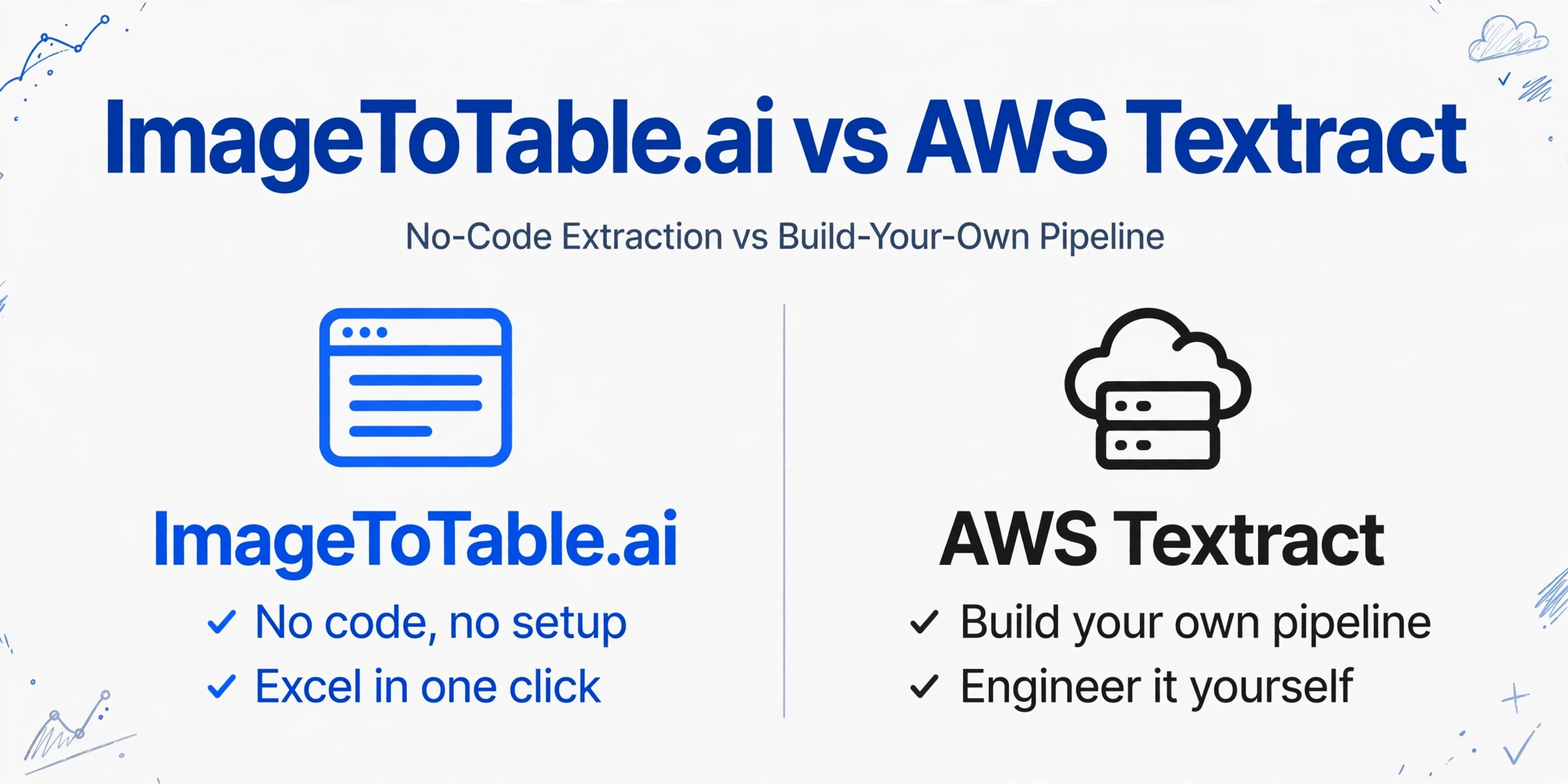
Quick Comparison
This page is written for business users and operations teams evaluating whether to use AWS Textract. If you're a developer looking to embed extraction into a custom application, jump to When AWS Textract Is the Right Choice.
Choose ImageToTable.ai if…
- You need to extract structured data from documents without writing code
- You want to define column names in plain language — no AWS Queries or JSON parsing
- You need a browser-based tool your operations or finance team can use today
- You process batches of documents and need them merged into one aligned spreadsheet
- You don't have an AWS account or don't want to set up cloud infrastructure
- You want direct Excel export — not a JSON response that needs further processing
Choose AWS Textract if…
- You're a developer building a custom document processing pipeline
- You need to embed document extraction into an existing AWS application
- You require highly scalable, programmatic document processing at millions of pages/month
- You need the raw API flexibility to post-process extracted data in custom ways
- Your team has AWS expertise and the engineering capacity to build and maintain the integration
Feature Comparison
| Feature | AWS Textract | ImageToTable.ai |
|---|---|---|
| User interface | No end-user UI — the AWS Management Console is a developer tool, not a document processing workflow; production use requires custom interface development | Browser-based — upload files, enter column names, download Excel; no engineering required |
| Setup required | AWS account, S3 bucket (Textract doesn't accept direct file uploads), IAM roles, API integration code, JSON parsing logic, error handling, output pipeline | No setup — works immediately in a browser; no account required to try |
| Custom field extraction | Requires writing Queries (structured API parameters) and post-processing code to map JSON output to business fields; standard fields like invoice total are pre-trained but custom fields need engineering | Type the column names you want in plain language; AI maps them to document content automatically |
| Output format | JSON response — structured data returned by the API; getting it into Excel requires writing an additional export layer or connecting downstream tools | Direct Excel (XLSX), CSV, JSON, or Word download in one step |
| Batch processing | Asynchronous batch API available; requires SNS notifications or polling to check job status; no built-in batch merge UI | Upload multiple files at once; all results merge into one aligned spreadsheet automatically |
| Technical requirement | AWS infrastructure knowledge required; comfortable with S3, IAM, Lambda, and API calls | No technical skill required — any team member can use it |
| Pricing model | $1.50/1,000 pages for basic OCR; $15/1,000 pages for forms and table extraction; 3-month free tier (1,000 pages/month) for new accounts — aws.amazon.com/textract/pricing | Free guest mode; plans from $9/month (150 credits); pay-as-you-go from $6/50 pages |
| Time to first extraction | Days to weeks — AWS account setup, S3 configuration, IAM role creation, API integration, and testing before a document is processed in production | Under 2 minutes — upload your first document and see results immediately |
The Infrastructure You Have to Build First
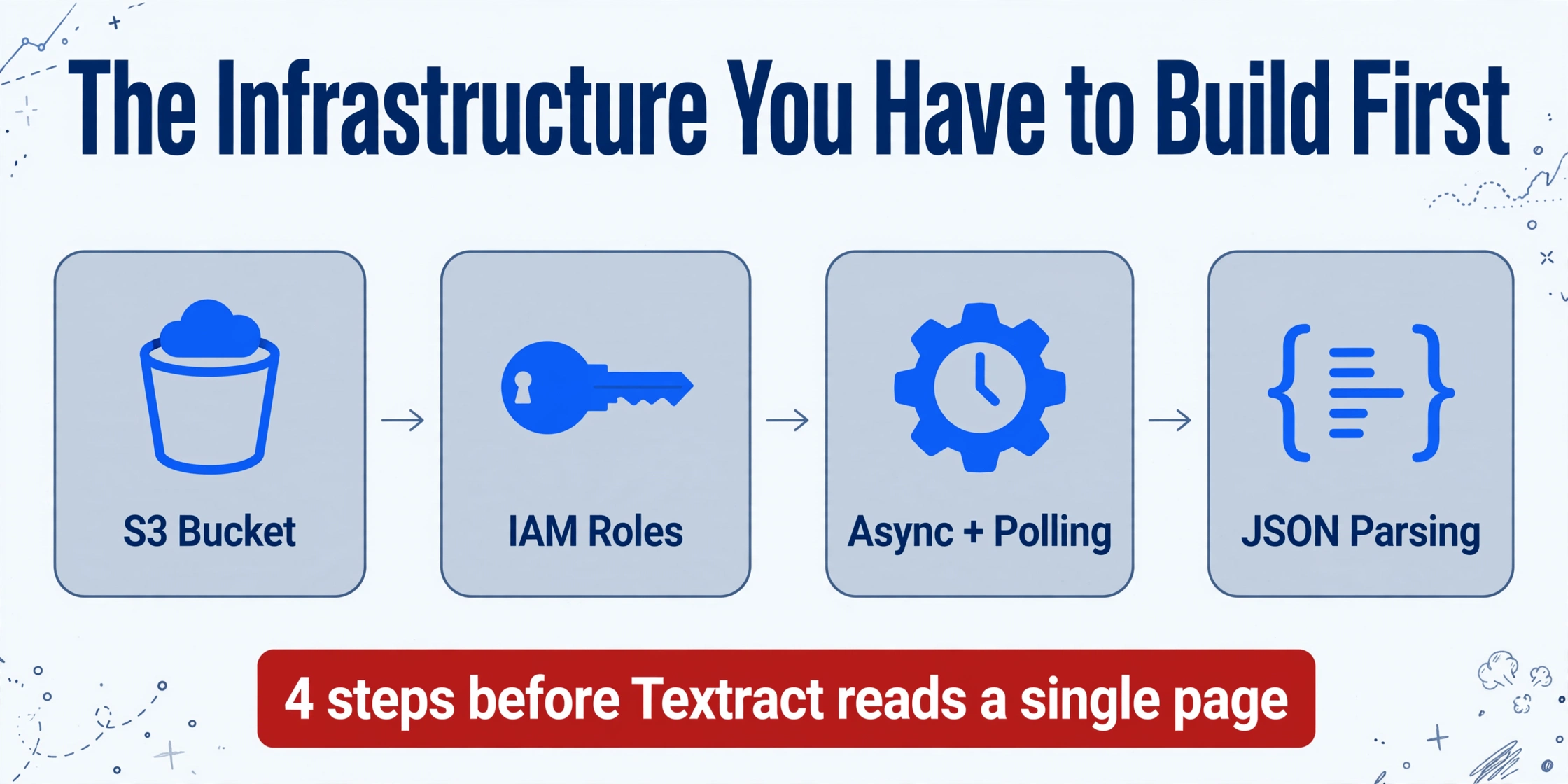
AWS Textract's pricing page shows $1.50 per 1,000 pages for basic text extraction — competitive at scale. What the pricing page doesn't show is the infrastructure required before that number applies.
Step one: Amazon Textract doesn't accept documents as direct file uploads. You need an S3 bucket to store files before Textract can read them. Step two: S3 access requires IAM roles configured with the right permissions for Textract to read from the bucket. Step three: for multi-page PDFs, you need asynchronous processing — the API submits the job and returns a job ID; you then poll for completion or wire SNS notifications to Lambda to handle the response. Step four: Textract returns JSON. Getting that JSON into a spreadsheet requires writing parsing logic, field mapping, and an export pipeline.
G2 reviewers consistently flag this barrier: "Integrating Textract into workflows may require a solid understanding of AWS infrastructure, which could be challenging for teams without prior AWS experience." — G2. For a software team that lives in AWS, this is routine work. For an operations or finance team that needs invoice data in Excel by Friday, it's an insurmountable prerequisite.
Custom Fields Still Require Engineering
Textract ships pre-trained models for common document types: invoices, receipts, tax forms, and lending documents. For standard fields on standard formats — total amount, vendor name, date — these work out of the box. The limitation appears the moment you need anything custom: a specific internal cost center code, a non-standard field label from a particular supplier, or data that doesn't match Textract's training distribution.
Textract's solution is Queries — structured API parameters that let you specify what to look for. "Custom field extraction requires additional engineering." — G2. Writing Queries is not difficult if you're a developer; it requires understanding the API schema and testing against your document corpus. For a non-technical user, it's simply not an option.
Complex layouts present a separate challenge: "Complex tabular data extraction is very complicated" and "complex tables sometimes do not process properly." — G2. For documents with nested tables, merged cells, or non-standard column layouts, additional post-processing logic may be required.
ImageToTable.ai handles custom fields through plain-language column names. Type "GST Amount", "Delivery Address", or "Line Item Description" — the vision LLM maps those labels to the relevant content in each document, regardless of where that content appears on the page or how the original document was formatted.
Pricing Comparison
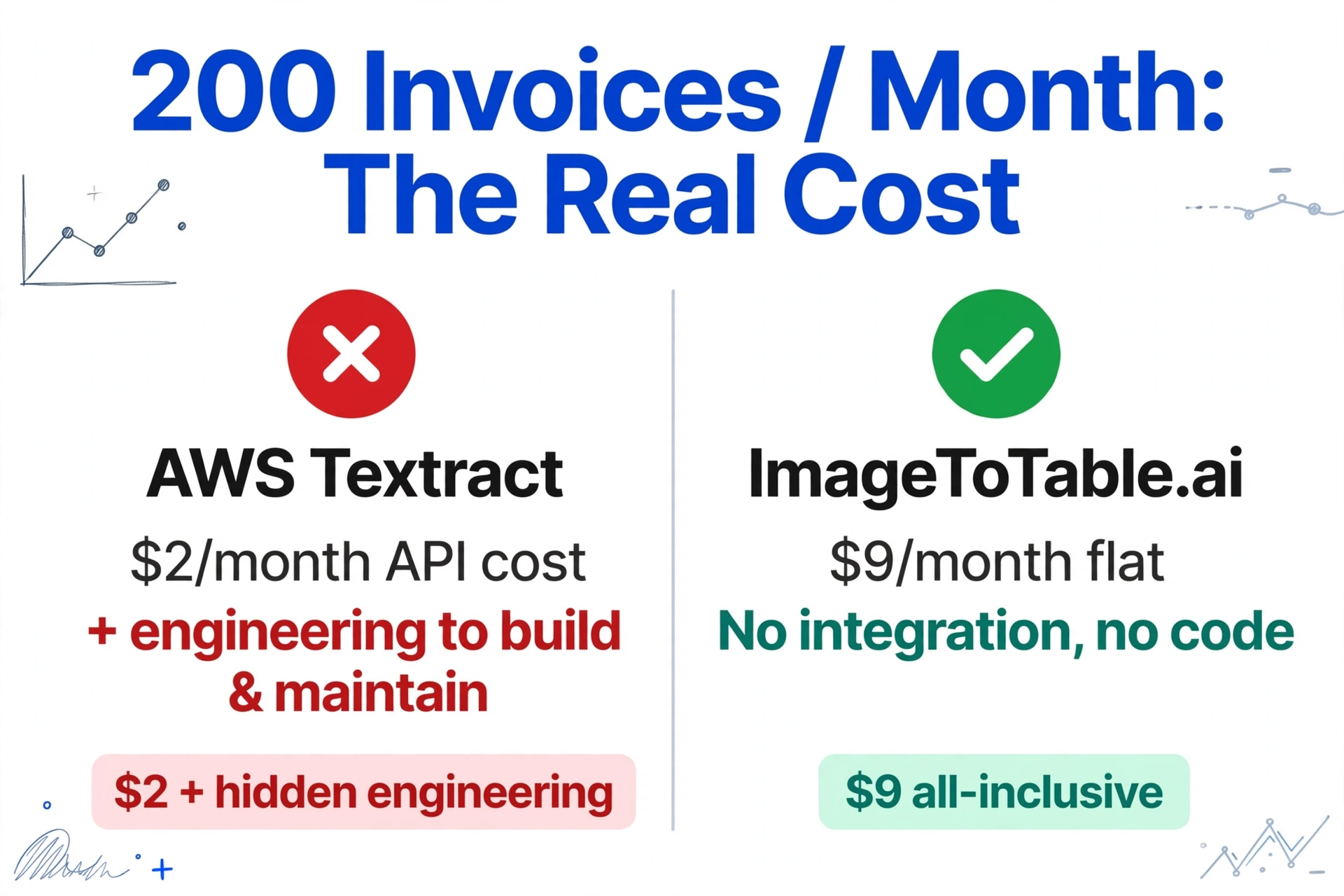
AWS Textract's pricing is per-page and scales well at high volume. The catch is that the useful features — forms, tables, and custom queries — cost significantly more than basic text detection:
| Feature | AWS Textract cost | ImageToTable.ai equivalent |
|---|---|---|
| Basic text detection (Detect Document Text API) | $1.50 / 1,000 pages ($0.0015/page) | $9/month for 150 documents (any complexity); $19/month for 400; $59/month for 1,500 |
| Forms + tables + queries (Analyze Document API) | $15 / 1,000 pages ($0.015/page) — 10× the basic price | |
| Invoice/expense extraction (Analyze Expense API) | $0.01/page (first 1M pages) — plus requires engineering to consume the output |
For a team processing 200 invoices/month and needing field-level extraction (Analyze Expense API at $0.01/page): $2/month in API costs — genuinely cheap. But that assumes you've already built the integration, and the ongoing engineering cost of maintaining it is not zero. ImageToTable.ai's $9/month covers the same 200 invoices with no integration work, no infrastructure, and no code.
Pricing as of 2026-05. See AWS Textract pricing and ImageToTable.ai pricing for current rates.
When AWS Textract Is the Right Choice
Textract is the right tool when document extraction is a component of a larger engineering project — not the end goal in itself. If you only need raw OCR text and want to skip the AWS setup, OCR.space offers a free API — our OCR.space comparison covers that lighter path.
Building a custom document processing application. If you're a developer building a product where document extraction is one feature among many — an expense management app, an invoice automation platform, a contract review tool — Textract gives you raw API access to extraction results that you can shape into any output format your application needs. The flexibility is genuine and the accuracy is high.
Deep AWS ecosystem integration. If your stack is already heavily AWS-based — Lambda for processing, S3 for storage, DynamoDB for results, SQS for job queuing — Textract integrates natively. The infrastructure you'd need to set up for Textract is infrastructure you may already have.
Very high volume at low per-page cost. At hundreds of thousands of pages per month, Textract's per-page pricing is highly competitive with alternatives. The engineering investment in the integration amortizes over large volumes in a way it doesn't at 200 documents/month. At the other extreme, teams processing a handful of documents may not need an API at all — our ChatGPT comparison covers where a conversational tool is enough.
What Users Say About AWS Textract
"Integrating Textract into workflows may require a solid understanding of AWS infrastructure, which could be challenging for teams without prior AWS experience." — G2 review
"Custom field extraction requires additional engineering — extracting specific business fields unique to a vendor's invoice format requires writing Queries, building post-processing logic, or training custom models." — G2 review
"Complex tabular data extraction is very complicated... complex tables sometimes do not process properly." — G2 review
Frequently Asked Questions
Does AWS Textract have a user interface for uploading and reviewing documents?
No. AWS Textract is an API — it doesn't include a UI for business users to upload documents, review extractions, correct errors, or export results. The AWS Management Console includes a demo interface for testing, but it is a developer tool, not a production workflow. For non-technical users to interact with Textract, someone must build a custom interface on top of the API. ImageToTable.ai provides a ready-to-use browser interface: upload files, type column names, download Excel — no engineering required.
What does it cost to use AWS Textract for invoice extraction?
Textract's Analyze Expense API (designed for invoices and receipts) costs $0.01/page for the first 1 million pages per month. For 200 invoices/month, that's $2/month in API costs — genuinely low. However, this assumes you've already built the integration: an S3 bucket to store files, IAM roles for access, code to call the API, JSON parsing logic, and an output pipeline to get data into a spreadsheet. The infrastructure and engineering cost is separate from and often larger than the API cost. ImageToTable.ai's Basic plan covers 150 invoices/month for $9 flat, with no infrastructure or integration work.
Can AWS Textract extract custom fields from invoices?
Yes, using the Queries feature — structured API parameters where you specify what fields to look for. For standard invoice fields (total, vendor name, date), pre-trained models handle these without custom configuration. For non-standard fields specific to your workflow, you write custom Queries and may need post-processing code to handle edge cases. G2 reviewers note that "custom field extraction requires additional engineering." ImageToTable.ai handles custom fields through plain-language column names: type "GST Amount" or "Delivery Address" and the vision LLM extracts those fields from any document format.
Is AWS Textract a good choice for a small business or non-technical team?
Generally no. Textract requires AWS expertise to set up and maintain — creating an S3 bucket, configuring IAM roles, writing API integration code, and building an output pipeline are prerequisites before a single document can be processed in production. G2 reviewers consistently flag this as a barrier for teams without dedicated AWS engineering resources. If your team needs to get invoice data into Excel without writing code, a purpose-built tool like ImageToTable.ai is a better fit. Textract is the right choice when document extraction is a component of a larger engineering project.
How does AWS Textract compare to ImageToTable.ai for accuracy?
AWS Textract achieves 99%+ accuracy on printed text in standard conditions — a high bar for an OCR baseline. For structured field extraction (specific business fields from invoices), accuracy depends on document quality, layout complexity, and how well your Queries match the document structure. ImageToTable.ai uses a vision LLM that interprets document semantics rather than relying on layout pattern matching, which handles layout variation and handwritten content more robustly. For complex tables and unusual document formats, G2 reviewers of Textract note that accuracy can degrade. Both tools perform well on clean printed documents; the gap is most visible on varied layouts and non-standard formatting.
Try ImageToTable.ai Free
No AWS account. No S3 bucket. No IAM roles. No code. Upload your documents, name your columns, and download a merged Excel file in under two minutes.
No credit card required. Free credits included on signup.