Redacted Documents in Bulk:
What OCR Reads, and What Is Gone
Every so often an automation community gets the same request: take thousands of heavily redacted documents and make them readable again. In an r/n8n thread asking people what automation they genuinely needed, one answer was direct. "Id like to be able to upload several thousand documents that are highly redacted and have them become unredacted."
No tool does that, and the reason is worth stating before anything else. A redaction that was done correctly removed the content from the file. It is not sitting behind the black bar waiting to be recovered. It is gone. What is left, though, is a large set of documents where most of the useful fields were never covered at all, and pulling those out by hand is the part that genuinely does not scale.
Key Takeaways
- A black bar tells you nothing about what happened underneath it — whether the text survived is a property of the file, not the picture.
- Text removed by a real redaction is gone from the file, so an AI model asked to fill it in will invent a plausible value instead of finding the real one.
- The case numbers, dates, and agency names you actually need were never redacted — name those fields and extract them from the whole release in one batch.
Not All Redactions Are the Same Operation
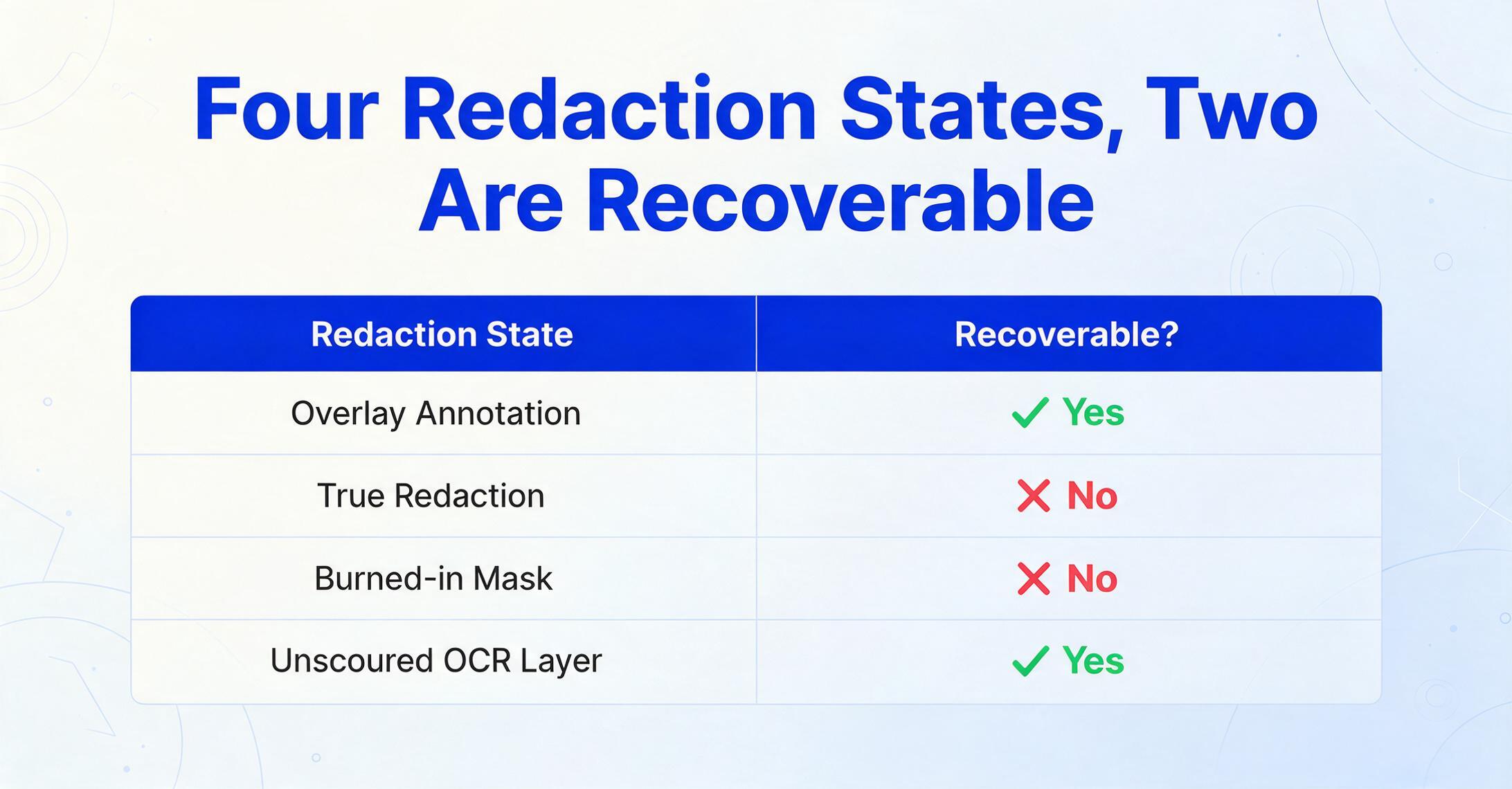
A black bar tells you almost nothing about what happened underneath it. "Redaction" is used as if it were one action, but in a PDF it produces at least four different physical states, and only some of them actually remove content. Which state you are holding decides whether anything is recoverable at all.
| What you are looking at | Where the content lives | Recoverable? |
|---|---|---|
| Overlay annotation (a black rectangle or highlighter drawn on top of live text) | Text layer is intact under the shape | Yes. Select and copy, or search |
| True redaction (text excised from the content stream and replaced with a box) | Removed from the file | No |
| Burned-in mask (page rasterized and the pixels overwritten) | No text layer exists | No |
| Unscoured OCR layer (a box drawn on a scanned image, but the invisible searchable text left in place) | Hidden text layer behind the image | Yes. Search or extract text |
| Metadata, comments, bookmarks | Document properties, not the page | Sometimes. The same strings can persist |
The distinction is not academic. Adobe's own guidance separates a comment or markup rectangle from its Redact tool, precisely because a drawn shape only changes what you see. The Redact tool removes the content permanently, and even then only after you choose Apply and let it sanitize the hidden information. When that second step is skipped, the file keeps a copy of what was supposed to disappear.
Whether the data is gone is a property of the file, not a property of the picture. The bar is only a rendering choice.
How to Tell Which One You Are Holding, in About a Minute
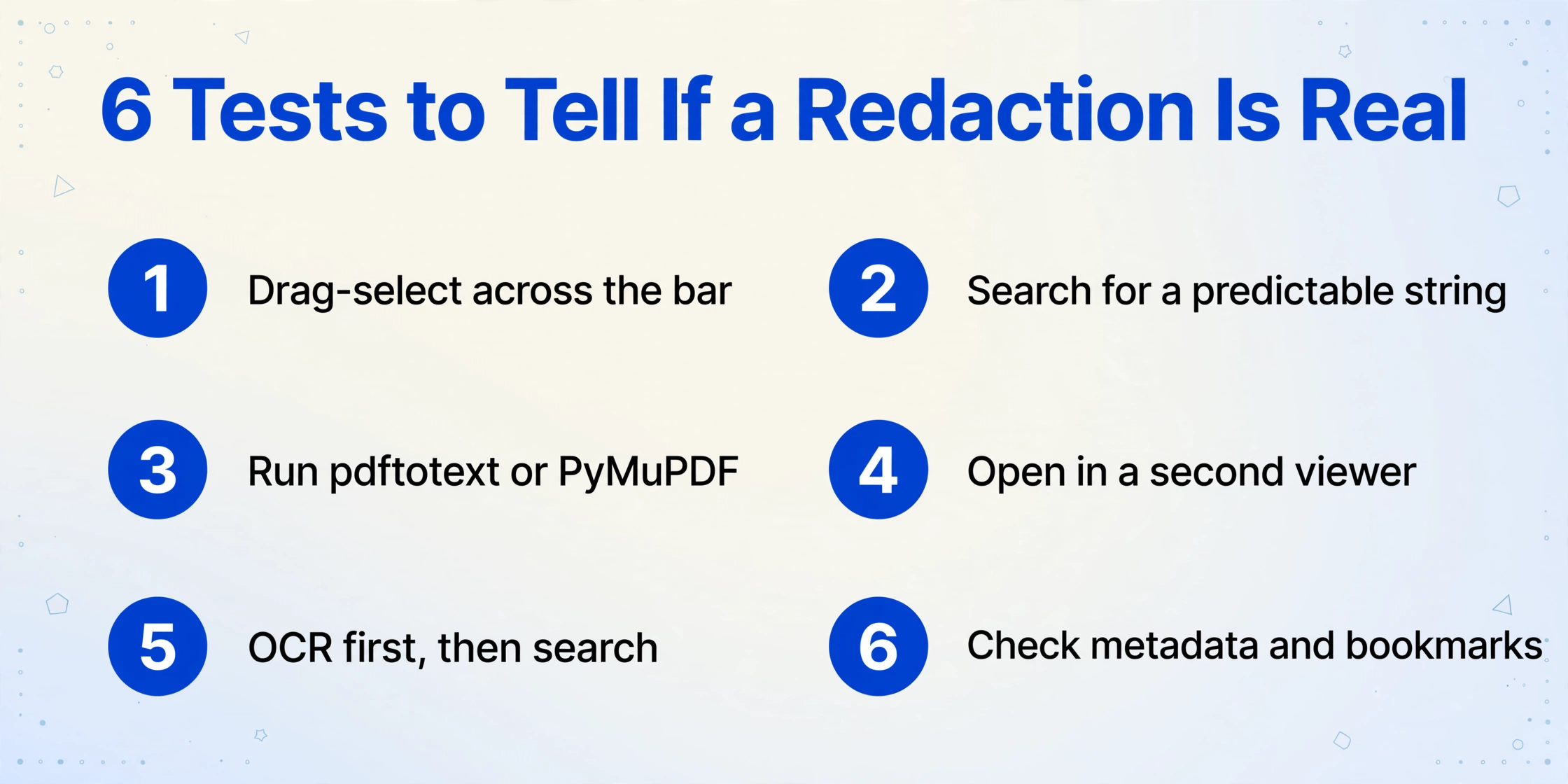
You can usually identify the state of a redaction with tools you already have. None of these tests require special software, and a document that fails several of them is not actually redacted.
Click and drag across the bar
If text highlights underneath the black box, the content is still there. Copy it and paste into a plain text editor to confirm. This single test is how journalists read the Manafort filing in 2019 after the lawyers drew black rectangles instead of redacting.
Search for a string you can predict
Use Find for a term that would plausibly appear in the covered area: a known case number, an agency acronym, "Account", or a surname. A hit on a word that is visibly blacked out means the text layer was never scrubbed.
Run a text extractor
pdftotext from the poppler tools, or a Python library such as PyMuPDF, reads the content stream directly rather than the screen. As one r/pdf comment puts it, "You can use a tool like pdftotext from poppler to extract text from PDF and check if you still see the text that should be redacted."
Open it in a second viewer
Some viewers hide or strip annotation layers. If the black boxes vanish in a different application and leave readable text, they were shapes all along.
For scans, OCR first, then search
A scanned page is an image, often with an invisible OCR text layer added for search. If a producer covered the image with a box but left that layer alone, the words are still in the file. In an r/datacurator thread, a user hit the reverse problem with Mathpix: "it doesn't detect barred out text and instead returns them as images."
Check metadata, comments, and bookmarks
Document properties and review comments can repeat the very strings that were removed from the page. A clean page does not guarantee a clean file.
A PDF with no annotations, no selectable text under the bars, and no matching strings in its metadata is the healthy outcome. That is what a correct redaction looks like.
One caveat on intent: these checks exist so the person producing a document can verify their own work. If you receive a document whose redaction failed, the professional-responsibility response is to notify the sender, not to harvest the exposed content. The two actions look identical technically and are completely different in every other way. If the text you extract comes out scrambled rather than absent, that is a separate failure mode: a broken font map or a failed character mapping, which is covered in why OCR produces garbled text.
Even a Clean-Looking Redaction Can Leak
Removing the text does not automatically make a document airtight, because a PDF carries more than the characters you can see. A 2023 security study from the University of Illinois, published at PETS, found that the leftover glyphs surrounding a redaction box still encode information. Sub-pixel horizontal shifts in the characters on either side reveal the width of what was removed, which is often enough to recover first and last names.
The team tested eleven popular redaction tools and located 778 vulnerable "excising" redactions across FOIA, Inspector General, and declassified-document corpora, plus more than 700 public court documents where the text had never been removed in the first place. Two widely used online tools, PDFescape Online and PDFzorro, left the supposedly hidden text fully accessible. The paper is available at arXiv:2206.02285.
The Manafort filing is the case most people remember. Black rectangles were drawn with markup tools rather than the redaction function, and reporters selected the bars, copied, and pasted the text into a new document, exposing details the filing meant to withhold (WIRED, 2019). Closing these gaps is the producer's job. For anyone on the receiving end, the practical lesson is narrower: do not assume a bar means the text is gone, and do not build a workflow that depends on it being there.
What OCR Actually Returns Over a Black Bar
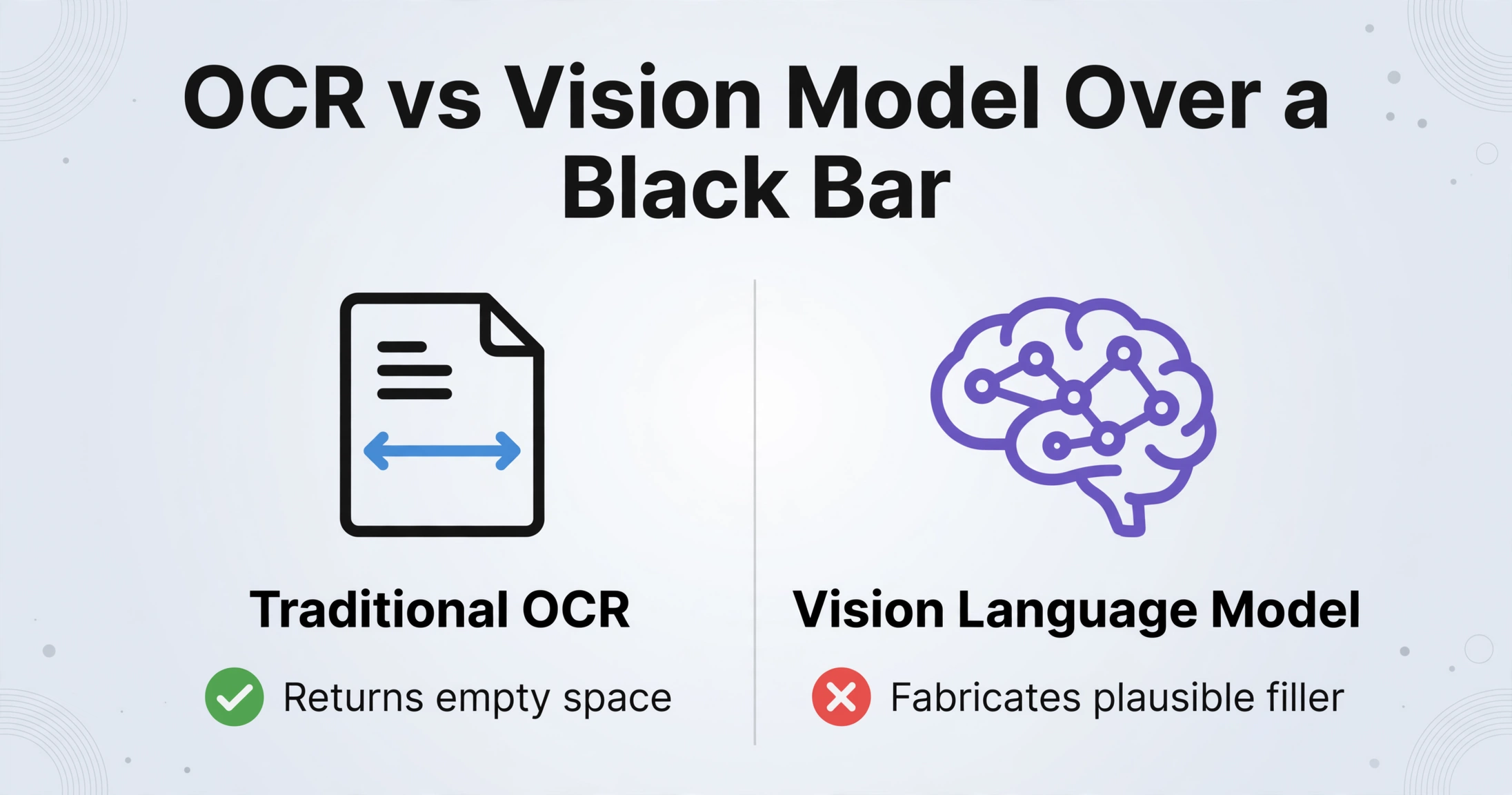
Point an OCR engine at a solid black rectangle and the correct output is nothing. Traditional OCR such as Tesseract or a cloud OCR service reads pixels, and black pixels carry no characters. It returns empty space, which is exactly what you want. The limits of open-source OCR tools are well documented, and handling absent text is not one of their weaknesses.
A vision language model, the class of model behind modern data extraction, is more capable and more dangerous in this specific spot. Asked to "extract all the text" from a page it cannot fully read, a capable model can produce a plausible filler for the gap. That output is fabricated, not recovered, and it is the single failure mode to design against.
A model that fills a redacted cell with a confident guess is worse than one that leaves it blank, because the guess looks like data.
The fix is to constrain the task. Name the fields you want and let the tool report only what it can read. Do not ask for "everything on the page," and never ask a model what is behind a bar. The mechanics of reading a scanned page at all are worth understanding: extraction here works on rendered pixels rather than a text layer, which is the same reason AI can extract data from scanned PDFs that defeat a normal PDF reader.
The Half That Does Scale: Pulling the Visible Fields From a Batch
The useful question is not how to read behind the bars, it is how much of what sits in front of them you can extract without reading it by hand. This matters because releases arrive in volume. Federal agencies received a record 1,501,432 FOIA requests in fiscal year 2024, a 25 percent increase over the previous year, and the average simple request took 44 days to answer, up from 39 (DOJ Office of Information Policy, FY2024). A single production can run to hundreds or thousands of pages, and the fields you actually need for an index or a statistic tend to be the plain ones: document date, agency, case number, exhibit number, the exemption cited, an amount that was never sensitive enough to cover. Reading every page to collect them is the bottleneck, and it is not a redaction problem.
Redaction in this material is not optional. FOIA (5 U.S.C. § 552) lets an agency withhold exempt content, and federal court filings must partially redact identifiers such as Social Security numbers, birth dates, financial account numbers, and the names of minors under FRCP 5.2, with the criminal counterpart in Rule 49.1. The bars are not going away, and neither is the volume of pages around them.
This is where bulk extraction earns its place. Custom Column Extraction starts from what you want rather than what the page offers. You type the column names, such as Agency, Document Date, Case Number, or Exemption Cited, and the model locates each value by meaning across every page and layout. A field that was redacted has nothing there to read, so it comes back blank instead of being filled with a guess. The blank is the feature. It keeps the spreadsheet honest and makes a missed value visible among thousands of rows.
Batch-First Processing handles the volume. You upload the whole release at once rather than one file at a time, and the results merge into a single spreadsheet with one row per page or document. That produces a sortable, filterable index of the readable parts of the release, which is what most people are really asking for when they search for a batch OCR workflow. Government material carries its own constraints beyond the redaction itself, and the tradeoffs around citizen forms, FOIA sets, and legacy archives are laid out in document extraction for government agencies.
What No Tool Can Do
No tool recovers text that was removed at the file level, and any product that claims otherwise is guessing. The boundary is worth stating without hedging:
- Excised or burned-in content is unrecoverable. If the characters are neither in the content stream nor in the pixels, nothing reconstructs them. The glyph-spacing research recovers lengths and plausible candidates from layout artifacts, not the text itself, and it is an attack technique rather than a workflow.
- A white box is the same problem, less visible. A white rectangle over black text is still an overlay if the text underneath was never removed. The test is identical.
- A flattened scan is just an image. Print, physically mark, and rescan produces a page with no text layer. OCR reads whatever remains visible, at the accuracy the scan allows, which is the range the general document extraction accuracy guide describes.
- Blank is a valid answer. If a field was redacted, the correct output is empty. Expect a mix of filled and empty cells, and design the workflow around that rather than fighting it.
There is also a line that is not technical. Using a failed redaction to read content you were not meant to have can breach confidentiality and professional-conduct rules, which is a different order of problem from an OCR mistake.
FAQ
Can OCR read blacked-out text?
Only when the text is still in the file, and then OCR is not what finds it. If the redaction removed the content, OCR sees black pixels and returns nothing. If it was an overlay, the words are in the text layer, and copy-paste, search, or a text extractor will surface them.
Can AI unredact a PDF?
No. A model asked to fill a redacted region will produce plausible text, not the original, and there is no way to tell the two apart from the output alone. Treat any such result as fabricated.
How do I extract only the visible parts of a redacted PDF?
Name the fields you want and process the whole set in one batch. Values that are present on the page are extracted, and redacted fields come back blank. That keeps the result usable without pretending the hidden content was read.
Is it legal to recover text from a redacted document?
It depends on how you obtained it and what you do with it. A failed redaction does not make the content public, and using it can create confidentiality and professional-conduct problems. Verify documents you produce; do not mine documents you received.
Does OCR still work on a scanned document with redactions?
Yes. OCR reads the visible text around the bars the same way it reads any other scan, and the redacted regions contain nothing to recognize. A scanned page with an unscoured OCR layer is the rare case where the covered text itself is still searchable.
The value in a redacted release is not behind the bars. It is in the case numbers, dates, and agency names sitting in plain sight on the same page, and that is the part worth automating. Test any workflow you build against one standard: if it fills a redacted field with a confident value instead of leaving it blank, it has stopped extracting and started guessing.