OCR for Legal Documents 2026:
Contract & eDiscovery Digitization Guide
The International Legal Technology Association's 2025 Technology Survey — covering 580 law firms representing over 152,000 attorneys — found that 76% have adopted cloud-based document management systems, yet only 31% report that their document workflows are fully digitized. The gap is not a technology availability problem. It is a structural mismatch between generic OCR tools that read characters and the specific requirements of legal documents: Bates-numbered page sequences, multi-column briefs, cross-page clauses in 80-page merger agreements, and the ethical obligations imposed by ABA Model Rules 1.1 and 1.6. This guide covers what OCR for legal documents actually requires, which document types present unique challenges, how to evaluate compliance readiness, and where AI-powered extraction changes what is possible.
Key Takeaways
- 188 of 250 working days per year go to finding clauses across contracts — not analyzing them — according to CLOC data from over 1,300 contracting professionals.
- A 99.5% character accuracy rate is useless when the OCR flattens a multi-column brief into a single corrupted text stream that a federal judge can deem not "reasonably usable" under FRCP Rule 34.
- AI OCR that locates the indemnification cap by understanding what the clause means — not by matching a coordinate template — makes contract portfolio analysis a query across five hundred files instead of a manual search through each one.
Why the Legal Industry Needs OCR — Quantified
OCR technology entered the legal market decades ago as a document-scanning utility — turn a paper file into a PDF, make it searchable, reduce filing cabinet space. That use case is now table stakes. The volume and complexity of legal document workflows have outgrown the simple character-recognition model, and the numbers illustrate why.
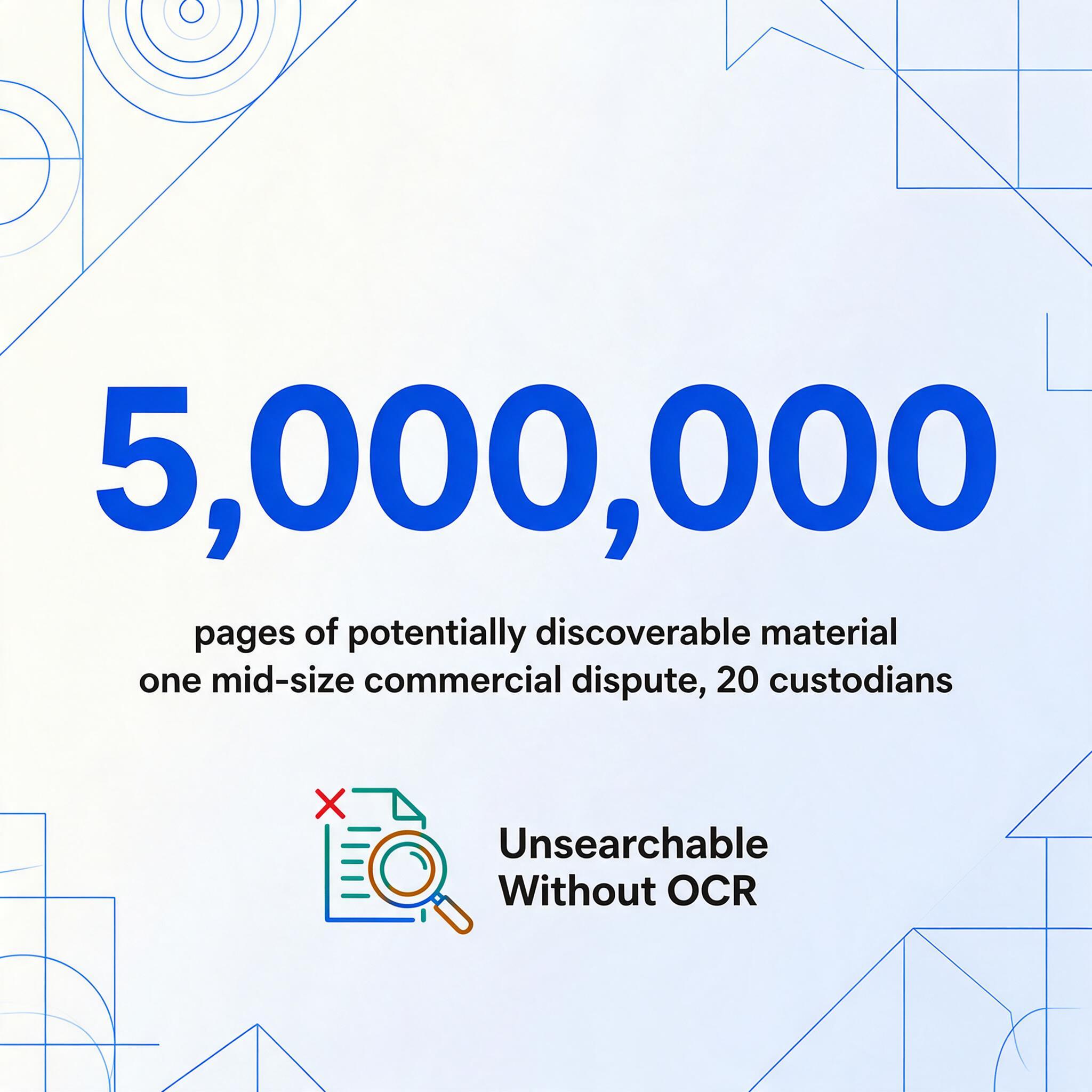
eDiscovery alone produces staggering volumes. According to industry benchmarks, a single custodian in litigation generates an average of 5 GB of electronically stored information (ESI), which translates to roughly 250,000 pages per custodian. A mid-size commercial dispute involving 20 custodians produces 5 million pages of potentially discoverable material. FRCP Rule 26(b)(1) limits discovery to information that is "proportional to the needs of the case," but proportionality does not eliminate the need to process — and search — everything within scope. Without OCR that preserves usable text from scanned documents, those millions of pages are not just unsearchable; they are essentially invisible to the review team. The Digital War Room 2025 benchmark, based on 150 million documents across 2,000 matters, confirms that an average GB contains 50,000 documents — and 99.9% of litigation cases now involve ESI, per industry surveys.
Contract review time is dominated by retrieval, not analysis. The CLOC survey of 1,300 contracting professionals found that finding a specific clause inside a single contract takes over two hours on average — 45 minutes to locate the right document and another 84 minutes to pinpoint the section. For a legal department handling 500 contracts a year, that is 188 of 250 working days consumed by retrieval before any legal analysis begins. World Commerce & Contracting puts the revenue impact at 9.2% of annual revenue lost to contract data that exists inside signed agreements but never reaches a filterable spreadsheet.
Law firm overhead tracks document handling time. A 2025 survey by the IAALS found that 59% of lawyers report spending more than a third of their work week on document management tasks. Billing rates of $400–$1,200 per hour make every minute of manual document processing a direct cost to the client or the firm's bottom line. For solo and small-firm practitioners — who manage 66% of the legal market by attorney count — the margin pressure from document handling is existential: the time lost to manual data entry on court filings, contracts, and discovery documents directly limits the number of matters they can take.
These metrics share a common root: legal data exists inside documents that are not machine-readable at the level lawyers need. OCR is the conversion layer, but only when it understands what legal documents require structurally — not just what characters appear on the page. For the foundational concepts behind this technology, see what OCR actually does and how it differs from the document extraction that legal workflows ultimately need.
Legal Document Types and Their OCR Challenges
Legal documents vary dramatically in structure, but they share a characteristic that makes them harder for generic OCR than invoices or receipts: meaning depends on layout, sequence, and cross-references, not just text content. Breaking a merger agreement into isolated pages is not digitization — it is information destruction.
Contracts — Multi-Page Agreements with Distributed Semantics
A typical commercial contract runs 20 to 80 pages. An employment agreement might be 5 to 15 pages. A vendor MSA with exhibits and amendments can exceed 100 pages. The data a legal team needs from these documents — counterparty name, effective date, governing law, indemnification caps, renewal terms, termination for convenience — is scattered across the document from page 1 to page 78. The effective date sits in the preamble. The governing law clause is usually in the "General Provisions" section, often the last substantive section before signature blocks. The indemnification cap might be on an exhibit referenced in section 12 but physically located 20 pages later.
Generic OCR that treats each page independently breaks every cross-page relationship. A clause that begins on page 14 and concludes on page 15 gets split into two fragments. A table of payment milestones spanning pages 22–24 loses row continuity across the page break. A signature block on page 79 has no link to the executing party named on page 1. Legal OCR must track document-level context — reading across all pages, maintaining cross-references, and recognizing that a defined term introduced in section 1.2 on page 3 governs its usage on page 47.
Bates numbering adds another layer. Every page of produced documents carries a unique Bates number that serves as the evidentiary identifier throughout litigation. Standard OCR that reads "IMG_000123" as stray footer text or omits it entirely breaks the chain of custody for evidence. FRCP Rule 34(b) permits requesting parties to specify production format, and Bates numbering is the de facto standard — OCR that does not preserve it produces documents that fail the "reasonably usable form" requirement.
Court Filings and Briefs — Multi-Column Formatting and Citation Structure
Appellate briefs, memoranda of law, and motions follow strict formatting rules set by local court rules and FRCP. Two-column layouts are standard in many jurisdictions, with the main text in the wider column and case citations or annotations in the narrower one. Generic OCR that reads left-to-right across the full page merges the citation column into the middle of a sentence, producing text that is not merely messy but legally misleading — a case citation that appears to belong to a different argument than the one the brief actually makes.
Citation recognition is another specialized requirement. Legal documents rely on pinpoint citations — "Smith v. Jones, 123 F.3d 456, 460 (9th Cir. 2025)" — where the page number after the comma carries precedential weight. OCR losing the pinpoint page, or merging it into the surrounding text, breaks the cite-checking workflow that every litigator relies on. The California Style Manual and Bluebook citation formats add structural complexity that character-level OCR cannot capture.
Handwritten annotations compound the challenge. Judges and partners write margin notes on draft briefs. Paralegals flag sections with handwritten sticky notes. Court filings from opposing counsel may contain strike-through edits, circled paragraph numbers, or initials in the margin. Traditional OCR either skips handwriting entirely or produces unreliable character guesses. AI-based OCR handles handwriting at 85–95% accuracy on clean images — sufficient to capture marginal annotations that often contain the substantive feedback on a legal argument.
eDiscovery Documents — Variable Quality at Massive Scale
eDiscovery document populations are heterogeneous by definition: emails, PDFs, scanned correspondence, smartphone photos of physical documents, text messages, spreadsheets, and presentation files — all mixed in a single production set. A Relativity processing report for a standard commercial case might show 40% native electronic files, 35% scanned paper documents, 15% email attachments in various formats, and 10% legacy media (old WordPerfect files, scanned faxes, microfiche conversions).
Each format subset presents different OCR failure modes. Scanned paper documents from decades-old case files may be low-resolution, skewed, or faded. Smartphone photos of physical documents introduce perspective distortion, glare, and uneven lighting. Faxed documents drop to 200 DPI with compression artifacts that confuse character-recognition algorithms. An OCR pipeline for eDiscovery must handle this variable input without requiring per-document quality checks — because at five million pages, checking each page individually is not feasible.
Privilege log creation is where OCR failures become professionally consequential. A privilege log requires identifying every document that contains attorney-client privileged or work-product-protected material, extracting the date, author, recipients, and subject, and recording the privilege basis — all before production. OCR that misses a "PRIVILEGED AND CONFIDENTIAL" header in a scanned email or misreads a law firm name in a metadata field creates waiver risk. The FRCP does not require perfect privilege identification, but Rule 26(b)(5)(A) requires the producing party to "describe the nature of the documents" withheld — a standard that presupposes accurate OCR of the documents' key identifying information.
The unifying thread across these document types: legal OCR fails not because characters are misread — though that happens — but because structure is lost. Bates numbers detached from pages, clauses split across page breaks, privilege markings treated as body text, multi-column briefs flattened into single-column streams. A legal OCR tool that achieves 99.5% character accuracy but destroys document structure produces output that is worse than useless — it is professionally dangerous.
Traditional OCR vs AI OCR for Legal Documents
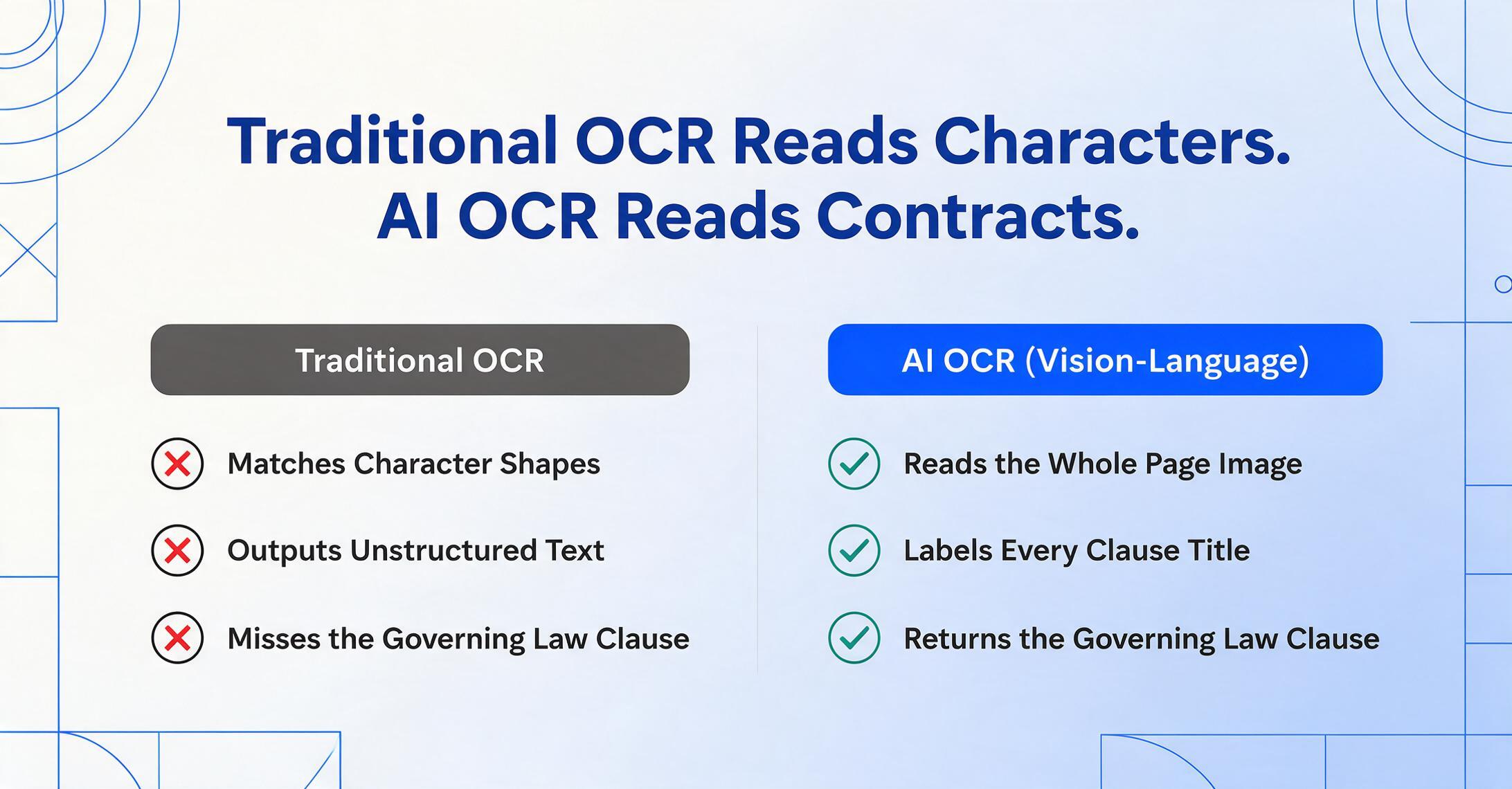
The distinction between traditional OCR and AI-powered extraction is not academic for legal workflows — it determines whether a tool can handle the structural complexity described in the previous section or requires manual rework on every file.
Traditional OCR — the character-recognition paradigm. Tools like Tesseract, ABBYY FineReader, and the OCR engines embedded in document scanners operate on a pixel-to-character pipeline: identify shapes on the page, match them against a library of known character patterns, and output text. The output is a searchable PDF or a plain-text file — characters in reading order, with no semantic structure. This is entirely adequate for making a scanned contract full-text searchable. It is not adequate for extracting the governing law clause, the indemnification cap, or the renewal notice period as discrete data points — because the tool does not know what a governing law clause is.
AI OCR — the vision-language paradigm. Modern AI-based extraction uses vision-language models (VLMs) that read a page the way a human reader would: visually, holistically, and semantically. It does not recognize characters one by one. It processes the entire document image, identifies regions of text, determines their functional role (header, body text, clause title, signature block, marginal annotation), and extracts meaning — not just characters. For a detailed explanation of this architecture, see what AI OCR is and how it differs from traditional character recognition.
In legal practice, this architectural difference produces concrete operational differences:
| Requirement | Traditional OCR | AI OCR (Vision-Language) |
|---|---|---|
| Bates number preservation | Treats as stray text; often drops or merges it | Recognizes page-level identifiers by pattern; preserves them |
| Clause-level extraction | Outputs all text in sequence; no clause identification | Identifies clause boundaries by semantic role |
| Multi-column briefs | Left-to-right across columns; reading order corrupted | Column-aware reading order by visual layout analysis |
| Cross-page table continuity | Each page processed independently; rows break at page edges | Document-level context maintained; tables reconstructed across pages |
| Handwritten annotations | Typically < 40% accuracy on cursive | 85–95% on clear handwriting |
| Privilege marking detection | Reads as body text; no flagging | Pattern-recognizes privilege headers and flags for review |
| Template-free operation | Requires per-format zone definitions | Works across formats without setup |
The paradigm that matters most for legal is Custom Column Extraction: you define the columns you want in your output — "Indemnification Cap," "Governing Law," "Renewal Notice Period," "Limitation of Liability" — and the AI reads every page of every document, locates the text blocks that correspond to each requested field by understanding their semantic role, and maps every match to the correct output column. No zone drawing. No template per counterparty. No manual reconciliation of clause definitions that use different language across different agreements. This is the shift from position-based extraction to semantic-based extraction — and it directly addresses the format variability that makes contract and eDiscovery processing disproportionately expensive under traditional tools.
Key Fields to Extract from Legal Documents
What a legal team needs to extract depends on the use case — due diligence, contract portfolio management, eDiscovery review, or litigation support. But most legal extraction workflows converge on a core set of fields organized by document purpose.
For Contracts and Agreements
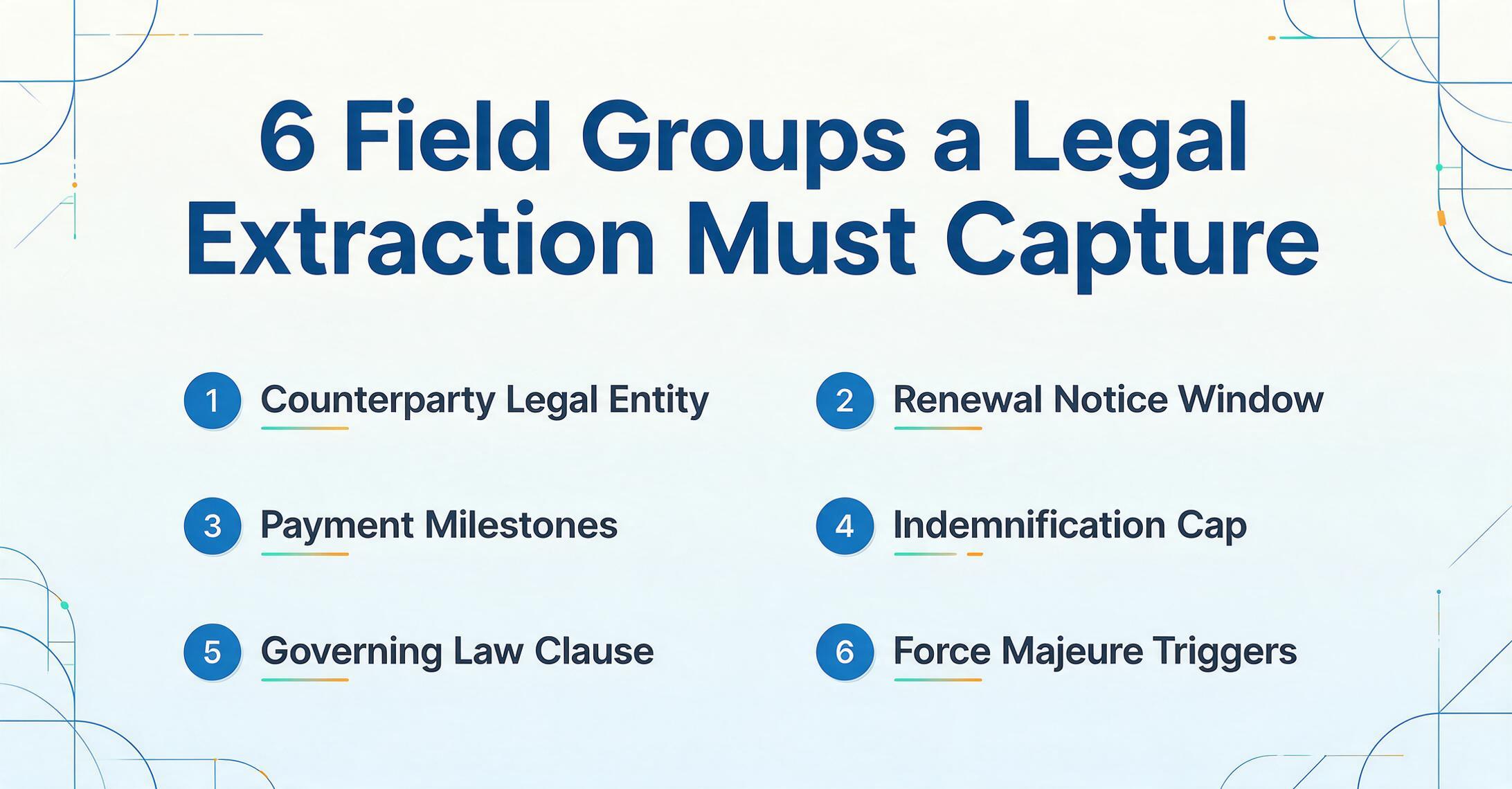
| Field Category | Specific Fields | Why It Matters |
|---|---|---|
| Party identification | Counterparty name, executing entity, jurisdiction of formation | One counterparty may contract through multiple subsidiaries; identifying the correct legal entity matters for enforcement |
| Dates and timing | Effective date, expiration date, renewal notice period, termination for convenience window | Auto-renewal traps and missed termination windows are the leading source of contract liability |
| Financial terms | Contract value, payment schedule, price adjustment mechanism, late fee terms | Fee schedules often span exhibit tables; extraction must follow cross-references |
| Risk allocation | Indemnification scope and cap, limitation of liability, exclusion of consequential damages | These clauses determine financial exposure; "uncapped indemnification" is a red-flag field for every review |
| Governing provisions | Governing law, dispute resolution (arbitration vs. litigation), venue, waiver of jury trial | Directly affects where and how disputes are resolved; typically a single clause in the general provisions section |
| Operational clauses | Force majeure trigger events, non-compete scope and duration, confidentiality term, data protection obligations | Post-signing performance obligations that directly impact operations |
| Termination | Termination for cause, termination for convenience, post-termination obligations, survivorship | Exit terms define both the cost of ending a relationship and continuing obligations after termination |
For eDiscovery and Litigation Documents
- Document identifiers: Bates number range, custodian name, source matter number, date produced — this metadata is the minimum required to make produced documents usable under FRCP Rule 34(b).
- Privilege indicators: "PRIVILEGED AND CONFIDENTIAL," "ATTORNEY WORK PRODUCT," "ATTORNEY-CLIENT PRIVILEGE" — headers, footers, and stamps that must be recognized and flagged before production.
- Key players and dates: Author (from email headers or signature blocks), recipients (including CC and BCC where accessible), date created, date sent, date produced — used for evidence timelines and witness preparation.
- Document type classification: Contract, email, memo, brief, spreadsheet, voicemail transcript, SMS export — classifying documents at scale so review teams apply the right workflow to each category.
- Redaction zones: Areas of a document that have been redacted (black-boxed or whited-out), their position and extent — redaction must be preserved and mapped during processing to ensure production completeness.
For a deeper look at clause-level extraction specifically, see our guide on legal contract extraction and how clause identification differs from field-level extraction for due diligence and portfolio management.
Compliance Considerations for Legal OCR
OCR in legal practice is not just a technology decision — it is a compliance decision. Three regulatory frameworks directly govern how law firms must handle digitized documents.
ABA Model Rules: Technology Competence and Confidentiality
ABA Model Rule 1.1 (Competence) — clarified by ABA Formal Opinion 477R (2017) — requires lawyers to "keep abreast of changes in the law and its practice, including the benefits and risks associated with relevant technology." This means a lawyer who uses OCR to process client documents without understanding the tool's accuracy limitations, data-handling procedures, or structural preservation capabilities may be operating below the competence standard. The rule does not require perfect OCR, but it does require informed selection and appropriate supervision of the technology used in client matters.
ABA Model Rule 1.6 (Confidentiality of Information) requires lawyers to "make reasonable efforts to prevent the inadvertent or unauthorized disclosure of or access to information relating to the representation of a client." When OCR processes documents containing privileged material, trade secrets, or personally identifiable information — and when those documents pass through the OCR vendor's servers — Rule 1.6 imposes an obligation to evaluate the vendor's data security, encryption standards, and data-retention policies. The ABA Model Rules do not mandate on-premises processing, but they require that outsourcing document processing to a cloud OCR tool meets a "reasonable efforts" standard for confidentiality protection.
FRCP — Electronically Stored Information Production Requirements
FRCP Rule 34(b) permits the requesting party to specify the form of production for ESI, and requires the producing party to produce it either "in a form or forms in which it is ordinarily maintained or in a reasonably usable form or forms." OCR-processed documents must be searchable, with Bates numbers preserved and text extractable. A production set where OCR misread the key documents — or where the OCR layer is missing for scanned files — may be challenged as not "reasonably usable." Courts have sanctioned parties for producing ESI in formats that were technically accessible but practically unusable, and a weak OCR layer is a common contributing factor.
FRCP Rule 26(f) requires parties to discuss "any issues about preserving discoverable information" and "any issues about disclosure or discovery of electronically stored information, including the form or forms in which it should be produced," during the pre-discovery conference. The Rule 26(f) meet-and-confer is where OCR quality standards are established — the parties may agree on minimum OCR accuracy thresholds, Bates numbering conventions, and metadata fields to be included. A firm that enters this discussion without knowing its OCR tool's capabilities and limitations is negotiating from a position of ignorance, which creates both strategic and ethical risk.
eDiscovery Platform Integration
Most modern legal OCR workflows operate within an eDiscovery ecosystem that includes tools like Relativity (the dominant eDiscovery processing and review platform), NetDocuments and iManage (cloud document management systems used by Am Law 200 firms), and practice management platforms like Clio and MyCase (dominant in solo and small-firm markets). An OCR tool that cannot export in formats these platforms ingest — or that strips the metadata layer those platforms require — introduces a manual bridging step that defeats the purpose of digitization.
Relativity, for instance, ingests OCR text as part of its processing pipeline through a `.txt` or `.ocr` load file. If the OCR tool does not maintain the one-to-one page-to-text mapping that Relativity requires for its review database, the document loses its association with the extracted text, rendering the OCR investment useless at the review stage. For law firms running their document management on iManage or NetDocuments, OCR output must preserve the document's folder structure, version history, and permission model — or the digital file cabinet replicates the chaos of the paper one.
For a comprehensive comparison of tools built for legal workflows — including how each handles Bates numbering, privilege marking detection, and eDiscovery platform integration — see our best OCR software for legal documents 2026 roundup.
How to Choose OCR for Legal Work
The evaluation criteria for legal OCR differ from generic document OCR in five dimensions. Every law firm evaluating OCR tools should test against these specific requirements using their own documents before committing to a platform.
1. Layout and Structure Preservation
The single most important criterion. Test with a multi-column brief, a contract with an exhibit table spanning a page break, and a document with Bates numbers in the footer. Does the output preserve column reading order? Are tables reconstructed correctly across page boundaries? Are Bates numbers captured as searchable identifiers rather than dropped?
2. Clause-Level or Field-Level Extraction
Generic OCR outputs all text. Legal workflows need specific data points: "gimme the indemnification cap from every contract in this deal." Evaluate whether the tool can extract fields you define as columns (counterparty, effective date, governing law, renewal terms) across a batch of documents from different counterparties — without requiring per-document template setup. This is where Custom Column Extraction and Batch-First Processing become operational requirements rather than feature bullets.
3. Security, Compliance, and Data Handling
SOC 2 Type II certification, encryption in transit and at rest, data retention and deletion policies, and the ability to delete processed documents on demand. For firms handling government or regulated-industry matters, FedRAMP authorization or equivalent may be required. Confirm the vendor's data processing location if jurisdictional requirements apply. Rule 1.6 diligence requires written confirmation of these protections before uploading client data.
4. Batch Processing at Legal Scale
A solo practitioner might need 50 contracts processed per month. A mid-size litigation firm needs 50,000 documents per matter. An eDiscovery vendor processes millions. The tool must scale from the single-matter workflow to the multi-custodian production without changing architecture. Evaluate upload limits, concurrent processing capacity, and export reliability at your actual volume — not at the demo volume of five sample files.
5. Integration with Legal Technology Stack
Does the tool export in formats that Relativity, NetDocuments, iManage, Clio, or MyCase can ingest directly? Does it support the metadata mapping (Bates range, custodian, date produced) that eDiscovery platforms require? Or does it force a manual download-and-reupload bridge? The fewer handoffs, the fewer failure points — and the lower the total cost of digitization.
For legal teams that need a simple starting point — upload documents, define output columns, get structured data without configuring templates or training models — tools built on vision-language AI eliminate the setup overhead that has historically made OCR adoption expensive in legal practice. See how the AI OCR software paradigm applies to legal document workflows, or explore the broader OCR software category for a feature comparison across extraction approaches.
Frequently Asked Questions
What makes OCR for legal documents different from standard OCR?
Standard OCR reads characters and outputs text. Legal OCR must preserve document structure — Bates numbering, multi-column formatting, cross-page clause continuity, privilege markings — because legal meaning depends on layout and sequence, not just text content. A standard OCR tool that achieves 99% character accuracy but collapses a multi-column brief into a single text stream produces output that is structurally corrupt for legal use.
Can OCR handle handwritten annotations on legal documents?
Traditional OCR typically achieves less than 40% accuracy on cursive handwriting. Modern AI-based OCR using vision-language models reaches 85–95% on clear handwriting, which is sufficient to capture marginal annotations, signature blocks, and judge's notations on draft briefs. Accuracy degrades with poor image quality, overlapping handwriting, and extreme cursive flourishes — so critical handwritten content should still be verified by a human reviewer.
Does OCR meet ABA Model Rule requirements for technology competence?
ABA Model Rule 1.1, as interpreted by Formal Opinion 477R, requires lawyers to understand the benefits and risks of technology they use. This does not mandate perfect OCR accuracy, but it does require informed selection: knowing your tool's accuracy rates, structural preservation capabilities, data security measures, and limitations — and applying appropriate human review where the technology falls short. Using an OCR tool without understanding these parameters could be challenged as operating below the competence standard.
How does OCR affect eDiscovery privilege log creation?
OCR is critical to privilege log workflows. Every document entering an eDiscovery review set must have searchable text extracted from its scanned pages — otherwise, identifying privileged content requires opening and reading every page of every document. AI OCR that can detect "PRIVILEGED AND CONFIDENTIAL" headers, recognize law firm names, and flag documents with attorney-review patterns accelerates privilege identification. However, no OCR tool should be relied on as the sole mechanism for privilege determination; OCR identifies candidates for privilege review, it does not replace it.
What should a law firm look for when evaluating an OCR vendor?
Five priorities: (1) Test on your actual documents — especially multi-column briefs, contracts with tabular exhibits, and scanned documents of varying quality. (2) Confirm layout preservation: do Bates numbers survive extraction, are tables reconstructed correctly, is reading order maintained in multi-column layouts? (3) Verify clause-level or field-level extraction capability — does the tool let you define the fields you want and find them across documents without per-document setup? (4) Check security certifications (SOC 2, encryption, data deletion policies) against your Rule 1.6 obligations. (5) Validate integration with your existing legal technology stack — Relativity, NetDocuments, iManage, Clio, or whatever platforms your firm uses.
The Bottom Line for Legal Teams
OCR for legal documents is not a character-recognition problem. It is a structural-preservation problem. A tool that reads every letter on the page but loses the relationship between an exhibit and its parent contract, between a Bates number and its page, or between a privilege marking and the document it protects, has not digitized the document — it has created a data liability.
The technology shift from position-based OCR to vision-language AI fundamentally changes what is possible. When a tool reads documents by semantic meaning rather than by template coordinates, contract extraction becomes a single-pass operation across hundreds of agreements, eDiscovery processing preserves structural context at scale, and the compliance requirements imposed by the ABA Model Rules and FRCP become achievable rather than aspirational. The question for legal teams is no longer whether OCR can handle legal documents. It is whether the OCR tool they choose understands what makes legal documents different — and can preserve that difference in every page it processes.
Test that question on your own documents — upload a contract you know well, define the fields you actually need, and see whether the output gives you what you could not get from a simple keyword search.