OCR for Banking:
Check Processing, Statement Extraction & KYC Automation
Three banking document categories — checks, bank statements, and KYC documents — account for the majority of manual data entry hours in financial institutions. The Federal Reserve's 2026 Risk Officer Report found that 63% of financial institutions reported check fraud attempts in the prior 12 months. AFP's 2026 Payments Fraud Survey puts the number at 58% of organizations reporting check fraud, making it the most fraud-prone payment method. Meanwhile, bank reconciliation teams spend days each month manually keying transaction rows from statements that refuse to line up cleanly in a spreadsheet, and compliance officers process KYC documents with cycle times that run 30–60 minutes per file.
Key Takeaways
- Banks pour OCR investment into three separate pipelines — check processing, statement extraction, and KYC verification — and all three depend on one assumption that never holds: document layouts stay the same.
- A 99% accurate character-level OCR still gets five characters wrong per KYC page — and one wrong digit in a passport number means a compliance failure no audit trail can explain.
- Vision AI extracts banking documents by field meaning rather than pixel coordinates — one column definition works across every bank format, whether Chase redesigns their statement or a customer rotates their phone.
Banking runs on documents. But unlike invoices — which at least share a rough structural family across most vendors — banking documents fight every attempt at standardization. A check relies on a magnetic ink font invented in the 1950s. A bank statement from Chase and one from a regional credit union share virtually no layout conventions. A passport used for KYC follows ICAO standards while a driver's license follows state-level rules that change every few years.
This article covers the three document types that drive OCR adoption in banking, explains the specific technical challenges each one presents, and shows where traditional OCR falls short — and where vision AI steps in.
The Three Banking Documents That Drive OCR Adoption
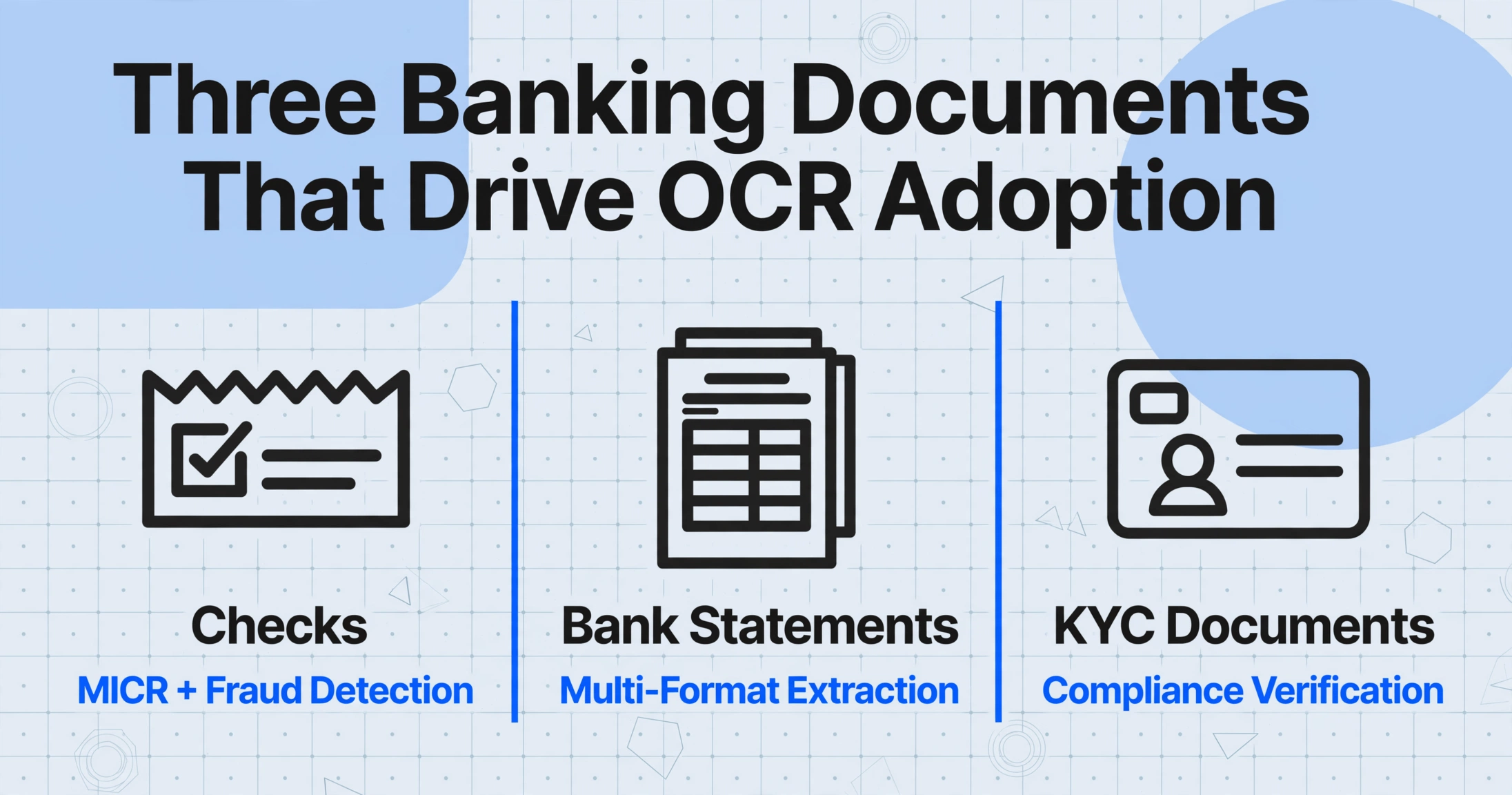
When banking professionals talk about OCR, they are usually referring to one of three distinct workflows, each with its own technical requirements, failure modes, and regulatory stakes:
Check & Payment Processing
Magnetic ink character recognition (MICR) is the backbone of check clearing. Banks process millions of checks daily through high-speed sorters that read the E-13B font line at the bottom of each check. The challenge extends beyond MICR: fraud detection requires reading the courtesy amount (CAR) and legal amount (LAR) regions, verifying endorsement patterns, and detecting alterations. 58% of organizations reported check fraud in 2025, per the AFP survey.
Bank Statement Extraction & Reconciliation
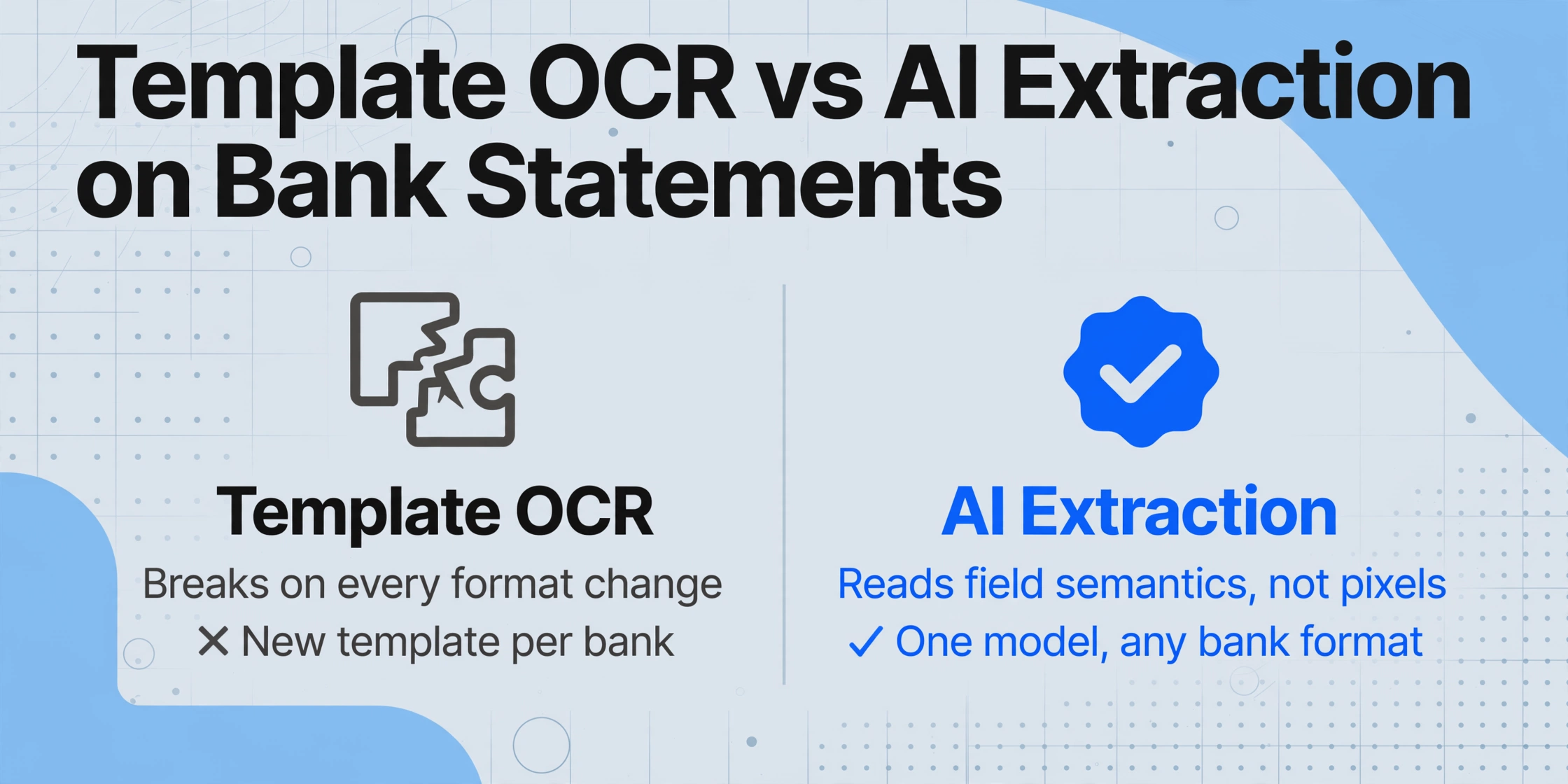
Every bank formats statements differently. Transaction tables can span multiple columns — date, description, debit, credit, running balance — and these columns shift position from page to page within the same statement. The running balance must be continuous across page breaks. Template-based OCR breaks here. AI-powered bank statement extraction handles these variations by understanding field semantics rather than pixel coordinates.
KYC & Loan Document Verification
Customer onboarding demands verification of identity documents (passports, driver's licenses), proof of address (utility bills, bank statements), and financial evidence (pay stubs, tax returns, W-2s). Compliance with BSA/AML regulations requires accurate extraction and audit trails. Manual KYC processing takes 30–60 minutes per file; automated eKYC with OCR and AI reduces this to under 5 minutes for standard applications, based on published deployment data from Asian and European banks.
These three workflows share a common thread: they all involve extracting structured data from semi-structured or unstructured document images. But the technical approaches that work for one frequently fail for the others.
Check Processing: Where OCR Meets MICR
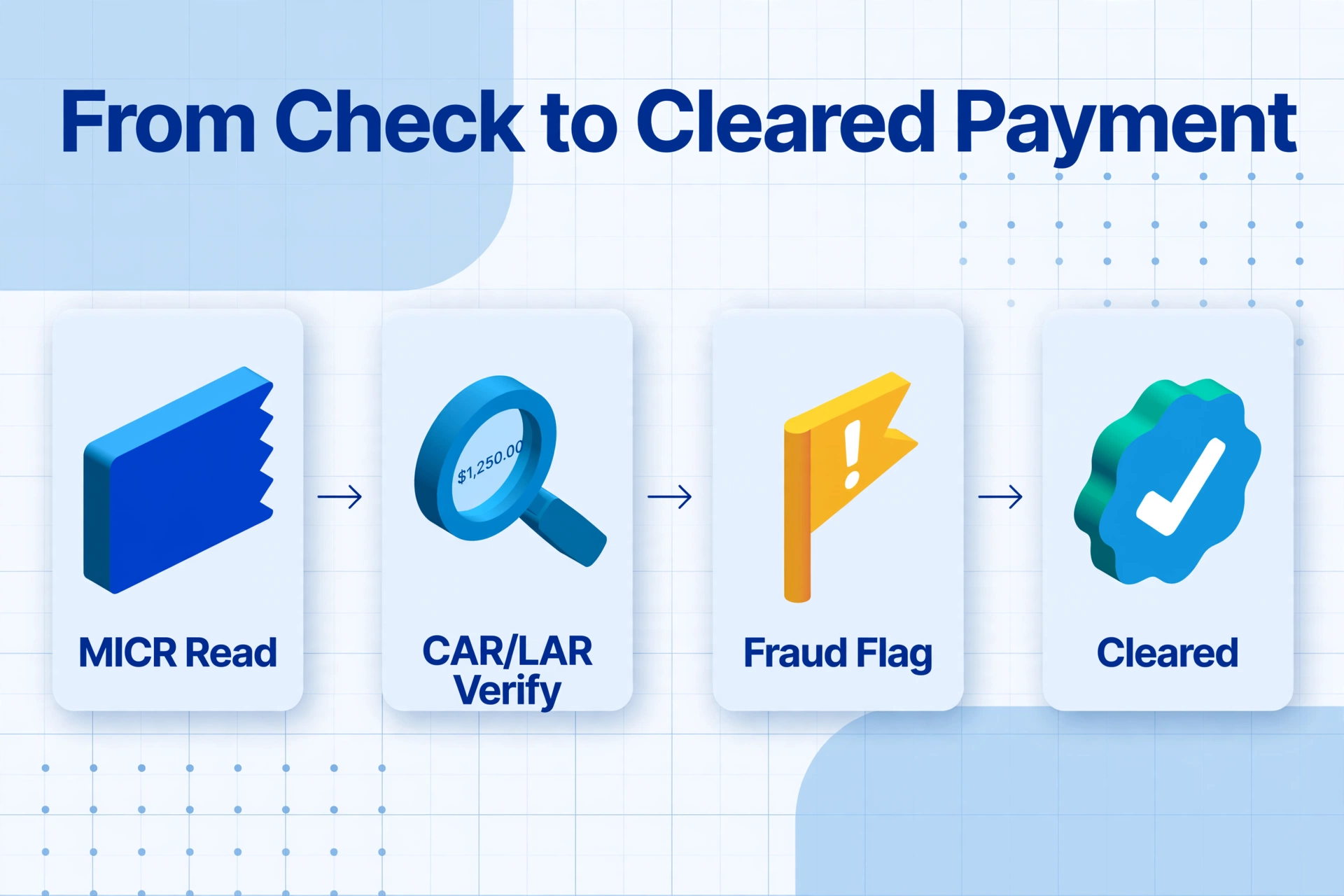
Check processing occupies a unique position in the OCR landscape because it does not rely on OCR alone. The critical data on every check — routing number, account number, check number — is encoded in the MICR line (Magnetic Ink Character Recognition), a specialized font printed with magnetic ink or toner that remains readable even after being stamped, marked, or crossed out.
The MICR Standard: E-13B and CMC-7
The MICR line at the bottom of every check uses one of two fonts. In the United States, Canada, the UK, Australia, and much of the Asia-Pacific region, the standard is E-13B, adopted by the American Bankers Association in 1958 and later standardized as ANSI X9.27 and ISO 1004:1995. European and some Latin American countries use CMC-7, a different font that encodes the same routing data. Both are magnetic — a bank's high-speed check sorter reads them by detecting the magnetic signal of the characters, not by optical recognition. This gives MICR near-perfect read rates even on checks that have been folded, stained, or written on.
The MICR line encodes four pieces of information:
- Routing number (9 digits in the US) — identifies the financial institution
- Account number — identifies the specific account
- Check number — sequential identifier for the check
- Amount — added after the check is presented for payment (courtesy amount encoding)
While MICR handles the routing line, the rest of the check — the payee name, the legal amount (written in words), the courtesy amount (written in numerals), the date, the memo line, and the signature — relies on conventional OCR and image analysis. This is where modern AI extraction adds value beyond what MICR alone provides.
Check Fraud Detection: The OCR Layer
Check fraud remains the most persistent document fraud problem in banking. The Federal Reserve's 2026 Risk Officer Report, surveying over 400 risk professionals, found that 63% of financial institutions had experienced check fraud attempts in the prior year. The specific attack vectors are shifting: 32% of respondents reported an increase in counterfeit checks, 21% reported check washing (erasing ink to rewrite payee or amount), and 18% reported payee forgery.
Modern AI-based AI OCR systems detect these patterns through image analysis of the check surface:
- Courtesy Amount Recognition (CAR) / Legal Amount Recognition (LAR): The system reads both the numeric amount and the written amount and cross-verifies them for consistency. A mismatch flags the check for manual review.
- Signature verification: Image analysis compares the signature on the check against the reference signature on file, detecting forgeries and unauthorized signatories.
- Alteration detection: Image analysis of the paper surface detects evidence of check washing — chemical residue, disturbed fibers, or ink bleeding that indicates the original text was erased and rewritten.
- Endorsement analysis: The system checks the back of the check for valid endorsement patterns, ensuring the check was deposited by the intended payee or their authorized agent.
Banks typically layer these OCR-based fraud checks on top of the magnetic MICR read, creating a multi-engine validation pipeline that catches both encoding errors and deliberate fraud. Tools like Abrigo's Check Image Analysis and Advanced Fraud Solutions' TrueChecks apply these combined techniques at the point of presentment.
Check 21 (the Check Clearing for the 21st Century Act, effective 2004) made electronic check processing — known as remote deposit capture or RDC — legally equivalent to physical check processing. This means banks can process check images captured by mobile devices or branch scanners, relying entirely on OCR and MICR technology without ever handling the paper.
Bank Statement Extraction: The Multi-Format Challenge
Bank statement extraction is arguably the hardest common OCR problem in finance — not because the characters are hard to read, but because the document structure is so variable. Every bank formats statements differently, and those differences are not cosmetic. They affect how extraction systems must process each page.
Why Bank Statement Formats Fight Automation
A bank statement is not a simple table. It is a multi-zone document that typically includes:
- A header area with account holder name, account number, statement period, opening balance, and bank identifier
- A transaction table with date, description, debit amount, credit amount, and running balance columns
- Footer zones with closing balance, interest earned, fees charged, and fine-print disclaimers
- Side callouts with promotional offers, account notifications, or marketing messages
The transaction table itself presents the extraction challenge. The column layout — which field goes where, what the column headers are named, whether debits and credits are in separate columns or a single signed column — varies across every bank's statement design. And within a single multi-page statement, the column boundaries often drift by a few pixels from page to page because the header area on page one (with the bank logo and statement summary) takes up more space than the minimal header on page two.
Template-based OCR systems require a separate layout template for each bank's format — and a revised template every time the bank updates its statement design. For a financial institution that processes statements from dozens of banks, template maintenance becomes a full-time operational burden.
Page-Aware Extraction and Running Balance Continuity
The hardest technical problem in bank statement OCR is maintaining data continuity across pages. A single statement can run 3 to 30+ pages. The transaction table splits across page boundaries, each new page starts with a "brought forward" balance, and the running balance on any given row must equal the previous row's balance plus or minus the transaction amount.
If the extraction pipeline processes each page independently — as most basic OCR tools do — it risks three failure modes:
- Dropped rows: Transactions near the page boundary are missed entirely because the split falls through a gap in the table
- Duplicated rows: The "brought forward" balance from page N is treated as a transaction on page N+1, and the actual first transaction of page N+1 shifts down one row
- Broken balance continuity: The running balance sequence breaks at the page boundary, making reconciliation impossible
Modern vision AI extraction systems handle this by maintaining page-aware state — they read the full document as a connected sequence rather than as independent pages. When the AI processes the "brought forward" line, it recognizes it as a pagination artifact rather than a transaction and maintains the continuity of the running balance across the boundary.
Built-In Reconciliation: What Extraction Should Deliver
The end goal of bank statement extraction is not just a row of transactions — it is a reconciled dataset that passes the balance check:
| Verification Check | What It Confirms | Why It Matters |
|---|---|---|
| Opening balance match | Extracted opening balance matches stated opening balance | Ensures no page was skipped at the beginning |
| Transaction sum check | Sum of debits and credits equals stated net change | Catches missing or duplicated transaction rows |
| Running balance cascade | Each row's balance = previous balance ± transaction amount | Validates every individual row in order |
| Closing balance tie-out | Final extracted balance matches stated closing balance | End-to-end integrity check for the full document |
Tools that implement this reconciliation check — like those with automated balance verification built into the extraction pipeline — catch errors before the data enters the accounting system, reducing the manual QA burden on the reconciliation team.
For step-by-step instructions on setting up this pipeline, see our guide on OCR for accounting: bank statement and financial extraction.
If your focus is specifically statement-to-Excel work rather than checks or KYC, our step-by-step tutorial on extracting bank statement data into Excel walks through the full workflow, and the bank statement to Excel tool runs the same extraction automatically on your own PDF.
KYC & Loan Document Processing: Accuracy Under Compliance Pressure
Know Your Customer (KYC) compliance sits at the intersection of OCR accuracy and regulatory risk. Misreading a single character on an identity document — confusing a '0' with an 'O', or misreading a passport number — can result in onboarding a customer who fails OFAC sanctions screening, or failing to detect a synthetic identity fraud. The stakes are fundamentally different from invoice processing.
The Document Mix in KYC Onboarding
A standard KYC onboarding package includes multiple document types, each with different extraction challenges:
- Government-issued photo IDs (passports, driver's licenses, national ID cards): Machine-readable zone (MRZ) at the bottom is designed for OCR — it uses the ICAO-standard font, check digits, and fixed field lengths. But the MRZ is only part of the document; extracting the face photo, signature, and non-MRZ text fields (address, date of birth, issuing authority) requires full-document image analysis. That same full-image approach handles the lighter-weight case downstream teams hit constantly — an ID card photo snapped with a phone, where name, date of birth, ID number, and expiry need to land in columns without any MRZ to lean on.
- Proof of address (utility bills, bank statements, tax assessments): These are not identity-optimized documents. They come in any layout, scanned at any quality, and the address may not be in a fixed position. Banks must extract the address, the name, and the date (to confirm it is recent — typically within 90 days) from these documents without a standardized format to rely on.
- Financial evidence (pay stubs, W-2s, tax returns, bank statements for underwriting): Loan underwriting documents require field-level extraction of income, employment history, and asset information. A commercial loan application can include 10–30 pages across multiple document types — and underwriting teams previously spent 40% of their time just organizing the documents before extracting data from them.
Why Character-Level Accuracy Is Not Enough for KYC
Traditional OCR vendors quote character-level accuracy (CER) — typically 99% or higher on clean, printed documents. But in KYC workflows, character-level accuracy is a misleading metric. A 99% CER on a passport page with 500 characters means, on average, 5 characters are wrong. If one of those is a digit in the passport number or a letter in the customer's name, the document fails AML screening or the account is opened with incorrect identity data that takes months to correct.
Field-level accuracy — whether the entire passport number is extracted correctly, not whether most characters are right — is the relevant metric for KYC. AI-based extraction systems that use vision language models understand context: they know that a passport number follows a specific pattern, that check digits exist for validation, and that a misread character can be flagged for human review rather than silently accepted.
Published deployment data from GreenNode's OCR implementation in Vietnamese banking showed that automated KYC with integrated OCR and AI reduced processing time from 45 minutes per file to under 5 minutes, with an 80–90% straight-through processing rate for standard applications. The remaining 10–20% required human review for edge cases — low-quality documents, non-standard formats, or ambiguous fields.
For banks processing high volumes of loan applications, the same extraction pipeline that handles KYC documents also processes pay stubs, tax returns, and bank statements for underwriting — making a unified extraction platform that handles all these document types a significant operational advantage over separate, specialized tools for each stage of the process.
Traditional OCR vs. Vision AI: Why Template-Free Matters in Banking
The banking industry's document processing challenges are not well served by the same OCR approach that handles invoices and receipts. Banking documents present a fundamentally harder set of problems. Understanding why requires a clear distinction between the two generations of extraction technology.
The Template-OCR Limit: Every New Format Breaks Your Workflow
Traditional OCR — whether Tesseract, ABBYY, or cloud OCR APIs — operates on a position-based model. The system extracts all text from a page, then uses rules or template maps to assign fields based on their coordinates. This works when the same document format appears repeatedly. It fails when:
- You process statements from 50+ different banks
- A bank updates its statement layout (which happens more often than you might expect)
- A customer submits a scanned statement at a slight angle or with a rotated page
- You receive mobile phone photos of statements instead of clean PDFs
Each format change requires a template update. Each new bank requires a new template. Template management scales linearly with document diversity — and banking is an environment of extreme document diversity.
How Vision AI Extraction Solves the Format Problem
Vision AI extraction — using large vision models (VLMs) — approaches the problem differently. Instead of extracting all text and then trying to map it to expected fields by position, the VLM reads the document as a human would: holistically, understanding the visual layout, the semantic meaning of each text region, and the relationships between fields.
This is the same technology described in our guide on what AI OCR is and how it differs from traditional OCR — and it is the key to solving banking's multi-format challenge. In practice, this means:
- You define the output, not the position: Instead of drawing a box around where the "Transaction Date" column appears, you simply tell the system you want Transaction Date, Description, Debit Amount, Credit Amount, and Running Balance. The AI finds these fields anywhere on the page by understanding what they mean.
- One column definition works across all formats: The same set of column names extracts data from a Chase statement, a Bank of America statement, and a credit union statement — even though the column order, field names, and layout are completely different on each.
- Format changes don't break your workflow: When a bank updates its statement design, the extraction continues working because the AI reads the new layout by semantics, not by matching a saved template.
This paradigm shift — from position-based to semantic-based extraction — is what enables banking teams to process documents from dozens of sources without building and maintaining an ever-growing library of per-bank templates. For a broader comparison of extraction tools suitable for banking workflows, see our guide to the best OCR software in 2026 across categories and use cases.
Frequently Asked Questions
Does OCR work on checks that have handwritten amounts and signatures?
Yes, but the accuracy depends on the approach. MICR reading (the routing number line) is magnetic and achieves near-100% read rates regardless of handwriting on the check. The courtesy amount (numeric) and legal amount (written words) are read by OCR/image analysis and typically achieve 90–97% accuracy on checks with handwriting. The signature region is analyzed for forgery detection using pattern matching, not character-level OCR. Modern check processing systems combine all three techniques and flag discrepancies for human review.
Can bank statement OCR handle statements from international banks?
AI-powered OCR can process statements from banks in different countries because it reads field semantics rather than template positions. However, extraction accuracy depends on the variety of formats the AI model has been trained on. US, UK, Canadian, Australian, and major European bank formats are well-supported. Smaller regional banks or banks in less commonly digitized markets may show lower accuracy on the first attempt, though the AI adapts more quickly than template-based systems which would require manual template creation for each new format.
How accurate is AI-based bank statement extraction compared to manual data entry?
Published accuracy rates for AI-powered bank statement extraction range from 95% to 99% on clean digital PDFs, and 90% to 95% on scanned or photographed statements. For comparison, manual data entry has a typical error rate of 3–5%, which translates to roughly 3–5 wrong characters per 100 keystrokes. The difference is that AI errors tend to cluster on ambiguous fields (blurred numbers, complex transaction descriptions), while manual errors are random. A robust extraction pipeline includes automated reconciliation checks — verifying that the running balance stays consistent — which catches most significant extraction errors before they reach the accounting system.
Is OCR for banking compliant with KYC/AML regulations?
Compliance is determined by how the OCR system is deployed, not by the OCR technology itself. Extracted data must be stored with a verifiable audit trail showing what was extracted, when, and by which process. Most modern AI extraction platforms support audit logging, field-level confidence scores (flagging low-confidence extractions for review), and secure data handling (TLS encryption, SOC 2 certification). Under BSA/AML regulations (12 CFR 21.11), banks must maintain records that are reproducible and auditable — an AI extraction system with proper logging satisfies this requirement more effectively than manual data entry, which has no built-in audit trail.
How does KYC OCR handle non-Latin scripts like Arabic, Chinese, or Cyrillic?
Modern vision AI models are trained on multilingual data and can read most character-based and script-based writing systems. For KYC documents, the MRZ on passports uses the ICAO-standard OCR-B font with Latin characters only, so the machine-readable zone is universally readable. The non-MRZ fields (name, address in local script) require OCR support for the specific language. AI-based OCR systems typically support 30+ languages and can process Arabic, Chinese (simplified and traditional), Cyrillic, Devanagari, Korean Hangul, and Japanese Kanji among others. Always verify that your extraction provider supports the specific scripts you process.
What fields should I extract from a bank statement for reconciliation?
The standard field set for bank statement reconciliation includes: Account Number, Statement Period Start/End, Opening Balance, Closing Balance, and for each transaction — Transaction Date, Description, Debit Amount, Credit Amount, and Running Balance. Optional but useful fields include: Reference/Check Number, Transaction Type (ATM, wire, transfer, deposit, fee), and Payee/Payer Name when available. Most AI extraction tools let you define these fields as column names, and the system fills them automatically from any statement format.
Can the same OCR tool handle checks, bank statements, and KYC documents?
A unified AI extraction platform — particularly one based on vision language models — can handle all three document types without switching tools. Check processing uses MICR for the routing line and image analysis for the check surface. Bank statements use table-aware extraction for transaction tables. KYC documents use MRZ reading for government IDs and general field extraction for proof-of-address and financial evidence documents. The key requirement is that the tool supports Custom Column Extraction: you define the columns you want, and the AI locates the corresponding data by understanding field semantics, regardless of document type or format.