How to Read an OCR
Accuracy Claim: 5 Questions to Ask Before You Buy
Every week, someone evaluating document extraction tools reads a vendor's "99% accuracy" claim, signs up, uploads their first batch of real documents — and discovers the actual accuracy is closer to 85%. They were not misled by a lie. They were misled by a number that was never designed to answer the question they were actually asking: "Will this tool work on my documents?" The gap between vendor-reported accuracy and real-world performance is not an accident — it is the predictable result of how accuracy claims are constructed. And once you know what to ask, the gap becomes visible before you buy.
Key Takeaways
- 99% accuracy claims exclude the messy documents you actually process because they are measured on clean perfect scans with every hard case removed first.
- Character-level accuracy hides the fact that on real-world field extraction your tool could be 10 to 15 points lower than the headline number.
- Test 20 of your own documents tonight on every shortlisted tool because the only accuracy number worth making a decision on is the one you measure yourself.
Why 99% Means Less Than You Think
A typical landing page for a document extraction tool might say: "99.9% OCR accuracy on invoices." The number appears next to a checkmark icon. It looks like evidence. It looks engineering-grade. But here is what it does not tell you: whether that 99.9% was measured on perfect-quality scans from a single template, whether it refers to characters or fields, and whether the test set excluded the document types you actually process.
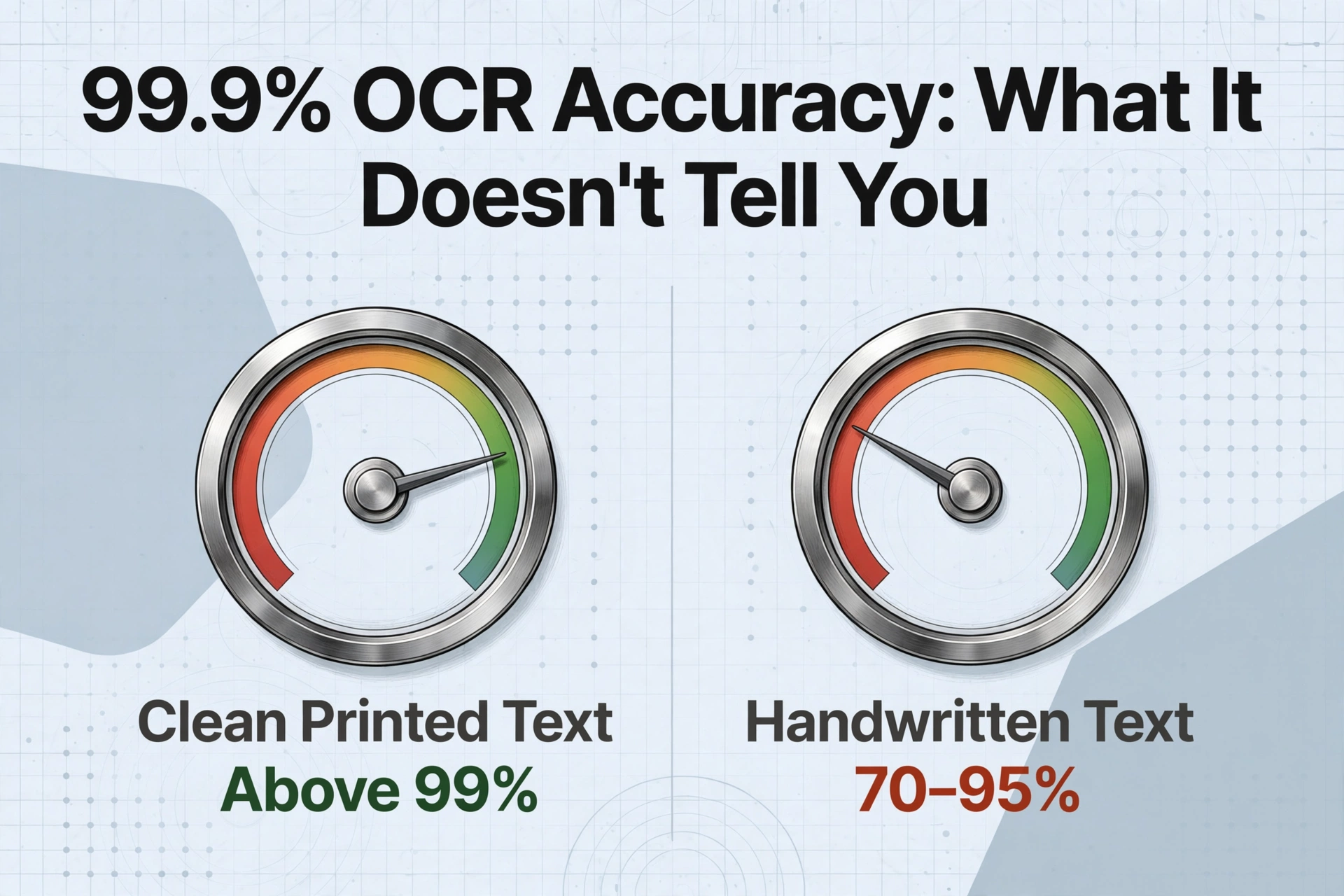
Independent benchmarks from AIMultiple's 2026 OCR benchmark illustrate the gap: leading API services achieve above 99% on clean printed text but drop to around 70–95% on handwriting depending on the engine — a range wide enough that two tools claiming 99% overall can differ by 25 percentage points on your actual documents. The headline number does not tell you which camp a vendor falls into because the headline number was never meant to.
The five questions below turn a vague accuracy claim into a concrete assessment. Ask them before you evaluate, and you will see which vendors have done real testing — and which ones are hoping you will not ask.
Q1: Tested on What Documents?
Accuracy is not a property of a tool. It is a property of a tool on a specific set of documents. Change the set and the number changes — sometimes dramatically. A vendor that tests on uniform, high-resolution, single-language invoices will report higher accuracy than one that tests on a mixed corpus of handwritten forms, faded photocopies, and phone-camera receipts. Both numbers can be true. Only one predicts what you will experience.
Ask for the exact composition of the test set: how many documents, from how many sources, in how many languages, at what resolution range. If the vendor cannot produce this breakdown, the accuracy figure has no anchor. It is a claim about an unknown dataset applied to an unknown document — which is to say, it is not useful.
This is also the right moment to check whether the tool relies on template matching or zonal OCR, which breaks when layouts vary. As we cover in what OCR accuracy actually means, template-based systems can perform well within their trained format and fail completely outside it — something a single "99%" number will never reveal.
Q2: At What Level — Character, Word, or Field?
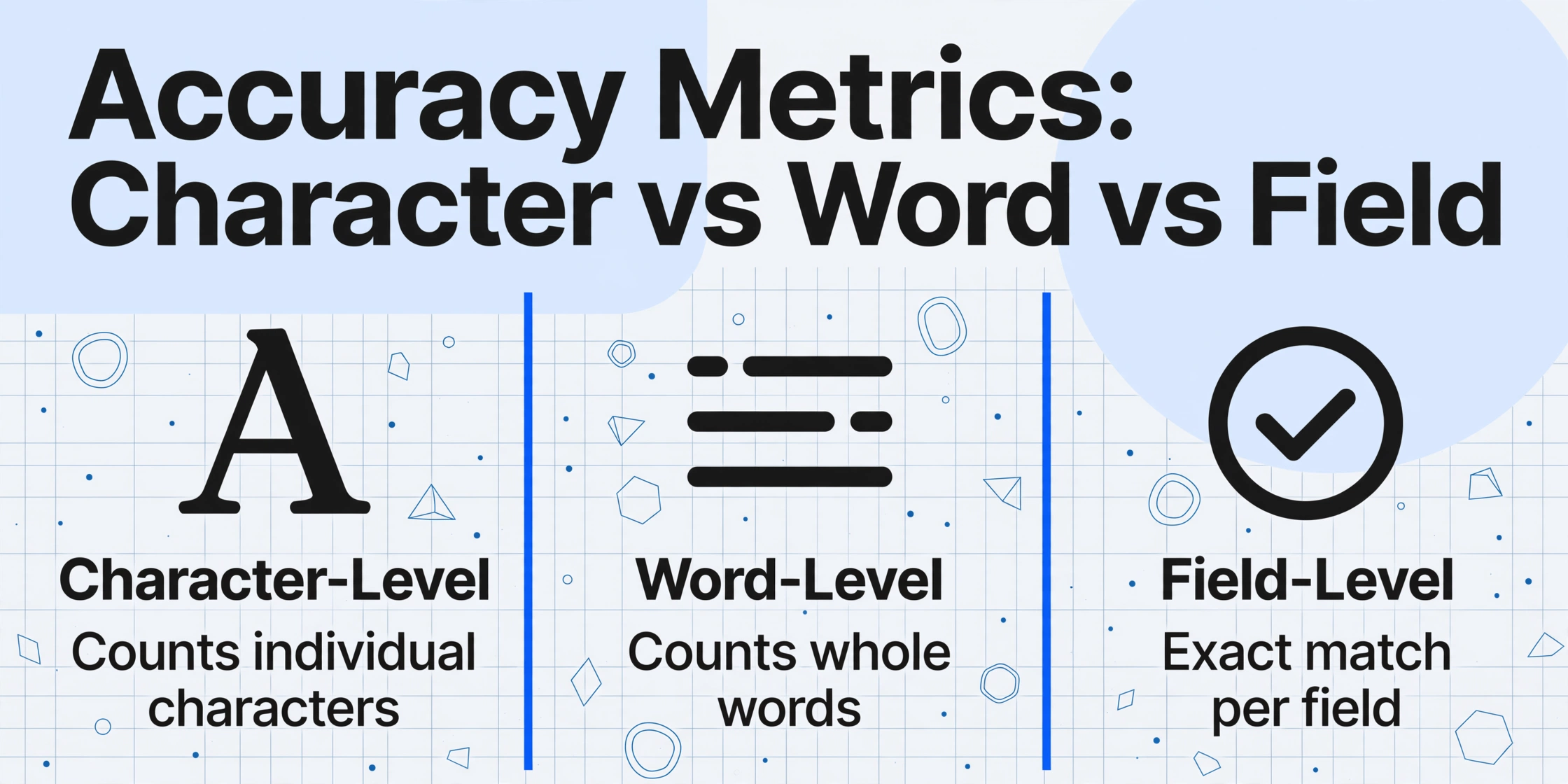
Accuracy can be measured at three levels, and vendors tend to report whichever one produces the highest number.
Character-level accuracy (CER) counts how many individual characters the engine reads correctly. If a document has 1,000 characters and 990 are right, that is 99% CER. It sounds impressive. It is also the least useful metric for any real-world task because a single wrong character can destroy the value of an entire field. An invoice total of $1,429.50 that the OCR reads as $1,429.50 is 7 out of 8 characters correct — 87.5% character accuracy — but the field is completely wrong. If that is the total your AP system pays, the error costs money regardless of how clean the rest of the characters were.
Field-level accuracy (also called semantic or exact-match accuracy) measures whether each complete data point — invoice number, due date, line-item amount — is extracted perfectly. A field is either correct or it is not. A single misread digit fails the entire field. This is the metric that maps to real business outcomes. A 2026 benchmark from LlamaIndex's OCR accuracy analysis sets the field-level accuracy threshold for straight-through processing at 99.9% — meaning one error per thousand fields. Below that, manual review is unavoidable.
The difference between character-level and field-level accuracy is not academic. A tool that reports 99% character accuracy may deliver field accuracy below 90% on the same documents. As we explore in why OCR accuracy drops by document type, the gap widens further on complex layouts where a single misinterpreted table boundary scrambles every field in a row.
When a vendor quotes an accuracy number, your first follow-up should be: "Is that character-level, word-level, or field-level? And can you share field-level results broken down by document type?"
Q3: What Was Excluded From the Test Set?
A vendor's test methodology document — the one they publish on their blog or include in a whitepaper — often contains more useful information in its exclusion criteria than in its accuracy numbers. What did they deliberately leave out?
Common exclusions include: handwritten text, documents with stamps or logos overlapping data fields, multi-page PDFs, low-resolution mobile-phone photos, non-English languages, and any document with annotations or corrections in the margins. Each exclusion narrows the applicability of the reported accuracy. A 99% figure that excludes handwriting is uninformative if your workflow includes handwritten delivery notes — and as we detail in OCR handwriting accuracy reality, the gap between printed and handwritten accuracy can be 20 percentage points or more in the same engine. A benchmark that excludes multi-language documents tells you nothing about how the tool will handle a bilingual invoice.
A particularly important exclusion is the treatment of rotated, skewed, or low-contrast images. Traditional OCR engines are brittle on these inputs. As our 2026 OCR software comparison notes, some tools apply pre-processing pipelines that normalize image quality before recognition — but many do not, and their accuracy claims implicitly assume the input is already clean.
Ask directly: "Which document types, quality levels, and conditions did you exclude, and can you share accuracy results specifically on the types of documents you excluded?" The answer will tell you more than the headline number.
Q4: What Error Tolerance Was Applied?
Even at the field level, there is a less obvious variable: how close does a value have to be to count as "correct"? Some vendors count a field as accurate if the extracted value matches after minor formatting normalization — stripping punctuation, standardizing date formats, ignoring leading zeros. That is reasonable. But others go further: counting a numeric field as correct if it is within a certain percentage of the ground truth, or accepting a field if any substring matches, or treating a spelled-out number as equivalent to its digit form.
These tolerances are not necessarily wrong. Some applications truly do not care whether a date is formatted MM/DD/YYYY or YYYY-MM-DD. The problem is that the tolerance is almost never disclosed alongside the accuracy number. A 98% field-level figure that allows a 5% variance on dollar amounts means something very different from a 98% figure that requires exact character-by-character matching on every field.
This is especially relevant for numeric fields like totals, quantities, and tax amounts — the fields where accuracy matters most and where even a single wrong digit creates a reconciliation headache. If a tool reports 99% field accuracy on invoice totals but counts $1,429.50 and $1,429.00 as a match because the difference is within a 1% tolerance band, then the real exact-match accuracy is lower than advertised.
Ask: "What exactly qualifies as a correct extraction? Are approximate matches counted as correct? At what threshold?"
Q5: What's the Accuracy on Documents That Look Like Yours?
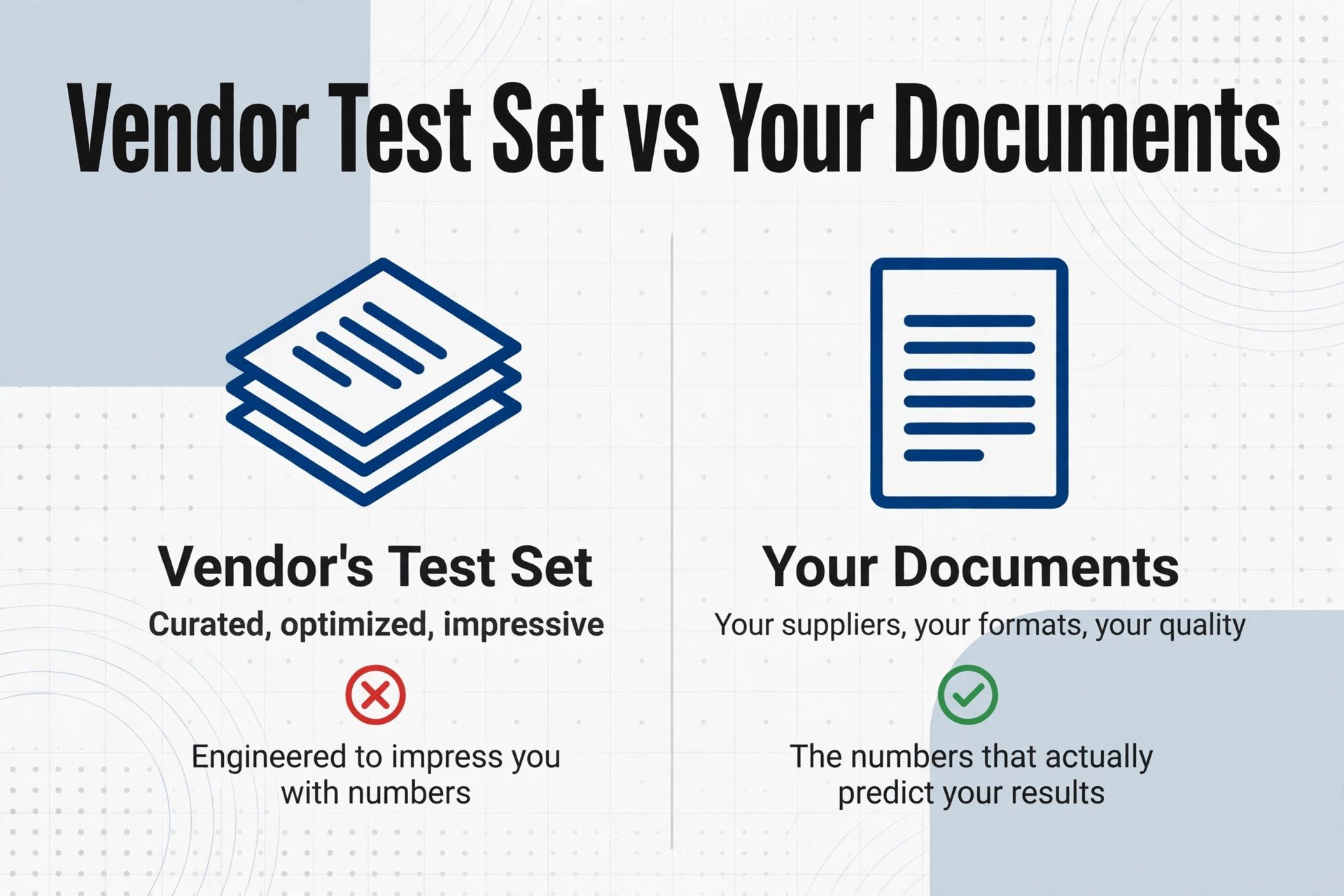
This is the only question that ultimately matters, and it is the one most buyers skip. A vendor's test set contains their documents — the ones they chose, curated, and optimized for. Your documents contain your suppliers, your customers, your formats, your image quality, your field types. Those are different things.
Here is a practical test: prepare a sample of 20 to 50 documents that represent the range of quality and variety your team actually encounters. Send the same set to every vendor you are evaluating. Measure field-level accuracy on the specific fields you care about — invoice total, purchase order number, line-item descriptions — not on text that is irrelevant to your workflow. Compare the results side by side.
Any vendor that refuses a blind evaluation on your documents, or offers only a curated demo using their own samples, is giving you a number that was engineered to impress — not engineered to predict your outcome. A vendor that welcomes your test set and shares where their tool succeeds and where it struggles is telling you the truth.
This is also where the underlying extraction paradigm matters. Traditional OCR tools and template-based systems require you to train or configure them for each new format. Vision-language-model-based tools like ImageToTable.ai are template-free and format-independent: they read documents by understanding the meaning of fields rather than their position on the page, which means a single configuration works across layouts. The accuracy you measure on your test sample is the accuracy you will get in production — no format-specific tuning required.
FAQ
What is a good OCR accuracy number?
A good number depends on what you are extracting and what you consider an error. For clean printed text, field-level accuracy above 97% is achievable with most modern tools. For handwritten documents, 90–95% field-level accuracy is realistic with top engines. The most honest answer: test on your documents and set your own benchmark. There is no universal "good" number.
Why do vendors use character-level accuracy if it is misleading?
Because it is the highest number they can produce. Character-level accuracy benefits from averaging: one wrong digit in an 8-character total plus one wrong letter in a 4-character currency code produces 84% character accuracy on those two fields. But if you care about the total and the currency code being right, both fields are 100% wrong. Vendors report the metric that makes their product look best — and buyer pressure has not yet forced them to standardize on field-level reporting.
Can I trust independent OCR benchmarks?
Yes, with one caveat: make sure the benchmark tested on document types similar to yours. An independent benchmark like AIMultiple's DeltOCR Bench or the open-source OCRBench provides neutral comparisons, but the document mix may not match your workflow. Use benchmarks as a shortlist filter, then test finalists on your own documents.
Does higher accuracy always mean a better tool?
No. Accuracy is one dimension. A tool that achieves 99.5% field accuracy on invoices but requires ten training samples per template, breaks when a supplier changes its layout, and needs ongoing maintenance from an integration engineer may be less valuable in practice than a tool that delivers 97% accuracy on day one across every format with zero setup. Setup effort, maintenance cost, and breadth of document support often matter more than the last two percentage points of accuracy.
What to Do Next
Accuracy claims are not useless — they are just incomplete. A vendor that answers all five questions clearly, shares field-level results by document type, discloses exclusions and tolerances, and invites you to test on your own documents is a vendor worth taking seriously. A vendor that deflects, redirects to a case study, or offers only a curated demo is telling you something too — listen to it.
Take the next hour to pull together a sample set of the documents your team processes most often. Run them through the tools on your shortlist. Measure field-level accuracy on the fields that matter to your workflow — not on every character on the page. The number you get back will be lower than the marketing claim. But it will be your number, and that is the only one worth making a decision on.