What Does OCR Accuracy
Actually Mean? CER vs Field-Level Explained
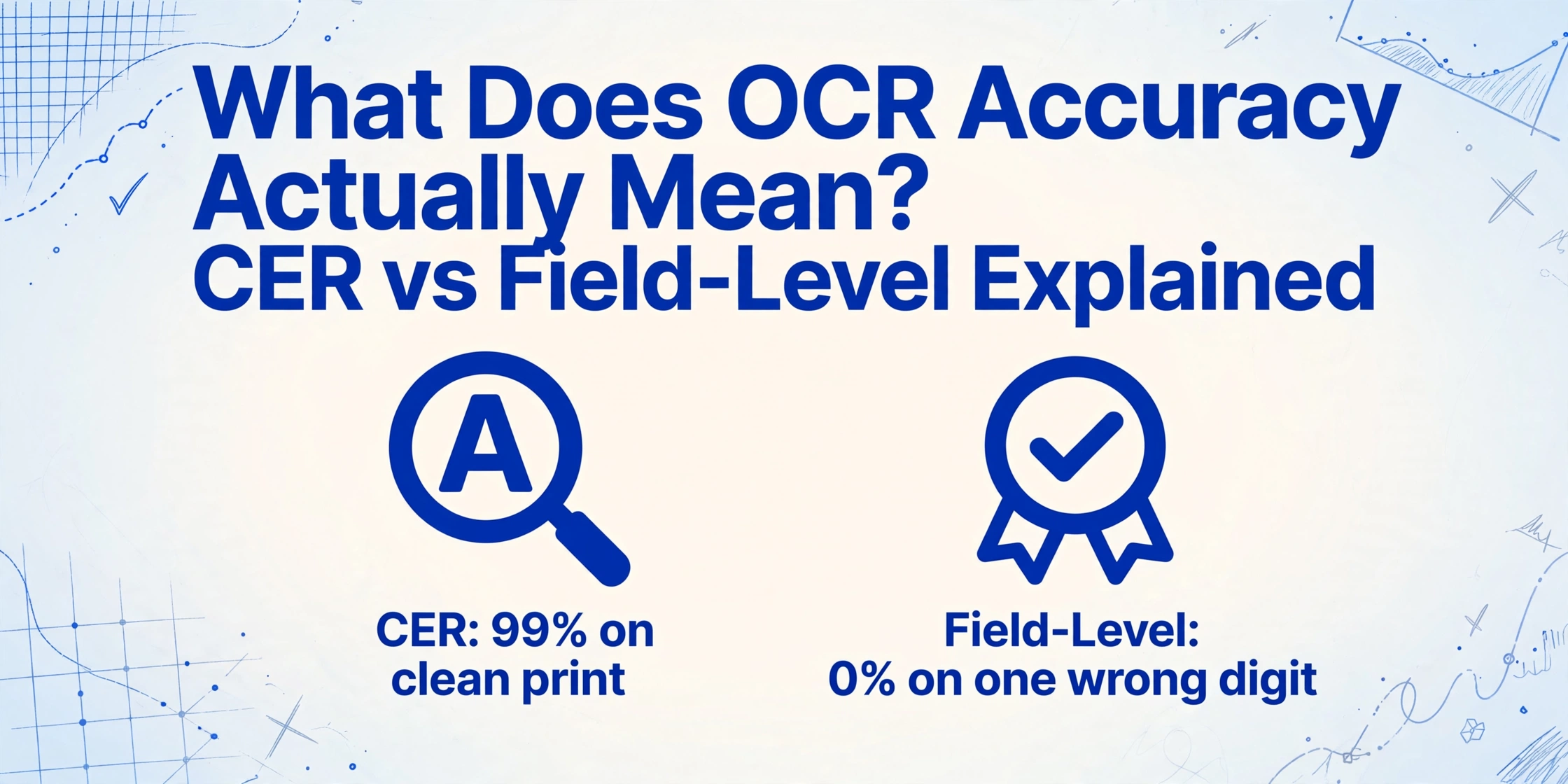
When an OCR vendor says "99% accuracy," they're almost always talking about character-level accuracy on clean, printed, English text — not whether your invoice total will come out right. That single stat routinely appears in product comparison tables, case studies, and marketing pages, presented as if it answers the only question a buyer needs answered. It does not. The gap between "99% character accuracy" and "usable data" is wide enough that two tools can both claim 99% and deliver wildly different results on the same document. Understanding that gap — what each accuracy metric actually measures, where it breaks down, and what it means for your specific documents — is the difference between buying a solution and buying a problem.
Key Takeaways
- The "99% accuracy" claim you see on every OCR tool treats a wrong invoice total the same as a smudged footnote — only two out of two hundred characters need to fail for a payment to go wrong.
- Those two wrong characters can silently push the wrong dollar amount into your accounting system with zero error flags because OCR engines do not know which characters cost you money.
- Field-level accuracy is the only metric that predicts whether your document pipeline will work — and five simple questions separate vendors who have done real testing from those hiding behind a CER number.
What CER (Character Error Rate) Actually Measures
Character Error Rate — or CER — is the most fundamental OCR accuracy metric. It measures how many individual characters the engine gets wrong: every substitution (an "O" read as "0"), every insertion (an extra character added), and every deletion (a character missed). The formula is straightforward: the sum of errors divided by the total number of characters in the ground truth.
On a standard printed document — think a clean PDF of a font like Arial or Times New Roman at 300 DPI — modern OCR engines consistently achieve a CER below 1%, meaning 99% or better character accuracy. This is the number that powers the "99% accuracy" claim you see everywhere, and it is legitimate within those constraints. Independent benchmarks confirm this: Microsoft Azure Document Intelligence, for instance, scored 96% on printed text in the AIMultiple OCR Benchmark, with several models crossing the 99% threshold on clean printed material. Academic research on OCR digitization programs has long established a CER of 1–2% as the benchmark for "good" OCR on printed text.
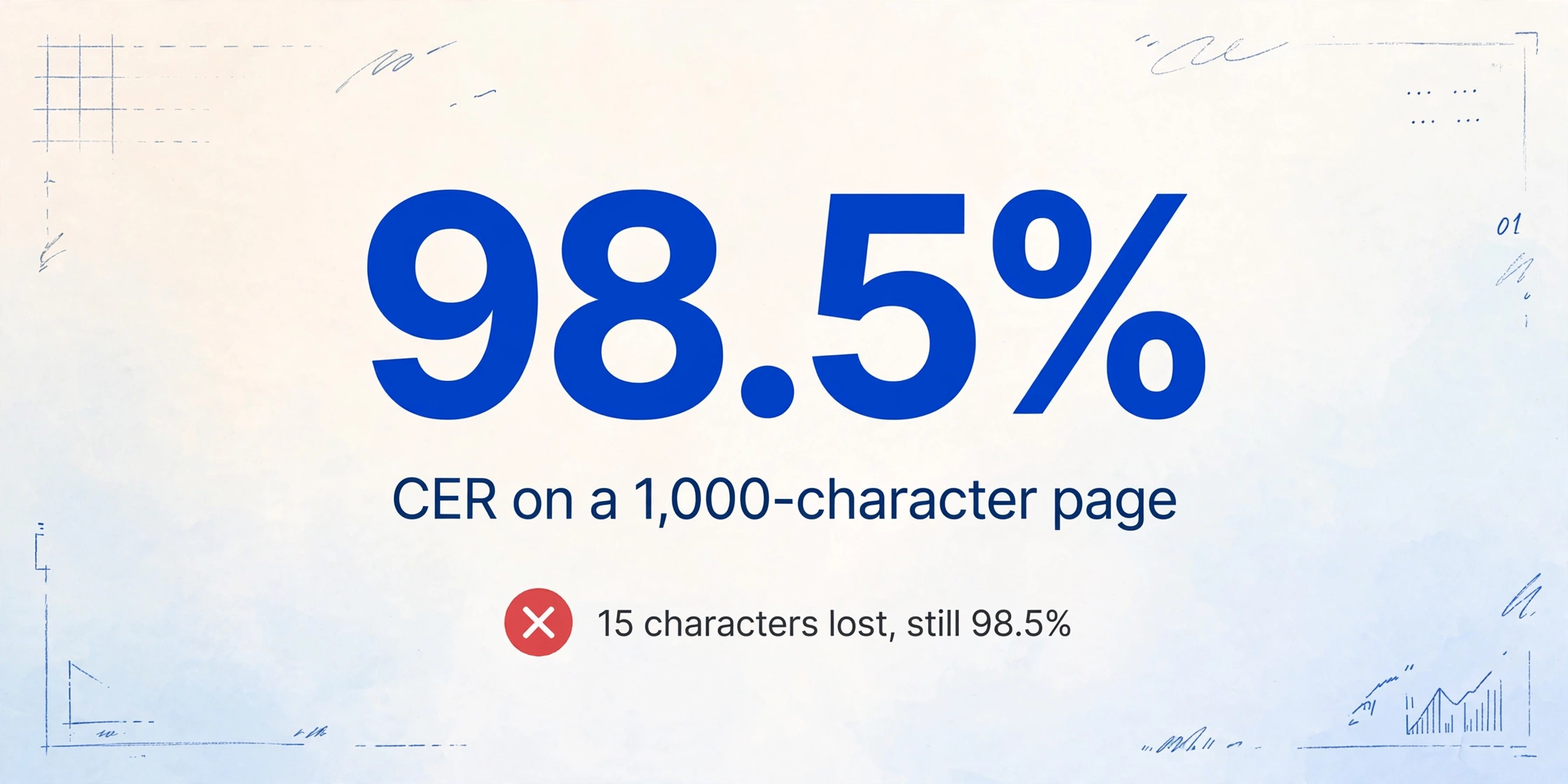
But here is what the headline number does not tell you: CER measures single characters. It treats every character as equally important. A misread comma in a footer gets the same weight as a misread digit in an invoice total. This flat weighting is the source of most confusion around accuracy claims. A system can lose 15 characters in a 1,000-character page and still report 98.5% CER — yet if those 15 characters are concentrated in critical fields, the output is unusable for any business process.
What WER (Word Error Rate) Captures Differently
Word Error Rate steps up one level: instead of counting individual character mistakes, it tracks how many whole words contain at least one error. A word is correct only if every character in it is recognized perfectly. This makes WER less granular than CER but more intuitive for business documents, where a single wrong character in "12,456.78" makes the entire value unreliable.
Industry benchmarks put WER below 2% for standard printed documents. The metric matters most when extracted text feeds into downstream systems that operate at the word level — search indexing, natural language pipelines, or database matching. If "Pacific Maritime Supplies" is read as "Pacific Maritimo Supplies," the WER penalty is 33%, even though the CER impact is just two characters out of 26.
WER is a bridge between raw character recognition and business-useful accuracy — but it still does not tell you whether a specific field came out right.
Field-Level Accuracy — The Metric That Actually Matters for Business
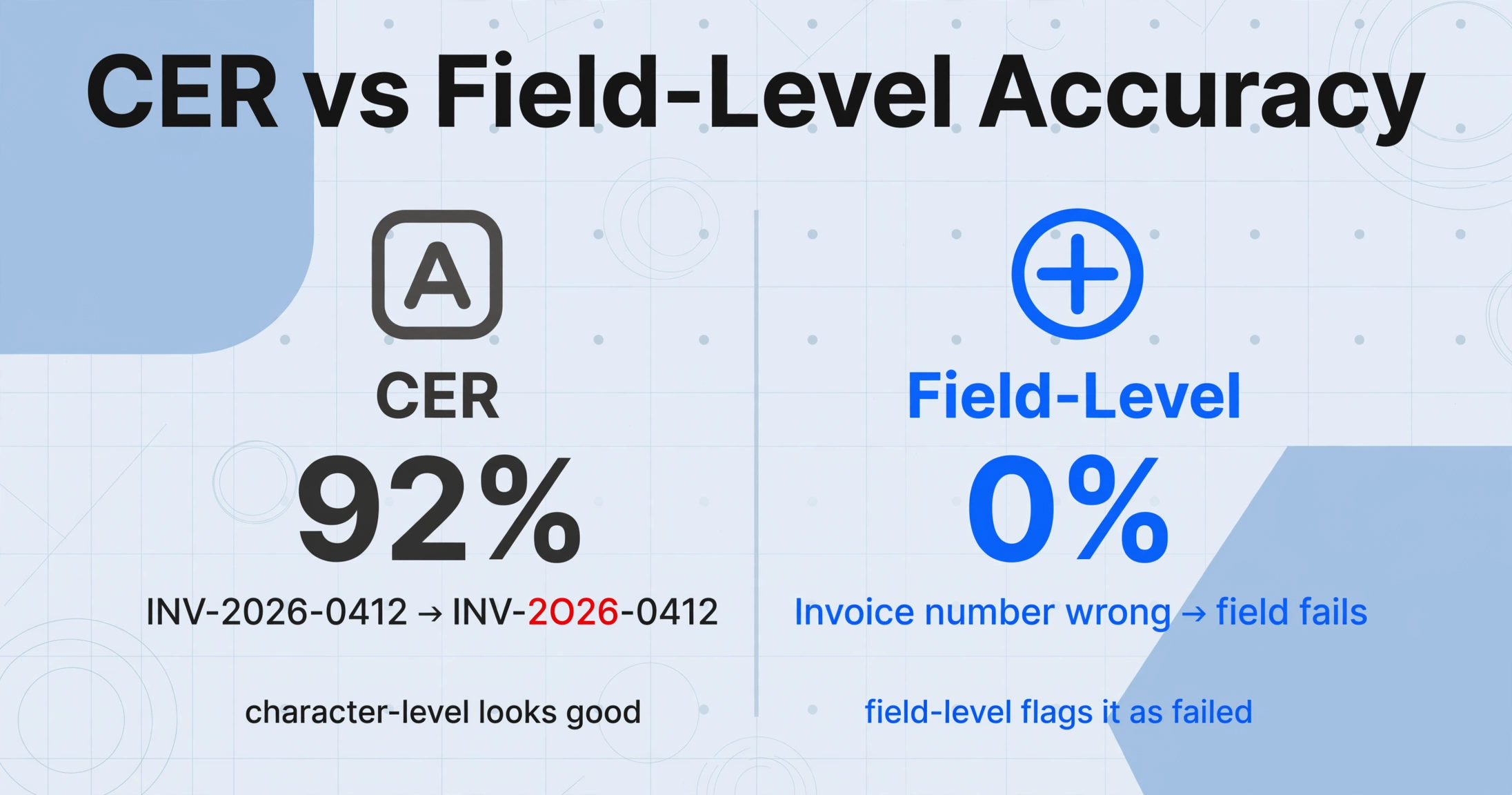
Field-level accuracy measures something fundamentally different from CER or WER: it asks whether each extracted data point — the invoice number, the total amount, the due date — is completely correct. A field is either right or wrong. Partial credit does not exist. An invoice number "INV-2026-0412" read as "INV-2O26-0412" (capital O instead of zero) scores 92% at the character level but 0% at the field level. For any downstream process — matching a payment, reconciling a total — that zero is the only number that matters.
This is the metric that determines whether your document pipeline can run without human review — known as straight-through processing (STP). Industry analysis suggests that 99.9% field-level accuracy is the practical threshold for enabling STP. Below that, every percentage point drop translates directly into more manual review time, more reconciliation failures, and more vendor disputes.
The gap between CER and field-level accuracy is where traditional OCR tools fall short and where AI-based extraction differentiates itself. A conventional OCR engine processes every character on the page with the same logic — it does not know that "$12,456.78" is the invoice total and therefore deserves special attention. An AI extraction model reads the document semantically: it identifies the invoice total as a distinct field and validates it in context. This is why the accuracy gap between AI OCR and traditional OCR is largest at the field level — where business impact is highest.
Why 99% CER Can Still Mean Wrong Data: A Concrete Example
The best way to understand why field-level accuracy is the only metric that matters for business is to work through a real scenario.
Consider a single-page invoice with 200 characters in total — vendor name and address, invoice number, a few line items with quantities and prices, a subtotal line, a tax line, and a final total. The OCR engine reports 99% CER, meaning it read 198 out of 200 characters correctly.
Two characters are wrong. That sounds like a near-perfect result.
But here is the question that CER does not answer: which two characters?
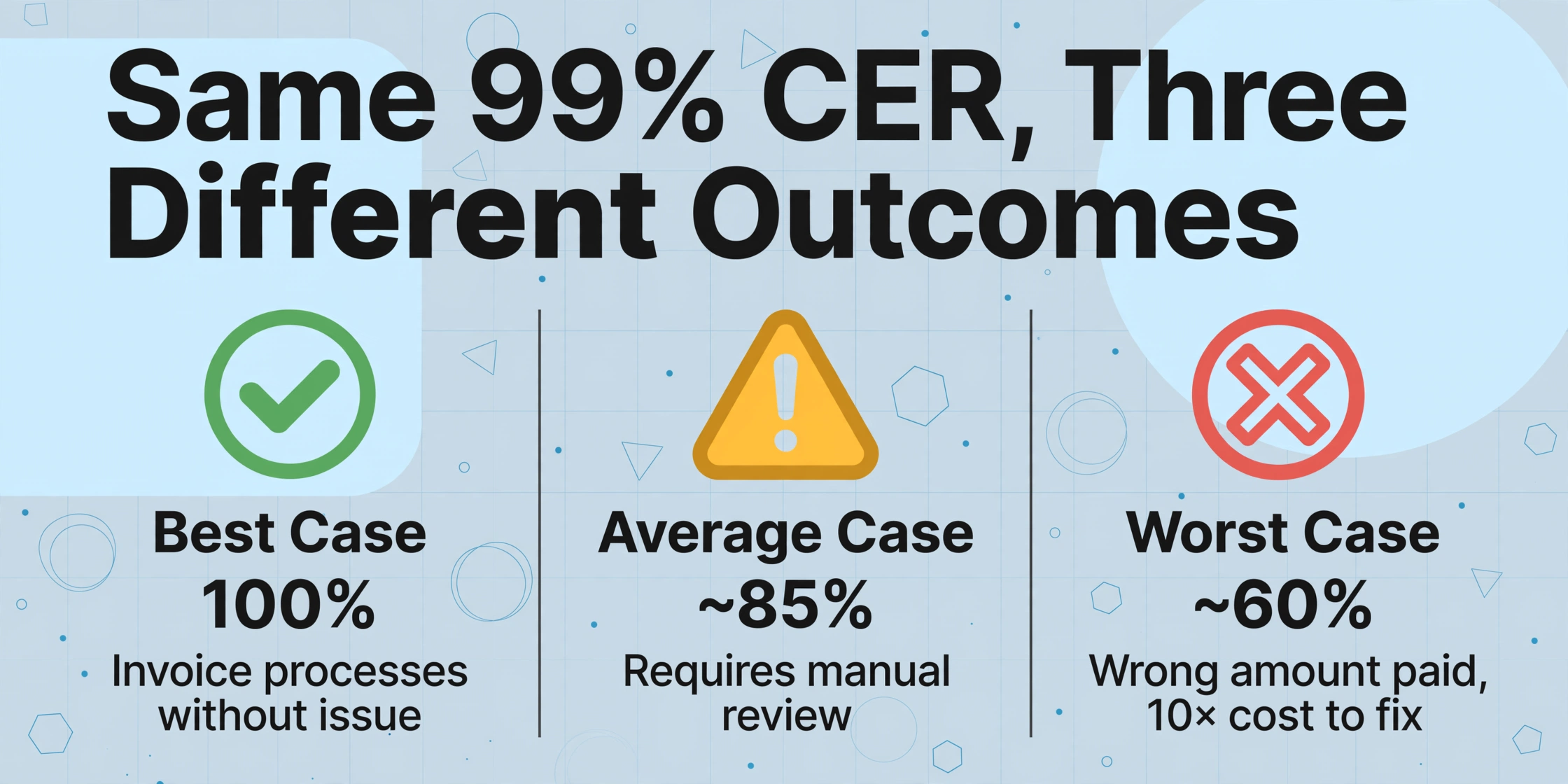
| Scenario | Where the 2 errors land | Field-level accuracy | Business outcome |
|---|---|---|---|
| Best case | Footer text, page number | 100% | All critical fields correct. Invoice processes without issue. |
| Average case | One digit in line-item price, one character in vendor street name | ~85% | Line item total is off. Requires manual review before payment. |
| Worst case | Two digits in the invoice total ($12,456.78 → $12,496.78) | ~60% | Wrong amount paid. Discovered at reconciliation, 10× cost to fix. |
The same 99% CER produces three completely different business outcomes depending on where the errors fall. This is not a theoretical edge case — it is the day-to-day reality of relying on character-level accuracy as the measure of extraction quality. In the worst case, a tool that "99% accurate" on a per-character basis silently pushes a wrong dollar figure into your accounting system, and no error flag fires because the OCR engine does not know — cannot know — that it made a mistake on a critical field.
What Different Accuracy Numbers Look Like in Practice
Accuracy varies dramatically depending on the document type and input quality, and the ranges are wide enough to make single-number claims nearly meaningless. Drawing from independent benchmarks and industry data, here is how accuracy metrics shift across common document conditions for AI-based extraction systems (which consistently outperform traditional OCR on non-ideal inputs):
| Document condition | Typical CER range | Typical field-level accuracy | Why accuracy drops |
|---|---|---|---|
| Clean digital PDF (printed text) | <1% | 98–99% | Minimal degradation — uniform fonts, high contrast, no noise |
| High-quality 300 DPI scan | 1–3% | 95–98% | Mild binarization artifacts, slight skew, minor font variation |
| Multi-vendor invoices (varied layouts) | 2–5% | 85–95% | Format variability — traditional OCR fails first; AI extraction holds up better |
| Phone photo in normal lighting | 5–15% | 70–90% | Perspective distortion, motion blur, non-uniform lighting |
| Handwritten text (block print in structured forms) | 5–20% | 85–93% | Character morphology variance — no two writers produce the same "a" or "7" |
| Faded carbon copy / thermal paper receipt | 10–25% | 50–75% | Low contrast, background interference, dye fading over time |
These ranges draw from multiple independent sources. The AIMultiple OCR Benchmark finds best-performing vision models achieve 93–96% on handwriting but drop to 85% on complex printed media. LlamaIndex's analysis shows open-source OCR (Tesseract, PaddleOCR) landing at 88–94%, enterprise APIs (Google, Azure, AWS) at 96–98%, and AI-powered document processing exceeding 99% on complex documents with validation loops.
The crucial pattern: the spread between CER and field-level accuracy widens as document quality degrades. On a clean PDF the two metrics nearly converge. On a phone photo of a faded receipt, field-level accuracy can be 15–20 points below CER. A poor input does not distribute its errors evenly — it clusters them in regions that carry critical data (totals, dates, supplier names).
How to Read a Vendor Accuracy Claim: The 5-Question Framework
Every OCR and document extraction vendor publishes accuracy numbers. The following five questions separate marketing claims from meaningful information. If a vendor cannot or will not answer them transparently, assume the worst-case accuracy range applies to your documents.
What metric are you reporting?
If the answer is "character accuracy" or "CER," push for the field-level number. If they do not track field-level accuracy, they have not tested on the use case that matters for your business. Vendors who report field-level accuracy do so prominently — those who hide behind CER usually have something to hide.
What document type was tested?
99% on clean A4 printed text is a different product from 99% on multi-vendor invoices or handwritten forms. Ask for the exact document categories and sample sizes. A test set of 500 near-identical documents tells you nothing about real-world performance.
What was the input quality?
Were all documents scanned at 300 DPI? Were phone photos or faxes included? A tool tested only on perfect scans will not perform the same on the documents your employees actually produce.
How many document variations were tested?
100 invoices from 100 different vendors is exponentially harder than 100 from one vendor. Accuracy on homogeneous documents is not predictive of accuracy on the mixed document streams most businesses actually process.
What was your error tolerance?
Was partial credit given for fields that were "close enough"? Or was it strict exact match? The difference can inflate reported accuracy by 5–10 points, completely changing how the tool looks on paper versus how it performs in practice.
Frequently Asked Questions
Is 99% OCR accuracy good?
It depends entirely on what is being measured. 99% character-level accuracy on clean printed text is the current industry standard and generally considered good for that narrow context. But 99% field-level accuracy — where every critical data point (invoice number, total, date) is extracted perfectly — is significantly harder to achieve, especially on mixed-format documents. For business workflows, field-level accuracy is the number that matters, and the gap between the two can be 10–20 percentage points on real-world documents.
What is a good CER for OCR?
Industry benchmarks, drawn from decades of OCR research and practice, classify CER as follows: good OCR accuracy is CER of 1–2% (98–99% accurate), average is 2–10%, and poor is above 10%. For printed text on clean documents, modern engines consistently achieve CER below 1%. For handwriting, a CER as high as 20% can still be considered acceptable depending on the writing style and document structure — which is why character-level accuracy alone tells you very little about whether a tool will work for your specific use case.
Why does OCR accuracy drop on scanned documents?
Scanning introduces artifacts that degrade recognition: binarization threshold errors (where the engine guesses wrong about whether a pixel is text or background), skew from imperfect feeding, and compression artifacts from the scanner's image processing pipeline. As DPI drops below 200, character edges become increasingly ambiguous — a "c" and an "e" start to look identical, and thin strokes like the crossbar on a "t" disappear entirely. These are not OCR engine issues; they are input quality issues that no amount of algorithmic improvement can fully compensate for.
What is the difference between OCR accuracy and extraction accuracy?
OCR accuracy measures how well the engine converts image pixels to text characters. Extraction accuracy measures whether the system correctly identifies, extracts, and structures the right data from a document. A tool can have perfect OCR accuracy — reading every character correctly — and still fail at extraction if it mislabels the invoice total as a subtotal, or fails to associate a line item with its price. This distinction is the core difference between traditional OCR and AI document extraction, and it is why evaluating a tool on extraction accuracy rather than OCR accuracy is essential for any business process that depends on structured data.
Can AI extraction achieve 100% accuracy?
No tool can responsibly claim 100% accuracy on real-world documents. Even the best vision-language models occasionally misread ambiguous characters, encounter layouts outside their training distribution, or struggle with severely degraded inputs. The realistic target for AI extraction systems is 99%+ field-level accuracy on well-defined document types with quality inputs, combined with confidence scoring and exception routing — flagging the fraction of documents where the model is uncertain and sending them for human review. This hybrid approach (automated extraction + human-in-the-loop for exceptions) is the industry best practice for achieving genuinely reliable document processing at scale.