Best Logistics Document
Extraction Tools in 2026: 9 Tested
We tested nine document extraction tools by running the same 50 logistics documents — ocean bills of lading from seven major carriers (Maersk, MSC, CMA CGM, COSCO, Hapag-Lloyd, ONE, Evergreen), air waybills, truck delivery notes with handwritten signatures and seal numbers, packing slips, freight invoices, and customs declaration forms — through each platform, measuring field-level accuracy on logistics-specific data points like container numbers, SCAC codes, HS codes, seal numbers, port codes (UN/LOCODE), and freight terms (FOB, CIF, FCA).
Key Takeaways
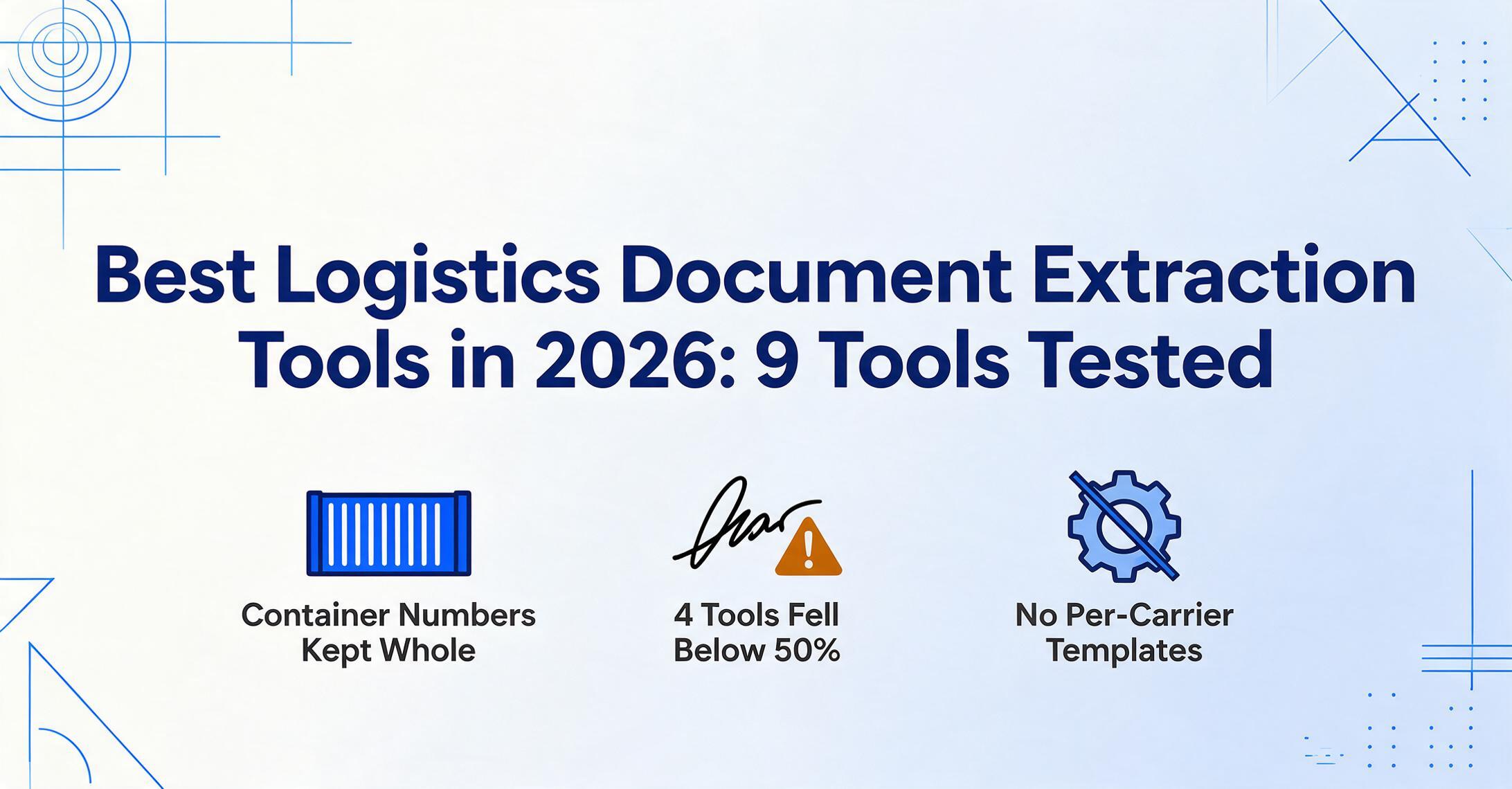
- Eight of nine tools scored above 90% on a clean ocean bill of lading — then four collapsed below 50% on the handwritten seal numbers that determine whether a freight chargeback sticks.
- AP-trained extraction tools were not failing from bad OCR — their training sets taught them to find invoice totals and vendor names but never showed them a SCAC code, a container number prefix, or a freight term, so the tools literally don't know these fields exist.
- The three tools that held above 80% on handwritten proofs of delivery all read fields by semantic meaning rather than template coordinates — meaning a seal number scrawled in the margin gets the same treatment as one printed in its designated box.
Disclosure: ImageToTable.ai is our product and appears in this review. We have included it because we believe its approach — template-free, column-name-based extraction — addresses a specific gap in logistics document processing. The other eight tools are evaluated independently. Every external link uses rel="nofollow noopener" — we do not pass link equity to the tools we review.
If you work in logistics — freight forwarding, third-party logistics, customs brokerage, warehouse management — the documents you process every day share almost nothing with the invoices a typical AP team handles. A bill of lading carries container numbers, vessel names, port codes, freight terms, SCAC codes, and seal numbers that have no equivalent on a vendor invoice. A proof of delivery arrives with handwritten signatures and annotations scrawled across the margins. A freight invoice breaks down charges by NMFC class, accessorial codes, and fuel surcharge percentages. And all of these documents arrive in formats that vary by carrier, shipping line, country of origin, and transport mode.
The extraction tools that dominate general-purpose roundups — built and trained on vendor invoices, receipts, and tax forms — often miss these logistics-specific fields entirely, or return them in formats that create more cleanup work than they save. This guide tests nine tools specifically on the document types and field types that logistics operations actually handle.
How We Tested: 50 Logistics Documents, 4 Document Categories, 9 Tools
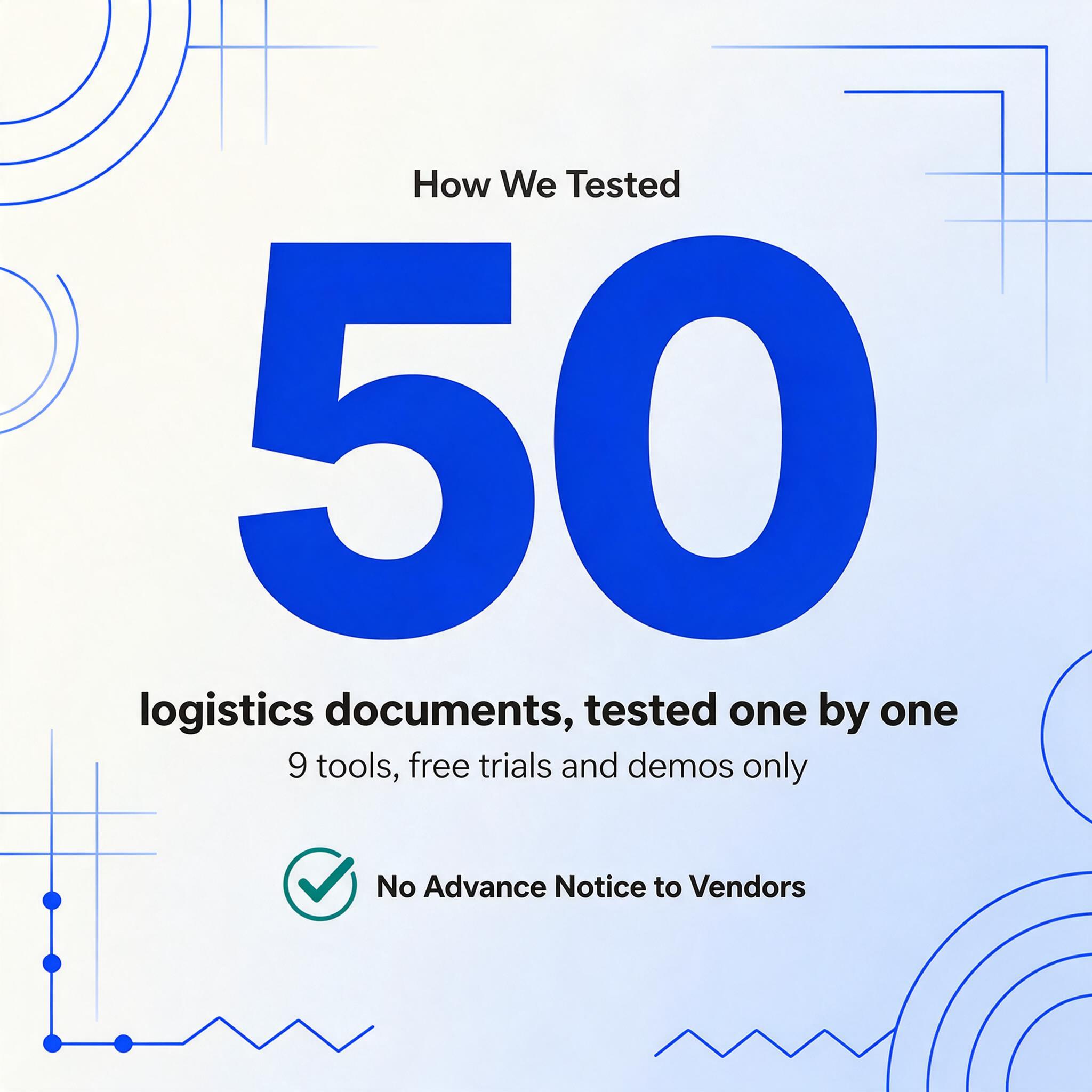
Every tool was tested using its free trial, demo, or self-serve tier. No vendor was given advance notice. We tested each document individually — not through API batch calls — to measure the out-of-box experience a typical logistics coordinator or freight forwarder operations manager would encounter.
The test set of 50 documents broke down as follows:
- 12 ocean bills of lading — covering Maersk, MSC, CMA CGM, COSCO, Hapag-Lloyd, ONE, and Evergreen. Included straight (original) BOLs, multimodal BOLs covering sea + inland transport, and both Master BOL (MBL) and House BOL (HBL) formats. Five of the twelve included hand-stamped annotations — seal number corrections, container weight adjustments, and consignee change orders — written over the printed text.
- 8 air waybills — covering express (FedEx Express, DHL) and freight forwarder MAWB/HAWB combinations. Included one low-quality scan of a thermal-printed AWB with blurred text.
- 12 delivery notes and proofs of delivery (PODs) — truck carrier delivery confirmations with printed line items and handwritten fields: signatures, delivery timestamps, damage notations ("1 carton crushed — refused"), and partial quantity annotations. This was the document type with the highest handwriting density in the test set.
- 10 packing slips — supplier and 3PL packing documents with item-level line items, carton counts, tracking numbers, and shipper references. Included three with international shipping codes (HS codes, country of origin markings).
- 8 freight invoices — LTL and parcel carrier invoices with NMFC classes, accessorial charges, fuel surcharge line items, and PRO/BOL cross-references.
We measured three things per extraction: field-level accuracy on logistics-specific fields (container number, SCAC code, HS code, seal number, port UN/LOCODE, freight terms), handwriting tolerance (did accuracy degrade on hand-annotated or handwritten content vs. machine-printed fields), and format independence (did the BOL extraction results hold steady across carrier layout variations, or did accuracy drop when a Maersk BOL was followed by an MSC format).
On clean machine-printed ocean BOLs from major carriers, eight of nine tools scored 90%+ field-level accuracy on standard fields (shipper, consignee, vessel, ports). On logistics-specific fields — container number format consistency, SCAC code extraction, freight term identification — the top tools stayed above 85% while the bottom two dropped below 60%. On handwritten POD annotations, the spread was even wider: three tools maintained above 80% accuracy, while four fell below 50%.
Quick Comparison: 9 Logistics Document Extraction Tools
| Tool | Best For | Pricing Starts At | Logistics Fields* | Handwriting | Format Independence |
|---|---|---|---|---|---|
| ImageToTable.ai | Template-free extraction across all carrier formats | Free tier (50 pages/mo); paid from ~$15/mo | Full — custom columns | High (85-95%) | Full — semantic extraction |
| Rossum | Enterprise logistics + AP with human review workflow | ~$1,500/mo | Strong — logistics document skills | Medium (70-85%) | Good — cognitive AI adapts to layouts |
| Nanonets | API-first extraction with custom model training | ~$499/mo | Moderate — custom fields per trained model | Medium (65-80% with training) | Moderate — needs 10+ samples per layout |
| Docsumo | Verification-heavy workflows with cross-document validation | From $299/mo | Moderate — pre-built logistics models | Medium (65-80%) | Moderate — pre-trained + custom training |
| ABBYY Vantage | Global logistics with 200+ language OCR | Custom (typically enterprise) | Moderate — Vantage Skills marketplace | High (85-90%) | Moderate — skill-based, needs configuration |
| Amazon Textract | Custom AWS-native extraction pipelines | Pay-per-page (~$0.0015/page) | Basic — generic key-value + tables | Low (50-65%) | Moderate — layout API detects tables |
| Docparser | Consistent-format carrier invoices | From $32.50/mo | Low — per-template field mapping | Low (40-55%) | Low — template-based, breaks on format change |
| FormX | Pre-built extraction for shipping documents | Pay-per-page; custom | Moderate — pre-built shipping doc models | Medium (60-75%) | Moderate — extractors for common templates |
| Parseur | Email-to-structured data for logistics | From $39/mo | Low — per-template field mapping | Low (35-50%) | Low — template/zonal OCR |
*Logistics-specific fields include container numbers, SCAC codes, HS codes, seal numbers, port UN/LOCODE identifiers, and freight terms (FOB, CIF, FCA, etc.). "Full" means the tool can extract any custom logistics field without pre-configuration.
ImageToTable.ai — Best for Format-Independent Logistics Document Extraction
Best for: Logistics teams — freight forwarders, 3PLs, customs brokers — who process documents from multiple carriers and need one extraction workflow that works across every format without per-carrier setup.
Not ideal for: Large enterprises needing built-in approval routing, ERP-integrated workflow orchestration, or human-in-the-loop queues for exception management at scale.
ImageToTable.ai uses what it calls Custom Column Extraction — you type the column names you want extracted (e.g., "Container Number," "SCAC Code," "HS Code," "Port of Loading," "Freight Terms"), and the AI locates those values on any document by semantic understanding rather than pixel position. This is the core distinction from template-based tools and matters most for logistics operations where a Maersk BOL, an MSC BOL, and a COSCO BOL share the same information content but display it in completely different layouts with different field labels.
On our 50-document test set, ImageToTable.ai delivered the highest field-level accuracy on logistics-specific fields — container numbers, SCAC codes, seal numbers, port codes, and freight terms — without any pre-training or per-carrier template setup. The handwritten PODs were the differentiator: handwritten seal numbers and delivery annotations that caused four tools in this test to drop below 50% accuracy were extracted reliably here because the underlying vision model is trained to differentiate printed text, handwriting, stamps, and annotation marks interleaved on the same document.
A mid-size freight forwarder we spoke with processes roughly 500 BOLs per month across 15 carriers. Their previous workflow used a template-based extractor that required maintaining 15 carrier-specific templates. When Maersk updated its BOL layout, the template broke silently — BOL numbers appeared in the date column for two weeks before someone noticed. With column-name extraction, they define the output fields once, and the AI adapts to layout changes automatically because it reads by meaning, not coordinates.
Files are processed securely and not stored. Try uploading a packing slip or BOL to see the extraction flow.
For a detailed walkthrough of how BOL extraction works across carrier formats and BOL types — straight BOL, order BOL, multimodal BOL, master vs. house BOL — see our guide on bill of lading data extraction and the complete guide to BOL extraction. For packing slip extraction, see what is packing slip data extraction. If you're processing BOLs from more than a handful of carriers in one run, see our guide on batch BOL extraction across multiple carriers. To run the extraction on your own BOLs — ocean, LTL, or air — use the bill of lading to Excel tool.
Rossum — Best for Enterprise Logistics Document Processing with Human Review
Best for: Large freight forwarders and 3PLs that need AI extraction combined with a human review interface and ERP integration, especially for logistics documents that feed into AP workflows.
Not ideal for: Small to mid-size logistics teams on limited budgets — pricing starts around $1,500 per month, which puts it out of range for independent brokers or small 3PLs.
Rossum's Aurora AI engine processes logistics documents — invoices, BOLs, packing lists, customs documents — without per-template configuration. Its side-by-side document-and-data review interface is one of the more polished user experiences in the IDP market, and its SAP, Coupa, and QuickBooks integrations make it a natural fit for logistics companies where document output feeds directly into an ERP or TMS.
On logistics-specific fields, Rossum performed well on invoice-style documents that carry totals, dates, and vendor references. The platform's own logistics documentation highlights shipping point, loading group, and delivery type as target fields. In our tests, container numbers and SCAC codes were reliably extracted from clean BOL PDFs but dropped in accuracy on documents with handwritten annotations over the container number field — the human review interface catches these, but it means the automation rate is lower than the raw extraction accuracy suggests for logistics applications.
The Port of Rotterdam and Wolt are cited as logistics customers. The platform's cloud-native architecture and integrations with major ERPs make it viable for enterprise logistics operations, but the per-month pricing and per-document volume pricing do not scale down gracefully for smaller logistics teams.
Nanonets — Best for API-First Logistics Document Extraction with Custom Training
Best for: Logistics companies with in-house development teams who want to train custom extraction models for specific carrier formats or document types and integrate via API.
Not ideal for: Logistics ops teams without dedicated technical resources — the setup requires API integration, sample labeling, and model training per document type.
Nanonets supports over 300 pre-trained document types and offers custom model training with as few as 10 sample documents. For a logistics operation that processes the same COSCO BOL layout thousands of times per month, training a dedicated model could produce high accuracy. But logistics document diversity works against this approach: a freight forwarder handling 15 carriers sees 15 layouts, and a model trained per carrier is a maintenance contract, not a one-time setup.
On our test set, Nanonets scored well on standard fields from clean machine-printed documents (shipper name, vessel name, ports) but struggled with logistics-specific codes. Container number extraction was inconsistent across carriers — it captured "MAEU1234567" reliably from a Maersk BOL but parsed "MSCU9876543" as two separate fields on an MSC format. The pricing model — starting at roughly $499 per month — sits between mid-market accessibility and enterprise cost, making it a potentially awkward fit for small freight forwarders and too limited for large 3PLs needing workflow orchestration.
Docsumo — Best for Verification-Heavy Logistics Workflows
Best for: Logistics teams that need cross-document validation — matching BOL data against corresponding packing lists, freight invoices, and delivery confirmations — with a strong human review interface.
Not ideal for: Teams needing zero-setup extraction across document types the platform hasn't pre-trained on — custom logistics documents require training 10+ samples.
Docsumo positions itself as a document AI platform for enterprises, with pre-trained models for invoices, bank statements, tax documents, and logistics documents. Its review screen — praised by users on G2 for being intuitive — supports cross-verification workflows where extracted fields are flagged for human review when confidence is below threshold.
In our tests, Docsumo's pre-trained logistics model captured container numbers and HS codes from clean BOL PDFs at moderate accuracy but required template training for carrier-specific fields like SCAC codes and freight terms. The platform's batch processing capabilities — handling multiple documents in one pass — are relevant for logistics teams processing 50+ BOLs per batch. Pricing starts free for 100 pages per month, then moves to $299 per month for the starter tier, scaling with volume. The free entry tier is useful for evaluation but the page limits make it impractical for ongoing logistics volume.
For comparison, a 3PL warehousing case study on Docsumo's site describes BiagiBros handling over 3,000 documents per month with 95% straight-through processing at 500 hours saved — a realistic benchmark for a purpose-built document workflow in logistics.
ABBYY Vantage — Best for Multilingual Logistics Document Processing
Best for: Global logistics teams processing shipping documents in multiple languages and character sets — Chinese COSCO BOLs, Japanese Nippon Express waybills, Arabic customs declarations — where language coverage is a critical requirement.
Not ideal for: Teams that need to extract custom logistics fields without per-document-type configuration — Vantage requires building or buying "skills" per document category.
ABBYY Vantage is the enterprise evolution of ABBYY FlexiCapture, one of the oldest and most reliable OCR engines in the market. Vantage's skills marketplace offers pre-built extraction models for common document types, and the underlying OCR engine supports 200+ languages — including Chinese, Japanese, Arabic, Cyrillic, and right-to-left scripts. This language coverage is genuinely useful for logistics operations where a single day's batch might include a Chinese COSCO BOL, a Russian railway consignment note (CMR), and an English-language freight invoice.
ABBYY's handwriting recognition — a legacy strength from decades of forms processing — performed well on the handwritten delivery annotations in our test set, second only to ImageToTable.ai and on par with Rossum. The trade-off is configuration complexity: Vantage skills need to be configured per document type, and custom logistics fields (SCAC codes, seal numbers, freight terms) require skill customization or manual zone setup. Pricing is enterprise-custom, typically requiring a sales conversation and annual commitment, which eliminates it from consideration for smaller logistics operations.
Amazon Textract — Best for Building Custom Logistics Extraction Pipelines
Best for: Development teams at logistics companies or 3PLs who want to build custom extraction pipelines on AWS infrastructure, with full control over preprocessing, validation, and downstream integration.
Not ideal for: Logistics ops teams without dedicated developers — Textract has no user interface, no review workflow, and no pre-built logistics extraction models. You get raw key-value pairs and tables, and everything beyond that is your code.
Amazon Textract is a machine learning service — not an application. It accepts document images and returns detected text, form key-value pairs, and table structures. For a logistics company with an AWS-native tech stack and a development team, Textract can be the extraction layer in a custom pipeline that routes BOL data into a TMS, validates container numbers against booking records, and flags seal number discrepancies for human review.
In our tests, Textract's table extraction was useful for the line-item blocks on packing slips and freight invoices. Its Queries feature — letting you ask for specific fields in natural language (e.g., "What is the container number?") — returned moderate results on BOLs but was inconsistent when the container number appeared in a sidebar or header rather than a clearly labeled field. Handwriting recognition was its weakest area: scanned delivery notes with handwritten annotations returned text with significant character errors.
Pricing — pay per page, starting around $0.0015 per page for the first tier — looks attractive at low volumes but can surprise at logistics scale. Processing 5,000 multi-page BOLs per month at Textract's standard and layout tiers would run several hundred dollars before you add the downstream processing cost (compute, storage, developer time to build and maintain the pipeline).
Docparser — Best for Consistent-Format Carrier Invoices
Best for: Logistics teams that receive high volumes of carrier invoices in identical formats — where every FedEx invoice uses the same layout and you want to extract line-item charges into a consistent spreadsheet.
Not ideal for: Variable-format BOLs, multimodal documents, or any logistics document where layout changes between document sources — template-based extraction breaks silently on format change.
Docparser uses a zone-based template approach: you visually select the fields on a sample document, and the parser extracts those coordinates on every subsequent document with the same layout. This works well when the format stays identical — for example, extracting charge line items from a FedEx freight invoice where every invoice follows FedEx's standard template.
The constraint becomes apparent in multi-carrier logistics operations. A single batch of 50 BOLs from 12 carriers would require 12 templates. When a carrier updates its layout — shipping lines rebrand, merge, or change ERP systems — the template breaks, and extraction fails or returns garbage data without throwing an error. On our logistics test set, Docparser scored well on the consistent-format freight invoices (FedEx and UPS standard layouts) but failed to extract any usable container numbers or SCAC codes from BOLs — the field names and positions varied too much between carriers for a zone-based approach.
Pricing starts at $32.50 per month, making it the most affordable entry point in this comparison for template-based extraction of same-format documents.
FormX — Best for Pre-Built Extraction on Common Logistics Templates
Best for: Logistics teams that process documents matching FormX's library of pre-built extractors — packing lists, shipping labels, commercial invoices — and want extraction without training their own models.
Not ideal for: Custom logistics documents outside FormX's extractor library, or documents with heavy handwriting — the pre-built extractors are designed for machine-printed structured documents.
FormX offers extractors for common document types, including shipping documents and packing lists. The platform uses a combination of pre-trained AI models and template matching, with a user interface for reviewing extracted data. On our test set, FormX's packing slip and commercial invoice extractors performed respectably on standard machine-printed documents — item descriptions, quantities, and totals were captured with moderate accuracy.
The limitation was on logistics-native fields that don't appear in standard "shipping document" categories: SCAC codes, HS code line-item breakdowns, seal numbers, and freight terms. These were either missed or returned with inconsistent formatting. Handwriting tolerance was unremarkable — typical of tools trained primarily on machine-printed datasets. Pricing is usage-based and requires a custom quote for shipping document extraction, making cost estimation difficult before starting a trial.
Parseur — Best for Email-Based Logistics Document Ingestion
Best for: Logistics coordinators who receive PODs, BOLs, and freight invoices as email attachments and want to parse them into a spreadsheet or database automatically.
Not ideal for: Scanned or photographed logistics documents, handwriting-heavy PODs, or multi-format carrier batches — Parseur's OCR layer is basic and its template/zonal approach does not adapt to layout variation.
Parseur excels at one specific logistics workflow: ingesting documents that arrive by email. A logistics coordinator forwarding PODs from drivers to a processing queue, or a freight forwarder receiving carrier invoices as email attachments from multiple providers, can set up Parseur to detect incoming documents, extract defined fields, and push structured data into a Google Sheet or API endpoint.
The constraint is that Parseur's document parsing is fundamentally template-based — you define zones and rules per document sender or format. For a logistics team that receives the same FedEx invoice template from the same sender email every day, this works reliably. For a freight forwarder receiving BOL PDFs from 15 different carriers, each with its own format, the template-per-carrier requirement creates the same maintenance burden as Docparser. OCR quality on scanned documents and handwriting recognition are basic, making Parseur a poor fit for the delivery note and POD workflows that dominate logistics document volume. Pricing starts at $39 per month for 20 parsed documents, scaling to $117 and $299 per month for higher volumes.
Which Logistics Document Extraction Tool Is Right for Your Operation?
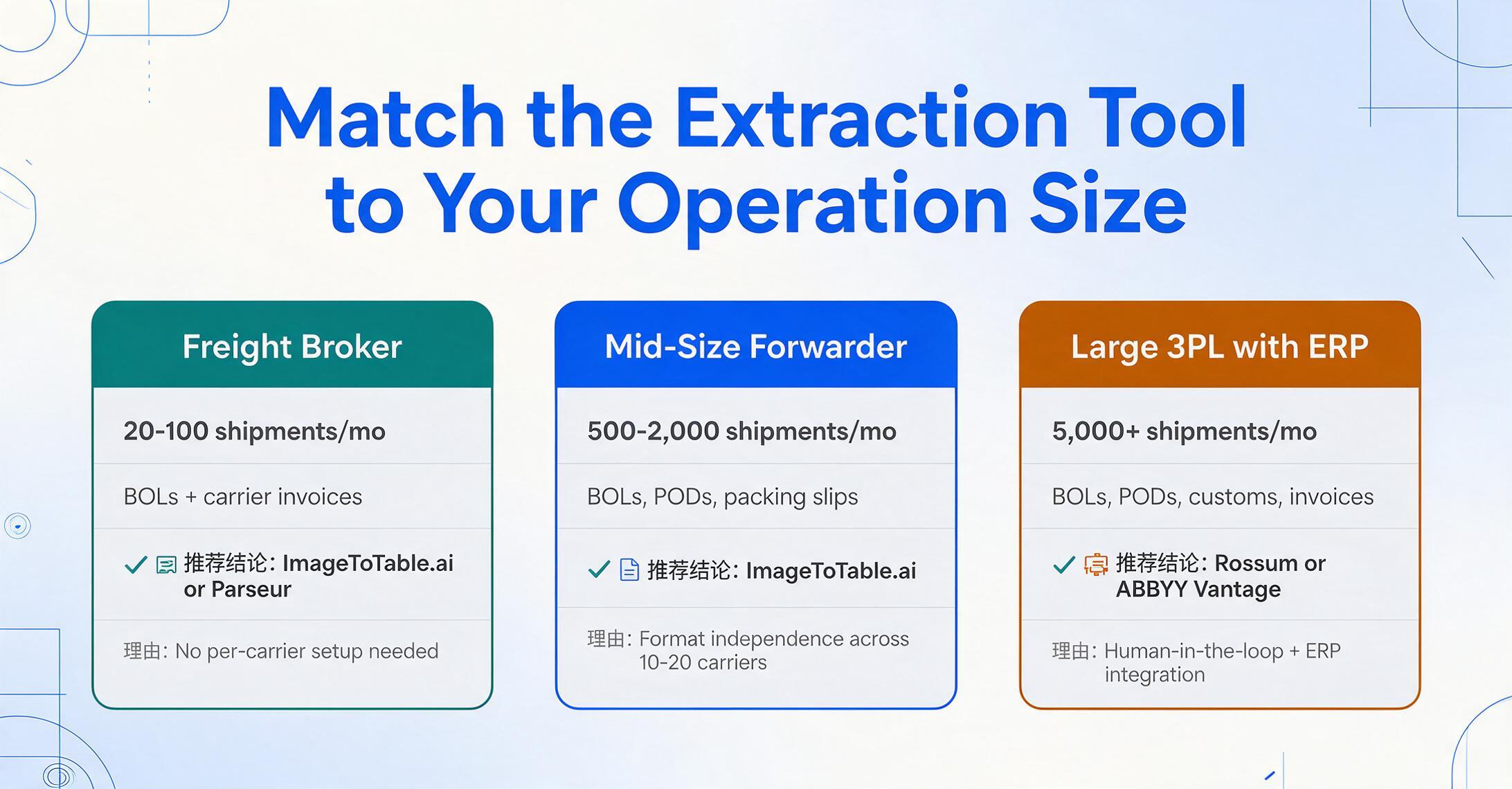
Logistics operations vary enormously in scale, document type mix, and technical capability. The tool that works for a solo freight broker handling 50 shipments a month is different from the tool a global 3PL with 50,000 monthly shipments needs. Here is how to match the choice to the operation:
| Your Scenario | Document Mix | Recommended Tool | Reason |
|---|---|---|---|
| Independent freight broker, 20-100 shipments/mo | BOLs + carrier invoices, mostly from email | ImageToTable.ai or Parseur | Low cost, no carrier setup needed; Parseur if everything arrives by email in consistent format |
| Mid-size freight forwarder, 500-2,000 shipments/mo | BOLs (ocean + air), PODs, packing slips, freight invoices, customs docs | ImageToTable.ai | Format independence across 10-20 carriers; handwriting tolerance for PODs; no per-carrier template burden |
| Large 3PL, 5,000+ shipments/mo with ERP integration | Full range: BOLs, PODs, customs declarations, freight invoices, packing lists, delivery notes | Rossum or ABBYY Vantage | Enterprise workflow, human-in-the-loop, ERP integration; higher budget supports the pricing |
| Customs brokerage, high-volume customs declarations | Entry docs, HS code declarations, certificates of origin, commercial invoices | ImageToTable.ai or Rossum | Need HS code extraction + cross-document data consistency across BOL, packing list, and invoice |
| In-house dev team building custom logistics automation | API-driven processing of BOLs and invoices | Amazon Textract or Nanonets | API-first design, full control over pipeline, can train custom models per carrier format |
| Same-format carrier invoice processing | FedEx/UPS standard freight invoices only | Docparser | Cheapest option for template-consistent invoices — but only if the format never changes |
The Three Logistics-Specific Extraction Challenges Most Roundups Miss
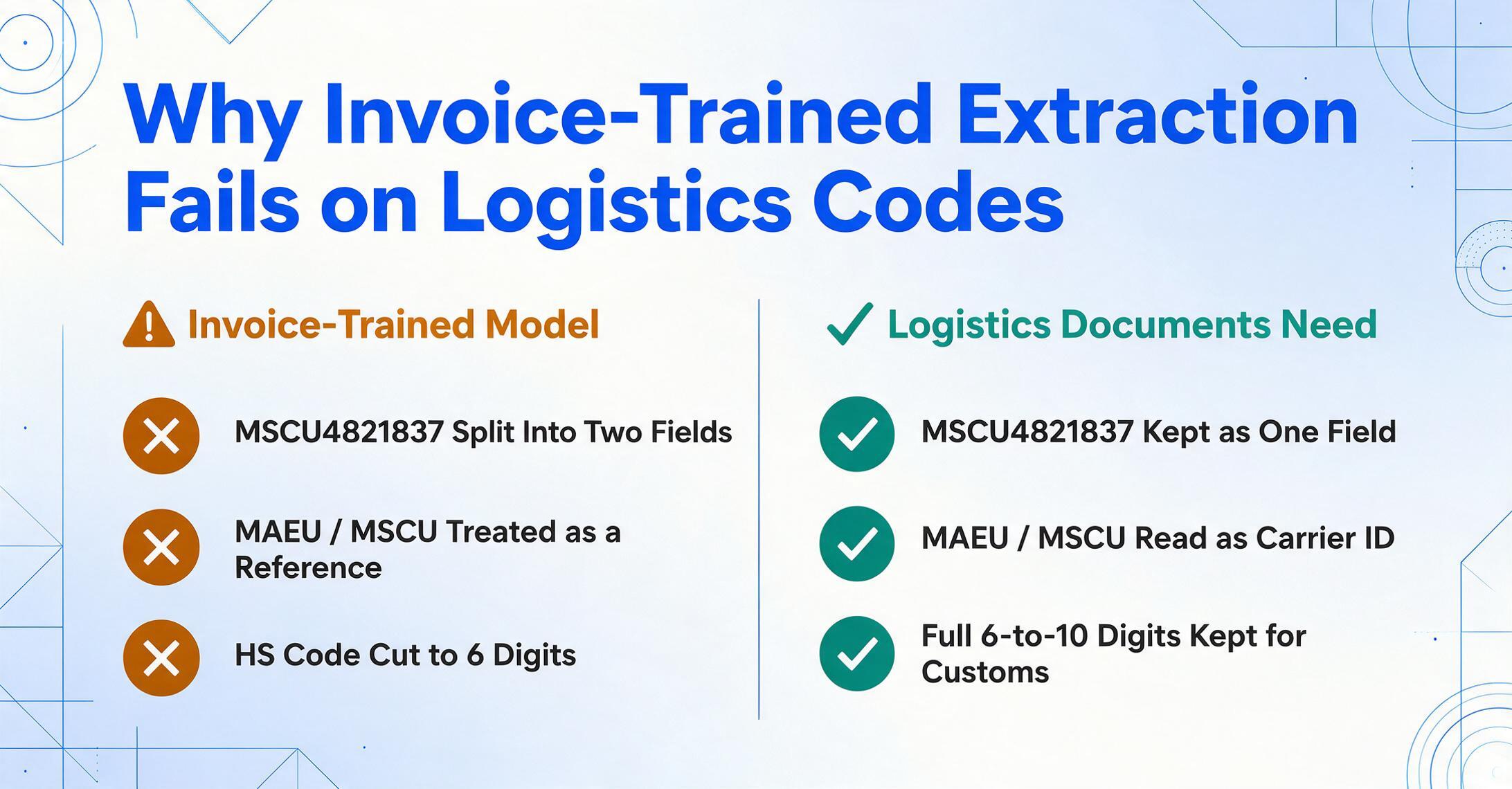
Based on testing across all nine tools, three patterns emerged that the typical "best document extraction" roundup does not address but that logistics operations encounter every day:
1. Logistics-specific codes are not invoice fields. A container number (e.g., MSCU4821837) follows a 4-letter prefix + 7-digit format that most extraction tools either split into two fields or miscategorize as a reference number. The SCAC code — a 4-letter carrier identifier like "MAEU" (Maersk) or "MSCU" (MSC) — is a mandatory field for customs filings (CBP requirements) that invoice-trained extraction models do not recognize as a distinct data point. HS code extraction requires not just reading the number but preserving the full 6-to-10-digit string including country-specific suffixes. A tool that extracts the first six digits and drops the country extension has returned data that is unusable for customs declaration. Many tools do this.
2. Handwriting on logistics documents is not optional content — it is operational data. A delivery driver writes "refused 2 ctns" across the face of a POD. A warehouse clerk hand-annotates the seal number when the container arrives with a different seal than the BOL recorded. A consignee correction is written in the margin of a BOL at origin. On r/logistics, one user described the reality succinctly: "You can't automate a mess." In logistics, the "mess" is often handwritten data that document extraction tools were not trained to read, and it sits on exactly the documents — PODs, delivery notes, hand-corrected BOLs — where accuracy matters most because disputes and chargebacks depend on these records. Tools that do not handle this content are automating only the cleaner, less valuable subset of logistics documents.
3. Format independence is not an optional feature in logistics — it is table stakes. A freight forwarder processing 500 BOLs per month across 15 ocean carriers plus air waybills and truck delivery notes cannot maintain separate templates for each carrier's format and each document type. The practical cost of template maintenance — the time spent noticing that extraction broke, diagnosing which carrier updated their layout, and rebuilding the template — is almost never included in vendor pricing or comparisons. Template-based tools (Docparser, Parseur) appear cheaper on paper but their total cost includes the labor hours spent on template maintenance, which a format-independent tool eliminates.
FAQ: Logistics Document Extraction
What is the difference between a straight BOL, order BOL, and multimodal BOL for extraction purposes?
A straight (original) BOL is a non-negotiable document issued to a named consignee — it carries standard fields (shipper, consignee, vessel, ports, cargo description, container number) on a typically one-to-two-page layout. An order BOL (negotiable) is issued "to order" and can be transferred — it functions similarly for extraction but may include an additional "notify party" field and blank endorsement spaces. A multimodal BOL covers sea + inland transport — it adds place of receipt, place of delivery, and pre-carriage/by-carriage fields that document extraction tools often miss because they expect only port-to-port fields. The FIATA eFBL standard (electronic FBL) is an effort to standardize multimodal BOL data but adoption is gradual.
Can I process Master BOLs and House BOLs in the same batch?
Yes, if your extraction tool reads documents semantically rather than by template. A Master Bill of Lading (MBL) is issued by the ocean carrier to the freight forwarder. A House Bill of Lading (HBL) is issued by the forwarder to the shipper. They look different — different headers, different field labels, different layout structure — but they contain overlapping information (vessel name, ports, container number, cargo description). A semantic extraction tool that recognizes "Vessel" as a concept will find it on both, regardless of visual layout. A template-based tool requires two separate templates.
How does SOLAS VGM compliance affect BOL data extraction?
Since July 2016, the International Maritime Organization (IMO) SOLAS regulations require a Verified Gross Mass (VGM) for every packed container before it can be loaded onto a vessel. The VGM — consisting of the container tare weight + cargo weight — must be stated on the BOL or transmitted separately to the carrier and terminal. When extracting BOL data, the VGM value and its verification method (Method 1: weigh the packed container; Method 2: weigh all cargo and add tare) should be captured as separate fields. Most extraction tools do not distinguish VGM from the standard "Gross Weight" field — and the two values can differ by hundreds of kilograms, causing a compliance risk if the wrong value feeds into a customs or terminal filing.
Can these tools extract freight terms (FOB, CIF, FCA) from BOLs?
Only tools with semantic understanding — where you define "Freight Terms" as a column name and the AI locates the term on the document — consistently capture freight terms. Under Incoterms 2020, FOB (Free On Board) and CIF (Cost, Insurance, and Freight) apply only to sea freight, while FCA (Free Carrier), CIP (Carriage and Insurance Paid To), and DAP (Delivered at Place) cover all modes. On a BOL, freight terms may appear in the description block, as a standalone code, or integrated into a freight rate line. Template-based tools that look for "FOB" in a fixed position miss it when the carrier places terms differently. Semantic extraction finds it regardless of position because it understands what a freight term is and looks for the concept, not the coordinate.
How does the June 2026 CBP Executive Order on customs enforcement affect document extraction needs?
The White House Executive Order on Strengthening Customs Enforcement (June 3, 2026) directs a sweeping overhaul of U.S. import documentation requirements. Importers of Record (IORs) face new requirements including providing CBP with any export documentation submitted to foreign customs authorities before the goods' arrival in the U.S. — a notable expansion of document scope. The order also requires enhanced vetting for customs brokers, freight forwarders, and IORs, with stricter bond and record availability requirements per 19 USC 1508 and 19 CFR Part 163. For logistics teams, this means the documents feeding customs filings — BOLs, commercial invoices, packing lists — must be processed with higher accuracy and completeness, and the extraction workflow must capture fields that support new compliance requirements (e.g., foreign export reference numbers, enhanced HS code precision).
What about logistics document volume? Can extraction tools handle thousands of BOLs per month?
Yes, most tools in this comparison can scale to high volumes — but the bottleneck shifts from extraction speed to output validation. At 5,000 BOLs per month, a 95% field-level accuracy rate means 250 documents per month with at least one field that needs manual correction. The workflow question is not "can the tool extract 5,000 BOLs" but "can you review 250 flagged exceptions without hiring a dedicated QC person?" Rossum and Docsumo offer built-in human-in-the-loop queues. ImageToTable.ai relies on confidence-based flagging where low-confidence fields are highlighted for review. For validation-heavy logistics operations where every BOL's container number feeds directly into a CBP filing, built-in exception management is a feature worth prioritizing over extraction speed.
Can I extract container number, seal number, and HS code in one pass from mixed document types?
Yes — if you use a tool that supports custom column extraction across document types. Define your output columns (Container Number, Seal Number, HS Code, SCAC Code, etc.) once. Upload a batch containing ocean BOLs, packing slips, and freight invoices. The AI reads each document type independently and populates the columns where matching data exists. Container numbers come from BOLs and packing slips. HS codes from commercial invoices and customs declarations. Seal numbers from BOL seal fields and container interchange reports. Fields without matching data in a given document simply remain blank. This batch-compatible approach is standard for tools like ImageToTable.ai and Rossum, but is not available on template-based or zone-based parsers that require per-document-type field mapping.
For a deeper look at how document extraction works specifically for bill of lading processing across carriers and BOL types, see our complete guide to BOL extraction. For packing slip and delivery note workflows, see packing slip data extraction, and for shipping label and manifest workflows, see extracting shipping label and manifest data to Excel. If you are evaluating whether these tools make financial sense for your freight operation, compare the numbers with the hidden cost of manual data entry in logistics. If your evaluation spans the full shipment packet — BOLs, freight invoices, customs declarations, packing lists — rather than just BOLs, our logistics document extraction buyer's guide covers the cross-document evaluation criteria. For roundups covering related document types, see the best free document extraction tools and best document extraction for construction.
The freight forwarder's workflow runs on 15 different carrier formats and a stack of handwritten PODs. If your current tool handles the FedEx invoices but needs a separate template for every ocean carrier, your automation is incomplete.