Best Free Document Extraction Tools
2026: 8 Options Compared
We tested eight free and low-cost document extraction tools — from open-source OCR engines to freemium AI platforms — by running the same 25 documents (invoices, receipts, and bank statements with varying layouts) through each at their maximum free tier. We measured what you actually get at no cost: accuracy on real-world documents, daily or monthly document limits, format support, and how hard the paywall hits when you need to go beyond the free allowance. Some of these tools are genuinely free forever. Others are free in name only. The difference matters more than any feature comparison.
Key Takeaways
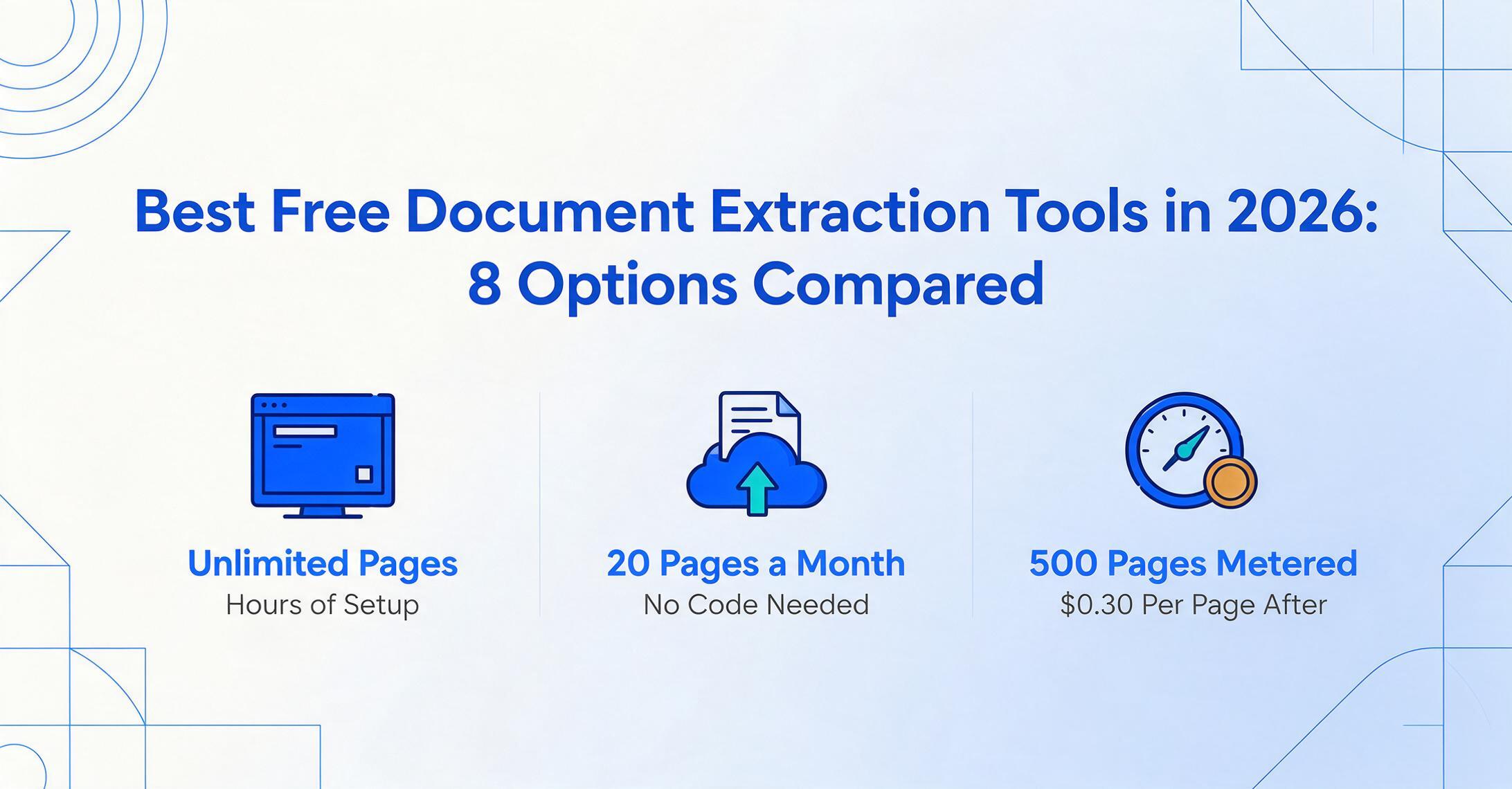
- Twenty pages per month or an unlimited pile of raw text that needs hours of cleanup — those are your only two flavors of free document extraction, and no single free tool gives you both volume and structure.
- The most overlooked cost of free OCR has never been the license fee — it is the 3 to 5 hours per document type you spend turning jumbled text into spreadsheet rows with regex and manual fixes.
- A $9 monthly subscription processes 150 documents into structured Excel automatically — cheaper than a single hour of developer time, and zero cleanup required.
Disclosure: ImageToTable.ai is our tool and appears in this review. We have included it because we believe its free tier is genuinely competitive for the entry-level document types it supports. The other seven tools are evaluated independently. Every external link uses rel="nofollow noopener" — we do not pass link equity to products we are reviewing.
Quick Comparison Table
Every tool in this table was tested at its maximum free allowance. "Free type" tells you what kind of free you are really getting — because "free" means very different things for a command-line OCR library versus a cloud AI platform versus a 14-day trial disguised as a free plan.
| Tool | Free Type | Monthly Limit | Structured Output? | Hidden Cost |
|---|---|---|---|---|
| Tesseract OCR | Open source (free forever) | Unlimited (local) | No — raw text only | Hours of setup & coding time |
| EasyOCR | Open source (free forever) | Unlimited (local) | No — text + bounding boxes | GPU recommended; 500 MB model download |
| Tabula | Open source (free forever) | Unlimited (local) | Yes — tables to CSV/Excel | Text-based PDFs only; no OCR capability |
| Parseur | Free forever (freemium) | 20 pages | Yes — structured fields | $39/mo after 20 pages |
| Nanonets | Pay-as-you-go (metered) | 500 pages ($0.30/page after) | Yes — structured JSON | $0.30/page after 500; $499/mo for Pro |
| ChatGPT Free | Free trial (usage-capped) | ~15–40 messages / 3 hrs | Depends on your prompt | GPT-4o mini only; image upload shares cap |
| Google Sheets + AI | Trial (promotional) | Promotional — limits start Jul 2026 | Yes — cells | Requires Workspace subscription ($8.40+/user/mo) |
| ImageToTable.ai | Free demo + freemium | 1 doc (guest) → paid from $9/mo | Yes — Excel/CSV/JSON/Word | $9/mo for 150 docs after demo |
How We Picked and Tested
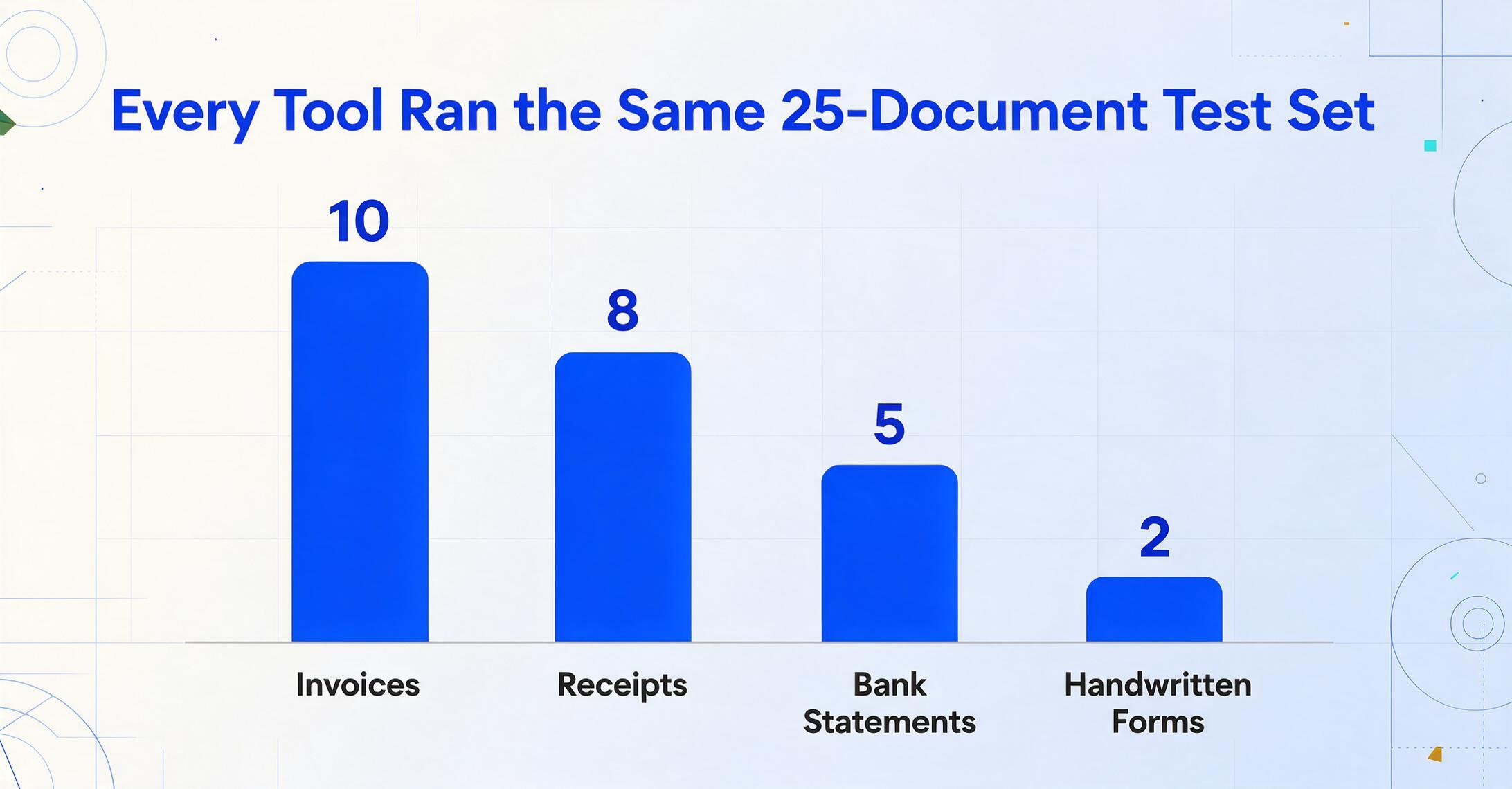
We built a test set of 25 documents: 10 invoices from different vendors (ranging from clean digital PDFs to phone photos of paper invoices), 8 receipts (some crumpled, some photographed at angles), 5 bank statements, and 2 handwritten forms. For each tool we measured three things:
- Raw extraction accuracy — did the tool get the characters right?
- Structural accuracy — did it preserve tables, columns, and field relationships, or did it dump everything into a flat text blob?
- Time to usable output — how much manual cleanup did you need before the data was spreadsheet-ready?
The goal was not to crown a single "best" tool. Free tools fill different needs. A developer who needs to OCR 10,000 scanned PDFs locally has different requirements than a freelancer who wants to turn three receipts a week into an Excel row without writing code. We wanted to map which tool fits which actual job.
The single most important thing to understand about free document extraction: Free tools either limit your volume (you get 20 pages per month) or your labor (you spend hours setting up and cleaning up). No free tool gives you both high volume and structured output without effort. If it seems too good to be true, check what you are spending on the setup and cleanup side.
Tesseract OCR: The Gold Standard for Developers Who Have Time
Free type: Open source (free forever, Apache 2.0)
Monthly limit: None — runs locally on your hardware
Best for: Developers building custom document processing pipelines who need a free, embeddable OCR engine
Not ideal for: Anyone who wants structured spreadsheet output without writing code
Tesseract is the most widely used open-source OCR engine in the world. Originally developed by HP and now maintained by Google, it supports over 100 languages, runs on any platform, and costs exactly zero dollars. Version 5 includes an LSTM-based neural network that significantly improved accuracy over earlier releases, especially on varied fonts and moderately degraded text.
Here is the reality check, though. Tesseract gives you raw text and nothing more. It does not understand tables. It does not identify fields. It does not tell you which number is an invoice total versus a line-item subtotal. A two-column page read straight across comes out as jumbled paragraphs. A table flattened into a wall of text loses every structural relationship. You need preprocessing (deskew, denoise, binarization), postprocessing (regex, fuzzy matching, layout reconstruction), and probably a separate table-extraction library like camelot or pdfplumber to get usable structured data. A Reddit user in r/automation put it bluntly: "Most people skip the preprocessing step and then wonder why their accuracy sucks."
On our clean digital PDF invoices, Tesseract hit roughly 87–91% character accuracy — fine for full-text search, not fine for direct spreadsheet ingestion. On phone photos of receipts, accuracy dropped below 75%. On handwritten documents, it was essentially unusable.
The "free" part of Tesseract is real — the license cost is zero. But the total cost of ownership includes hours of engineering time to build a pipeline that produces structured data. For a one-off extraction job, that cost almost certainly exceeds the subscription price of a paid tool.
Links: Tesseract on GitHub · Tesseract documentation
EasyOCR: Easier Setup, Same Structural Gap
Free type: Open source (free forever, Apache 2.0)
Monthly limit: None — runs locally
Best for: Quick prototyping, multilingual OCR tasks, and handwritten text on clean documents
Not ideal for: Production table extraction, large batches on CPU-only hardware
EasyOCR is a Python library built on PyTorch that supports 80+ languages out of the box. Installation is a single pip install easyocr — much simpler than Tesseract's binary-dependency setup. On handwriting, EasyOCR noticeably outperforms Tesseract, recovering text that older engines misread entirely. The same Reddit thread that wrote off Tesseract for handwriting noted that EasyOCR "handles messy documents significantly better."
But EasyOCR inherits the same structural limitation as Tesseract: it returns text with bounding boxes, not structured fields. On our test invoices, it correctly read most characters but jumbled line items and prices into a single text stream. It does not detect table structure, so a column of prices and quantities becomes indistinguishable from a paragraph. Independent benchmarks from March 2026 show EasyOCR at 62.5% accuracy on complex invoices versus 87.5% for Tesseract and 100% for PaddleOCR — though much of that gap is structural rather than character-level.
The model footprint is roughly 500 MB, and processing speed is about 3x slower than Tesseract on CPU. GPU acceleration helps but adds hardware requirements.
Links: EasyOCR on GitHub
Tabula: Free Table Extraction for Digital PDFs
Free type: Open source (free forever, MIT License)
Monthly limit: None — runs locally
Best for: Extracting clean data tables from text-based (non-scanned) PDFs
Not ideal for: Scanned documents, phone photos, receipts, invoices without clear table borders
Tabula is a specialized tool built by journalists at ProPublica and La Nación for a specific job: extracting data tables locked inside text-based PDFs. You open a PDF in Tabula's web interface, click and drag to select a table area, and it exports the data as CSV or Excel. For a clean digital PDF with a clearly defined table — think a financial report table or a government data sheet — Tabula is genuinely excellent: free, fast, and produces usable output.
The limitation is in the word "text-based." Tabula does zero OCR. If your PDF is a scanned document — which is most invoices, receipts, and bank statements in the real world — Tabula cannot read it. It requires selectable text in the PDF layer. On our test set, Tabula worked well on 3 of the 25 documents (the digital bank statements with visible table borders) and produced nothing useful on the rest. It also requires Java, which can be a hurdle for non-technical users.
Tabula is a focused tool that solves one specific problem well. If all your documents are digital PDFs with clean tables, it is genuinely the best free option. If your documents include any scanned or photographed content, you need a different tool for those.
Links: Tabula · Tabula on GitHub
Parseur: Perpetual Free Tier with Real Limits
Free type: Free forever (freemium)
Monthly limit: 20 pages
Best for: Testing an email-based extraction pipeline at zero cost; very-low-volume recurring extraction
Not ideal for: Any volume above 20 pages per month; documents without consistent layouts
Parseur offers a genuinely permanent free tier: 20 pages per month, unlimited mailboxes and extraction fields, one user, with 90-day data retention. No credit card required, no time limit. If you need to process exactly 20 or fewer documents per month and they arrive by email, this is the only truly free AI extraction option on the market that gives you structured field output without coding.
The catch is what happens when you exceed 20 pages. Parseur's paid plans start at $39/month for 100 pages (Micro tier, annual billing), then $99/month for 1,000 pages, $399/month for 10,000 pages. The jump from free ($0) to Micro ($39) is steep — you do not get a gradual pricing curve. And Parseur is fundamentally template-based: on the free and Micro tiers, you need to build parsing templates for each document layout. Its AI extraction (which handles layout variations without templates) is gated behind the Scale tier at $99/month.
On our test documents, Parseur's free tier handled the 20-page limit easily for basic field extraction (invoice number, date, total) from clean PDFs emailed to its mailbox. Accuracy was solid on the first few documents. But setting up the parsing template took about 30 minutes per document type — and when we switched to a different invoice layout, the template missed most fields.
For someone who needs to extract the same field from the same document format every month, Parseur's free tier is genuinely useful. For mixed-document workflows — which is most real-world scenarios — the time cost of template maintenance outweighs the free subscription.
Links: Parseur pricing
Nanonets: 500 Free Pages, Then $0.30 Each
Free type: Pay-as-you-go (metered — not a perpetual free tier)
Monthly limit: 500 pages per month at $0, then $0.30/page
Best for: Evaluating the platform before committing; one-off extraction projects under 500 pages
Not ideal for: Ongoing low-volume use (no perpetual free tier); cost-sensitive users above 500 pages
Nanonets offers a "Starter" plan that looks generous on paper: 500 free pages per month with no subscription fee. You pay $0.30 per page beyond that. No monthly commitment, no annual contract — just usage-based billing.
This is not a free tier in the traditional sense. It is a metered trial. The 500 pages do not roll over month to month. Once you have run through them, you either start paying $0.30 per page or stop using the platform. There is no permanent low-volume free option. For a one-off project — say, digitizing a box of 200 old invoices — the free allowance is genuinely useful. For ongoing use, the per-page cost adds up fast: 100 pages per month would cost $30, which is actually higher than many subscription tools.
On accuracy, Nanonets performed well on our test invoices — it is a proper AI extraction platform with pre-trained models for common document types. It returned structured JSON with field-level confidence scores. The setup process, however, requires training: Nanonets recommends uploading at least 10 sample documents before it learns your schema. For the first 10 documents of each type, extraction quality was noticeably lower than tools that require zero training.
Links: Nanonets pricing
ChatGPT Free: An AI Assistant, Not an Extraction Pipeline
Free type: Free trial (usage-capped per time window)
Monthly limit: 15–40 GPT-4o messages per 3-hour window (rough estimate, varies by load)
Best for: Extracting data from a single document image on an ad-hoc basis
Not ideal for: Batch processing, recurring extraction, or any workflow that needs predictable throughput
ChatGPT's free tier now includes GPT-4o (not GPT-4o mini for basic chat, but the full model for document uploads) and supports image and PDF uploads. You can upload a photo of an invoice and ask ChatGPT to extract the data into a table. For a single document, the results are surprisingly good — the model understands document semantics, identifies field relationships, and formats output as markdown tables or JSON.
The problem is the cap. OpenAI does not publish exact limits, but consistent community testing as of June 2026 puts the free tier at roughly 15–40 GPT-4o messages per 3-hour window. Image uploads consume the same message quota. When you hit the limit, ChatGPT either switches you to GPT-4o mini (significantly less capable for document analysis) or locks the feature until the window resets. For processing more than a couple of documents consecutively, the message cap becomes a hard blocker.
This makes ChatGPT's free tier useful for exactly one scenario: you have a single document you need data from right now, and you are willing to copy-paste the results manually. In that scenario, it is genuinely the easiest free option — no install, no signup complexity. But it is not a document extraction pipeline, and treating it as one will leave you frustrated by the third document.
Links: ChatGPT Free Tier FAQ
Google Sheets + Gemini AI: Works If You Already Pay for Workspace
Free type: Promotional access (temporary — limits begin July 2026)
Monthly limit: Promotional during 2026; per-user limits after July 2026
Best for: Google Workspace subscribers who want to extract data directly into their existing spreadsheets
Not ideal for: Anyone without a paid Workspace subscription; high-volume or recurring extraction
Google introduced the =AI() function in Sheets in early 2026, bringing generative AI directly into spreadsheet cells. You can reference a cell containing an image URL or uploaded file and ask the AI to extract structured data. The feature is currently in promotional access for Workspace subscribers, meaning the usage limits that will eventually apply have not been enforced yet. After July 15, 2026, per-user limits will go into effect — exact numbers are still TBD, but Google's precedent suggests tight caps on free-tier users.
There is a catch that many articles gloss over: you need a Google Workspace subscription to access the AI function at all. Workspace Business Starter costs $8.40/user/month. A free Google account (Gmail) does not get access. So the "free" part here is really "included in a subscription you are already paying for." If you are not already on Google Workspace, the entry cost is higher than most dedicated extraction tools.
On extraction quality, the =AI() function works well on clean documents with clear text. On our test invoices, it extracted totals and dates correctly about 80% of the time. Table extraction was hit-or-miss — it sometimes merged columns or misaligned rows. The function processes one cell at a time, so batch extraction requires chaining multiple formula calls across your spreadsheet.
Links: Google Workspace plans
ImageToTable.ai: Free Demo + Affordable AI Extraction
Free type: Free demo (one document, no sign-up) + paid subscription from $9/month
Monthly limit: 1 document on guest demo; 150 docs on $9 Basic plan
Best for: Anyone who needs AI-powered structured extraction from diverse document types without templates or training
Not ideal for: Automated email ingestion; teams needing ERP integration or SOC 2/HIPAA compliance
ImageToTable.ai is the tool we built, and we include it here because its free demo and entry-level pricing genuinely offer something unique in this landscape: template-free AI extraction that outputs structured data (Excel, CSV, JSON, Word) without requiring setup, training samples, or technical skills.
The free tier is a guest demo: upload one document, specify the column names you want (or let AI auto-detect), and get a structured table in about 10 seconds. No sign-up, no credit card. This is useful for evaluating whether AI extraction works on your specific document types before paying anything. The demo supports any document format (PDF, JPG, PNG, WebP) and includes ImageToTable.ai's core differentiator: Custom Column Extraction. Instead of drawing zones or training a model, you type the column names you want — "Invoice Number," "Due Date," "Total" — and the AI locates each value by understanding what it means, not where it sits on the page.
Beyond the demo, paid plans start at $9/month for 150 documents (about $0.06 per page, dropping to ~$0.04 on higher tiers). That includes batch processing (upload multiple files, get a merged Excel sheet), computed columns (define calculations that the AI performs during extraction), and the native Google Sheets add-on.
On our 25-document test set, ImageToTable.ai extracted structured data correctly from 23 of 25 documents on the first pass. The two failures were a heavily crumpled receipt photographed at a severe angle and a handwritten form with unusual abbreviations — the same edge cases that tripped every tool in this comparison.
Files are processed securely and not stored. Try extracting data from a receipt or invoice — no sign-up required.
Links: ImageToTable.ai · Full review of AI OCR tools
What Free Can't Do
Every free tool in this comparison shares a set of limitations that are rarely discussed in roundup articles. Here is exactly what you give up when you choose the free option:
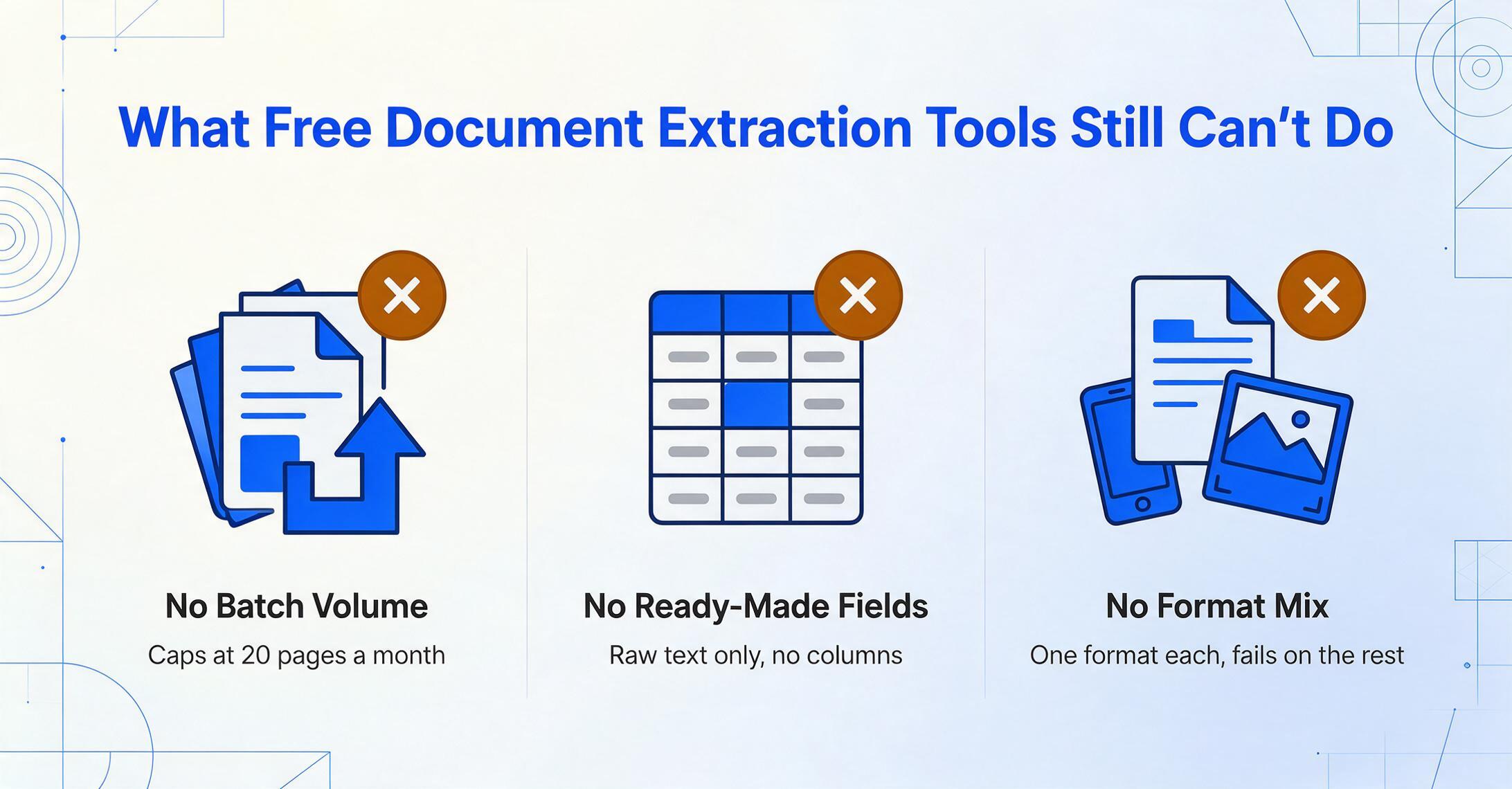
Batch processing at any meaningful volume. Every free tier caps your monthly document count at a number that makes batch processing impractical: 20 pages (Parseur), 500 pages with no monthly reset and $0.30/page overage (Nanonets), or effectively 1–2 documents per session (ChatGPT). The open-source tools (Tesseract, EasyOCR, Tabula) have no volume limits but require you to build the batch processing infrastructure yourself.
Structured output that is ready to use. This is the biggest gap. Open-source OCR engines return raw text or text-with-coordinates. They do not identify which field is the total, which date is the due date, or which column contains line-item prices. Getting structured data from free OCR means writing postprocessing logic — potentially hours of development and testing per document type. The freemium tools that do provide structured output (Parseur, Nanonets) cap your volume at levels that make recurring extraction difficult.
Multi-format resilience. Most free tools handle one format well (Tabula = digital PDFs, Tesseract = clean printed text) and fail on everything else. Real-world document workflows mix scanned PDFs, phone photos, digital PDFs, and spreadsheets — a combination that no single free tool handles competently. If your need is closer to "make this scan searchable" than "extract these specific fields," our free OCR software roundup covers that narrower job separately — plain text output, not structured columns.
Handwriting recognition at usable accuracy. Among the free options, EasyOCR handles neat handwriting best, but even at its peak it achieves roughly 60–70% accuracy on cursive or messy handwriting — meaning 30–40% of characters need manual correction. Tesseract falls below 40% on handwriting. The freemium tools (Nanonets at $0.30/page, ChatGPT's capped tier) handle handwriting better but still struggle with the edge cases that matter most in practice: medication names, handwritten amounts, and signatures.
Integrations and automation. Free tiers either offer no API access (Parseur free = no API), offer it with strict rate limits (ChatGPT API requires $5+ spend), or require you to build the integration yourself (Tesseract/EasyOCR). If your extraction workflow needs to connect to another system — accounting software, a database, a CRM — the free tool will almost certainly increase your integration cost.
The real cost of free document extraction is not your subscription fee. It is the time you spend getting data into a usable format. If you process more than 15–20 documents per month and need structured output, the total time cost of a free tool almost certainly exceeds a $9–$29/month subscription.
When Free Makes Sense — and When It Does Not
Based on our testing across all eight tools, here is the honest decision framework:
Stay free if:
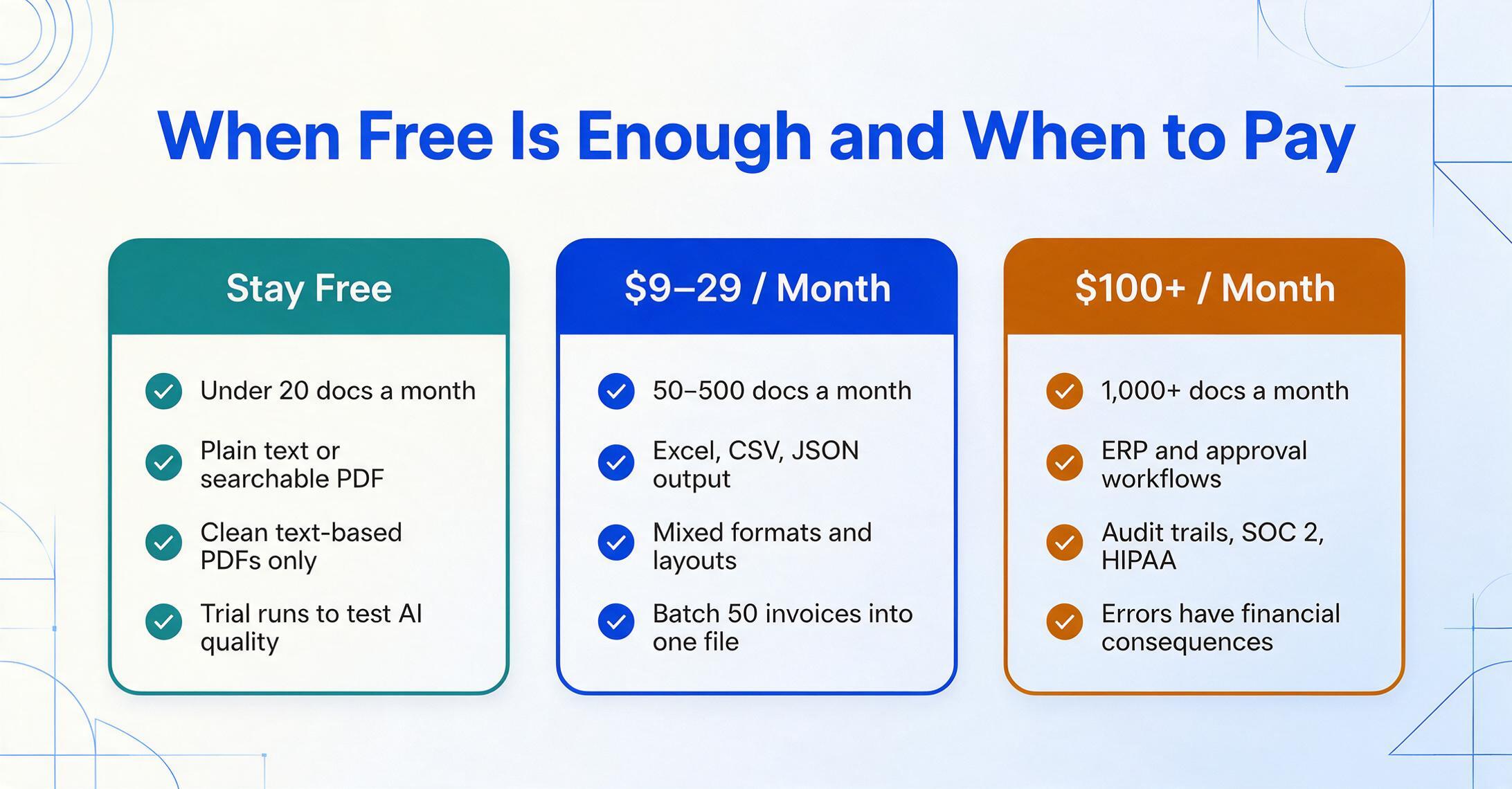
- You process fewer than 20 documents per month and have the technical skills to use open-source tools (Tesseract, EasyOCR, Tabula) or can work within Parseur's 20-page free tier
- You need plain text or searchable PDF output — not structured data in a spreadsheet
- All your documents are text-based PDFs with clean table formatting (Tabula handles this genuinely well)
- You want to evaluate AI extraction quality before committing to a paid tool (the free demo or trial tier of any platform works for this)
Pay $9–$29/month if:
- You process 50–500 documents per month and need structured data (Excel, CSV, JSON) without manual cleanup
- Your documents come in multiple formats (digital PDF + scanned + phone photos) and layouts change regularly
- You value your time at more than the cost of the subscription — a $9/month tool that saves you 2 hours of manual data entry is paying for itself 20x over
- You need batch processing (upload 50 invoices, get one Excel file with all rows)
Pay $100+/month if:
- You process 1,000+ documents per month and need enterprise features (approval workflows, ERP integration, audit trails, SOC 2/HIPAA compliance)
- Your extraction pipeline needs to operate as part of a broader automated workflow with minimal human intervention
- Accuracy failures have direct financial consequences (e.g., incorrect tax calculations from misread invoice data)
For a deeper look at how pricing scales across the document extraction market, see our document extraction pricing breakdown. If you are specifically looking at affordable options for invoice processing, the affordable invoice extraction guide covers that use case in detail.
Frequently Asked Questions
What is the best free OCR software for extracting data from scanned documents?
For extracting data (not just text) from scanned documents, no free OCR tool does the job end-to-end. Tesseract and EasyOCR can read text from scans but return unstructured output that requires significant manual cleanup. Tabula cannot handle scanned documents at all — it only works on digital PDFs. The freemium tools (Parseur, Nanonets) provide structured output but have tight volume limits. If you have a small number of scanned documents and need structured data, ImageToTable.ai's free demo lets you test one document at no cost to see if AI extraction works on your specific files.
Tesseract vs EasyOCR: which is better for document extraction?
It depends on your documents. For clean printed text on uniform backgrounds, Tesseract is faster (0.16s per page vs 0.66s) and has a smaller footprint (10 MB vs 500 MB). For handwriting, mixed scripts, or lower-quality images, EasyOCR recovers more text — though both tools produce raw text rather than structured field output. Neither tool is suitable for extracting structured data from complex documents out of the box.
How can I extract data from a PDF to Excel for free?
For text-based PDFs with clean tables, Tabula is the best free option — open it, click and drag to select the table, and export as CSV or Excel. For scanned PDFs or invoices with mixed layouts, you need AI-based extraction. ImageToTable.ai's free demo lets you upload one PDF and download structured Excel output without any setup. ChatGPT's free tier also works for single documents but is capped by message limits.
Is the Nanonets free tier really free?
The Nanonets Starter plan offers 500 free pages per month with no subscription fee, but it is a metered model rather than a perpetual free tier. Once you have used your 500 pages, you pay $0.30 per additional page. There is no monthly reset of free pages — the 500 pages are essentially a one-time evaluation allowance. For ongoing use, the per-page cost at low volume ($30 for 100 pages) is higher than most subscription tools.
What is a good free alternative to paid document extraction tools?
If you need structured output without coding, Parseur's 20-page free tier is the most generous permanent free option among AI extraction tools. If you have technical skills, a Tesseract + python preprocessing pipeline gives you unlimited volume at zero license cost — but expect to spend hours building and maintaining it. For a comparison of free and low-cost tools specifically for freelancers, see our freelancer extraction tools guide.
Can I use ChatGPT free tier for document data extraction?
Yes, for a single document at a time. ChatGPT's free tier supports image and PDF uploads with GPT-4o, and it does a surprisingly good job of extracting structured data from a single invoice or receipt. The limitation is message caps: roughly 15–40 messages per 3-hour window, with image uploads counting against that limit. For processing more than 2–3 documents in a session, you will likely hit the cap and need to wait or upgrade to ChatGPT Plus ($20/month).