Affordable Invoice Extraction Tools
for Small Business Under $50
Manual invoice processing costs businesses $15 to $16 per invoice in labor alone — time spent opening the document, locating fields, keying data into accounting software, cross-referencing PO numbers, and fixing typos. At 50 invoices a month, that means roughly $750 spent on data entry before a single check is cut. Most small business owners don't have an AP department to absorb that cost. They do it themselves at 10 p.m. after the day's real work is done. The automation answer has existed for years — but the pricing never fit. Nanonets starts its standard plan at $499 per month. Rossum requires a sales conversation that typically lands above $1,000. Those tools weren't built for a business processing 30 invoices a month. This article maps what invoice extraction actually costs at small business volumes, from $0.60 to $499 — and what you get (or don't) at each tier.
Key Takeaways
- $39 a month looks cheap — until you factor in an hour a week of template maintenance for 30 different vendor layouts.
- A single forgotten $500 vendor invoice costs $110 in unnecessary tax at the 22% bracket — and across a year of scattered bills, that overpayment compounds silently.
- When extraction costs $0.06 per page, the real math flips: a year of ImageToTable.ai at 30 invoices/month costs less than two hours of your billable time spent on data entry.
The Real Invoice Volume at a Small Business
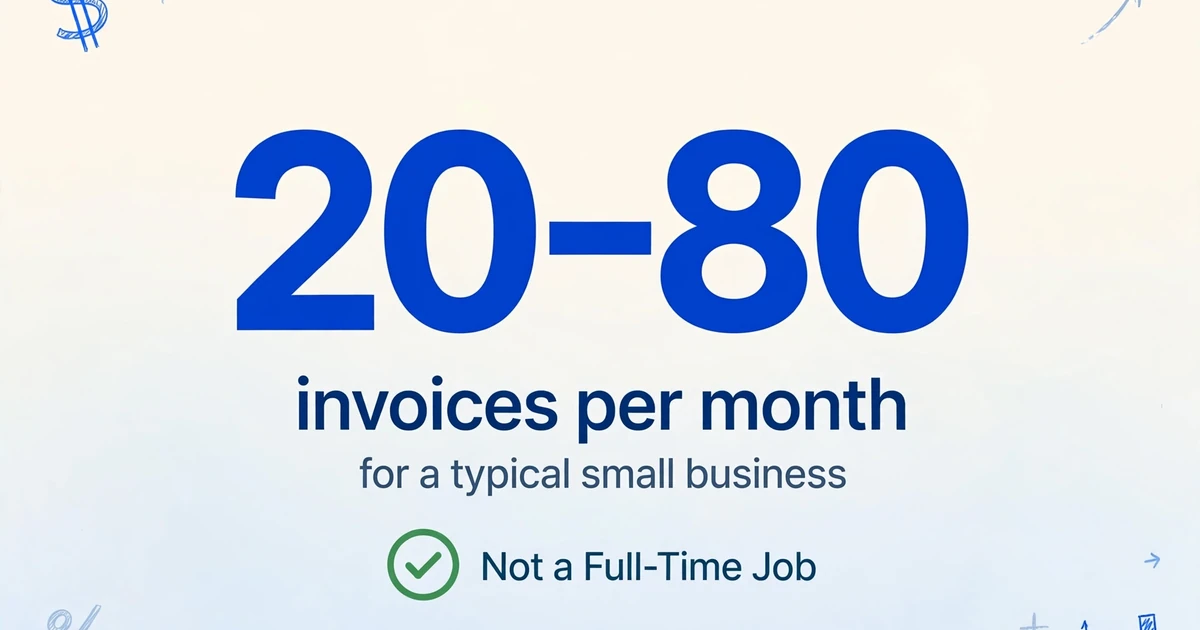
Industry benchmarks for invoice volume are skewed upward by enterprise data. IOFM and Ardent Partners classify "low volume" as under 500 invoices per month — a number that describes a mid-market company with a dedicated AP clerk, not a three-person construction firm or a solo bookkeeper. At the small business end of the spectrum, the numbers are an order of magnitude lower.
According to bookkeeping service pricing data, a sole proprietor or very small business typically generates under 100 transactions per month total — including bank feeds, credit card charges, and manual entries. Within that mix, incoming invoices — the ones from vendors, suppliers, and service providers that need data extracted before they can be recorded — usually fall between 20 and 80 per month. A freelance designer might receive 5. A small retail shop: 30. A two-person plumbing contractor: 60, split across plumbing supply houses, equipment rental, insurance, fuel, and the accountant's own bill.
The point is that invoice extraction at this volume is not a full-time job. It's 30 minutes a few times a week. But because it has to happen — every invoice needs vendor name, date, amount, and line-item detail entered somewhere — the cost-per-hour of that time is high. The owner doing it at night is billing $75–150 an hour for client work during the day. Spending two hours a week on data entry costs them $600–1,200 a month in opportunity cost. A tool that costs $9 or $19 a month and cuts that time to 15 minutes is not an expense — it's arbitrage.
The $499 Barrier: Why Enterprise Tools Price Out 20-Invoice Operations
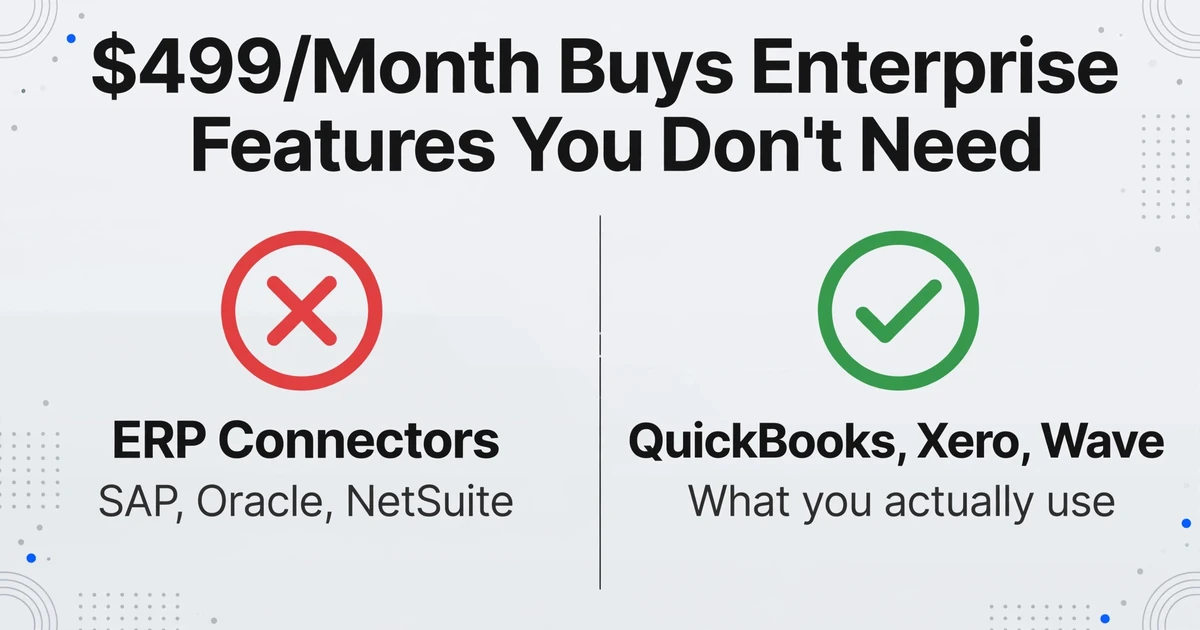
Nanonets lists its Pro plan at $499 per month. Rossum's pricing is undisclosed but user reviews on G2 consistently cite $1,000+ per month for production use. Veryfi starts at $500 per month. ABBYY FlexiCapture runs into five figures annually. These are not bad tools — they are built for a different buyer. The question is what that buyer bought that a small business does not need.
A $499–1,000/month enterprise invoice extraction tool typically bundles:
| Feature | What It Does | Does a 30-Invoice/Month Business Need It? |
|---|---|---|
| ERP connectors (SAP, Oracle, NetSuite) | Bidirectional data sync with enterprise financial systems | No — you use QuickBooks, Xero, Wave, or a spreadsheet |
| Multi-step approval workflows | Route invoices through department heads, budget owners, compliance | No — you are the approval workflow |
| SSO / SAML / user access levels | Enterprise identity management for 50+ users | No — it's you and maybe a bookkeeper |
| Human-in-the-loop review | Paid service where vendor staff manually verify AI extraction | No — your own eyes on 30 invoices is faster than managing a review queue |
| White-label / custom branding | Rebrand the tool's UI for client-facing portals | No |
| Custom SLAs with uptime guarantees | Contractual service-level agreements with penalty clauses | No |
None of these features are useless. They are essential for a company processing 5,000 invoices a month across three continents with a 20-person AP team. But for a small business, they are dead weight in the monthly bill — features built for a procurement process the buyer will never run. The tragedy of the invoice extraction market is not that good tools cost $500 a month. It's that until recently, the only alternative to $500-a-month tools was doing it by hand.
What You Actually Need at 20–100 Invoices Per Month
Strip away the enterprise infrastructure and the requirement list for small business invoice extraction is short and specific:
That's the complete list. Notice what's missing: approval workflows, ERP integration, SSO, custom SLAs, white-label branding. These five requirements cover what a small business actually needs from invoice extraction. Anything beyond them is a feature you're paying for but won't use.
Invoice Extraction Tools Compared: What Each Price Tier Actually Delivers
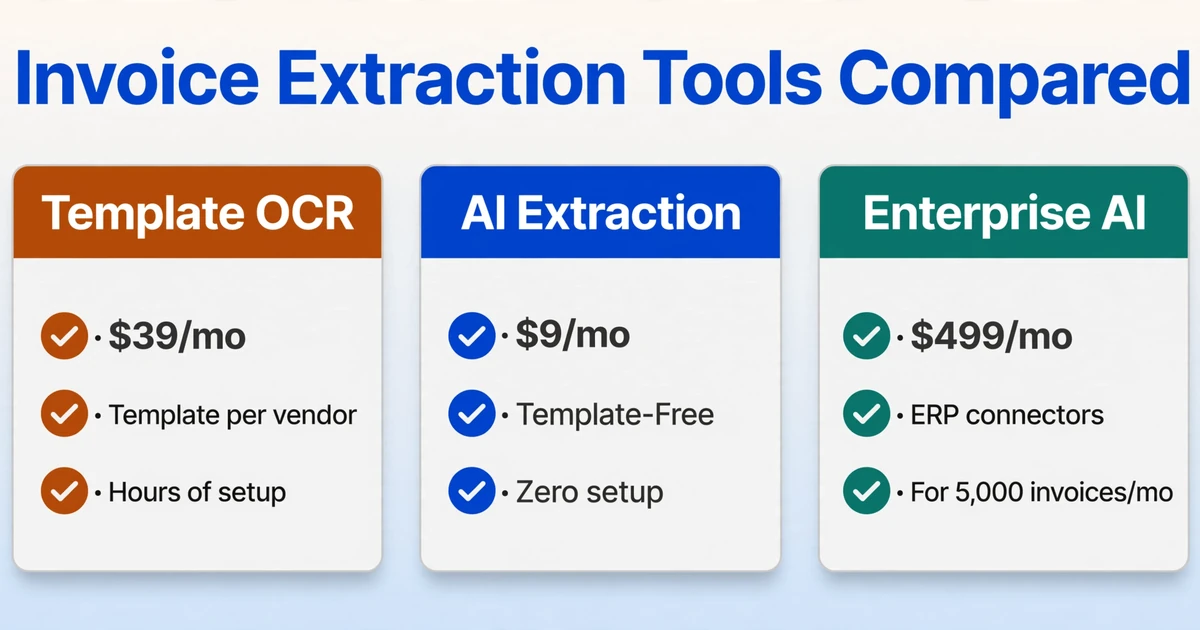
The market for invoice extraction now spans three distinct tiers — and which tier fits depends entirely on your monthly volume. Below is a comparison across four volume levels, with the per-invoice effective cost calculated so you can see the real unit economics, not just the sticker price.
| Tool | Pricing Model | Monthly Cost (30 Invoices) | Monthly Cost (50 Invoices) | Monthly Cost (100 Invoices) | Template-Free? |
|---|---|---|---|---|---|
| ImageToTable.ai (Pay-as-you-go) | $0.06/image, never expires | $1.80 | $3.00 | $6.00 | Yes — AI reads any layout |
| ImageToTable.ai Basic | $9/mo (150 credits) | $9.00 | $9.00 | $9.00 | Yes |
| Docparser | $39/mo (100 credits) | $39.00 | $39.00 | $39.00 | No — template per vendor layout |
| Parseur | $39/mo (100 pages) | $39.00 | $39.00 | $39.00 | No — template per sender |
| Airparser | $39/mo | $39.00 | $39.00 | $39.00 | No — rule-based parsing |
| ImageToTable.ai Pro | $19/mo (400 credits) | $19.00 | $19.00 | $19.00 | Yes |
| ImageToTable.ai Max | $59/mo (1,500 credits) | $59.00 | $59.00 | $59.00 | Yes |
| Affinda | From $299/mo | $299.00 | $299.00 | $299.00 | Yes — AI models per doc type |
| Nanonets Pro | $499/mo (annual billing) | $499.00 | $499.00 | $499.00 | Training required per vendor |
| Veryfi | From $500/mo | $500.00 | $500.00 | $500.00 | Yes — optimized for mobile |
At 30 invoices per month, the spread between the cheapest and most expensive option is $498.20 — almost exactly the price of Nanonets itself. Put another way: a small business could pay for 27 years of ImageToTable.ai Pay-as-you-go at 30 invoices a month for what one month of Nanonets costs. The math doesn't mean Nanonets is overpriced — it does mean that its pricing is scaled for a volume that begins where small business volume ends.
But price isn't the only variable. The template-based tools in this table — Docparser, Parseur, Airparser — require per-vendor setup. At 30 invoices from 15 different suppliers, that's 15 templates to build and maintain. When a vendor changes their invoice layout — which happens when they upgrade their accounting software or add a new logo — the template breaks and extraction accuracy drops until you fix it. That maintenance labor is invisible on the pricing page but very visible in your Thursday evening.
Template-Based vs AI-Powered: Why It Matters With 50 Different Vendors
Small businesses receive invoices from a surprisingly diverse set of sources. A single contractor might get invoices from a lumber yard (handwritten delivery ticket format), an equipment rental company (standard QuickBooks template), an insurance broker (multi-page PDF with line items on page 3), and a fuel supplier (thermal printout scanned to PDF). Four vendors. Four completely different layouts.
Template-based tools — Docparser, Parseur, Airparser — work by letting you define where each field sits on the page. You upload one invoice from a vendor, draw boxes around "Invoice Number," "Date," "Total," and line items, and the tool applies that template to all future invoices from that vendor. When it works, it's accurate and predictable. When it doesn't — because a vendor changes their format or you onboard a new vendor — someone needs to build a new template.
AI-powered tools — like ImageToTable.ai — take a different approach. Instead of remembering where fields sit on a specific layout, they understand what each field means. You type the column names you want — "Invoice Number," "Due Date," "Line Total," "Vendor Name" — and the AI locates each value anywhere on the page by understanding its semantic role, not its coordinates. This is called Custom Column Extraction: the column names you enter become the headers of your output spreadsheet, and the AI hunts for matching values across every document you upload, regardless of layout.
For a business with 5 regular vendors, a template tool is fine — build 5 templates once, update them rarely. For a business with 50 vendors across constantly changing suppliers — which describes most small businesses — the template maintenance overhead erases the cost savings. You buy a $39/month template tool and find yourself spending an hour a week tweaking parsing rules. At that rate, the real cost isn't $39. It's $39 plus an hour of your time, every week, indefinitely.
The hidden cost of template-based extraction: Every new vendor = one new template. Every vendor format change = one broken template. At 30 vendors averaging one format change per year, you're maintaining 2.5 templates per month. If each takes 15 minutes to build or repair, that's roughly 37 minutes of template work per month — on top of the subscription fee. Template tools cost less on the pricing page. Whether they cost less in total depends entirely on how many vendors you have and how often their layouts change.
What ImageToTable.ai Costs at 20, 50, and 100 Invoices Per Month
ImageToTable.ai operates on a credit-based system. One credit = one image or PDF page processed. A single-page invoice consumes one credit. Multi-page invoices consume one credit per page. The pricing breaks down as follows:
| Plan | Monthly Cost | Included Credits | Effective Cost/Image | Best For |
|---|---|---|---|---|
| Pay-as-you-go | $6 / 50 credits | 50 (never expire) | $0.12/image | Irregular volume, seasonal businesses |
| Pay-as-you-go (bulk) | $0.06/image at volume | No cap | $0.06/image | Moderate volume with flexibility |
| Basic | $9/mo | 150 | $0.06/image | 20–40 single-page invoices/month |
| Pro | $19/mo | 400 | $0.048/image | 50–100 single-page invoices/month |
| Max | $59/mo | 1,500 | $0.039/image | 100–300 single-page invoices/month |
At 30 single-page invoices per month: the Basic plan at $9 covers it with credits to spare. At 50 invoices: you're at the edge of Basic — upgrading to Pro at $19 gives you headroom and drops the per-image cost to under 5 cents. At 100 invoices: Pro at $19 handles it comfortably. These numbers aren't marketing — they're arithmetic. And the arithmetic says that small-business invoice extraction, done with a tool built for small business volumes, costs less than lunch.
Unlike enterprise tools, ImageToTable.ai has no minimum contract, no annual commitment, no setup fee, and no per-user charge. You pick a plan and upload an invoice. If your volume drops in January, you downgrade. If it spikes in June, you upgrade. The tool scales to your volume — not the other way around. This approach to pricing is covered in more detail in our pay-as-you-go vs subscription comparison, which models the cost at every volume tier. If you're still deciding which category of tool fits your situation — template OCR, ML-trained, or VLM-based — our invoice extraction tool comparison framework walks through the three approaches.
Files are processed securely and not stored.
Why Invoice Records Matter Beyond Bookkeeping: The IRS Compliance Layer
Invoice extraction is usually framed as an efficiency problem. For a small business, it's also a compliance problem — and the compliance angle has a dollar figure attached.
IRS Publication 334, the Tax Guide for Small Business, governs how sole proprietors and single-member LLCs report income and expenses on Schedule C. It requires that business expenses be substantiated with documentation — invoices, receipts, canceled checks — and that records be retained for at least three years from the filing date (six years if income is understated by more than 25%). The IRS Taxpayer Advocate Service reinforces this: small business recordkeeping must track gross receipts, purchases, expenses, and assets — and each entry needs a corresponding document.
Here's what that means in practice: a missed invoice isn't just a bookkeeping gap. It's a deduction you can't substantiate in an audit. If you're in the 22% tax bracket and you forget to record a $500 vendor invoice as a deductible expense, you pay $110 in unnecessary tax. Across a year of scattered invoices — the plumber's bill you lost, the supply order you paid in cash and forgot — the tax overpayment compounds quietly.
The compliance case for affordable invoice extraction is simple: when the cost of extracting one invoice drops from 15 minutes of your time to $0.06, the barrier to recording every invoice disappears. You stop mentally sorting invoices into "worth entering" and "not worth entering" — a sorting logic that every small business owner recognizes but that the IRS does not. Every invoice gets recorded. Every deduction gets claimed. The tool pays for itself in tax savings alone before it ever saves you a minute of data entry time. For a deeper look at the true cost calculation, see our cost of manual invoice data entry analysis.
Frequently Asked Questions
Can I really get usable invoice extraction for under $10 a month?
Yes — if your volume is under 40 single-page invoices per month. ImageToTable.ai's Basic plan at $9/month includes 150 credits, which covers 150 single-page documents. At 30 two-page invoices (60 pages), you're still well within the allowance. The extraction quality is full AI-powered — same engine at $9/month as at $59/month. What you don't get at the lower tier: higher credit caps, priority processing, and some advanced features like Computed Columns with Rule Format.
What's the catch with template-based tools at $39/month?
The catch is setup and maintenance time. Docparser, Parseur, and Airparser all require you to define parsing rules per vendor layout. For a business with 5 consistent suppliers, that's 30 minutes of initial setup and occasional tweaks. For a business with 30 suppliers — which is more typical — that's hours of template building and ongoing maintenance whenever a vendor changes their invoice format. The $39 subscription is real. The labor to keep it running is the hidden line item.
Why are Nanonets and Rossum so much more expensive?
They're built for mid-market and enterprise AP departments processing thousands of invoices per month across multiple locations with formal approval hierarchies. Their pricing bundles ERP integration, SSO, white-labeling, custom SLAs, and human-in-the-loop verification — all essential for a 20-person AP team, all unnecessary for a small business owner processing 30 invoices a month. You're not paying for better extraction at $499/month. You're paying for enterprise infrastructure you won't use.
Does ImageToTable.ai handle handwritten invoices?
Yes, within limits. The AI vision model can read legible handwritten text on invoices — printed handwriting, block letters, and clear cursive. Heavily stylized or extremely messy handwriting may produce errors or require manual correction. This is true for all AI extraction tools: handwriting recognition accuracy is lower than printed text accuracy, and the gap widens with penmanship quality. If your suppliers regularly send handwritten invoices, test the tool on a few samples before committing.
What accounting software does ImageToTable.ai integrate with?
ImageToTable.ai exports to Excel (XLSX), CSV, and JSON — formats that every accounting platform accepts for import. There's no direct QuickBooks or Xero API integration, but the Excel export route works with any accounting software that supports file import. If you use QuickBooks Online, Xero, Wave, Zoho Books, or FreshBooks, you can export your extracted data as an Excel file and import it in one step. For batch processing and Google Sheets integration, see the batch invoice to Excel guide which covers multi-file workflows and direct spreadsheet export.
Is there a free trial?
ImageToTable.ai offers a free demo that lets you test invoice extraction with no sign-up required. Upload a real invoice, type the columns you want, and see the output immediately. The demo uses the same AI engine as paid plans — the only difference is that paid plans unlock batch processing, higher volume, and saved templates.
Invoice extraction at $9 a month isn't a compromise — it's the market catching up to a segment that was ignored for a decade. The tools exist. The math works. The only remaining question is whether 30 invoices a month are worth 15 minutes of your evening and $0.06 each, or two hours of your evening and the uneasy feeling that some deductions might be missing. For the full eleven-tool field, see our 2026 invoice data extraction software roundup; for the per-document cost math at higher volumes, the invoice pricing comparison breaks down 150/500/1,500-invoice scenarios.