What Is Bill of Lading
Data Extraction?
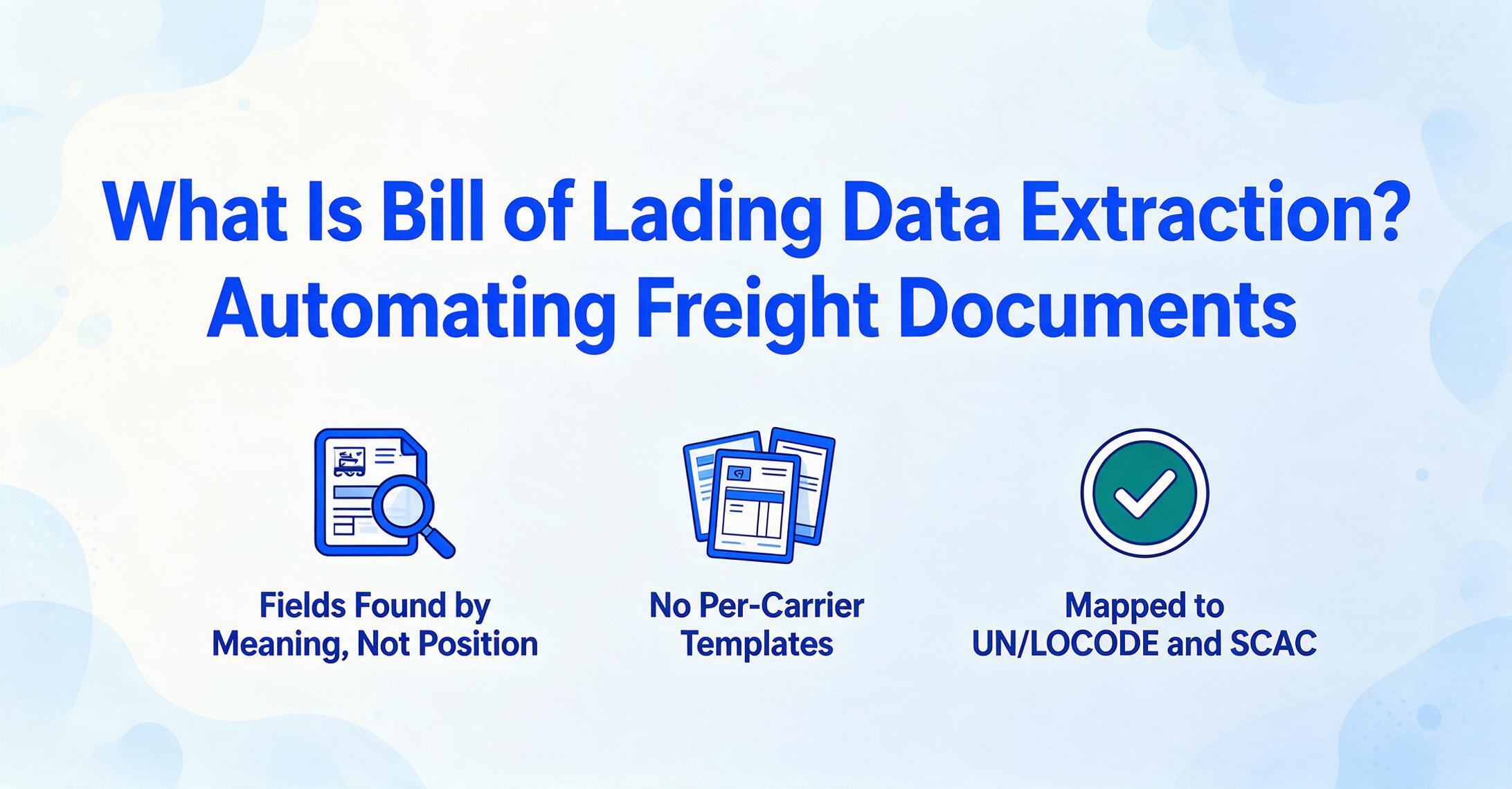
Bill of lading data extraction is the automated process of reading key shipping fields — including BOL number, shipper, consignee, carrier, port of loading, port of discharge, container number, seal number, description of goods, weight, packages, freight terms, and HS codes — from a scanned or PDF bill of lading and outputting them as structured data that feeds directly into a TMS, ERP, or customs declaration system.
Key Takeaways
- At 10–15 minutes per BOL, mid-tier freight forwarders burn three full-time staff on data entry alone — and past 30 shipments a day, error correction eclipses the initial keying.
- Template-based OCR doesn't solve this — every time a carrier updates its BOL layout, your templates break and you're back to maintaining coordinate rectangles instead of moving shipments.
- Semantic extraction reads BOLs the way a logistics clerk does — by understanding what a field means, not where it sits — so one setup works across Maersk, MSC, CMA CGM, and every other carrier without per-format configuration.
What Bill of Lading Data Extraction Actually Is
Most logistics professionals encounter the term and immediately think "OCR for BOLs." That's part of the picture, but it understates what modern extraction actually does. A bill of lading isn't one document type — it's a family of documents that vary dramatically in structure, scope, and legal weight.
A straight bill of lading (non-negotiable) names a specific consignee and cannot be transferred. An ocean bill of lading covers sea freight and serves as both a receipt and a document of title — whoever holds the original can claim the goods. A multimodal BOL combines sea, rail, and truck legs into one document. Then there's the master bill of lading (issued by the carrier to the forwarder) and the house bill of lading (issued by the forwarder to the shipper) — two documents for the same shipment, with overlapping but distinct data.
Each type lays out fields differently. A Maersk ocean BOL places the container number in the top-right quadrant; an MSC BOL puts it mid-page under the vessel name. A house BOL may reference the master BOL number as a cross-reference field that a straight BOL doesn't have at all.
BOL data extraction, properly understood, isn't just converting image pixels to text. It's identifying which piece of text corresponds to which shipment data field — across carriers, across BOL types, and often across multiple pages — then mapping those values into standardized codes (UN/LOCODE for ports, SCAC for carriers, HS Codes for commodities) so the output is ready for downstream systems, not just a text dump.
The UN/LOCODE system, maintained by the United Nations Economic Commission for Europe (UNECE), assigns a unique five-character code to over 100,000 transport locations across 249 countries — so "Shanghai" becomes CN SHA and "Rotterdam" becomes NL RTM. Similarly, the Standard Carrier Alpha Code (SCAC), managed by the NMFTA, identifies carriers with a two-to-four-letter code — Maersk is MAEU, Hapag-Lloyd is HLCU, COSCO is COSU. A BOL extraction tool that outputs these codes, not just the carrier's printed name, eliminates a manual lookup step at the TMS import stage.
Bill of Lading Extraction vs TMS Data Entry vs Manual Keying
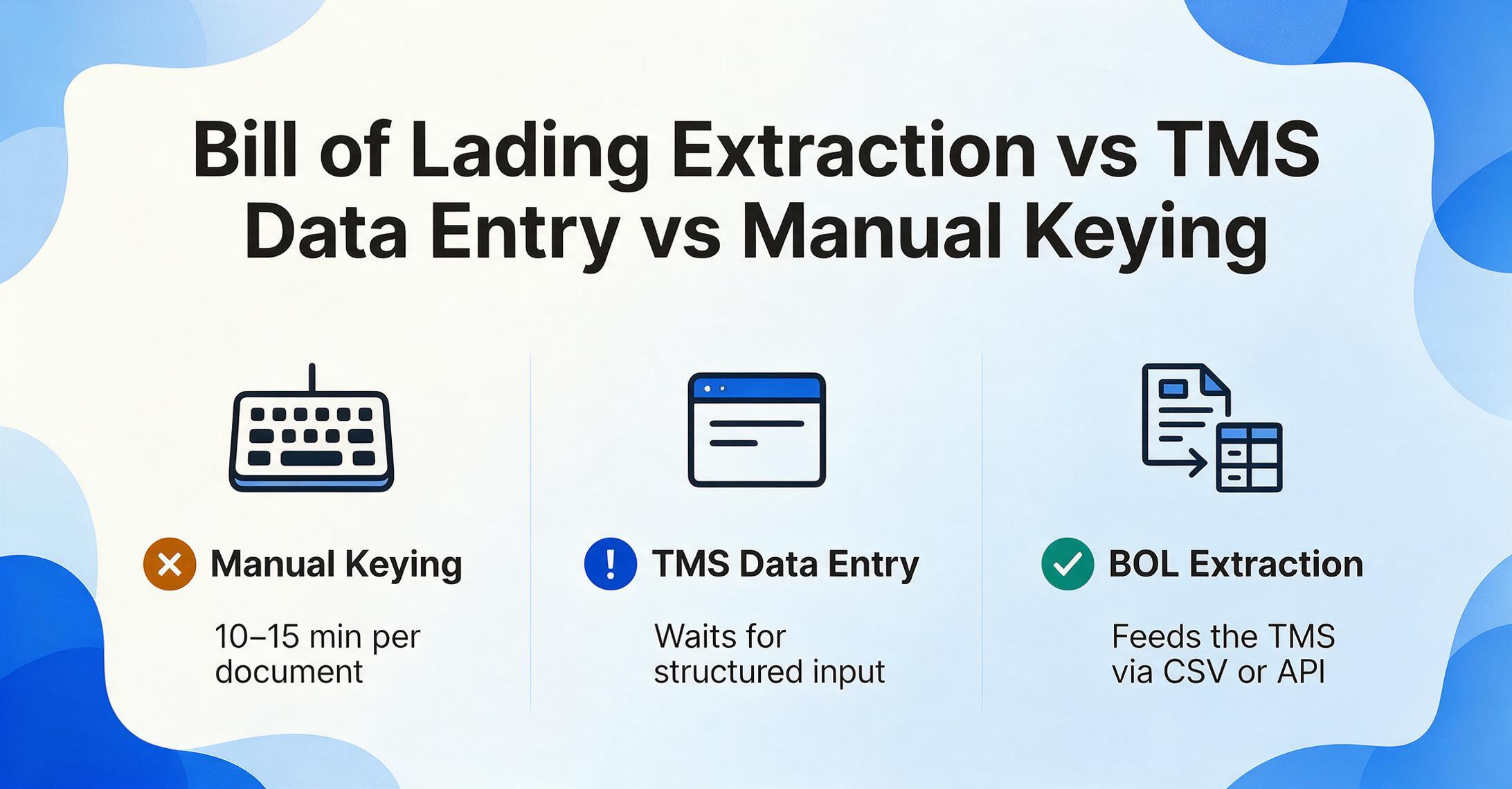
These three activities sit at different layers, and conflating them leads to confusion about what BOL extraction actually replaces.
Manual keying is what happens when an operations clerk opens a PDF BOL from a carrier email, reads the shipment details, and types them into a spreadsheet or directly into the TMS. At 10–15 minutes per document when the format is familiar — and longer when it's an unfamiliar carrier layout — this doesn't scale past a few dozen shipments per day. One study of freight forwarding data entry workflows found that manual processing costs per document rise sharply above 30 shipments daily because the error-correction loop starts consuming more time than the initial entry.
TMS data entry is the broader activity of populating a Transportation Management System — whether CargoWise, Descartes, SAP TM, Oracle TM, or a cloud-native platform like GoFreight — with shipment records. The TMS is where you manage milestones, track containers, generate customer visibility reports, and handle billing. But the TMS doesn't read your BOL PDFs. It waits for structured input. The gap between "BOL arrives in your inbox" and "shipment record exists in CargoWise" is where the bottleneck lives.
BOL data extraction fills that gap. It sits upstream of the TMS, converting unstructured documents into structured data that the TMS can consume — via CSV upload, API integration, or direct database write. It doesn't replace the TMS; it feeds it. For teams already using a TMS, BOL extraction is the missing input layer. For teams still running on spreadsheets, it's often the first step toward structured shipment data before a TMS migration even begins.
How Bill of Lading Data Extraction Works
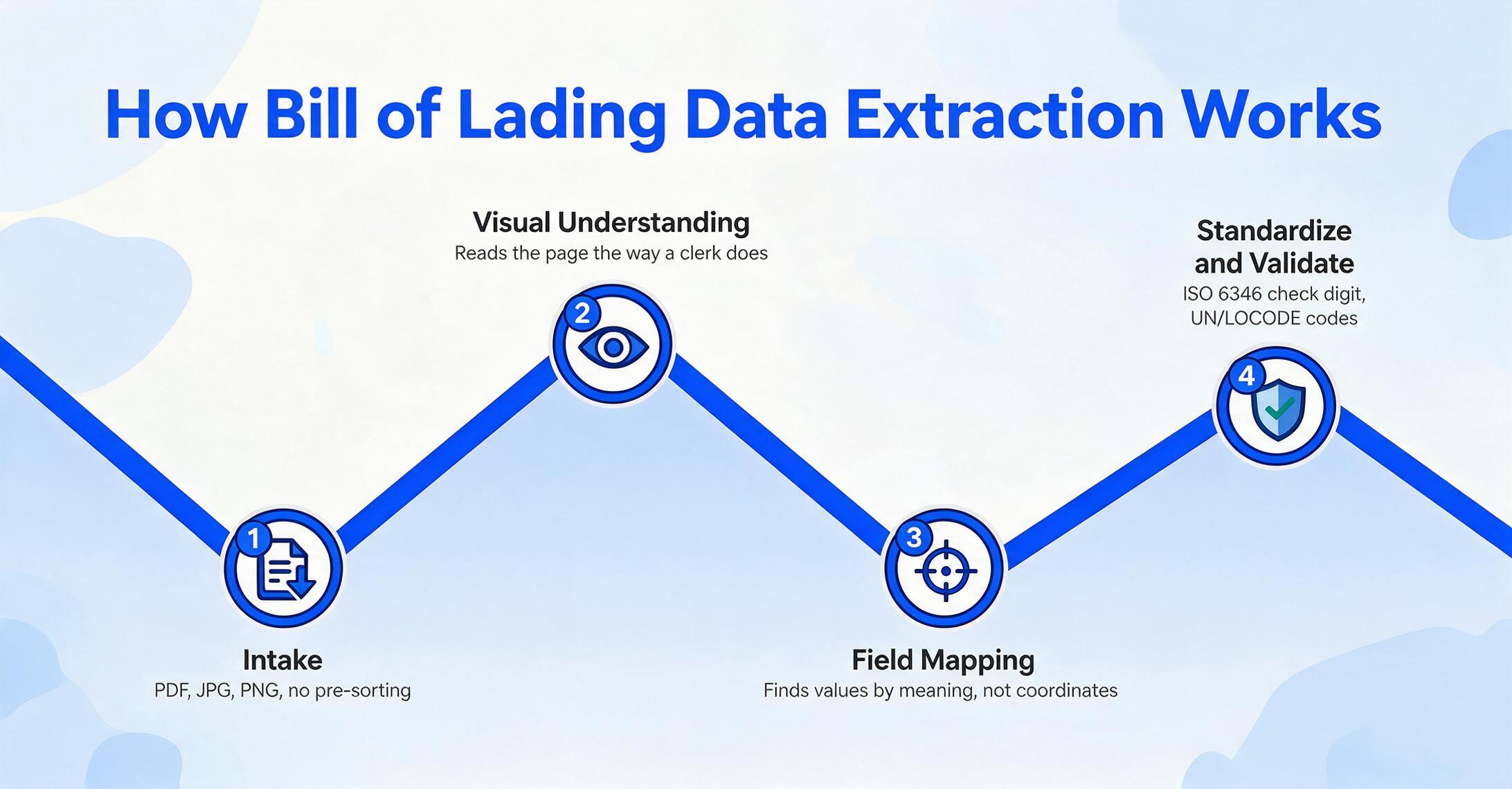
The technical pipeline has five stages, and understanding them clarifies why modern AI extraction handles multi-carrier BOLs better than template-based OCR ever could.
What makes this pipeline work across carriers is the same mechanism that distinguishes modern AI extraction from legacy OCR: template-free semantic understanding. Traditional OCR tools need you to draw rectangles around each field on a Maersk BOL, then do it again for MSC, then again for Hapag-Lloyd. When a carrier updates its BOL layout — and they do — the template breaks. Modern extraction uses vision AI that reads the document the way a trained logistics professional does: by understanding content, not memorizing coordinates.
When You Need Bill of Lading Data Extraction
Not every logistics operation needs automated BOL extraction. But four scenarios make the case unambiguous.
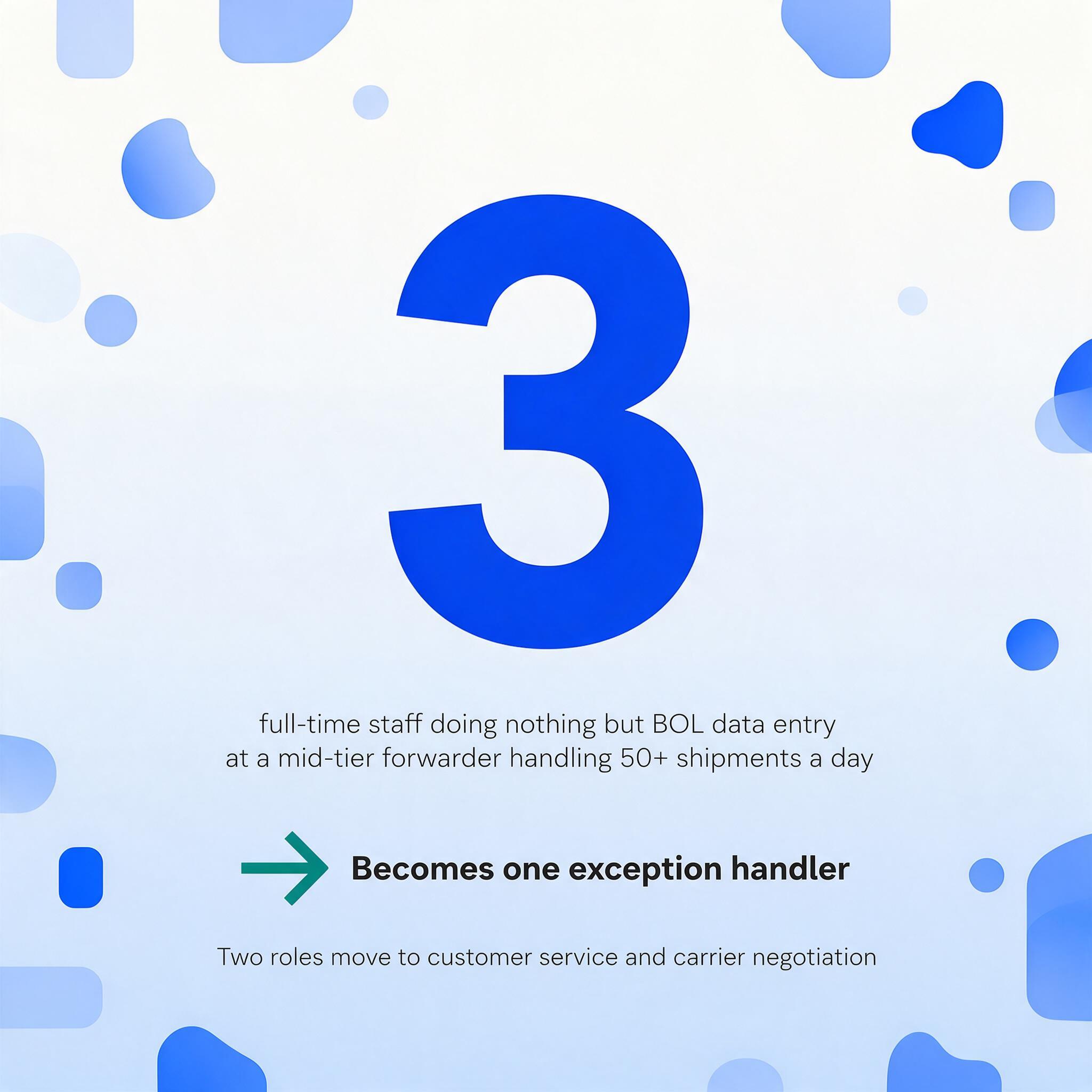
Freight forwarding at scale. Forwarders handling 50+ shipments per day receive BOLs from a rotating cast of carriers — Maersk, MSC, CMA CGM, Hapag-Lloyd, COSCO, ONE, Evergreen — each with its own document layout. When every BOL needs its data extracted to Excel or a spreadsheet before it can enter the TMS, the volume alone forces a choice: hire more entry clerks or automate the extraction step. Three full-time staff doing nothing but BOL data entry is a real staffing profile at mid-tier forwarders. Extraction turns those three roles into one exception-handler who reviews edge cases, while the other two focus on customer service and carrier negotiation — higher-value work that grows the business rather than just keeping it running.
Customs clearance. Customs brokers need specific BOL fields — shipper, consignee, HS codes, cargo description, weight, port of loading, port of discharge — to file entry declarations. Manual extraction from multi-carrier BOLs introduces errors that trigger customs holds and demurrage charges. Structured BOL data that flows directly into customs filing software eliminates the transcription step where most errors originate. To see how the BOL reconciles with the rest of the shipment's document packet — cargo manifests, packing lists, commercial invoices — see our guide on shipping & freight document extraction.
Shipment tracking and visibility. When a customer asks "where is my container," the answer lives in the BOL — but only if the BOL number and container number are already in your tracking system. Manual entry creates a lag between document receipt and system visibility. Automated extraction closes that gap to minutes, turning tracking from a reactive inquiry-response cycle into a proactive customer-facing dashboard.
Supply chain analytics. Aggregated BOL data — shipment volumes by port pair, carrier performance by lane, average transit times by route — provides strategic intelligence. But if that data is trapped in PDFs and spreadsheets, no analytics tool can access it. Extraction makes BOL-level data queryable, enabling trend analysis that manual processes never could.
What to Look For in a BOL Extraction Tool
Five criteria separate extraction tools that work in production from those that work only in a demo with a clean single-carrier PDF. For the full field-by-field reference on validation standards — ISO 6346 container check digits, UN/LOCODE port codes, SCAC carrier codes, and HS codes — see our complete guide to BOL extraction.
1. Multi-carrier format handling. The tool must process BOLs from at least the major container lines without per-carrier configuration. If you need to create a template for Maersk, then another for MSC, then another for CMA CGM, you've just moved the bottleneck from data entry to template maintenance. Ask to test with BOLs from three different carriers — not three shipments from the same carrier.
2. Field-level validation. Container numbers should validate against ISO 6346 check-digit rules. Port codes should map to UN/LOCODE or at minimum be extractable in a standardized format. If the tool outputs "Shanghai" when one BOL says "CNSHA," another says "SHANGHAI," and a third says "Port of Shanghai, CN," the downstream TMS import will require manual cleanup anyway.
3. Multi-page and line-item support. Ocean BOLs with containerized cargo often run 3–5 pages, with commodity descriptions, container numbers, seal numbers, weight, and package counts spread across continuation pages. A tool that only reads page one leaves half the data on the table. Line-item-level extraction — where each commodity row becomes a separate data row — is essential for customs classification and inventory reconciliation.
4. Export directly to your workflow. CSV and Excel are the baseline. The real question is whether the tool integrates with your stack — direct API for custom pipelines, or Google Sheets integration if your operations team runs on spreadsheets. Tools with a Google Sheets add-on let you extract BOL data without leaving the spreadsheet where your team already tracks shipments.
5. Batch processing. Processing one BOL at a time works for 5 shipments a day. At 50, you need to upload an entire batch, define your fields once, and get a merged output — one spreadsheet with one row per BOL. Multi-carrier batch BOL extraction is where the time savings compound: 50 BOLs processed in a single run, not 50 individual upload-and-review cycles.
Frequently Asked Questions
What's the difference between a BOL data extraction tool and a TMS?
A TMS (Transportation Management System) like CargoWise, Descartes, or SAP TM manages shipment workflows — milestones, tracking, billing, carrier communication. It doesn't read BOL PDFs. A BOL extraction tool reads BOL documents and converts them into structured data that feeds into the TMS. They're complementary layers, not alternatives. For a deeper look at how the two work together, see our article on integrating BOL extraction with your TMS workflow.
Can BOL data extraction handle handwritten entries?
Yes, modern AI vision models can read handwritten BOL fields — carrier stamps, manual corrections, handwritten container numbers on dock receipts — at accuracy levels that template-based OCR cannot match. However, extremely poor handwriting or heavy document damage will reduce accuracy. For the best results, use clear scans or photos taken in good lighting.
Does BOL extraction work with all carrier formats?
A template-free extraction tool works across carrier formats without per-carrier setup — the AI identifies fields by meaning, not by position. That said, performance should be verified against the carriers you actually work with. Maersk, MSC, CMA CGM, Hapag-Lloyd, COSCO, ONE, Evergreen, and other major lines are well-supported by modern extraction engines. Highly regional carriers with unusual layouts may require testing.
What's the accuracy rate for BOL data extraction?
Modern AI-based extraction achieves 95–99% field-level accuracy on clean, well-scanned BOLs from major carriers. Accuracy drops for low-resolution scans, heavy handwriting, or damaged documents. The key metric isn't raw accuracy — it's trusted throughput: how many BOLs per day can you process without manual review. A tool that extracts at 99% but requires you to verify every field defeats the purpose. A tool with a clear confidence indicator per field lets you review only the low-confidence extractions — typically 5–10% of fields — while trusting the rest.
How does BOL extraction compare to EDI for getting shipment data?
EDI (Electronic Data Interchange) delivers structured shipment data directly from carriers — no extraction needed. But EDI requires per-carrier setup, testing, and ongoing maintenance, and many smaller carriers and freight forwarders don't support it. In practice, most logistics operations receive a mix: EDI from major carriers for regular lanes, and PDF BOLs from everyone else. BOL extraction handles the PDF side. For a full comparison, see EDI vs AI BOL extraction for freight forwarders.
Can I extract data from house BOLs and master BOLs together?
Yes. A proper extraction setup can process both house BOLs and master BOLs in the same batch, mapping overlapping fields (shipper, consignee, ports, container numbers) while handling BOL-type-specific fields (house BOL reference number, master BOL number). The key is defining your column set to capture the union of fields you need across both document types.
Every BOL that sits in someone's inbox waiting to be keyed into the TMS is a shipment that isn't tracked, a customer who isn't updated, and a customs filing that hasn't started. BOL data extraction doesn't change what you do with shipment data — it changes how fast you get it into a usable form. For most logistics teams, that's the difference between reacting to yesterday's paperwork and managing today's shipments in real time.
Next: How to Extract Bill of Lading Data to Excel — A Step-by-Step Guide →