Batch Process Bills of Lading Across
Carriers into One Spreadsheet
A mid-size freight forwarder handles roughly 500 bills of lading per month across 10 to 20 different ocean carriers. At 10 to 15 minutes per document for reading, typing, and verifying — the benchmark documented by CSA Software's analysis of manual data entry in freight forwarding — that's 83 to 125 hours of labor every month, spent on just the transcription step. Not exception resolution. Not carrier follow-up. Not the decision work that moves cargo. Just moving data from PDF to spreadsheet. And the root cause isn't the volume. It's that each carrier prints the same information differently.
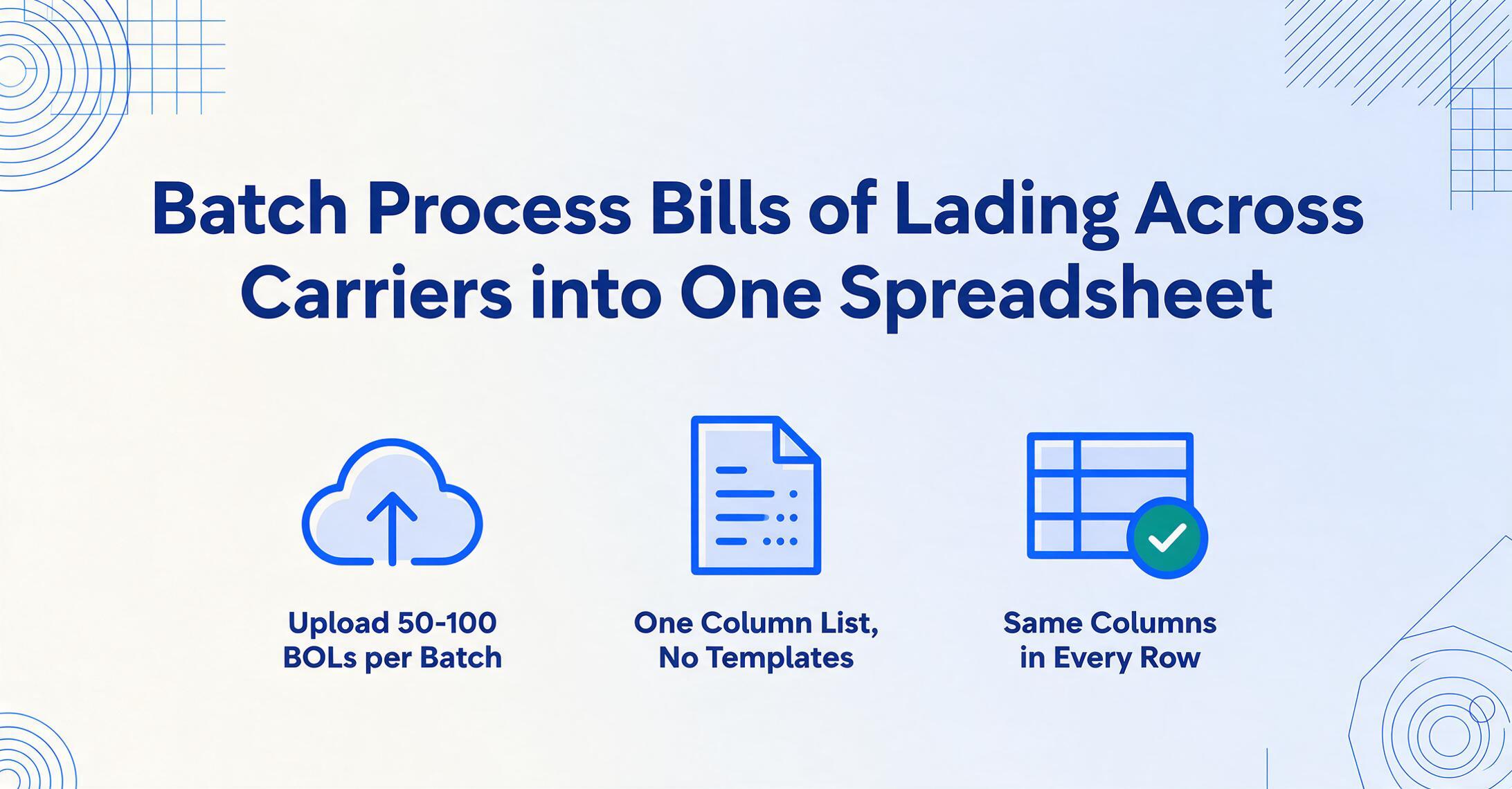
One BOL vs. 500: The Efficiency Gap That Single-Document Tutorials Don't Cover
A single bill of lading extracted to Excel takes 5 to 10 seconds with AI-powered extraction — roughly 18 times faster than manual entry. That's the standard benchmark for document-level automation, and extracting a BOL to Excel one at a time delivers it reliably.
But single-document speed isn't the bottleneck at operational scale. The bottleneck is the space between documents. It's the cumulative friction of switching between a Maersk BOL, an MSC BOL, a COSCO template, a Hapag-Lloyd format, a ONE layout — each with different field placement, different naming conventions, different table structures — and producing one unified spreadsheet where B/L Number means the same thing in every row.
According to an Expedock analysis of freight forwarder operations, operations staff spend 2 to 4 hours per day just entering and auditing data into transportation management systems. For a team processing 300 shipments monthly, that's 150 hours consumed by data entry alone — time that isn't available for rate negotiation, exception handling, or customer service. The cost isn't in the minutes per document. It's in the hours per month that accumulate across carriers.
A single BOL extracts in seconds. Five hundred BOLs from 15 different carriers don't become a straight multiplication of that number — they become a format management problem that template-based tools weren't designed to solve.
Why Multi-Carrier BOLs Break Template-Based Extraction
The ocean freight industry runs on a handful of dominant carriers — Maersk, MSC, CMA CGM, COSCO, Hapag-Lloyd, ONE, Evergreen, HMM, Yang Ming, ZIM — and each one issues bills of lading on its own proprietary template. Walk through the differences:
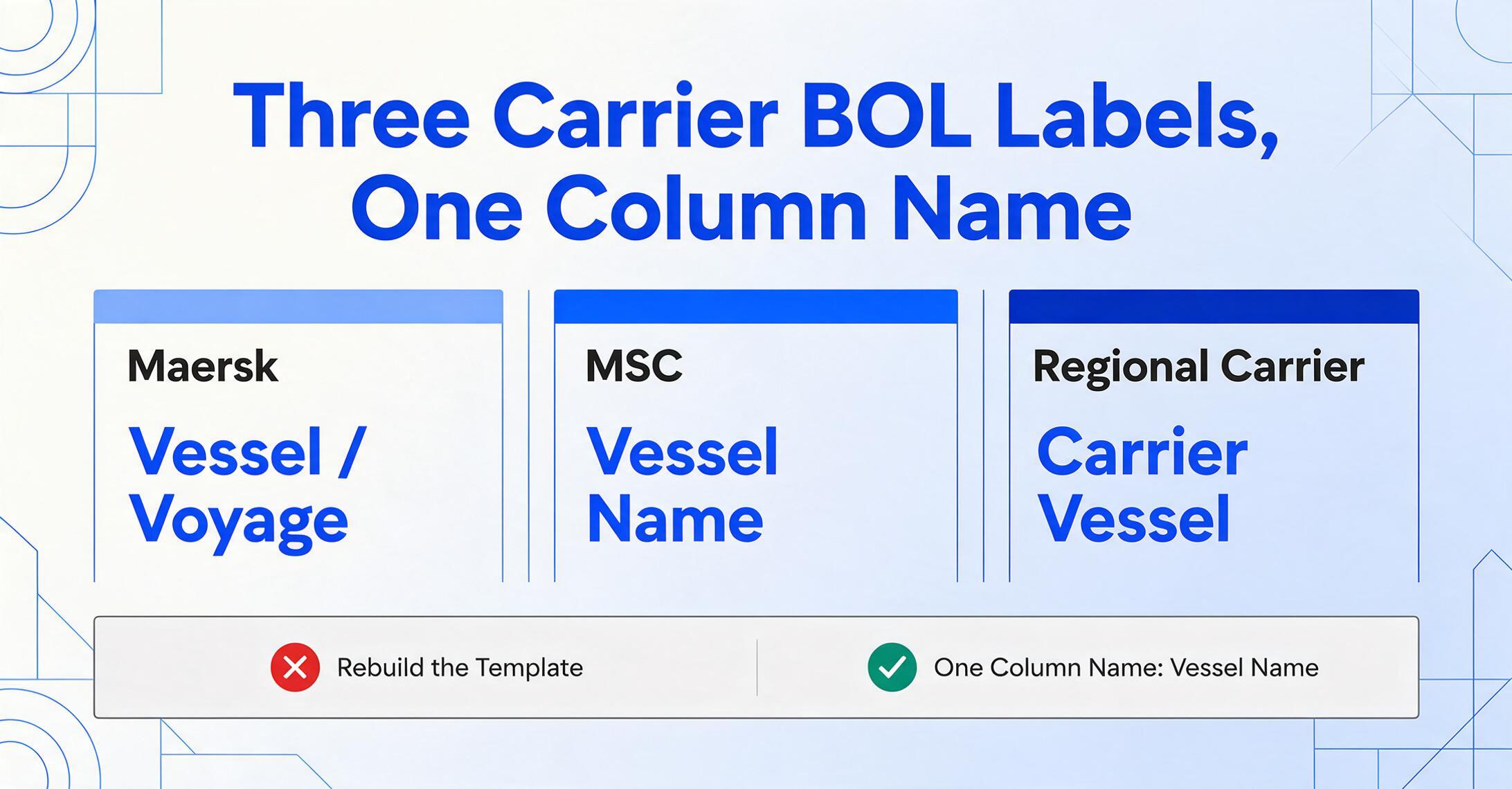
- Field naming. What Maersk labels "Vessel / Voyage," MSC labels "Vessel Name" on a sidebar panel, and a regional carrier calls "Carrier Vessel" in body text. Three different labels, same piece of information.
- Positioning. The B/L Number can sit in the top-right corner of one carrier's template and the bottom-left of another's. Container numbers might appear in a header table, a multi-line list, or inline with cargo descriptions.
- Data formatting. One carrier writes dates as DD/MM/YYYY, another as MM-DD-YYYY. Weights might be in kilograms, pounds, or metric tons depending on the trade lane and carrier convention.
- Page structure. A single-container BOL is one page. A multi-container BOL from the same carrier can stretch to five pages — and a different carrier formats multi-container cargo completely differently.
The National Customs Brokers and Forwarders Association of America (NCBFAA), representing over 1,500 member companies and 110,000 employees in international trade, counts among its members freight forwarders whose operations handle more than 97% of all U.S. import entries. These forwarders deal with carrier format diversity every hour of every working day.
Template-based extraction tools respond to this diversity by requiring a separate template for each carrier's layout. If you work with 15 carriers, you build 15 templates. When a carrier updates their BOL design — and they do, whether for rebranding, regulatory compliance, or system migration — your template breaks silently. The tool that was supposed to eliminate manual typing has created a new maintenance burden: template curation. The problem scales linearly with the number of carriers, and the trigger to update a template is always someone noticing that data stopped flowing.
FIATA, the International Federation of Freight Forwarders Associations, has tackled the format fragmentation problem at the standards level with its electronic FBL data standard — an open-source digital version of its Negotiable Multimodal Transport Bill of Lading (FBL) mapped to the UN/CEFACT Multimodal Transport Reference Data Model. But eFBL adoption among carriers is gradual, and the paper and PDF BOLs arriving in forwarders' inboxes today aren't waiting for standards convergence. The forwarder needs to extract data from whatever arrives.
One Column List, Every Carrier: How Semantic Extraction Works Across BOL Formats
The alternative to per-carrier templates is column-name extraction: instead of defining where each value sits on a specific carrier's page, you define what information category you're looking for. The AI reads the document semantically — understanding the meaning of each piece of data, not its coordinates — and locates values by what they are rather than where they appear.
A concrete example. Define a column called "B/L Number." When the AI encounters a Maersk BOL with "Bill of Lading No. MAEU123456789" in the header, it recognizes the pattern and extracts "MAEU123456789." When it encounters an MSC BOL where the B/L number is labeled "MEDU987654321" in a sidebar box with different formatting, it extracts "MEDU987654321" — because the AI understands that both are bill of lading identifiers, not because both sit in the same pixel coordinates. The column name you defined is the target concept. The AI finds the corresponding value across any carrier's format.
Here's the field list a typical freight forwarder BOL extraction workflow needs, and it works across every carrier without modification:
B/L Number  |  Booking Number  |  Shipper Name  |  Consignee Name  |  Notify Party
Vessel Name  |  Voyage Number  |  Port of Loading  |  Port of Discharge
Container Number  |  Seal Number  |  HS Code  |  Package Count
Gross Weight  |  Cargo Description  |  Freight Terms
Place of Receipt  |  Place of Delivery  |  Carrier Name
Define these column names once — a one-time setup, not a per-document operation. They become the headers of your output spreadsheet. Every BOL you process from every carrier generates a row with the same columns in the same order, regardless of the source document's layout, labeling, or page count. A batch of 50 BOLs from 12 carriers produces one table, not 12 tables that need manual stitching.
This approach also handles BOL types that look nothing alike. An ocean Master Bill of Lading (MBL) issued by the carrier to the forwarder, an ocean House Bill of Lading (HBL) issued by the forwarder to the shipper, and an air waybill — three documents with different visual layouts, different field names, different data models — produce rows with identical column structure. The AI adapts to the document type automatically because it reads semantically, not positionally.
The core insight: the information in a bill of lading is universal — shipper, consignee, vessel, cargo, weight, container. What varies is how each carrier chooses to display it. Semantic extraction decouples the information from its display, making the carrier format an irrelevant variable.
The Batch Workflow: From Carrier Inbox to Control Spreadsheet
A freight forwarder's Monday morning typically begins with BOL PDFs arriving from carriers that sailed over the weekend. They come as email attachments, carrier portal downloads, or forwarded documents from origin agents. The priority isn't extracting a single BOL quickly — it's getting all of them into the tracking spreadsheet before customers start asking for shipment status updates. Those updates usually begin with someone pulling a carrier tracking screenshot from the tracking number on each BOL.
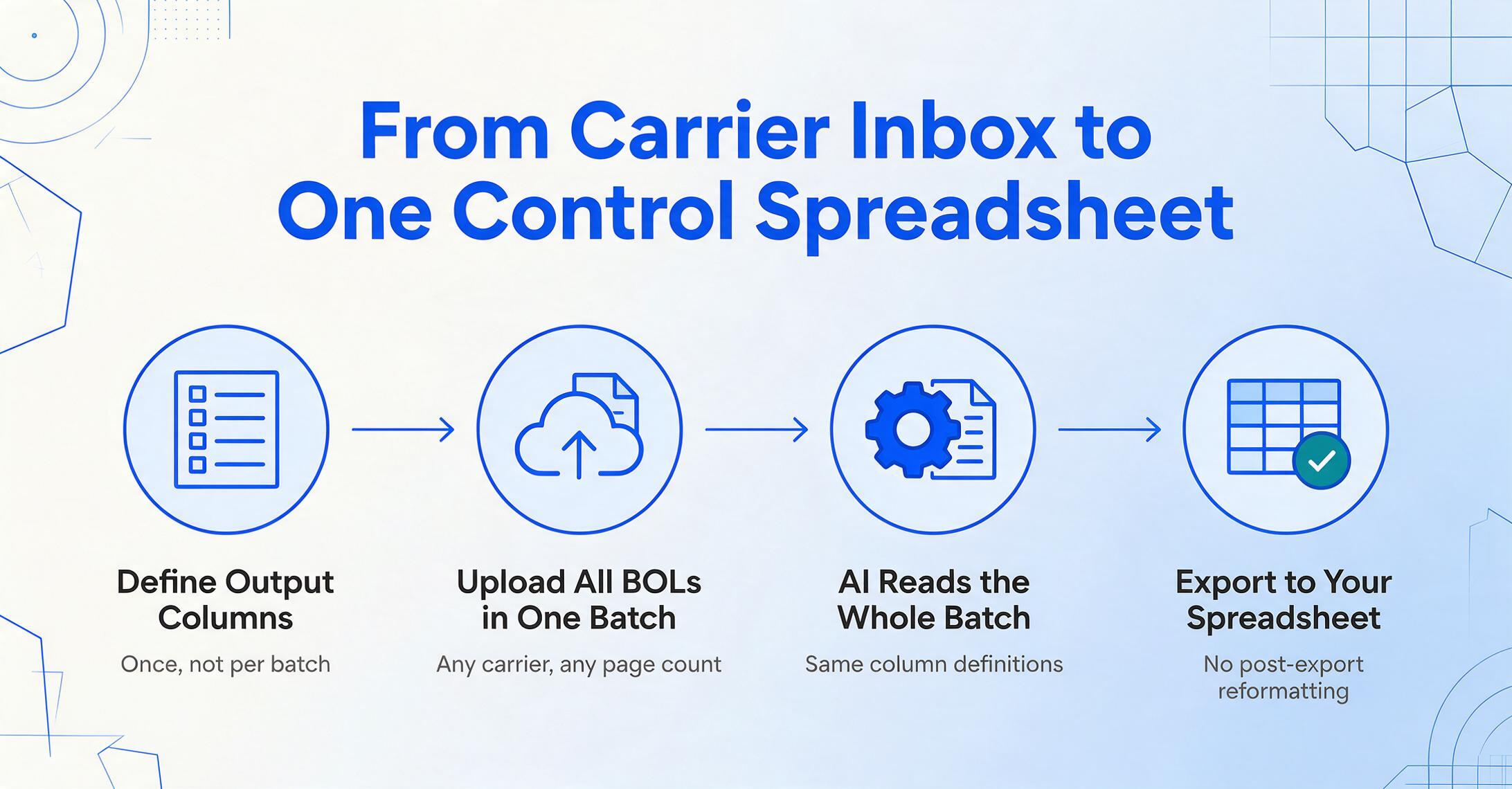
Here's how a batch processing workflow — where you upload multiple files at once and the AI processes all of them using the same column definitions to produce one consolidated output — transforms that morning routine:
Define your output columns once. Enter the field names you need extracted — B/L Number, Shipper, Consignee, Vessel, Port of Loading, Container Number, Gross Weight, and so on. These become your spreadsheet's column headers across every BOL you'll ever process. The setup is a one-time step, not a per-batch or per-carrier operation. If your downstream TMS or tracking spreadsheet expects specific header names, use those exact names here — "ContainerNo" instead of "Container Number," if that's what your system reads — and eliminate the post-export reformatting step.
Upload all BOLs in a single batch. Drag in PDFs, scanned documents, or photos of BOLs — regardless of carrier, document type, or page count. A Maersk PDF, an MSC scan, a COSCO multi-page document, and a screenshot of a regional carrier's BOL all go into the same upload. The AI processes them as a group, using the same field definitions across every document. No document sorting, no carrier grouping, no pre-processing.
Review flagged extractions, not every field. The AI marks low-confidence results — fields where the source document had poor scan quality, ambiguous formatting, or unexpected data patterns. Scan the flagged items first. The rest, with high confidence scores, typically needs no manual intervention. At 500 BOLs per month with a 95%+ field-level confidence rate, the review step focuses on roughly 25 documents' worth of edge cases, not 500 documents of line-by-line verification.
Export one consolidated spreadsheet. The output is a single Excel file where every BOL is a row. Every column is the same across all carriers. Export to XLSX or CSV, import directly into your TMS, or — if you work in Google Sheets — use the Google Sheets add-on to write extracted data directly into your active spreadsheet without leaving Sheets. The structure is consistent: Row 1 is a Maersk BOL, Row 2 is an MSC BOL, Row 3 is a COSCO BOL — and all three rows have identical column layout.
Processing time for a single BOL page falls in the 5-to-10-second range. A batch of 50 single-page BOLs completes in a few minutes — the limiting factor is total page count, not format diversity. Adding carrier #16 to the workflow costs zero additional setup time because semantic extraction doesn't care how many carriers you work with.
For more on bill of lading data extraction across any carrier format, see our dedicated converter tool.
What Happens When Things Go Wrong: Exception Handling at Scale
In single-document extraction, an exception is an inconvenience — you fix it and move on. In batch processing across 15 carriers, solving exceptions efficiently is what determines whether the workday ends at 3:00 PM or 7:00 PM. The practice of exception handling at this scale matters more than the happy path.
The three most common failure modes in multi-carrier BOL batch processing:
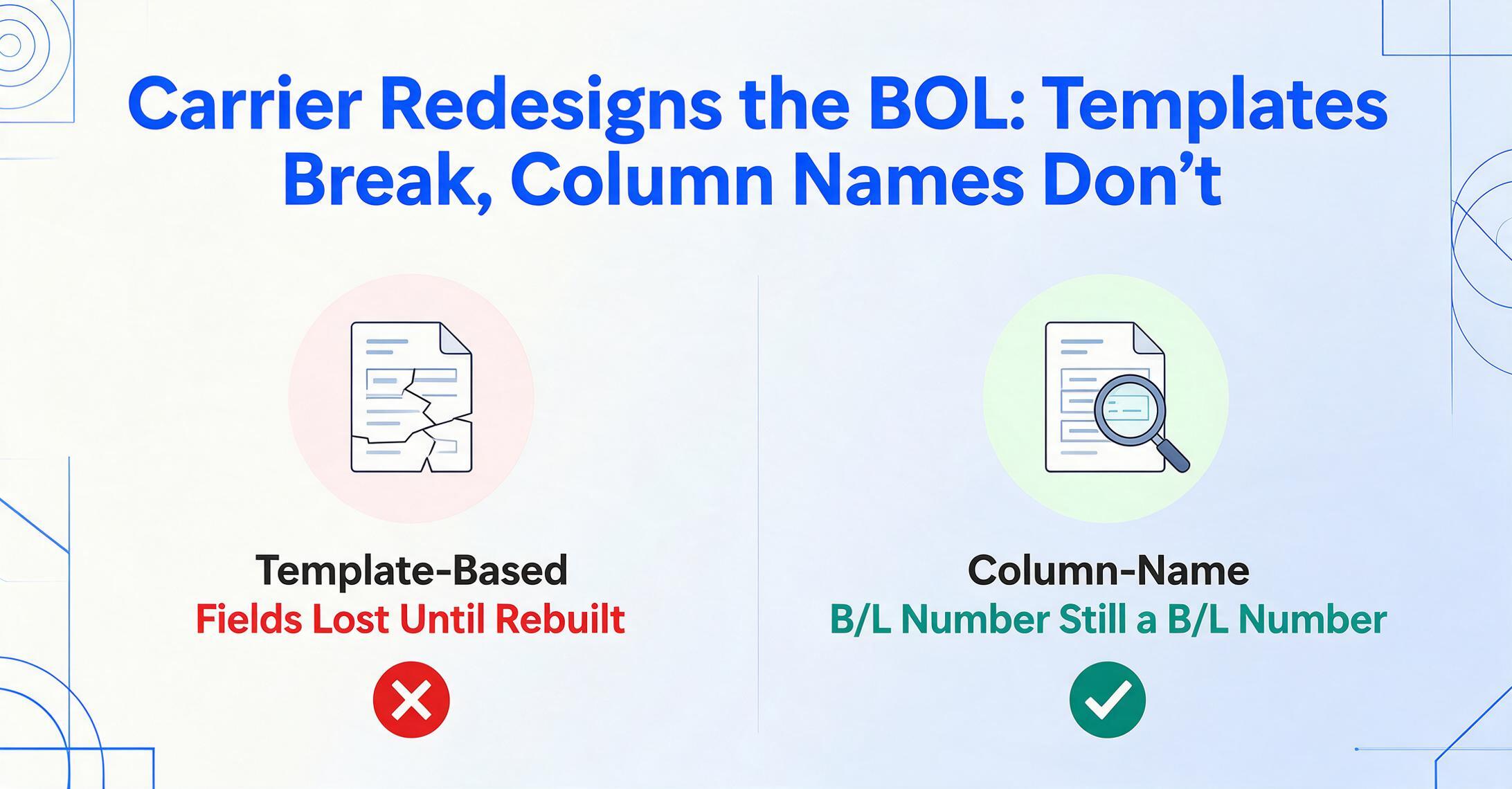
Carrier template updates. When Maersk redesigned its BOL layout — moving certain fields, reorganizing tables, adjusting page structure — template-based extraction tools lost track of those fields until someone rebuilt the template. Column-name extraction handles this differently. Since the AI isn't anchored to pixel positions, a layout change doesn't break extraction as long as the information content remains the same. The B/L Number is still a B/L Number, regardless of where it appears on the redesigned page.
Scan quality variance. A BOL that arrived as a crisp PDF from Maersk's system and a BOL that was photographed under fluorescent warehouse lighting and forwarded by an origin agent are not equal inputs. Blurry container numbers, smudged weight fields, and skewed page orientations reduce extraction confidence. The AI flags these for review — the operator sees which fields need attention without hunting through rows of correctly extracted data. For critical handwritten corrections on BOLs (weight adjustments, seal number changes added by hand), plan a quick review pass rather than expecting fully automated extraction from degraded scans.
Missing and ambiguous fields. Not every carrier includes every field on every BOL. A regional carrier might omit the HS code. An LCL consolidation BOL might leave the seal number blank. Template-based tools often treat a missing field as an extraction failure. Semantic extraction handles it differently — the field simply returns empty, and the operator decides whether to source the missing data from another document (a packing list, a commercial invoice) or proceed without it. Processing packing lists and BOLs together in the same batch, with fields that overlap between document types, is a natural extension of this workflow.
The practical outcome: for a batch of 50 BOLs processed with column-name extraction, the review step focuses on roughly 2 to 5 documents with flagged fields, not 50 documents with line-by-line verification. If you're still comparing extraction tools before committing to one, our head-to-head test of nine logistics document extraction tools covers exactly this kind of multi-carrier format variance.
When Your BOLs Arrive from Every Port: Collection Links
A freight forwarder's document flow is geographically distributed by definition. The person who handles physical BOLs at the port of loading in Shanghai is not the person who manages the control spreadsheet at headquarters in Rotterdam or Chicago. Every physical document that needs to reach the data entry desk is one more handoff — email forwards, portal downloads, WhatsApp photos — and every handoff is a potential delay or misroute.
Collection Links solve the distribution problem directly. A Collection Link is a unique, shareable upload page (a URL like /c/xxxx) that you generate and distribute to whoever handles documents at origin — warehouse staff, shipping agents, partner forwarders, pickup drivers. The recipient opens the link, enters a short verification code, and uploads the BOL directly. No account creation, no login, no training. The document lands in your processing queue, and you review and export from your dashboard.
This cuts out the middle steps entirely. Instead of "origin agent emails BOL PDF to operations desk → ops downloads attachment → saves to folder → uploads to extraction tool," the flow becomes "origin agent opens Collection Link → uploads BOL → document appears in your queue for review and export." Three handoffs eliminated, and the document is available for processing within minutes of issuance — sometimes before the vessel has even left the port of loading.
For freight forwarders managing BOLs across multiple trade lanes and time zones, where documents arrive around the clock from different parts of the world, Collection Links turn a sequential, email-dependent handoff chain into a parallel, direct-upload pipeline. Every agent, at every port, uploads to the same destination.
Frequently Asked Questions
How many BOLs can be processed in a single batch?
There is no hard limit — you can upload as many files as needed in one batch. Realistically, a batch of 50 to 100 BOLs from multiple carriers processes in a few minutes. Total processing time scales with page count, not format diversity, because the AI reads each document independently using the same column definitions.
Can this handle both ocean and air freight documents in the same batch?
Yes. An ocean BOL, an air waybill (AWB), and a packing list can be processed in the same batch using the same column definitions — as long as the fields you've specified (Shipper, Consignee, Cargo Description, Weight) exist across those document types. The AI distinguishes document types automatically and adapts its reading. For fields unique to one document type (airport codes on AWBs, container numbers on ocean BOLs), those columns will populate where the data exists and remain blank where it doesn't.
What happens to BOLs with handwriting or stamps?
Clear block handwriting and stamped text extract reliably. Handwritten weight corrections, driver annotations, and seal number changes that are legible will process accurately. Heavily cursive writing, faded carbon copies, and smudged ink stamps reduce confidence — these fields will be flagged for manual review. We recommend a quick review pass over handwritten fields rather than expecting fully automated processing from degraded sources.
How does this compare to the built-in document recognition in my TMS?
Most TMS platforms with built-in OCR — including CargoWise, Descartes, and Magaya — offer document recognition that is either template-based (requiring per-carrier configuration) or limited to a fixed set of pre-defined fields set by the TMS vendor. Column-name extraction gives you control over which fields are extracted, including carrier-specific or internal reference fields that generic BOL OCR models don't cover. The Excel/CSV output imports into any TMS that accepts file uploads, so it works alongside your existing system rather than replacing it.
Can I use this to handle BOLs in Chinese, Japanese, or other languages?
Yes. The AI processes BOLs in multiple languages. A Chinese-language COSCO BOL and an English-language Maersk BOL can be processed in the same batch — the column names you define in English act as the extraction targets, and the AI locates the corresponding values regardless of the document's language. International freight teams handling shipments across different trade lanes work in a single workflow.
For teams handling broader logistics documentation workflows, see our guides on batch extracting packing slips and delivery notes and batch processing purchase orders across suppliers. If you're evaluating the cost of continuing with manual data entry, read about the hidden cost of manual data entry.
For the single-document equivalent of this workflow — covering field-by-field extraction, carrier format handling, and step-by-step setup — see how to extract bill of lading data to Excel without API or IT setup.