What Is Payslip Data Extraction?
Automating Payroll Entry
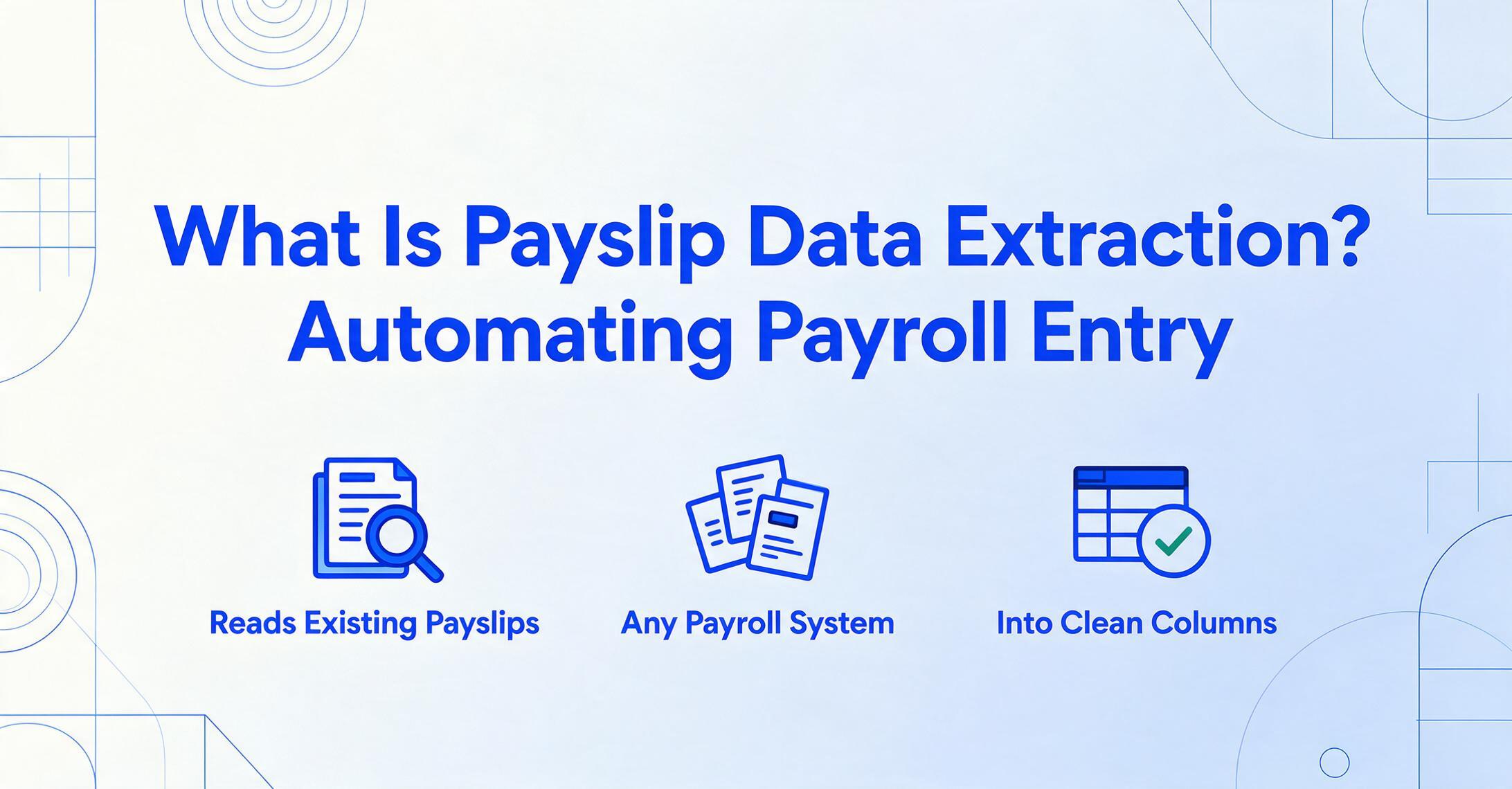
Payslip data extraction is the automated process of reading key compensation fields — like employee name, pay period, gross pay, net pay, taxes, deductions, and year-to-date totals — from a digital or scanned payslip and outputting them as structured rows in a spreadsheet. Instead of opening each pay stub PDF and typing values into a payroll register or Excel sheet one cell at a time, extraction software reads the document and populates the columns for you — regardless of whether the payslip came from ADP, Gusto, Paychex, or QuickBooks.
Key Takeaways
- Most payslip handling boils down to opening PDFs one at a time and typing wages, taxes, and deductions into a spreadsheet cell by cell.
- Template-based extraction derails the moment a payslip arrives from a payroll provider you have never seen before, and with six major payroll systems each using a different layout, this derailment is not an edge case, it is your everyday reality.
- AI that reads payslips by meaning treats Federal Tax, PAYE, and Lohnsteuer as one column regardless of where each label sits on the page, with no template to build and no retraining when a new format appears.
What Payslip Data Extraction Actually Is
Payslip data extraction is not payroll software. That distinction causes more confusion than anything else in this space. Payroll software — ADP, Gusto, Paychex, QuickBooks Payroll — generates payslips: it calculates wages, withholds taxes, files compliance forms, and produces the PDF or paper pay stub. Extraction does the reverse: it reads existing payslips — from any source, any payroll provider, any format — and pulls the data into structured columns you can analyse.
The reason extraction exists as a separate category is that most organisations don't just handle payslips from one system. A mortgage broker receives pay stubs from applicants who use ADP, Gusto, and a handful of smaller providers — every one laid out differently. An HR team onboarding new hires collects prior-employer payslips in whatever format the previous company issued them. A payroll auditor reconciles records across years when the employer may have switched payroll providers entirely. In every case, the data is the same — employee, gross pay, net pay, deductions, YTD totals — but the template it sits on is different every time.
The fields typically extracted from a payslip break into two groups:
Employee & Employer Fields
- Employee Name & ID
- Employer Name
- Pay Period (Start & End Date)
- Payment Date
- Employment Status / Tax Code
Compensation Fields
- Gross Pay / Basic Salary
- Overtime, Bonuses, Allowances
- Tax Deductions (Federal/State/Local)
- Social Security, 401(k), Health Premiums
- Net Pay (Take-Home)
- Year-to-Date (YTD) Totals for Each
What makes payslip extraction harder than it looks is the format diversity that comes from the payroll ecosystem itself. ADP stacks YTD totals alongside current-period numbers; a QuickBooks-generated stub runs them horizontally; a UK payslip leads with National Insurance and tax code; a French bulletin de paie lists dozens of mandatory lines under Code du Travail requirements. The fields are universal — the layout is not. This is the problem that template-free, semantic extraction was built to solve: the AI reads by meaning ("find whatever looks like the employee's take-home pay"), not by position ("look 3 inches right of the 'Net Pay' label"). For the broader technology behind this approach, see our AI document extraction primer.
Payslip Extraction vs Payroll Software vs Manual Entry
These three terms describe fundamentally different things, and confusing them leads to buying the wrong tool for the job.
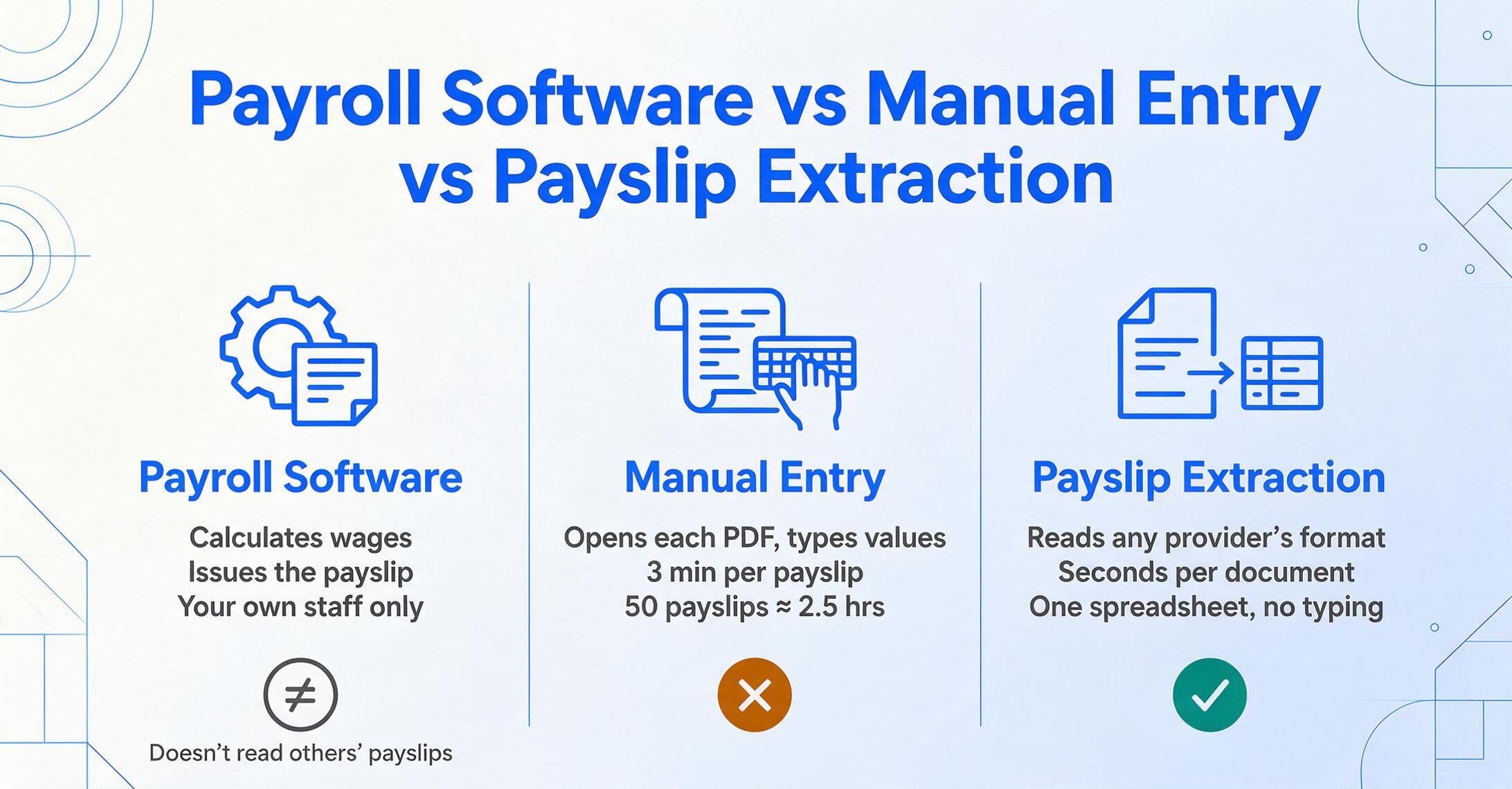
Payroll software runs the payroll: it calculates wages, withholds taxes, files W-2s and compliance forms, and produces payslips for employees. ADP, Gusto, and Paychex are payroll software. Their job is to generate payslips — not to read payslips from other systems. If you're an employer paying your own staff, you need payroll software. If you're reading payslips that someone else generated, payroll software can't help you.
Manual entry is what happens when extraction isn't in place: a person opens each payslip PDF, reads the values, and types them into a spreadsheet or database. At 3 minutes per payslip for a full field set — employee info, pay period, gross pay, every deduction line, net pay, YTD figures — a stack of 50 payslips costs about 2.5 hours of focused work. Scale that to 200 payslips and it's a full day. The error rate is the second problem: one misplaced decimal in a net pay figure can cascade into a loan approval error or a payroll audit discrepancy that takes hours to trace back.
Payslip data extraction replaces the manual reading and typing step. It doesn't calculate payroll — that's payroll software's job. It doesn't file taxes. It does one thing: turns a PDF or image of a payslip into structured spreadsheet data, in seconds per document, across any payroll provider's format. For organisations that consume payslips but don't generate them — lenders, brokers, HR teams, auditors, outsourced payroll providers — extraction fills the gap that payroll software was never designed to address. If you've been dealing with the manual entry side of this equation, see our breakdown of what manual payslip data entry actually costs HR teams.
How Payslip Data Extraction Works
The extraction pipeline for payslips follows the same architecture as invoice extraction, purchase order extraction, or receipt OCR, but the challenge profile is different: payslip fields are more numerous, more numeric, and have cross-field relationships that extraction needs to preserve.
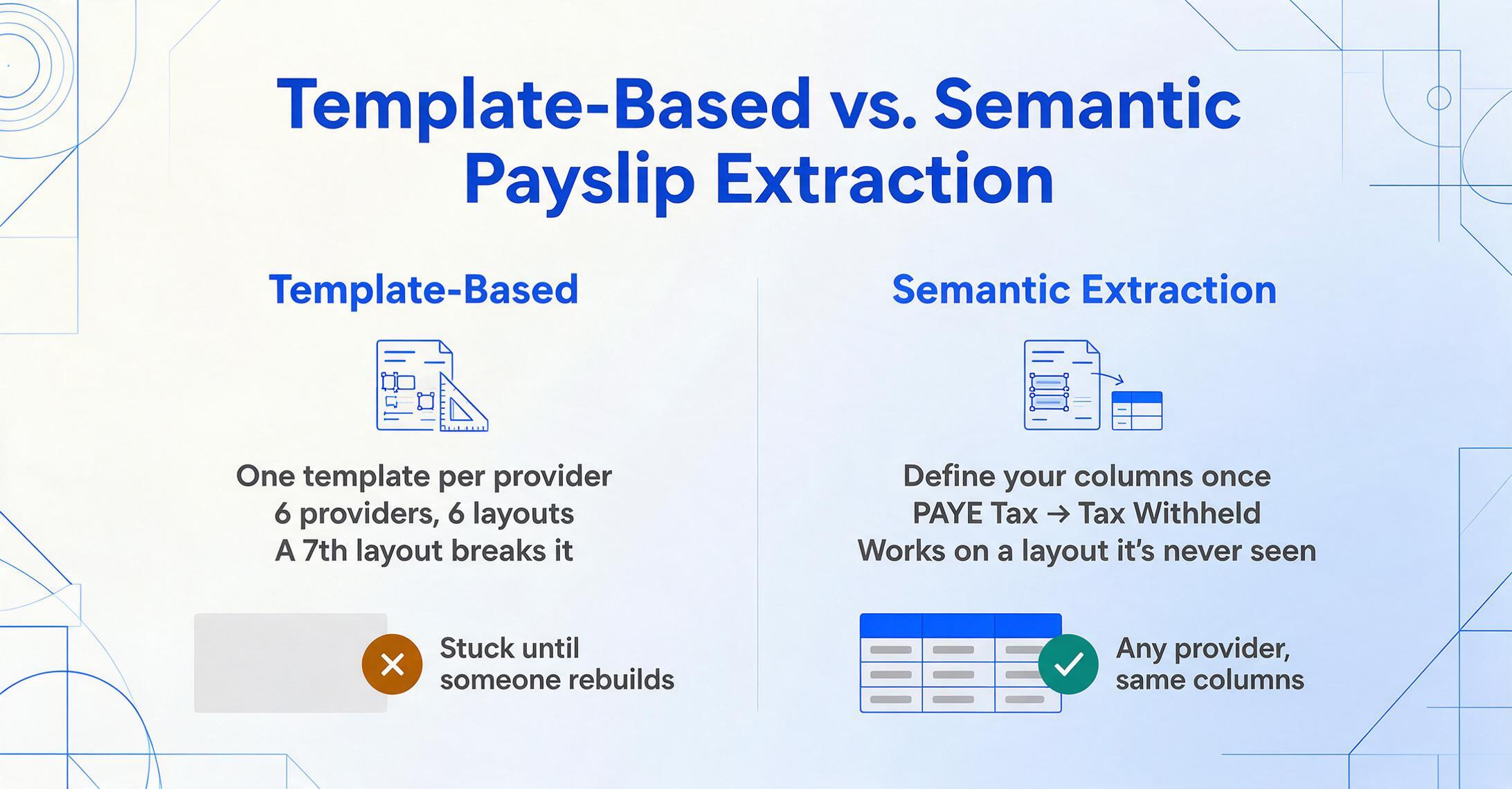
Template-based extraction — the old way. Traditional tools require you to build a parsing template for each payroll provider's format. You draw zones around "Gross Pay" on one layout, mark its position, repeat for 15+ fields — then do it again for every employer format that enters your workflow. An income verification team handling payslips from ADP, Gusto, Paychex, QuickBooks, Workday, and Sage is looking at six entirely different layouts for the same data. A seventh layout breaks the system until someone builds another template.
Semantic extraction — the modern way. Modern AI-based extraction works by meaning rather than position. You specify what you want: "Employee Name," "Gross Pay," "Federal Tax," "Net Pay," "YTD Gross." The AI reads the document, understands that "PAYE Tax" on a UK payslip and "Federal Income Tax" on a US one both map to your "Tax Withheld" column, and extracts accordingly. This is called Custom Column Extraction: you define the output columns you need, and the AI locates each value wherever it sits on a layout it has never seen before. No template building, no retraining when a new employer format appears.
Here's the end-to-end flow:
Upload Payslips
Drop in PDFs, scans, or phone photos — single or batch. Works across ADP exports, Gusto PDFs, Paychex stubs, QuickBooks reports, and manual payslip scans from any employer.
Define Your Columns
Type the field names you want extracted — "Employee," "Pay Period," "Gross Pay," "Federal Tax," "Net Pay." These become your spreadsheet headers. Or use the payslip preset for one-click setup.
AI Reads & Maps
The vision model identifies which values correspond to which columns by understanding the semantics — "Federal Tax" on an ADP stub, "PAYE" on a UK payslip, "Lohnsteuer" on a German one all map to your tax column.
Export Structured Data
Download as Excel (XLSX), CSV, or write directly into Google Sheets. Each payslip becomes one row with all fields as columns — ready for filtering, reconciliation, or import into your payroll system.
Files are processed securely and not stored.
When You Need Payslip Data Extraction
Extraction becomes worth it not when you have a few payslips, but when the volume, the format variety, or the downstream consequence of a transcription error crosses a threshold where manual entry stops being a minor inconvenience.
1. Income verification at scale. Mortgage brokers, auto lenders, and rental property managers routinely collect payslips to verify applicant income. Point Predictive's 2026 fraud report found that income and employment misrepresentation now accounts for 45% of total auto lending fraud loss — a share that grew 21% year over year against a record $10.4 billion in fraud exposure. Automated extraction turns a stack of applicant payslips — each from a different employer with a different format — into comparable rows in minutes, rather than a manual review that takes hours and still misses fabricated documents. It doesn't prevent fraud on its own, but it removes the transcription bottleneck so reviewers can spend their time on verification, not data entry.
2. Multi-employee payslip consolidation. HR teams collecting prior-employment payslips during onboarding, payroll providers consolidating data across client companies, or bookkeepers reconciling wage records across multiple employers all face the same pattern: a folder of PDFs from different payroll systems that need to become one spreadsheet. Batch extraction handles this in a single pass. Instead of 50 payslips becoming 50 manual entry sessions, they become one upload, one processing job, and one merged Excel file. For teams that need to go further and aggregate results into a shared workspace, the Google Sheets add-on for payslip extraction lets you process and write results directly to a spreadsheet without switching tools.
3. Payroll audit and reconciliation. Workers' compensation audits, 401(k) compliance reviews, and internal payroll reconciliation all require structured wage data drawn from source payslips. Auditors need a schedule that ties back to the original documents — each row traceable to a specific PDF. Manual extraction makes it impractical to sample more than a handful of payslips per audit. Automated extraction makes full-population sampling feasible: process every payslip, not just a spot-check, and let reviewers focus on the discrepancies rather than the data entry. For a deeper look at this workflow, see our guide on batch payslip extraction for HR audits.
4. Cross-border or multi-country payroll processing. An outsourced payroll provider managing clients in the US, UK, and Germany receives payslips in three different legal formats with different field names, different tax line structures, and different languages. US payslips list "Federal Income Tax" and "Social Security." UK payslips list "PAYE Tax" and "National Insurance." German Gehaltsabrechnungen list "Lohnsteuer" and "Solidaritätszuschlag." Extraction that reads by meaning handles all three through the same column definitions — the AI maps them to your output fields regardless of what the labels say or where they sit on the page.
What to Look For in a Payslip Extraction Tool
Payslip extraction tools range from generic OCR wrappers to purpose-built payroll document processors. Here are the criteria that matter in daily use:
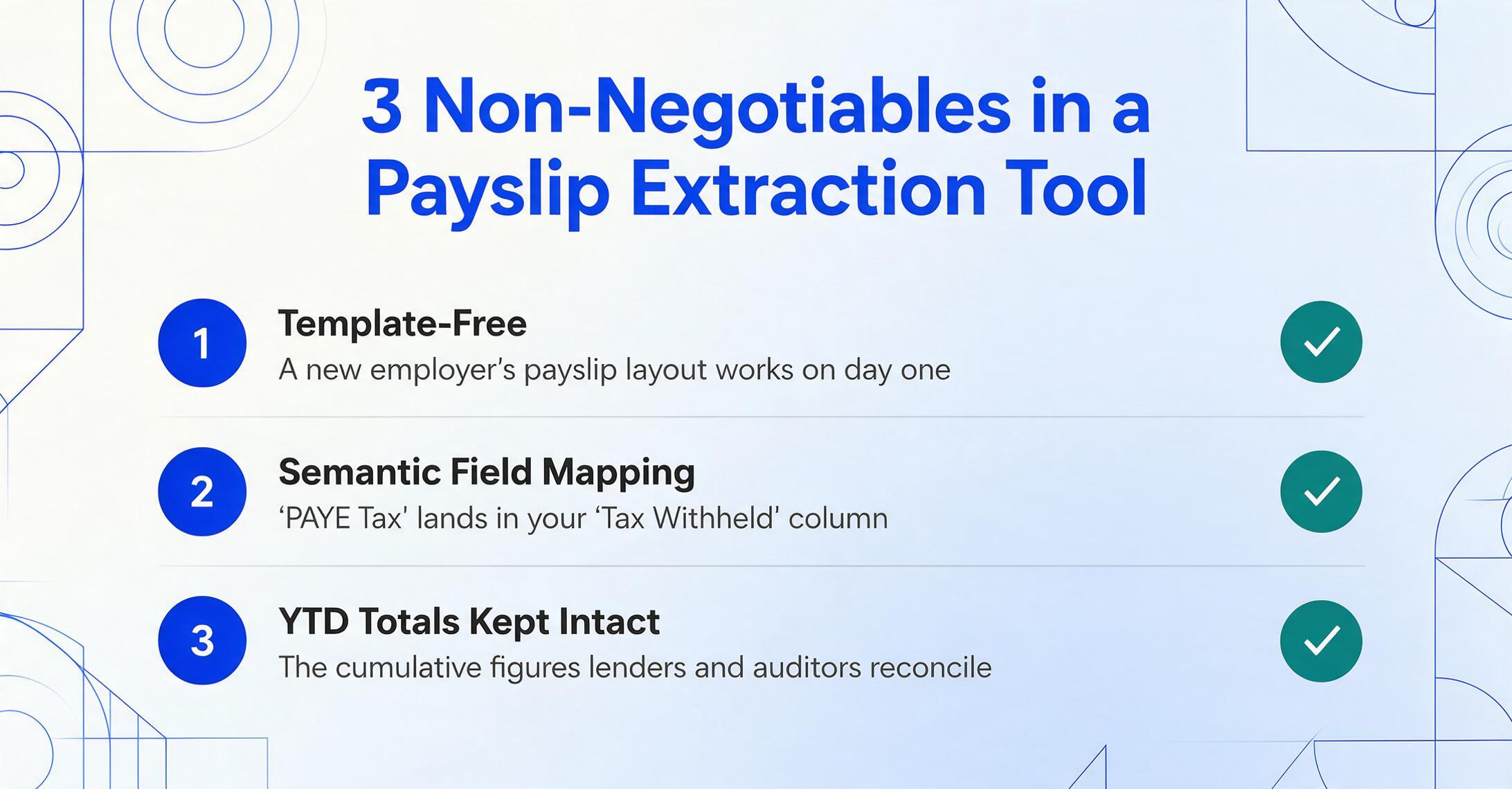
Template-free, format-independent operation. This is non-negotiable. A tool that requires building and maintaining parsing templates per payroll provider doesn't solve the problem — it renames it from "manual data entry" to "template maintenance." The right question to ask: "When a new employer format appears — say a payslip from a payroll system I've never seen before — what do I need to do?" If the answer involves building a template, the tool solves the steady-state case but fails at the onboarding moment when extraction is most valuable.
Semantic field mapping across providers. The tool needs to understand that "PAYE Tax" on a UK payslip and "Federal Income Tax" on a US one both correspond to your "Tax Withheld" column — the same capability that makes modern extraction tools effective across document types from contracts to bank statements. This isn't a translation feature — it's a requirement that the AI reads the document semantically rather than matching strings or positions. A tool that only works when the field labels match your column names exactly will fail on the first international payslip.
YTD field handling. Year-to-date totals are one of the most important fields on a payslip — lenders use them to verify income consistency, auditors use them to confirm cumulative deductions — and they're also one of the hardest to extract reliably. YTD figures often appear in a separate section with a different font size, sometimes in a running-total column alongside current-period amounts. A tool that confuses YTD gross with current-period gross produces data that looks right but misleads every downstream decision. For a step-by-step treatment of YTD and every other field group on a pay stub — and how batch processing assembles them into a verifiable spreadsheet — our payslip data extraction handbook covers the territory end to end.
Batch processing with merged output. Individual extraction is table stakes. What separates usable tools from partial solutions is whether you can upload 100 payslips at once and get back one spreadsheet where each row is a payslip and each column is a field — not 100 separate extractions you then have to copy-paste together.
Verification built into extraction. The best extraction tools don't just read fields — they verify them. Net pay should equal gross pay minus all deductions. If the extracted values don't add up, the tool should flag the row rather than silently output inconsistent data. This is where computed columns in payslip extraction add a layer of validation: the AI can calculate the expected net pay from the extracted gross and deduction fields and flag any mismatch, turning extraction into a reconciliation step rather than just a copy step. For a comparison of available tools that handle payslip-specific challenges, see our roundup of the best payslip extraction tools in 2026.
Frequently Asked Questions
Is payslip data extraction the same as payroll software?
No. Payroll software (ADP, Gusto, Paychex) calculates wages, withholds taxes, and generates payslips for your own employees. Payslip extraction reads existing payslips — from any payroll system — and converts them into structured data. If you're an employer generating payslips, you need payroll software. If you're collecting, reviewing, or auditing payslips that other organisations generated, you need extraction.
Can AI extraction handle payslips from different countries?
Yes, provided the tool uses semantic rather than positional extraction. Different countries use different field names (PAYE vs Federal Tax vs Lohnsteuer), different deduction categories (National Insurance vs Social Security vs Sozialversicherung), and different layouts. A semantic extraction tool maps them all to your output columns because it reads by meaning, not by label matching. The field names on the document don't need to match your column names — the AI understands that they represent the same underlying concept.
What's the accuracy rate for payslip extraction?
For printed, legible payslips, field-level accuracy ranges from 95% to 99% with modern AI-based tools. Employee names, gross pay, and net pay tend to be at the high end; YTD figures and itemised deductions at the lower end because they appear in denser, more variable sections. Phone photos of paper payslips will be at the lower end of that range. The critical workflow change is that extraction shifts the human role from "type every field and verify" to "review extracted fields and flag exceptions" — which is where the time savings come from.
Can payslip extraction detect fake or altered pay stubs?
Extraction tools are not fraud detection systems, but they enable fraud detection by making it practical to verify more data points across more documents. A tool that checks whether net pay equals gross minus deductions flags mathematical inconsistencies — one common sign of amateur forgery. And because batch extraction lets you process 100% of payslips rather than spot-checking a sample, the likelihood of catching anomalies increases. For high-stakes verification, extraction is a complement to — not a replacement for — dedicated income verification services.
Do I need a different template for every employer's payslip format?
Not with template-free extraction. Traditional OCR tools require a unique template per payroll provider layout — one for ADP, one for Gusto, one for Paychex — because they extract by position. Modern AI extraction reads by meaning: you define the columns you want (Gross Pay, Net Pay, Tax), and the AI finds them regardless of where they sit on the page. A new employer format that you've never seen before is handled without setup. This is the single most important capability to verify before choosing a tool.
What formats can I upload — does it work with scanned paper payslips?
Most modern extraction tools accept PDF, JPG, PNG, and WebP. Digital PDFs from payroll systems work best, but scanned paper payslips and phone photos work as well — accuracy depends on legibility more than format. The key distinction is that AI-based tools handle scanned images by "seeing" the document the way a person does, whereas traditional OCR requires clean, high-contrast scans — the same principle that makes AI handwriting recognition viable where traditional OCR fails. A payslip photographed under office lighting from a reasonable angle will typically extract with the same accuracy as a scanned version.
How is payslip extraction different from bank statement extraction or invoice extraction?
The extraction pipeline is similar across document types, but the field profile differs. Bank statement extraction handles transaction rows with dates, descriptions, and amounts. Invoice extraction handles header fields plus multi-row line items. Payslip extraction sits in between — mostly single-row per document, but with more numeric fields, cross-field relationships (net pay = gross − deductions), and YTD running totals that need to be distinguished from current-period values. The format diversity from payroll provider ecosystems (ADP, Gusto, Paychex, QuickBooks, Workday, Sage) is also uniquely high for payslips.
Where to Go From Here
Payslip data extraction addresses a specific gap that payroll software was never designed to fill: reading payslips that someone else generated. The need cuts across income verification, HR onboarding, payroll auditing, and multi-country payroll consolidation — any workflow where payslips arrive as documents rather than as database records.
The best way to evaluate whether extraction fits your workflow is to test it on real payslips — ideally a mix of formats from different payroll providers. If the tool handles your most varied payslips in a single batch, the uniform ones take care of themselves. For a broader view of how AI extraction compares to traditional OCR across document types, start with our overview of AI document extraction. Or if you're ready to test it on your own payslips, upload a sample and see the results now.