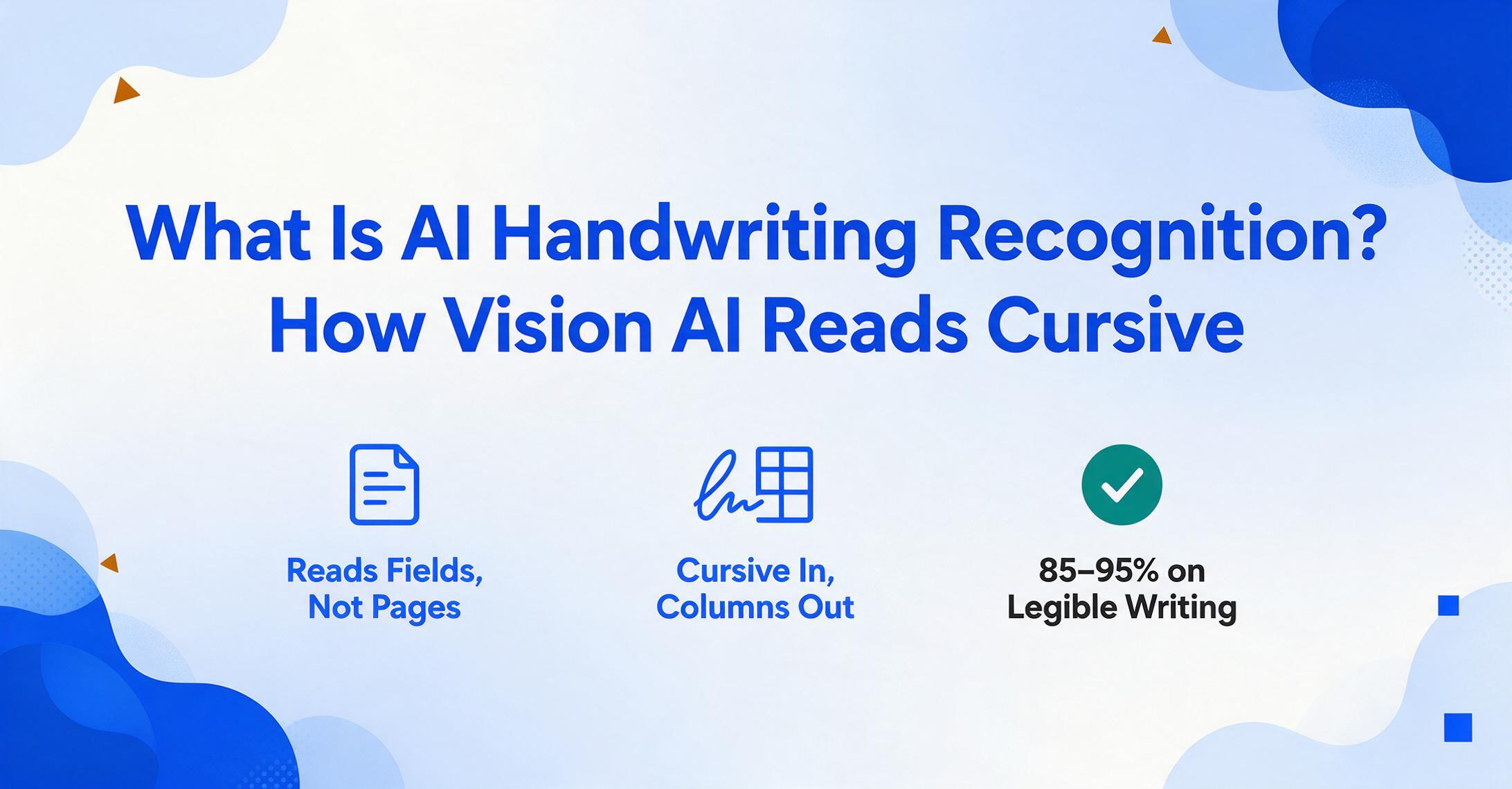
What Is AI Handwriting Recognition?
How Vision AI Reads Cursive
AI handwriting recognition is the use of vision AI models to read and convert handwritten text — whether printed, cursive, or mixed — from a photo or scan into machine-readable structured data. Unlike traditional OCR, which was built to match clean printed fonts against fixed character templates, vision AI understands handwriting the way a person does: by looking at the whole word, the surrounding context, and what the document is trying to communicate. On good-quality handwriting, modern AI models achieve 85–95% accuracy — where traditional OCR often drops below 50% the moment letters start connecting.
Key Takeaways
- AI handwriting recognition is not about turning cursive into searchable text — it's about pulling structured data fields from handwritten forms directly into spreadsheet columns.
- Traditional OCR fails on cursive not because it's "bad" at handwriting but because it segments individual characters — and connected letters make character isolation fundamentally impossible, breaking the pipeline at step one.
- The breakthrough is semantic reading: AI finds fields by understanding what they mean, not where they appear, so the same column definitions extract data from any handwritten form without per-writer training or per-format templates.
What AI Handwriting Recognition Actually Is
Let's clear up the most common confusion immediately: AI handwriting recognition is not about recognizing your signature. It's about reading the data fields on a handwritten document — the invoice number someone scribbled at the top of a form, the delivery date a driver jotted on a proof-of-delivery slip, the hours a foreman penciled into a paper timesheet. The technology looks at a photo of a handwritten document and answers the same questions you'd ask a human data entry clerk: what's the date, who's the vendor, how many units, what's the total?
This distinction matters because most resources you'll find about "handwriting OCR" talk about converting pages of handwritten notes into editable text — a digitization problem. But most businesses dealing with handwritten documents don't have a digitization problem. They have a data extraction problem. A stack of 50 handwritten delivery notes isn't valuable as 50 searchable text files. It's valuable as one spreadsheet with columns for date, recipient, items, and signature — ready to import into an inventory system. That's the jump from text recognition to structured extraction, and it's what separates AI handwriting recognition from the handwriting OCR tools of the past decade.
For context on how this fits into the broader landscape of document automation, see our guide on what AI document extraction actually does — handwriting recognition is one of its most challenging and most impactful capabilities.
Handwriting Recognition vs Traditional OCR vs Human Transcription
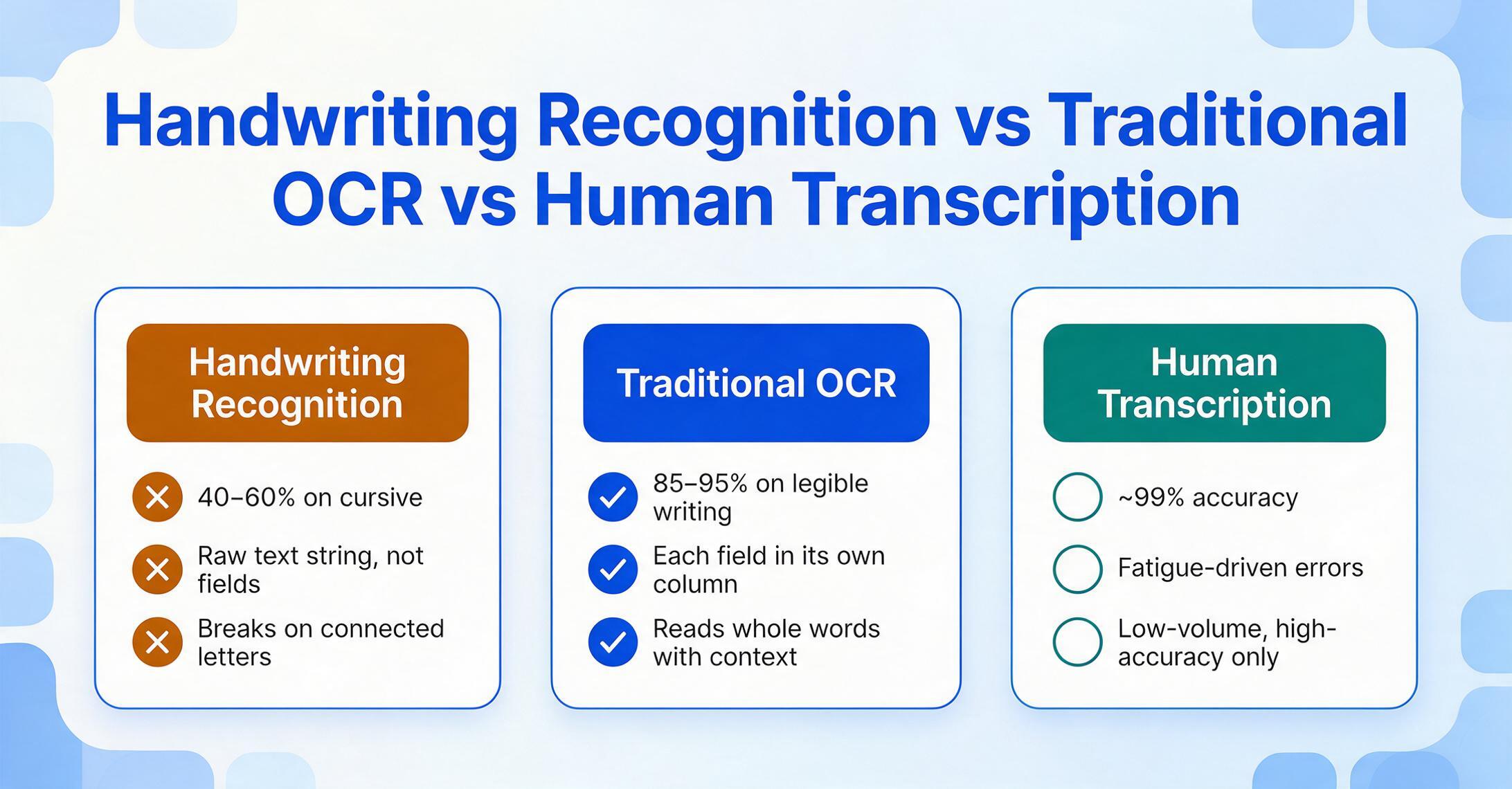
If you've tried using a scanner app or Adobe Acrobat on a handwritten form and gotten back gibberish, you've experienced the fundamental mismatch between what traditional OCR was built for and what handwriting demands. The three approaches produce radically different results from the same starting point — a photo of a handwritten document.
| Approach | How It Works | Accuracy on Cursive | Output | Best For |
|---|---|---|---|---|
| Traditional OCR | Matches pixel patterns against known character templates — one character at a time | 40–60% | Raw text string; breaks on connected letters | Printed documents with clean, uniform fonts |
| AI Handwriting Recognition | Vision models read entire words and lines holistically, using surrounding context to resolve ambiguity | 85–95% on legible writing | Structured data (Excel, CSV, JSON) — each field in its own column | Handwritten forms, mixed print-and-cursive documents, field reports, delivery notes |
| Human Transcription | A person reads and types each field | ~99% (with fatigue-driven errors) | Whatever format the person types into | Low-volume, high-accuracy requirements where cost isn't the primary constraint |
The numbers are stark. In an independent benchmark of 14 AI models on 100 cursive handwriting samples, the top vision-language models achieved near-perfect semantic accuracy, while traditional OCR engines registered error rates that made the output effectively unusable. One specialized handwriting service benchmarked a 0.9% word error rate on clean handwriting — and 95.4% for Tesseract, a widely used open-source OCR engine, on the same sample. That's the difference between one correction per page and one correction per sentence.
These are expectation-level figures — the headline accuracy you can reasonably expect from each approach on typical documents. Accuracy is measured differently depending on the question you're asking: character-level error rates (CER/WER) describe the raw transcript, while field-level accuracy describes whether each value lands in the correct spreadsheet column. Our mechanism deep dive reports the character-level numbers, and our AI vs traditional OCR comparison measures field-level accuracy by document type.
What drives this gap isn't incremental improvement. It's a fundamentally different architecture. Traditional OCR segments a page into individual characters, matches each one against a template library, and stitches the results back together. Cursive handwriting breaks this pipeline at the very first step: you can't segment connected letters without already knowing where one ends and the next begins. This is why a crisp, typed invoice might scan at 99% accuracy while a handwritten version of the same document drops to 50% — the OCR engine never got past step one.
For accuracy numbers broken down by handwriting type — printed block letters, neat cursive, messy cursive — and what those numbers mean for your own documents, see can AI read handwriting at usable accuracy.
This same architectural gap shows up across every document type. For a look at how traditional template-based extraction compares to AI-powered approaches on printed documents, see our comparison of AI handwriting recognition vs traditional OCR. And for the specific challenge of extracting data from handwritten forms — where the stakes are highest — read about extracting specific fields from handwritten forms.
How Handwriting Recognition Works
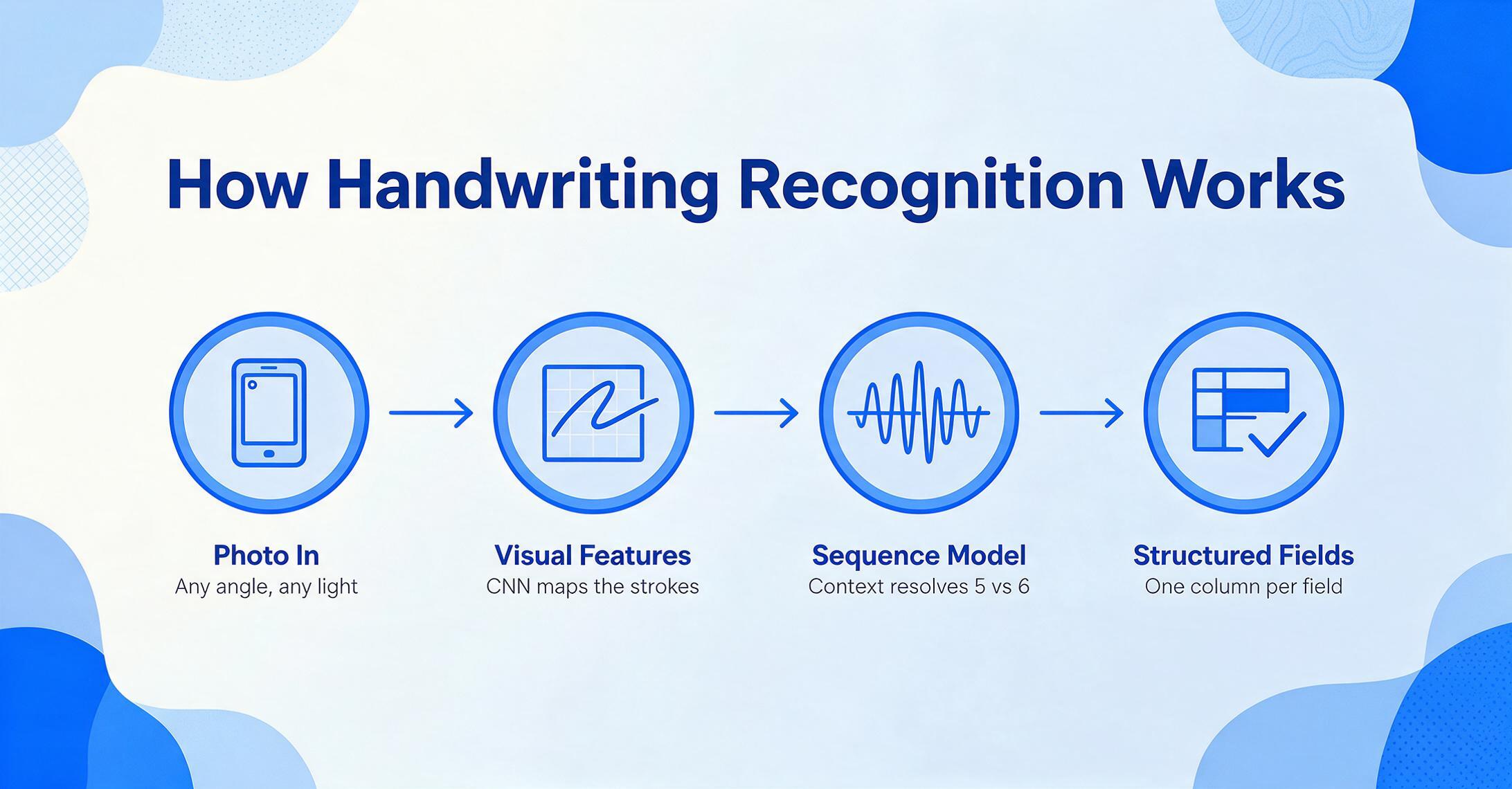
The reason AI succeeds where traditional OCR fails comes down to a shift in strategy: from character segmentation to holistic understanding. And this shift changes everything about what's possible.
This section is the overview — for a step-by-step walkthrough of the underlying architecture, including exactly why character segmentation collapses on connected letters and how context resolves ambiguous digits like a handwritten "5" vs "6", see our deep dive on how handwriting recognition works.
Traditional OCR treats a page of handwriting like a puzzle: isolate each letter, identify it, move to the next. The problem is that handwriting doesn't work in isolated letters. A lowercase "r" connected to an "i" looks different from an "r" connected to an "n." A doctor's hastily written "qty" can look like "gty" out of context — but only one of those makes sense on a delivery note. Traditional OCR doesn't know what makes sense. It just matches shapes.
Modern AI handwriting recognition uses convolutional neural networks (CNNs) to extract visual features from the image, then recurrent neural networks (RNNs) or transformer models to process those features as a sequence — treating a line of handwriting as a continuous signal rather than a series of discrete characters. This is why the approach is sometimes called Handwritten Text Recognition (HTR) to distinguish it from OCR: the entire recognition pipeline was rebuilt around how handwriting actually behaves.
Vision-language models take this further. Instead of just recognizing characters, they understand the document. When a field is labeled "Delivery Date" on one form and "Date Rec'd" on another, the AI doesn't need to be told they're the same thing — it reads the label, understands what it means, and locates the corresponding handwritten value anywhere on the page. This is the difference between a tool that sees text and a tool that reads a document.
The practical implication is significant: AI handwriting recognition doesn't need you to create a template for every document layout, train it on samples of your specific handwriting, or configure extraction rules. You describe what you want — "Sender Name," "Ship Date," "Item Count" — and the AI finds each value by understanding what it means, regardless of where it appears or how it's written. This is the core concept behind Custom Column Extraction: you name your columns, and the AI fills them by reading the document semantically rather than scanning it positionally. For a deeper look at how this technology handles the hardest handwriting scenarios, see our article on common handwriting extraction failure modes and how to avoid them.
When You Need Handwriting Recognition
The irony of handwriting recognition is that the people who need it most are often the furthest from a computer. Field workers fill out paper forms on-site. Delivery drivers scribble signatures and quantities at loading docks. Inspectors tick boxes and write notes on clipboards in warehouses. These documents accumulate until someone — usually an office administrator or a small business owner — faces the task of typing all that handwritten data into a system.
Handwriting recognition becomes worth it when at least one of these conditions is true across your documents:
Four Signs You Need Handwriting Recognition
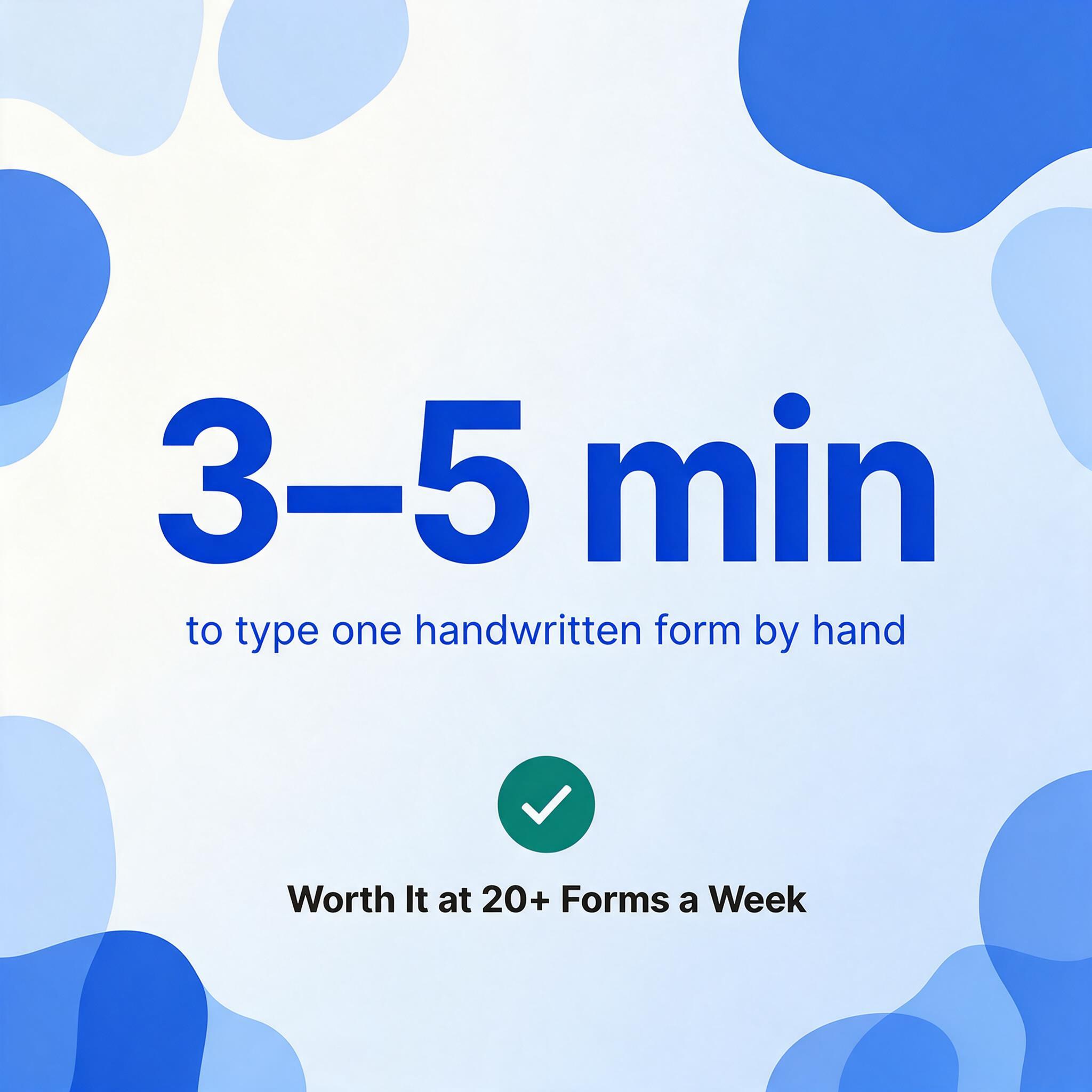
1. Volume crosses the manual threshold. Processing 20+ handwritten forms a week — that's 80+ a month — at 3–5 minutes per form for manual data entry. At that scale, even 85% AI accuracy with a quick human spot-check is dramatically faster than 100% manual entry.
2. The handwriting comes from multiple people. A construction office might receive timesheets from a dozen different subcontractors, each with different handwriting. A logistics hub might process delivery notes from drivers across three shifts. The handwriting variability is the problem, and AI handles it better than template-based systems that assume consistency.
3. The documents mix printed and handwritten content. A pre-printed inspection form with handwritten observations. A printed invoice with a handwritten signature and date. A meter reading card with printed account numbers and a handwritten reading. Traditional OCR reads the printed part fine and produces garbage for the handwritten part — forcing you to handle both separately.
4. The documents are time-sensitive. Delivery confirmations that need to trigger inventory updates. Inspection reports that need to flag safety issues. Timesheets that need to hit payroll by Friday. The delay isn't the extraction — it's the pile-up of paper waiting for someone to type it in.
Here's what this looks like across the document types where handwriting is most common:
Handwritten delivery notes and proofs of delivery (PODs). A driver drops off a shipment, the receiver signs a paper slip, and that slip makes its way back to the office — sometimes days later, sometimes with a coffee stain. Every hour that slip sits unprocessed is an hour your inventory system doesn't know the delivery happened. AI handwriting recognition can read the receiver name, date, items, and quantities from a photo taken at the point of delivery. See our deep dive on handwritten delivery note extraction for receiving departments.
Handwritten timesheets and attendance records. Construction crews, field service technicians, and manufacturing shift workers often fill out paper time cards. A foreman might pencil in hours for 15 workers on a single sheet — names, dates, hours, job codes. Getting that data into payroll means someone types every field. AI reads the whole sheet at once, outputting a row per worker per day. Read more about converting handwritten timesheets to Excel for payroll.
Handwritten invoices. Small suppliers and subcontractors — the plumber who fixes a leak at your property, the electrician who does a small job — often hand-write their invoices on generic pads. These don't follow any standard format, and they're handwritten, so template-based extraction tools can't touch them. Vision AI reads them by understanding what an invoice is, not what it looks like. See handwritten invoice extraction for contractors.
Handwritten inspection forms and site logs. Safety inspections, equipment checks, construction daily reports — these are almost always filled out by hand, on-site, with a pen or pencil. The forms are pre-printed, but the data — observations, readings, checkmarks, signatures — is handwritten. AI reads both layers, extracting structured data from the handwritten annotations while recognizing the printed field labels for context. For construction specifically, see handwritten site log extraction to Excel.
Handwritten meter readings. A utility worker walks a route, reads meters, and writes numbers on a clipboard — sometimes in pencil, sometimes in rain. Those readings need to become billing data. AI reads handwritten numeric values from photos of meter cards, even when the handwriting quality varies from one reader to the next. See converting meter readings to spreadsheets.
Legacy handwritten records. Old ledger books, warehouse inventory cards, patient intake forms from before EHR systems — decades of handwritten data that exists only on paper. Digitizing these isn't about real-time processing; it's about unlocking information that's currently invisible. For historical ledgers, see our guide on AI handwritten ledger reading accuracy.
Each of these document types has different fields, different layouts, and different handwriting challenges. But they share the same bottleneck: a human has to type the data. AI handwriting recognition removes that bottleneck — not by replacing human judgment, but by handling the transcription so the human only needs to verify.
What to Look For in a Handwriting Recognition Tool
Not all handwriting recognition tools solve the same problem. Some are built to convert pages of handwritten notes into searchable text. Others are built to extract structured data from handwritten forms and output it as a spreadsheet. If you're looking at tools, here are the four criteria that separate the two:
1. Structured Output, Not Just Recognized Text
A tool that outputs a block of text saying "Date: 12/04/2026 Vendor: Acme Qty: 50" has done handwriting OCR, not data extraction. You still have to parse that text, split it into fields, and type it into the right columns. A proper extraction tool gives you a spreadsheet where "12/04/2026" is in the Date column, "Acme" is in the Vendor column, and "50" is in the Quantity column — without any manual parsing. Ask: does the output land in structured columns or in a text box?
2. Template-Free Recognition
If a tool requires you to define zones, draw boxes, or create parsing templates for each document format, it inherits the fundamental weakness of traditional OCR. Handwritten documents from different sources will have different layouts — a delivery note from one driver looks nothing like a delivery note from another. The tool needs to find data by understanding what it means, not by matching positions. Ask: if a new supplier sends a handwritten document in a format you've never seen before, can the tool handle it without setup?
3. Mixed Print-and-Handwriting Handling
Real-world documents are rarely purely handwritten. An inspection form has printed field labels and handwritten observations. A meter card has a printed account number and a handwritten reading. A delivery note has a printed company header and handwritten quantities. The tool needs to handle both in a single pass — not require you to separate them or run two different processing pipelines. Ask: can the tool extract from a form that has printed labels, handwritten values, and checkboxes — all in one upload?
4. Batch Processing as a First-Class Feature
If you're processing one handwritten page a month, any tool will do. But most handwriting recognition use cases involve batches — 30 delivery notes from a week's shipments, 15 timesheets from a crew, 50 inspection forms from a site audit. The tool should be built to process them together and merge the results into a single spreadsheet — not force you to upload, extract, and export one file at a time. Ask: can you upload a folder of documents and get back one spreadsheet, not fifty separate exports?
If you're comparing specific tools side by side, our guide to the best handwriting recognition tools in 2026 walks through the landscape in detail. And for a direct head-to-head of the underlying technologies, see AI handwriting recognition vs traditional OCR.
Frequently Asked Questions
Does AI handwriting recognition work with cursive?
Yes — and this is where AI most dramatically outperforms traditional OCR. Because AI models read entire words and lines holistically rather than segmenting individual characters, they handle connected cursive letters that would break a character-by-character OCR engine. Accuracy on legible cursive typically ranges from 80–90%, compared to 40–60% for traditional OCR. The more consistent the handwriting style within a document, the higher the accuracy.
Can AI read handwriting from a phone photo, or does it need a proper scan?
Phone photos work. Modern vision AI models are trained on real-world images, not just clean scans, so they handle angled photos, uneven lighting, and shadows better than traditional OCR — which expects flat, evenly-lit documents. A clear photo taken in good light (no motion blur, text is readable to a human eye) typically produces results close to a scanned image. The practical benefit is significant: field workers can photograph a delivery note or inspection form on-site with their phone, and the data gets extracted immediately — no scanner needed.
What handwriting quality is too poor for AI to read?
If two human readers can't agree on what a handwritten word says, AI is unlikely to resolve it either. The practical threshold is legibility: if a person unfamiliar with the writer can read 80%+ of the text without guessing, AI will likely perform in the 85–95% range. Extremely stylized cursive, heavy strike-throughs, text written at severe angles, and carbon-copy duplicates where the third or fourth layer is barely visible can push accuracy below 70%. In these cases, a human-in-the-loop review step is still necessary for high-confidence extraction — but it's still faster than fully manual entry.
Can AI distinguish between printed and handwritten text on the same page?
Yes. Vision AI models process the entire page as a visual image and can distinguish printed from handwritten text — the same way you can tell at a glance which parts of a form were pre-printed and which were filled in by hand. This is critical for structured form extraction: the AI uses the printed labels ("Date:", "Inspector:", "Findings:") as anchors to understand what the handwritten values mean, then extracts those values into the correct columns.
Does handwriting recognition work with checkboxes, tick marks, and circled options?
Modern vision AI can detect whether a checkbox is ticked, a circle is filled, or an option is crossed out — and output the result as structured data (e.g., "Safety Check Passed: Yes"). This goes beyond text recognition into visual understanding: the AI sees the checkbox and its mark as visual elements, not as characters. Accuracy on clear checkbox detection is generally high (90%+), though densely packed options or faint pencil marks can reduce reliability. For a deep dive into why checkboxes remain the hardest part of form extraction — and the five ways even good models get them wrong — see our article on why AI reads handwritten forms but still misses a ticked box.
Can I extract specific fields from handwritten forms, or does the AI just dump all the text?
You can extract specific fields. With Custom Column Extraction, you define the columns you want — "Delivery Date," "Recipient Name," "Item Count" — and the AI locates and extracts only those fields from each document. This is the difference between getting a wall of text you still have to sort through and getting a spreadsheet where every column is exactly the data you need. The approach works across document types: the same columns can extract data from handwritten invoices, delivery notes, and inspection forms — because the AI finds fields by meaning, not by position. For a step-by-step guide, see custom column extraction for handwritten documents.
Do I need to train the AI on samples of my specific handwriting?
No — modern vision AI models arrive pre-trained on millions of handwriting samples spanning different styles, languages, and document types. They handle new handwriting styles without any per-writer training or sample collection. If your organization has a single writer with an extremely unusual style (historical scripts, non-Latin cursive, severely stylized shorthand), fine-tuning on that specific handwriting can improve accuracy — but for most business use cases involving multiple writers filling out standard forms, the out-of-the-box model already delivers usable accuracy without any setup.
The Bottom Line
Handwriting has been the last stubborn frontier in document automation — the thing that forced a human to sit down and type, no matter how many other parts of the process were digitized. That frontier has shifted. AI handwriting recognition doesn't match human accuracy on every document, and it probably never will on the messiest 5% of handwriting. But on the 85–95% of handwritten documents where the writing is reasonably legible, it eliminates the transcription step entirely — turning "someone has to type all of this" into "someone needs to spot-check the AI's work."
The people who benefit most aren't AI researchers or enterprise IT departments. They're the office manager at a construction company processing 40 handwritten timesheets every Monday. The warehouse clerk who receives delivery confirmations from a rotating cast of drivers. The small business owner whose suppliers still send handwritten invoices on carbon-copy pads. For them, the question isn't "can AI match human accuracy on every document." It's "can AI handle the 90% of documents that are clear enough, freeing me up to focus on the 10% that need a closer look." The answer, as of 2026, is yes.