Why AI Reads Your Handwriting Flawlessly
But Still Misses a Ticked Box
A developer on the OpenAI forum spent three weeks building a loan application processing pipeline. The AI extracted every handwritten field — borrower names, property addresses, loan amounts — with near-perfect accuracy. Then came the checkbox section: "Occupancy: Primary Residence / Second Home / Investment Property." The model returned nothing. Three radio buttons, clearly visible, one filled. GPT-4 Vision looked at them and saw no selection. A thread documenting this exact struggle drew dozens of developers facing the same wall: their AI could read a doctor's handwriting but couldn't tell if a box had a checkmark in it.
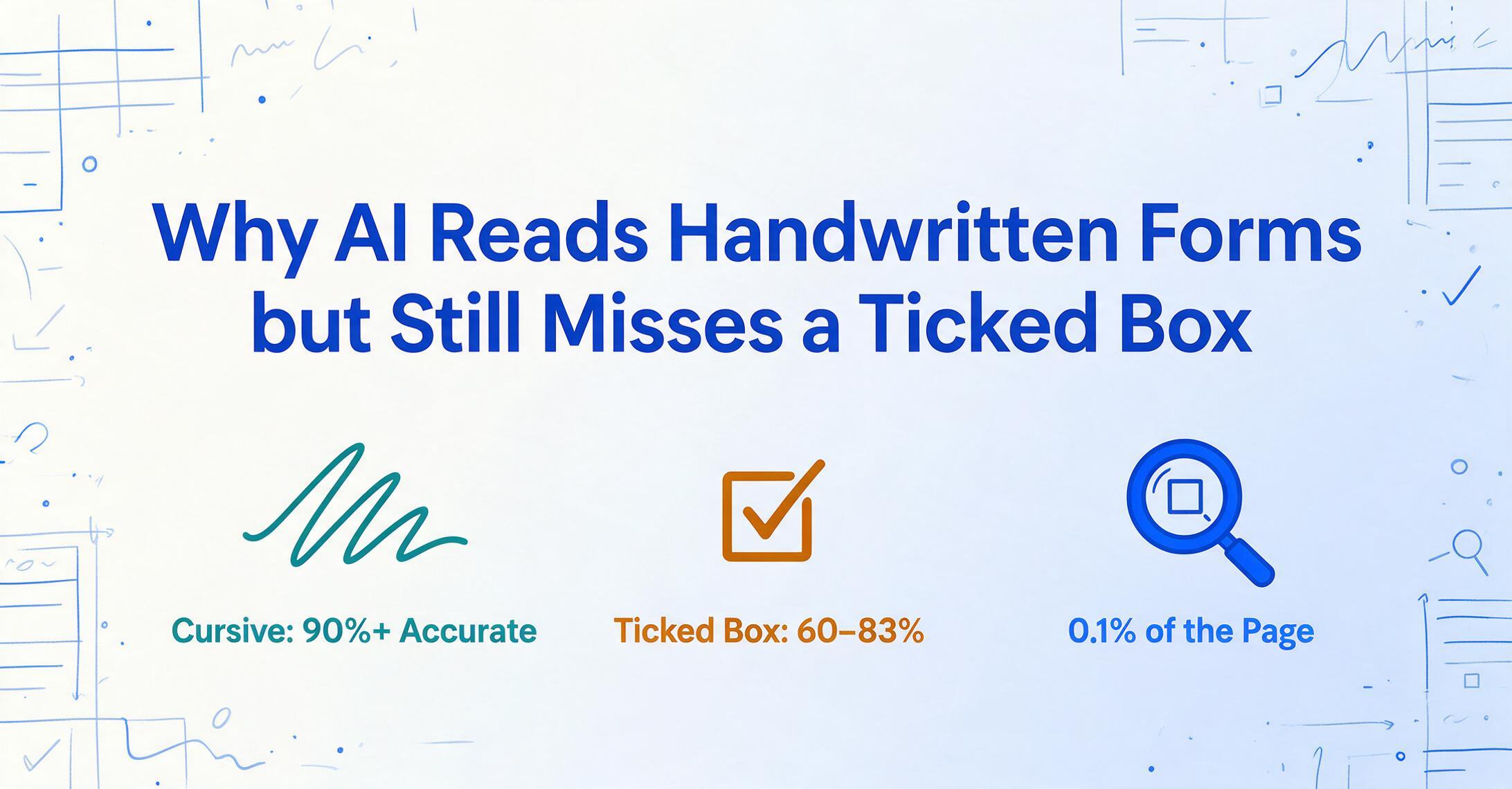
It's not a fluke. A 2025 benchmark study by Snowflake Research tested eight leading vision-language models on checkbox interpretation tasks. The best model scored 83.2%, against 97.5% for humans — a gap wide enough that every frontier model falls short of straight-through processing on checkbox-heavy forms. (For the full accuracy breakdown by mark type — pen vs pencil vs ambiguous marks — see our checkbox accuracy guide.) The gap between "reads handwriting well" and "reads checkboxes reliably" isn't small — it's the difference between trusting your automation and double-checking every output by hand.
This paradox — text is easy, ticks are hard — defines the current state of form-processing AI. And understanding why it exists is the key to choosing tools that actually work on the forms you need processed, not just the demos they show you.
Why Your OCR Reads Every Word — and Ignores Every Checkbox
To understand the checkbox problem, you need to understand what happens inside a traditional OCR pipeline — and where the visual information gets lost.
Optical Character Recognition works by scanning a page, detecting regions of text, and converting pixel patterns into character codes. A "W" in a scanned document is a specific arrangement of dark and light pixels; the OCR engine matches that pattern to a known letter shape. This works reasonably well for printed text and, with modern deep-learning-based OCR engines, increasingly well for handwriting.
But here's the critical failure: OCR sees a checkbox with a tick mark — and has no character to map it to. A checkmark isn't a "V" and it isn't a "✓" in any character set the engine recognizes. The OCR either skips it entirely or outputs garbage: a random symbol, an empty string, a misinterpreted character.
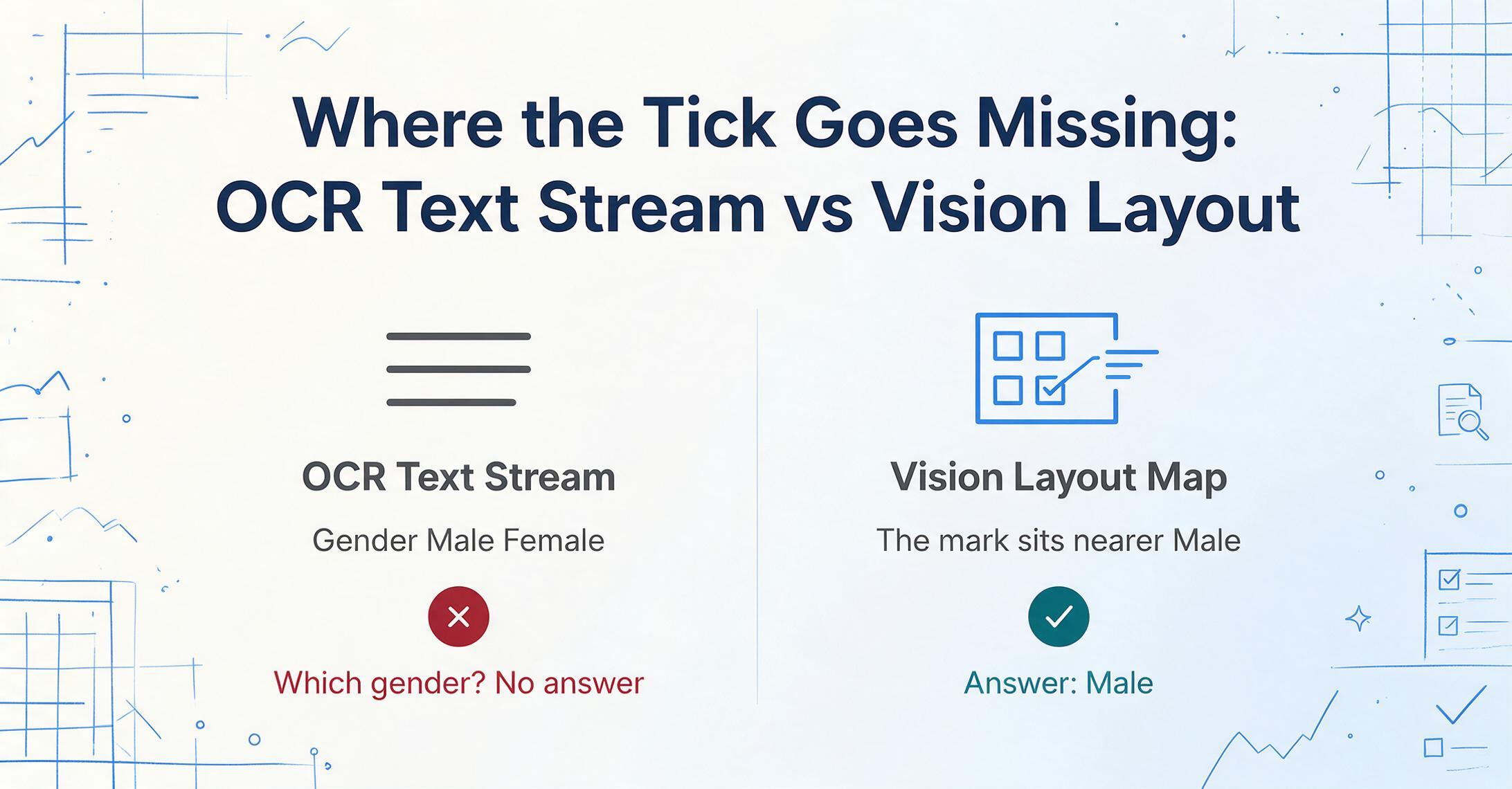
Even when OCR does capture the checkmark as something, the spatial relationship between the mark and its label is lost. The pipeline outputs a flat text stream: "Gender Male Female Age 34 Blood Type A+." Which gender was selected? The stream gives no indication. The visual layout — the fact that a mark sits closer to "Male" than "Female" — was discarded the moment OCR converted the page to text. This is why an OCR-first approach to form processing consistently fails on checkboxes, radio buttons, and any data format where position carries meaning.
How Vision AI Reads the Whole Page — Not Just the Text on It
Vision Language Models (VLMs) — the class of AI that powers modern document extraction tools — change the approach fundamentally. Instead of converting image to text and then reasoning about the text, a VLM processes the document image directly. It sees the layout, the spatial relationships, the visual gestures. When you ask it "which checkbox is checked?", it looks at the page the way a person would: locating each box, examining whether it contains a mark, and associating that mark with the nearest label text.
This visual-first approach is what makes it possible to process handwritten forms at all. A VLM doesn't need the checkmark to be a character — it just needs to recognize "there is ink inside this rectangular region" versus "this region is empty." The model learns this distinction from training data that includes millions of document images with annotations about which fields are filled and which are not.
But — and this is the part most product pages skip — VLMs aren't as good at this as you'd expect. The frontier models that read cursive at 90%+ accuracy routinely score in the 60-83% range on pure checkbox interpretation, and even the best model tested in the CheckboxQA benchmark still trails human performance by 14 points.
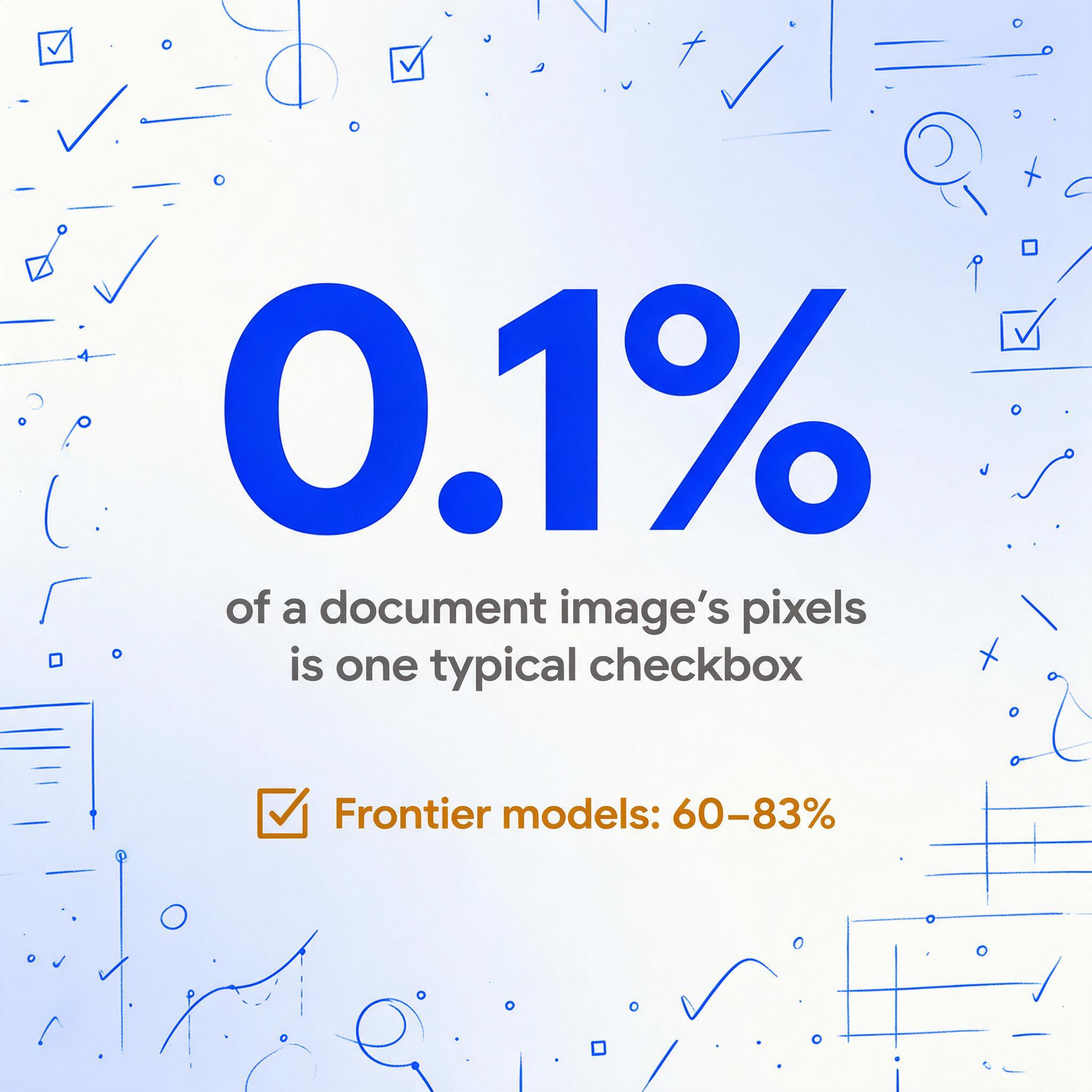
The core difficulty isn't that VLMs can't see checkboxes. It's that the visual signal is extremely subtle compared to everything else on the page. A typical checkbox occupies roughly 0.1% of a document image's pixels. The difference between "checked" and "unchecked" might be a thin line of ink across a 12-pixel square. When the model is also processing paragraphs of dense text, table structures, logos, and form labels, that tiny signal competes for attention — and sometimes loses.
Five Ways AI Gets Checkboxes Wrong — Even When Everything Else Is Right
The CheckboxQA researchers catalogued specific failure patterns that recur across every model they tested. Understanding these isn't academic — it tells you what to watch for when you're evaluating any form-processing tool.
Failure #1: Swapping Checkbox and Label
On many forms, the checkbox sits to the left of its label text. On others, it sits to the right. The model sometimes assigns a left-side checkbox to the label on its right, and a right-side checkbox to the next label over — effectively swapping which option is marked. This is a spatial association error, not a detection error: the model saw the mark, but matched it to the wrong text.
Failure #2: Trusting Text Over Vision
When a form asks "Is additional tasking required?" with Yes/No checkboxes, some models answer based on the surrounding text context rather than checking which box is actually marked. They default to linguistic reasoning — "this task description sounds complex, so probably Yes" — instead of performing the visual inspection the question requires. This is particularly dangerous because the answer looks plausible even when it's wrong.
Failure #3: Listing Every Option
In multi-select scenarios — "Which vehicle categories are indicated as applicable?" — models sometimes return all options as checked, even when only a subset are marked. The model recognizes the set of possible answers from the text but fails to filter by visual state.
Failure #4: Losing Checkboxes in Tables
When checkboxes appear inside table cells — common in inspection checklists and compliance forms — the surrounding tabular structure can distract the model. The grid lines, adjacent cell values, and column headers compete for attention, and the checkbox state gets lost in the visual noise.
Failure #5: Returning Symbols Instead of Answers
Some models respond to checkbox questions with literal marks — outputting "✓" or "X" in place of a textual answer like "Checked" or the label text. This might seem minor, but when you're piping extraction results into a database or spreadsheet, a ✓ character where you expected "Primary Residence" breaks the data pipeline.
These failures aren't evenly distributed. Forms with clean, widely-spaced checkboxes and simple layouts see better accuracy than dense, multi-column forms with small boxes. But the consistent finding across the research is that no model is reliable enough to run checkbox extraction without verification — and the models that perform best on general document tasks aren't necessarily the best at checkbox-specific tasks. Training data composition matters more than model size.
The Handwriting Plot Twist: Why Scribbled Text Became the Easier Problem
If you'd asked a document-processing engineer in 2018 what the hardest element to extract from a form was, they'd have said handwriting — without hesitation. Variable styles, cursive connections, inconsistent spacing, mixed case. Handwriting recognition was the headline challenge.
In 2026, that hierarchy has flipped. Modern VLMs are remarkably good at reading handwriting because handwriting is, at its core, still a text problem. Even sloppy cursive follows the statistical patterns of written language — letter sequence probabilities, word boundaries, contextual expectations. A VLM can use its language understanding to fill gaps: if it reads "P_tient N_me" on a medical form under "Patient Name," it can infer the missing letters from context.
Checkboxes have no such contextual safety net. A checkbox's state — checked or unchecked — is purely visual. There's no linguistic signal to fall back on when the vision component is uncertain. If the model can't clearly see whether ink exists in a small rectangle, it has to guess. And in language models, a guess tends to default to the most common pattern in training data — often "unchecked," which is statistically more frequent on most forms — leading to systematic false negatives.
A Stack Overflow user who revisited their decade-old question about checkbox scanning captured the frustration: their AI read written words accurately, but checkboxes only came through right about 80% of the time — and nobody could explain the other 20%. That 80% figure sounds acceptable until you're processing 200 forms. Forty forms with at least one error. Forty forms you have to manually recheck.
How to Process Checkbox Forms into Excel — Without Losing the Ticks
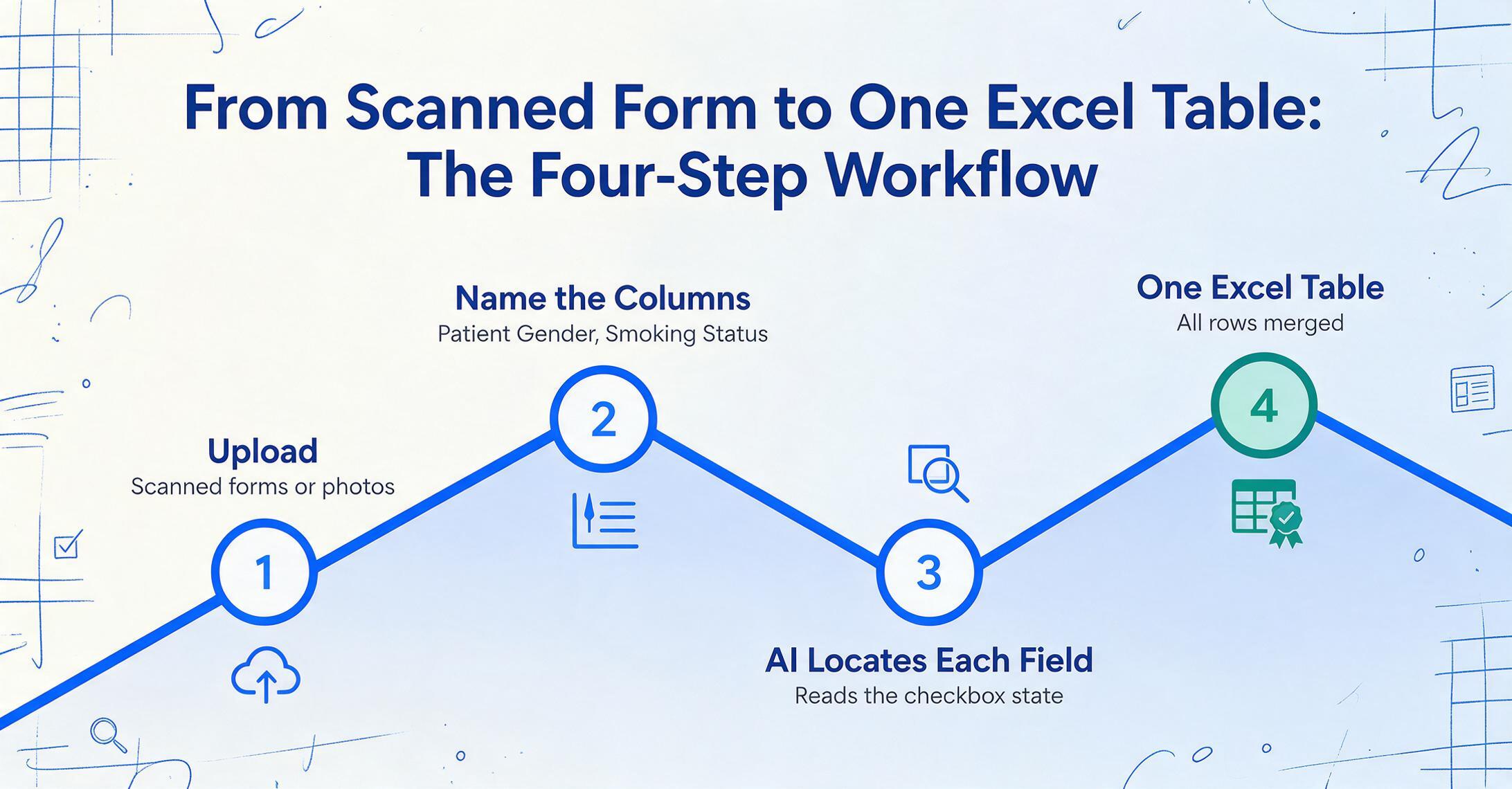
The research makes one thing clear: you can't throw a raw form image at a generic AI and expect perfect checkbox extraction. But you can build a workflow that gets you there. The difference is in how the AI is instructed — and what happens around it.
The most effective modern approach uses Custom Column Extraction: instead of asking the AI to "read everything on this form," you define exactly which fields you want. You type the column names — "Patient Gender," "Smoking Status," "Allergies (Checked)" — and the AI searches the document for each field, locates its checkbox or text value, and returns the result. This is fundamentally different from template-based tools where you draw boxes around each field on a master form. You define the output you want; the AI figures out where the data lives in any layout.
The "define your output" approach matters specifically for checkboxes because it gives the AI a clear target. Instead of asking an open-ended "what's checked?", you ask "for the field labeled 'Preferred Contact Method,' is Phone, Email, or Mail checked?" The model doesn't need to figure out which elements on the page are checkbox fields — it looks for the label text you specified, then examines the visual region around it for a marked or unmarked box.
For a single form, this saves minutes. For a batch of forms processed together, batch processing merges all results into one spreadsheet — each row is one form, each column is one field. A stack of 200 patient intake forms becomes one table with 200 rows, ready for analysis, in roughly the time it takes to process a few forms individually.
Three Places Checkbox Extraction Changes How Work Gets Done
The gap between reading text and reading checkboxes isn't theoretical — it plays out in specific workflows where forms mix handwritten entries with checkable fields. These are the environments where the difference between a checkbox-capable tool and a text-only OCR is the difference between full automation and still needing a human in the loop.
Insurance Claims Forms
Standardized claim forms like the CMS-1500 and UB-04 contain dozens of checkbox and radio-button fields: service codes, place-of-service indicators, accept-assignment flags, diagnosis pointers. A 2025 industry survey by Parseur found that manual data entry costs US businesses an average of $28,500 per employee per year, with workers spending more than nine hours per week on repetitive data transfer from documents into systems. For insurance claims processors, a large share of that time is spent on checkbox fields — small inputs that collectively consume hours because they appear on every single form.
The AI-in-insurance-claims market reached $514 million in 2024 and is projected to grow at 18.3% CAGR to $2.76 billion by 2034. The growth is driven partly by the recognition that checkbox and selection-mark automation — not just OCR of printed fields — is the bottleneck that keeps straight-through processing rates below where insurers want them to be.
Medical Intake and Patient History Forms
Patient intake forms are checkbox-dense by design. Symptom checklists ("Check all that apply"), medication declarations, family history yes/no grids, consent acknowledgments — a single new-patient packet can contain 50+ checkbox fields alongside handwritten entries for dosage instructions, allergy notes, and signature lines. The problem is that the checkboxes are where the checkbox-detection failure modes hit hardest: a patient who circles "None of the above" on an allergy list, or a faint pencil tick on a consent form, produces a field that a generic AI might return as unchecked — silently dropping a clinically relevant answer into the "no" column. The handwriting in the free-text sections is usually extracted fine; it's the binary selections that need a workflow designed around verification.
Inspection and Compliance Checklists
Construction site safety inspections, property condition reports, quality-control checklists, equipment maintenance logs — these are fundamentally checkbox documents. A field inspector walks through a site, checks off items on a paper form, and scribbles notes next to any issues. The checkbox data (which items passed? which failed?) is the primary output. The handwritten notes are context. But manual processing treats both equally: someone has to look at every box, every note, and type them into a spreadsheet.
The volume compounds quickly — a weekly inspection program across a handful of sites generates hundreds of checkbox fields per week, and every one of them is a binary decision the compliance report depends on. Automating this with a form extraction tool that can distinguish checked from unchecked while also capturing the handwritten notes turns a multi-hour weekly task into a minutes-long batch job — but it only works if the tool's checkbox handling is verified, because a misread "unsafe" is worse than no data at all.
Frequently Asked Questions
Can AI reliably tell the difference between a checkmark (✓), a cross (X), and a filled circle?
Modern VLMs can distinguish these mark types with reasonable accuracy — the bigger challenge is not mark-type classification but mark presence detection. A faint pencil tick, a partial mark that extends beyond the box boundary, or a box that's lightly shaded rather than explicitly checked all create ambiguous visual signals. The model may confidently classify a clearly visible "✓" as "checked" but miss a light pencil dash that a human would interpret as a mark. If your forms have inconsistent marking styles, expect some edge cases that need human review.
What's the difference between checkbox detection and checkbox interpretation?
Detection is "is there a mark in this box?" Interpretation is "what does this mark mean in the context of this form?" A checked box next to "Decline Coverage" means something very different from a checked box next to "Accept Terms." Detection is a visual task; interpretation requires reading and understanding the label text, the form instructions, and sometimes the relationship between multiple checkboxes (e.g., mutually exclusive radio buttons vs. multi-select checkboxes). Good form-processing tools handle both layers — and the interpretation layer is where language understanding becomes essential.
Does checkbox extraction work on handwritten forms, or only printed ones?
It works on both, but accuracy differs. Printed forms with clearly delineated boxes and dark checkmarks are the easiest case. Handwritten forms introduce two additional variables: the handwriting that fills the text fields (which VLMs handle well now) and the handwritten marks inside checkboxes — which can be scribbled, crossed through, circled, or partially filled. A VLM that reads the document holistically can handle mixed handwritten-and-checkbox forms better than a pipeline that separates OCR and checkbox detection into disconnected steps, because the VLM doesn't lose spatial information between stages.
How many forms can I process at once?
Batch processing lets you upload multiple forms simultaneously and receive one merged output table. The practical limit depends on the tool's architecture — some support dozens, others hundreds per batch. On ImageToTable.ai, Custom Column Extraction works across entire batches: you define your columns once, upload all your forms, and every form's checkbox states and field values populate into the corresponding rows of a single spreadsheet. No per-form setup, no per-vendor template.
What accuracy should I expect on checkbox extraction?
On pure checkbox interpretation — isolated from the rest of the form — the best vision-language models tested in the CheckboxQA benchmark ranged from 60% to 83%, with human-level at 97.5%. But on real forms, accuracy depends more on form design and mark quality than on the model: large, clearly separated boxes on clean scans perform dramatically better than tiny boxes on low-resolution photos. For the mark-type-by-mark-type breakdown (digital boxes, pen ticks, pencil, ambiguous marks) see our checkbox accuracy guide. The most reliable workflow is automated extraction with spot-check verification — the AI handles the bulk of the work, and you verify a sample to catch edge cases, rather than verifying every single form.
The Real Takeaway Isn't About Checkboxes
The checkbox problem exposes a deeper truth about document AI: text recognition is not data extraction. A tool that reads words well might still miss the non-textual information that carries half the meaning on your forms — the checkmarks, the radio selections, the signatures, the stamps, the crossed-out fields. The benchmark that matters isn't OCR character accuracy. It's whether the output table — the thing you actually use — is correct without you having to re-verify every cell.
That distinction is what separates tools designed for document scanning from tools built for data extraction. The checkbox is the canary. If a tool handles it reliably — across varied form layouts, mixed with handwriting, at batch scale — it's likely handling the rest of your form data correctly too. If it doesn't, you're still doing manual data entry. Just with better-looking software.
Files are processed securely and not stored.