Why Traditional OCR Fails on Handwriting
And How AI Vision Models Get It Right
A Reddit user on r/OpenAI discovered something that surprised them: "ChatGPT does an amazing job at these types of things. I use it all the time converting writing to text and even translating said writing." They weren't using a specialized handwriting recognition tool. They were using a general-purpose language model — uploading a photo of handwritten text and getting back a clean transcription. Across r/computervision, users run annual reviews of handwriting OCR tools and consistently reach the same conclusion: specialized handwriting recognition outperforms general OCR, but AI models that understand context are closing the gap fast. This article explains why standard OCR stumbles on handwriting, what changes when vision AI enters the picture, and where the honest limits still are.
Key Takeaways
- 99% print accuracy versus 65–85% handwriting accuracy is not a failure of quality — it is a category error: OCR (Optical Character Recognition) was designed to match character images to a font library, and human handwriting has no font to match against.
- Unlike OCR, vision AI reads the whole form — labels, layout, and handwriting — as one interconnected picture, using context the way you would: if a squiggle sits in a date field between "1" and "/", it must be a digit, not a random mark.
- With ImageToTable.ai, the clerk who retypes 30 handwritten forms in two hours becomes a reviewer who verifies flagged fields in 10 minutes — because column-name extraction anchors the AI in meaning before it ever reads your handwriting.
Handwriting — OCR's Last Unconquered Wall
Printed text recognition is a solved problem. Modern OCR achieves near-perfect accuracy on clean typefaces, and template-based extraction handles structured forms with predictable layouts. The global handwriting recognition market — valued at $1.28 billion in 2024 and projected to reach $3.29 billion by 2032 — exists precisely because the printed-text solution doesn't transfer. Handwriting is the input format that keeps paper alive in industries that otherwise would have digitized decades ago.
Healthcare runs on handwritten clinical notes and prescriptions. Insurance processes handwritten claim forms — a manufacturing operator asks plainly: "Who uses paper to capture important data? Specifically: forms filled out by a human using pen & paper. Machines that don't connect to any system." Logistics companies handle delivery confirmations with handwritten signatures and notes. Field service technicians fill out paper work orders because typing on a phone with gloved hands in the rain is worse than a clipboard and pen. The data exists on paper. Getting it into a system requires either a person retyping it or an AI that can read it.
A 2025 review of handwriting OCR tools on r/computervision summed up the state of the art: "Specialised handwriting OCR solutions consistently outperform general-purpose OCR on real-world handwritten documents." That's good news for organizations with the budget and integration capacity for dedicated handwriting recognition platforms. It's bad news for the accounting clerk who receives a dozen handwritten receipts every Friday and needs the data in a spreadsheet by Monday. The specialized tools exist. The general-purpose tools don't work well enough. And the gap between them is where most handwritten data sits — unprocessed, unsearchable, manually retyped.
The Problem Isn't "Messy" Handwriting. It's That OCR Never Understood Language.
Traditional OCR works by matching visual patterns to a library of known character shapes. Show it a clean, printed "a" in Helvetica, and it matches with high confidence. Show it ten different people's handwritten "a" — angled differently, looped differently, connected to the next letter, squeezed into a tight form field — and the pattern-matching approach breaks down. There is no "correct" shape for a handwritten "a." The OCR engine doesn't know that all ten variations represent the same letter. It sees ten different shapes and guesses.
This is the fundamental mismatch. OCR was designed for fonts — fixed character sets where every "a" looks like every other "a" in the same typeface. Handwriting has no typeface. It has individual motor patterns, writing speed, pen pressure, surface friction, and the writer's mood at 4:55 PM on a Friday. The variation pool is infinite. A pattern-matching algorithm that works on print encounters a combinatorially different problem on handwriting.
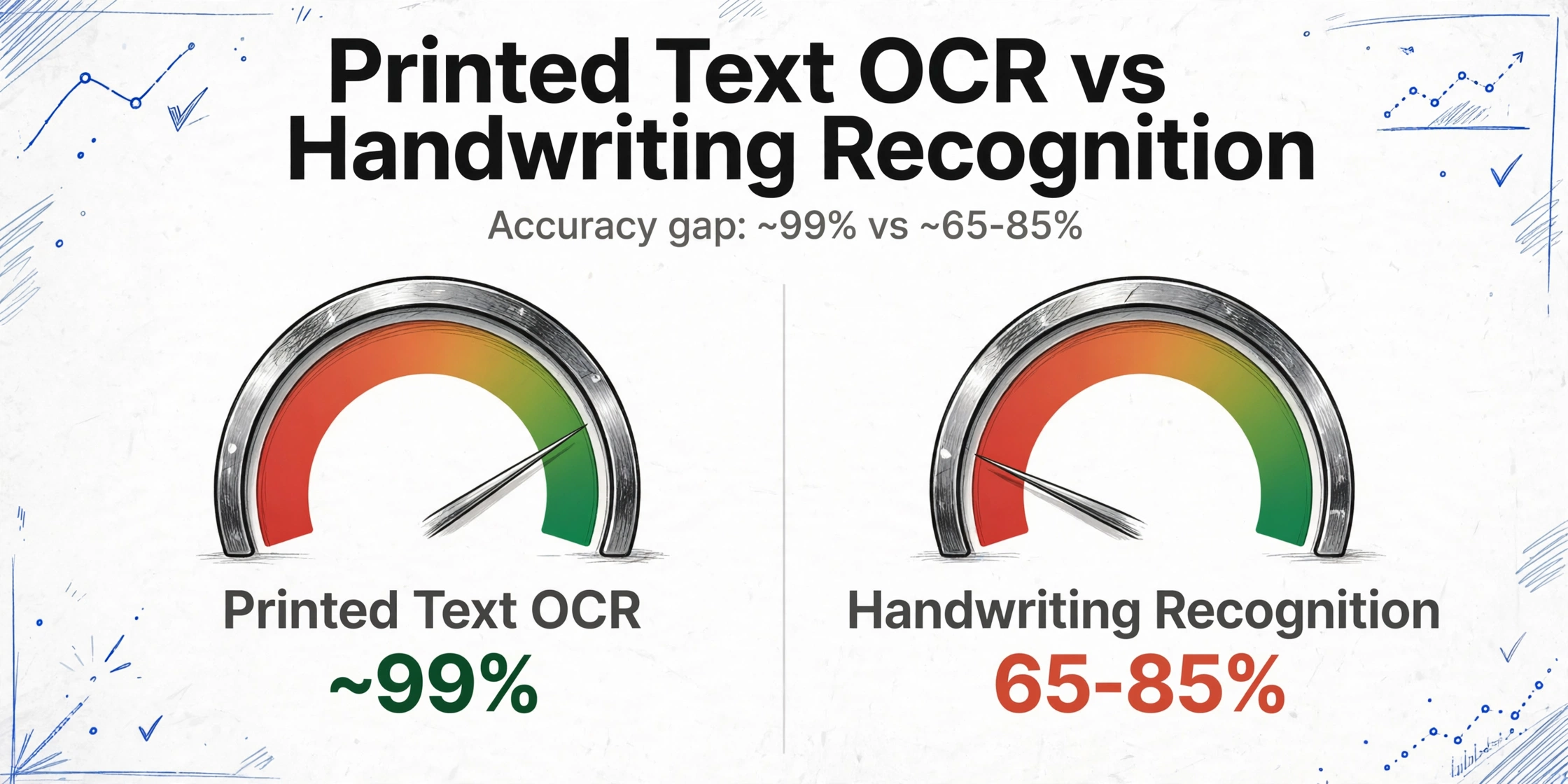
The gap between printed-text OCR accuracy (~99%) and handwriting recognition accuracy (~65-85% for the best current AI models on challenging handwriting, per the 2025 r/computervision community review) isn't a sign that handwriting recognition is broken. It's a sign that the problem is fundamentally harder. Print recognition is character matching. Handwriting recognition is human behavior interpretation — and human behavior varies.
What Vision AI Does Differently — It Reads Meaning, Not Shapes
The shift from traditional OCR to vision large models changes the mechanism from character matching to contextual understanding. A vision model doesn't isolate each letter and compare it to a shape library. It looks at the entire image — the form layout, the surrounding text, the field labels, the handwriting style — and interprets what the content means.
This difference shows up most clearly in ambiguous situations. Traditional OCR sees a squiggle between two clearer letters and either guesses a character or returns a low-confidence blank. A vision model sees the same squiggle and understands from context: this is a date field, the squiggle is between a "1" and a "/", so it's probably a "5" or a "3" depending on the curve. It's not matching the squiggle to a "5" shape. It's understanding that a date format containing "1?/??/2025" makes "15" or "13" the most probable reading, and "1&/??/2025" impossible.
That same Reddit user on r/OpenAI who was surprised by ChatGPT's handwriting recognition ability was experiencing exactly this mechanism. ChatGPT doesn't have a handwriting OCR module. It has a vision model that looks at images and understands what's depicted — text, objects, context, relationships. When it reads handwriting, it's doing the same thing it does when it describes a photograph: interpreting visual information based on what makes sense in the world. The handwriting is just another visual element to understand.
The difference in one sentence: OCR asks "does this shape match the character 'a' in my library?" Vision AI asks "given that this is a name field on a medical form, and the first letter looks like a capital A, and the rest of the word has the shape pattern of 'nderson' — the name is Anderson." One is pattern matching. The other is reasoning.
What Handwriting AI Can Handle — and What It Still Struggles With
The vision AI approach doesn't make handwriting recognition perfect. It shifts the accuracy ceiling and changes what types of errors occur — but there are still real limits. Being honest about them matters more than claiming the problem is solved.
| Handwriting Type | AI Reliability | Why |
|---|---|---|
| Clear block print (all caps, separated letters) | High — near-print accuracy | Limited variation; each letter is distinct and standardized |
| Mixed print/cursive (most common real-world handwriting) | Good — context helps resolve ambiguous letters | Most letters are recognizable; context resolves the rest |
| Light cursive (connected letters, clear strokes) | Moderate — readable but with errors on ambiguous letter pairs | Letter connections create ambiguity (rn vs. m, cl vs. d) |
| Heavy cursive / script (flowing, stylized) | Low — significant error rate | Letter shapes depart too far from recognizable patterns; context can't compensate for every character |
| Smudged, faded, or tiny handwriting | Low — similar to human difficulty | Physical degradation of the writing surface obscures the data |
| Handwriting on forms (labeled fields, checkboxes) | Good — form structure provides strong context | Labels guide extraction; the AI knows "this field is a date" before it reads the handwriting |
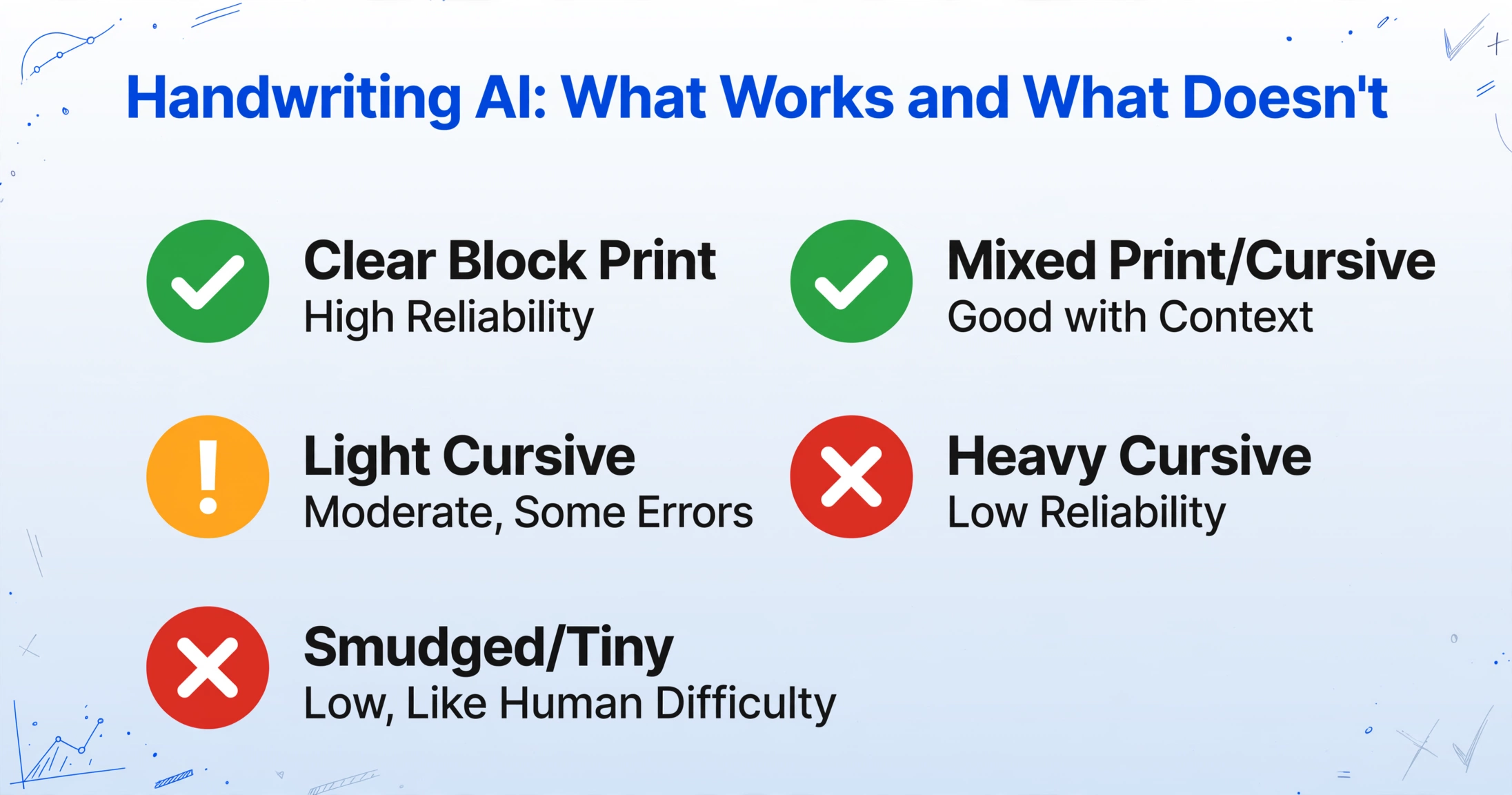
The takeaway isn't "handwriting AI works" or "handwriting AI doesn't work." It's "handwriting AI works well for the handwriting that humans can also read reliably — and struggles on the same handwriting that humans struggle with." The AI's accuracy floor sits around the point where a careful human reader would also slow down and squint. That's a meaningful capability for business workflows: it covers the majority of handwritten data that currently gets manually retyped, while acknowledging that the hardest cases still need human review.
For a complete overview covering everything from basic concepts to production workflows, see our ultimate guide to AI handwriting to text conversion. If you are working with forms that contain checkboxes and selection fields, learn how AI reads handwritten forms and converts checkbox selections to structured Excel data.
From Handwritten Form to Structured Excel — Three Steps
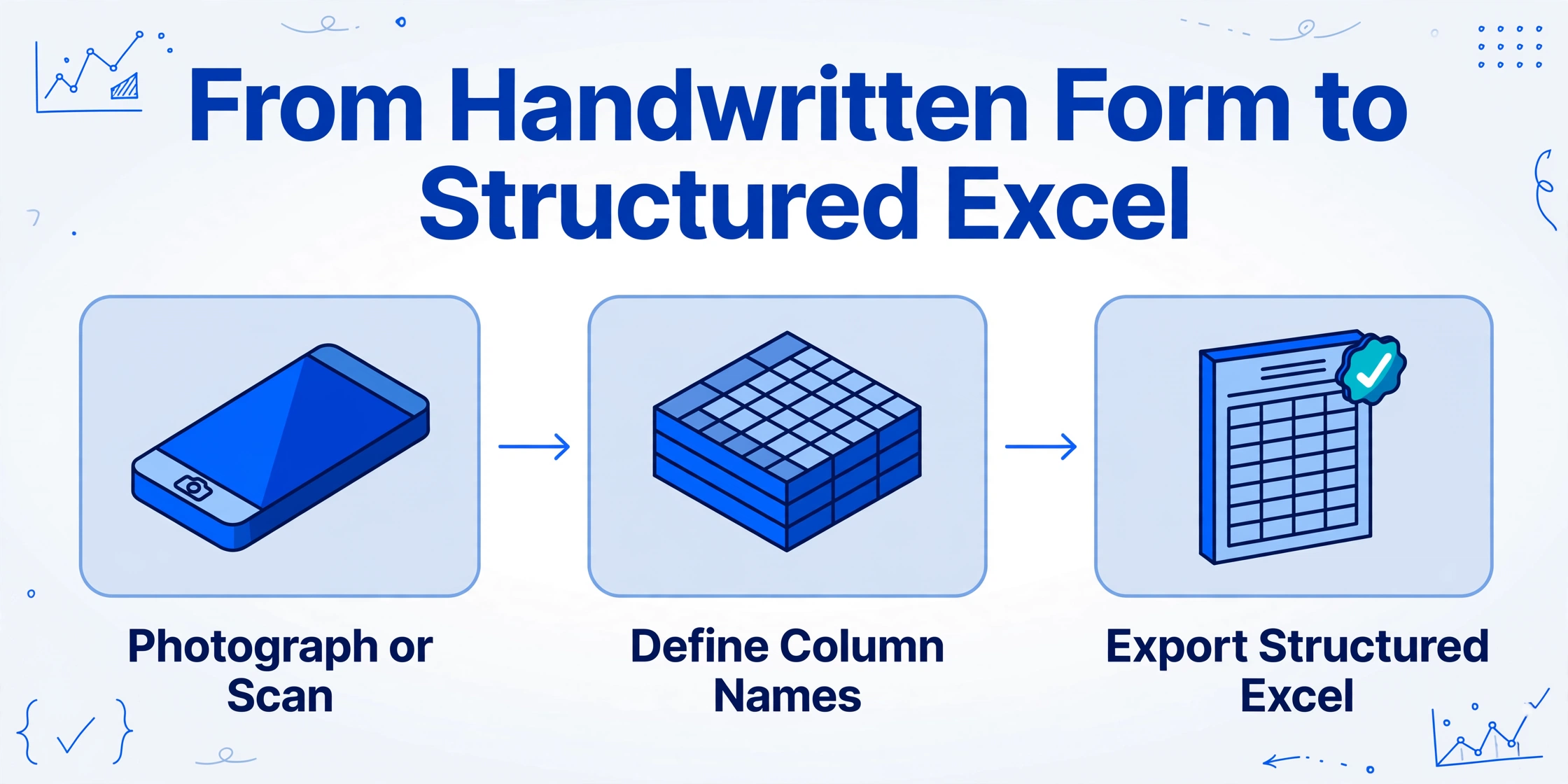
The same column-name extraction mechanism that handles printed documents applies to handwritten forms — with the added advantage that form labels provide strong context for the AI's interpretation. When the column name is "Patient Name" and the form has a field labeled "Name," the AI knows what kind of content to look for before it even starts reading the handwriting. The label anchors the extraction in meaning, and the handwriting becomes one more signal in an already-structured context.
A medical clinic receiving 30 handwritten patient intake forms per day would define columns like "Patient Name, DOB, Insurance ID, Chief Complaint, Referring Physician." Each form gets photographed. The batch is uploaded. The AI extracts the handwritten values into 30 rows of structured data. The clerk who used to spend two hours typing these forms now spends 10 minutes verifying the AI's output and manually correcting the 5-10% of fields where the handwriting was genuinely ambiguous. Read how column-name extraction works across all document types →
Practical accuracy expectation: On clean, structured handwritten forms with reasonable legibility, expect ~85-95% of fields to extract correctly on the first pass. The remaining 5-15% will need manual correction — but verifying and fixing is a fraction of the time spent retyping everything from scratch. For each hour of manual typing saved, expect 5-10 minutes of verification work.
Live Demo: Upload a Handwritten Document and See the Output
Test the extraction with any document containing handwriting — a form, a note, a receipt with handwritten entries.
Files are processed securely and not stored.
Frequently Asked Questions
Why can ChatGPT read handwriting so well but my scanner's OCR can't?
ChatGPT uses a vision large model — it "sees" the entire image and understands it contextually, the same way it understands a photograph. Your scanner's built-in OCR uses pattern matching: it isolates each character and compares its shape to a library of printed fonts. Handwriting doesn't match any font, so the character-level comparison fails. The scanner's OCR isn't worse technology — it's the wrong technology for the problem. If you've used ChatGPT to read handwriting successfully, you've already experienced the difference between pattern matching and visual understanding.
What's the difference between handwriting recognition and signature verification?
Handwriting recognition extracts the textual content of handwritten words — "what does this say?" Signature verification confirms the identity of the signer — "is this really John's signature?" These are different AI tasks. The system described in this article handles the first: reading handwritten text for data extraction. It does not perform forensic signature analysis. For document workflows that require both (e.g., "extract the form data AND verify the signature at the bottom"), the extraction and the verification are separate processes.
Does this work with handwriting in languages other than English?
The vision large model supports multiple languages, including scripts with non-Latin characters. Chinese, Japanese, Arabic, Cyrillic, and Devanagari handwriting are all within the model's capability. Accuracy varies by language and script complexity — languages with more distinct character shapes generally produce better results. Mixed-language forms (e.g., a medical form with English labels and Spanish handwritten responses) are handled within a single extraction pass.
How does handwriting extraction compare to hiring a data entry service?
A data entry service charges per keystroke or per form, with turnaround measured in hours or days. AI extraction processes a batch of forms in minutes at a fraction of the per-form cost — but produces a result that may need human verification for 5-15% of fields. The practical comparison: for 100 forms, a data entry service costs $X and takes Y hours with near-perfect accuracy. AI extraction costs a fraction of $X and takes under 10 minutes, with the trade-off that you'll spend 15-30 minutes verifying the uncertain fields. For most operations, the time savings justify the small verification effort. For forms where 100% accuracy is non-negotiable and no human review step is acceptable, a data entry service remains the safer choice.
Can it distinguish between handwriting and printed text on the same page?
Yes. The AI recognizes both formats and extracts them into the same structured output. A form with printed labels, typed fields, and handwritten annotations in the margins will be processed in one pass — the printed text gets standard extraction, the handwritten content gets contextual interpretation. The column-name mechanism guides which values to extract, regardless of format.
For a purpose-built AI handwriting to text conversion workflow, use our dedicated tool that reads handwritten fields, checkboxes, and annotations into structured Excel output — no templates required.