Best Handwriting Recognition &
Data Extraction Tools in 2026
Reading handwriting and extracting structured data from it are two different jobs — and the second is much harder. A vision model that transcribes a handwritten page at 90% accuracy can still get the spreadsheet wrong, because pulling fields into columns asks it to do something extra: not just decode the marks, but decide which value belongs in which field. That gap is why a tool that tops every "handwriting OCR" list can disappoint the moment you ask for a clean table — and why the right pick depends entirely on whether you want words or columns.
Key Takeaways
- Every handwriting tool advertises the same headline accuracy number, which is exactly why they all blur together and the choice feels impossible.
- That number is the wrong thing to compare: a model can transcribe a page at 90% and still drop to roughly 65% the moment you ask it to put each value in the right spreadsheet column, because it has to succeed twice — read the handwriting, then map it to a field.
- Ask one question instead of chasing accuracy scores — do you need the words in order, or the values in columns — and that single split, not the benchmark, narrows eight tools down to one.
Transcription and structured extraction are not the same problem
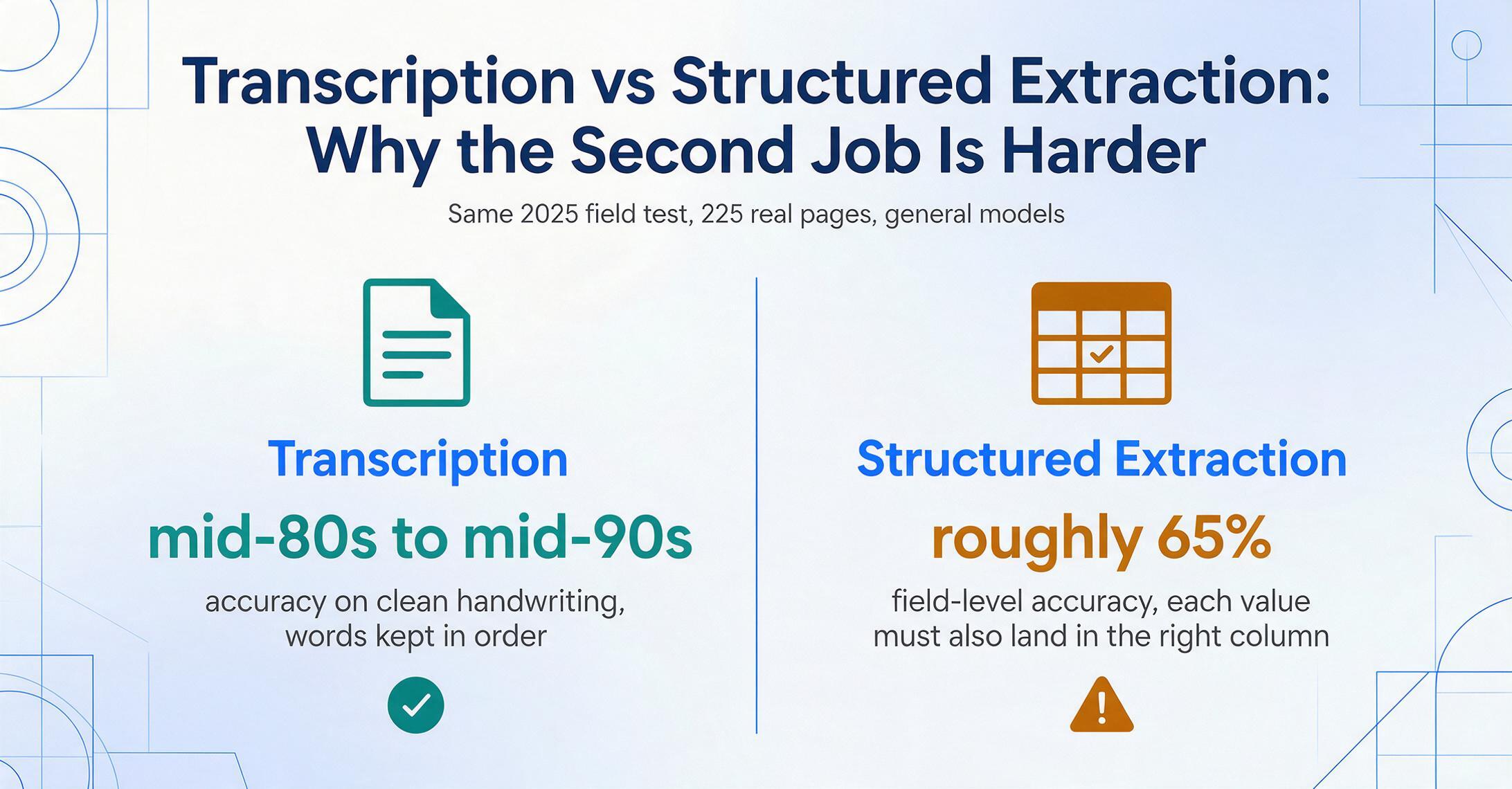
The single most useful thing to settle before you compare tools is which of two jobs you actually need done. Transcription turns a handwritten page into the same words as editable text — a journal entry, a letter, a meeting note becomes a typed version of itself, in order, content preserved. Structured data extraction throws most of the page away on purpose: from a handwritten delivery note you want the date, the item, the quantity, and the signature pulled into spreadsheet columns — and nothing else.
Structured extraction is the harder task because the model has to succeed twice on every value: first read the handwriting correctly, then understand the document well enough to know that this number is the quantity and that one is the unit price.
This is not a theoretical distinction. A widely-shared 2025 field test on r/computervision, run across 225 real pages from field technicians, found general models transcribing clean handwriting in the mid-80s to mid-90s but dropping to roughly 65% field-level accuracy when asked to put values in the right columns — and noted that some tools "tend to summarise and editorialise rather than extract verbatim data." The independent AIMultiple handwriting benchmark (updated January 2026) frames the underlying difficulty plainly: typed OCR clears 99%, but handwriting "remains challenging due to variations in style, spacing, and irregularities" — and that variability compounds once you add the field-mapping step on top.
So this roundup is about the harder job: turning handwriting into structured, usable data — fields, checkboxes, and tables out of forms, ledgers, and receipts, into Excel or Google Sheets. If what you actually need is a faithful transcript of the words in order — old letters, journals, lecture notes — that's a different problem with a different best tool, and our companion roundup of handwriting-to-text converters and OCR is the right place to start. We flag the boundary up front so you don't buy a pure transcriber when you needed columns, or vice versa. And if you're comparing tools purely on how well they read cursive — not on structured output — our dedicated review of handwriting OCR software scores 11 tools by technology category.
How we picked and tested
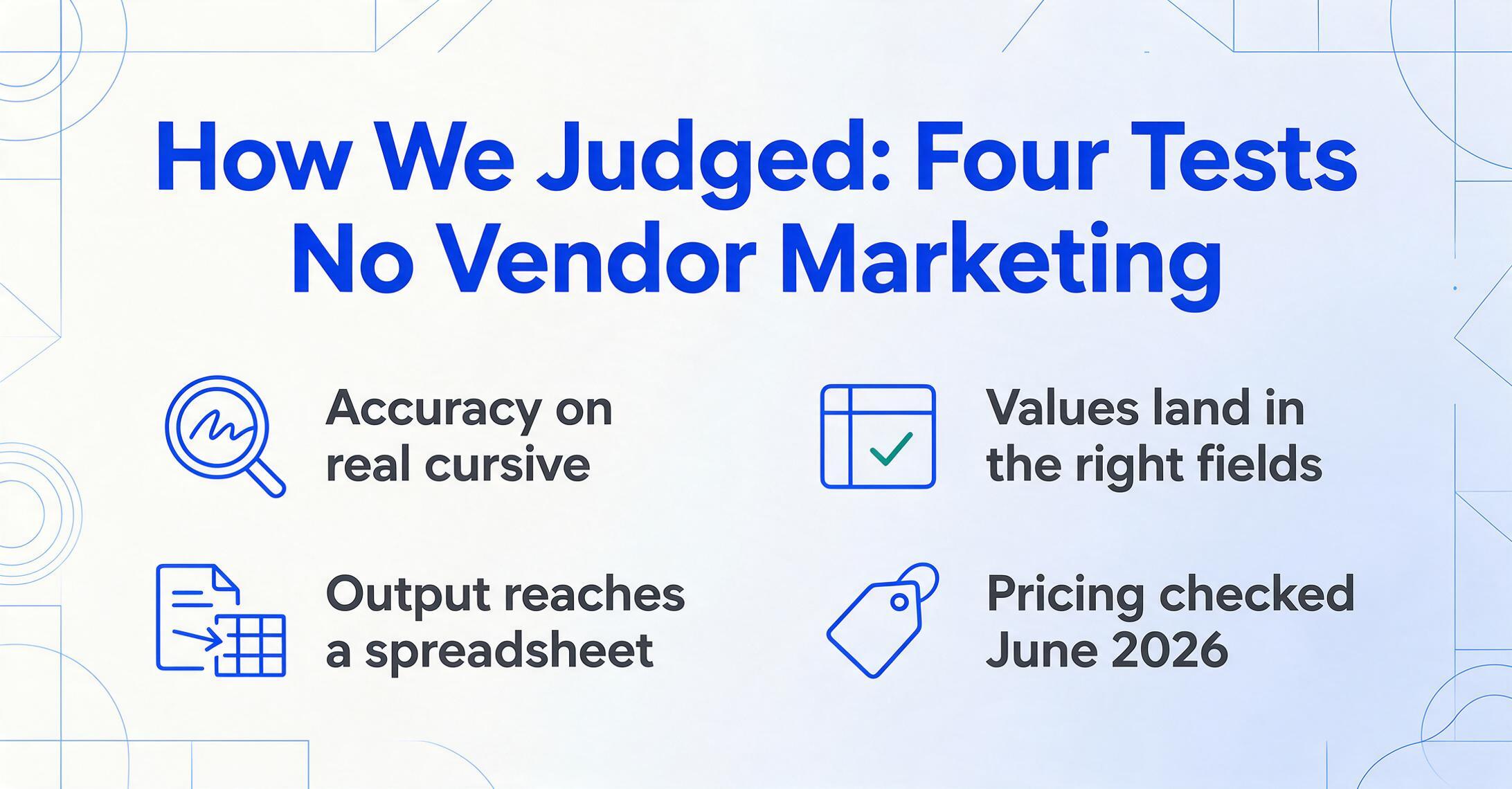
We evaluated tools a real team would actually reach for to get data — not just text — out of handwritten documents, then judged each on the work that matters once handwriting and structure overlap. That meant weighing four things: recognition accuracy on real handwriting (cursive and messy, not just neat block letters); how well the tool maps values into the right fields, tables, and columns rather than dumping a flat transcript; how the output reaches a spreadsheet (native export vs. raw JSON you have to wire up); and honest, current pricing.
Accuracy figures come from independent benchmarks and real-user testing, with the source cited for every number — never vendor marketing. All pricing was read from public pricing pages and is labelled Pricing checked June 2026; usage-based and credit-based prices in particular shift, so verify before you commit.
Full disclosure: ImageToTable.ai, the tool published on this site, is one of the eight reviewed below. We've placed it where it honestly fits — pulling handwritten content into structured columns without templates — and we name the places other tools clearly win: Transkribus for historical archives, the cloud APIs for high-volume engineering pipelines, Nanonets for enterprise AP workflows. Every tool gets a specific "best for" and "not ideal for."
The eight tools at a glance
The fastest way to narrow the field is to match your volume, your budget, and whether you have engineering help to a tool's design. Here's the full roster side by side; detailed reviews follow.
| Tool | Starting Price | Pricing Model | Best For | Key Limitation | Free Trial? |
|---|---|---|---|---|---|
| ImageToTable.ai | Free tier, then $9/mo | Credit-based (1 credit = 1 page) | No-code handwriting → structured columns & Word | Not an enterprise AP/ERP workflow platform | Yes (free demo, no sign-up) |
| Google Document AI | From $30 / 1,000 pages (Form Parser) | Usage-based API | High-volume form/table extraction at cloud scale | Needs engineering; cursive handwriting only "decent" | Yes (GCP free tier) |
| AWS Textract | From $50 / 1,000 pages (Forms) | Usage-based API | Key-value & table extraction inside AWS pipelines | Developer tool; weak on messy cursive | Yes (3-month free tier) |
| Nanonets | Free ($200 credits), then ~$0.30/page | Credit / block-based usage | Enterprise AP automation with approvals & integrations | Block-based costs hard to predict; built for scale | Yes ($200 credits) |
| Affinda | 14-day trial, then ~$0.20/page | Usage-based (per page) | Mid-market teams needing adaptable layouts + validation | Sales-led platform pricing; no self-serve free tier | Yes (14-day, 200 credits) |
| HandwritingOCR.com | Free (5 credits), then $15 / 100 pages | PAYG credits + monthly plans | Messiest cursive; table-to-Excel on the Pro tier | Per-page cost climbs at high volume | Yes (5 free credits) |
| Transkribus | Free (50 credits/mo), then €99/yr | Credit-based; sub + on-demand | Historical & archival records into tabular data | Project-oriented; overkill for modern business forms | Yes (50 credits/mo) |
| Pen to Print | Free; $2.99/mo Premium | Freemium mobile app | Capturing your own legible notes as text on a phone | Transcribes only — no fields, columns, or tables | Yes (free tier) |
Pricing checked June 2026. Figures are entry-level public prices; volume, region, and feature combinations change them. Usage-based API prices shown are for structured (forms/tables) extraction, not basic text-only OCR.
Tools built to pull fields and tables from handwriting
If your goal is columns, start with tools designed to output structure, not a transcript — they treat "which field is this?" as a first-class job rather than an afterthought.
ImageToTable.ai
ImageToTable.ai is built for exactly the overlap this article is about: handwriting that's really a form. Running on a vision large model, it reads printed and handwritten text — including cursive, checkboxes (ticked or circled), and signatures — and turns it into a spreadsheet by a route pure transcribers can't take. Instead of drawing zones or training a model, you type the column names you want — say "Date," "Item," "Quantity," "Signed" — and the AI locates each value anywhere on the page by understanding what it means. That's Custom Column Extraction, and it's the bridge between "read the words" and "fill the table." It can also infer a column the page doesn't spell out — give it Category (Meals / Transport / Office) and it classifies each handwritten receipt as it extracts — and it batch-processes many files into one merged Excel sheet, exports to a layout-preserving Word document, and runs inside a Google Sheets sidebar add-on.
In practice that makes it the natural pick when handwriting and structure collide — for example turning a stack of handwritten forms into spreadsheet columns, batching handwritten ledgers into Excel, or capturing handwritten receipts for tax season. The mechanics of how it reads checkboxes and fields off a handwritten form are worth a read if accuracy is your worry. Pricing is credit-based, where one credit equals one page: a free tier (a daily quota you can test with no sign-up), then $9/month (Basic), $19/month (Pro), and $59/month (Max); teams move to Growth ($149), Scale ($399), or Enterprise ($899).
Best for: small teams and solo users who need handwritten forms, ledgers, and receipts turned into clean structured columns — or an editable Word file — without templates, training, or code. Not ideal for: enterprise AP departments that need built-in approval routing and ERP posting, live note-taking as you write, or scholarly transcription of medieval manuscripts.
Google Document AI
Google Document AI is a cloud platform whose Form Parser is genuinely strong at the structural half of the job — it returns key-value pairs and table cells with bounding boxes, which is exactly what you want when a form has a predictable layout. The catch is the recognition half on real handwriting: in the r/computervision field test it landed around 50% on messy handwritten comment sections even while excelling at document structure and table detection. It's a developer tool — you provision a Google Cloud project, call the API, and parse the JSON yourself. Form Parser runs $30 per 1,000 pages (dropping to $20 above one million), with basic OCR at $1.50 per 1,000.
Best for: engineering teams processing high volumes of fairly neat, structured forms who can build the pipeline and review interface. Not ideal for: non-technical users, or messy cursive field notes where recognition accuracy falls short of the table-detection quality.
AWS Textract
AWS Textract is the structured-extraction workhorse for teams already on AWS — its AnalyzeDocument API extracts forms (key-value pairs), tables, and answers to specific queries, returning coordinates for every element. On clear handwriting and block letters it's solid, but independent testing put it around 48% on cursive and messy field writing, and AWS confirms handwriting support is primarily English. Pricing is per page and feature-specific: Forms run $50 per 1,000 pages, Tables $15, both together $65; basic text-only OCR is $1.50. A three-month free tier covers up to 100 AnalyzeDocument pages a month. For a deeper one-to-one look, read our in-depth AWS Textract comparison →
Best for: developers building document pipelines inside the AWS ecosystem who need key-value and table extraction with bounding boxes. Not ideal for: non-developers, very messy cursive, or non-English handwriting where accuracy drops.
Enterprise and mid-market document AI platforms
When handwriting extraction is one step inside a larger automation workflow — approvals, validation rules, ERP posting — a full document-AI platform earns its higher price, provided your volume justifies it.
Nanonets
Nanonets is an enterprise-grade platform that handles handwriting as part of a broader accounts-payable and document-automation suite, with classification, approval rules, validation, and ERP integrations layered on top of extraction. Pricing has shifted to a credit/block-based model: every account starts free with $200 in credits, then you pay roughly $0.30 per complex AI block — a typical invoice runs several blocks, landing around $2 end-to-end — with Growth and Enterprise tiers negotiated by quote. That flexibility is powerful but genuinely hard to forecast for an occasional user. If you're weighing it directly, see our detailed Nanonets comparison →
Best for: finance and operations teams automating high volumes of handwritten and printed documents with approval workflows and system integrations. Not ideal for: solo users or small teams who want predictable flat pricing and a few fields in a spreadsheet without standing up a workflow.
Affinda
Affinda is a mid-market document-AI platform that adapts to new layouts without lengthy retraining and ships with field-and-table validation, which matters when handwritten forms vary from one source to the next. Its public platform pricing is usage-based and largely sales-led — its AWS Marketplace listing shows about $0.20 per page at low volume, sliding to $0.05 at scale, after a two-week trial with 200 credits — so it suits teams with predictable volume more than someone testing a single batch.
Best for: mid-market teams in finance, insurance, or logistics that need adaptable extraction with validation across varied document layouts. Not ideal for: individuals or very small teams who want a transparent self-serve free tier and instant setup.
Dedicated handwriting specialists
For the hardest handwriting — heavy cursive, faded ink, historical scripts — purpose-built engines beat the general cloud APIs, though only some of them produce structured output rather than a transcript.
HandwritingOCR.com
HandwritingOCR.com is the most focused player on raw handwriting recognition, and in the r/computervision field test it held about 95% accuracy on both structured fields and narrative comments across all 225 pages with no context degradation — a strong result on exactly the messy material that breaks general OCR. It reads 300+ languages and cursive scripts and exports to Word, Markdown, or plain text; its $59/month Pro tier adds table-to-Excel export, which is the feature that moves it from transcription toward structured output. Pricing starts at $15 per 100 pages pay-as-you-go (credits valid a year) or $19/month for 250 pages.
Best for: the hardest pure-transcription jobs and, on its Pro tier, table-shaped handwritten data. Not ideal for: teams that need to define arbitrary output columns by meaning across varied forms, or very high monthly volumes where per-page costs add up.
Transkribus
Nothing else comes close to Transkribus for centuries-old manuscripts, parish registers, and archival records — it's the de-facto standard for Handwritten Text Recognition (HTR) in the humanities. Built and owned by READ-COOP SCE, a European cooperative with 250+ institutional members, it has transcribed over 200 million pages across 100+ languages and period scripts, with processing on servers in Austria for institutions with data-sovereignty rules. For structured work it offers table recognition and trainable models you can fine-tune on a specific scribe's hand — invaluable for turning, say, handwritten genealogical registers into tabular data. Pricing is credit-based: a free tier of 50 credits a month, a €99/year Scholar plan, and on-demand packs (250 credits for €59.50) that don't expire.
Best for: archivists, genealogists, and researchers extracting structured data from historical or specialised scripts at project scale. Not ideal for: modern business forms or one-off batches — the project-oriented workflow is more setup than a quick extraction job warrants.
Pen to Print
Pen to Print earns its place here as the consumer-friendly mobile option — snap a photo of a notebook page and get text back, with the vendor claiming strong word accuracy on neat cursive. It's worth naming precisely because of what it doesn't do for this article's job: it transcribes, returning the words rather than fields in columns. So for structured extraction it's a starting point at best, useful when your handwritten "form" is really just notes you'll restructure yourself. It's free with ads, or $2.99/month for Premium (multi-page scanning, editing).
Best for: students and individuals digitising their own legible handwriting into text on a phone. Not ideal for: any workflow that needs specific values mapped into spreadsheet columns — pair it with a structured tool, or see the handwriting-to-text roundup for transcription-first picks.
How to choose, by use case
Match the tool to your input, your volume, and your output goal, in that order — those three rule out whole categories before price ever enters the picture.
You have handwritten forms, ledgers, or receipts and want columns: ImageToTable.ai. Type the field names you want and it maps values without templates — see how it handles specific fields from handwritten forms.
You have engineers and high volume: Google Document AI or AWS Textract for forms and tables at scale, accepting that messy cursive will need a review step.
You're automating an AP or finance workflow: Nanonets if you need approvals and ERP integration; Affinda for adaptable mid-market extraction with validation.
You have historical or archival records: Transkribus for period scripts and tabular registers; HandwritingOCR.com for the messiest modern cursive, with table-to-Excel on its Pro tier.
You only want the words, in order: you don't need this list — start with the handwriting-to-text converters roundup, which covers transcription-first tools.
If your work leans toward documents in general rather than handwriting specifically, the companion roundups on document data extraction tools, AI OCR software, no-code document AI tools, and table and form extraction tools widen the lens. And if your real concern is whether a general chatbot can do this, our piece on why ChatGPT isn't the best fit for handwritten data is worth a look.
Frequently asked questions
What's the best tool to extract data from handwritten forms into Excel?
For turning handwritten forms into spreadsheet columns without code, ImageToTable.ai is purpose-built for it — you name the columns you want and the AI maps each handwritten value to the right field, then exports to Excel or Google Sheets. For engineering teams at high volume, Google Document AI's Form Parser and AWS Textract's forms/tables APIs extract key-value pairs and tables, but you build the pipeline and review messy cursive yourself. The reliable move is to test two or three on your actual pages.
Why is extracting data from handwriting harder than just reading it?
Because the tool has to do two things correctly on every value, not one. First it has to recognise the handwriting — already hard, since cursive and messy writing push even good models well below their typed-text accuracy. Then it has to understand the document well enough to know which value is the date, which is the amount, and which column each belongs in. In real testing, tools that transcribe handwriting in the high 80s to mid 90s can drop to around 65% accuracy on field-level structured extraction, because that second step adds its own errors.
Can ChatGPT or Claude extract structured data from handwritten documents?
They can read a photo of handwriting and attempt it, and they do reasonably well on a clean single page. But they're inconsistent: accuracy drifts on messy or multi-page documents, and they tend to summarise or "tidy up" rather than extract values verbatim — risky when you need the exact number in the exact column. For occasional pages you'll proofread they're fine; for repeatable, accuracy-critical structured extraction, a purpose-built tool is safer.
Do handwriting tools handle cursive and messy writing?
Dedicated handwriting engines (HandwritingOCR.com, ImageToTable.ai, Transkribus) are built for cursive and hold up far better than traditional OCR, which was designed for printed characters and fails badly on handwriting. General cloud APIs like AWS Textract and Google Document AI do well on neat block letters but drop sharply — often into the 45–50% range — on truly messy cursive. No tool is perfect on illegible writing; output quality tracks the legibility of the original, so test on your worst real page, not a tidy sample.
Is there a free way to extract data from handwritten documents?
Yes, to test with. ImageToTable.ai has a free tier you can try on one document with no sign-up; Nanonets starts with $200 in credits; AWS Textract and Google Document AI have free usage tiers; Transkribus gives 50 free credits a month; HandwritingOCR.com offers 5 free credits. Free tiers are enough to judge accuracy on your own pages — run a representative sample before paying, since handwriting quality varies more than any pricing table can capture.
The bottom line
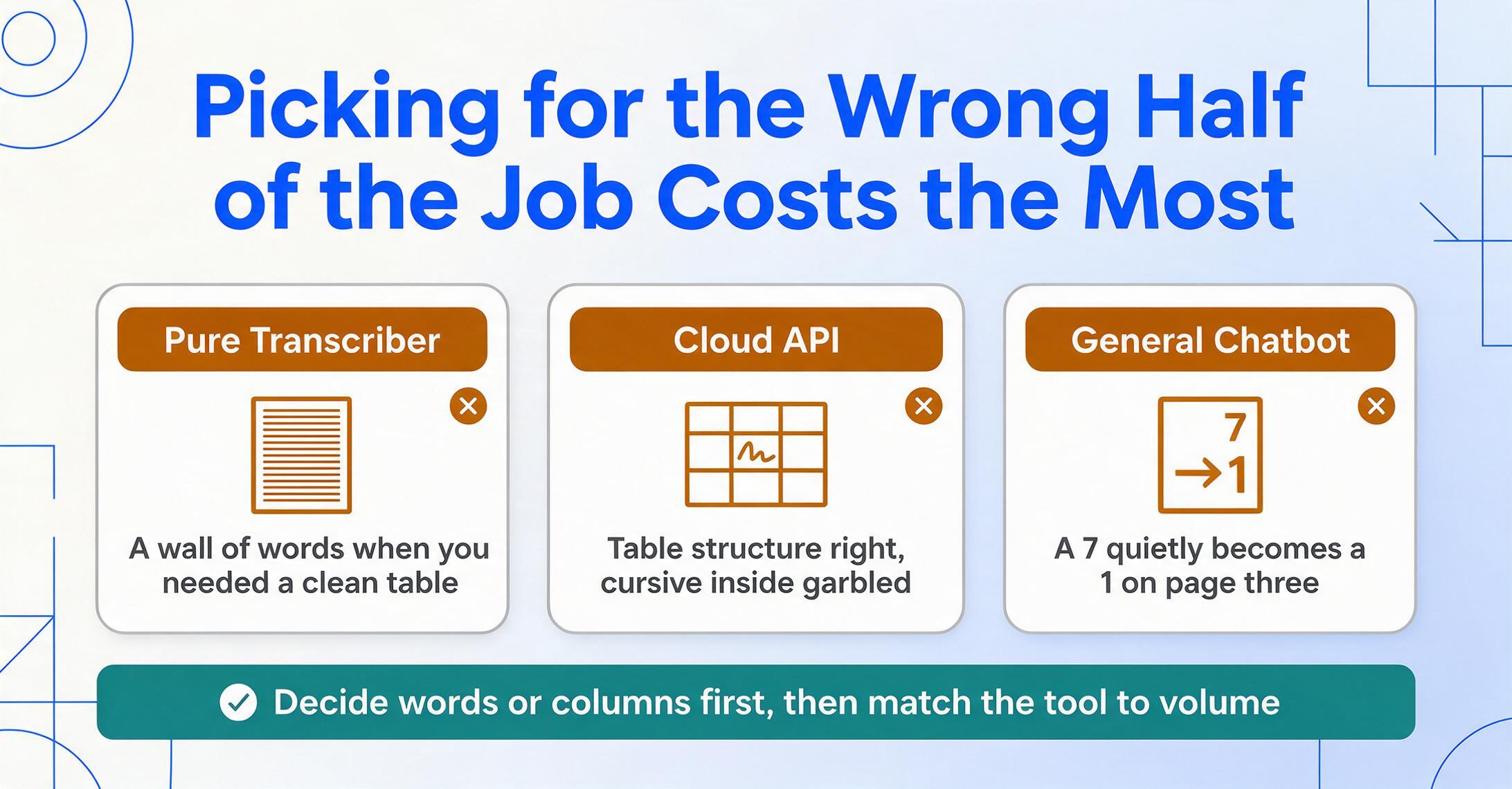
The expensive mistake isn't picking the lowest-rated tool — it's picking one built for the wrong half of the job. A pure transcriber gives you a wall of words when you needed a clean table; a cloud API nails the table structure but garbles the cursive inside it; a general chatbot quietly rewrites a "7" as a "1" on page three. Decide first whether you want the words or the columns, then match the tool to your volume and whether you have engineering help — and the field narrows to one or two honest options.
If your handwriting lives in forms, ledgers, or receipts and you want the specific values pulled into spreadsheet columns — not a transcript to clean up by hand — the fastest way to know if it works is to try it on a real page. Upload a handwritten document to ImageToTable.ai → — no sign-up, results in seconds.