Free OCR vs Paid OCR 2026
When Free Costs More Than a Subscription
This isn't a feature comparison. It's a cost-of-ownership analysis using three real document volumes: 10 per month, 500 per month, and 5,000 per month. The question isn't whether free OCR exists — it's whether the setup time, correction labor, and maintenance hidden inside "free" actually cost more than a subscription.
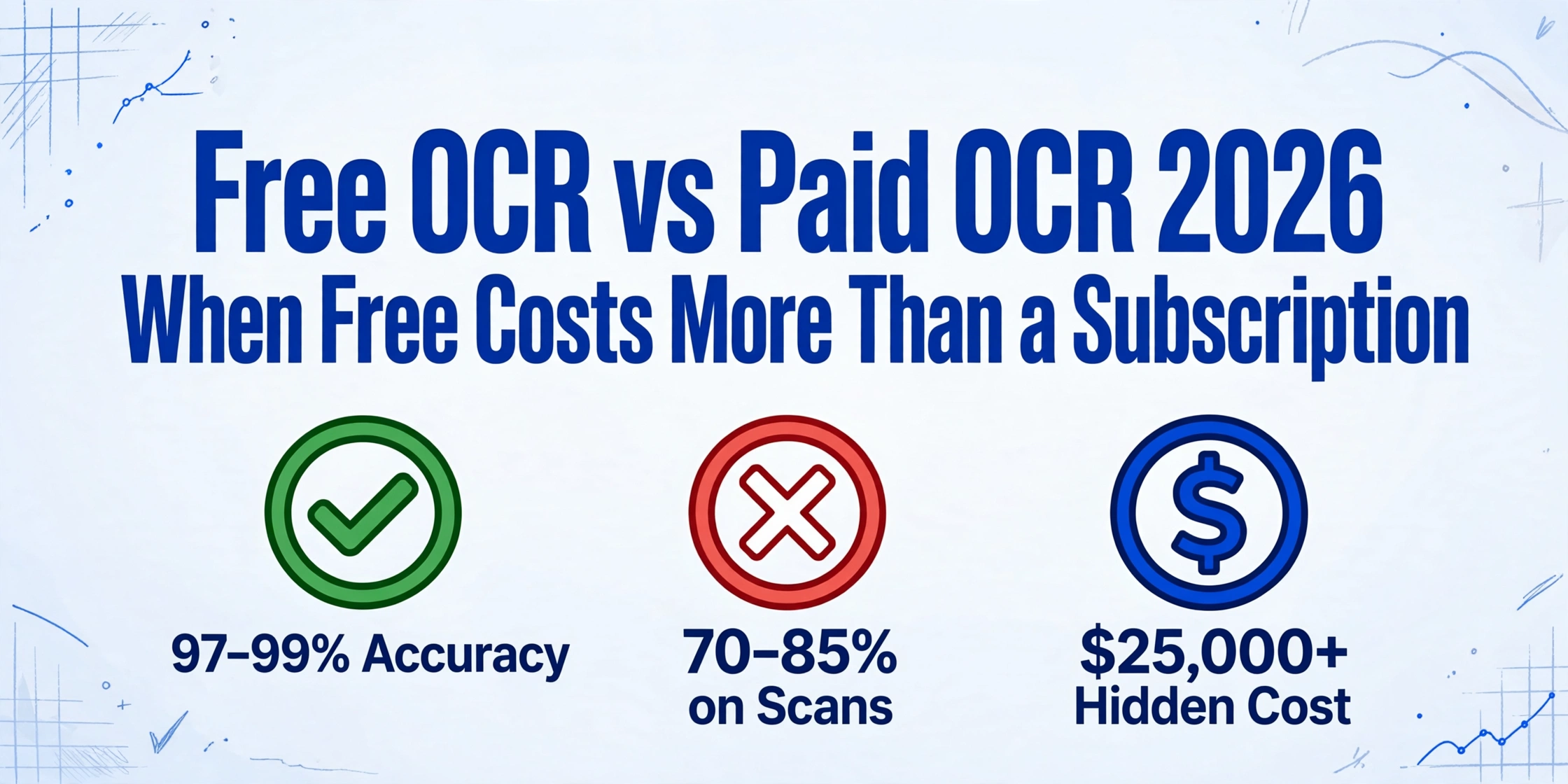
Key Takeaways
- $0 is the most dangerous price tag in document automation because it moves the cost from your software budget line into your payroll.
- A single $20/month subscription eliminates 15 hours of manual correction per month — the labor alone costs more than the license at any reasonable hourly rate.
- The only number worth comparing across free and paid tools is total cost per document: add setup amortization, correction labor, maintenance, and license, then divide by volume.
The Framework: Total Cost of OCR
Most comparisons between free and paid OCR stop at the licensing fee. A license costs $0 versus $X per month, so free wins, end of story. But that framing misses nearly everything that determines whether an OCR tool actually saves your business money.
Optical character recognition — the technology that converts text in images and scanned documents into machine-readable data — comprises only the recognition step. What matters in practice is the full pipeline: getting the document into the tool, having the tool extract usable data, fixing what it got wrong, and exporting that data where you need it. Free tools shift cost from licensing into every other step of that pipeline.
This article evaluates OCR choices across four cost dimensions:
- Setup cost — time to install, configure, and integrate the tool into a workflow
- Per-document correction labor — time spent fixing extraction errors
- Maintenance overhead — effort to keep the pipeline running as document formats change
- License or subscription fee — the upfront or recurring payment
Each cost dimension matters differently depending on how many documents you process. That's why we run the math at three volume levels.
Quick Comparison: Free vs Paid OCR in 2026
The OCR landscape in 2026 splits into three broad categories. Free open-source tools like Tesseract and PaddleOCR charge nothing for software but require technical setup. Cloud API services like Google Cloud Vision, AWS Textract, and Azure Document Intelligence charge per page with zero setup. And modern AI extraction APIs offer template-free semantic extraction at a flat subscription or per-page rate.
| Dimension | Free Open-Source (Tesseract, PaddleOCR) | Cloud API (Google, AWS, Azure) | Freemium AI Extraction |
|---|---|---|---|
| Accuracy — clean PDF | 95–99% | 99%+ | 99%+ |
| Accuracy — scan or photo | 70–85% | 97–99% | 95–99% |
| Setup cost | 40–80 engineering hours | 2–8 hours (API integration) | 0–1 hour (upload and go) |
| Table / structured export | Poor — requires custom code | Good — built-in | Excellent — native Excel / Sheets |
| Handwriting support | Not supported | Partial | Supported via vision models |
| Template-free extraction | Requires custom training | Layout-dependent | Native — semantic extraction |
| Maintenance | Ongoing development time | Vendor-managed | Vendor-managed |
| License cost | $0 | $1.50 / 1,000 pages | Free tier + from ~$10/month |
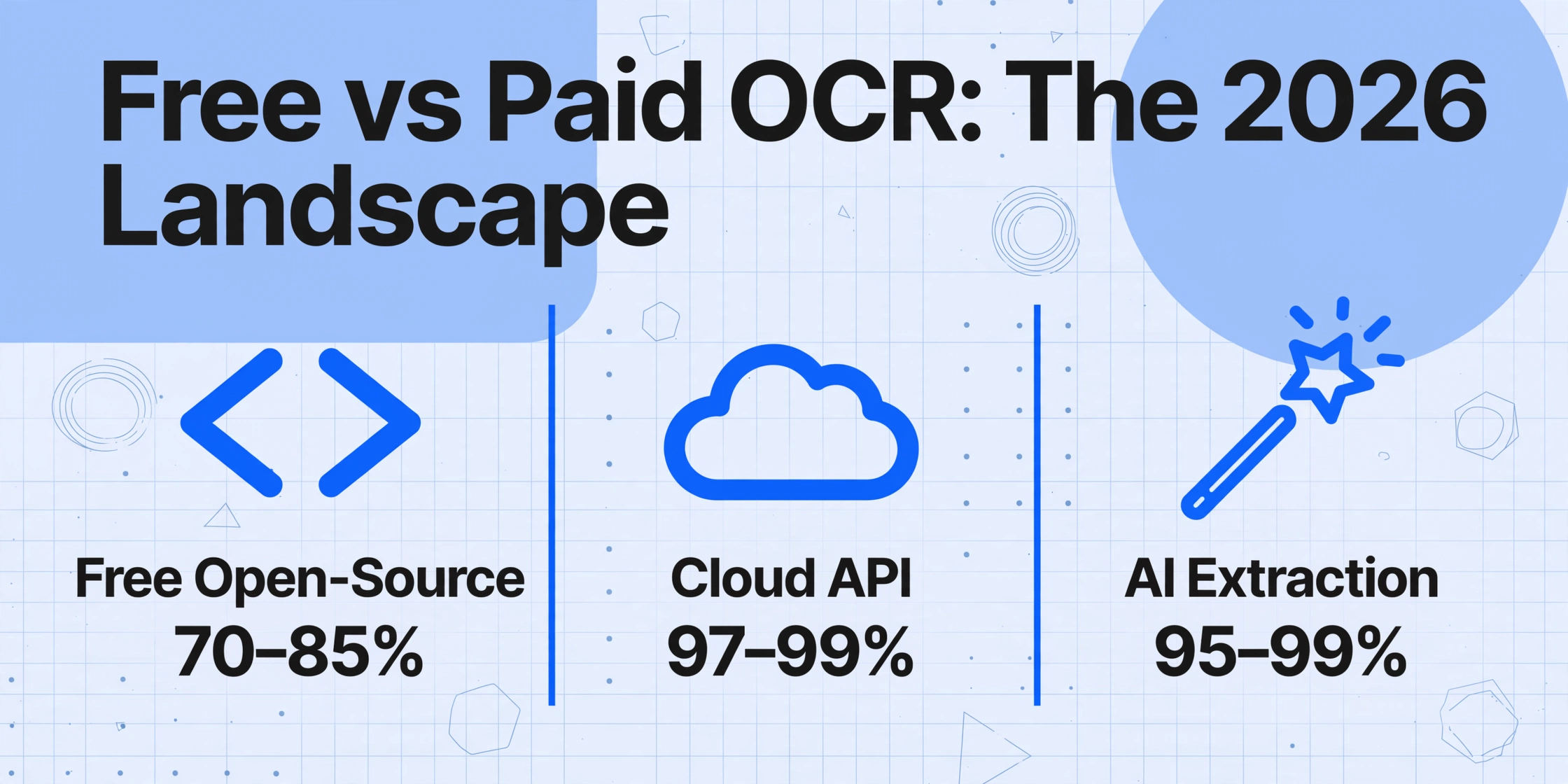
The table tells you what each category can do. But the question isn't capability — it's what those capability gaps cost in your specific workflow.
The Real Cost Framework
To make this concrete, we use a simple formula:
Total Annual Cost = License Fee + Setup (amortized over 3 years) + Correction Labor + Maintenance
We amortize setup over 3 years because a properly built OCR pipeline should last that long before a major rebuild. Correction labor is calculated at an effective hourly rate of $35/hour — roughly the blended cost of a salaried employee or freelance operator handling document processing in a small business context.
The three scenarios that follow represent the most common document volumes we see in practice, based on conversations with users who evaluate OCR tools for their workflows.
Scenario 1: 10 Documents Per Month — The Occasional User
A freelance bookkeeper receives 10 invoice PDFs per month from clients. The documents are clean, the volumes are low, and the goal is basic text extraction for cross-checking against the client's records.
| Cost Component | Free Open-Source | Cloud API | Freemium AI Extraction |
|---|---|---|---|
| License / subscription | $0 | $0 (stays within free tier) | $0 (free tier covers this) |
| Setup (3-year amortized) | $600–$900/year (40–80 hrs × $35 / 3) | $0 | $0 |
| Correction labor | ~$140–$210/year (~10 min/doc × 120 docs × gap) | ~$35–$70/year | ~$35–$70/year |
| Total annual cost | $740–$1,110 | $35–$70 | $35–$70 |
At 10 documents per month, the setup cost of a free open-source tool dwarfs everything else. Even amortized over three years, the 40–80 hours a developer needs to build a production pipeline makes the "free" option the most expensive by a wide margin.
For the occasional user, the smart move is to use a free cloud API tier (most offer 500–1,000 free pages per month) or a freemium tool with a free usage tier. Both deliver high accuracy on clean PDFs with zero setup. The open-source route only makes sense if you already have the technical infrastructure and the pipeline serves more than this single use case.
Scenario 2: 500 Documents Per Month — The Growing Small Business
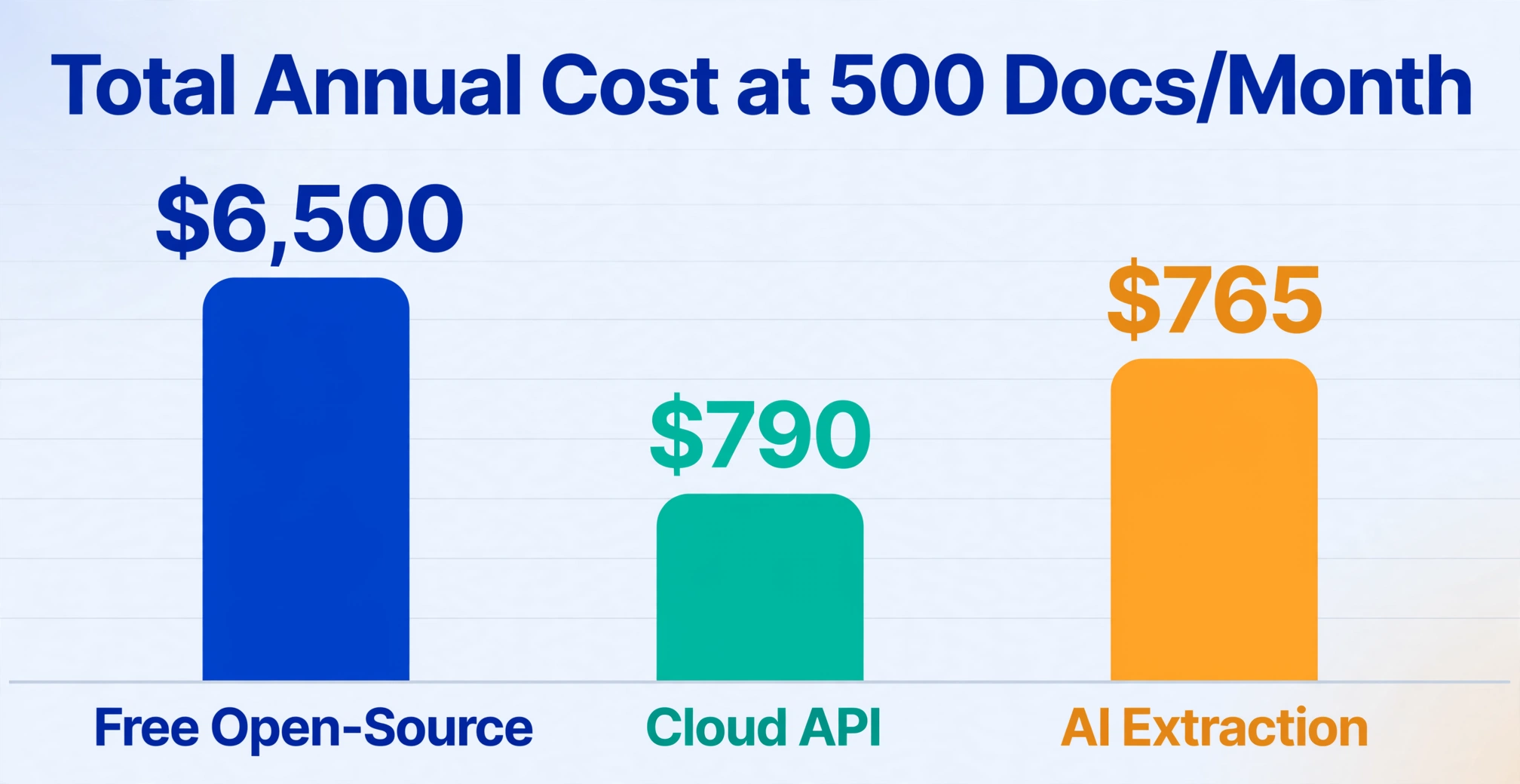
A small construction subcontractor processes 500 invoices and delivery dockets per month. Documents come from multiple vendors — some emailed as clean PDFs, some photographed by site supervisors on their phones. Format inconsistency is the norm, not the exception.
| Cost Component | Free Open-Source | Cloud API | Freemium AI Extraction |
|---|---|---|---|
| License / subscription | $0 | ~$90/year (6,000 pages × $1.50/1k) | ~$120–$240/year |
| Setup (3-year amortized) | $600–$900/year | $0 | $0 |
| Correction labor (est.) | ~$2,100–$4,200/year (~20% error rate, 10–15 min/doc fix) | ~$350–$700/year | ~$175–$525/year |
| Maintenance | ~$700–$1,400/year (vendor format changes, model drift) | $0 | $0 |
| Total annual cost | $3,400–$6,500 | $440–$790 | $295–$765 |
This is where the economics flip decisively. At 500 documents per month, the correction labor from a free tool's 15–25% error rate on real-world scans consumes more time than the entire budget a paid tool would require. The subcontractor's site manager — or a part-time admin — is spending 20–40 hours per month fixing extraction mistakes. At $35/hour blended cost, that's $700–$1,400 per month in invisible labor.
Open-source OCR tools can be tuned to improve accuracy, but tuning itself takes time. Every new vendor format that deviates from what the pipeline was calibrated for introduces a fresh batch of errors. The maintenance line item in the free column isn't theoretical — it's the developer time spent updating image preprocessing pipelines, retraining models, or adjusting post-processing scripts when a supplier changes their invoice layout.
The cloud API option removes setup and maintenance but can still struggle with inconsistent document layouts. The freemium AI extraction category — tools that use vision-language models to understand document structure semantically rather than positionally — handles format variation without configuration, which is why its correction labor estimate is the lowest of the three.
Scenario 3: 5,000 Documents Per Month — The Scaling Company
A mid-market logistics firm processes 5,000 documents monthly: a mix of purchase orders, packing slips, delivery confirmations, and invoices from hundreds of suppliers. Documents arrive in every format imaginable — emailed PDF, scanned multi-page TIFF, mobile phone photos of warehouse paperwork.
| Cost Component | Free Open-Source | Cloud API | Freemium AI Extraction |
|---|---|---|---|
| License / subscription | $0 | ~$900/year (60k pages × $1.50/1k) | ~$600–$2,400/year |
| Setup (3-year amortized) | $600–$900/year | $0 | $0 |
| Correction labor (est.) | ~$21,000–$42,000/year (~15–20% error rate, ~10 min/doc) | ~$3,500–$7,000/year | ~$1,750–$3,500/year |
| Maintenance | ~$3,500–$7,000/year | $0 | $0 |
| Total annual cost | $25,100–$49,900 | $4,400–$7,900 | $2,350–$5,900 |
At 5,000 documents per month, the cost gap between free and paid becomes an order of magnitude. Even the most aggressive estimates put the free open-source route at over $25,000 per year — almost entirely in correction labor and maintenance. A single data entry clerk earning $35,000 per year can handle roughly 25–30% of the correction load at this volume, assuming error rates in the 15–20% range. More realistic is that the company needs 1–2 full-time people just to fix OCR errors. That headcount cost alone exceeds every paid option.
This is also the volume where error severity matters most. A misread invoice amount that goes undetected for weeks — $14,500 recognized as $74,500 — can take 2–4 hours to trace and correct across your accounting system, as one Reddit user in r/Accounting noted. At 5,000 documents per month, even a 1% critical error rate means 50 such incidents per month.
Cloud APIs and AI extraction tools don't eliminate all errors, but their 97–99% accuracy on real-world documents means the remaining corrections are manageable within existing team capacity. The paid subscription is a rounding error compared to the labor it replaces.
The Hidden Costs of "Free" OCR
The license fee is zero. The total cost is not. Here are the costs that don't appear on a pricing page but show up on your team's timesheet:
1. Engineering Setup Time
Installing Tesseract takes five minutes. Getting it to produce reliable, structured output from real-world business documents takes weeks. You need to select the right Page Segmentation Mode, preprocess images with OpenCV (deskew, binarize, denoise), write post-processing scripts to clean the raw output, and build a pipeline that connects the OCR engine to your database or spreadsheet. The Tesseract GitHub repository explicitly notes that you'll need to improve image quality to get better results — that improvement work is engineering time.
At 40–80 hours for a production pipeline, and assuming you have a developer who costs $70–$100 per hour fully loaded, that's $2,800–$8,000 upfront — before a single document is processed.
2. Error Correction Labor
Free OCR engines achieve 70–85% accuracy on scanned documents and photos — the formats that dominate real-world business workflows. Clean machine-printed PDFs are the exception, not the rule. Every extraction error requires a human to find, verify, and fix the mistake. At scale, this becomes the dominant cost.
The most insidious aspect of error correction is that it doesn't feel like a cost. No one writes a check for "fixing OCR mistakes." It shows up as the admin spending an extra hour per day, the bookkeeper double-checking every entry, or the accounts payable clerk working late. But it is a real cost, visible in payroll if not in the software budget.
3. Ongoing Maintenance
Business documents change. A supplier redesigns their invoice layout. A shipping company introduces a new packing slip format. A vendor starts sending PDFs that are scanned images rather than digital files. Each change can degrade OCR accuracy until the pipeline is updated. Someone needs to monitor for these regressions, investigate the cause, and adjust preprocessing or post-processing logic. That someone is not the software vendor — because with open-source tools there is no vendor.
4. Missing Feature Workarounds
Free OCR engines don't handle handwriting, don't extract tables into structured rows, don't understand checkbox semantics, and don't recognize signatures or stamps. If your documents contain any of these elements — and most business documents do — you'll need to build workarounds. That workaround is another unbudgeted project.
This is where the gap between traditional OCR and modern AI extraction becomes most visible. Traditional OCR engines are recognition tools: they convert pixels to characters. Modern tools like AI OCR software use vision-language models that understand document structure semantically — they know the difference between a header and a data cell, they can identify tables even without explicit borders, and they extract meaning rather than just text.
When Free OCR Is the Right Choice
Free open-source OCR is not a trap. It is genuinely the right tool in specific situations:
- You're a developer building a custom pipeline and have in-house OCR expertise. The flexibility of Tesseract or PaddleOCR lets you tune every parameter and integrate deeply into your stack.
- You process only clean digital PDFs with consistent layouts. Tesseract's accuracy on machine-printed text in a standard font approaches 99%.
- Your volume is very low — under 50 documents per month. At this level, even a suboptimal free pipeline costs less in total labor than the cognitive overhead of evaluating and adopting a paid tool.
- You're under strict data residency or air-gap requirements and cannot send documents to any cloud service. Self-hosted open-source OCR is your only option.
- You're doing research or archival digitization where the output doesn't feed into a business process that demands structured data.
These cases share a common thread: either you already have the engineering resources to absorb the setup and maintenance cost, or the output quality requirements are low enough that error correction is minimal.
When Paid OCR Is Actually Cheaper
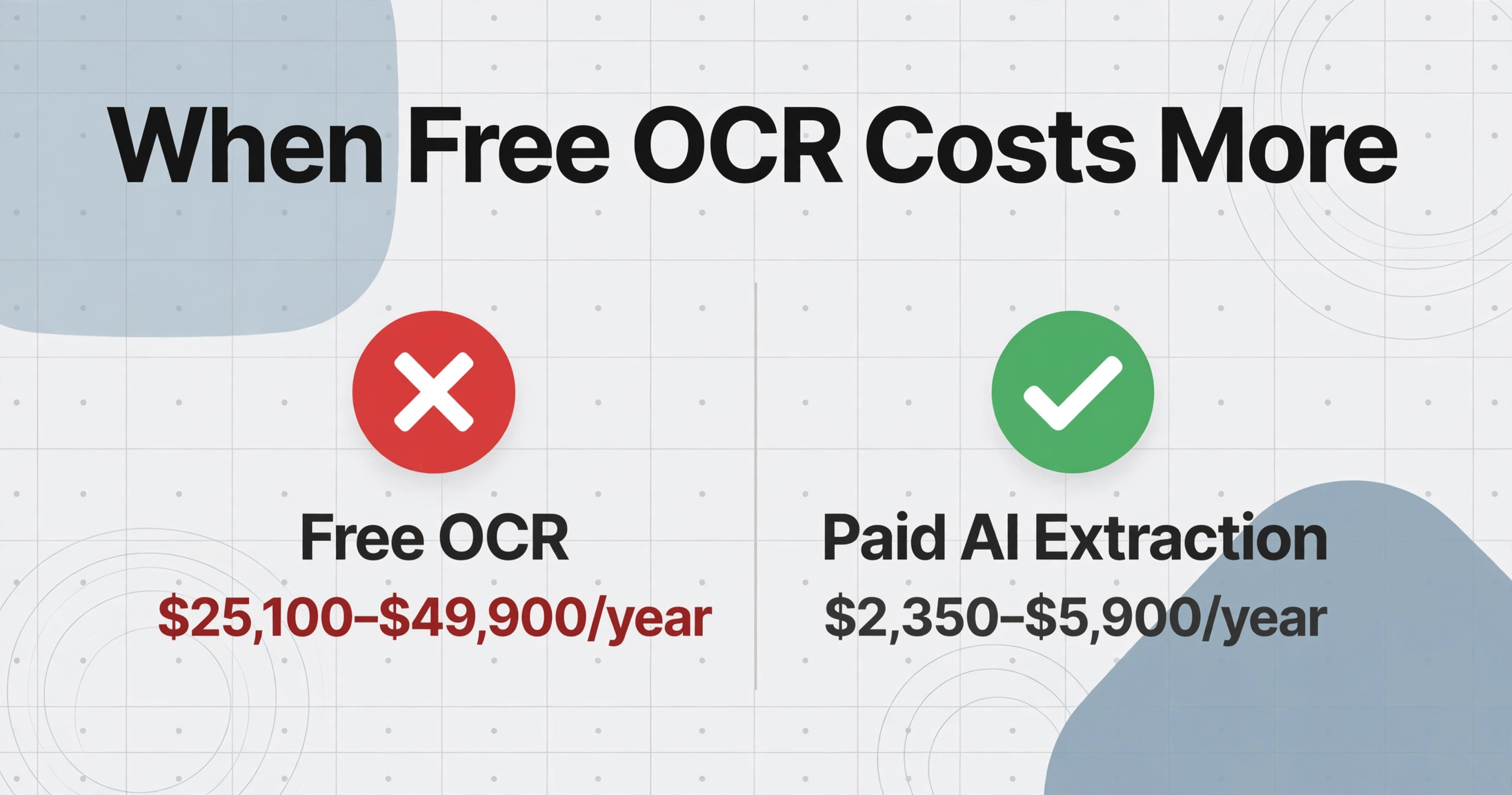
If your situation looks like any of these, a paid option likely costs less in total:
- You process 100+ documents per month from multiple sources with varying formats. The correction labor from free OCR at this volume already exceeds a subscription.
- Your documents include scans, photos, or handwriting. Free OCR accuracy on non-ideal inputs drops to 70–85%, and the gap vs. 97–99% from paid tools widens fast with volume.
- You need structured data output — Excel rows with specific columns, not raw text. Building table extraction on top of open-source OCR is a significant engineering project.
- You have no dedicated engineering team. If your OCR setup depends on a contractor or the "tech-savvy person in the office," the knowledge leaves when they do.
- Accuracy errors carry compliance or financial risk. A wrong invoice total, a misread tax ID, or an incorrect date on a delivery docket can trigger penalties, audit findings, or customer disputes.
The most common mistake we see is estimating only the license cost. A $20/month subscription that eliminates 15 hours of manual correction pays for itself at any reasonable hourly rate. The software almost never costs more than the labor it replaces.
This is the core of what modern OCR software delivers: not just text recognition, but a complete pipeline from document to usable data with minimal human intervention. The subscription pays for the pipeline, not the recognition.
FAQ
Is free OCR accurate enough for business use in 2026?
It depends on your document quality. Free OCR like Tesseract achieves 95–99% on clean machine-printed PDFs with standard fonts. But on scanned documents, photos, or non-standard layouts — which make up most real-world business documents — accuracy drops to 70–85%. At that level, every 4th to 6th document will have at least one significant extraction error. For occasional personal use, that may be acceptable. For business processes where data feeds into accounting, inventory, or compliance, it introduces unacceptable risk and correction overhead.
Can free OCR tools extract tables into Excel?
Not reliably. Tesseract and other open-source engines output raw text or hOCR (HTML-based OCR format). They don't understand table structure — they don't know which cells belong to which row, whether a column header applies to the data below, or how merged cells should behave. Converting that output into a usable Excel table requires custom post-processing code. Cloud APIs like Google Document AI and AWS Textract have dedicated form and table extraction models that handle this natively. Some free OCR tools with freemium tiers do offer structured output, but the free tier is typically limited in pages per month.
How much time does it take to set up a free OCR pipeline?
Installing the engine takes minutes. Building a production pipeline that reliably handles real-world documents takes 40–80 hours for a developer with OCR experience, and longer without it. This includes image preprocessing (deskewing, binarization, noise reduction), selecting the correct Page Segmentation Mode, writing post-processing scripts to clean output, building a document ingestion workflow, and setting up error monitoring. The setup cost is the single largest hidden cost of free OCR that most comparisons ignore.
Can free OCR read handwriting?
No. Tesseract and PaddleOCR were designed for printed text recognition. They have no handwriting recognition capability. Some cloud APIs offer limited handwriting support, but reliable handwriting extraction — especially for cursive or mixed handwritten forms — requires modern vision-language models trained specifically on handwritten document datasets. This is a feature domain where free tools simply don't compete.
At what volume does paid OCR become cheaper than free?
Based on our cost modeling, the breakeven point is around 100–150 documents per month. Below that, the free tool's correction labor is small enough that the setup cost (amortized) dominates but can be justified if you already have the infrastructure. Above 150 documents per month, the correction labor from a free tool's lower accuracy consistently exceeds the subscription cost of a paid alternative when you factor in time spent. At 500+ documents per month, the gap is wide enough that the paid option is unambiguously cheaper.
Find Your Breakeven Point
The math changes for every business. Your actual document quality, the formats you receive, and the accuracy you need all shift the numbers. The only way to know which option saves you money is to test it on your real documents.