ABBYY FineReader vs Modern AI OCR:
Legacy Precision vs New Flexibility
ABBYY FineReader is the most accurate optical character recognition engine ever built for clean, printed documents. Modern AI OCR — built on vision-language models rather than character-matching algorithms — is the most flexible document data extraction technology available today. Neither claim contradicts the other, because these are not competing products aimed at the same problem. They are different tools for different document processing tasks, and choosing between them starts with understanding the kind of documents you actually handle.
Key Takeaways
- ABBYY’s 99.8% character accuracy is real and unmatched — but a Capterra reviewer found “many obvious tables not detected” because reading every letter correctly still doesn’t tell you which numbers belong in which spreadsheet column.
- The accuracy benchmark every OCR vendor competes on hides a permanent cost: someone must rebuild templates every time a supplier redesigns their invoice, and in ABBYY’s own G2 reviews, “simple changes require IT support.”
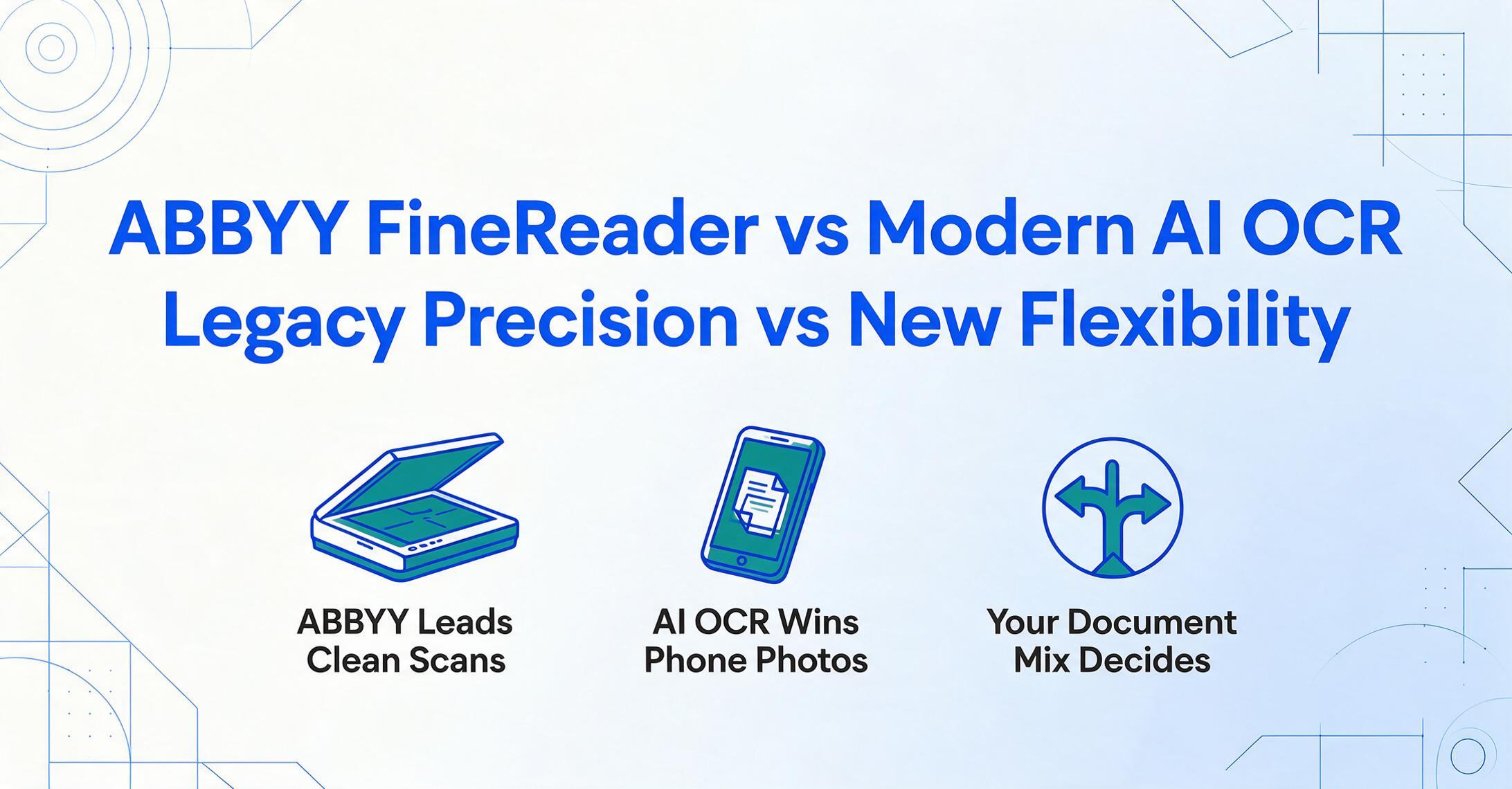
- Only three questions matter — how many layout variants you process, whether documents arrive by scanner or phone, and whether you need searchable PDFs or a structured spreadsheet — and ABBYY and AI OCR win opposite answers to each.
Quick Comparison
The table below summarizes how ABBYY FineReader and modern AI OCR tools compare across the five dimensions that matter most when choosing a document extraction approach. Each dimension is unpacked in detail in the sections that follow.
| Dimension | ABBYY FineReader | Modern AI OCR |
|---|---|---|
| Accuracy on fixed-format docs | 99.8% on clean scanned documents — industry-leading character-level precision | ~99% on printed text — catches up on character accuracy, wins on table structure |
| Flexibility with varied formats | Template/zonal OCR — each layout needs configuration; format changes break the template | No templates — adapts to any layout by understanding meaning, not pixel positions |
| Setup & configuration time | Desktop install + per-format template training; enterprise deployments take weeks | Browser-based, zero setup — upload a file, name your columns, see results in seconds |
| Phone photo vs flatbed scan handling | Designed for flatbed scanner output — struggles with perspective, shadow, low light | Designed for mobile capture — handles distortion, uneven lighting, mixed backgrounds |
| Pricing model | $99–$165/yr per seat (desktop); $40K–$300K+/yr for enterprise platforms | Free guest tier; paid plans $9–$59/month; pay-as-you-go from $6/50 pages |
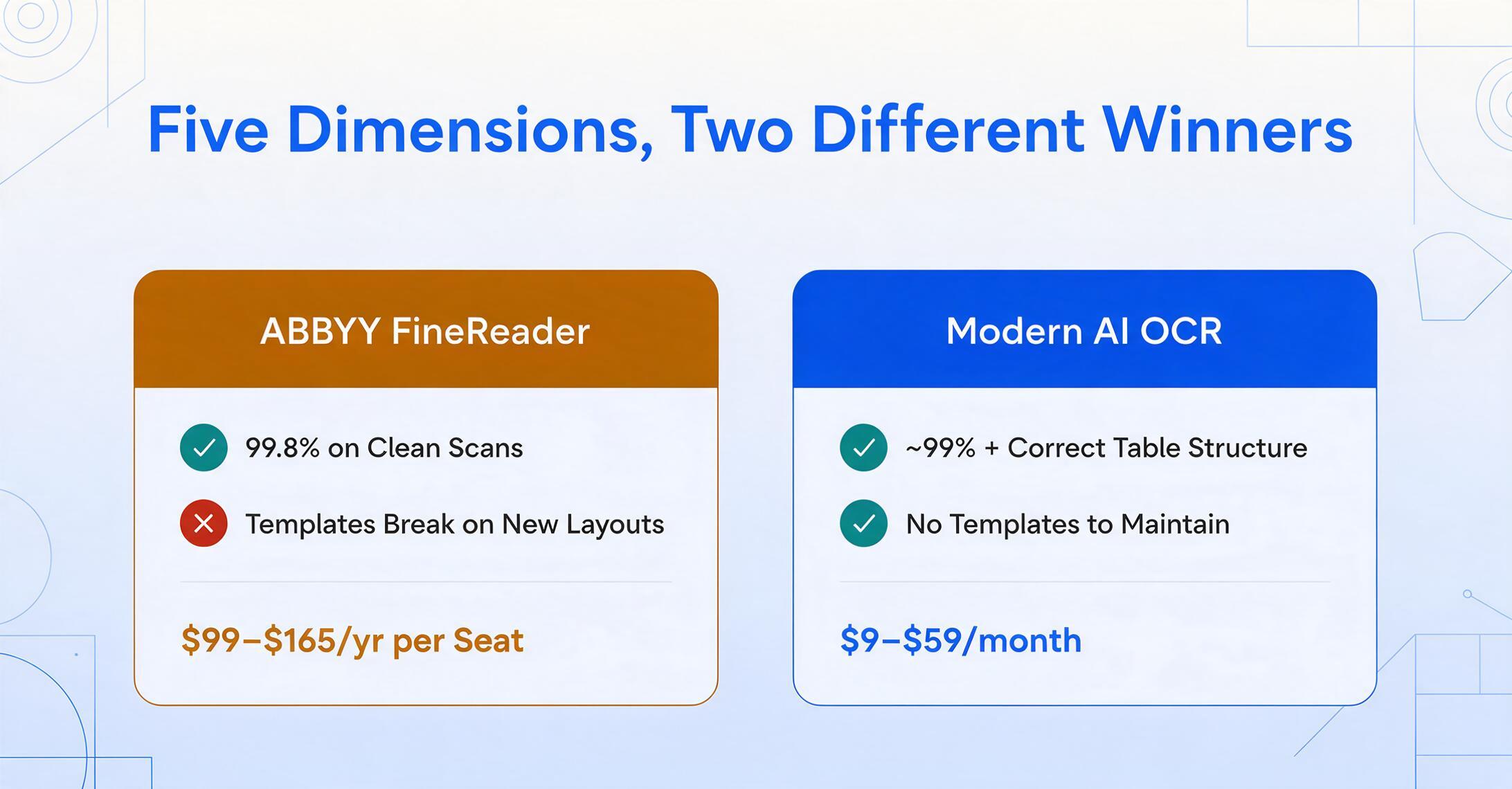
Each of these dimensions tells a different part of the story. The one that matters most depends entirely on the documents you process every day.
Dimension 1: Accuracy on Fixed-Format Documents
ABBYY FineReader remains the gold standard for character-level accuracy on clean, structured, fixed-format documents, and that lead is not imaginary. Independent testing consistently reports 99.8% accuracy on printed text in well-scanned documents. For contexts where a single misread character has consequences — legal document digitization, archival preservation, government forms — that margin matters.
ABBYY achieves this through a mature recognition pipeline — deskewing, contrast optimization, multi-engine cross-referencing — refined over decades. Its support for 201 languages, including Cyrillic, Arabic, CJK characters, and historic scripts, is unmatched in the desktop OCR market. The PCMag Editors' Choice review notes that FineReader "remains the most accurate OCR tool we've tested" — a reputation earned through continuous refinement.
But there is an important nuance. ABBYY's accuracy is character-level: it reads the correct letters and numbers. It does not always understand the structure those characters form. A Capterra review captures this: "Many obvious tables are not detected by ABBYY when automatically converting, especially those without visible lines." The characters are right. The table structure is wrong. The user still has to reassemble the data manually.
Modern AI OCR uses vision-language models that parse the full document image holistically — reading both the characters and the spatial relationships between them. On clean printed text, the character-level accuracy gap with ABBYY is narrow (roughly 99% vs 99.8%). But AI OCR excels at structural accuracy: it correctly identifies which numbers belong to which column and distinguishes invoice totals from subtotals, even in borderless tables or merged cells.
The takeaway: On character-level precision for clean scanned documents, ABBYY still holds a narrow edge. On structural accuracy — getting the data into the right columns — AI OCR often outperforms, especially on documents without explicit borders.
Dimension 2: Flexibility with Varied Formats
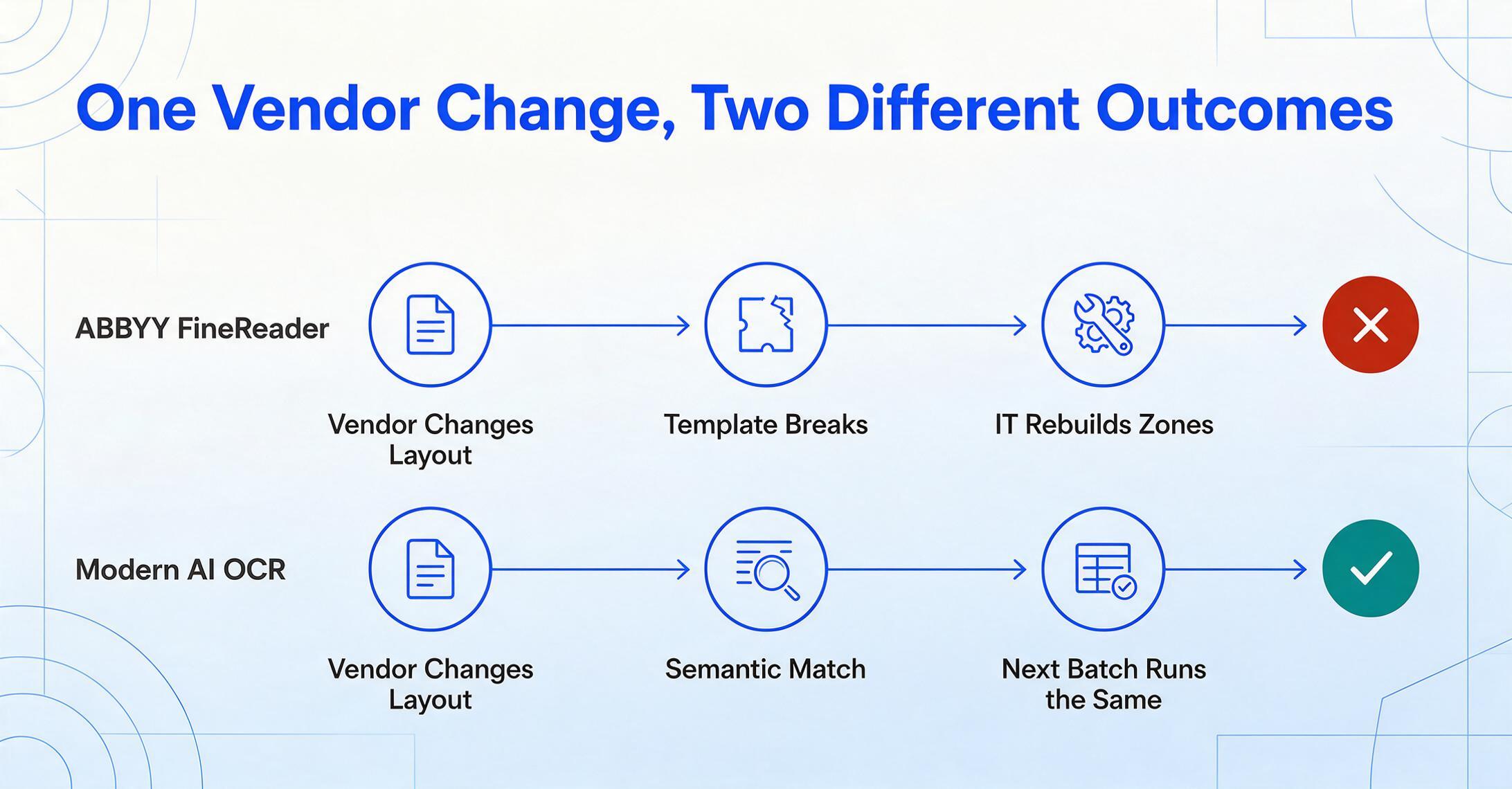
This is where the two paradigms diverge most sharply. ABBYY's template dependency is its greatest limitation in a multi-vendor, multi-format world. AI OCR's semantic approach was built from the ground up to handle exactly this problem.
ABBYY's extraction engine (FlexiCapture and Vantage) relies on FlexiLayout templates: you define zones, anchors, field coordinates, and extraction rules for each unique layout. When a vendor updates their invoice design or renames column headers, the template breaks. Someone with technical expertise must open FlexiLayout Studio and adjust zone definitions. For teams processing documents from dozens of vendors, this creates a permanent maintenance treadmill. ABBYY's G2 reviews confirm this: "Simple changes require IT support."
Modern AI OCR eliminates this problem entirely. It uses semantic extraction: you type the column names you want (Invoice Number, Date, Total), and the AI finds the corresponding values by understanding what those terms mean on the page — not by matching pixel coordinates from a predefined template. The column names you enter become the headers of your output spreadsheet. This works identically whether the document is an invoice, purchase order, or bank statement.
The practical consequence: when a vendor changes their format, your extraction keeps working. No template to rebuild, no zone to redraw, no IT ticket to file. The next batch processes the same way as the previous one.
Dimension 3: Setup and Configuration Time
The time from decision to first extraction result differs by orders of magnitude — and that gap reflects a structural difference in how the two approaches are built.
ABBYY FineReader desktop: download and install (~30 minutes). For batch processing with templates (Corporate or FlexiCapture): at least half a day per document format to create and validate templates. For enterprise deployments of Vantage or FlexiCapture: 2 to 12 weeks with implementation partners, plus $20,000–$150,000 in services.
Modern AI OCR: open a browser. Upload a file. Type the columns you want. See extracted data. Total elapsed time: under 30 seconds. No installation, no template training, no consultant. The tool is designed for the person who needs the data — not for an IT administrator configuring a platform.
This cost difference connects directly to the next dimension, because the type of documents you process determines whether you need desktop-grade preprocessing or can work directly with mobile-captured images.
Dimension 4: Phone Photos vs Flatbed Scans
The most under-discussed difference between legacy OCR and modern AI OCR is how they handle the image source — and this often determines which tool actually works in practice.
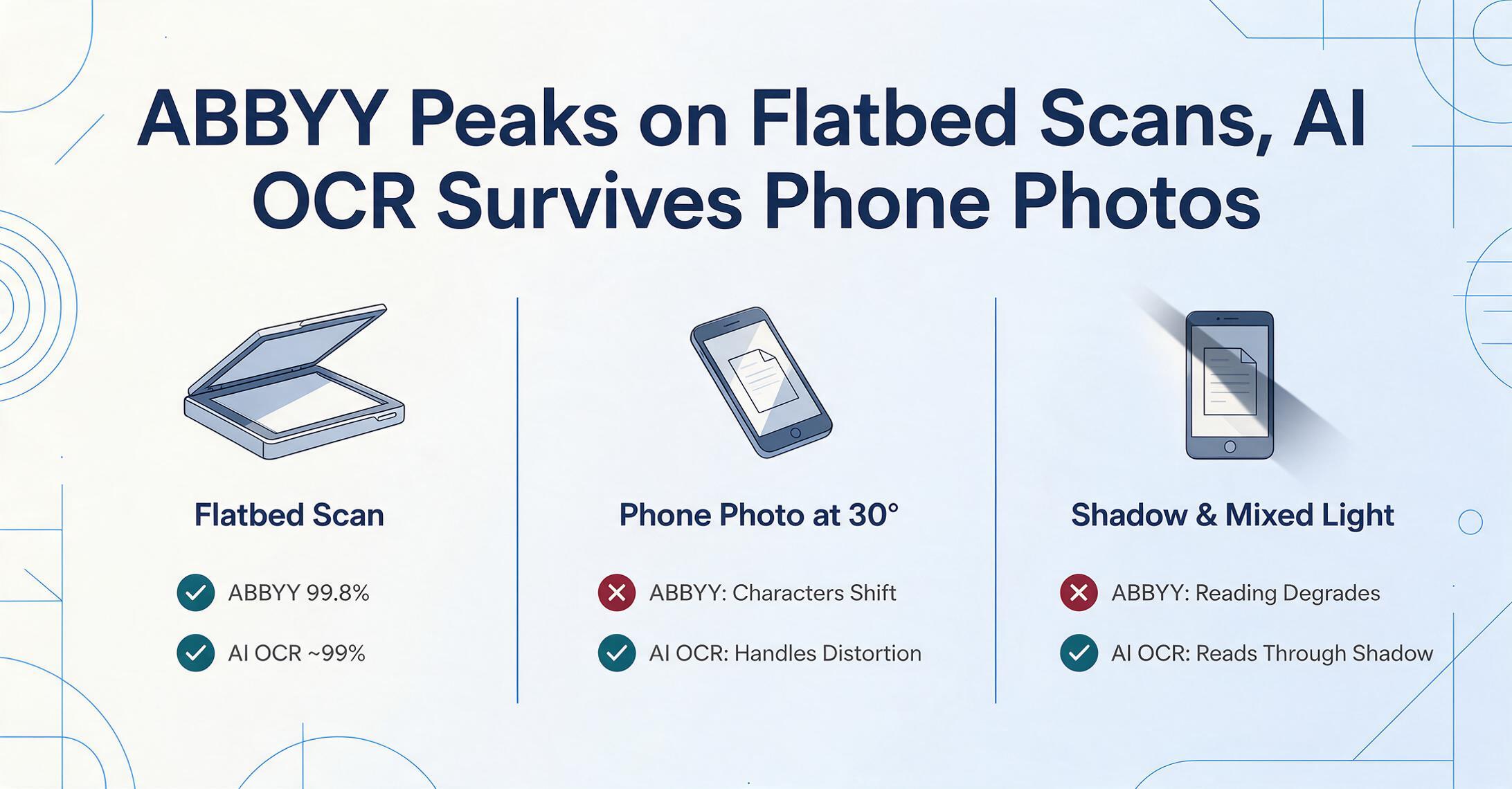
ABBYY FineReader was designed for the flatbed scanner era. Scanner output is flat, evenly lit, and distortion-free — ideal for character-pattern matching. The preprocessing pipeline assumes these conditions. Feed FineReader a phone photo taken at a 30-degree angle under office lighting, and the results degrade noticeably. Perspective distortion shifts character shapes. Uneven lighting creates shadow gradients. This is not unique to ABBYY — every traditional OCR engine shares this limitation because scanner-quality input was the baseline assumption when they were architected.
Modern AI OCR uses vision-language models trained on diverse image qualities: phone photos, webcam captures, photocopies, and screenshots alongside flat scans. These models handle perspective distortion because they understand objects in three-dimensional space. They read through shadows because they have seen thousands of shadowed documents during training. For teams whose documents arrive via mobile capture — field inspectors photographing site logs, employees submitting expense receipts, sales reps scanning contracts at client sites — this difference is decisive. A tool that requires scanner-quality input cannot support a mobile-first workflow, regardless of how accurate it is on flat scans.
Dimension 5: Pricing Model Comparison
An honest pricing comparison requires separating ABBYY's desktop products from its enterprise platforms — they serve completely different scales of operation.
ABBYY FineReader desktop: $99/year (Standard) or $165/year (Corporate) for Windows, $69/year for Mac. Single-seat licenses for a PDF editing and OCR suite. Extraction is manual: open each file, run OCR, check table detection, export, repeat.
ABBYY enterprise (Vantage, FlexiCapture): custom pricing. Third-party procurement data puts mid-market deployments at $40,000–$100,000 per year, with enterprise deals ranging from $100,000 to $300,000 per year. Implementation services add $20,000–$150,000. Annual maintenance for on-premise deployments runs 18–22% of license cost.
Modern AI OCR: free guest tier; paid plans from $9/month (150 pages) to $59/month (1,500 pages); pay-as-you-go from $6 for 50 pages. No implementation fees, no annual maintenance. The AI OCR plan includes automated batch processing, semantic extraction, and Excel merging — capabilities that require the Corporate tier or enterprise products in ABBYY's ecosystem.
The real question is not "which costs less" but "which pricing model matches your document volume and variety." A single-format, high-volume operation might find ABBYY's per-seat model more economical. A multi-vendor, moderate-volume team will almost certainly find AI OCR's per-page model cheaper in both direct cost and operational overhead.
With all five dimensions laid out, the question becomes not "which is better" but "which fits your specific document processing reality."
When ABBYY Makes More Sense
ABBYY remains the right choice for specific scenarios where character-level precision and layout fidelity are non-negotiable.
- Paper archive digitization. Converting thousands of historical documents into searchable PDFs with exact visual reproduction — FineReader's layout preservation and preprocessing are purpose-built for this.
- Fixed-format, single-vendor processing. Stable document formats from known vendors make the up-front template investment worthwhile.
- Multi-language archives. ABBYY's 201-language support, including CJK, Arabic, and Cyrillic, is genuinely unmatched.
- On-premise security requirements. Defense contractors, government agencies, and regulated financial institutions can deploy FlexiCapture or FineReader Server on-premise.
- PDF lifecycle management. Document comparison, redaction, digital signatures, and PDF/A archiving alongside OCR — FineReader is a complete PDF suite.
When Modern AI OCR Makes More Sense
AI OCR is the better choice for most teams whose document processing needs have shifted from "digitize paper" to "extract structured data from varied sources."
- Multi-vendor, multi-format processing. When you receive documents from dozens of vendors, each with their own layout, AI OCR's template-free approach is fundamentally more reliable. Format changes that would break an ABBYY template are invisible to semantic extraction.
- Phone photo and mobile capture workflows. Field teams, expense reporting, site inspections — AI OCR handles these images reliably because it was trained on mobile-captured data. This is the dimension where the technology gap between legacy OCR and AI OCR is widest.
- Self-serve data extraction. No install, no template configuration, no training courses. The tool is designed for the person who needs the data, not for IT administrators.
- Batch extraction to structured output. Upload multiple documents, get one aligned spreadsheet. Every file populates the same structure defined by the user's column names. This capability is standard in AI OCR but requires the Corporate tier or an enterprise product in ABBYY's line.
- Mixed document types in one batch. Invoices, POs, and bank statements together — no separate templates or runs needed. The AI identifies each document's type and extracts relevant fields into a unified table.
The Verdict
The honest answer is a decision framework based on your document mix, not a single recommendation. ABBYY and modern AI OCR are parallel technologies optimized for different processing realities. The right choice depends on three questions:
1. How many different document layouts do you process?
One or two stable formats with high volume → ABBYY's template approach works well. Dozens or hundreds of varied formats → AI OCR's template-free approach is more reliable and cheaper to maintain.
2. Where do your documents come from?
Flatbed scans with controlled lighting → ABBYY performs at its peak. Phone photos, mixed-light captures, and screenshots → AI OCR handles these naturally.
3. What do you need from the extracted data?
Searchable PDFs with exact visual reproduction → ABBYY excels. Structured spreadsheet data merged into one table → AI OCR (designed for this from day one) is the correct tool.
For many organizations, the optimal setup is a hybrid: use ABBYY FineReader for archival-quality digitization where layout fidelity matters, and use modern AI OCR for day-to-day data extraction from invoices, forms, and receipts — especially when those documents arrive via phone from multiple sources. If you're ready to compare the leading AI OCR tools against each other, our best AI OCR software roundup covers eight of them by price, accuracy, and fit.
The shift from "scan everything" to "extract the data you need" is a fundamental change in how documents are used in business. ABBYY serves the first world exceptionally well. Modern AI OCR is purpose-built for the second. The right question is not which tool is better — it is which kind of document processing you actually need.
Frequently Asked Questions
Can AI OCR match ABBYY's accuracy on clean, printed documents?
On clean scanned documents with standard fonts, modern AI OCR achieves roughly 99% accuracy compared to ABBYY's ~99.8% — the gap exists but is narrow. Where AI OCR often surpasses ABBYY is structural accuracy: correctly identifying table structure, column relationships, and field semantics in borderless or complex layouts. On phone photos, poor-quality scans, or documents with mixed fonts, AI OCR generally outperforms ABBYY because its vision models were trained on diverse image qualities.
Does ABBYY FineReader include AI-powered features?
ABBYY describes its OCR engine as AI-based because it uses machine learning for character recognition and layout analysis. However, this is not the same as modern AI OCR. ABBYY's AI is applied to improving the character-matching and preprocessing pipeline — it does not provide semantic understanding, template-free extraction, or contextual data interpretation. The distinction is discussed in depth in our OCR vs AI extraction comparison.
Can I replace ABBYY FlexiCapture with AI OCR for enterprise document processing?
It depends on your requirements. For data extraction from invoices, receipts, purchase orders, and similar business documents — especially from varied sources — modern AI OCR platforms can replace FlexiCapture at a fraction of the cost and setup time. However, if your workflow requires native SAP/Oracle integration, document classification workflows, or on-premise-only processing with strict data residency controls, ABBYY's enterprise products remain the appropriate choice.
Does ABBYY FineReader handle handwriting recognition?
ABBYY FineReader has limited handwriting recognition capabilities, reporting roughly 95% accuracy on neat, isolated handwriting in good conditions. On cursive handwriting, accuracy drops to approximately 91.7%. ABBYY also supports Intelligent Character Recognition (ICR) through its enterprise products. However, for mixed printed-handwritten documents or messy handwriting, modern AI OCR tools using vision-language models typically achieve higher and more consistent accuracy because they interpret handwriting contextually rather than through character-level pattern matching.
Is ABBYY FineReader available as a cloud service?
ABBYY FineReader PDF is a desktop application — there is no cloud or browser version. ABBYY offers cloud OCR capabilities through separate enterprise products: the ABBYY Cloud OCR SDK (API-based, priced separately) and ABBYY Vantage (cloud-based IDP platform with custom enterprise pricing). The desktop FineReader has no browser interface and no REST API. Modern AI OCR tools, in contrast, are cloud-native by design — they work in any browser on any device without installation, and include REST APIs on paid plans.
Try AI OCR on Your Own Documents
The most reliable way to decide between ABBYY and AI OCR is not reading comparisons — it is testing both approaches on your actual documents. Upload a batch of invoices, receipts, or forms that represent your real document mix. See how modern semantic extraction handles borderless tables, phone photos, and multi-format batches. Compare the output structure against what you currently get from ABBYY — not just accuracy, but how much post-processing your team still has to do.
Free guest mode — no account, no credit card required.