How to Extract Proof of Delivery (POD) Data
to Excel for Logistics Operations
The American Transportation Research Institute (ATRI) reports that trucking's average operating cost reached $2.26 per mile in 2025, with non-fuel costs hitting an all-time high of $1.779 per mile. The truckload segment operated at a negative 2.3% margin. When margins are that thin, a four-day gap between delivery completion and invoice generation is not an admin headache — it is a days sales outstanding (DSO) problem that compounds across every load, every week, every quarter. The gap exists because the data that proves a delivery happened lives on a piece of paper in a truck cab, not in a database. Extracting that data into a structured format — Excel, CSV, or direct TMS import — is the single highest-leverage automation move a logistics operation can make without changing a single carrier relationship.
Key Takeaways
- Every 200 PODs that arrive on paper keep one person typing for 8.5 hours a day, and the four-day billing lag that follows is a DSO problem that compounds across every load every week.
- Your four-day billing gap is not a staffing problem — it is the speed at which signed paper travels from a truck cab to a desk, and no amount of hiring makes a clipboard move faster.
- Define extraction columns once by field meaning instead of field position, and 200 PODs from 15 carriers collapse into a single spreadsheet reviewed in one hour instead of typed across eight.
The POD Data Bottleneck in Every Logistics Operation
Proof of delivery documents sit at the intersection of four operational workflows that all depend on the same data: billing needs delivery confirmation to generate invoices, customer service needs it to answer "where's my delivery" queries, claims needs it to verify whether goods arrived in good condition, and carrier settlement needs it to release payment. When the data source is a signed paper form that takes four days to reach the billing system, every downstream workflow operates in arrears.
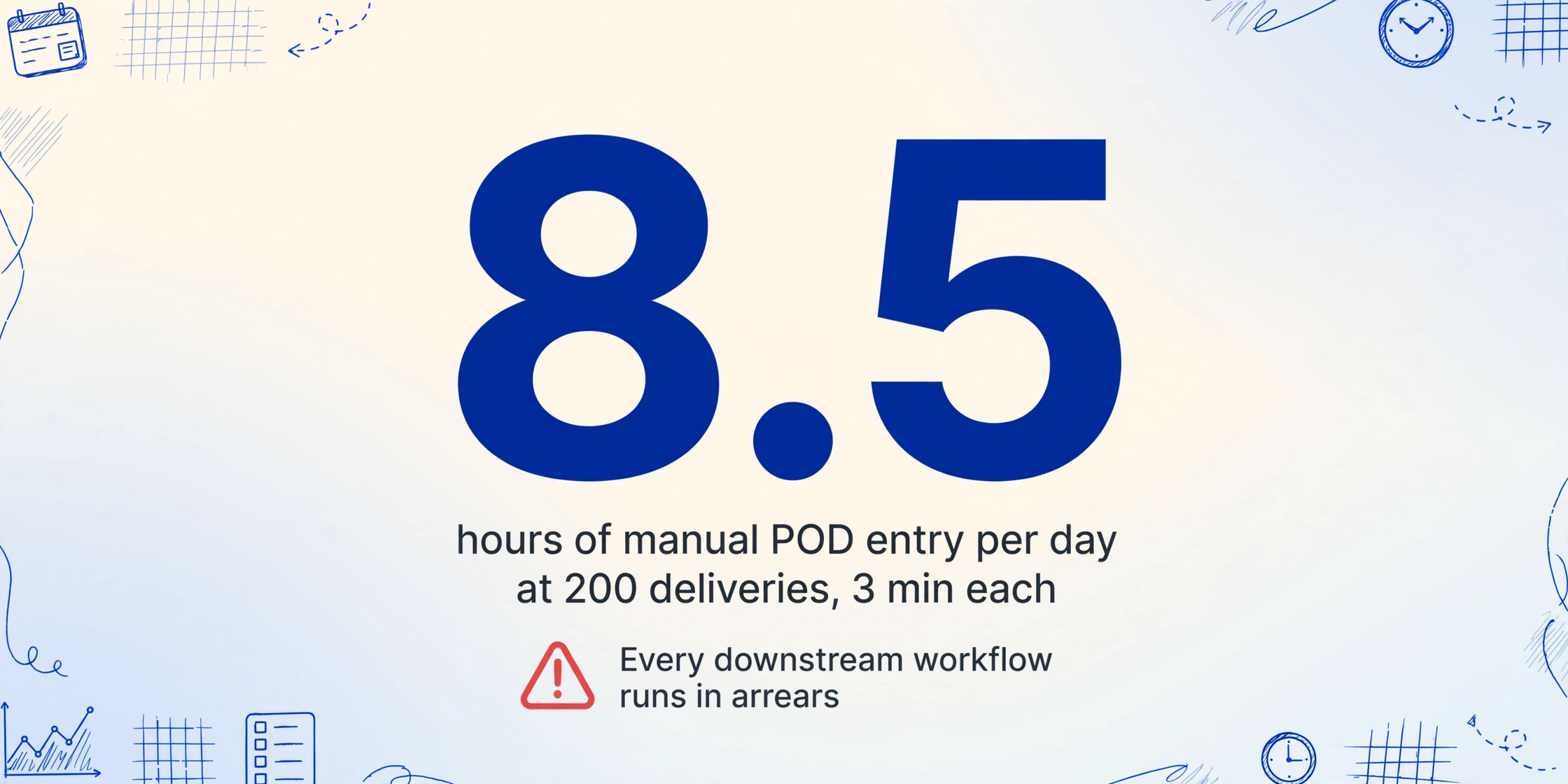
The arithmetic is straightforward. A mid-size freight broker or 3PL handling 200 deliveries per day receives PODs in three formats: electronic PDFs from national carriers (FedEx, UPS, DHL), scanned images from regional LTL carriers, and handwritten carbon copy forms from owner-operators and small fleets. The electronic PDFs might be 15% of the volume — the rest arrives as images and paper that require someone to look at each form and type 12 to 20 fields into a Transportation Management System (TMS) queue. At 3 minutes per POD for manual entry, that is 8.5 hours of typing per day for 200 deliveries, and the person doing it is almost certainly not the person the operation would rather have spending their time on customer relationships or carrier negotiations.
The Carmack Amendment (49 U.S.C. §14706), which governs carrier liability for interstate shipments in the U.S., adds another dimension to this bottleneck. Under Carmack, carriers must accept written notice of loss or damage claims within a minimum of nine months from delivery — but proving what happened at delivery depends on the POD. When a dispute arises over a short shipment or concealed damage, the POD is the primary evidence of what was received. If the POD data is locked in a paper file that takes two hours to locate, the dispute resolution timeline stretches from hours to days. A searchable POD database — one where every delivery date, recipient name, quantity, and exception note is a structured field — collapses that search time to seconds.
The DSO impact compounds quietly. Four days from delivery to invoice means your working capital cycles include a built-in lag that no amount of payment term negotiation can fix — because the delay is in your data pipeline, not your customer's payment behavior.
What a POD Carries — and Why It's Harder to Digitize Than a BOL
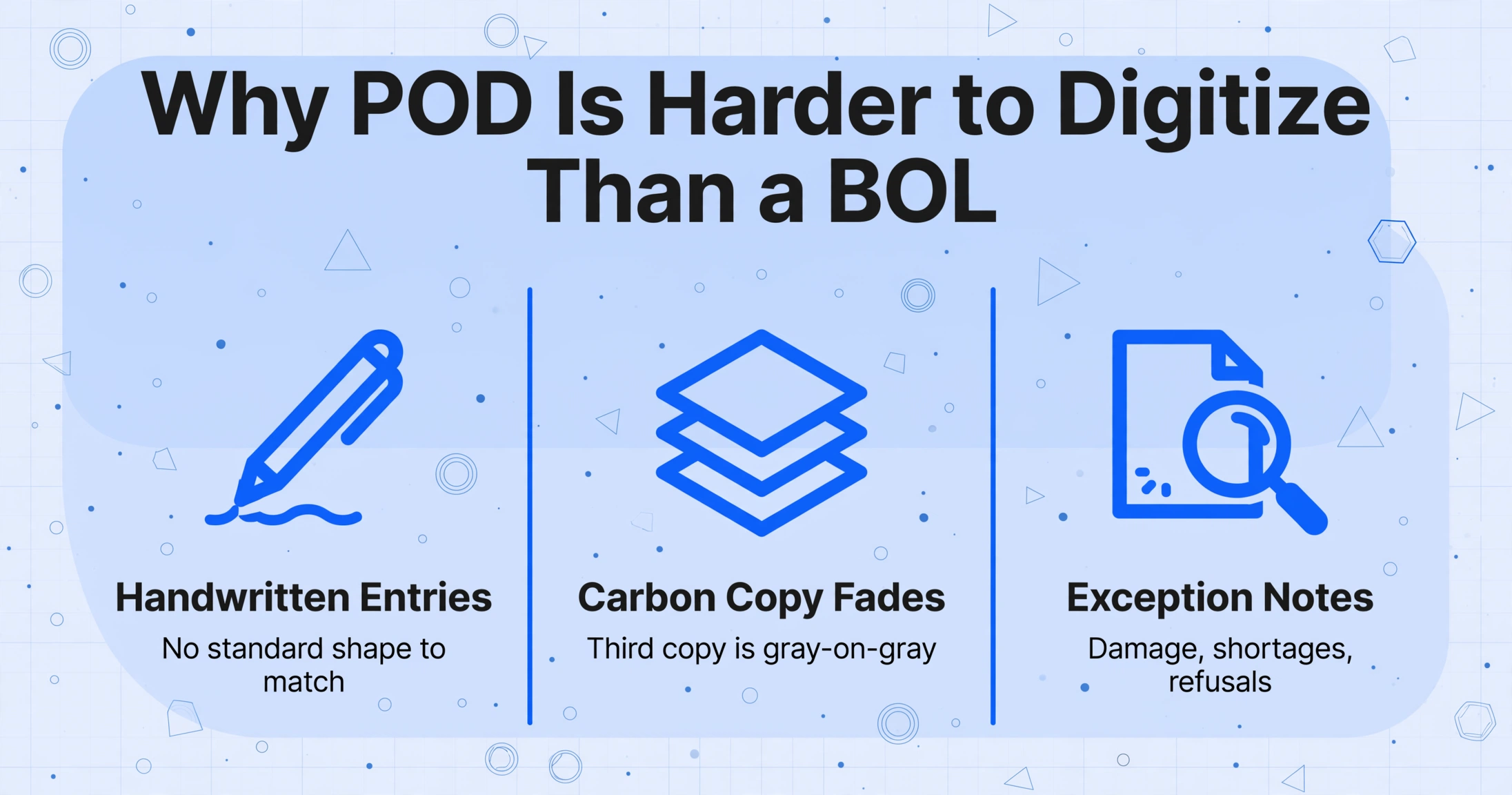
A proof of delivery document looks simple on the surface — a form with a few fields confirming that goods changed hands. In practice, it combines three document processing challenges that are individually difficult and together are unique to this document type.
Handwritten signatures and entries. The driver writes the delivery time, pallet count, and any exception notes by hand — often in the cab, on a clipboard, after a 14-hour shift governed by FMCSA 49 CFR Part 395 hours-of-service rules. The receiver signs and sometimes writes "received 12 of 15" or "1 carton crushed — accepted" in the margin. Neither handwriting sample was produced at a desk under optimal lighting. Traditional OCR tools — which segment printed characters by matching shapes against known fonts — break on this content because there is no standard shape to match. A rushed "qty 12" can look indistinguishable from "qty 14" to a character-matching engine.
Carbon copy degradation. Most paper PODs are multi-part carbon forms. The top (white) copy is readable. The second (pink or yellow) copy is lighter. By the third copy (blue or goldenrod), pen pressure barely transfers and characters become ghost images — faint outlines with strokes missing and contrast approaching zero. A standard scan of a third-copy carbon form produces a gray-on-gray image that most OCR tools cannot extract any text from, let alone handwriting.
Unstructured exception annotations. The most operationally significant information on a POD is often the least structured. A driver writes "short 2 cartons" in the margin. A receiving clerk circles a number and writes "REFUSED — water damage." A recipient writes "per John" next to the signature line instead of signing. These notes do not appear in designated fields and do not appear in the same location across different carriers' forms, but they contain the information that determines whether a shipment is accepted, challenged, or refused — and they must be captured for billing and claims workflows to function.
Multi-stop delivery manifests. A single POD sheet often covers three to five delivery stops on the same route — each stop is a separate section on the same form, separated by a printed line or a numbered section break. The extraction must distinguish where stop 1 ends and stop 2 begins, or the entire output collapses into merged rows with misattributed quantities. This is a harder problem than reading any single field: it requires understanding the document layout at the section level, not just the field level.
The Workflow: From Driver's Clipboard to TMS Import
To understand how POD extraction fits into a real logistics operation, it helps to map the end-to-end workflow that exists in most freight brokerages and 3PLs today.
Driver completes delivery — captures POD
The driver gets a signature on a multi-part carbon form or snaps a photo of the signed receipt with their phone. For national carriers (FedEx, UPS), the POD is captured electronically and uploaded to the carrier's portal within minutes. For regional LTL carriers and owner-operators, the paper form goes into a trip folder.
POD reaches the back office — with a delay
Paper PODs arrive at the office when the driver returns to base — end of day, next morning, or end of week for long-haul. Electronic PODs from carrier portals are downloaded in batches. Both land in the same queue: a stack of documents waiting for data entry.
Data entry clerk types fields into the TMS
For each POD, the clerk reads the delivery number, date, recipient name, quantity received, signature status, and exception notes — then types them into the TMS shipment record. Platforms like MercuryGate, McLeod LoadMaster, TMW Suite (Trimble), Descartes, and Turvo all expect structured shipment data to process billing and customer notifications. At 3 minutes per POD and 200 PODs per day, this step consumes one full-time role per 100-120 daily deliveries.
Billing generates invoices — delayed by the data gap
The TMS can only invoice deliveries that have confirmed POD data. Until the fields are entered, the delivery sits in a "pending confirmation" status. Across 200 deliveries per day, that backlog means billing runs on a 2-4 day lag — every single week, every single month.
Claims and disputes require POD lookup — often manual
When a shipper files a cargo claim under the Carmack Amendment framework, the broker or 3PL must produce the POD to verify delivery conditions. With paper files or scanned PDFs stored by shipment date, a single lookup takes 15-30 minutes of file retrieval. With structured data — every POD as a row in a spreadsheet — the same lookup takes 5 seconds.
The extraction workflow replaces step 3 (manual data entry) with automated extraction, collapsing the 2-4 day delay in step 4 to same-day or next-day billing. The key is that extraction doesn't require replacing the TMS, changing carriers, or deploying new hardware. It plugs into the existing workflow at the point where paper meets keyboard.
How to Extract POD Data: Step by Step
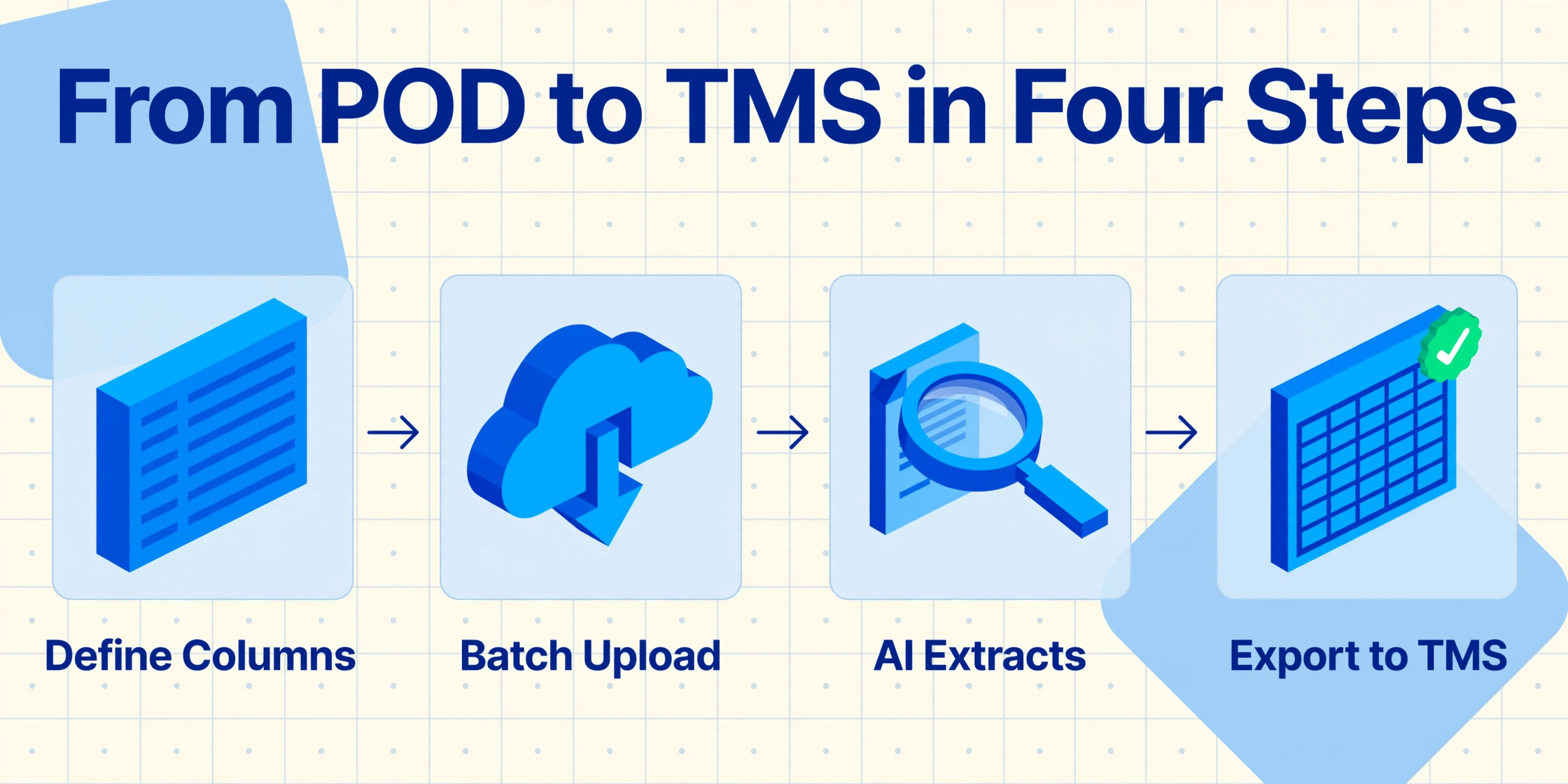
The extraction process follows the same no-code batch processing workflow that applies to invoices, packing slips, and bills of lading — but PODs require specific column definitions and format handling that reflect their unique characteristics.
Define your extraction columns to match your TMS import template
Type the column names you want in the output spreadsheet. The column names you type become both the extraction instructions and the spreadsheet headers. For POD workflows, the essential columns match what your TMS expects:
Delivery Number / PRO Number— links to the TMS shipment recordDelivery Date— date of physical deliveryDelivery Time— time of deliveryConsignee / Recipient Name— who received the goodsDelivery Address— actual delivery location (may differ from BOL address)Quantity Shipped vs. Quantity Received— discrepancy trackingSignature Status— Signed / Not SignedCondition Notes / Exception Notes— damage notations, shortages, refusalsDriver Name— who made the delivery
Name these columns to match your TMS import field names whenever possible — this avoids the reformatting step that eats the time savings from automation. A column called PRO_NUMBER that maps directly to your MercuryGate or McLeod import template is worth more than one called "POD ID" that requires a remapping step.
Batch-upload the day's PODs
Upload all POD files — scanned carbon copies, phone photos of handwritten slips, carrier portal PDF downloads — in one batch. The AI processes them in parallel using your column definitions. No need to sort by carrier or form type before uploading. For best results with carbon copies: use a flatbed scanner at 300 DPI or higher for third copies; phone photos at standard resolution are sufficient for top copies and electronic PDFs. For more on capturing documents without a scanner, see our guide on digitizing documents with your phone.
Extract and review
The AI reads each POD and populates the columns you defined. For handwritten carbon copies, the AI's vision model infers characters from context — a blurry "12" next to "QTY RCVD" is more likely to be "12" than "14" because the AI understands what counts as a reasonable delivery quantity. Review the flagged low-confidence fields; for most top-copy PODs with clear handwriting, 85-95% of fields extract correctly without correction.
Export and import into your TMS
Export the results as Excel or CSV. The output is one spreadsheet with one row per POD — not per carrier, not per file — with columns matching the names you defined. Import the file into your TMS using its standard CSV import function. Platforms like MercuryGate, McLeod LoadMaster, TMW Suite, Descartes, and Turvo all support structured file import with column mapping. The import takes minutes instead of hours, and because the column names were set up to match the TMS template in step 1, the mapping step is a one-time configuration.
For operations that want to skip the file export-import cycle entirely, the Google Sheets add-on can write extraction results directly into a spreadsheet that feeds a TMS import pipeline or an internal tracking dashboard — same extraction, one fewer file-handoff step.
Why Multi-Carrier Formats Don't Require Multi-Carrier Templates
This is the question that stops most logistics teams from adopting extraction: "We receive PODs from 15 different carriers, each with a different form layout. Does that mean we need 15 templates?"
With template-based extraction tools — the generation that includes Docparser, Parseur, and most zonal OCR approaches — the answer is yes. Each carrier's layout requires a separate parsing configuration: draw boxes around the delivery number field on Carrier A's form, draw different boxes on Carrier B's form, maintain each one when the carrier updates its layout. For a freight broker receiving PODs from dozens of carriers, this template maintenance burden quickly exceeds the time savings from automation.
Column-name extraction — the approach used by ImageToTable.ai — works differently. Rather than defining field positions, you define field meanings. You type "Delivery Date" as a column name once, and the AI's vision model locates the corresponding value on each POD by understanding what a delivery date is — not by looking for text at a fixed coordinate. A FedEx SmartPost POD where the delivery date sits in the top-right corner, a regional LTL carrier's form where it is printed in a center block, and an owner-operator's handwritten slip where the driver wrote it next to "DATE" all pass through the same column definition with zero per-carrier configuration. This is the template-free AI extraction pattern: the extraction engine reads by meaning, not by location.
The practical impact for logistics operations: you can batch 200 PODs from 20 different carriers into a single upload, define your columns once, and get one consolidated spreadsheet. No pre-sorting by carrier. No per-carrier template setup. No maintenance when a carrier updates its form design.
Handling Multi-Stop Manifests: The Hardest POD Case
A single POD sheet covering three delivery stops looks like three separate mini-forms printed on the same page, separated by a horizontal line or numbered section break. Each stop has its own delivery number, recipient, quantity, and signature. The extraction must recognize these section boundaries and assign each row to the correct stop — or the entire batch output merges deliveries together and becomes unusable.
This is where semantic extraction earns its keep. The AI reads the document at the layout level — it recognizes that a horizontal line across the page followed by a new "Stop 2" header represents a section boundary, not a formatting artifact. The output assigns each stop its own row in the spreadsheet, with fields attributed to the correct delivery segment. This is not perfect on every document — section boundaries on poorly scanned or extremely compacted forms can be ambiguous — but it handles the majority of printed multi-stop forms reliably. The honest assessment: if your operation regularly processes multi-stop manifests on a single sheet, budget for review time specifically on section attribution, particularly when the boundary markers are faded or handwritten.
Cross-Linking POD Data with Bills of Lading and Packing Slips
PODs do not exist in isolation. They are the final link in a document chain that starts with the bill of lading (issued at pickup) and includes the packing slip (listing contents), the delivery note (attached to the shipment), and the POD (signed at delivery). Each document in this chain contains overlapping but distinct information, and matching them together is what creates a complete shipment record.
The same extraction workflow that processes PODs can process bills of lading and packing slips in separate batches or the same batch — using the PRO number or delivery number as the linking key. When the POD confirms delivery of 12 pallets but the BOL shows 14 shipped, the discrepancy surfaces as a structured data point before it becomes a billing dispute. For a closer look at the BOL side of this workflow, see how extracted BOL data feeds into your TMS.
For operations that handle handwritten receiving documents in warehouse environments — where the driver presents a paper delivery note and the receiving clerk hand-annotates quantities and condition — the POD extraction workflow follows the same column-name approach as the one used for batch packing slip and delivery note extraction. The same column configuration that reads PODs can also read goods-received notes and warehouse manifests, creating a unified receiving dashboard from documents captured at different points in the delivery chain. For the step-by-step on reading both the printed shipment data and the handwritten receiving marks on a signed delivery note, see our guide to handwritten delivery note extraction in warehouse receiving.
For the full delivery-note/POD picture — why these documents are harder to extract than invoices, which fields matter most for reconciliation, and how to evaluate tools — start with our complete guide to delivery note & POD extraction. To test the extraction on your own POD right now, use the delivery note to Excel converter.
Where It Works Well — and Where It Needs Human Review
Every extraction tool has accuracy limits, and PODs expose them faster than most document types. Being specific about what the AI handles well — and what it doesn't — sets accurate expectations and builds a workflow that actually saves time instead of creating a new verification burden.
Works well:
- Top-copy (white) carbon forms with clear block handwriting — accuracy reaches up to 99% on unambiguous fields like printed delivery numbers and dates
- Electronic PODs from national carriers (FedEx, UPS, DHL) — machine-printed text with consistent field labels
- Signature presence detection — the AI confirms whether a signature mark exists in the signature field, outputting "Signed" or "Not Signed"
- Printed field labels and pre-filled carrier information
- Standard exception annotations ("short 2," "1 box crushed") in the remarks area — when handwriting is legible
Needs human review:
- Third-copy (blue/yellow) carbon forms — contrast is too low for reliable automated reading; expect to review most handwritten fields
- Section boundary detection on multi-stop manifests — particularly when separator lines are faint handwritten dashes rather than printed rules
- Rain-damaged or wrinkled forms — environmental degradation reduces extraction proportionally
- Signature identity — the AI confirms a signature is present but does not verify the signer's identity against a known sample
- Damage photos attached to the POD — the AI extracts text from the form itself but does not interpret the content of attached photographs
For a practical verification framework that catches 95% of extraction errors while checking less than 10% of your data, see our guide on verifying extraction results with targeted sampling. For troubleshooting specific handwriting extraction issues — including what to do when your OCR or AI tool misreads critical fields — see our guide on why OCR fails on handwriting and how to fix it.
The practical time saving for a logistics operation processing 200 PODs per day: instead of reading every form line by line and typing 15-20 fields from scratch, the operator reviews a pre-filled table and corrects the 3-5 flagged fields per document. That is roughly 600-1,000 flagged fields reviewed out of 3,000-4,000 total extracted fields per day — a reduction of 75-85% in manual data handling, translating to roughly 1-1.5 hours of review instead of 6-8 hours of full data entry.
Frequently Asked Questions
Can AI extract data from carbon copy PODs where the text is very faint?
Yes, but accuracy depends on which copy. White (top) copies extract reliably. Pink (second) copies are lighter but still readable. Blue or yellow (third) copies have contrast so low that most AI extraction — regardless of vendor — produces unreliable results. For third copies, use a flatbed scanner at 600 DPI with contrast enhancement, and budget for full human review on the output.
Do I need a different template for each carrier's POD format?
Not with template-free extraction. You define the columns you want once — Delivery Number, Delivery Date, Recipient, Quantity, Signature Status — and the AI locates the corresponding values on any carrier's POD by understanding what each field means. A FedEx POD, a UPS delivery receipt, a regional LTL carrier's carbon form, and an owner-operator's handwritten slip all process through the same column definitions. No per-carrier template setup or maintenance.
Can the AI detect whether a POD has been signed?
Yes. The AI detects the presence of a handwritten mark in the signature field and outputs a "Signed / Not Signed" status. This is sufficient for confirming that someone at the receiving location acknowledged the delivery — enough for most billing workflows. It does not verify the identity of the signer or match the signature against a sample; signature verification requires a separate biometric or forensic process.
How do I handle PODs where damage notes or exceptions are written in the margins?
Define a column called "Exception Notes" or "Damage Notes" in your extraction setup. The AI scans the entire document — including margins, empty spaces around the form, and handwritten annotations alongside printed fields — for content that describes delivery exceptions. It captures both structured damage notations ("1 carton crushed — refused") and unstructured margin scribbles ("short 2"). The key is that the AI searches for this content by meaning (text that describes a delivery exception) rather than by location (text in a specific box).
Can I extract data from multi-stop PODs where one sheet covers 3-5 deliveries?
AI extraction can handle multi-stop manifests by recognizing section boundaries — printed lines, separator rules, or numbered section headers — and attributing each stop's data to a separate row in the output. This works reliably on printed multi-stop forms with clear section markers. It is less reliable on forms where section boundaries are handwritten or where stops overlap visually on a poorly scanned page. For operations processing high volumes of multi-stop manifests, budget for review time on section attribution — particularly on third-copy carbon or rain-damaged forms.
How does POD extraction fit with my existing TMS (MercuryGate, McLeod, TMW, etc.)?
The extraction output is a standard Excel or CSV file that any TMS can import. The column names you define during extraction can be set to match your TMS's import field names — meaning no manual remapping between extraction output and TMS import. Most platforms including MercuryGate, McLeod LoadMaster, TMW Suite, Descartes, Trimble, and Turvo accept structured CSV imports. The extraction replaces manual data entry at the keyboard; the TMS continues to handle shipment tracking, billing, and carrier communication as before.
What happens when a POD field is blank?
The AI leaves blank fields empty in the output. A POD without damage notes will have an empty "Exception Notes" cell — the AI will not hallucinate content or fill in default values. This is important for batch outputs because blank cells preserve column alignment and row structure. When importing into a TMS, empty fields pass through as null values, which most platforms handle without errors.
Start Extracting POD Data on Your Own Documents
The four-day gap between delivery and invoice does not exist because your carriers are slow or your team is understaffed. It exists because the data that proves a delivery happened lives on paper in a format that has to be read and typed by hand. The extraction workflow described in this article — define columns once, batch-upload all PODs regardless of carrier or format, export structured data to your TMS — removes the typing step without changing anything about how your drivers deliver or how your carriers operate.
There is no need to deploy ePOD software to every carrier or train drivers to use a new app. The paper PODs you already receive — carrier PDFs, driver photos, carbon copies from the clipboard — can enter the extraction workflow today, through the same upload interface that processes invoices and packing slips. The data that has been arriving on paper for decades becomes a searchable, structured spreadsheet before billing closes for the day.
Test on your own PODs. See if 8 hours of daily data entry becomes a 1-hour review session.
Upload a sample POD — any carrier, any format — and see the extraction output in seconds. No account required.