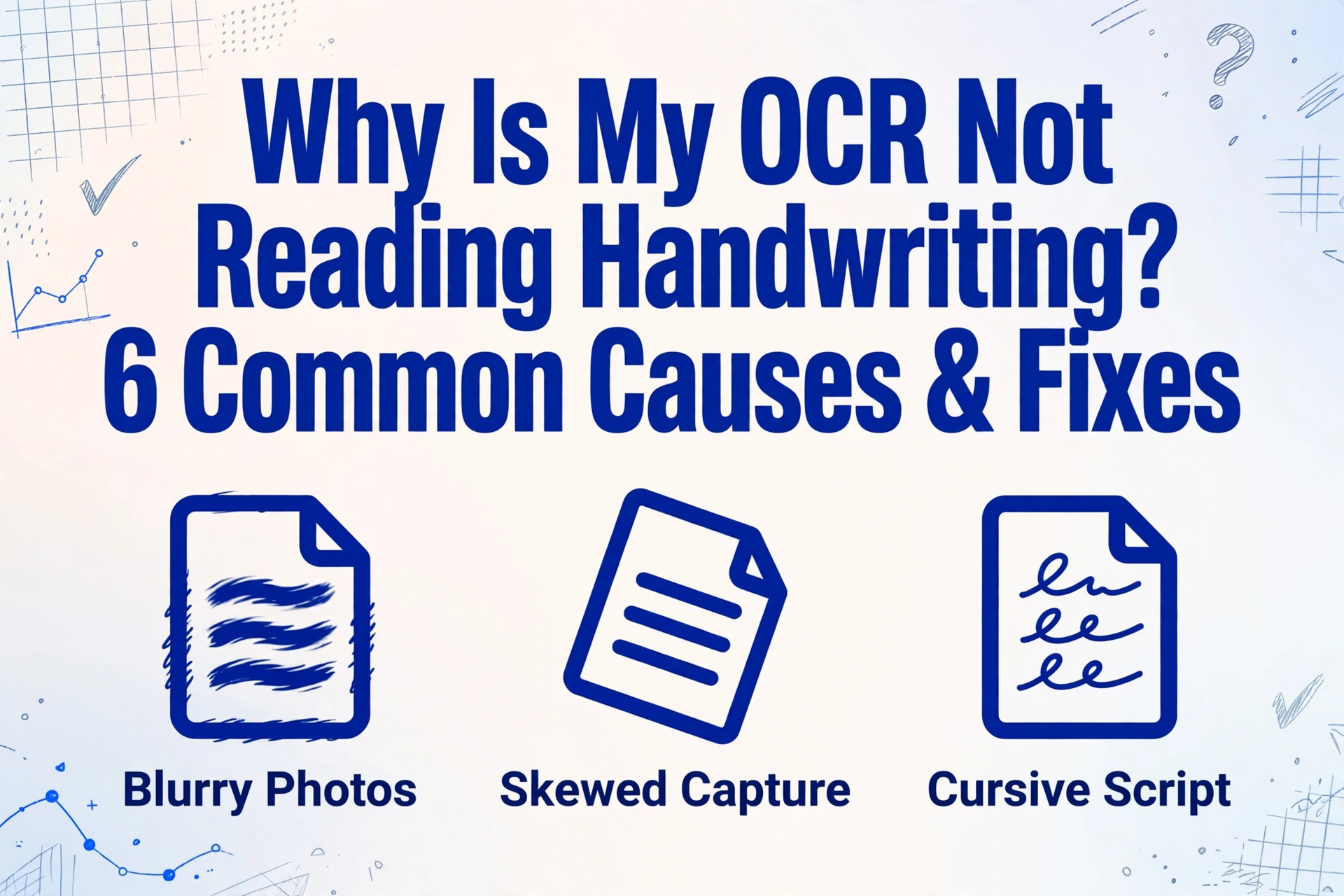
Why Is My OCR Not Reading Handwriting?
6 Common Causes & Fixes
If your OCR is reading printed text fine but failing on handwriting, you're not alone — this is the single most common extraction failure mode, and it has at least four distinct causes, each with a different fix. The good news is most of them are fixable without buying new software. The trick is knowing which layer the problem lives in: image quality, handwriting style, document type, or the tool itself. Start with the cheapest fix and work your way deeper.
Key Takeaways
- Your OCR tool works perfectly on printed text — so when it silently skips handwriting, you assume the scan is bad or you did something wrong.
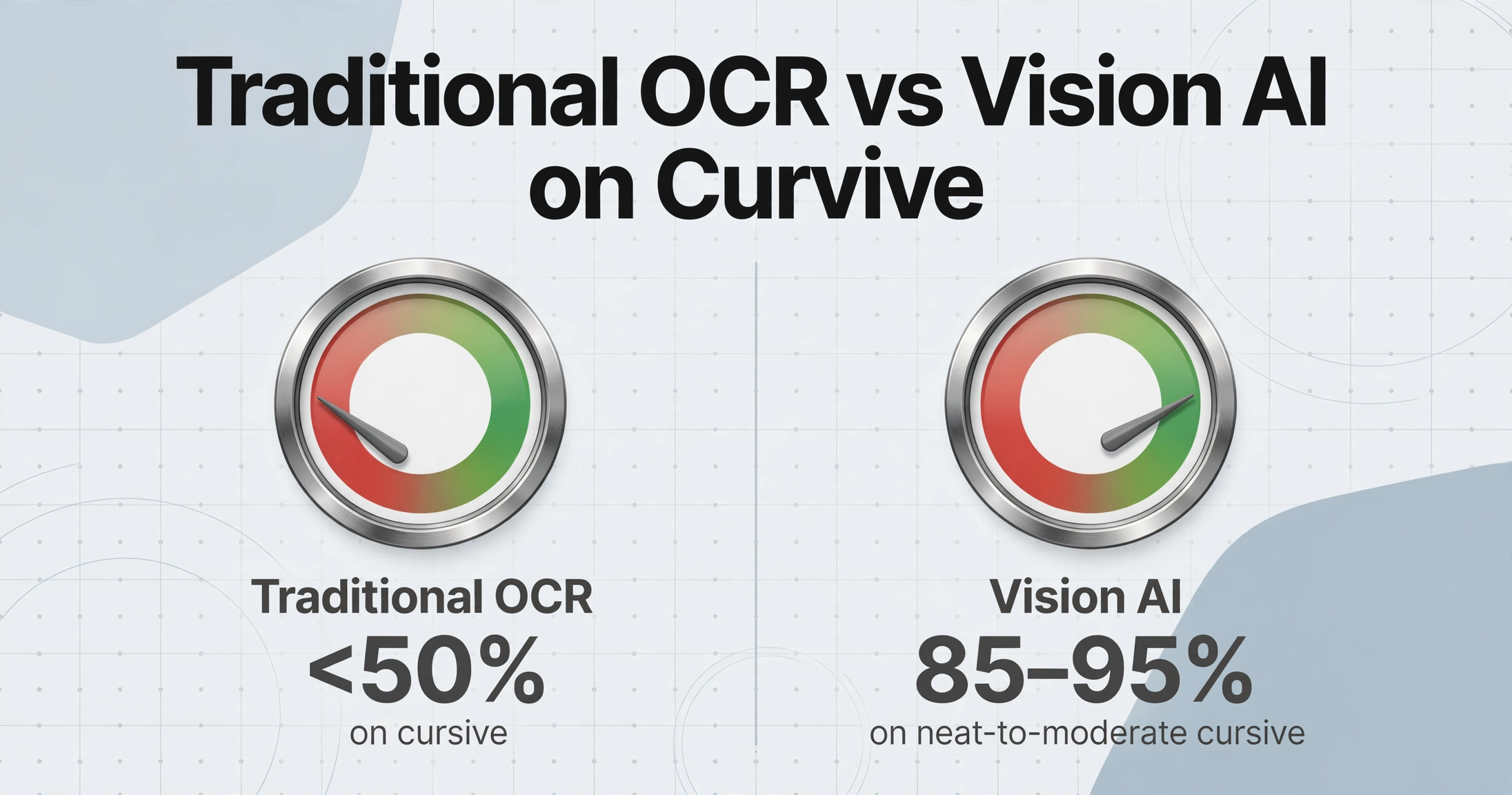
- Traditional OCR (pattern-matching text from images) was built to segment printed characters into fixed templates; cursive handwriting has no character boundaries to segment, and accuracy drops below 50%.
- Test one document on a vision AI tool that reads whole words by context instead of segmenting characters — if handwriting accuracy jumps from guessing to 85-95%, the tool was the bottleneck all along.
Cause 1: Blurry or Low-Resolution Images
The first thing to check is almost never the software. Traditional OCR engines depend on sharp edges between characters. When an image is blurry — common in phone photos taken in low light or at close range — character boundaries dissolve. A blurry "e" looks like "c," a soft "m" becomes "n," and handwritten numbers collapse into each other.
Resolution matters just as much. Most OCR engines expect at least 300 DPI. A phone photo of a document typically lands around 72–150 DPI when the camera is too far or the lighting forces a slower shutter. Below 200 DPI, handwritten strokes pixelate and lose the subtle curves that distinguish one letter from another.
Fix: Rescan or rephotograph the document at 300 DPI minimum. Use a flatbed scanner when possible — it guarantees even lighting and consistent focus. If you must use a phone camera, place the document on a flat surface in good light (daylight, not overhead), hold the camera parallel to the paper, and tap to focus on the text before shooting.
Cause 2: Skewed or Poorly Lit Capture
Even a clear image fails if the text isn't flat and evenly lit. When you photograph a document at an angle, characters distort — a slanted "a" tilts into a shape the OCR engine doesn't recognize. Shadows are equally destructive. A shadow falling across a handwritten word darkens the stroke to the point where the engine sees a gap, not a letter.
This is especially common with handwritten forms photographed on a desk under a single desk lamp. The shadow of the writer's hand or the document's own curl creates dark bands that break the flow of text.
Fix: Use front lighting — position a light source on the same side as the camera, not behind or to the side of the document. Many mobile scanner apps (Google Drive scan, Adobe Scan, Microsoft Lens) include auto-deskew and shadow removal. Run your image through one of these before feeding it to your OCR tool. If the tool you're using already does auto-correction, check that the original image doesn't have shadows so deep that no algorithm can recover the text underneath.
Cause 3: Cursive and Connected Handwriting
This is where most OCR tools reveal their fundamental limitation. Traditional OCR engines work by segmenting — they find the boundaries between characters, isolate each one, and match it against known shapes. Cursive handwriting, by design, connects every letter in a word. There are no boundaries to find. A hand that writes "Monday" in one continuous stroke produces a shape that the OCR engine cannot split into individual characters, so it guesses — and guesses badly.
This isn't a bug in the software; it's an architectural limit. Traditional OCR (including Tesseract, Adobe Acrobat's OCR engine, and most cloud document APIs in their basic mode) was built for printed text that sits in neat, separated glyphs. Handwriting doesn't.
Fix: The fix here is not better preprocessing — it's a different kind of tool. Vision AI models (sometimes called VLM-based or LLM OCR) do not segment characters. They read whole words in context, the way a person reads a handwritten note: by looking at the shape of the entire word, the surrounding text, and the document's purpose. Modern vision AI models achieve 85–95% accuracy on neat-to-moderate cursive, compared to traditional OCR's <50% on the same input.
If you haven't already, read how vision AI reads handwriting differently from traditional OCR — the architectural difference explains why one fails and the other works.
Cause 4: Irregular Spacing, Sizing, and Baseline Drift
Even printed handwriting can trip up OCR if the writing lacks a consistent grid. Unlike machine-printed text, handwriting rarely stays on a perfect horizontal baseline. Letters drift above and below the line. Sizes vary — a capital "S" might be three times the height of a lowercase "c" written by the same hand. Spacing between words is irregular, and sometimes absent.
Traditional OCR engines rely on predictable metrics: x-height, ascender height, consistent baseline. When those metrics fluctuate within a single sentence, the character segmentation and recognition logic produces errors that cascade — a misread first letter leads to a wrong word match, which throws off the entire line.
Fix: There is no image-processing trick that "fixes" inconsistent handwriting. The solution is the same as Cause 3: a tool that reads contextually, not by template. Vision AI tools handle baseline drift and size variation naturally because they don't assume a fixed character grid. They treat irregular handwriting as normal input, not as an error to correct.
Cause 5: Handwriting on Unstructured Documents
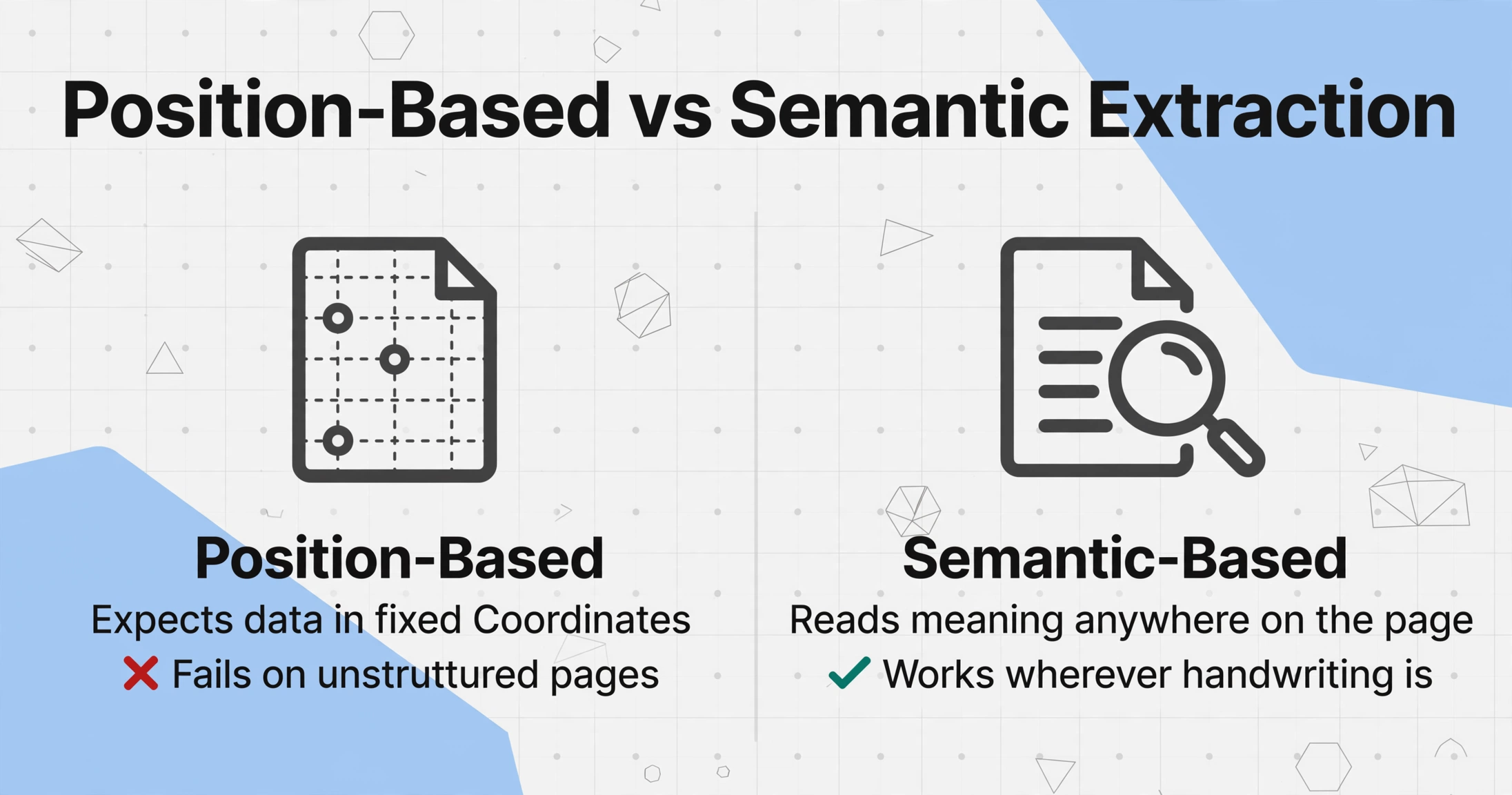
Where the handwriting sits on the page matters as much as how it's written. Many OCR tools — especially the template-based ones — rely on knowing where to look. A tool configured to extract "Customer Name" from row 3, column 2 of a printed invoice form fails completely when that name is handwritten in the margin, or on a blank piece of paper.
Unstructured documents include field notes, inspection sheets, delivery receipts with comments scrawled in open space, and meeting notes. These documents have no predictable layout zones for the OCR to anchor on. When handwriting can appear anywhere on the page, position-based extraction breaks.
Fix: Use a template-free extraction tool that reads the entire page semantically rather than expecting data in fixed coordinates. ImageToTable.ai, for example, uses Custom Column Extraction: you type the column names you want (like "Delivery Address" or "Inspector Notes"), and the AI locates the matching handwritten content anywhere on the page by understanding what each field means — not by knowing where it sits. This is the difference between position-based extraction (brittle on unstructured documents) and semantic-based extraction (works wherever the handwriting is).
Cause 6: Your Tool Was Built for Print, Not Handwriting
This is the deepest layer, and the one most users overlook because the tool "says" it does OCR. Traditional OCR — the technology behind Tesseract, most PDF editors, and general-purpose document scanners — was invented in the 1970s for machine-printed text. It uses pattern matching against fixed character templates. A printed "A" always looks the same because it's a font. A handwritten "A" varies by writer, by mood, by pen angle, and by what letter comes before it.
Industry benchmarks peg traditional OCR accuracy on cursive handwriting at below 50% — meaning more than half the words are wrong. Even on neat printed handwriting, accuracy hovers around 70–75%. Vision AI models, by contrast, achieve 85–95% on reasonable-quality handwriting — the same input, very different results.
"Reasonable quality" defined: 300 DPI or higher, even front lighting, no obstruction (fingers, shadows, creases), document flat, text roughly horizontal. That's the baseline for a good result from any tool, including vision AI.
Fix: Switch from a traditional OCR engine to a vision AI extraction tool that uses large language models to read documents. The difference isn't incremental — it's categorical. Traditional OCR tries to match pixel patterns. Vision AI reads context, understands document structure, and handles the natural variability of handwriting. For a detailed breakdown of the accuracy gap, see our comparison of AI vs traditional handwriting accuracy.
Why this matters
If your tool uses traditional OCR, you're not failing at handwriting extraction — the tool was never designed for it. The six causes above stack on top of each other: fix image quality first, then handwriting style, then document structure, then tool architecture. Most handwriting extraction failures are solved by layer 1 or 2 alone.
When to Escalate — What Still Needs Manual Entry
Honesty matters here. Even the best vision AI tools have limits with handwriting. You should plan for manual handling in these cases:
- Extremely messy or illegible handwriting — the kind that a coworker would struggle to read. No tool can reliably extract text that a human can't decipher.
- Mixed-language handwriting — handwriting that switches between scripts (e.g., Latin and Arabic, or English and Kanji) within the same sentence. Most vision models are trained primarily on single-language documents.
- Critical numeric fields with no validation context — handwritten bank account numbers, tax IDs, or part numbers where a single wrong character causes real damage. These should always be human-verified even if AI extracts them.
- Very faded or damaged originals — ink that has faded over decades, paper with water damage, or text written on a dark or patterned background. AI can sometimes recover more than traditional OCR, but there is a floor below which no tool works.
The practical workflow: use AI extraction to get 85–95% of the data automatically, then route the remaining difficult fields to a human review step. This is faster than manual entry on every field and more reliable than trusting AI on every field.
FAQ
Why does OCR work on printed text but fail on handwriting?
Traditional OCR uses pattern matching against fixed character templates — the same approach that reads printed fonts perfectly because every "A" in the same font is identical. Handwriting has no fixed template; every writer forms letters differently, and even the same person varies their writing based on speed, pen, and mood. The approach that works for print simply does not apply to handwriting.
What image quality do I need for handwriting OCR?
Minimum 300 DPI resolution, even front lighting (no shadows falling across text), document flat and unobstructed, text roughly horizontal. This applies to both traditional OCR and vision AI tools — no tool can read what it cannot see.
Can AI really read messy handwriting?
Yes, within limits. Vision AI models achieve 85–95% accuracy on moderate handwriting and 65–75% on messy cursive. The key is that AI reads context — it uses the surrounding words and document structure to disambiguate unclear characters. A traditional OCR engine has no such context; it only sees pixels. If you're curious about the exact numbers per handwriting type, our accuracy comparison covers exactly what AI can and cannot read.
Is it worth upgrading to a vision AI tool, or should I stick with what I have?
If handwriting is a regular part of your document workflow — handwritten delivery notes, inspection forms, timesheets, or field reports — then yes. The gap between traditional OCR (~50% accuracy on cursive) and vision AI (~85-95%) is not marginal; it's the difference between unusable output and a working process. If handwriting is rare, try fixing image quality first — that alone resolves many cases.
The six causes above stack on top of each other. Most handwriting extraction failures are solved by the first two layers — better image quality alone makes a difference. When it doesn't, the answer is not a better OCR setting; it's a tool built for handwriting, not print. Try it on your own handwritten document and see which layer your problem lives in.