How to Extract Data from
CMS-1500 Medical Claim Forms to Excel
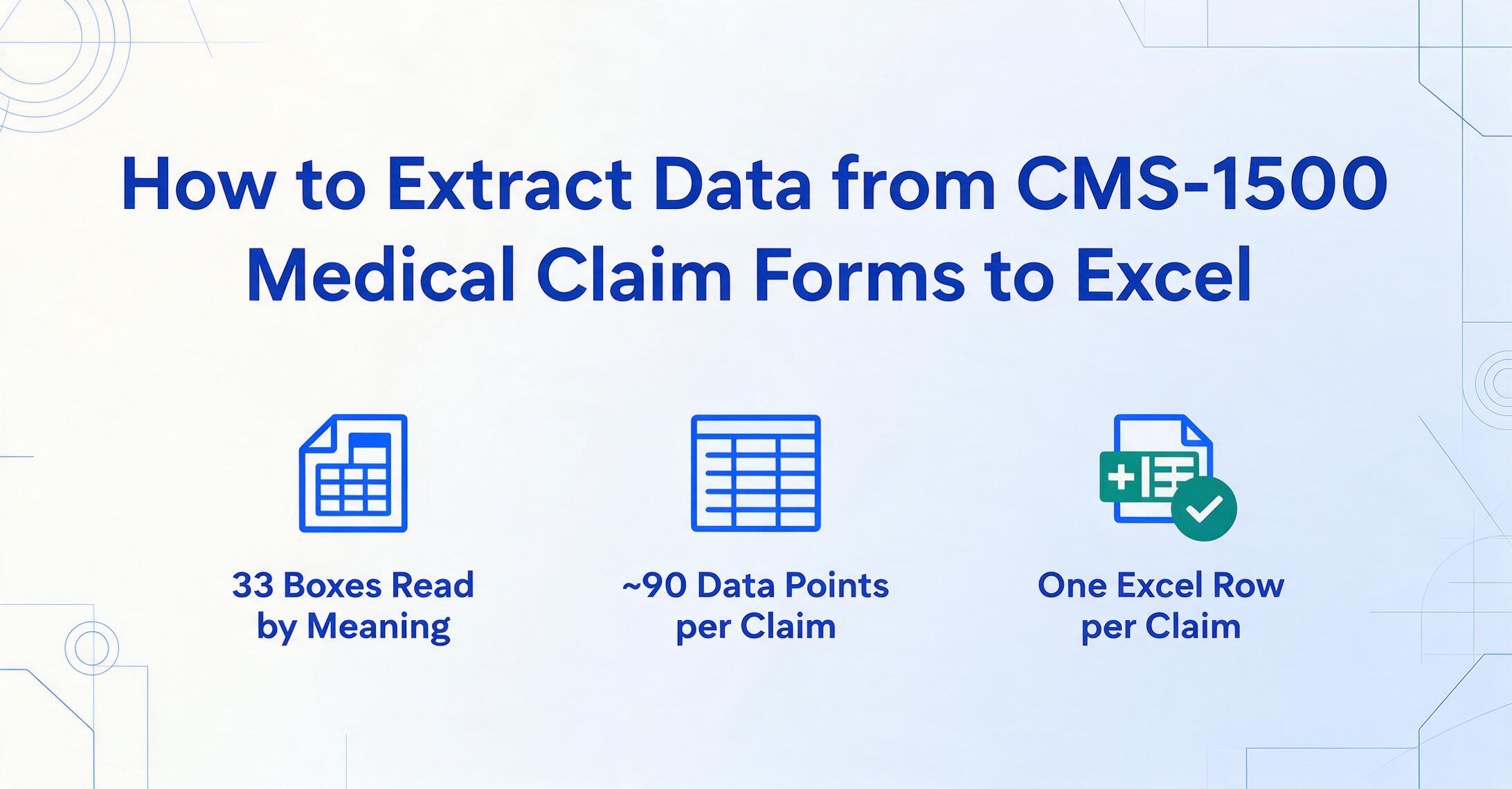
The CMS-1500 form captures everything an insurer needs to process a professional claim — patient demographics, insurance coverage, ICD-10-CM diagnosis codes, CPT procedure codes with modifiers, dates of service, charges, and provider identifiers across 33 numbered boxes. All of it fits on a single page in a dense grid designed for human readability, not machine extraction. That density is why the form works so efficiently for claim adjudication — and exactly why manually typing its data into a spreadsheet or billing system generates so many errors.
Key Takeaways
- You blame yourself when a CMS-1500 claim gets denied, but a diagnosis pointer in Box 24E that doesn't reference a valid ICD-10 code in Box 21 is an error invisible to human eyes at the moment of entry.
- That single cross-field mismatch will come back as a denial 30 to 60 days later, and the time spent investigating it erases every minute the manual data entry was supposed to save.
- Semantic AI extraction that reads the form by understanding what each field means lets you audit structured output against payer rules instead of typing every value — catching dependency errors before the payer does.
What Is the CMS-1500 Form?
The CMS-1500 — still commonly called the HCFA-1500 — is the standardized health insurance claim form used by physicians, therapists, clinics, and other non-institutional healthcare providers to bill Medicare, Medicaid, and commercial insurers for professional services. It is maintained by the National Uniform Claim Committee (NUCC), a voluntary standards body chaired by the American Medical Association with the Centers for Medicare & Medicaid Services as a critical partner. The current version — form 02/12 — was approved in February 2012 and became the mandatory paper format in April 2014. The NUCC published the Version 13.0 instruction manual in July 2025, reflecting the most recent updates to field rules and coding requirements.
The form's 33 numbered boxes break into three functional zones:
- Box 1–13 — Patient and insurance information: patient name, date of birth, sex, address, insurance policy number, insured's name, relationship to insured, coordination of benefits details.
- Box 14–23 — Condition details and authorization: dates of illness or injury, hospitalization dates, dates patient last worked, referral information, ICD-10-CM diagnosis codes (up to 12), prior authorization number, Medicaid resubmission codes.
- Box 24–33 — Service lines and billing provider data: six rows of service line items (dates of service, place of service, CPT/HCPCS code, modifiers, diagnosis pointer, charges, units), billing provider name, NPI, tax ID, provider signature.
Between these boxes, approximately 90 individual data points must be present on a complete, submittable claim. This is not exaggeration — the form specification manual runs over 60 pages detailing the format rules for each field.
Why Manual CMS-1500 Data Entry Is a Bottleneck
A billing specialist processing paper CMS-1500 forms follows the same cycle, form after form: look at the document, identify each field value, find the matching field in the billing software or spreadsheet, type it, verify it against the source, and move to the next entry. At roughly 90 data points per claim, with service line rows in Box 24A–J repeating across six lines, the cognitive load compounds rapidly. A single row in Box 24 includes the from-and-to dates of service (24A), the place of service code (24B), the emergency flag (24C), the CPT or HCPCS code with up to four modifiers (24D), a diagnosis pointer linking back to Box 21 (24E), the billed charge (24F), the number of days or units (24G), and the rendering provider NPI (24J).
What makes the CMS-1500 different from generic document entry is the chain of field dependencies. The diagnosis pointer in Box 24E must reference a valid ICD-10 code that exists in Box 21. The CPT code in Box 24D must be appropriate for the place of service code in Box 24B. The NPI in Box 24J must match the provider enrollment records in Box 33. These cross-field relationships are invisible to the person typing — they only surface when the claim comes back denied, weeks later, with a rejection code that reads "Diagnosis pointer does not reference a valid diagnosis code."
The r/CodingandBilling community on Reddit regularly surfaces these frustrations: billers asking whether a modifier needs to go on a specific line, whether the taxonomy code in Box 33b matches the NPPES record, or whether a clearinghouse will reject a claim where the service facility NPI in Box 32a doesn't match the rendering provider. These are not knowledge gaps — they are the natural consequence of a form that packs dozens of interdependent fields into a single page and relies on manual transcription to get them right every time.
For a broader look at how CMS-1500 extraction fits alongside EOBs, UB-04 claims, and other payer documents, see our OCR for healthcare guide. If you're comparing tools specifically on claim-form extraction accuracy, our healthcare document extraction tools roundup tests seven platforms on real CMS-1500 and EOB documents.
Three Reasons CMS-1500 Extraction Is Harder Than Other Medical Documents
CMS-1500 extraction presents challenges that most general document OCR tools are not designed to handle. Understanding them is the first step to choosing a workable solution.
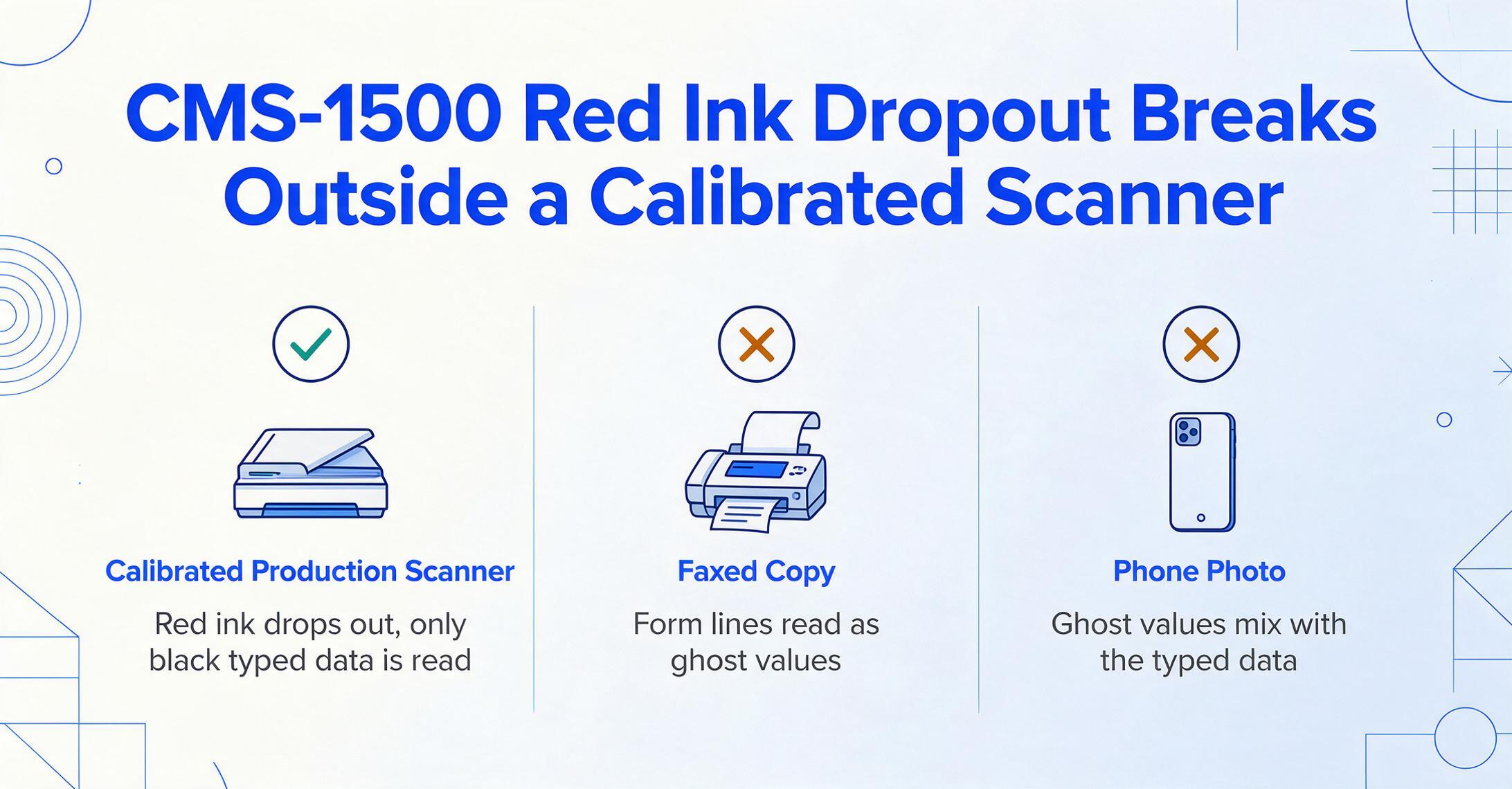
1. Red ink dropout. CMS-1500 forms are printed in Flint OCR Red (J6983) ink — a specific formulation designed to drop out during high-speed OCR scanning so that only the entered data (typed in black) is read, while the form lines, field labels, and box borders are invisible to the scanner. This works at Medicare Administrative Contractor processing centers with calibrated production scanners. But when a CMS-1500 arrives as a faxed copy, a scanned photocopy on a multifunction printer, or a phone photo of a paper claim, the red ink does not drop out cleanly. The result: generic OCR tools read field labels and form lines as text, producing a noisy mess of ghost values mixed with actual data.
2. Dense grid layout with character-per-box constraints. Box 24's service line table packs six rows of data into a fixed space of roughly 4 by 6 inches, with 10 columns per row. Many fields — especially NPI numbers in Box 24J and diagnosis pointers in Box 24E — require character-level precision inside small printed boxes. Handwritten entries that cross box boundaries or bleed into adjacent columns cause traditional zone-based OCR to misread the field entirely. The problem is not that the characters are illegible — it is that their spatial location relative to the column boundaries is ambiguous.
3. Field-level precision requirements with zero tolerance. A CPT code in Box 24D must include the correct modifier, or the claim is denied. An ICD-10-CM code in Box 21 must be reported to the highest level of specificity — "E11.9" for Type 2 diabetes without complications, not just "E11." A 10-digit NPI in Box 17 (referring provider) must not have transposed digits. The Medicare Claims Processing Manual (Chapter 26) specifies exactly how each field must be formatted, and payers enforce these rules at the point of submission. Extraction accuracy is not measured in "general correctness" — it either passes payer validation or it does not.
How Template-Free AI Extraction Handles These Challenges
Traditional template-based OCR tools require you to draw field zones on a blank form — "Box 21 starts at pixel coordinate (x, y) and ends at (x₂, y₂)" — and maintain separate templates for each form version, scanner calibration, and paper orientation. When a CMS-1500 arrives with a slight skew, a fax header stamped across the top, or a different layout variant, the zone coordinates drift and extraction quality collapses.
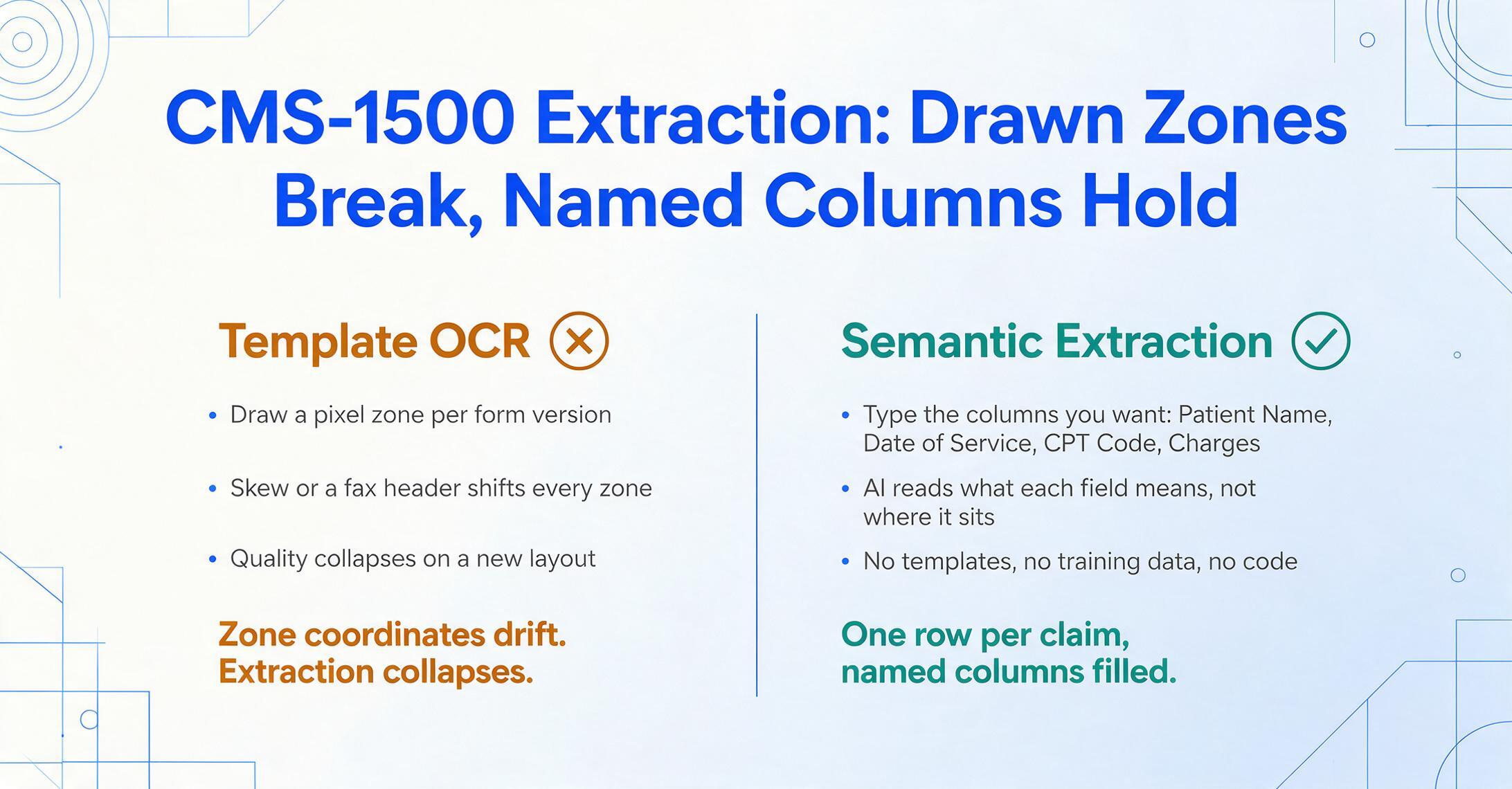
A template-free, semantic extraction approach works differently. Instead of asking "where is this field on the page?", it asks "what does this field mean in the document?" You define the output by naming the columns you want — "Patient Name," "Date of Service," "CPT Code," "Diagnosis Code," "Charges" — and the AI locates each value by understanding the document's structure and field semantics, not by matching pixel coordinates. This is known as Custom Column Extraction: you type the names of the data points you want, and the AI reads the form and fills each column by recognizing what each piece of data means in context.
For billing teams who are new to automated extraction, this no-code approach means no training data, no model configuration, and no developer involvement — just upload, name columns, and export. The AI handles the document understanding; the billing team handles the claim validation and submission.
This approach handles CMS-1500's specific challenges directly:
- Red ink dropout: Because the AI reads what the data means (not where it sits on a pre-drawn zone), it can distinguish the typed "99213" in Box 24D from the printed label "CPT/HCPCS" above it, even when red ink hasn't been filtered by a specialty scanner.
- Dense grid layout: Semantic understanding of form structure means the AI recognizes that Box 24 has six rows and ten columns of service data. It reads each cell by understanding what type of value belongs there — a CPT code, a date, a charge amount — not by relying on pixel-perfect alignment.
- Field-level precision: The same AI that locates the field also validates its format, extracting CPT codes with their modifiers and ICD-10 codes at the correct specificity level. The output is structured data that can be spot-checked before submission, not raw text that needs re-entry.
Because the extraction is batch-first by design, you can upload multiple CMS-1500 forms — dozens or hundreds — in a single batch and receive one unified Excel table with every form's data in consistent columns. Each form independently processed, all results merged into a single spreadsheet without manual consolidation.
How to Extract CMS-1500 Data to Excel: Step by Step
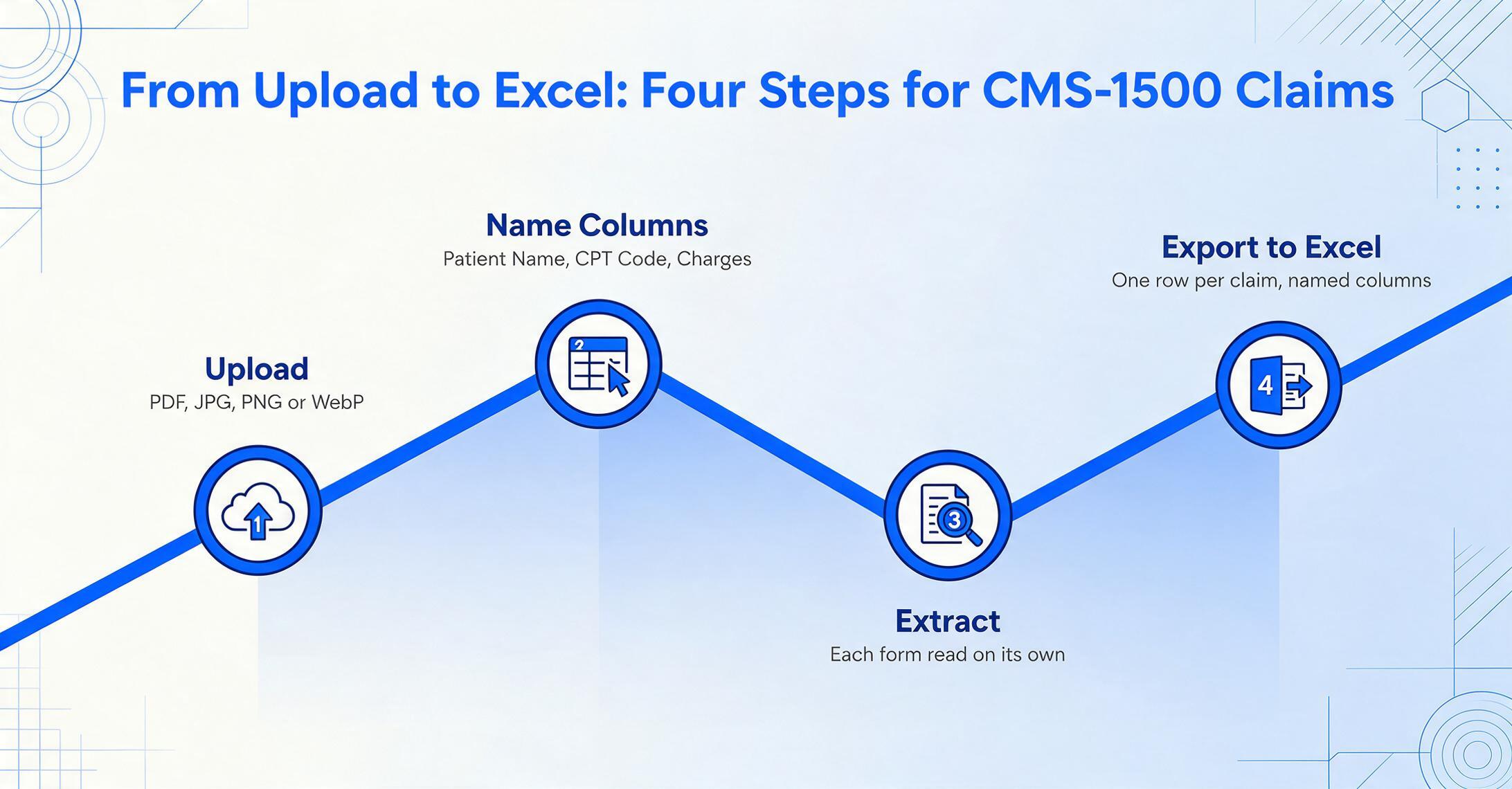
The following walkthrough uses no template configuration, no training setup, and no code. You can test the process on a sample CMS-1500 form without creating an account.
Files are processed securely and not stored.
Key Fields to Extract from CMS-1500 Forms
The fields you extract depend on what your billing team needs for reconciliation, audit, or data migration. For most workflows, the following columns cover the essential CMS-1500 data points:
| Column Name | Box | Description |
|---|---|---|
| Patient Name | Box 2 | Patient's last name, first name, middle initial |
| Date of Birth | Box 3 | Patient's birth date (MMDDYYYY format) |
| Insurance Type | Box 1 | Medicare, Medicaid, TRICARE, CHAMPVA, Group Health, FECA, Other |
| Policy/ID Number | Box 1a / Box 11 | Insured's ID number as it appears on the insurance card |
| Diagnosis Codes | Box 21 | ICD-10-CM codes (up to 12), reported to highest specificity |
| Date of Service | Box 24A | From and to dates for each service line |
| Place of Service | Box 24B | POS code indicating where service was rendered (11 = office, 22 = outpatient hospital, etc.) |
| CPT/HCPCS Code | Box 24D | Procedure code with up to four modifiers |
| Diagnosis Pointer | Box 24E | Letter (A–L) linking this service line to a diagnosis code in Box 21 |
| Charges | Box 24F | Billed amount for this service line |
| Units | Box 24G | Days or units for this service line |
| Rendering Provider NPI | Box 24J | 10-digit NPI of the rendering provider |
| Billing Provider NPI | Box 33A | 10-digit NPI of the billing provider |
| Total Charge | Box 28 | Total billed charges across all service lines |
This is not an exhaustive list — depending on your workflow you may also want referring provider NPI (Box 17), prior authorization number (Box 23), or patient account number (Box 26). The column naming approach lets you define exactly what matters for your process.
What About Accuracy? An Honest Look at Limitations
For typed or computer-printed CMS-1500 forms — the majority of paper claims submitted to Medicare Administrative Contractors — the extraction engine reliably handles all 33 boxes with the high precision you would expect from a vision AI trained on structured medical documents. Printed text recognition approaches the accuracy range documented in the product specifications for clear printed data.
There are two scenarios where accuracy may be lower, and being transparent about them helps billing teams plan their review process:
Handwritten forms. CMS-1500 forms completed by hand introduce variability that even advanced AI cannot always resolve at 100%. A physician's cursive diagnosis code, a hastily written modifier, or an NPI where individual digits touch each other can reduce per-field accuracy. Vision AI handles handwriting better than traditional OCR, and for clear block-letter handwriting the extraction is reliable — but billing teams processing a high volume of handwritten forms should budget for spot-checking extracted values against the source documents. This is the same reality that applies to any handwriting recognition scenario in healthcare, from patient intake forms to clinical notes.
Form quality. A CMS-1500 that arrives as a low-resolution fax (200 DPI or below), a photocopy of a photocopy, or a photo taken at an angle with shadows will have lower extraction accuracy than a clean scan. The red ink dropout issue compounds this, because the AI has to separate typed data from form lines without the benefit of a calibrated red-filter scanner. Pre-processing techniques can recover some of this lost quality, but forms in visibly poor condition should be flagged for priority manual review.
Practical guidance
The recommended workflow for billing teams processing CMS-1500 forms is: run all forms through AI extraction first, then spot-check a sample of the output against the source documents. For the typical billing team, this means reviewing 10–20% of extracted forms to confirm field accuracy — not typing every value from every form. This is the same spot-check verification approach used in professional medical billing operations, and it delivers a significant time savings over full manual entry while maintaining auditable accuracy.
Frequently Asked Questions
Can the same tool handle CMS-1500 and UB-04 forms?
Yes, because the extraction is based on semantic understanding rather than template matching, it can process both form types in the same batch without reconfiguration. The CMS-1500 (professional claim, used by physicians and clinics) has a different layout from the UB-04 (institutional claim, used by hospitals), but the same column-name approach works for both — the AI identifies which form type it is reading and adjusts its field recognition accordingly.
Is CMS-1500 extraction HIPAA compliant?
Any tool processing CMS-1500 forms must handle protected health information (PHI) — patient names, dates of birth, insurance IDs, medical record numbers. ImageToTable.ai processes files securely with encrypted transmission and does not use uploaded documents for AI training. For billing teams with formal HIPAA compliance requirements, the HIPAA medical document extraction guide covers the specific compliance considerations for healthcare data processing. Organizations that require a signed Business Associate Agreement (BAA) should verify coverage before processing patient data.
Does extracting CMS-1500 data help if we already submit electronically?
Even when the majority of your claims go through electronic 837P submission, paper CMS-1500 forms still surface in several workflows: corrected claims that need re-submission, appeals with supporting documentation, claims from providers who qualify for the ASCA hardship waiver, and coordination-of-benefit scenarios where paper is required. Extracting data from these paper forms into Excel for review before submission gives you the same structured validation that electronic workflows already provide.
How does extraction handle Box 24 with multiple service lines?
The AI recognizes that Box 24 repeats across up to six rows of service line data. Each row is extracted independently — its own dates of service, CPT code, charges, and diagnosis pointer — and the output columns reflect this row-level granularity. You get one row in the output table per service line per form, making it straightforward to audit individual line items.
Can extraction help us identify why a claim got denied?
Indirectly, yes. By extracting the full set of field values from a denied claim's paper CMS-1500 into a structured spreadsheet, your team can compare the submitted values against payer requirements in bulk: check whether the diagnosis pointer in Box 24E references a code in Box 21, verify that the NPI format is correct, and confirm that the CPT modifier matches the place of service code. The structured output turns denial investigation from a manual document-by-document search into a filterable data analysis task. Once the claim is paid, the same workflow can be extended to extracting data from the resulting EOB for reconciliation — giving your billing team structured data on both sides of the claim lifecycle.
What is the difference between the billing provider NPI (Box 33) and the rendering provider NPI (Box 24J)?
The billing provider NPI identifies the entity submitting the claim and receiving payment — typically the practice, clinic, or professional corporation. The rendering provider NPI identifies the individual clinician who actually performed the service. In multi-provider practices these are often different NPIs. The CMS-1500 form requires both, and payers validate that the rendering provider is affiliated with the billing provider's NPI record. Extraction outputs should preserve this distinction so billing teams can verify the match before submission.
Your CMS-1500 Data Is Ready for the Spreadsheet
The CMS-1500 form's design — 33 boxes, approximately 90 data points, dense grid layout, interdependent fields — makes it one of the most challenging medical documents to process manually. Every field matters. Every field dependency must hold. And every claim that fails because of a data entry error adds 30 to 60 days to the reimbursement cycle.
Extraction tools that rely on template matching or static zone coordinates break as soon as the form arrives with different scan quality, fax artifacts, or handwriting. Semantic extraction — reading the form by understanding what each field means, not where it sits — handles CMS-1500's specific challenges without configuration, without templates, and without training. The output is a structured Excel file that your billing team can audit, validate against payer requirements, and import into your practice management workflow.
Test the process on your own CMS-1500 forms. See whether 90 data points per form takes 5 minutes of manual typing or 5 seconds of AI extraction — and decide which workflow makes sense for your billing operation.