Engineering Drawing OCR Reads 6 as G,
and the Quote Goes Wrong
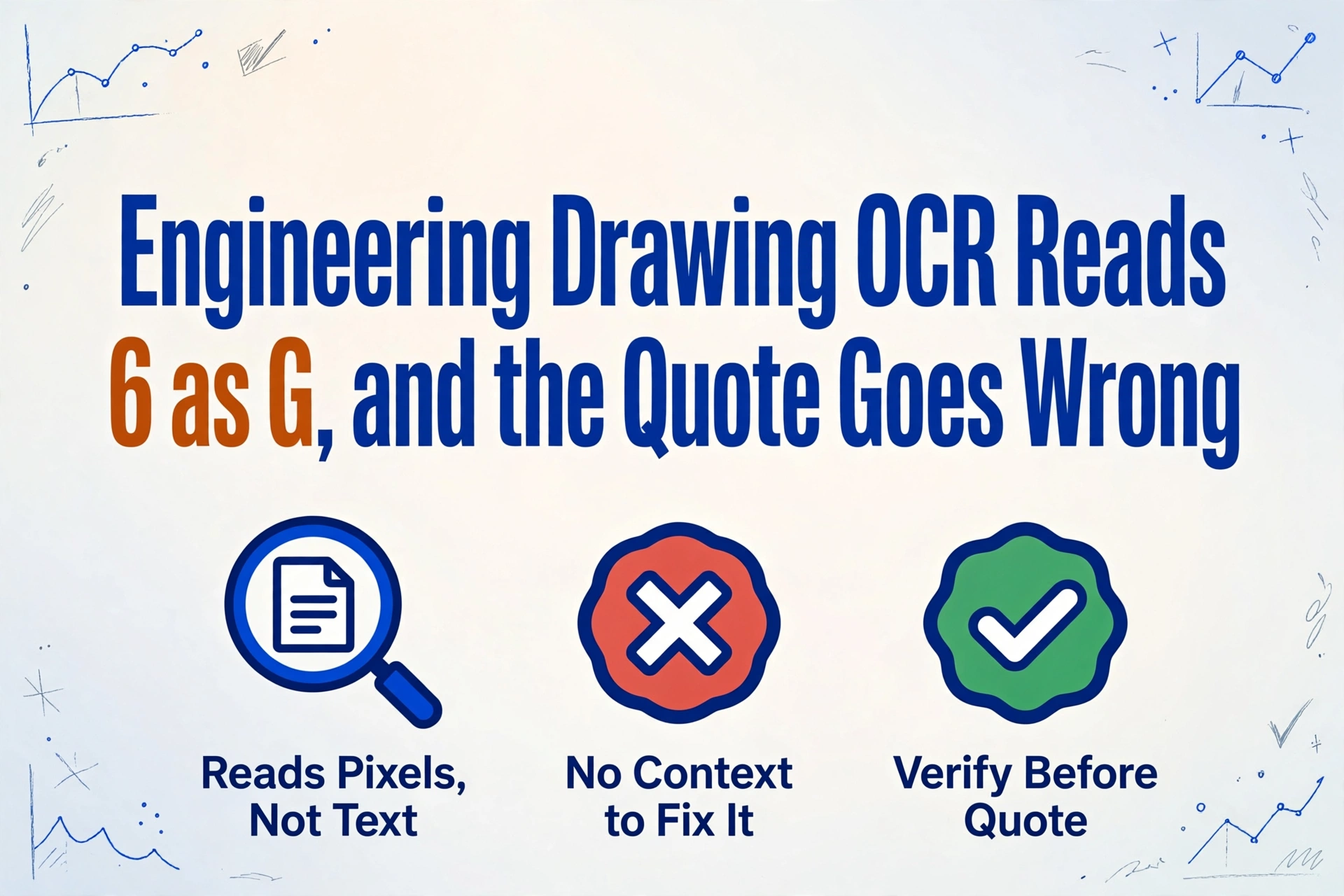
A six read as a G is not a dramatic failure. On a flattened engineering drawing it turns one part number into a different part number, and that different number is what the quoting system prices, orders material for, and plans machining around. The engineer who raised this on r/pdf put it plainly: "the majority of the PDF FC drawing packs we get have been flattened so my program is basically useless unless I input some type of OCR which isn't overly reliable, in the terms of replacing a 6 with a G etc."
Key Takeaways
- An 8% character error rate sounds survivable until it meets a part number of ten or twelve characters, where one wrong glyph changes the whole identifier.
- A part number gives OCR no context to catch the mistake, so a drawing that shows 6 and a read that returns G become two different parts with equal confidence.
- Settling a 6-versus-G question takes one look at the glyph in its dimension line, not a re-read of the number string in the table.
What a Quoting Workflow Actually Reads Off a Drawing
A request for quote arrives as a drawing package: a multi-page PDF set of the part, a bill of materials, quality clauses, and often a revision history. Before an estimator can price anything, someone reads the title block. Under ASME Y14.1, the drawing sheet standard used across US manufacturing, the title block sits in the lower right corner and carries the drawing number, title, revision, material, weight, sheet count, and approval data. Then come the dimension lines and tolerance frames, specified under ASME Y14.5, followed by the note block with specification callouts such as heat treat or chemical conversion, and the BOM table.
That reading becomes the quote. Each line item in the estimate, whether in Epicor Kinetic, JobBOSS², SAP Business One, or a dedicated quoting platform such as Paperless Parts, traces back to a value the estimator pulled off the drawing: material grade, weight, critical dimensions, surface finish, quantity. The Mavlon Quoting Cost study of fabrication shops measured a median of 2.5 to 3.5 hours per quote, with drawing extraction alone taking 20 to 40 minutes on simple single-part drawings and 60 to 150 minutes on complex multi-sheet packages, before pricing judgment even starts. At a fully loaded $55 per hour, one quote represents about $165 of direct labor.
Phases 1 through 3 of quoting, intake, drawing extraction, and historical research, consume roughly 60% of that time and contain zero pricing expertise. That is the portion every shop hopes to automate, and it is exactly where a single misread character does its damage.
When a customer's quote sheet and your own estimate both live as documents, the mechanics of turning them into spreadsheet lines are covered in the guide to converting quotation PDFs into Excel line items.
Flattening Deletes the Part of the File a Program Reads
A PDF built from CAD is a container with two lives. One is the rendered page, the pixels you see. The other is a layer of selectable text objects, form fields, annotations, and optional content groups that software can address programmatically. Flattening merges the interactive layer into the static page content: a widget's appearance is drawn directly into the page content stream and the underlying annotation and field objects are removed, a mechanism defined in the ISO 32000 PDF specification. The result looks identical on screen, and the text layer is no longer there.
The question the r/pdf poster asked, whether a flattened PDF that was flattened by an outside program can be reversed, got the working answer in five words: "Generally no, not with 100% accuracy." Flattening is a one-way operation by design, and when suppliers print and rasterize a drawing rather than merely flattening it, the entire page becomes one image and the text layer never existed in the delivered file at all. This is common in practice, CAD files carry licensing and version sensitivity, so many shops receive drawings reduced to pixels on purpose.
For an internal program that was parsing text objects, nothing is left to parse. OCR is the only door back in, and it is reading pixels that were not created for machines. The general failure modes of OCR on scanned and image documents, low resolution, skew, noise, are laid out in the guide to root causes and fixes for low OCR accuracy on scanned documents.
Why a Part Number Gives OCR No Second Chance
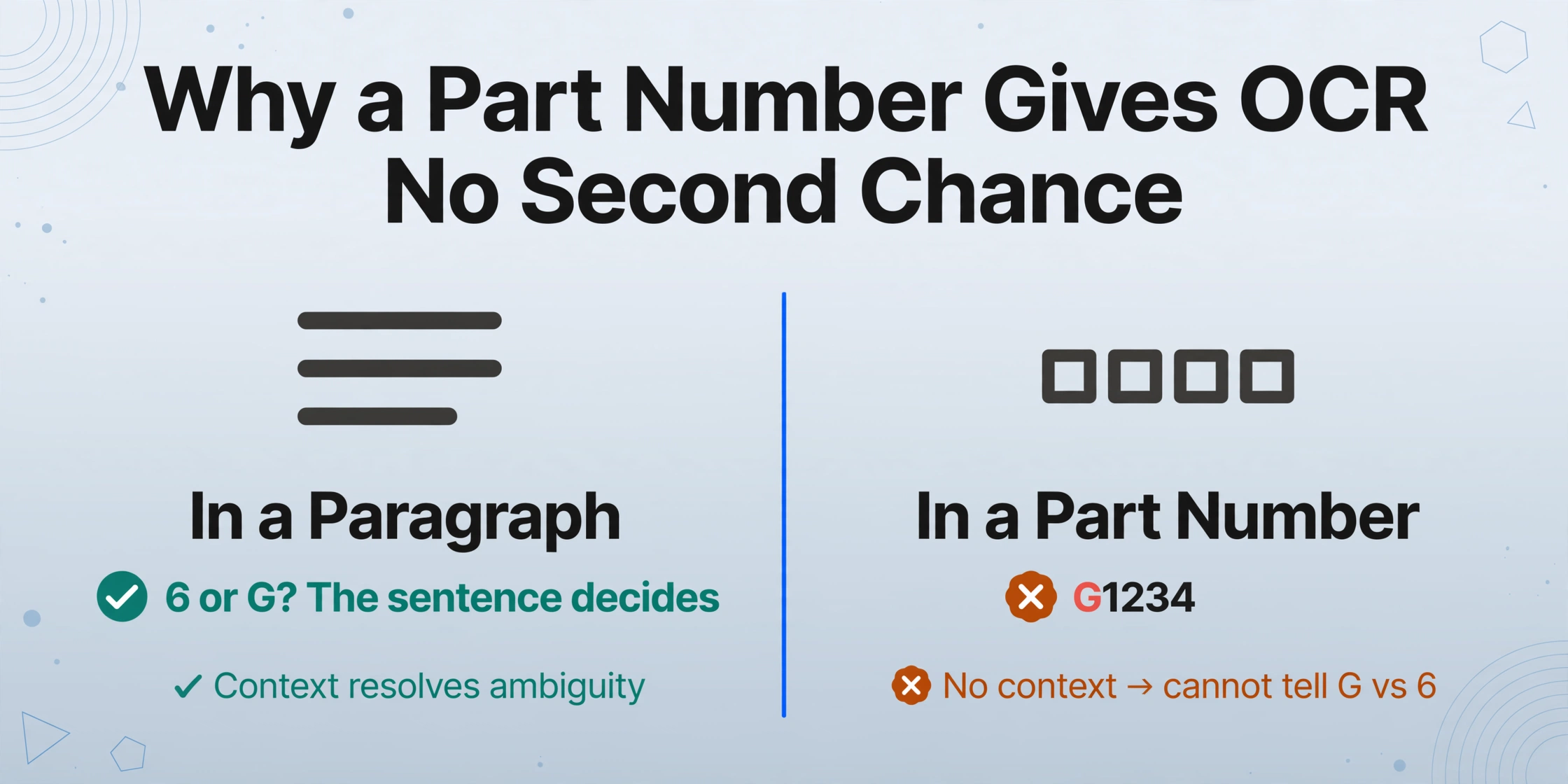
Generic OCR reads in the open. In a paragraph, the surrounding words are the safety net: when a model sees a character that could be a 0 or an O, the sentence decides. Part numbers, drawing numbers, revision letters, and material grades have no such context. A catalog number is compact by design, so the model has nothing to lean on, and every character must be classified on shape alone.
Shape alone fails on engineering drawings. A 2025 University of Helsinki thesis measured OCR engines against short alphanumeric identifiers extracted from real engineering drawings and recorded the confusion patterns directly. When an OCR engine read 6 as G on a title block, nothing downstream caught it, because the string still looked like a legible identifier: Tesseract read 1 as I thirteen times, T as E six times, and 0 as O five times, while a cloud OCR service read a slash as I and a 4 as L. The author's conclusion maps exactly onto part numbers: "even a single-character error can change the meaning of an ID, and simple dictionary-based post-processing is not straightforward."
The error is not limited to budget OCR. eDOCr, an OCR pipeline built specifically for mechanical drawings and reported in the Frontiers in Manufacturing Technology study, still posted an 8% character error rate in recognition. When an error rate like that meets a part number of ten or twelve characters, the question is not whether the string changes, it is which character. A 6 and a G from the same drafting font are close relatives at small sizes, and so are 1, I and 7, 0 and O, 2 and Z, 8 and B. The specific pair the r/pdf user hit is one row in a much larger confusion table.
| Look-alike pair | Where OCR stumbles | Example source |
|---|---|---|
| 1, I, l, 7 | Part numbers, dimension values, revision letters | Helsinki 2025 thesis (1 as I, 13 cases) |
| 0, O | Drawing numbers, note block text | Helsinki 2025 thesis (0 as O, 5 cases) |
| T, E | Spec callouts, note abbreviations | Helsinki 2025 thesis (T as E, 6 cases) |
| /, I and 4, L | Material grades, finish codes | Helsinki 2025 thesis (cloud OCR) |
| 6, G | Part numbers, dimension text | r/pdf drawing pack thread |
Accuracy varies by document type for structural reasons, and the overview of why OCR accuracy drops on different document types covers those mechanics at the page level. The drawing-specific case is the worst of both worlds: degraded input quality and the absence of any language model to correct it.
What a Misread Character Costs Before the Part Is Even Made
A wrong part number does not stay on the drawing. It becomes the price line in the quote, the purchase order line for material, and the production order that follows. If the quoted number differs from what the drawing actually specifies, the shop can lose the job by quoting a different part than the customer asked for, or win the job and discover the discrepancy only when the machined part fails against the drawing's true dimensions.
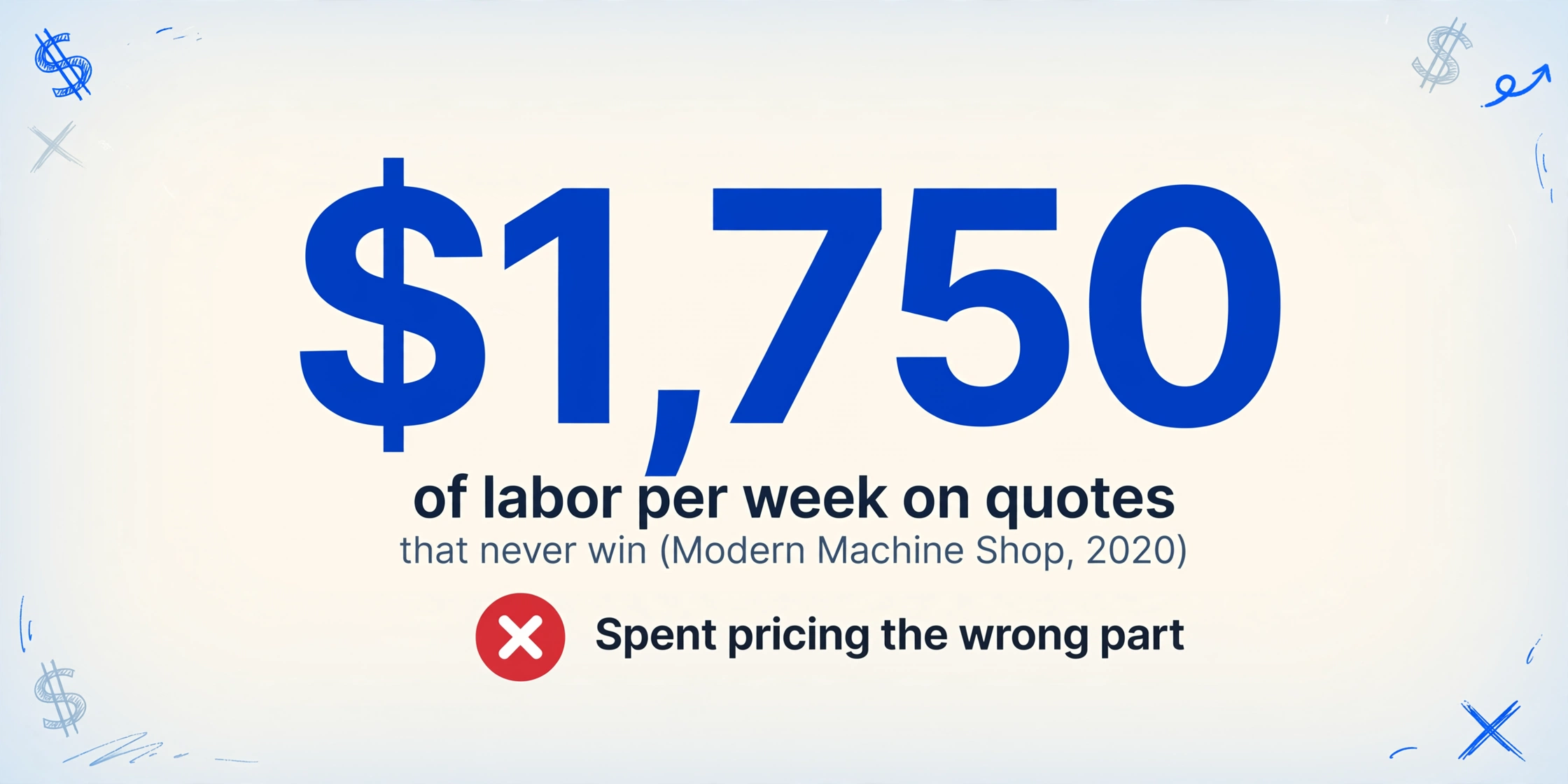
The cost of quoting itself is where the waste concentrates. A Modern Machine Shop analysis from 2020 found the average shop spends as much as $1,750 of labor per week on quotes it never wins, and most shops land only about a third of the jobs they quote. When a misread slips through, every hour spent is spent pricing the wrong part.
Behind the quote sits the production cost of the error. Fabricators and Manufacturers Association benchmark data, compiled by Reliable Plant, puts scrap and rework at roughly 1.4% of sales for the average US metal fabricator and under 1% for the top quartile, while the American Society for Quality estimates total quality-related costs at 15% to 20% of sales for many manufacturers. The escalation rule that matters for dimensions is simple and often quoted in the industry: a wrong dimension caught at the machine costs a few minutes, caught at final inspection it costs the part, and caught by the customer it costs the part, the freight, the containment sort, the corrective action report, and the visit.
Manufacturing runs on documents that were never built for ERP input, and the pipeline that turns purchase orders, quotes, receipts, and invoices into structured rows is covered in the guide to document extraction software for manufacturing. The drawing is where that pipeline starts, and a character error there flows into every row behind it.
Read the Drawing by Meaning, Then Verify the Glyph You Can't Trust
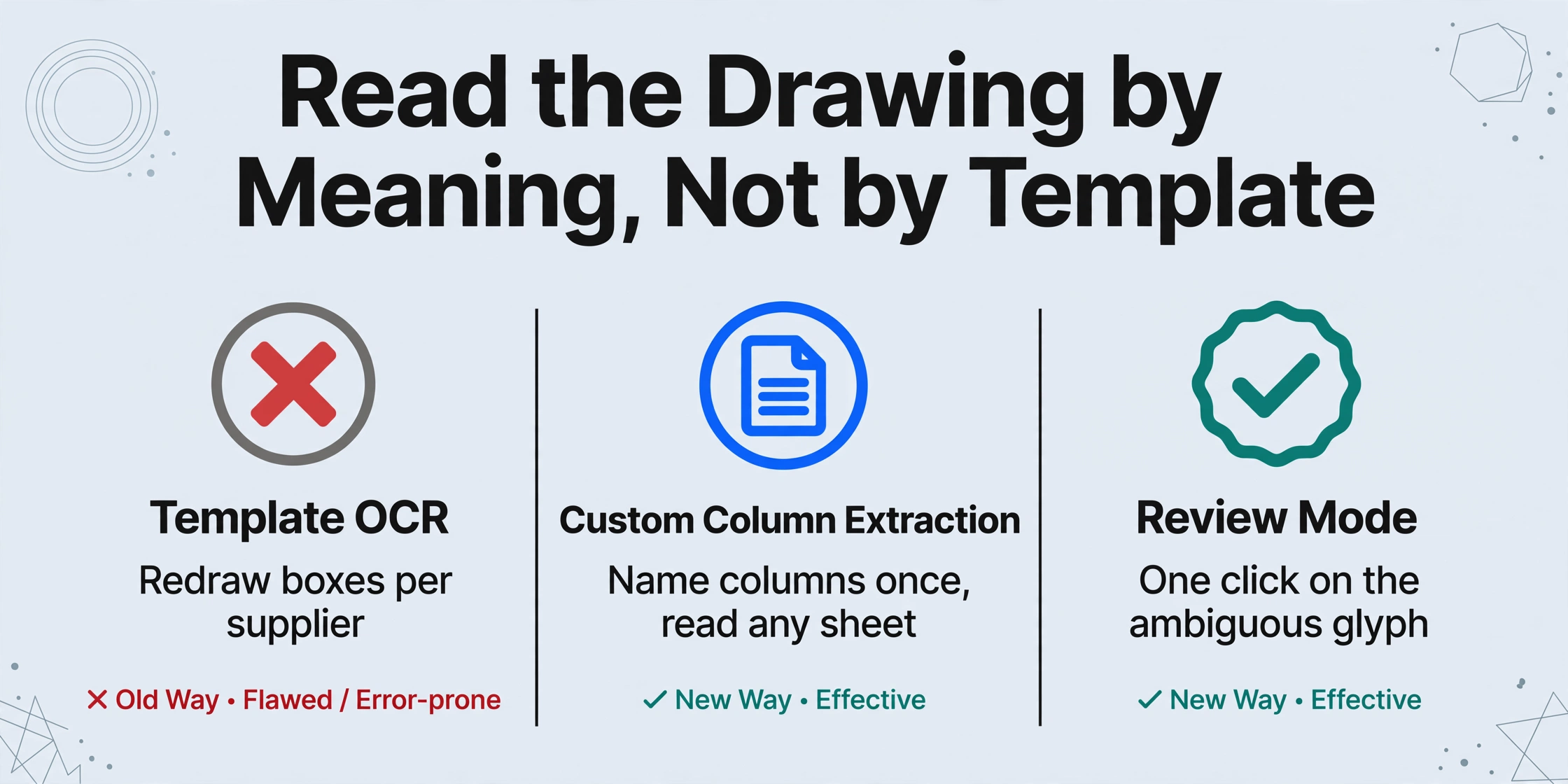
The fix is not a better OCR engine configured once and trusted forever. It is a process change: extract by the field's meaning instead of by character templates, process at the precision tier the drawing's quality demands, and look at the ambiguous character in its original location before a quote leaves. ImageToTable.ai is built around the first of these. With Custom Column Extraction, you type the column names you want, such as Part Number, Revision, Material, Weight, and Quantity. The AI locates each value anywhere on the sheet by understanding what the field means, not by matching pixel coordinates or a drawn template. Because it reads the rendered page image, a flattened or rasterized PDF presents no barrier; the text objects are gone, and the pixels are what they are.
This is the structural difference from template-based OCR, which requires you to draw a box over each field and re-draw it whenever a supplier changes their drawing format. Naming the columns once means the same sheet structure works across a folder of drawing packs from different customers, and the whole batch lands in one spreadsheet.
Name the columns a quote actually needs
Part Number, Revision, Material, Weight, Critical Dimensions, Surface Finish. The AI reads each field from where it sits in the title block, the dimension line, or the notes, and exports a spreadsheet with exactly those headers. You define the output, the drawing does not define it.
Match the processing tier to the drawing's quality
Standard tier covers most printed drawings. For faint scans, low-contrast copies, or dense multi-sheet packages, the higher precision tiers use a stronger vision model, so one workflow can absorb the quality gap in the drawing packs you receive.
Open Review Mode and confirm the characters you cannot afford to be wrong about
Enable auto-annotate after processing, and every extracted cell carries its source region. Click Part Number G1234 and the drawing is highlighted exactly where that string was read from. Reverse it by clicking a location on the drawing to jump to the matching cell, and edit any value while keeping the AI's original reading one click away. That is how you settle a 6-versus-G question: by looking at the glyph in its dimension line, not by trusting the number string.
Extraction gets the data out of the drawing. Review Mode keeps the one character you do not trust from traveling into the quote. The two steps are a single workflow: process the pack, then confirm the ambiguity against the original image before export.
A drawing that needs to be read at all, whether flattened, scanned, or native PDF, goes through the same semantic path, and the mechanics of turning the extracted fields into a usable sheet are covered in the guides to PDF data extraction software and OCR PDF to Excel conversion.
What This Flow Cannot Do for You
No extraction step turns an unreadable drawing into a readable one. Text too faint to see, pixels below scan resolution, and handwritten markups remain what they are, and they still need the source drawing or an informed human.
If a photocopy chain has eaten the drawing down to broken characters, no model recovers what the pixels no longer contain. Ask the supplier for a re-export or a clean scan before processing, in the same way the r/pdf reply advised going back to the source of the file rather than trying to reverse the flattening. Handwritten revision marks and non-standard symbols are the same category: flag them for the estimator rather than trusting the read.
The honest boundary is that this workflow automates the pipeline and keeps the decisions human. Nothing sends a quote without a person approving the values, and the review layer exists precisely because the model is not guaranteed perfect on a scanned title block. What changes is that checking the ambiguity takes one click on a highlighted region instead of a cross-eyed hour comparing a table against a drawing.
Engineering Drawing OCR and Flattened PDFs: FAQ
Can a flattened PDF be unflattened?
No. Flattening is a one-way operation in the PDF specification. The object data that carried the text is physically removed when its appearance is drawn into the page content, so there is nothing left to restore. The practical path is to read the rendered image, which is what a vision model does, rather than recovering the text layer.
Why does a drawing OCR read a 6 as a G?
Because part numbers give a recognition model no context. In prose, neighboring words disambiguate a 6 from a G, a 0 from an O, or a 1 from an I. A short alphanumeric part number has no neighbors, so every character is classified on shape alone, and in the small, low-contrast glyphs common on drawings those shapes genuinely overlap.
Do scanned or flattened drawings work with AI extraction?
Yes. Extraction that reads the rendered page image does not depend on a text layer being present, so scanned and flattened drawings are processed the same way as native PDFs. Accuracy tracks the pixel quality, which is why the processing tier and the review step matter more on a faded scan than on a clean digital export.
Is there any difference between extracting from a native PDF and a flattened one?
For a vision-based extractor, the visible difference is small, because it reads the rendered page in both cases. A native PDF may also carry selectable text that simpler tools can grab, but that text layer has no layout meaning: it does not tell you which string is the part number and which is the note. Deciding what each value means is the same job either way.
How do I know a part number was read correctly?
Open the review screen and click the cell. The drawing is highlighted at the exact region the value came from, and you compare the glyph on the page against the string in the table. Turning on auto-annotate after processing means every extraction arrives with its source region attached, so verification is a scan through the ambiguous characters rather than a full re-read.
Every quoting error in this article, the wrong part number, the wrong material, the wrong dimension, begins the same way: one character read from a drawing and trusted without verification. Naming the columns, reading the page as an image, and checking the source region of every cell you cannot afford to be wrong about is a process that runs on realistic drawing packs today, without training a model or drawing a template. A flattened PDF cannot be unflattened, but the misreads it forces can be caught before they become someone's quote.