The Complete Guide to
Delivery Note & POD Data Extraction
A truck arrives at the warehouse. The driver hands over the delivery note — a carbon-copied thermal paper slip with handwritten quantities and a scrawled signature in the receiver box. The goods get unloaded, but the data on that slip will not reach your TMS for another 24 to 72 hours — not because anyone is slow, but because someone has to read the handwriting, decipher the driver's abbreviations, and type every field into five different screens before the shipment can be reconciled against the purchase order, the carrier invoice, and the customer's delivery confirmation.
Key Takeaways
- The extraction tool you already trust gets 95% accuracy on printed text — and 15% on the handwritten fields that make up nearly 100% of a delivery note.
- A single misread quantity — "48" vs "50" on a scrawled handwritten slip — triggers a 20-to-45-minute dispute across three departments that nobody budgets for.
- Vision AI reads handwritten delivery notes by understanding what each field means, not by matching character pixels — turning 4 minutes of typing per note into a 10-second batch upload.
What Is Delivery Note & POD Extraction?
Delivery note and proof of delivery (POD) extraction is the automated process of reading handwritten and printed shipment confirmation fields — delivery note number, date, shipper, receiver, carrier, tracking number, line-item quantities, and signatures — from the paper slips that accompany freight deliveries and converting them into structured data for your TMS, ERP, or reconciliation spreadsheet. Instead of a clerk or driver manually keying in each field from a stack of carbon-copied slips at the end of a shift — a process that takes 3–6 minutes per document with a per-field error rate that spikes above 5% on handwriting — the extraction software reads each document holistically, understanding what every field means, not where it sits on the page, and outputs a structured table ready for reconciliation.
A delivery note is not a packing slip, though the two are often confused. A packing slip is a supplier-facing document that travels with goods from the warehouse to show what was ordered versus what was shipped. A delivery note — sometimes called a delivery receipt, consignment note, or proof of delivery — is a carrier-facing document that records what actually arrived, who signed for it, and whether there were exceptions (damage, shortage, refusal). The critical difference: a delivery note carries handwritten signatures, driver notations, and exception codes that a packing slip does not. For a more detailed introduction to the close sibling document type, see our what is packing slip data extraction article — this guide focuses on the unique challenges of extraction when the primary input is handwritten, photographed by a phone, and serving as legal proof of delivery.
If your workflow is specifically about the signed proof-of-delivery side — the last-mile document that drives billing, claims, and carrier settlement — see our dedicated walkthrough on extracting POD data to Excel for logistics operations, which covers DSO impact, TMS import columns, and multi-stop manifests in depth.
Why Manual Delivery Note Processing Costs More Than You Think
The cost of manual delivery note processing is invisible because it is spread across three departments that do not talk to each other about it: logistics ops, accounts payable, and customer service. Each department sees only its own symptom; no one sees the full chain.
Last-Mile Delivery Disputes
When a customer claims they received 48 units but the delivery note shows 50, and the handwriting on the received quantity field could be either "48" or "50," who pays? The carrier charges the shipper for the missing 2 units. The shipper's AP team puts the carrier invoice on hold. Someone in logistics ops has to locate the paper delivery note — which may still be in the driver's cab, filed at the warehouse, or lost — and squint at the signature block to see if it is legible. Each dispute consumes 20–45 minutes across multiple roles. For a mid-size fleet running 500 deliveries per week, even a 1% dispute rate means 5 disputes per week, or roughly 2.5 to 5.5 hours of cross-departmental labor that nobody budgets for.
POD Mismatch Equals Payment Delay
Carrier payment terms are typically net-30 from receipt of a valid POD. "Valid POD" means a signed delivery note that matches the carrier's invoice line items. When the POD is illegible, incomplete, or takes three days to surface from the driver's paperwork, the clock does not start. The carrier's invoice goes unpaid, the carrier follows up, the AP team investigates, and what should have been a 30-day payment cycle stretches to 45, 60, or more. The carrier builds that delay into its rate, and the shipper pays more per shipment across all lanes — not just the disputed ones. The NMFTA's standard bill of lading terms explicitly tie carrier payment to POD availability, yet few shippers track how often POD delays affect payment cycles.
Manual Data Re-Entry from Driver Scribbles
The most common cost is the least visible: a clerk or data entry operator at the end of each shift reads through a stack of 20–60 delivery notes and types each field into the TMS or reconciliation spreadsheet. Each note takes 3–6 minutes. At 40 notes per shift at 4 minutes each, that is 2 hours and 40 minutes of typing — roughly a third of the shift. At a loaded labor cost of $22–$28 per hour for data entry staff in logistics, that is $60–$75 per shift in typing labor alone, or roughly $15,000–$19,000 per data entry position per year. For a fleet that requires data entry across three shifts, the annual labor cost approaches $50,000 before errors, disputes, and payment delays.
For a focused breakdown of how handwriting compounds these costs, see our article on whether AI can read handwritten delivery notes.
The Unique Challenges of Delivery Note Extraction
Delivery note extraction is harder than invoice or packing slip extraction for reasons that matter to anyone evaluating tools. Understanding these challenges upfront determines whether the tool you choose will handle your daily workflow or only the demo scenario.
1. Handwriting Is the #1 Challenge — and the #1 Reason Tools Fail
Nearly 100% of delivery note fields that matter for reconciliation are handwritten: quantities received, exception codes, driver name, receiver signature, date of delivery. Field drivers write fast, often on the tailgate of a truck or in the cab, using a ballpoint pen on thermal paper that curls and fades. A handwritten "3" can look like an "8." A "50" scrawled diagonally across a column can overlap the printed label. Traditional OCR engines, which rely on character-level pattern matching, produce garbage on this input — 15–40% character accuracy on field-level handwriting according to published benchmarks, which means the extracted data is less reliable than typing it blind.
The writing instruments make it worse. Drivers use whatever is at hand: ballpoint, permanent marker, pencil, a pen running dry. Ballpoint on thermal paper leaves a thin, low-contrast impression that a scanner or camera struggles to pick up. Highlighted or stamped-over fields add background noise that confuses traditional OCR's character segmentation. A tool that fails on handwriting — no matter how well it handles printed packing slips — is useless for delivery notes.
Handwriting rarely appears in isolation on a delivery note — it sits directly on top of the supplier's printed shipment data, and both layers need to reach the output spreadsheet without one corrupting the other. For a focused look at how that two-layer extraction works in practice, see our article on extracting printed shipment data and handwritten receiving confirmations from the same delivery note.
2. Phone Photos Taken in Warehouse Conditions
Very few delivery notes arrive at the back office as clean scans. They arrive as photos taken by the warehouse receiver's phone: crooked angle, warehouse lighting (fluorescent overhead with deep shadows), partial frame (the driver's thumb covering the signature block), variable resolution. Some photos are taken in the rain, with water spots on the thermal paper. Others were taken against a concrete floor or a cardboard box, creating a background that traditional OCR interprets as noise.
The extraction software that works on delivery notes must treat the entire visual scene as a single semantic problem — not "find the text on this pristine page" but "find the document within this photo, correct the perspective, separate the handwriting from the background, and read each field." The visual understanding required is fundamentally different from a scanner-based OCR pipeline. For a deeper analysis of how vision AI handles phone-captured field documents, see our what is AI handwriting recognition guide.
3. Signatures, Stamps, and Scribbles Mixed Together
A delivery note is not a clean form. The receiver signs in the signature box. The driver writes the delivery time in the margin. Someone stamps "RECEIVED" at an angle that overlaps the carrier name. Another person circles the received quantity to confirm it. These annotations are all necessary for the record — they are the evidence of what happened — but they sit on top of the printed data, often overlapping table cells or crowding field labels.
Traditional OCR cannot distinguish the annotation from the text it overlaps. A stamped "RECEIVED" that partially covers the word "Consignee" produces a garbled character stream. A circled "80" that sits on top of a printed "Qty" reads as "Qty80" — losing both the annotation and the label. A vision AI model, by contrast, uses the document context — the table structure, the field labels, the stamp's location — to separate overlapping elements and capture each independently.
4. Thermal Paper Degradation
Most delivery notes are printed on thermal paper: the same material used for receipt rolls. It curls in heat, fades over time, and turns black if left in a hot truck cab. By the time a delivery note reaches the back office — after a week in a driver's delivery book or a month in a filing cabinet — the printed text can be barely visible. Traditional OCR that depends on high-contrast black-on-white characters sees a gray-on-gray field. Vision AI models trained on low-contrast and degraded document images can recover text that is invisible to threshold-based OCR engines, because the model learns to recognize character shapes from context, not from binary pixel contrast.
Traditional OCR vs. Vision AI for Handwritten PODs
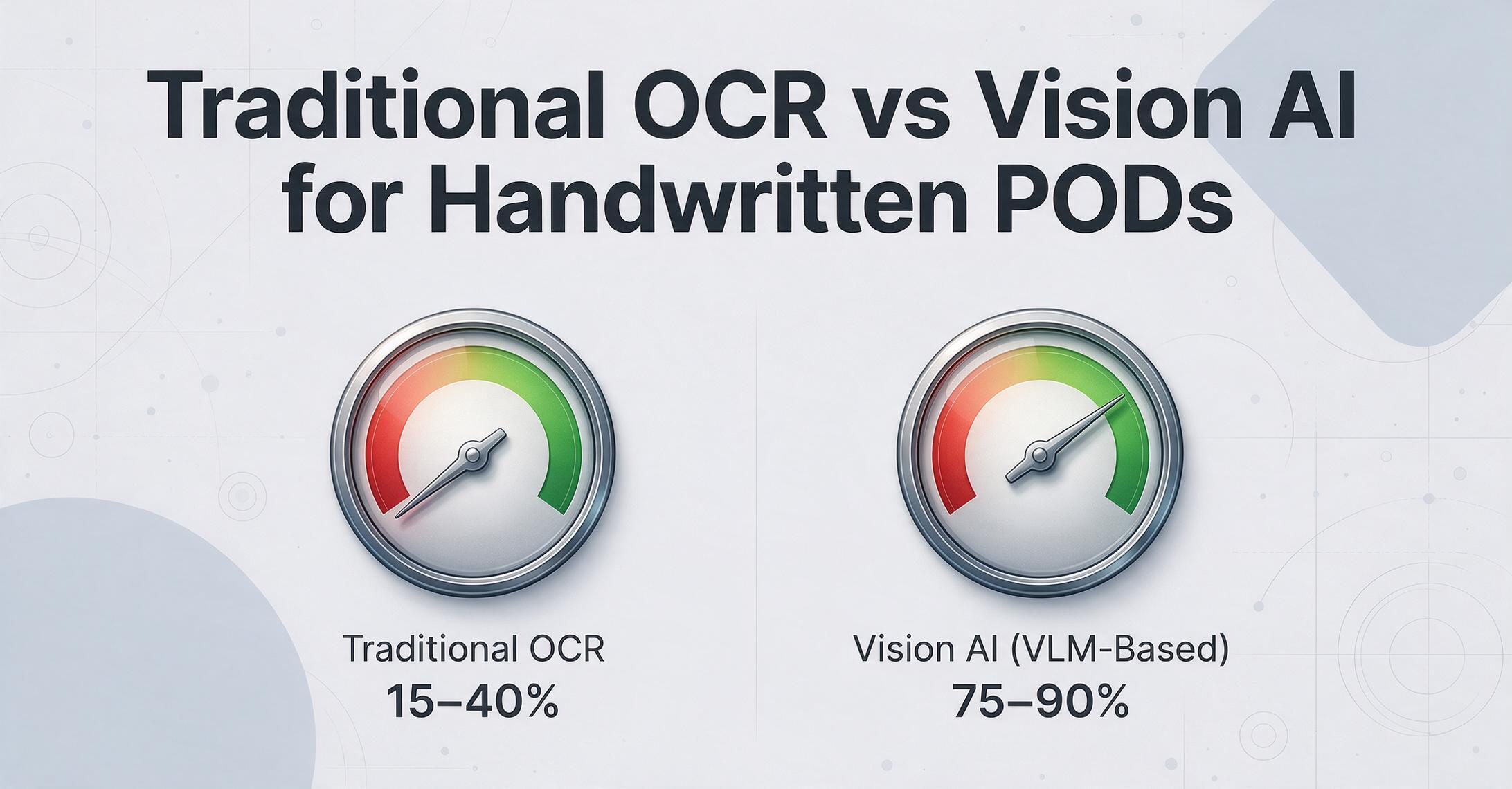
The difference between traditional OCR and vision AI for delivery note extraction is not a matter of incremental improvement — it is a categorical difference in what each technology can even attempt to read.
| Condition | Traditional OCR | Vision AI (VLM-Based) |
|---|---|---|
| Clean printed text on white paper | 95–99% accuracy | 98–99% accuracy |
| Handwritten quantities (ballpoint on thermal) | 15–40% character-level accuracy | 75–90% field-level accuracy |
| Phone photo with shadow and angle | Requires manual pre-processing or fails | Handles perspective and lighting natively |
| Stamp overlapping printed text | Garbled mixed output | Separates and reads both independently |
| Faded thermal paper | Low contrast = no read | Contextual recovery possible |
| Signature capture | Cannot capture — not text | Locates and preserves signature image |
| Template setup per carrier | Required (zonal OCR) | Not required (semantic extraction) |
Traditional OCR works well when it has clean input: high-resolution scans of printed documents with uniform layout. It fails catastrophically when the input is handwritten, photographed in bad lighting, or structurally inconsistent — which is to say, it fails on the vast majority of real-world delivery notes. Vision AI, by contrast, understands the document: it sees a table and knows the bottom-right cell contains "Qty Received," it reads a scrawled "48" not by matching pixel patterns but by recognizing the number from context, and it treats a signature as a distinct visual element rather than trying to decode it as text.
See the difference yourself — upload a delivery note photo and watch the extraction happen in real time:
Files are processed securely and not stored.
Critical Fields Every Delivery Note Extraction Must Capture
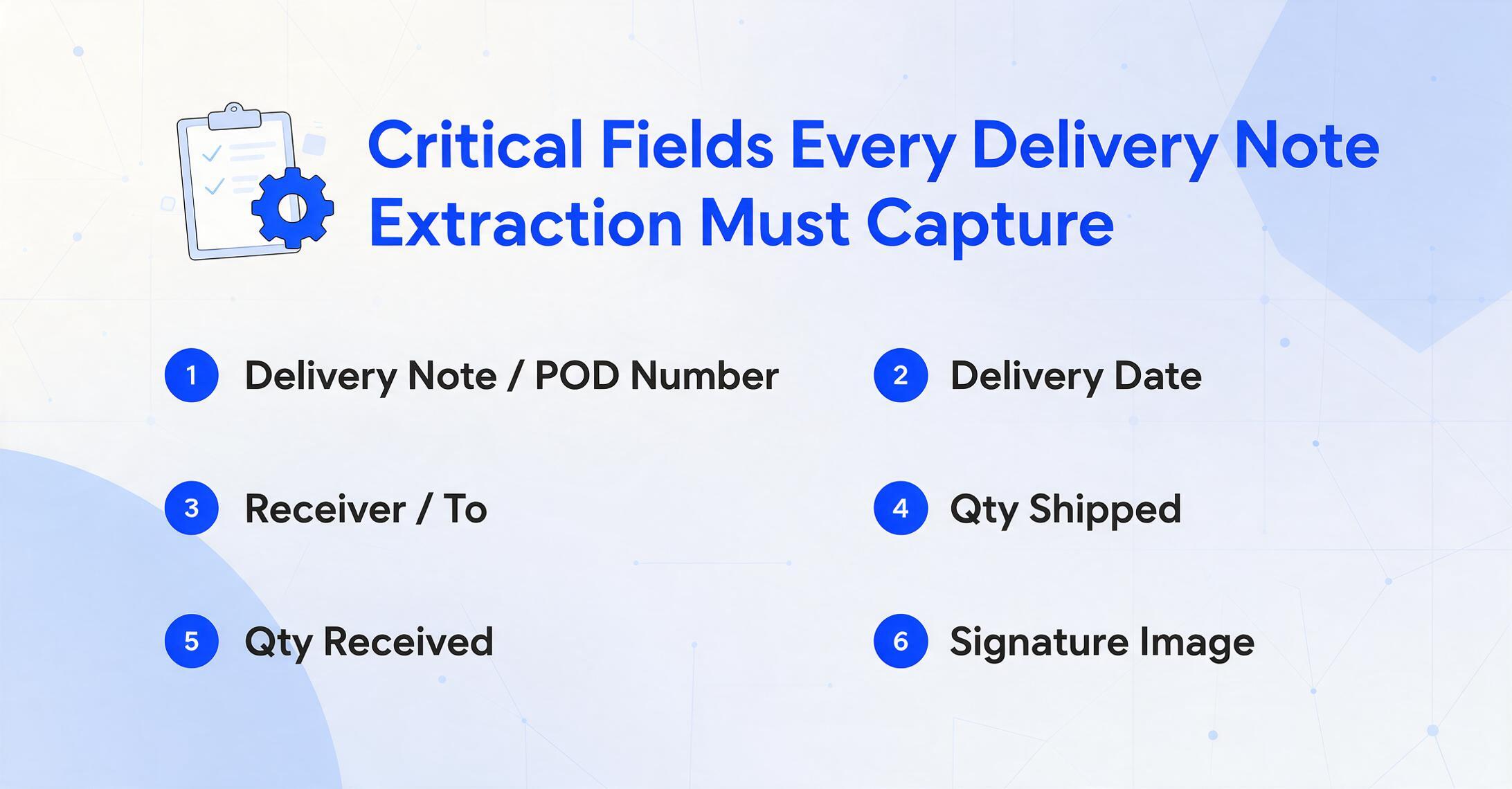
Not all fields on a delivery note carry equal weight for reconciliation. The fields that matter for payment, inventory, and dispute resolution form a specific set that a delivery note extraction tool must capture reliably — with handwritten input as the baseline assumption, not the edge case.
| Field | How It Appears | Why It Matters |
|---|---|---|
| Delivery Note / POD Number | Printed or hand-stamped | Unique identifier for tracking and matching against carrier invoice |
| Delivery Date | Handwritten or date-stamped | Confirms when delivery occurred — triggers payment clock and OTIF measurement |
| Shipper / From | Printed (pre-filled) | Identifies the origin — used in carrier invoice matching |
| Receiver / To | Printed or handwritten | Confirms destination — mismatch here triggers immediate dispute |
| Carrier Name & Driver | Printed + handwritten driver name | Links delivery to the responsible carrier for payment and performance tracking |
| Tracking / PRO Number | Printed barcode or number | Carrier's internal tracking reference — essential for reconciliation |
| PO Reference | Printed or handwritten | Links delivery to the purchase order for three-way matching |
| Line Items: Code / Description | Printed table | Identifies what was shipped — used for inventory receipt |
| Qty Shipped | Printed or handwritten | What the carrier says was loaded |
| Qty Received | Handwritten — most critical field | What the receiver confirms. This is the number that goes into inventory and triggers payment. A misread here creates a dispute that costs 20–45 minutes to resolve |
| Backorder / Shortage | Handwritten notation | Partial delivery flag — tells ops whether follow-up is needed |
| Damage / Exception Code | Handwritten (e.g., "1 CTN DMG") | Critical for claims processing and carrier chargeback |
| Receiver Signature | Handwritten — not text | Legal proof of delivery. Must be captured as an image, not transcribed as text |
| Driver Signature | Handwritten | Acknowledges handoff — required by some carriers for POD validation |
| Notes / Remarks | Handwritten free text | Driver observations, receiver comments, delivery exceptions — unstructured but operationally important |
The quantity received field deserves special attention because it is simultaneously the most critical field for reconciliation and the hardest to extract reliably. It is almost always handwritten, often in a small box in the line-item table, and a single-digit misread — "48" vs. "50" — creates a discrepancy that generates a carrier dispute, an inventory adjustment, and an AP hold. Any delivery note extraction tool should be evaluated first on its ability to read handwritten quantities, not on its speed at extracting printed text.
Route-Based Batch Processing for Daily Reconciliation
Delivery notes arrive in batches — not by individual document but by route, by driver, by shift. A fleet running 20 routes per day generates 20 stacks of delivery notes, each stack representing a single driver's deliveries. The reconciliation workflow is naturally batch-oriented: match all delivery notes from Route 12 against the route manifest, verify quantities against the customer's signed copies, and release payment to the carrier for that route.
A delivery note extraction tool that supports route-based batch processing lets you upload all delivery notes from a single route as a batch, extract the fields into a single spreadsheet where every row corresponds to one delivery, and sort or filter by route, driver, date, or exception status. Instead of opening each note individually, you process an entire route in one pass. The column names you define — Delivery Note #, Date, Qty Received, Exception — become the headers of your output table, and every delivery note in the batch populates its own row.
For a practical guide to batch processing multiple delivery notes simultaneously, including file organization tips and column design, see our guide on batch extraction of packing slips and delivery notes to Excel.
The batch approach also enables daily reconciliation: upload the day's delivery notes first thing in the morning, extract the data, compare against the TMS manifest, and identify exceptions before they become disputes. Routes with clean PODs get released for payment. Routes with exceptions get flagged for investigation — all before the driver's next shift starts. For a broader look at how document extraction fits into logistics workflows alongside related shipping documents, see our best logistics document extraction tools roundup.
Export, Integration, and TMS Workflow
Delivery note data is not useful in isolation — it needs to flow into the systems where reconciliation happens. ImageToTable.ai supports multiple export paths that match how logistics teams actually work.
Excel for Reconciliation Spreadsheets
The most common workflow is export to Excel: extract all fields from a route batch into a single .xlsx file, with one row per delivery note and columns matching your reconciliation template. The Excel export preserves the column structure you defined — Delivery Note #, Date, PO Reference, Qty Shipped, Qty Received, Exceptions, Signature Image (as a note). No reformatting step between extraction and the spreadsheet your AP team already uses. If you want to see the extraction result on your own delivery note right now, try our delivery note to Excel converter — upload a slip and get the structured table back in seconds.
TMS Integration via Structured Data
For teams that need delivery note data in their transportation management system, the extraction output can be exported as structured CSV or JSON. The field mapping — Delivery Note # → carrier reference, Qty Received → delivery confirmation quantity, Exception Code → status flag — is defined once during column setup and applied consistently across every batch. SAP TM, Oracle TMS, Descartes, and project44 all accept structured shipment data via CSV import or API — the extraction output feeds directly into those pipelines. For a closer look at how document extraction connects to TMS workflows for related documents, see our complete guide to BOL extraction.
Customer Portal Proof of Delivery
Many shippers need to provide POD evidence to their customers — a signed delivery note proving that goods arrived. The extraction tool captures the receiver signature as an image field and the delivery note number as a text field, so each row in your output table contains both the structured data and a reference to the signed document. Upload the extraction output to your customer portal or share it via a collection link — the recipient sees the delivery confirmation without waiting for a scanned PDF to be emailed.
How to Choose a Delivery Note Extraction Tool
Most document extraction tool comparisons list the same criteria: supported formats, output types, integration options. For delivery notes, the priority order is different. Here are the criteria that matter for actual logistics operations, ranked by importance.
This is not one criterion among many — it is the criterion that determines whether a tool works for delivery notes at all. Ask the vendor for field-level accuracy on handwritten quantities from phone photos, not on printed text from clean scans. A tool that cannot deliver >75% on handwritten delivery note fields under real conditions is not a delivery note extraction tool.
Test with photos taken in a warehouse, not with scanned PDFs. The tool should handle perspective distortion, mixed lighting, partial frames, and low resolution. If it requires a flatbed scan to work reliably, it will fail on the first delivery note photo from a driver's phone.
The tool must capture non-text elements — signatures, stamps, logos — as identifiable fields, not ignore or attempt to transcribe them. A signature is legal evidence. If the tool cannot locate and preserve it, the extracted data is incomplete for POD purposes.
Delivery notes arrive in dozens of formats across carriers. A tool that requires template setup per carrier format — drawing zones, labeling fields, training per layout — is not scalable for a fleet that receives notes from multiple carriers daily. Semantic extraction (the AI finds fields by meaning, not by position) is essential.
Single-document extraction is too slow for fleet operations. The tool should support batch upload — 20, 50, or 100 delivery notes at once — and output them into a single structured table grouped by route, date, or driver for efficient reconciliation.
The output must match your reconciliation workflow. Excel for manual review, CSV for TMS import, structured fields for API pipelines. If every batch requires a reformatting step, the time savings from extraction are partially lost in post-processing.
Most extraction tools on the market were designed for invoices and packing slips — printed documents with predictable layouts. Delivery notes are a different category: handwritten, photographed, thermally degrading, and serving as legal evidence. Applying criteria designed for invoice extraction to a delivery note use case will lead you to a tool that looks impressive in a demo with printed PDFs and fails on the first real hand-written slip from a driver's delivery book.
For a comprehensive comparison of extraction tools evaluated against logistics document needs — including delivery notes, BOLs, and packing slips — see our best logistics document extraction tools for 2026 article.
Frequently Asked Questions
Can AI read handwritten delivery notes and PODs?
Yes — modern vision AI models achieve 75–90% field-level accuracy on handwritten delivery note data from phone photos, far exceeding traditional OCR's 15–40% character accuracy on the same input. The key distinction is that vision AI reads fields holistically — it understands context, table structure, and semantic meaning — rather than trying to match individual character pixels. For a detailed accuracy breakdown, see our dedicated article on AI and handwritten delivery notes.
Does delivery note extraction work with phone photos taken in a warehouse?
Yes, if the tool uses vision AI rather than traditional OCR. ImageToTable.ai handles photos taken under warehouse lighting, at various angles, and with partial obstructions. The model detects the document within the photo, corrects perspective distortion, and reads fields from the image as presented. It does not require a flatbed scanner or a perfectly straight shot.
Can the tool capture receiver signatures from delivery notes?
Yes. Signatures are captured as visual elements — the tool locates the signature block on the document and preserves it as an image field in the output, rather than attempting to transcribe it as text. This is important because a signature's legal validity depends on it being a handwritten mark, not a text representation. The signature image can be included in Excel exports as a cell note or referenced as a separate file.
Can I process delivery notes from multiple routes as a single batch?
Yes — the tool is designed for batch-first processing. You can upload all delivery notes from a day's operations — across multiple routes, drivers, and carriers — in a single batch. The extracted output is a unified spreadsheet where each row represents one delivery note. You can sort, filter, or export by route, date, or any other field you define during setup.
What fields can be extracted from a delivery note or POD?
The tool can extract delivery note number, delivery date, shipper, receiver, carrier name, driver name, tracking/PRO number, PO reference, line-item codes and descriptions, quantities shipped, quantities received, backorder/shortage notations, damage/exception codes, receiver and driver signatures (as images), and free-text remarks. Field selection is fully customizable — you define the columns you need.
How does delivery note extraction differ from packing slip extraction?
A packing slip is a supplier document listing what was ordered versus what was shipped — mostly printed fields with structured tables. A delivery note is a carrier document recording what actually arrived and who signed for it — nearly 100% handwritten critical fields, plus signatures, stamps, and exception codes. Packing slip extraction requires handling multi-column quantity tables. Delivery note extraction requires handling handwriting, poor photo quality, and non-text elements. The document types are closely related but the extraction challenges are fundamentally different. See our complete guide to packing slip extraction for the sibling workflow.
Can the extracted data be exported to my TMS or ERP system?
Yes. The tool supports export to Excel (.xlsx), CSV, and JSON formats. CSV and JSON outputs can be imported into most TMS platforms including SAP TM, Oracle TMS, and Descartes, as well as ERP systems. The column mapping between your extraction fields and the target system fields is configured once during setup and applied consistently across all batches. For teams using project44 or FourKites, the Excel/CSV export can be integrated into their data import pipelines.
How accurate is the tool on faded or damaged thermal paper?
Vision AI can recover data from thermal paper that traditional OCR cannot read at all, because it uses context — the table structure, adjacent fields, common number patterns — to infer characters that have faded below the contrast threshold. However, if the thermal paper is completely blackened (exposed to extreme heat) or the handwritten ink has physically worn away, no software tool can recover what is not there. For critical POD documents, keeping a digital photo taken at the time of delivery is the best backup.
Do I need to create templates for each carrier's delivery note format?
No — ImageToTable.ai uses semantic extraction, not template matching. You define the column names you need (Delivery Note #, Date, Qty Received, etc.), and the AI locates those values by understanding what they mean, not where they appear on the page. A UPS delivery note layout and an LTL carrier's consignment note can differ completely — the tool adapts automatically without any template configuration or retraining.
From Driver's Hand to Usable Data
Delivery notes are the most handwriting-intensive document in logistics operations. A single misread quantity creates a carrier dispute that costs 20–45 minutes across multiple teams — and that dispute cost is invisible because no department tracks "time spent deciphering handwriting" as a line item in its budget. The gap between a driver handing over a signed slip and that delivery confirmation appearing in the TMS is not a technology problem — it is a handwriting problem that traditional OCR was never designed to solve.
Vision AI changes this. A tool that reads delivery notes the same way a person does — by understanding the document, not by scanning for character patterns — can process an entire route's delivery notes in the time it takes a data entry clerk to type the first three. The field that matters most — quantity received, the number that drives payment, inventory, and dispute resolution — is the field where vision AI delivers its biggest advantage over traditional OCR.
The selection criteria are straightforward when you know what to look for: handwriting accuracy first, phone photo tolerance second, everything else after. A tool that fails on handwritten quantities is not a delivery note extraction tool, no matter how well it handles printed invoices.
Test on your own handwritten delivery notes. See if 4 minutes per note becomes 10 seconds per batch.
No sign-up required. Your files are processed securely and not stored.