How to Extract Data from
Contracts: A Complete Guide
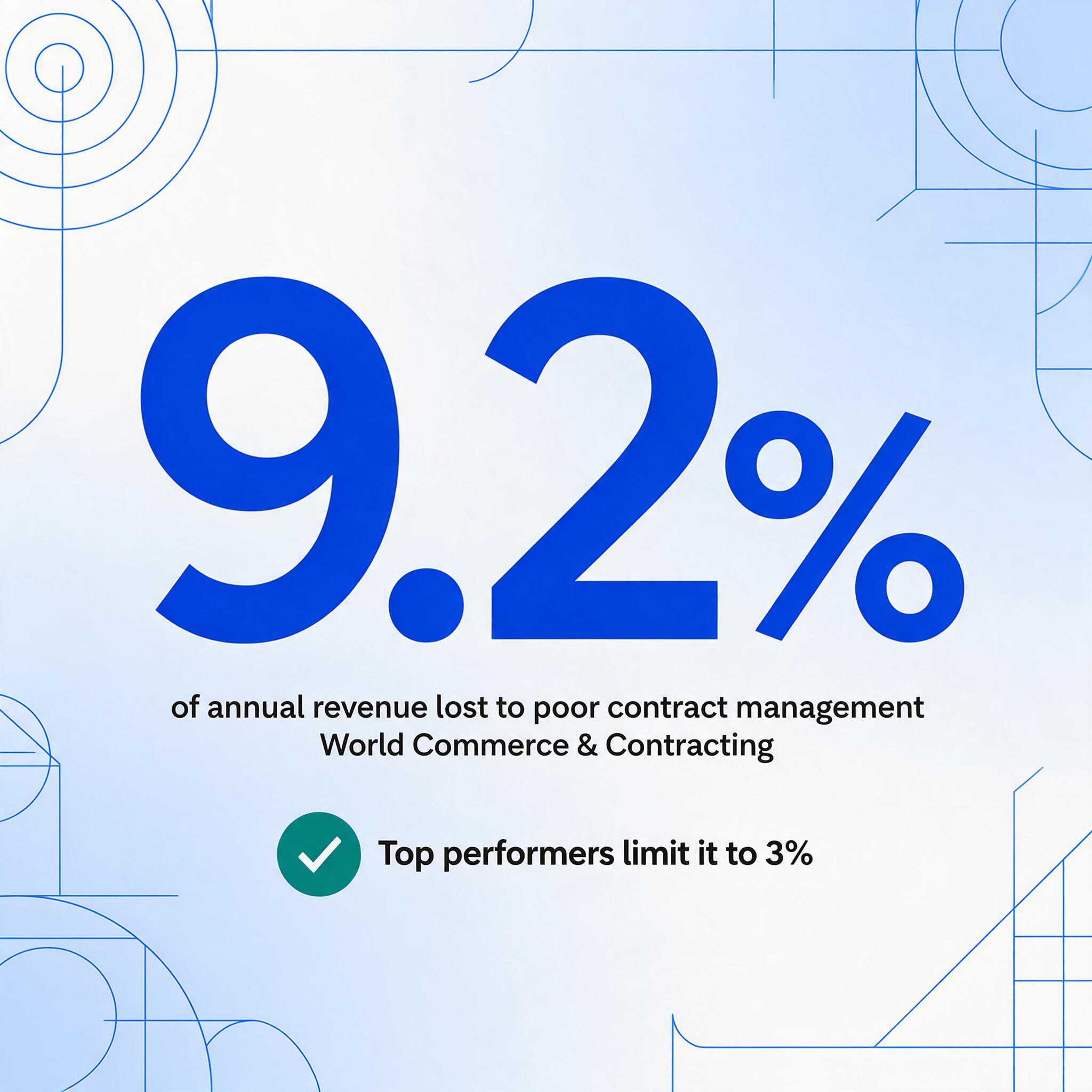
Organizations lose an average of 9.2% of annual revenue to contract mismanagement, according to World Commerce & Contracting — not to bad deals, but to data that exists inside signed agreements yet never reaches a system anyone can sort, filter, or act on. Contract data extraction is the step that closes that gap: it reads your agreements and outputs structured fields — parties, dates, values, payment terms, renewal triggers, obligations — into a spreadsheet where they become visible and actionable. This guide covers every aspect of the process, from why contracts are the hardest document type to extract from, to the fields that matter most, to how batch processing turns a portfolio review from weeks of work into an afternoon.
Key Takeaways
- Finding one clause inside one contract takes 129 minutes on average — 45 to locate the right document and 84 to pinpoint the section — and a 500-contract portfolio consumes 188 of 250 working days on retrieval alone.
- World Commerce & Contracting pegs contract mismanagement losses at 9.2% of annual revenue — not from bad deals, but from data that exists inside signed PDFs yet never reaches a sortable, filterable spreadsheet.
- Define 12 column names once, upload your entire contract portfolio, and extraction outputs one spreadsheet where sorting by renewal date instantly shows everything expiring in the next 90 days — no template setup per counterparty.
Why Contract Data Extraction Matters
The numbers are stark. The average medium-to-large enterprise manages contracts across 24 different systems, with contract data scattered across shared drives, email attachments, legacy repositories, and filing cabinets. When a question arises — "which vendor agreements auto-renew next quarter?" or "what's our total exposure on uncapped indemnification clauses?" — the answer requires opening each file and reading it page by page. The CLOC survey of 1,300 contracting professionals found that finding specific language inside a single contract takes more than two hours on average: 45 minutes to locate the right document, then another 84 minutes to pinpoint the relevant section. For a legal department handling 500 contracts a year, that's 188 of 250 working days consumed by retrieval alone.
The downstream cost is measurable. World Commerce & Contracting research found that poor contract management causes 9.2% annual revenue leakage, with top performers limiting the loss to 3% while laggards bleed 15–20%. Juro's 2026 survey reports that only 11% of businesses rate their contract management as "very effective," and Loio's 2026 data shows that 71% of businesses cannot locate at least 10% of their contracts. These aren't technology problems — they're data access problems. The information is there, inside the contracts. It just isn't structured, searchable, or visible.
Contract data extraction solves the access layer. Instead of reading each agreement, extraction reads the fields and clauses you specify and outputs them into columns in a spreadsheet — one row per contract, every requested data point in its own cell. A team that used to spend two hours per contract finding renewal dates now sorts a single column and sees everything expiring in the next 90 days. The underlying skill isn't reading — nobody needs AI to tell them what "June 15, 2027" means. The skill is retrieval at scale: reading 50 or 200 or 500 contracts for the same 12 fields and delivering structured output without degrading in accuracy as the count climbs. For the foundational concepts behind this process, see what contract data extraction is and how it differs from contract review, OCR, and CLM platforms.
What Makes Contract Extraction Uniquely Difficult
Invoice extraction is comparatively straightforward. The total lives in a predictable corner. The invoice number follows a recognizable label. The line items form a table with consistent columns. These patterns hold because invoicing software generates consistent templates — and even when formats vary, the structural grammar of an invoice (header fields, line items, total) remains stable across vendors and countries.
Contracts break every one of those assumptions. Here's what makes them the hardest document type to extract from reliably:
Length and density. A typical commercial contract runs 20 to 80 pages. Employment agreements might be 5 to 15. Complex vendor MSAs with exhibits and amendments can reach 100+. Unlike invoices, where the data you want is concentrated in a few locations, contract data is distributed across the entire document — and the distribution pattern changes with every counterparty. The effective date might be in a preamble on page 1. The renewal terms might be in section 14 on page 27. The payment schedule might be a table spanning three pages of Exhibit B. A tool that only reads the first few pages — or treats each page as an independent document — will miss the data that actually matters.
Field scattering across pages and sections. Contract fields don't cluster. A single data point — the governing law, for example — typically appears in a standalone clause in the "Miscellaneous" or "General Provisions" section, which is often the last substantive section before signature blocks. That puts it on page 35 of a 40-page agreement, hundreds of paragraphs away from the counterparty name on page 1. Template-based extraction tools that rely on field position relative to document structure — "governing law is under the 'Miscellaneous' heading" — break when drafting conventions differ, which they always do across counterparties.
Table extraction for payment schedules. Many contracts contain structured tables that are harder to extract than prose text: fee schedules, milestone payment timelines, deliverable lists with associated amounts, rent escalation tables in leases. These tables often span multiple pages with merged cells, inconsistent column alignments, and footnotes that qualify individual entries. Traditional OCR treats each page of a table as independent, breaking rows that cross page boundaries. A contract extraction tool needs to read across page breaks, maintain column associations, and distinguish between a subtotal row and a data row — tasks that require understanding the table's semantic structure, not just recognizing the characters in each cell.
Dense legal language with cross-references. A single sentence in a contract might read: "Notwithstanding anything to the contrary in Section 8.2, the Indemnifying Party's obligations under this Article X shall not apply to the extent that any Losses arise from the Indemnified Party's failure to comply with its obligations under Section 5.3(b)(ii)." That sentence references three other sections, uses defined terms that were established 15 pages earlier, and contains nested conditions. A keyword search for "indemnification" finds the section. But the search can't tell you whether the indemnification is capped or uncapped, because the cap might be defined in a different section using different language. Extraction needs to understand the cross-reference structure, not just identify the presence of a keyword.
Format variability across counterparties. Every contract is drafted by a different party — usually the counterparty, meaning your organization has no control over the template. A vendor MSA from a Fortune 500 company looks nothing like an MSA from a boutique firm. An employment agreement from a California tech company uses different structure and language from one drafted by a Texas manufacturing company. Even within the same organization, contracts signed three years apart may use different templates developed by different legal teams. A position-based extraction approach that works for one contract fails silently on the next. The only reliable architecture is semantic extraction: reading by what the text means, not where it sits on the page.
Traditional Approaches vs AI Extraction
The shift in extraction technology over the last two years is fundamental, not incremental. It's the difference between two architectures for understanding a document.
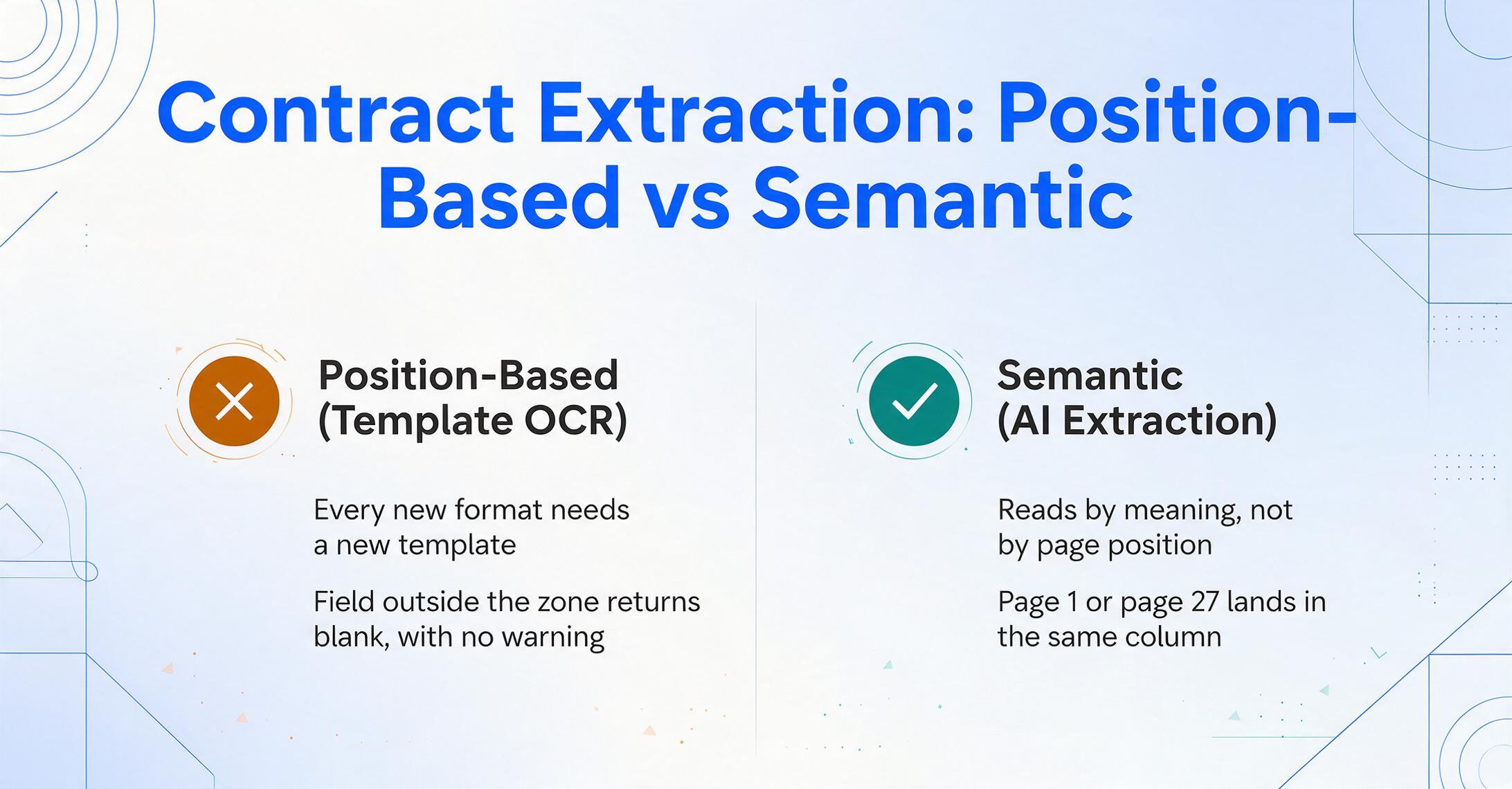
Position-based extraction — the traditional approach. Template OCR and zonal extraction tools work by location: you define a zone on the page where "Effective Date" appears, and the tool reads whatever text falls within that zone. The approach works for documents with fixed layouts — a standardized invoice from a single ERP system, for instance. But for contracts, it creates two problems. First, every new contract format requires a new template, and templates need maintenance when formats change. Second, the tool is blind to everything outside its defined zones — if the counterparty puts the effective date in section 1 instead of the preamble, the tool returns nothing, with no indication that anything went wrong.
Semantic extraction — the AI approach. Modern AI-based extraction reads by meaning, not by position. This is Custom Column Extraction: you type the column names you want in your output — "Counterparty," "Effective Date," "Renewal Terms," "Contract Value," "Governing Law" — and the AI, a vision-based large language model, reads the entire document, identifies text blocks that correspond to each requested field by understanding their semantic role, and maps each match to the right output column. The effective date in the preamble of one contract and the effective date buried in an amendment on page 27 of another both land in the same spreadsheet column — because the AI understands what an effective date is, not where it typically sits.
The paradigm shift is from "the document defines where data lives" to "you define what you want, and AI finds it." This matters for contracts because no two counterparties use the same format. Template-based tools handle the contracts that match their templates. Semantic extraction handles every contract — because it reads language, not layout. For a deeper look at how this technology shift applies across document types, see our explainer on how AI document extraction works.
The practical difference is measurable. A template-based workflow for 50 contracts from 30 different counterparties means creating and maintaining 30 templates — and the extraction accuracy degrades on any contract where the template doesn't perfectly match. A semantic extraction workflow means defining 12 column names once and running all 50 contracts through the same extraction pass. The AI does the adaptation work per contract, not the user.
Most contract extraction challenges trace back to one architectural decision: position-based or semantic. Position-based tools require maintenance that scales with contract diversity. Semantic extraction handles diversity automatically — but requires the AI to genuinely understand document context, not just pattern-match. Test this by running a contract from a counterparty you've never worked with through any tool you evaluate. If it needs a new template, you're buying setup overhead, not extraction.
Key Fields to Extract from Contracts
What you extract depends on why you're extracting. Legal teams performing due diligence care about clause presence and scope. Procurement teams care about spend commitments and renewal dates. HR teams care about compensation, notice periods, and restrictive covenants. The extraction schema should match the use case — and extracting everything "just in case" produces noisy spreadsheets that nobody uses.
Here are the fields that matter across the two most common contract categories, with the reason each one earns its column:
| Field | Why It Matters | Commercial / Legal Contracts | Employment Contracts |
|---|---|---|---|
| Parties / Counterparties | Foundation for every other data point — without knowing who the contract is with, nothing else is actionable. | Vendor name, client entity, subsidiary designations | Employee name, employer entity |
| Effective Date & Term | Establishes when obligations begin and end. Miss this and you can't compute expiry. | Commencement date, initial term length | Start date, probation period end |
| Contract Value / Compensation | Total committed spend. Finance needs this for forecasting; procurement needs it for spend analysis. | Total fees, annual contract value, per-unit pricing | Salary, bonus structure, equity grants |
| Payment Terms & Schedule | When and how money moves. Often in tables that span pages — the hardest extraction challenge. | Milestone payments, net payment terms, invoicing frequency | Payroll frequency, expense reimbursement policy |
| Renewal & Termination | The most expensive field to miss. Auto-renewal without notice can lock in unfavorable terms for another year. | Auto-renewal trigger, notice period, termination for convenience | Notice period, termination conditions, garden leave |
| Governing Law & Jurisdiction | Determines which state or country's laws apply and where disputes are litigated. Portfolio-level analysis for risk concentration. | Governing law, venue, arbitration clause | Governing state law, dispute resolution |
| Key Obligations & Deliverables | What each party committed to do. Extracting obligations turns contracts into accountability tools. | Service scope, SLAs, deliverables with deadlines | Job title, duties, reporting structure |
| Liability & Indemnification | Risk exposure. Which party bears what risk and up to what cap. | Liability cap, indemnification scope, insurance requirements | Non-compete scope, confidentiality, IP assignment |
The distinction between commercial and employment contracts matters because the extraction targets are different. A commercial MSA and an employment agreement both contain "dates" and "parties," but the fields that drive decisions diverge. An employment contract has no "limitation of liability cap" — but it does have "probation period" and "non-compete scope," which are equally consequential for the organization. For fields at the clause level rather than the header level, see our guide to legal contract extraction — which focuses on identifying specific provisions like indemnification, force majeure, and arbitration clauses across contract portfolios. And for teams that need to pull specific individual fields across many agreements, extracting specific fields from contracts covers the targeted approach.
Batch Processing: From Portfolio to Spreadsheet in One Pass
Single-contract extraction is useful for reviewing one agreement before signing. But the real value of extraction emerges with batch processing — uploading a portfolio of contracts and getting one unified spreadsheet back. This is the workflow that turns contract data from invisible to actionable.
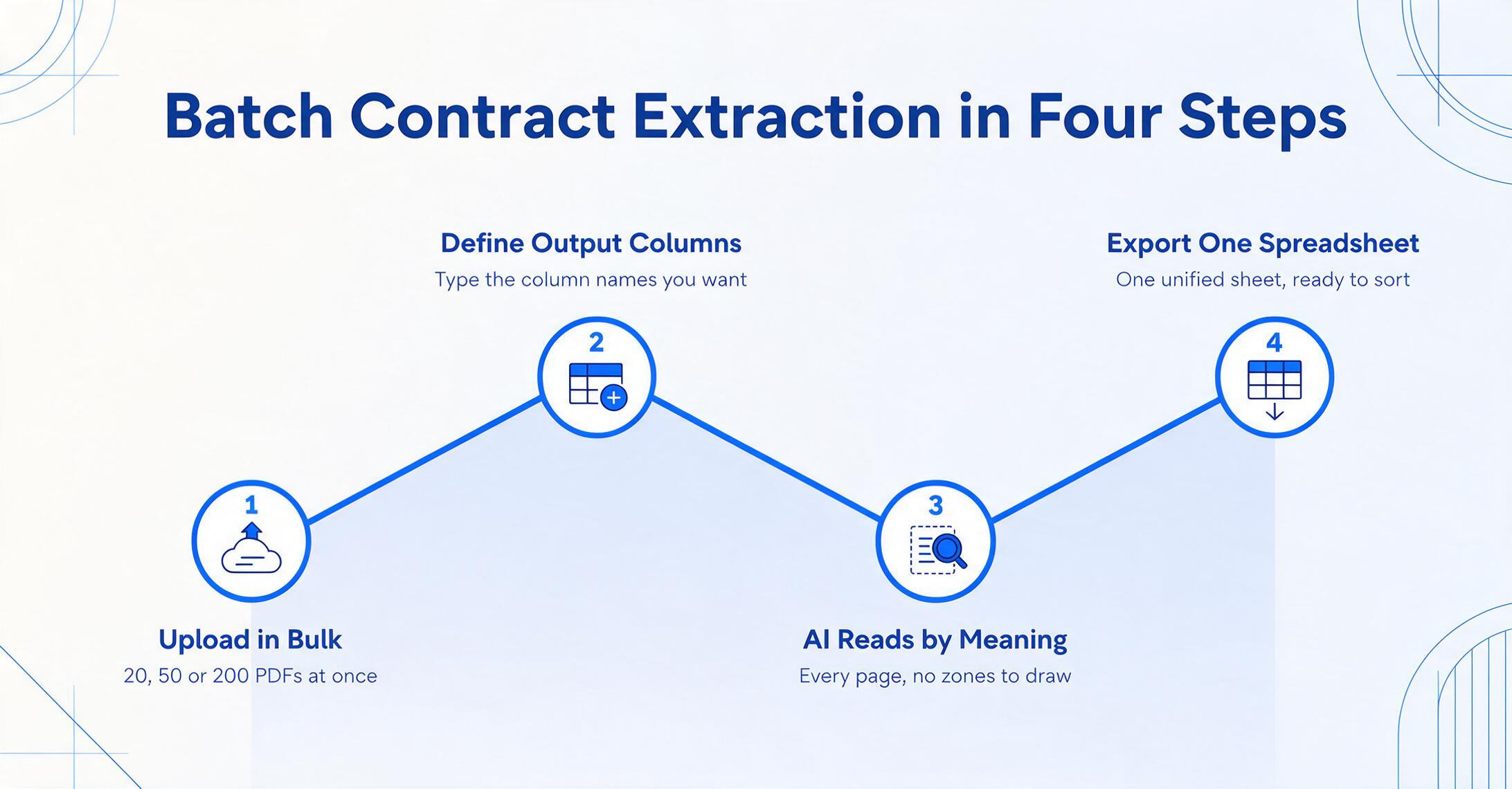
The batch workflow for contract extraction follows four steps:
Upload Contracts in Bulk
Drop in PDFs — 20, 50, or 200 at once. Digitally signed PDFs, scanned agreements, Word documents converted to PDF — all go in together. No pre-sorting by vendor, no file renaming, no folder organization required. The tool reads each file independently regardless of format.
Define Your Output Columns
Type the column names you want in your spreadsheet: "Counterparty," "Effective Date," "Renewal Date," "Contract Value," "Governing Law," "Payment Terms," "Liability Cap." These are the headers of your output file. No template setup per contract type, no drawing zones on sample pages, no training on labeled data. You define what you want; the AI finds it in each document.
AI Reads Every Contract by Meaning
The vision model scans every page of every contract, locates text that matches each requested field by understanding its semantic role, and maps it to the correct column — regardless of page position, section numbering, or drafting style. If the governing law clause is on page 3 in one contract and page 42 in another, both values land in the "Governing Law" column. Payment schedules that span three pages of an exhibit get extracted as coherent table rows rather than fragmented text blocks.
Export or Write to Sheets
Download the unified spreadsheet as Excel (XLSX), CSV, or JSON — or write results directly into Google Sheets. Each contract gets one row. Every field gets its own column. Sort by renewal date to identify what expires next quarter. Filter by governing law to isolate contracts in a specific jurisdiction. Pivot by counterparty to see total spend by vendor. For a walkthrough of the full contract-to-Excel workflow with a mixed portfolio, see our contract data extraction to Excel page. For teams managing ongoing contract portfolios and renewal tracking, see bulk contract renewal and expiry tracking.
Files are processed securely and not stored.
Export and Integration: What to Do with Extracted Contract Data
A spreadsheet of extracted contract data is useful on its own. It gets more useful when it feeds into the systems where contract decisions happen.
Immediate analysis in Excel or Google Sheets. Once contracts are rows and fields are columns, every spreadsheet operation becomes a contract management operation. Sort by renewal date descending to see what's expiring soonest. Filter by governing law = "California" to review jurisdiction-specific obligations. Create a pivot table by counterparty to see total committed spend per vendor. What used to require opening 200 PDFs now takes the same operations you use on any other dataset.
Feeding into a CLM or contract repository. If your organization uses a Contract Lifecycle Management platform, extracted data is the migration fuel. The most common blocker in CLM implementation is populating the system with data from existing agreements — a step that stalls projects when the alternative is manual data entry. Extraction fills the gap between "we have 500 contracts in a folder" and "we have structured data in our system" without requiring paralegals to do the typing. For organizations evaluating whether they need a full CLM at all, document extraction without an enterprise contract platform covers when a lightweight extraction tool does the job.
Calendar and alert integration. Extracted dates — renewals, termination notice deadlines, rate review periods — can feed into calendar systems or automated alerts. The difference between a renewal you caught 90 days early and one you discovered the week after auto-renewal is often the full annual contract value. For smaller firms and solo practitioners, see affordable contract extraction for solo attorneys for cost-effective approaches to date tracking.
Cross-department access. Contract data isn't just a legal asset. Procurement needs to see payment terms and spend commitments. Finance needs contract values for accrual calculations and forecasting. Sales needs to understand which customer agreements contain exclusivity provisions. When extracted data lives in a spreadsheet rather than inside PDFs, every department that touches contracts gets access — without waiting for legal to pull summaries. For teams processing contracts in bulk specifically for clause identification, batch contract clause extraction for small law firms covers the clause-level workflow.
How to Choose a Contract Extraction Tool
Extraction tools range from basic OCR wrappers to AI-native platforms. For contracts specifically — the hardest document type — the selection criteria are more demanding than for invoices or forms. Here are the five that actually separate tools that work from tools that need constant hand-holding:
If you're deciding between specific vendors rather than evaluation criteria, our comparison of 9 contract extraction tools walks through Kira, Ironclad, Juro, Docparser, and others — including which ones actually output field data to a spreadsheet without per-vendor template setup.
1. Template-free, training-free operation. A contract extraction tool that requires you to build templates per vendor or train models on sample agreements isn't extraction — it's template management, and it breaks at the exact moment you need it most: when a new counterparty sends a contract in a format you've never seen. Ask any vendor: "If I hand you an MSA from a counterparty you've never encountered, drafted in a format you've never seen, can you extract the counterparty name, effective date, governing law, and termination terms on the first attempt — without any setup?" If the answer involves creating a template, training a model, or defining extraction zones, you're buying configuration overhead.
2. Full-document reading with exhibit and amendment handling. Contracts are long documents, and the data you need is rarely on page 1. Payment schedules live in exhibits. Amendment terms override provisions in the main body. A tool that only reads the first few pages or treats each page independently will miss the fee schedule in Exhibit B and the updated renewal terms in Amendment 1. Test with your longest contract — the one with three exhibits and two amendments — not your shortest.
3. Table extraction that handles multi-page payment schedules. Fee schedules, milestone payments, and rent escalation tables are the hardest extraction challenge because they span pages with merged cells and inconsistent layouts. Many tools extract the contract value as a single number but fail on the 12-row payment schedule underneath it. Test this on your most table-heavy contract. If the tool returns "Contract Value: $150,000" but can't output the payment schedule as structured rows, it's giving you a fraction of the data.
4. Batch processing with unified output. The workflow matters. Can you upload 50 contracts at once and get one spreadsheet back? Batch processing is the difference between "this tool saves time per contract" and "this tool processes my entire portfolio." The output should be a single table — one row per contract, all fields in columns — ready for immediate analysis without manual merging.
5. Honest accuracy, not marketing numbers. "99% accuracy" on contracts typically refers to Tier 1 header fields (parties, dates) on clean, digitally generated PDFs — the easiest extraction case. Clause-level extraction (indemnification scope, force majeure triggers) and table extraction (payment schedules) are harder, and a credible vendor should tell you which field types extract at which accuracy rates. The only meaningful accuracy test is running your own contracts — especially the messy ones: scanned agreements from 2015, contracts with handwritten amendments, multi-exhibit MSAs from unfamiliar counterparties. If a vendor won't let you test with your worst documents in a demo, that's the accuracy ceiling.
For a deeper dive into how extraction tools handle the specific challenge of clause identification across diverse contract portfolios, see what legal contract extraction entails — the clause-level counterpart to field-level contract extraction.
Frequently Asked Questions
What types of contracts can data extraction handle?
Modern extraction tools handle the full range: MSAs, SOWs, NDAs, employment agreements, lease agreements, vendor contracts, SaaS subscriptions, distributor agreements, and engagement letters. The extraction approach — reading by semantic meaning rather than by template — means the tool works across contract types without per-type configuration. The practical limit is contract variety, not contract count: 50 different agreement types from 50 different counterparties extract just as reliably as 50 copies of the same contract template.
Does contract extraction work with scanned PDFs, not just digital ones?
Yes — if the extraction tool uses vision-based AI rather than text-layer-only OCR. Vision-based tools read the visual appearance of the page, so a scanned agreement from 2012, a digitally signed PDF from last week, and a phone photo of a printed term sheet all get the same treatment. The limiting factor is image quality: if a scan is so faded, skewed, or low-resolution that a human would struggle to read it, the AI will too. For reasonably legible scans, accuracy is comparable to digital PDFs.
Can contract extraction replace lawyer review?
No — and it's important to be clear about the boundary. Extraction reads contracts and outputs structured data: parties, dates, values, clause content. Review assesses risk, negotiates terms, and determines whether to sign. What extraction replaces is the retrieval step — the 84 minutes spent finding a clause before any analysis begins. The lawyer still analyzes and advises. But instead of reading 50 contracts to find the five with uncapped indemnification, extraction identifies those five upfront, and the lawyer spends their time on legal judgment, not document search.
How accurate is contract data extraction compared to human review?
For Tier 1 header fields — party names, effective dates, governing law — modern AI extraction achieves 95–99% accuracy on clear, legible contracts. For Tier 2 financial fields — payment schedules, contract value from complex fee structures — accuracy is lower, typically 85–95%, because these fields are expressed differently across agreements. For clause-level extraction — identifying whether an indemnification clause is capped or uncapped — accuracy is 80–90% and depends heavily on drafting clarity. Human review of extracted output is the correct practice for high-value or high-risk agreements. The efficiency gain is that a human reviews a pre-populated spreadsheet rather than reading 200 contracts from scratch.
How many contracts can I process in a single batch?
Modern batch-oriented tools handle dozens or hundreds of contracts in a single upload — there's no hard limit on file count. The practical constraint is processing time: each contract takes seconds to process, so 100 contracts might take 10–20 minutes depending on length. The output is one unified spreadsheet with one row per contract. The alternative — opening each file, extracting data individually, and manually merging results — is the workflow that defeats the purpose of automation.
Can extraction handle contracts with amendments and exhibits?
Yes, provided the tool reads the entire document as a single logical unit. Multi-document contracts — an MSA plus an SOW plus two amendments — require the extraction to read across files and associate amendments with their parent agreement. The extraction should recognize that an amendment's updated termination date overrides the original, and that a fee schedule in Exhibit B is part of the same contract's payment terms. Tools that process each file independently without cross-document awareness will surface conflicting dates and incomplete payment data.
Is contract data extraction the same as Contract Lifecycle Management (CLM)?
No. CLM platforms manage the entire contract journey — creation, negotiation, execution, storage, obligation tracking — and typically include some extraction capability to populate their own database. Extraction is the data step: reading agreements and outputting structured fields. CLM is the workflow step: managing what happens before and after. Extraction can feed data into a CLM, or it can operate independently for teams that need structured contract data without implementing a full CLM platform. The two are complementary, not competing.
Can extraction differentiate between similar clauses, like indemnification and limitation of liability?
Generally yes, for clearly distinct provisions. Indemnification (one party agreeing to cover the other's losses) and limitation of liability (capping the amount one party can recover) use different legal language and serve different purposes. Modern AI extraction tools can distinguish them — but accuracy drops when both provisions appear in the same section, are interleaved in dense boilerplate, or cross-reference definitions from other parts of the contract. For these cases, human review of the AI's clause classification is the correct practice.
What's the difference between extracting "fields" and "clauses"?
Fields are discrete data points that fit in a single spreadsheet cell: counterparty name, effective date, contract value. Clauses are blocks of legal text: the full indemnification provision, the force majeure definition, the entire payment terms section. Extracting a field answers "what is the contract value?" Extracting a clause answers "show me the exact indemnification language." Most extraction tools can do both, but clause extraction is harder because the AI must determine where the clause begins and ends — especially in contracts where related provisions are interwoven across sections.
Making Contract Data Visible
The data is already in your contracts. The problem isn't absence — it's access. Every signed agreement contains the counterparty names, dates, values, and obligations that drive business decisions. But as long as that data lives inside PDFs in shared drives, it's invisible to the systems and people who need it. The World Commerce & Contracting finding — 9.2% of revenue leaked to contract mismanagement — isn't about bad contracts. It's about good contracts whose data never made it into a spreadsheet.
Contract data extraction closes that gap. It doesn't require a CLM implementation. It doesn't require months of template configuration. It asks one question — what fields do you need? — and delivers them as structured columns you can sort, filter, and act on. If your team manages more than a few dozen contracts and regularly spends time hunting for specific terms across files, extraction is the single step that changes the workflow from "open and read" to "filter and decide."
Start with the foundational guide to contract data extraction for the full concept, or upload a sample contract and see what field-level extraction looks like on your own documents — no templates, no training, no setup required.