Contract Renewal Season: Extract Expiry Dates
from 100+ Agreements
In mid-October, a property management firm with 430 units tallied their active lease agreements. They counted 87 — each a 15-to-40-page PDF stored across three shared drives and two property management platforms. Nobody knew how many contained auto-renewal clauses. Nobody could say which were expiring before year-end. The operations manager opened the first PDF and started reading. Two hours later, she had completed four leases. At that pace, she'd finish sometime in mid-November — after cancellation windows on roughly half the portfolio had already closed.

Key Takeaways
- Every contract tracking spreadsheet you've ever built obsesses over the expiry date — and the expiry date is the one number that never tells you when to act.
- A ninety-day notice window on a December 31 contract closes on October 2, meaning the cancellation deadline expired while you were still counting how many contracts exist.
- ImageToTable.ai batch-reads 100 contracts in fifteen minutes and returns a spreadsheet sorted by the three data points your calendar alone could never surface — expiry date, auto-renewal clause, and notice-period deadline.
When "Check the Spreadsheet" Isn't Enough
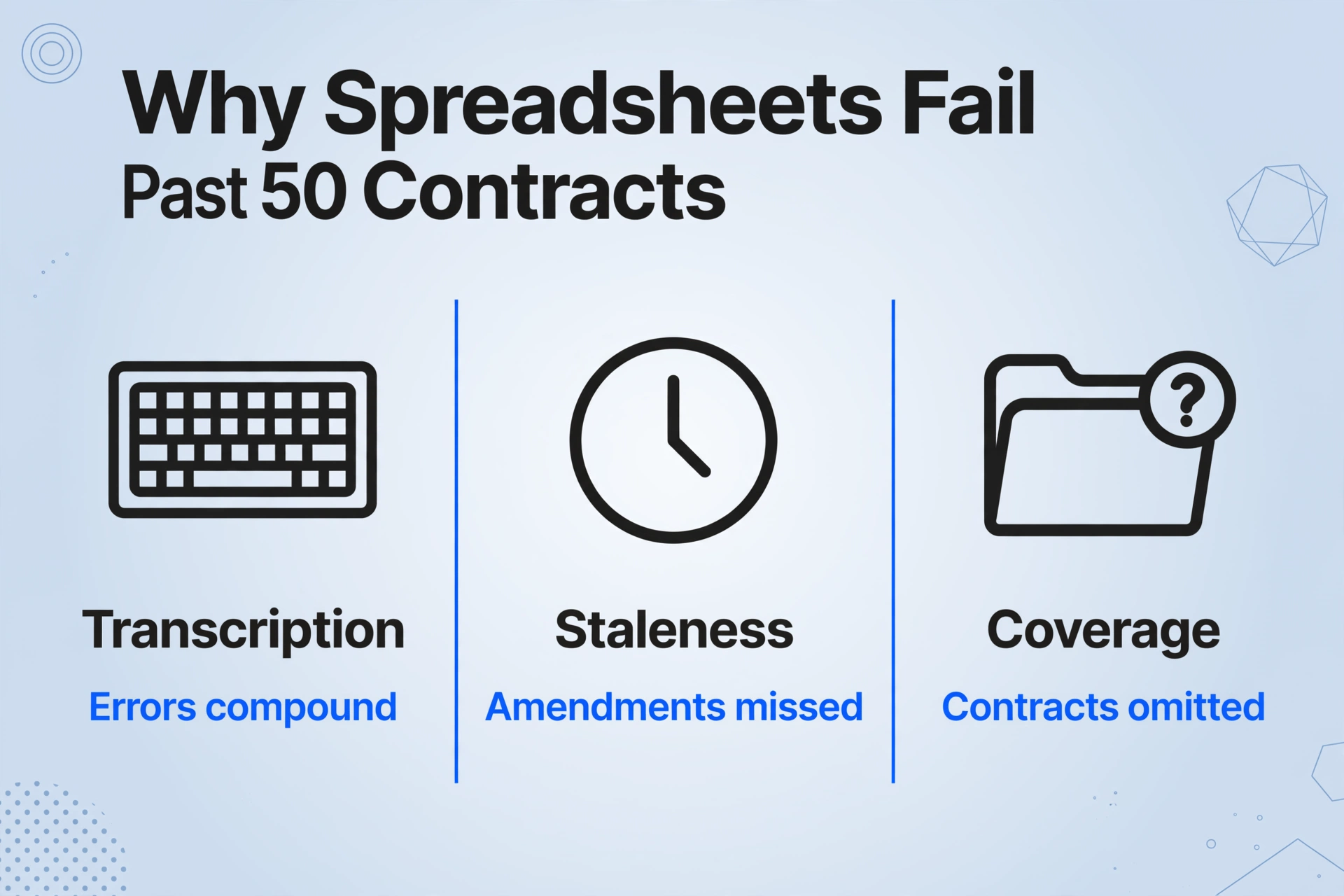
Every organization starts with a spreadsheet. Someone — usually the office manager, a paralegal, or a junior associate — opens Excel and creates columns: Counterparty, Effective Date, Expiry Date, Auto-Renewal, Notes. It works at 15 contracts. It's fragile at 30. Past 50, it's a system that demands more maintenance than it saves.
The spreadsheet approach has three failure modes that compound as volume increases. First is the transcription problem: every expiry date in that spreadsheet was read by someone from a PDF and typed into a cell. Transcription errors — wrong date, wrong column, wrong version of the contract — are individually rare but collectively inevitable across 100 rows. Second is the staleness problem: contracts get amended, notice periods change, renewal terms get renegotiated. The spreadsheet reflects the contract as it was when someone last updated it, which may not be how it reads today. Third is the coverage problem: the contracts that end up in the spreadsheet are the ones someone knew to put there. Agreements signed by a department head without procurement review, lease amendments filed under a different property name, vendor addendums saved in a side folder — they never make it in.
The tipping point isn't a specific number. It's the moment you realize the spreadsheet is giving you false confidence — you think you know what's expiring, but you're only seeing the contracts someone remembered to track. According to World Commerce & Contracting (WorldCC), 71% of businesses cannot find at least 10% of their contracts when needed, and contract data is scattered across an average of 24 different systems across the organization.
At that moment, the right question isn't "how do I buy a better tracking system?" It's "how do I get the expiry data out of my contracts and into one place, fast enough to act before the cancellation windows close?" That's a data extraction problem, not a contract management problem — and it's solvable without purchasing enterprise software.
What You Actually Need from Each Contract Going into Renewal Season
The full text of a 30-page commercial lease or vendor agreement contains hundreds of data points. Going into renewal season, you need five or six. Everything else is noise that slows you down.
| Field | What it tells you | Why you can't skip it |
|---|---|---|
| Counterparty Name | Who you're contracted with | Fundamental identifier; links extracted data back to the right vendor, tenant, or landlord |
| Expiry Date | When the current term ends | The date every other decision orbits around; determines your action timeline |
| Auto-Renewal Clause | Does the contract renew silently? | Silent renewal = you're on the hook unless you act. The most expensive single clause to miss. |
| Notice Period | How far in advance cancellation must be given | 30, 60, or 90 days commonly. A 90-day notice period on a Dec 31 expiry means your deadline is Oct 2. |
| Contract Value | Annual or total committed spend | Prioritizes which renewals deserve immediate attention vs. which can wait |
| Governing Law | Which jurisdiction's laws apply | Determines which auto-renewal regulations apply. FTC 16 CFR Part 425 changed B2B rules in May 2025. |
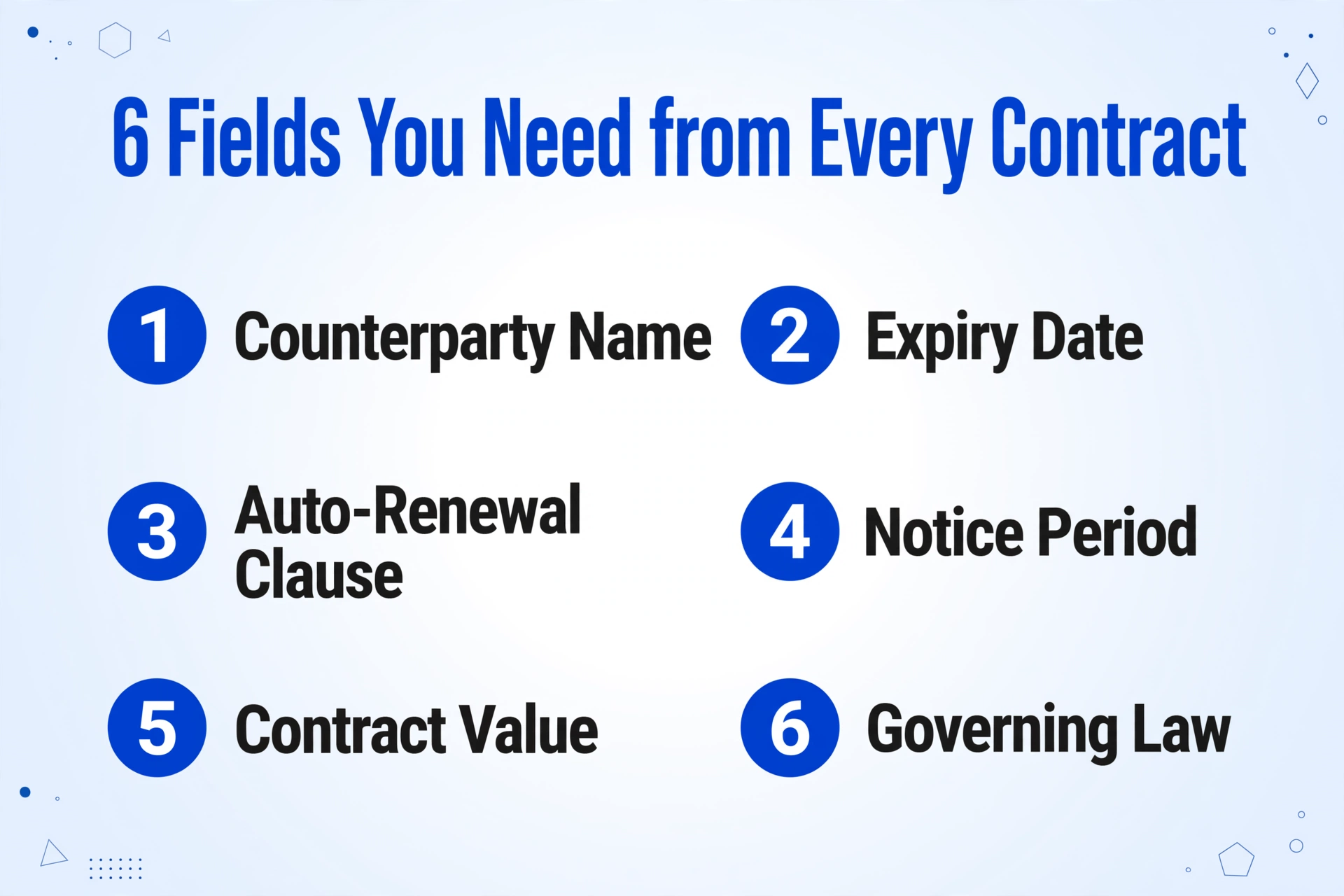
Six fields. That's the minimum viable dataset for a renewal audit. Everything else — insurance requirements, SLA terms, force majeure language — matters for ongoing contract management but doesn't block the renewal decision. The priority is building the map before you plan the route.
For small law firms managing client vendor portfolios, property management companies tracking commercial and residential leases, and in-house legal teams at mid-size companies, this exact six-field snapshot is what turns "we should probably review our contracts" from a vague intention into a concrete, deadline-driven project. And the constraint is always the same: the data exists in the PDFs, but extracting it manually across 80 or 120 documents takes longer than the notice windows allow.
How to Get Those Fields into a Structured Table Without Reading 200 Contracts
This is where the distinction between a Contract Lifecycle Management system (CLM) and a document data extraction tool becomes critical. A CLM — Ironclad, Agiloft, CobbleStone — is designed to manage contracts continuously across their lifecycle: drafting, negotiation, approval workflows, obligation tracking, renewal alerts. The implementation takes months, the annual cost runs well into five figures, and the system needs ongoing administration. For a legal department managing thousands of contracts, that investment makes sense.
But if what you need right now is a structured table of six fields from a batch of contracts you already have, a CLM is not the right tool for this specific job — just as buying an ERP system to run one month-end report would be overkill. The tool you need performs a narrower function: it reads the documents you upload, finds the information that matches your specified column names, and returns a spreadsheet with one row per document.
This is called column-name extraction: instead of configuring templates or drawing zones on a document, you type the field names you want in plain language — "Expiry Date," "Auto-Renewal Clause," "Notice Period for Non-Renewal" — and the AI reads each document to locate values that correspond to those concepts. It doesn't depend on where the information sits on the page or how it's phrased. It reads for meaning.
Why this matters for contracts specifically: Unlike invoices, which follow a relatively predictable layout, contracts bury expiry dates, auto-renewal language, and notice periods in different sections across different agreements. One vendor's renewal clause is in Article 4 on page 3. Another's is a single sentence in the signature block. Template-based tools — which look for data in a fixed position — fail on contracts. Semantic extraction doesn't care where the clause lives.
Here's the workflow for a renewal audit batch:
Upload all contracts
PDFs, scanned agreements, amended versions — upload the entire batch at once. The tool accepts PDF, JPG, PNG, and WebP formats.
Name your columns
Type the six renewal-audit fields. The column names you enter become the headers in your output Excel file.
Download the table
One Excel file with one row per contract, six columns as specified. Sort by Expiry Date, filter by Auto-Renewal status, and your renewal calendar is built.
This produces a table that looks like a manually compiled audit spreadsheet — except it took minutes instead of days. Here's a representative output from a batch of vendor agreements:
| Counterparty | Expiry Date | Auto-Renewal | Notice Period | Contract Value | Governing Law |
|---|---|---|---|---|---|
| Acme Logistics Ltd | 2026-12-31 | Yes | 60 days | $84,000/yr | Delaware |
| Bright Systems GmbH | 2027-03-15 | No | — | €32,000/yr | Germany |
| Redwood Consulting | 2026-11-30 | Yes | 30 days | $15,000 flat | California |
| NorthPark Properties | 2027-01-31 | Yes | 90 days | $210,000 total | New York |
Once you have this table, the renewal audit becomes a sorting and filtering exercise rather than a reading project. Sort by Expiry Date ascending, and the contracts demanding immediate attention rise to the top. Filter by Auto-Renewal = "Yes," and you can see exactly which agreements will lock you in if you miss the deadline. The work shifts from "find the data" to "act on the data."
For teams that want to integrate this directly into existing spreadsheet workflows, the Google Sheets add-on lets you upload documents and extract data without leaving your spreadsheet — the extracted fields append directly to your active sheet. If you use Google Sheets as your contract tracking system, this keeps everything in one place.
Files are processed securely and not stored.
The Auto-Renewal Trap Data Point Nobody Tracks Until It's Too Late
Of the six fields in a renewal audit, the expiry date gets the attention. It's visible. It's a calendar date. People think: if I know the expiry date, I know when to act. But the expiry date only tells you when the current term ends. The auto-renewal clause tells you what happens if you do nothing — and that's the question with far more financial consequence.
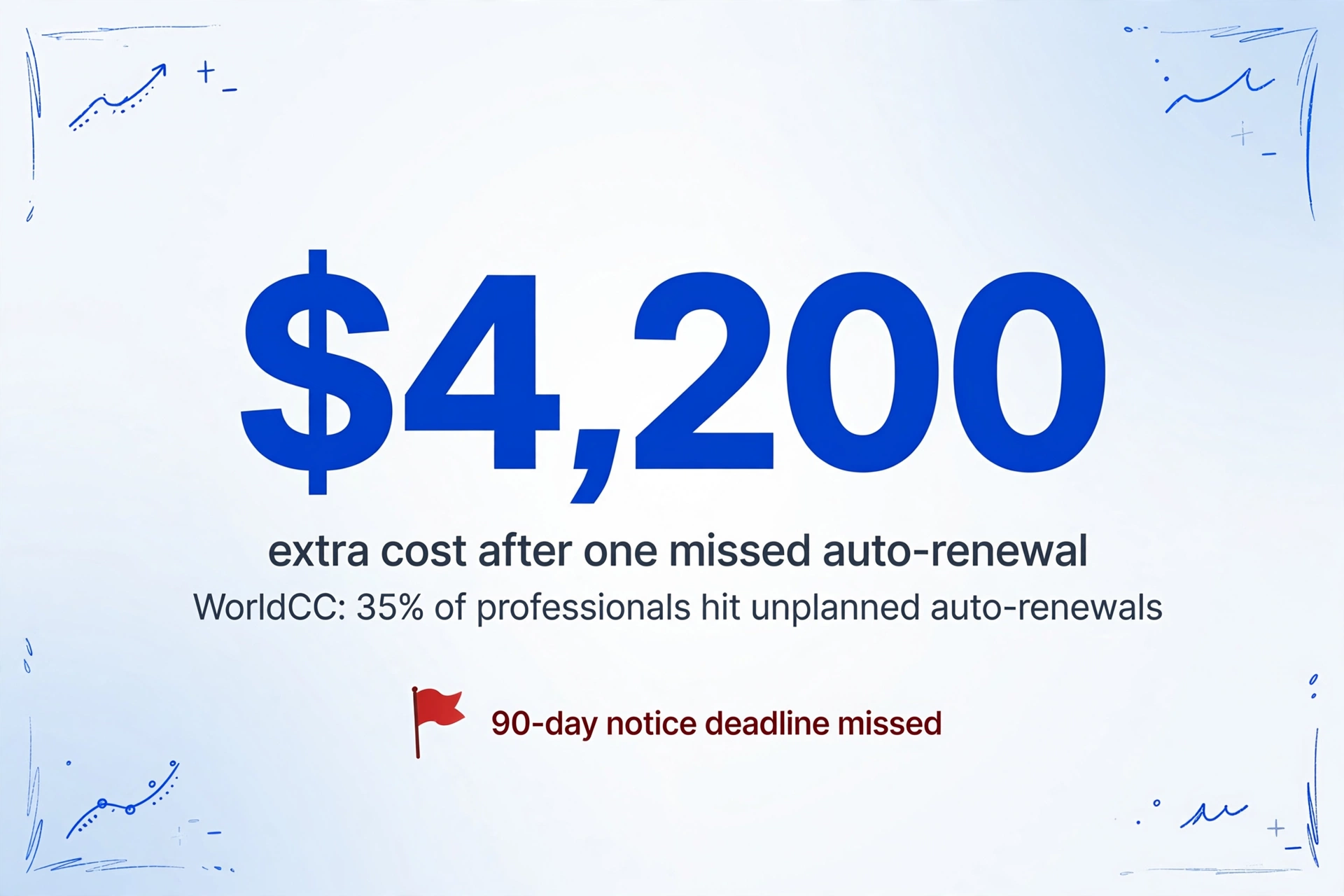
Here's a scenario that plays out across small firms every Q4. A vendor contract expires December 31. The operations manager notes it on the calendar for "early December review." What they don't know — because nobody read the auto-renewal clause — is that the contract requires 90 days' written notice of non-renewal. The deadline was October 2. The contract has already auto-renewed for another full year at a 5% higher rate. The firm will pay an additional $4,200 for a service they intended to cancel.
WorldCC research found that 35% of procurement and contracting professionals experienced at least one significant unplanned auto-renewal in the past 12 months. Of those, 28% had no centralized system for tracking contract renewal dates at all. The cost isn't theoretical: WorldCC estimates that poor forward-planning and renewal management alone accounts for 2-3% of the average 11% contract value leakage organizations experience after signature.
The auto-renewal landscape also changed significantly in 2025. The FTC's updated Negative Option Rule (16 CFR Part 425), effective May 2025, requires that B2B auto-renewal contracts now include clear and conspicuous disclosure of renewal terms, separate affirmative consent to the auto-renewal provision, and a simple cancellation mechanism. An estimated 99% of existing B2B auto-renewal contracts are not compliant with the new regulations as written — meaning that if a customer objects to an auto-renewal citing the FTC rule, the vendor may not be able to enforce it. This creates both risk (your own auto-renewal clauses may be unenforceable) and opportunity (you may have grounds to challenge unwanted auto-renewals from vendors).
Extracting the auto-renewal clause isn't just about finding the word "auto-renew" in the document. Contracts express this concept in dozens of phrasings: "This Agreement shall automatically renew for successive one-year terms," "the Term shall be extended for an additional period unless either party provides written notice," "this contract will continue on a month-to-month basis following the Initial Term." A semantic extraction tool that reads for meaning rather than keyword-matching catches all of these variants. A manual reviewer reading 100 contracts at speed misses some.
For a deeper look at how AI handles the specific challenge of extracting varied contractual language across large batches, see our guide to extracting specific fields from contracts, and for the organizational logistics of processing hundreds of agreements at once, the batch extraction workflow for small law firms covers file naming, result merging, and exception handling.
Building a Renewal Decision Matrix from Extracted Data
Data extraction solves the information problem. It doesn't solve the decision problem. Once you have the six fields in a structured table, the next step is turning that table into a prioritized action list. Not all expiring contracts demand the same level of attention, and treating them as equal creates a different kind of overwhelm.
A simple two-axis framework sorts every contract into one of four categories:
| Category | Criteria | Action | Timeline |
|---|---|---|---|
| Critical | Auto-renewal = Yes, Notice Period ≥ 60 days, Expiry within 90 days | Immediate review. Decision: renew, renegotiate, or send non-renewal notice | Within 72 hours |
| Urgent | Auto-renewal = Yes, Notice Period < 60 days, Expiry within 90 days | Review and decide within the next week. More runway but don't defer | Within 2 weeks |
| Monitor | Auto-renewal = No or Expiry > 90 days out | Add to tracking calendar. No immediate action required | Monthly review |
| Legal Review | Unusual renewal terms, multi-jurisdiction, or ambiguous clause language | Flag for attorney review before any action is taken | Within 1 week |
This matrix turns what was originally a stack of PDFs into a workable priority list. Sort your extracted table by Expiry Date ascending, apply the category filters based on Auto-Renewal and Notice Period values, and within 30 minutes you have a renewal action plan that would have taken a week of manual document review to assemble.
The matrix also reveals a pattern that manual review often obscures: which contracts are concentrated in which notice-period buckets. If you discover that 40% of your auto-renewing contracts carry 90-day notice requirements, the operational implication is clear — your renewal review process needs to begin at least four months before quarter-end, not six weeks. The data doesn't just tell you what to do now. It tells you how to structure the process for next quarter.
This is the real payoff of batch extraction for renewal season: not just surviving this quarter, but building the operational rhythm that makes next quarter's review start from a structured table instead of a pile of PDFs. For a detailed breakdown of what manual contract review actually costs in billable time — and how that cost scales across a portfolio — see our per-matter cost analysis for small firms.
Frequently Asked Questions
Does this replace a contract lifecycle management (CLM) system?
No. This solves the specific problem of extracting key fields from a batch of existing contract PDFs. A CLM does more: approval workflows, obligation tracking, automated renewal alerts, e-signature integration. If your organization manages hundreds of contracts with ongoing amendments and needs continuous oversight, a CLM is the right long-term investment. But if what you need right now is "give me expiry dates, auto-renewal terms, and notice periods from these 100 contracts by Friday," extraction is the right tool for that job. For a full comparison, see contract review software vs AI field extraction.
How accurate is the extraction on scanned contracts with handwritten annotations?
For clean digital PDFs, accuracy on clearly stated fields like dates, party names, and values is high — up to 99% for printed text. Scanned documents with handwriting or stamps introduce more variability. Handwritten amendment notes or margin annotations may not be reliably captured. The output should be treated as a strong first draft that eliminates most of the reading work, with spot-checking on any contracts you know have handwritten changes. For contracts with complex defined terms or values expressed by reference to other documents, manual verification of those specific cells is recommended.
What if the expiry date or auto-renewal clause is buried in an amendment or addendum separate from the main contract?
Upload the amendment alongside the main contract as separate files. Each will produce its own row in the output. For the cleanest result, name your files consistently so you can cross-reference: "AcmeLogistics_MSA_2024.pdf" and "AcmeLogistics_Amendment1_2025.pdf" will appear as adjacent rows when sorted alphabetically. If the amendment modifies the expiry date, the amendment row will show the updated date. If the amendment doesn't address expiry, that cell will be blank for the amendment row — and the original contract's expiry date stands.
Can this handle lease agreements (residential and commercial) with the same column names as vendor contracts?
Yes. The column-name approach works across document types because it searches for meaning rather than format. "Expiry Date" returns the lease end date from a residential lease, the commercial lease termination date, and the vendor contract expiration date — all in the same column. You can upload a mixed batch of lease agreements, vendor contracts, and service agreements in one upload. Documents that don't contain a specific field will simply show a blank cell for that column. Property management platforms like AppFolio and Buildium track lease dates within their systems, but if you have legacy leases in PDF form or contracts from before your PMS implementation, extraction fills the gap.
How long does a batch of 100 contracts take to process?
Processing time scales with document length more than document count. A single-page contract processes in 5-10 seconds; a 30-page commercial lease takes longer. For a typical mixed batch of 100 contracts averaging 8-12 pages each, expect total processing time in the range of 15-25 minutes. The time you spend is the upload and column-name entry; the AI handles the reading. The efficiency gain over manual extraction — where a single 20-page contract might take 10-15 minutes to read and extract six fields — is in the range of 18x or more.
What if I need to share the extraction task with someone else — can they upload files to my account?
Yes, through the Collection Link feature. Generate a shareable link (formatted as /c/xxxx) and send it to colleagues, clients, or team members. They open the link, enter a short verification code, and upload files directly to your processing queue — no registration or login required on their end. This is useful when contract files are scattered across different team members' drives and you want to centralize the upload without chasing everyone for email attachments.
Turn a stack of contracts into a renewal-ready spreadsheet
Upload your batch, name the six fields you need, and have a sortable expiry-date table ready before the cancellation windows close.