Affordable Contract Extraction
for the 10 Fields Solo Attorneys Actually Review
The ABA GPSolo Division reports that roughly two-thirds of private-practice lawyers work solo or in firms of five or fewer. The contract AI market — Kira, Diligen, Ironclad, Luminance — priced every flagship product for the other third. The solo attorney who searches "affordable contract data extraction" after seeing a $500-per-month pricing page is asking a question the industry has not answered: what if I need ten specific fields from each contract rather than a full NLP analysis suite, and I process thirty contracts a month, not five hundred?
Key Takeaways
- $500 a month. That is the entry price for enterprise contract AI. It was calibrated for AmLaw 200 due diligence teams reviewing 10,000 contracts — not a solo attorney reviewing thirty.
- Thirty contracts a month. Ten fields each. Yet every $500 enterprise tool bundles clause-playbook comparison, obligation tracking, and SSO — features a one-lawyer practice will never activate.
- ImageToTable.ai costs $19 a month and extracts the ten fields you actually need — type the column names once and the same list works across NDAs, employment contracts, and vendor agreements without requiring a different template for each.
The $500 Barrier: What Enterprise Contract AI Bundles That a Solo Firm Never Uses
Kira Systems starts around $500 per month per user. Diligen, now part of Litera, runs approximately $300 per month. Ironclad's CLM platform begins above $600 per month. Luminance and LawGeex route pricing through a "Contact Sales" button — in the legal tech market, that phrasing reliably means four figures per month. These are serious tools built for serious volume, and their pricing reflects the organizations they serve: AmLaw 200 firms reviewing tens of thousands of contracts during M&A due diligence, corporate legal departments managing hundreds of active agreements across dozens of business units. For a full comparison of where every major tool's pricing lands — including which ones are priced for solo practices — see our best contract extraction tools roundup.
The price is not arbitrary. An enterprise contract analysis tool typically bundles:
| Feature | What It Does | Does a Solo Practice of 1–3 Lawyers Need It? |
|---|---|---|
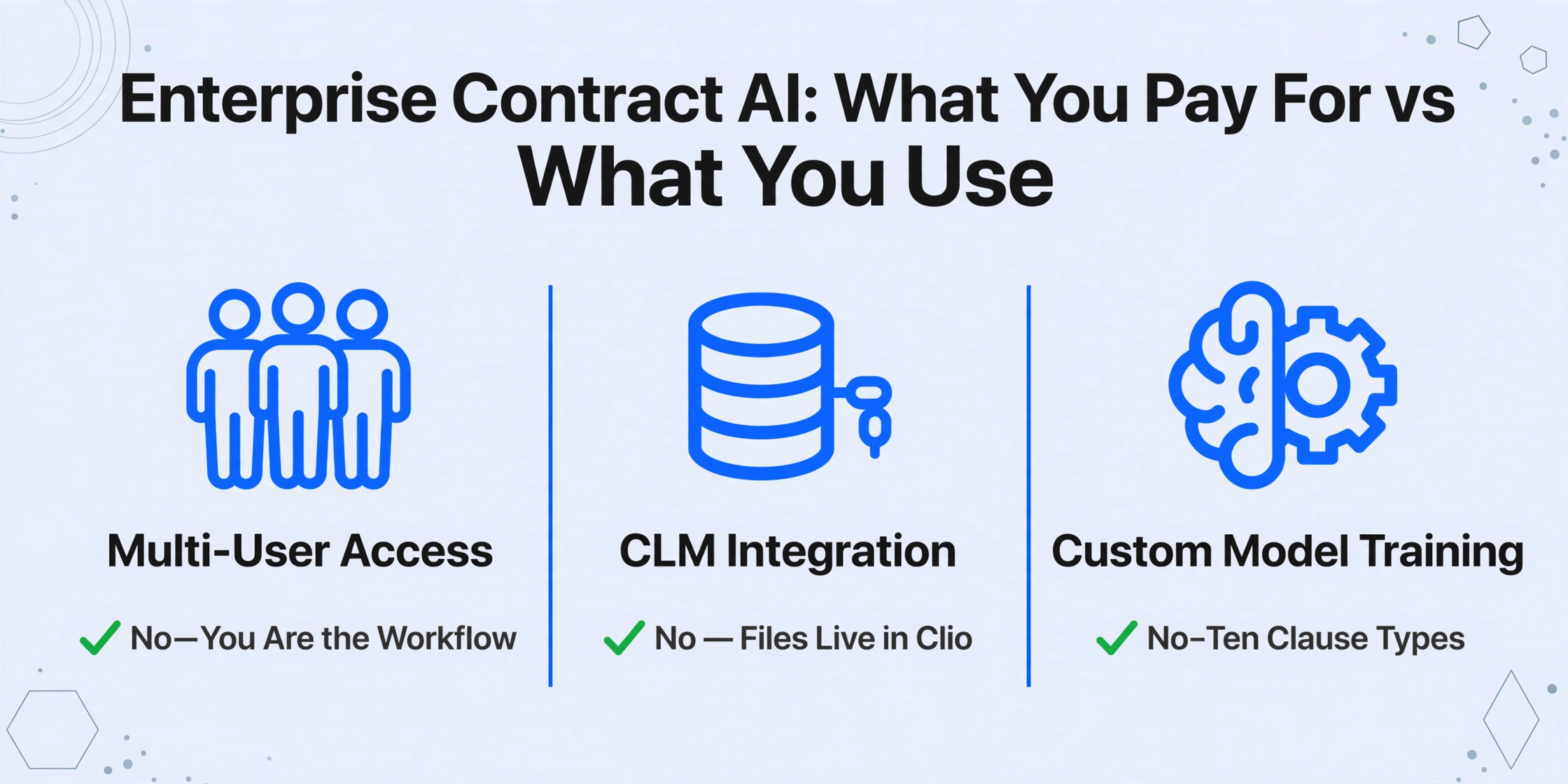
| Multi-user role-based access | Defines who can review, approve, or escalate contract exceptions across departments | No — you are the review, approval, and escalation workflow |
| CLM/document management integration | Bidirectional sync with iManage, NetDocuments, SharePoint | No — your contracts live in Clio, MyCase, or a folder on your desktop |
| Custom ML model training per clause type | Train the system to recognize your organization's specific clause language across thousands of precedents | No — ten clause types, not fifty, and the language varies per client rather than per corporate playbook |
| SSO/SAML authentication | Enterprise identity management across the firm | No — one login, one user |
| Obligation extraction and deadline tracking | Parse ongoing obligations across the contract portfolio with automated calendar triggers | Possibly useful, but achievable with a simpler approach |
None of these features are useless. They are essential for the buyer they were built for. The problem is that contract AI vendors have not built a product for the buyer who processes thirty contracts a month and needs ten fields from each. The pricing model assumes you need the entire suite because the customer they designed for does. As we explored in our breakdown of the 2026 document extraction pricing landscape, the gap between the enterprise tier and the budget tier is not about extraction quality — it is about everything else wrapped around the extraction engine.
The Ten Fields a Solo Attorney Actually Extracts From a Contract
A transactional solo attorney reviewing a vendor agreement, an employment contract, or an NDA is not performing the kind of clause-level deep-dive that a BigLaw due diligence team runs across a target company's entire contract portfolio. The task is narrower and more consistent: identify the same set of critical fields across each contract so that the attorney can evaluate risk, compare terms across counterparties, and maintain an organized record of obligations.
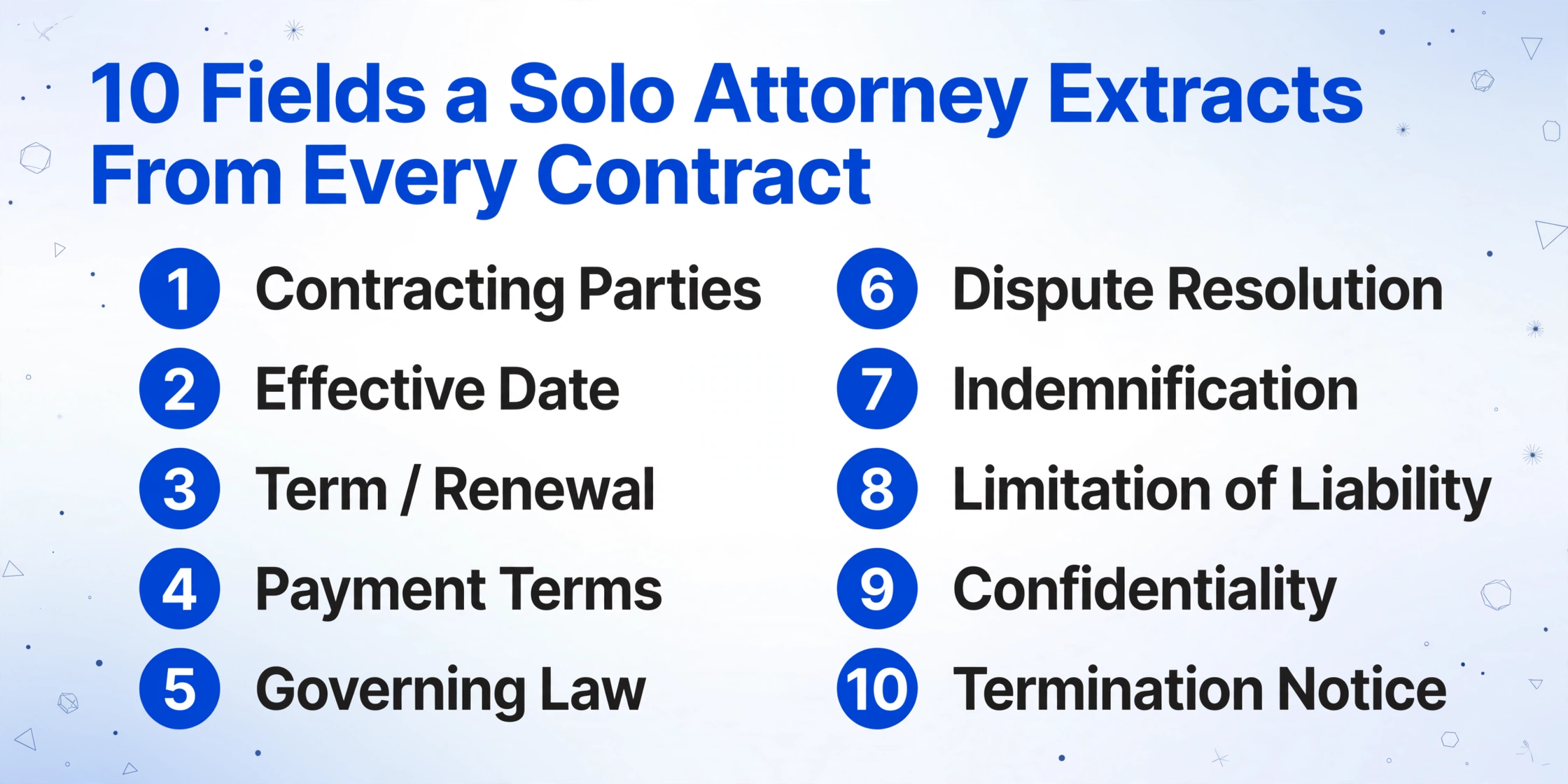
Across a typical solo practice — whether in business transactions, employment law, real estate, or general practice — the fields that matter cluster around a predictable set:
| Field | Why It Matters | Appears In |
|---|---|---|
| Contracting Parties | Correct entity identification; wrong entity = unenforceable agreement | Every contract |
| Effective Date | Triggers performance obligations and statute-of-limitations clock | Every contract |
| Term / Renewal | Auto-renewal clauses are the single most common trap in small-business contracts | Service agreements, leases, vendor contracts |
| Payment Terms | Fee schedule, invoicing cadence, late payment penalties | Vendor agreements, service contracts, employment |
| Governing Law | Determines which state's law applies — critical for forum-selection analysis | Every contract with cross-border or interstate parties |
| Dispute Resolution | Arbitration vs litigation, venue, fee-shifting provisions | Service agreements, employment contracts, commercial leases |
| Indemnification | Scope of indemnity obligation — mutual vs one-way, capped vs unlimited | Vendor agreements, service contracts, construction |
| Confidentiality | Duration, scope, carve-outs for pre-existing or independently developed information | NDAs, employment contracts, partnership agreements |
| Termination | Notice period, termination-for-convenience, cure period for breach | Service agreements, vendor contracts, employment |
| Limitation of Liability | Cap amount and whether it excludes certain categories of damages | Vendor agreements, SaaS contracts, service agreements |
This is not a list of fifty clause types that require a trained NLP model to classify. It is a short, stable set of fields that recur across most contracts in most practice areas. If a solo attorney reviews twenty contracts in a month — a realistic volume for an active transactional practice, lower for a litigation-focused firm that still handles engagement letters and settlement agreements — the extraction task for each contract is the same ten questions, asked twenty times.
The enterprise tools are built to answer different questions: "Does clause 14.2(b) of this 300-page M&A agreement deviate from our standard playbook language, and if so, how does the deviation score against 14,000 precedent clauses in our trained model?" That is a real and valuable analysis. It is also not what a solo attorney asks while reviewing a ten-page commercial lease or a standard vendor agreement.
Custom Column Extraction: Tell the AI Which Clauses to Find
The feature that bridges the gap between enterprise contract AI and a solo practice budget is called Custom Column Extraction. The mechanism is straightforward: you type the names of the fields you want extracted — "Governing Law," "Indemnification Scope," "Termination Notice Period" — and the AI locates each corresponding value in each document by understanding what the clause means, not where it sits on the page. Unlike template-based tools that require you to draw boxes around each field and save a layout for each contract type, Custom Column Extraction works across any contract format without configuration per document.
This is the critical difference from both enterprise contract AI and template-based OCR. Template tools memorize a position — "governing law always appears in the bottom-right paragraph of page 7" — and fail the moment a counterparty uses a different format. Enterprise NLP suites learn a corpus of clause language across thousands of similar contracts and build a classification model. Custom Column Extraction sits between them: it uses a vision language model to read the full document and locate semantically matching content, reacting to the actual text on each page rather than a pre-trained classification. You are not training a model — you are telling the AI what to look for, contract by contract.
For a solo attorney, this means you can batch-upload a stack of vendor agreements, type the ten field names above into the column headers, and receive a single spreadsheet with each contract's fields populated in rows. There is no template to build, no model to train, and no per-contract-type setup. The same column list works for NDAs, service agreements, and employment contracts because the AI reads each document independently rather than matching against a layout template.
Files are processed securely and not stored.
If your practice involves a high volume of contracts that share a predictable format — say, fifty identical franchise agreements a month — a convert page covering contract data extraction to Excel walks through the full workflow from document types to output structure.
What $19 Covers vs What $500 Covers
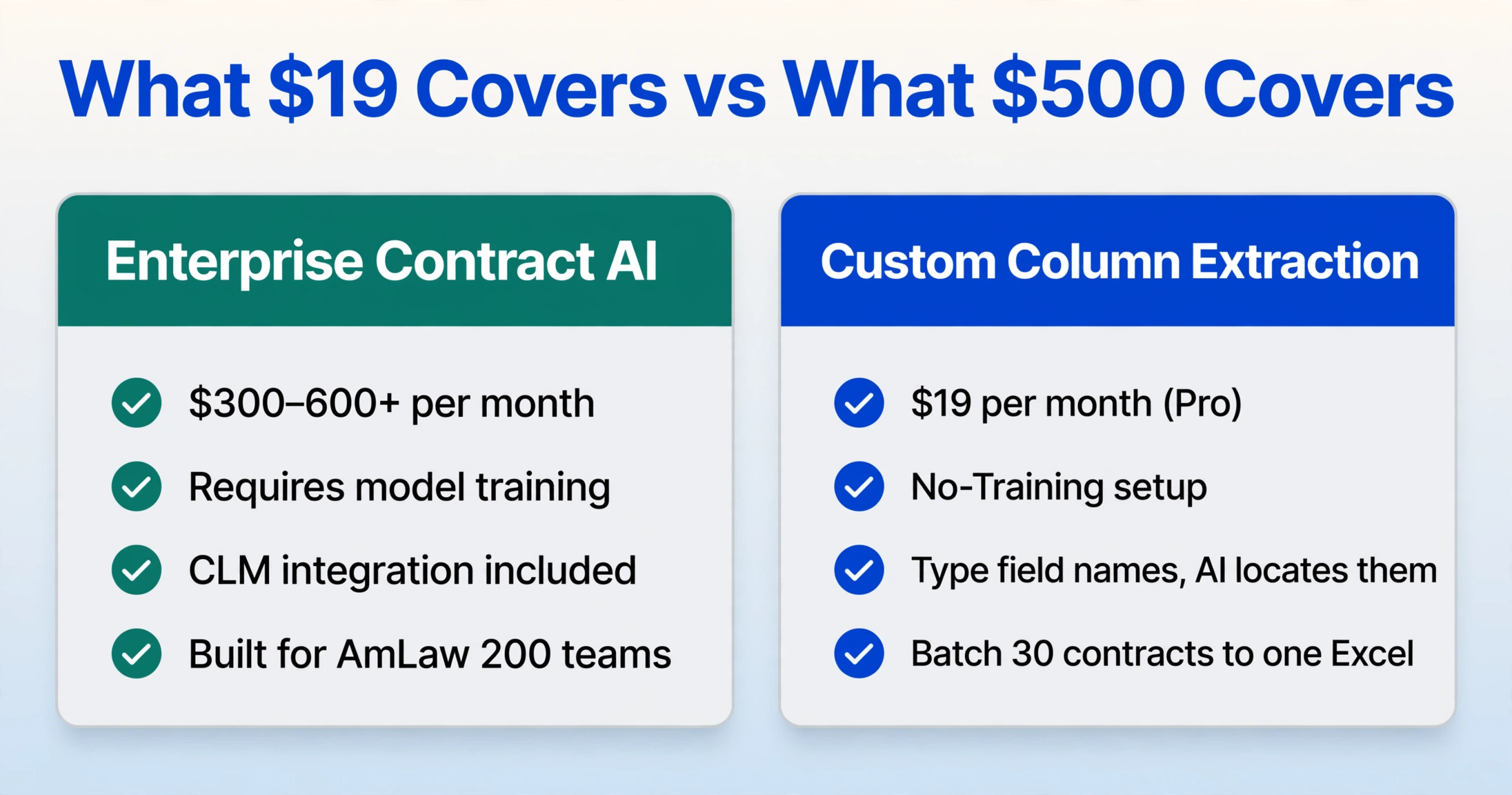
The price difference between ImageToTable.ai's Pro plan at $19 per month (400 credits, roughly equivalent to 400 pages) and Kira's approximately $500 per month comes down to one question: are you buying a contract-specialized AI platform, or are you buying document extraction that happens to handle contracts well?
| Capability | Enterprise Contract AI ($300–600+/mo) | Custom Column Extraction ($19/mo Pro) |
|---|---|---|
| Extract party names, dates, payment terms from any contract PDF | Yes — after clause-type model training/configuration | Yes — type the field name, AI locates it per document |
| Batch process thirty contracts into a single spreadsheet | Yes | Yes — upload multiple files, merge to one Excel |
| Handle scanned contracts, PDFs, and image-based documents | Yes — OCR preprocessing pipeline | Yes — vision language model reads the document directly |
| Compare individual clauses against a trained playbook of standard language | Yes — core feature | No — no playbook comparison or deviation scoring |
| Suggest alternative clause language | Yes — some tools offer AI clause drafting | No — extraction only, no drafting |
| Obligation tracking with automated deadline alerts | Yes — CLM-integrated | No — output is a spreadsheet; calendaring is manual |
| Third-party risk scoring / counterparty analysis | Yes — some tools integrate external data | No |
| Per-contract-type template setup | Often required | Not required — same column list works across contract types |
| Monthly cost for a solo attorney reviewing 30 contracts | $300–600+ | $19 (Pro plan, 400 credits) |
The dividing line is clear. If your practice involves negotiating against a standard clause playbook — you need the AI to flag when the counterparty's indemnification language deviates from your firm's preferred wording by more than a defined tolerance — enterprise contract AI earns its price tag. That use case requires a trained clause-classification model and a deviation engine, neither of which a general document extraction tool provides.
If your practice needs the ten fields in the table above, extracted from twenty to forty contracts a month into a reviewable spreadsheet, the enterprise tool is not delivering incrementally better extraction. It is delivering a different product category at a different price, for a different workflow. This is the same structural pricing disconnect we mapped in the guide to document extraction without enterprise contracts: the monthly subscription model exists because the buyer is an organization, and the minimum commitment reflects the sales process required to land an organizational buyer, not the cost of the technology.
For a solo practice, the pay-as-you-go vs subscription decision comes down to volume predictability. At thirty contracts per month, the $19 Pro plan with 400 monthly credits provides roughly thirteen credits per contract — more than enough to extract ten fields per document with credits to spare. The economics only break down when the extraction scope per contract expands to the point where the credit consumption exceeds the plan allocation, which for a solo practice extracting ten fields is unlikely to occur.
Where Contract Extraction Fits Into Your Existing Practice Management
Clio, MyCase, PracticePanther, and Smokeball solve a different problem. They manage cases, track billable hours, store client communications, and generate invoices. They do not extract data from contracts. A solo attorney who already uses Clio at $39 to $125 per month is not replacing Clio with contract extraction — the two functions are complementary.
The practical workflow is: receive a contract from opposing counsel or a client via email → save the PDF locally → batch-upload the week's contracts to the extraction tool with the ten field columns defined → receive a spreadsheet with all fields populated → review the spreadsheet for anomalies before importing key fields into Clio case notes or the client file. The extraction step replaces the manual process of opening each contract, reading through to locate the governing law clause, and typing "Delaware" into a spreadsheet. It does not replace legal judgment. The attorney still reviews the output, and the ABA Model Rules of Professional Conduct Rule 1.1 Comment [8] is explicit that technology competence means understanding the benefits and limitations of the tools you use — not that you must delegate judgment to them.
This distinction — extraction as a supplement to practice management, not a replacement for either — is one the enterprise contract AI market has blurred. Ironclad and Evisort position themselves as all-in-one CLM platforms that manage the full contract lifecycle from drafting through negotiation to renewal. A solo attorney does not need a CLM platform. The one-tool-versus-multiple cost analysis we published earlier applies here too: bundling extraction with practice management into a single tool forces you to pay for the management half, whether or not your existing Clio subscription already covers it.
For solo attorneys on a tight technology budget, the broader question of how document extraction fits into an independent practice's tool stack — alongside the invoices, receipts, and bank statements that also need processing — is covered in our guide to document extraction on a freelancer budget. The principles are the same: identify the ten fields you actually need, find a tool priced for your volume rather than your industry's largest firm, and treat the spreadsheet as the input to judgment, not the substitute for it.
FAQ
Can AI extraction handle scanned contracts and PDFs, not just digital documents?
Yes. ImageToTable.ai uses a vision language model that reads the document visually — it processes the pixels on the page the way your eyes do — rather than extracting embedded text layers. This means it handles scanned contracts, PDFs created from photocopies, and even photographs of physical contracts taken with a phone. Handwritten annotations in the margins may be read with lower accuracy than printed text, but the core printed content of scanned documents is extracted at the same accuracy as digital PDFs.
Do I need a different template for each type of contract — NDAs vs employment agreements vs vendor contracts?
No. Because Custom Column Extraction uses semantic understanding rather than template matching, the same set of column names — "Effective Date," "Governing Law," "Indemnification" — works across different contract types. The AI locates each field by understanding what the clause means, not by remembering where it appeared in a previous document. An NDA, an employment contract, and a vendor agreement can all be processed in the same batch with the same column definitions.
Can the tool compare extracted clauses against a standard playbook?
No. This is the dividing line between affordable extraction and enterprise contract AI. ImageToTable.ai extracts the text of the indemnification clause into your spreadsheet. It does not score the clause against your preferred language or flag deviations. You read the extracted clause and apply your own judgment. If automated playbook comparison is a hard requirement for your practice, a tool like Kira or Diligen is the appropriate category — and the $300-to-$600 monthly price reflects that capability.
How many contracts can I process in a month on the $19 Pro plan?
The Pro plan includes 400 credits per month, with each page consuming one credit. If your average contract is ten pages and you extract ten fields from each, you can process approximately forty contracts per month. Shorter contracts — three-to-five-page NDAs or engagement letters — increase the count. Longer contracts reduce it. The credit counter is visible in the dashboard so you can monitor usage throughout the month.
Is the data secure and compliant with attorney-client confidentiality obligations?
Files are processed in transit and deleted after processing. They are not stored, not used for model training, and not accessible to anyone other than the account holder. For detailed handling, see the platform's privacy policy. The tool is SOC 2 compliant for data processing. For practices subject to specific state bar technology ethics opinions — several state bars have issued guidance on cloud-based legal technology — the key consideration is whether the processing model (transmit, extract, delete) satisfies the reasonableness standard under your jurisdiction's rules. Most state bar opinions to date have found that transient cloud processing with no data retention falls within the scope of reasonable technological competence provided the attorney has reviewed the vendor's data handling practices.
What about contracts in foreign languages or with mixed-language clauses?
The vision language model supports multiple languages including German, French, Spanish, Portuguese, Japanese, and Korean. A contract written entirely in French will be extracted with French field text preserved. A contract with a choice-of-law clause in English and the remainder in German extracts both. Mixed-language documents within the same contract are supported, though accuracy may be slightly lower than single-language documents, particularly for fields that appear near language transitions.
Where does this fit alongside tools like Clio or MyCase?
Contract extraction is an input to your practice management system, not a replacement for it. The typical workflow is: extract contract fields into a spreadsheet → review the spreadsheet for accuracy and flag exceptions → enter the verified data into Clio case notes, custom fields, or the client's matter file. Extraction handles the data-capture step that would otherwise require reading through each contract and manually typing ten fields into a spreadsheet. Judgment, client advice, and matter management remain with you and your practice management software.
Ten fields per contract, thirty contracts a month, one spreadsheet. The tool doesn't need to do more than your practice requires.
Try Contract Extraction