What Is HR Contract Management Extraction?
Employee Onboarding Data Automation
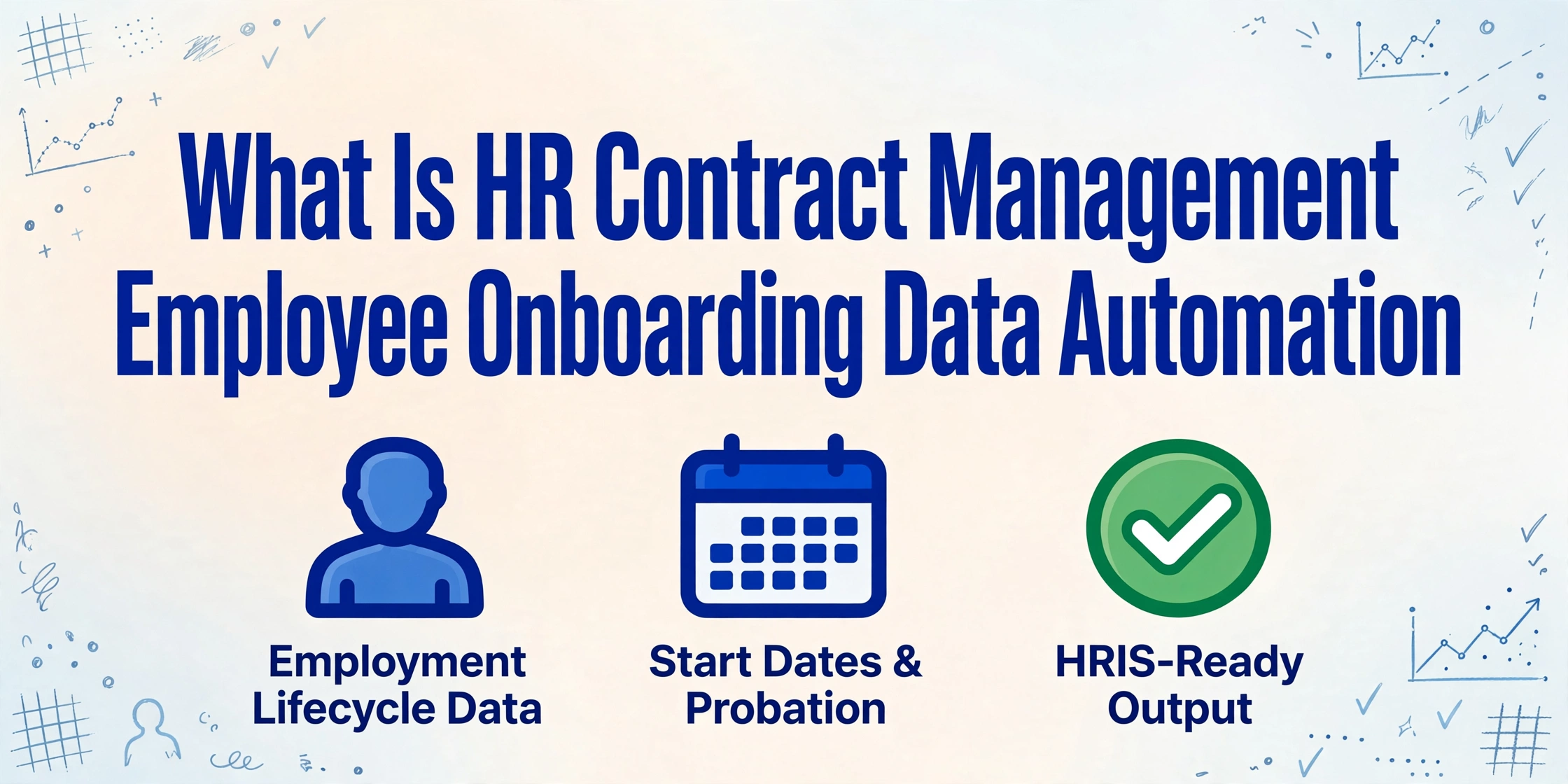
HR contract management extraction is the automated process of reading employee-specific data fields — start date, job title, salary, bonus structure, probation period, benefits eligibility, non-compete scope, notice period, and visa status — from signed employment agreements and offer letters, and outputting them as structured rows ready for HRIS entry, payroll setup, and onboarding workflow triggers. It sits at the point where a signed PDF needs to become data in Workday, BambooHR, or SAP SuccessFactors — and it replaces the manual step where an HR specialist opens each document and retypes the same fields one by one.
What HR Contract Management Extraction Actually Is
HR contract management and general contract management sound like they describe the same activity — and at the document level they do: both involve tracking agreements, deadlines, and obligations. But the similarity ends at the folder structure. General contract management — the kind operated by legal and procurement teams — tracks commercial terms: counterparty names, contract values, renewal windows, governing law, and indemnification caps. Its goal is risk management across a portfolio of vendor agreements, MSAs, and partnership deals.
HR contract management tracks something fundamentally different: employment lifecycle data. An employment agreement is not a commercial arrangement the way a vendor MSA is. It carries start dates that determine when payroll begins. It carries salary bands and bonus targets that determine what lands on the first pay stub. It carries probation periods that create hard review deadlines — miss a 90-day probation review and a poorly performing employee passes the threshold into permanent employment status automatically in some jurisdictions. It carries non-compete clauses whose scope determines whether a departing engineer can join a competitor next month or must sit out for a year. And it carries notice periods that HR needs to know before an employee resignation letter arrives — because a senior director on a 12-week notice period creates a very different transition timeline than an associate on two weeks.
The extraction half — what makes this a data problem rather than just a document problem — is that every one of those fields lives inside a signed PDF. It exists on the page but not in any system. Contract data extraction as a general capability solves this for any agreement type. HR contract management extraction is the specific application tuned to employment fields: the column headers are "Employee Name" and "Start Date" and "Probation Period End," not "Party A" and "Effective Date" and "Termination Clause."
The distinction matters because the downstream use is different. A legal team extracts a governing law clause to assess litigation risk across a portfolio. HR extracts a start date to make sure the employee gets paid on day one. Both are extraction. But one feeds a risk register and the other feeds a payroll system — and the field schemas, accuracy thresholds, and output formats are different enough that configuring a legal extraction tool for HR work creates more friction than it removes.
HR Contract Extraction vs Legal Contract Extraction: Why the Same Technology Serves Different Questions
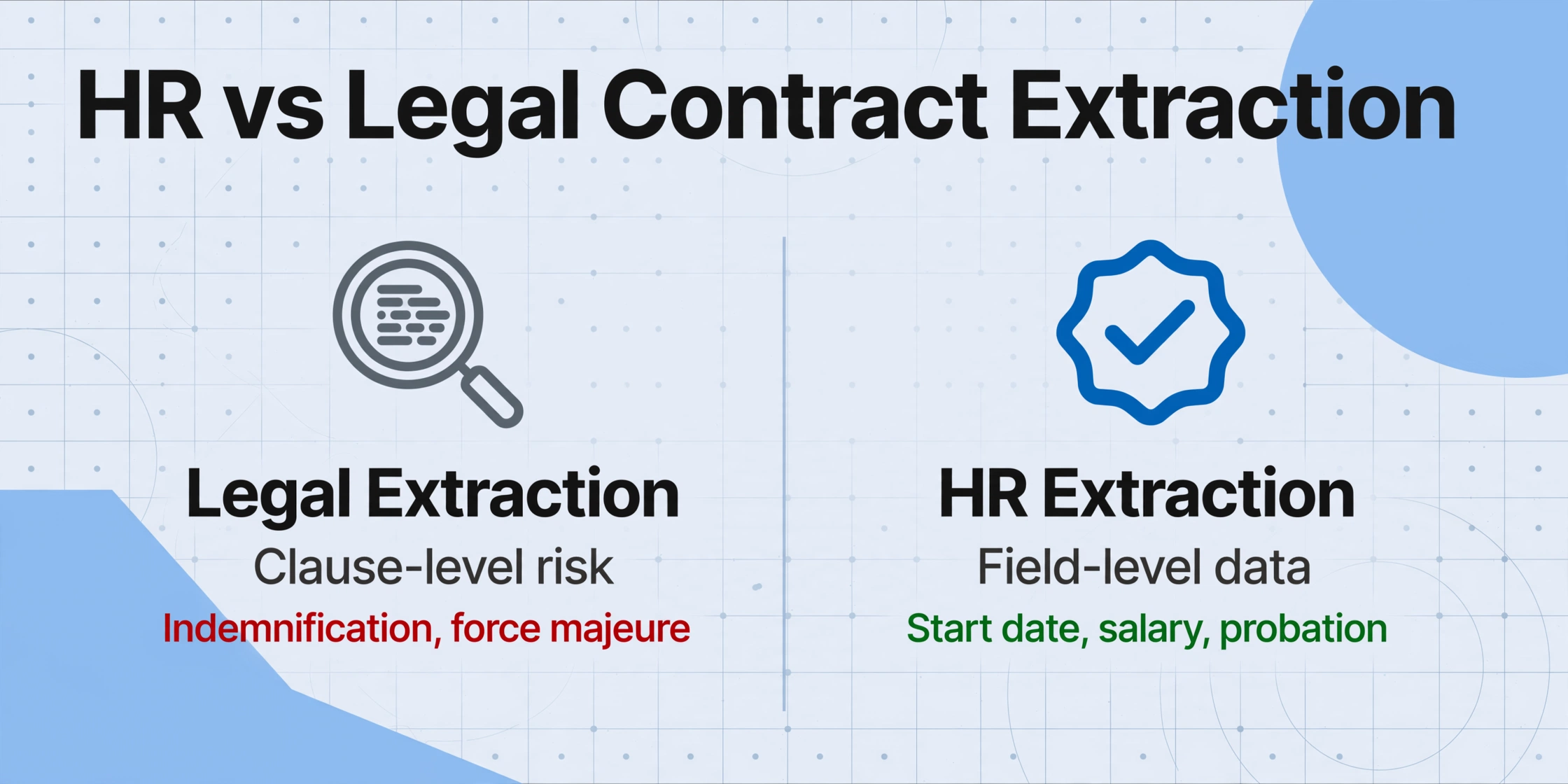
Both HR and legal teams extract data from contracts. Both can use the same semantic AI technology to do it. But the fields they extract and the questions those fields answer are so different that comparing them as "the same thing" obscures what each actually needs.
Legal contract extraction operates at the clause level. A legal team reviewing an acquisition target's contract portfolio needs to know: which agreements contain an uncapped indemnification clause? Which have a change-of-control provision that would trigger automatic termination upon acquisition? What is the governing law for our 50 most valuable vendor contracts? These are risk assessment questions. The extraction targets are dense multi-paragraph legal provisions — indemnification, limitation of liability, force majeure, assignment, confidentiality — whose boundaries shift across agreements and whose language requires interpretation. Legal contract extraction answers portfolio-level risk questions, and its output typically feeds a CLM database or a due diligence report.
HR contract extraction operates at the field level. An HR team processing 30 new hire agreements after a recruiting push needs to know: what is each employee's start date so we can schedule orientation? What is the salary so we can set up payroll? What is the probation period end date so we can schedule the review conversation? What is the benefits eligibility date so we can enroll the employee in the health plan? These are operational data entry questions. The extraction targets are short, discrete values — $85,000, "2026-08-15", "3 months from start date" — that map directly to fields inside an HRIS. The output feeds a CSV import into Workday, not a risk register.
| Dimension | HR Contract Extraction | Legal Contract Extraction |
|---|---|---|
| Primary fields | Employee name, start date, salary, probation, benefits, non-compete, notice period | Governing law, indemnification scope, liability caps, force majeure, assignment, termination |
| Output format | Row per employee, columns for HRIS fields → CSV import | Row per contract, clauses as tagged text → CLM / due diligence report |
| Question answered | "What data goes into our people systems?" | "What risk exists in our contract portfolio?" |
| Downstream consumer | HRIS, payroll, benefits admin, onboarding workflows | Legal team, compliance, M&A diligence, CLM repository |
| Success metric | Fields correct on first pay cycle | No material risk missed during review |
Both are valid, and some organizations need both. But buying a legal extraction tool and expecting it to efficiently populate an HRIS — or buying an HR extraction tool and expecting it to identify uncapped indemnification clauses — means configuring a tool for a use case it was not designed to serve. The technology overlaps, but the field schemas and output formats do not.
How HR Contract Management Extraction Works
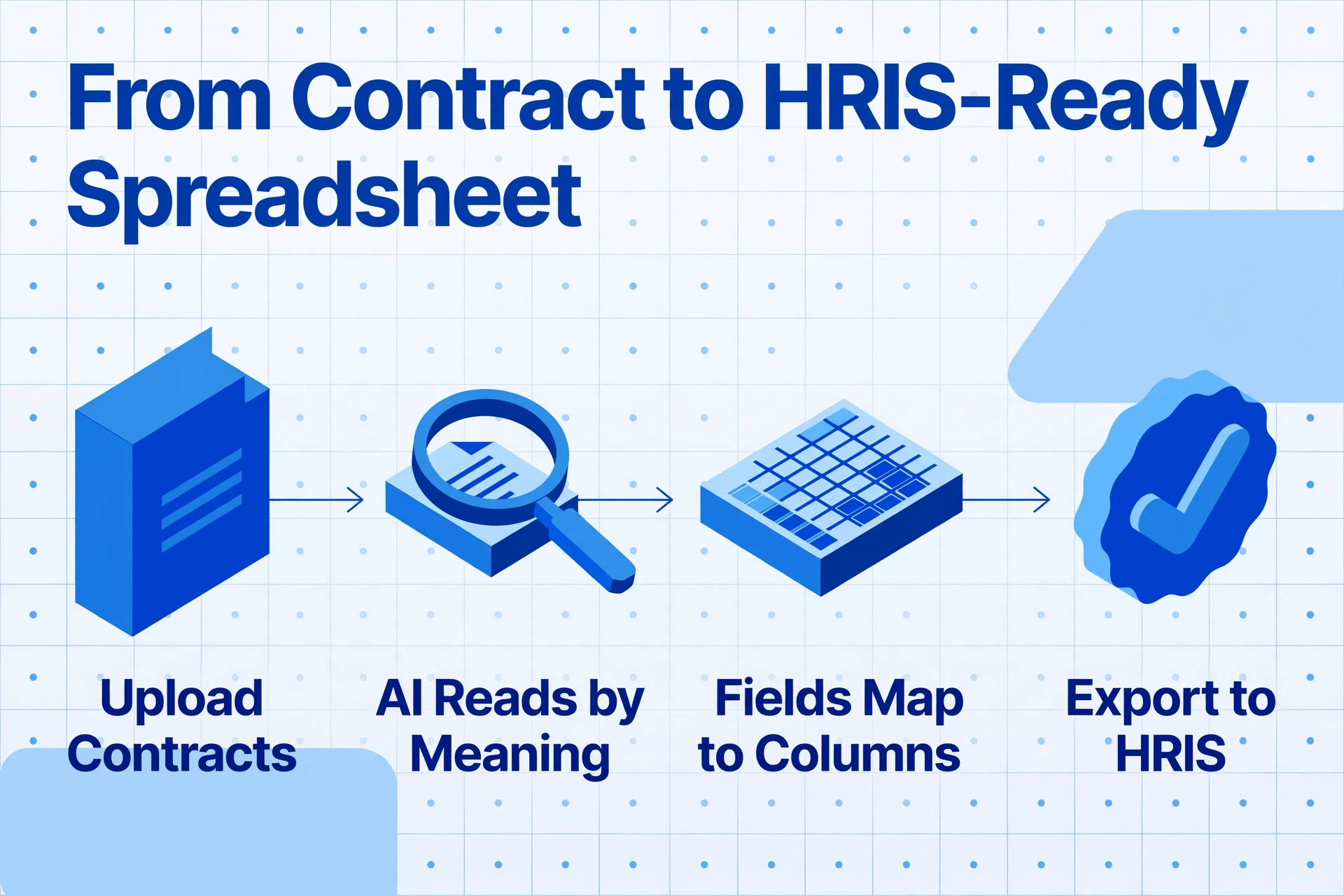
The interface is simple — upload documents, name the fields you want, get back a spreadsheet. But the mechanism behind it determines whether extraction works consistently across the employment agreement formats your organization actually uses.
Template-based extraction — the approach used by older tools and many CLM platforms — requires you to define where each field sits on the page. "Start Date is the date on page 1, below the header, three lines after 'This Agreement.'" The problem is that your own company's offer letter template shifts when Legal updates standard language — a new paragraph added to the compensation section pushes "Salary" from line 14 to line 19, and the template silently extracts the wrong figure. Multiply this by the different employment agreement formats across departments, job levels, and countries, and template maintenance becomes the bottleneck instead of the solution.
Semantic extraction — the approach used by modern AI tools — works by meaning, not position. You tell the system what fields you want, not where they sit on the page. This is Custom Column Extraction: you type the column names that match your HRIS fields — "Employee Name," "Job Title," "Start Date," "Salary," "Probation Period," "Notice Period," "Benefits Tier," "Non-Compete Scope" — and the AI reads every page of every contract, identifies each value by understanding what it means in context, and maps it to the correct output column. You define the output. The AI reads the input. The same approach works across a two-page offer letter and a fifteen-page executive employment agreement with exhibits, across offer letters that label salary "Compensation" and those that label it "Remuneration," and across probation periods stated as "90 calendar days" or "3 months from the start date."
Upload Employment Agreements
Drop in signed offer letters, employment contracts, and amendment PDFs — single or in batch. A single agreement or thirty from a hiring push, the same process applies. The AI reads the document visually, not by parsing a text layer, so scanned wet-signed PDFs and digital versions are treated identically.
Define Your HRIS Fields
Type the column names that match your system: "Employee Name," "Start Date," "Job Title," "Annual Salary," "Probation Period," "Notice Period," "Benefits Eligible Date," "Non-Compete Scope." These become your output spreadsheet headers. The same field names work across every contract format — no template setup, no zone-drawing, no training required.
AI Maps Values by Semantic Role
The vision model reads every page of every contract. It finds the start date on page 1 of one agreement and inside an exhibit on page 8 of another — both land in the same "Start Date" column. It distinguishes base salary from signing bonus and bonus target, mapping each to the correct field. It reads probation language as "three months" or "90 calendar days" and normalizes both to the same date-based output.
Export or Load into Your People Systems
Download as Excel, CSV, or JSON — or write directly into Google Sheets. Each employee gets one row with every field in its own column. The output maps directly to your HRIS import format: instead of typing 12 fields per employee across 30 hires, you upload one file. The employment contract to Excel tool runs this exact workflow end to end.
Files are processed securely and not stored.
When HR Teams Reach for Contract Extraction
Not every HR department needs automated extraction. A team hiring three people a month can type forty-something fields into the HRIS in under an hour. Extraction becomes worth it at the volume and time-pressure thresholds where manual entry stops being a minor chore and starts consuming entire workdays or creating compliance risk. Here are the three most common triggers:
1. Batch hiring and seasonal onboarding. A retailer staffing 80 seasonal employees before the holiday quarter. A healthcare provider onboarding 40 nurses for a new clinic opening. A tech company ramping a 30-person engineering team after a funding round. Each new hire generates a signed employment agreement whose data needs to reach payroll, benefits, and IT access provisioning — often within tight compliance windows. I-9 verification is due within three business days of the start date under federal law. When 30 contracts arrive in the same week and each needs 12 fields manually typed, the data entry alone consumes three to four full workdays — and the compliance clock is ticking from day one. Extraction collapses that to a single upload cycle, and for hiring waves at that scale the batch workflow for offer letters and contracts is the version worth reading first.
2. Contract lifecycle events that create cascading dates. An employment agreement is not a one-time data entry event. Its start date triggers payroll setup. Its probation period creates a review deadline that someone must schedule. Its benefits eligibility date determines when health coverage begins. Its end date (for fixed-term contracts) determines when renewal action is needed. Its notice period defines the transition timeline when a resignation arrives. Manual tracking across twenty such agreements scattered across different PDFs means each date is a separate retrieval exercise. Extraction makes every date a column in a spreadsheet — filterable, sortable, and auditable without opening a single document. For the tracking side of this problem — why HRIS and CLM tools both miss employment contract timelines — see why HR teams still track contract expiry dates in a spreadsheet.
3. Compliance audit preparation. Annual HR audits — or pre-acquisition due diligence — require answering questions like: which employment agreements contain non-compete clauses and what is their geographic scope? Which contractor agreements carry an exclusivity provision that could affect classification under California AB5? Which fixed-term contracts expire in the next 90 days? These questions have answers, but those answers exist inside individual PDFs, not in any dashboard. Extraction surfaces the data so HR can answer audit questions in minutes rather than days of document-by-document review.
What to Look For in an HR Contract Extraction Tool
Extraction tools vary significantly in whether they are built for HR workflows or adapted from legal-contract platforms. Here are the criteria that distinguish tools that solve the problem from tools that create template-maintenance work:
Template-free, zero-setup extraction. An extraction tool that asks HR to define zones on sample contracts or train models on ten employment agreement samples isn't reducing work — it's trading one manual task for another. Employment agreement formats vary by employer, job level, geographic region, and update cycle. A template-free tool reads the document by understanding what each field means semantically, not by memorizing where it last appeared. If your tool requires setup before first use, the setup will need re-doing when your offer letter template changes next quarter.
Employment-field-aware extraction, not legal-clause extraction. Many extraction platforms were built for legal departments and optimized to find "indemnification" and "limitation of liability." HR needs a tool that recognizes employment-specific distinctions: the difference between a start date and a signature date, between base salary and a total compensation figure that includes bonus, between a probation period measured in months and one measured in calendar days, and between a non-compete clause and a confidentiality clause. Test the tool on your actual employment agreements — not a generic NDA or MSA.
Compensation structure parsing. Some employment agreements combine base salary, bonus target, equity grants, and signing bonuses into a single "total compensation" paragraph. Others separate them into individual sections, often in table format. A tool that extracts "$150,000" as "salary" but misses the adjacent 3-row bonus structure (quarterly target, annual cap, performance multiplier) is giving you an incomplete compensation picture. Test on an agreement that contains a structured compensation table — not just a flat salary line.
Batch processing with unified output. Thirty employment contracts should produce one spreadsheet — 30 rows, one per employee — not 30 separate extraction jobs that someone has to merge by hand. Batch-first design means the output is a single table you can sort by start date, filter by department, and review for completeness immediately. If the tool processes files one at a time, it has not eliminated the merge step — and the merge step is where manual error re-enters the process.
Frequently Asked Questions
Does HR contract extraction work with offer letters, or only full employment contracts?
Both. Offer letters are typically shorter (2-3 pages) with clearly labeled fields, making them easier to extract from with high accuracy. Full employment contracts are longer (5-15+ pages) and may bury salary, benefits, probation, and notice terms inside exhibits and schedules. A good extraction tool handles both without different setup — the main difference is that longer contracts contain more data spread across more pages, so the extraction takes slightly longer but the field count per employee may also increase.
Can extraction tools distinguish between base salary, signing bonus, and equity compensation?
Generally yes, when the document separates them into clearly labeled sections. Most employment agreements use distinct headers for "Base Salary," "Signing Bonus," and "Equity Grant," which a semantic extraction tool can map to separate output columns. The harder case is when compensation is presented as a combined total ("Employee shall receive $180,000 total compensation, consisting of $140,000 base salary and up to $40,000 in performance bonuses") — here the AI can still parse the components, but accuracy depends on how cleanly the language separates the figures. Defining separate columns for each compensation component as a best practice helps the AI know what to look for.
Does extraction handle scanned or hand-signed PDFs, or only digital documents?
Vision-based extraction tools read the visual appearance of the page, not an embedded text layer. A scanned contract from a printer, a wet-ink-signed PDF, and a DocuSign-processed attachment are all read the same way. The limiting factor is image quality: if the scan is so faded, skewed, or low-resolution that a person would struggle to read it, the AI will too. Most modern employment agreements — even signed copies — are clear enough to extract from reliably.
How does HR contract extraction differ from general contract data extraction?
General contract extraction targets commercial and legal fields: counterparty name, effective date, contract value, governing law, termination terms. HR contract extraction targets employment-specific fields: employee name, job title, start date, salary, probation period, benefits eligibility, non-compete scope, notice period. The underlying technology is the same — semantic AI reading documents — but the field schemas and output formats are tuned for different downstream systems. A general extraction spreadsheet contains columns like "Party A" and "Effective Date." An HR extraction spreadsheet contains "Employee Name" and "Start Date" and "Probation Period End." For the full technical picture of the general capability, see what contract data extraction is.
Can I use HR extraction for contractor agreements to support worker classification compliance?
Yes, with the understanding that extraction outputs data — not legal determinations. You can extract fields relevant to classification: exclusivity language, equipment provision, payment structure (hourly vs project), control indicators, and relationship duration. Systematic extraction turns a qualitative audit problem — "are any of our contractor agreements at risk of misclassification?" — into a filterable spreadsheet where you can review by risk indicator. The legal classification decision still belongs to HR and legal counsel, but extraction removes the reading-and-finding bottleneck that makes systematic review impractical beyond a handful of agreements.
How long does extraction take for a batch of 50 employment agreements?
Modern batch-oriented tools process each agreement in a few seconds — 50 contracts typically finish in 5-10 minutes and return a single unified spreadsheet. For comparison, manually extracting 12 fields from a single multi-page employment agreement takes an experienced HR specialist 5-7 minutes. Fifty contracts at that rate is 4-6 hours of continuous typing — and accuracy declines measurably after the first hour as fatigue compounds. The time comparison is less about speed and more about what that 4-6 hours could otherwise be: reviewing benefit elections, responding to employee questions, or preparing for the next onboarding cohort.
Do I need an HRIS integration for contract extraction to work?
No. You can download extracted data as Excel or CSV and import it into any HRIS that supports bulk employee data import — Workday, BambooHR, ADP, SAP SuccessFactors, Rippling, and most others do. The extraction output is a structured file: one row per employee, one column per HRIS field — ready to upload. An API integration, if available, removes the manual upload step, but it is not required to get value from extraction. The minimum viable workflow is: extract → download → import — and that works today without any system integration.
Where to Go From Here
HR contract management extraction solves a specific, measurable problem: the gap between the signed PDF on your desktop and the database record inside your HRIS. Every field — start date, salary, probation end, notice period, benefits eligibility — already exists on the page. It just does not exist in a format the system can consume. The manual re-typing that fills this gap is not a judgment task. It is a data transfer task that software has been capable of performing for years — and the semantic AI models available today make it possible without the template setup that made earlier attempts impractical.
If your team handles more than a couple dozen employment agreements per quarter and regularly needs to answer questions like "what cohort of new hires starts next Monday?" or "which probation reviews are due this month?" or "which fixed-term contracts need renewal before Q4?", extraction turns those questions from document-by-document searches into sortable spreadsheet columns. Walk through the step-by-step workflow of extracting employment contract fields into an HR spreadsheet to see the exact steps from signed PDF to HRIS-ready table — or upload an employment agreement and see the extraction for yourself to test it on your own document.