One Document Extraction Tool vs Many
The Hidden Cost of Separate Subscriptions
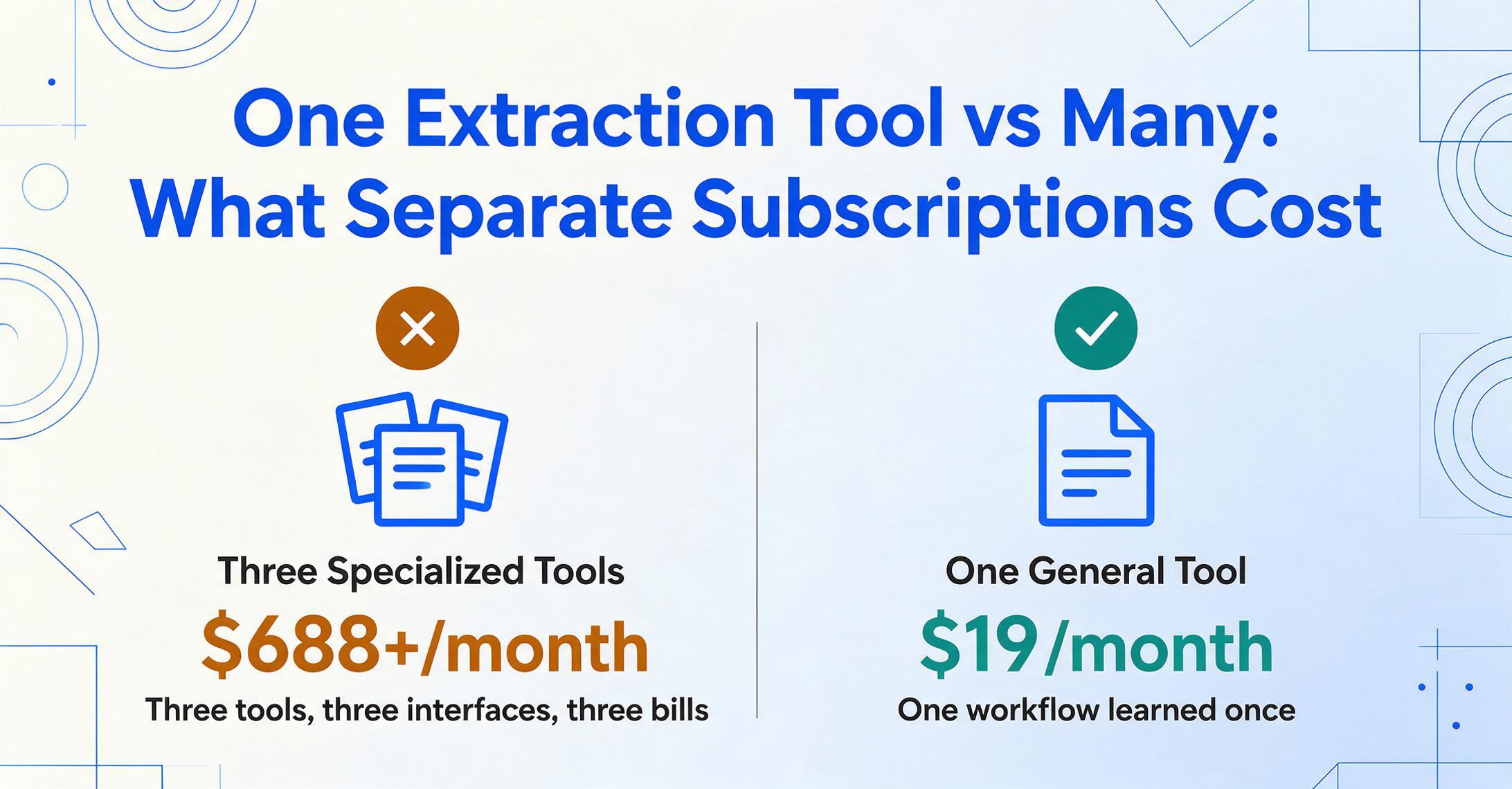
You bought a tool to extract invoice data. It works. Then you realize you also need to process receipts — and bank statements — and maybe purchase orders. The question isn't whether each tool does its job. The question is what three separate subscriptions actually add up to, and whether a single tool that handles all document types gets you to the same place for a lot less.
Key Takeaways
- The document extraction market sells invoices receipts and bank statements as three separate product categories each with its own subscription and its own pricing page.
- Three tools means three incompatible output formats that prevent the one thing that makes extraction useful — comparing a purchase order against the matching invoice in the same spreadsheet.
- ImageToTable.ai at $19 a month handles every document type with the same column-name extraction engine so a PO an invoice and a delivery note land in adjacent columns of a single output file.
The average small business already uses a median of five AI tools across operations, according to the SBE Council's 2026 Small Business Tech Use Survey. Adding one more subscription feels easy. Adding three — one for invoices, one for receipts, one for bank statements — is where the math turns against you. Before you click "subscribe" on a second document extraction tool, here's what the bill actually looks like.
The Real Math: What Three Separate Subscriptions Actually Cost
Document extraction tools don't price the same way. Some charge per page. Some charge per user. Some bundle document types into one plan. But a common pattern in the market is specialization: tools that focus on one document category and charge enterprise rates for it.
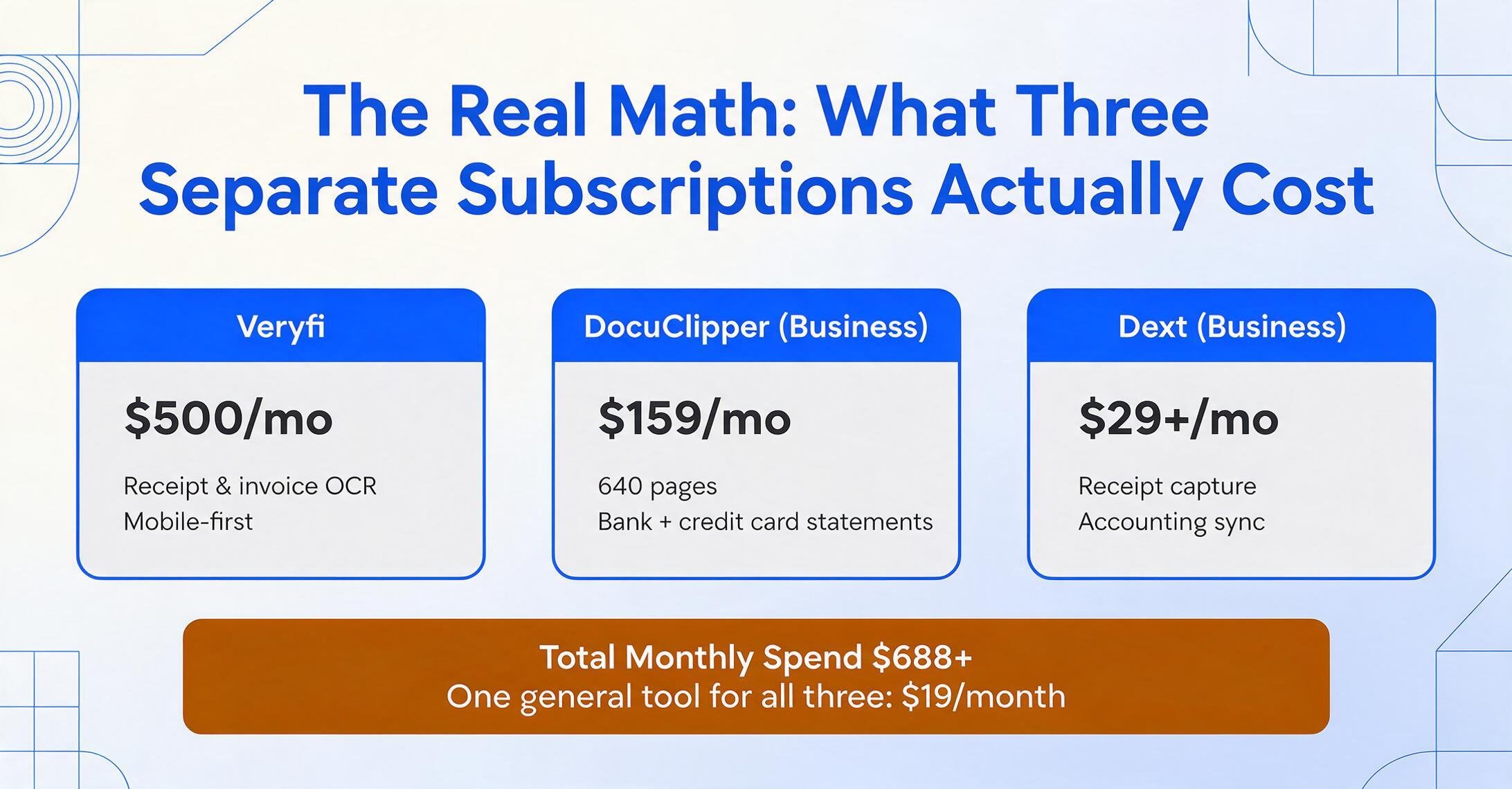
Here's what a three-tool setup looks like at actual market prices. These are real tools, real public pricing pages, as of mid-2026:
| Document Type | Specialized Tool (Example) | Monthly Cost | What You Get |
|---|---|---|---|
| Invoices | Veryfi | $500 | Receipt & invoice OCR, mobile-first |
| Bank Statements | DocuClipper (Business) | $159 | 640 pages, bank + credit card statements |
| Receipts | Dext (Business) | $29+ | Receipt capture + accounting sync |
| Total Monthly Spend | $688+ | Three tools, three interfaces, three bills | |
That's the enterprise-adjacent scenario. A more budget-conscious stack still adds up — Parseur for invoices ($99/mo), DocuClipper Starter for bank statements ($29/mo), and Envoice for receipts ($14/mo) — landing at $142/month for a three-tool setup at the lowest realistic price tier. And that's before any overage charges when you exceed page limits.
Now compare that to a single general-purpose document extraction tool that handles all three document types: $19/month (ImageToTable.ai Pro, 300 credits). The raw subscription difference: 7.5x to 36x.
But subscription cost is only the visible part of the bill. The deeper costs show up in your workflow.
When Specialized Tools Make Sense (And When They Don't)
Specialized tools exist for a reason. A tool built exclusively for invoice processing can offer features a general tool won't: three-way matching (comparing the invoice against the purchase order and the goods receipt to verify what you're paying for), automated GL code assignment, duplicate invoice detection, and approval routing workflows that integrate with your ERP. If you process 2,000 invoices a month across multiple departments and need every one of those features, a specialized AP automation platform is the right purchase.
Similarly, a bank-statement-specific tool like Ocrolus offers fraud detection, cash flow analytics, and income verification built for lending underwriting — capabilities a general extraction tool doesn't attempt.
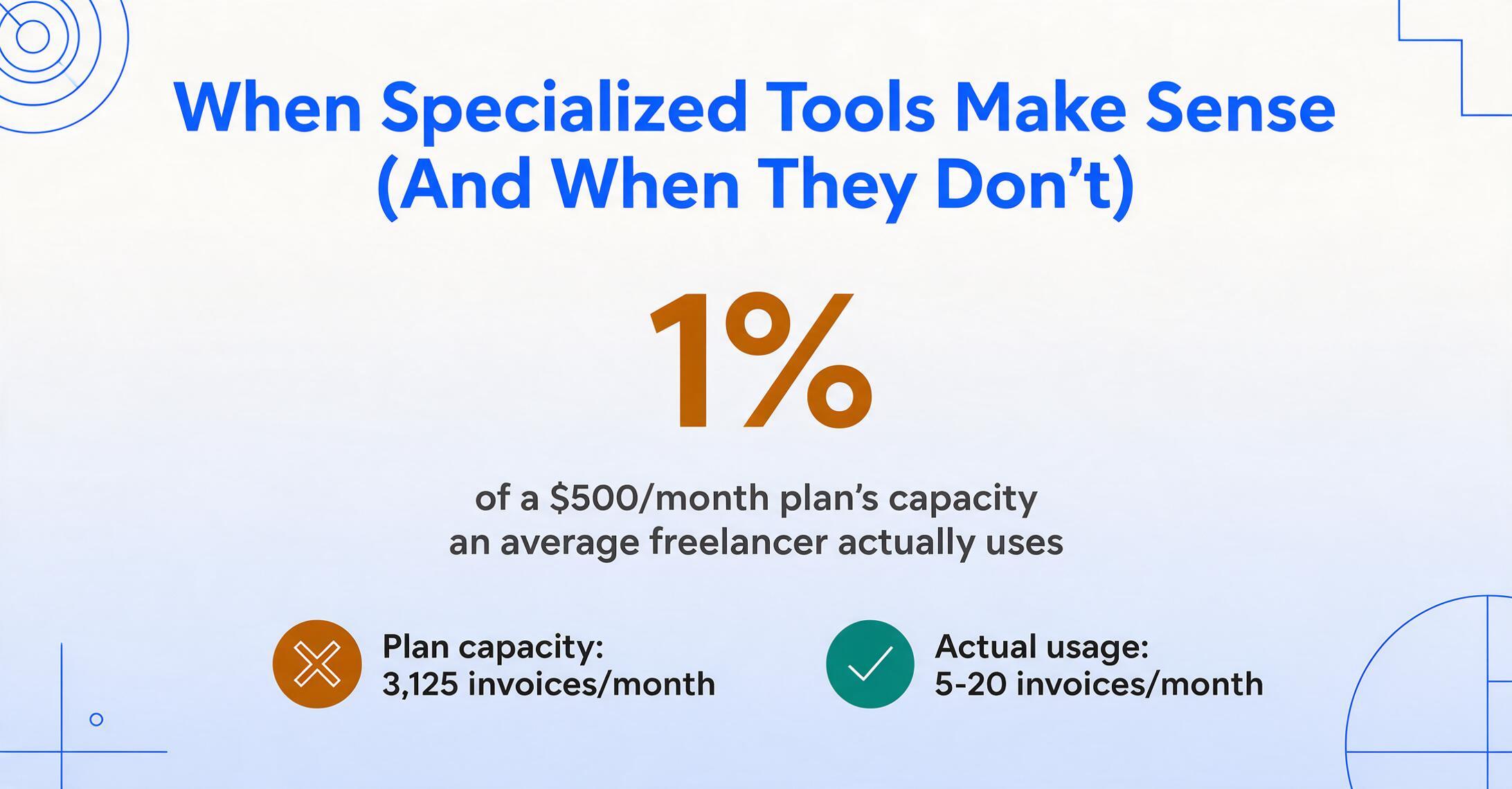
But here's the pattern that trips up most buyers: the features you're paying for in a specialized tool are often features you don't use. The $500/month Veryfi plan includes 6,250 receipts or 3,125 invoices per month. The average freelancer processes 5–20 invoices and 10–30 receipts monthly — roughly 1% of that plan's capacity. You're paying for throughput you'll never touch.
The decision isn't "specialized vs general" in the abstract. It's "am I paying for capabilities I actually need, or am I paying for capabilities the tool happens to bundle?" For most small teams, the answer is the latter.
A general-purpose extraction tool reaches 95–99% accuracy on clean printed documents across invoices, receipts, and bank statements — the same range that specialized tools claim for their core document types. The accuracy gap between specialized and general AI extraction has narrowed to the point where, for the typical SMB document mix, you're trading 1–3 percentage points of field-level accuracy for a 7x–36x price reduction. Unless you're in a regulated industry where that margin triggers a compliance event, the trade-off favors the general tool.
The Unified Tool Advantage: One Interface, Every Document Type
Price aside, there's a workflow cost to running separate tools that doesn't appear on any invoice. It's the cost of context switching between different interfaces for what is, at root, the same task: reading data off a document and putting it into a structured format.
A general-purpose tool approaches all document types the same way. ImageToTable.ai, for example, uses Custom Column Extraction: you type the field names you want — "Invoice Number," "Vendor," "Total" — and the AI locates each value anywhere on the page by understanding what it means, not where it sits on a template. The same mechanism works whether the document is an invoice from a supplier, a receipt from a hardware store, or a 12-page bank statement. There's no per-document-type configuration, no separate training step for each category.
Same column system works for invoices, receipts, bank statements, and more — no per-type setup.
This matters in practice. If your team processes 40 invoices on Monday, 15 receipts on Wednesday, and a bank statement on Friday, a unified tool means one workflow learned once. Three specialized tools means three onboarding sessions, three sets of keyboard shortcuts, three places to check when an extraction result looks wrong. The SBE Council survey found small businesses already manage a median of five AI tools — adding three more to that stack for what is fundamentally one job (extracting data from documents) is friction that compounds weekly.
The output format is another underappreciated variable. With separate tools, invoice data lands in one CSV structure, receipt data in another, bank statement data in a third — each with different column names, date formats, and field ordering. Before you can do anything useful across document types, you're manually aligning columns in Excel. A single tool outputs one consistent schema regardless of source document type, because the column definitions are yours, not the tool's.
Cross-Document Comparison: What You Can't Do With Separate Tools
Here's a scenario that's invisible in most extraction tool comparisons: you have a purchase order for $4,200, an invoice from the same supplier for $4,350, and a delivery note confirming partial shipment. Did the supplier overcharge, or is the invoice covering items the delivery note didn't capture yet?
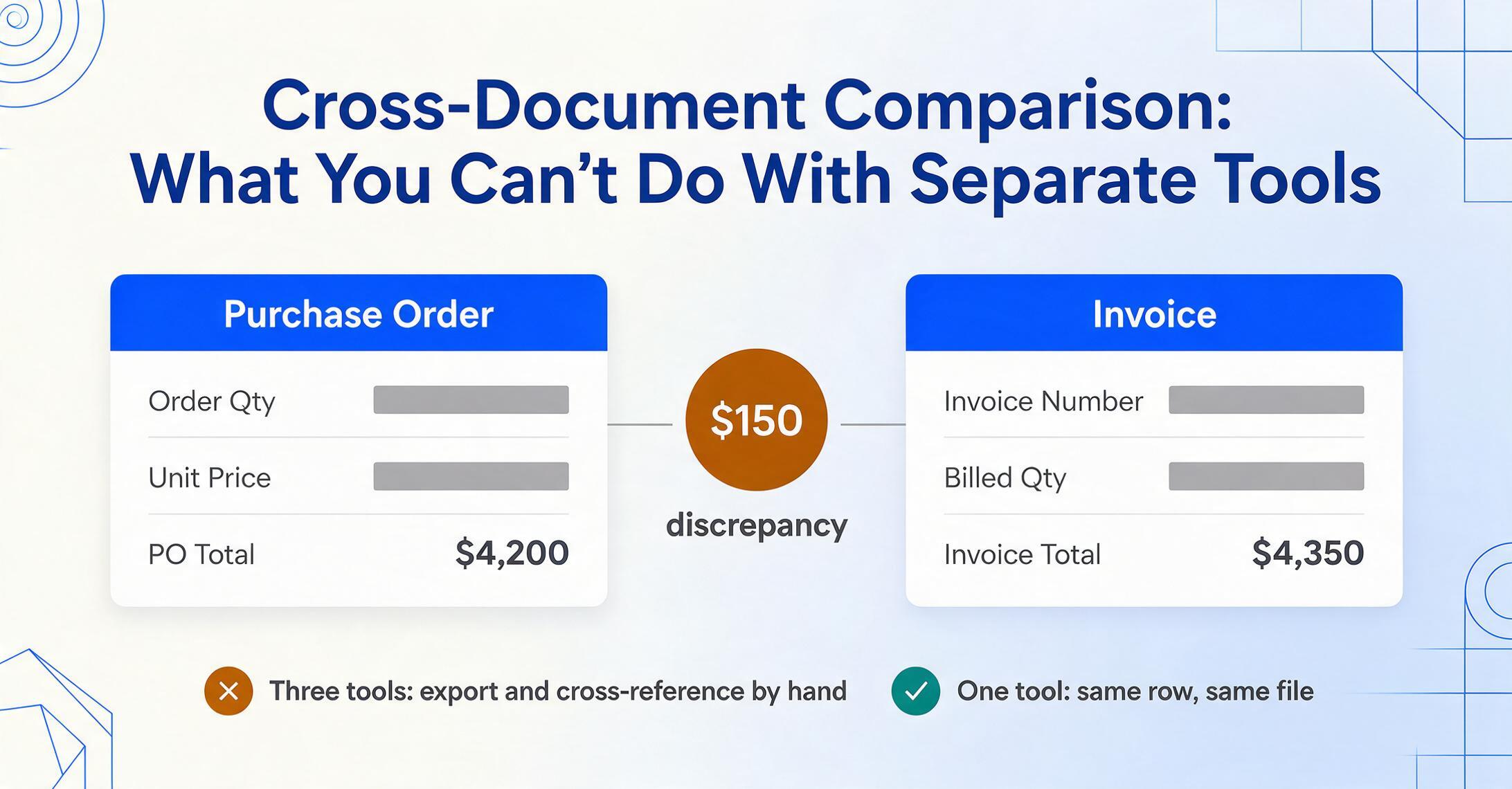
With three separate tools — one for POs, one for invoices, one for delivery notes — answering that question means exporting three files and cross-referencing them manually. The tools don't talk to each other. They don't even know the other document types exist.
With a single tool that processes all three document types using the same column definitions, you can batch-upload all three documents into one spreadsheet. The PO fields ("Order Qty," "Unit Price," "PO Total") sit alongside the invoice fields ("Invoice Number," "Billed Qty," "Invoice Total") in adjacent columns — same row, same file. Spotting the $150 discrepancy becomes a column comparison, not a multi-tool expedition. For a deeper look at extraction techniques that make this possible, see our invoice extraction reference.
This cross-document capability is what a general tool enables and a collection of specialized tools actively prevents. Each specialized tool optimizes for one document type's extraction accuracy. None optimize for the moment when you need to compare data across document types — which is, for many businesses, the moment the extraction work actually becomes useful.
What You Give Up With a General Tool
Being honest about limitations is more useful than pretending a general tool does everything. Here's what you won't get:
Three-way matching workflows. If your AP process requires automated comparison of invoice line items against PO line items and goods receipt records — with automated flagging of mismatches — that's specialized AP automation territory. A general extraction tool gives you the data in one spreadsheet where you can see the discrepancy, but it won't auto-approve matching invoices or route exceptions to a manager.
Industry-specific compliance validation. A bank statement tool built for mortgage underwriting validates against lending-specific rules. A medical invoice tool validates against HIPAA-compliant data handling requirements. A general tool extracts the data accurately but doesn't enforce domain-specific business rules — that layer stays with you.
ERP-native integration depth. Enterprise IDP platforms like Rossum or ABBYY FlexiCapture offer pre-built connectors that push extracted data directly into SAP, Oracle, or NetSuite with field mapping, validation, and audit logging built in. A general tool typically exports to Excel, CSV, or JSON — you handle the import step. For teams already running enterprise ERP workflows, that integration gap is real. For teams that export to spreadsheets anyway, it's irrelevant.
The question to ask isn't "does the general tool have every feature?" — it won't. The question is "do I need the features I'm giving up, and am I paying for features I don't need either way?" For most SMBs and independent professionals, the answer is that the specialized features are overinvestment, and the general tool's capabilities cover 90%+ of the actual daily work. For more on how pricing structures stack up across the market, see our document extraction pricing comparison.
How to Decide: A Practical Framework
Rather than a blanket recommendation, here's a decision framework based on what you actually process:
| Your Situation | What Makes Sense | Why |
|---|---|---|
| Under 300 documents/month across 2+ document types | One general tool | Specialized tools over-provision capacity. A $19/mo general tool matches your actual throughput. |
| 1 document type only, high volume (500+/month) | Specialized tool for that type | If you only process invoices and volume is high, a dedicated invoice tool's workflow features may justify the cost. |
| 2+ document types, moderate volume each (20–200/month each) | One general tool | The cross-document comparison benefit alone outweighs marginal per-type accuracy gains. One interface for multiple doc types compounds time savings. |
| Regulated industry with compliance audit trail requirements | Specialized platform | HIPAA, SOX, or similar compliance frameworks demand features general tools don't offer — audit logs, role-based access, data residency controls. |
| Freelancer or solopreneur with mixed document types, budget-conscious | One general tool | At $9–$19/mo, the cost is a rounding error compared to even the cheapest specialized-tool stack. For a detailed breakdown, see our freelancer budget guide. |
FAQ
Is a general document extraction tool less accurate than a specialized one for specific document types?
On clean printed documents, the accuracy gap is narrow — typically 1–3 percentage points at the field level. General AI extraction tools achieve 95–99% accuracy on invoices, receipts, and bank statements with clear layouts. Specialized tools may offer higher accuracy on edge cases within their domain (handwritten receipts, multi-currency bank statements with complex tables) because their models are trained on larger datasets for that specific document type. But for the majority of documents most businesses handle, the accuracy difference is too small to justify a 7x–36x price gap.
What if I already own one specialized tool — should I add a second or switch to a general tool?
Run the numbers on your actual usage. If your current tool costs $99/mo and adding a second brings the total to $200+/mo for just two document types, switching to a $19/mo general tool that covers both — plus any future document types — likely comes out ahead. The sunk cost of the first tool isn't a reason to compound it with a second subscription. For more on the transition from enterprise contracts to self-serve tools, read our comparison of self-serve vs enterprise document extraction.
Do general tools handle handwritten documents?
Modern AI-based extraction tools — general ones included — can read handwriting, including cursive, on receipts and forms. Accuracy on handwriting is lower than on printed text across all tools, specialized or general. A tool that uses vision language models (which understand the image, not just the text layer) generally handles handwriting better than template-based OCR. For more on handwriting extraction accuracy, see our bank statement extraction guide, which covers handwriting in check images and scanned statements.
Can I process purchase orders, contracts, and timesheets too — or just invoices, receipts, and bank statements?
General tools that use Custom Column Extraction — where you define the fields you want rather than selecting from a pre-built document type menu — can handle any document with readable text. Purchase orders, contracts, timesheets, packing slips, COIs, expense reports — the extraction logic is the same: you name the columns, the AI finds the values. The tool doesn't need to "know" what a timesheet is; it needs to know what "Employee Name" and "Hours Worked" look like on a page. For a walkthrough of how this works across document types, see our receipt extraction guide, which demonstrates the same column-name approach on a different document category.
At what document volume does a general tool stop making sense and a specialized platform become necessary?
The inflection point isn't purely about volume — it's about workflow complexity. Processing 5,000 invoices a month with a general tool is feasible if your workflow ends at "extract to Excel → review → import to accounting." Processing 5,000 invoices that require three-way matching against POs and goods receipts, with department-level approval routing and audit logging — that's when a specialized AP automation platform earns its cost. Most businesses cross this threshold around 1,000–2,000 invoices per month, but the real trigger is the workflow requirements, not the raw document count.
The subscription math is straightforward: take the document types you actually process, price a separate tool for each, and add them up. For most small teams, the total lands somewhere between $97 and $688 per month. A single general-purpose tool covers all of them for $9–$19. The question isn't whether specialized tools are better at their one thing — it's whether the premium is worth it for your actual workload.
Try on Your Own Documents