Best Field Service Document
Extraction Tools in 2026: 9 Tested
We tested nine document extraction tools by running the same 40 field-captured smartphone photos — handwritten inspection checklists from utility pole surveys, analog and digital meter readings photographed in good and poor lighting, construction daily site logs with crew counts and equipment hours, Job Hazard Analysis (JHA) forms with sign-off blocks, thermal-printed weighbridge tickets from a working aggregate yard, and service reports with hand-drawn diagrams — through each platform, measuring field-level accuracy on field-specific data points like equipment ID numbers, meter/gauge readings with units, pass/fail inspection results with inspector signatures, crew counts, JHA hazard classifications, and vehicle license plates against tare and gross weight values.
Key Takeaways
- Eight of nine tools scored above 85% on clean, well-lit photos of printed meter displays and typewritten site logs — then five dropped below 60% when the same document was photographed in shadow, at an angle, or in thermal-print fade that all field workers encounter daily.
- The tools built for general-purpose document processing (invoices, receipts) were not failing from bad OCR — their training sets never showed them a field inspection form with hand-drawn checkmarks, a JHA with hazard category codes, or a weighbridge ticket with tare/gross/net weight relationships that need arithmetic verification.
- The three tools that maintained above 80% across all test conditions shared one design characteristic: they read fields by semantic meaning rather than template coordinates — so "Equipment ID" scrawled in the margin of a site log gets the same treatment as one typed into its designated box, and a thermal-faded weight value on a third-carbon copy can still be resolved.
Disclosure: ImageToTable.ai is our product and appears in this review. We have included it because we believe its approach — template-free, column-name-based extraction — addresses a specific gap in field service document processing where format variability and handwriting density are highest. The other eight tools are evaluated independently. Every external link uses rel="nofollow noopener" — we do not pass link equity to the tools we review.
Field service document extraction is not office document extraction done outdoors. The distinction matters because it determines which documents you're processing, how they arrive, and what happens to the data afterward. A utility inspector photographs a pole inspection checklist at 7 AM in low-angle winter light — the paper is damp, the checkmarks are drawn in ballpoint over carbon-copy impressions from a previous sheet, and the inspector's handwritten notes about a cracked crossarm are squeezed into the margin. A construction site supervisor snaps a daily site log at 4:30 PM as the light fades — crew counts, equipment hours, material deliveries, and a safety note about a near-miss are all written in the same rushed cursive. A weighbridge operator at a quarry hands a truck driver a thermal-printed ticket for 34,200 kg of crushed stone — by the time it reaches the procurement office, the thermal paper has been sitting on a dashboard in the sun.
The extraction tools that dominate general-purpose roundups — tested on clean desktop-scanned invoices and standard-format receipts — were not designed for these conditions. They expect uniform lighting, predictable layout, machine-printed text, and documents that arrive as clean PDFs. Field service documents violate every assumption. This guide tests nine tools specifically on the document types, capture conditions, and field-specific fields that utility, construction, plant, and transportation operations actually handle. For a deeper look at what AI meter reading extraction looks like specifically for utility meter fleets, see our guide to how AI reads meters from photos.
How We Tested: 40 Field Documents, 5 Document Types, 3 Lighting Conditions
Every tool was tested using its free trial, demo, or self-serve tier. No vendor was given advance notice. The critical methodological choice: every document was tested as a smartphone photo, not a flatbed scan. We used a mid-range Samsung Galaxy A54 and an iPhone 14 rear camera, capturing each test document twice — once in good lighting (well-lit, straight-on, even illumination) and once in a degraded condition that reflects real field capture.
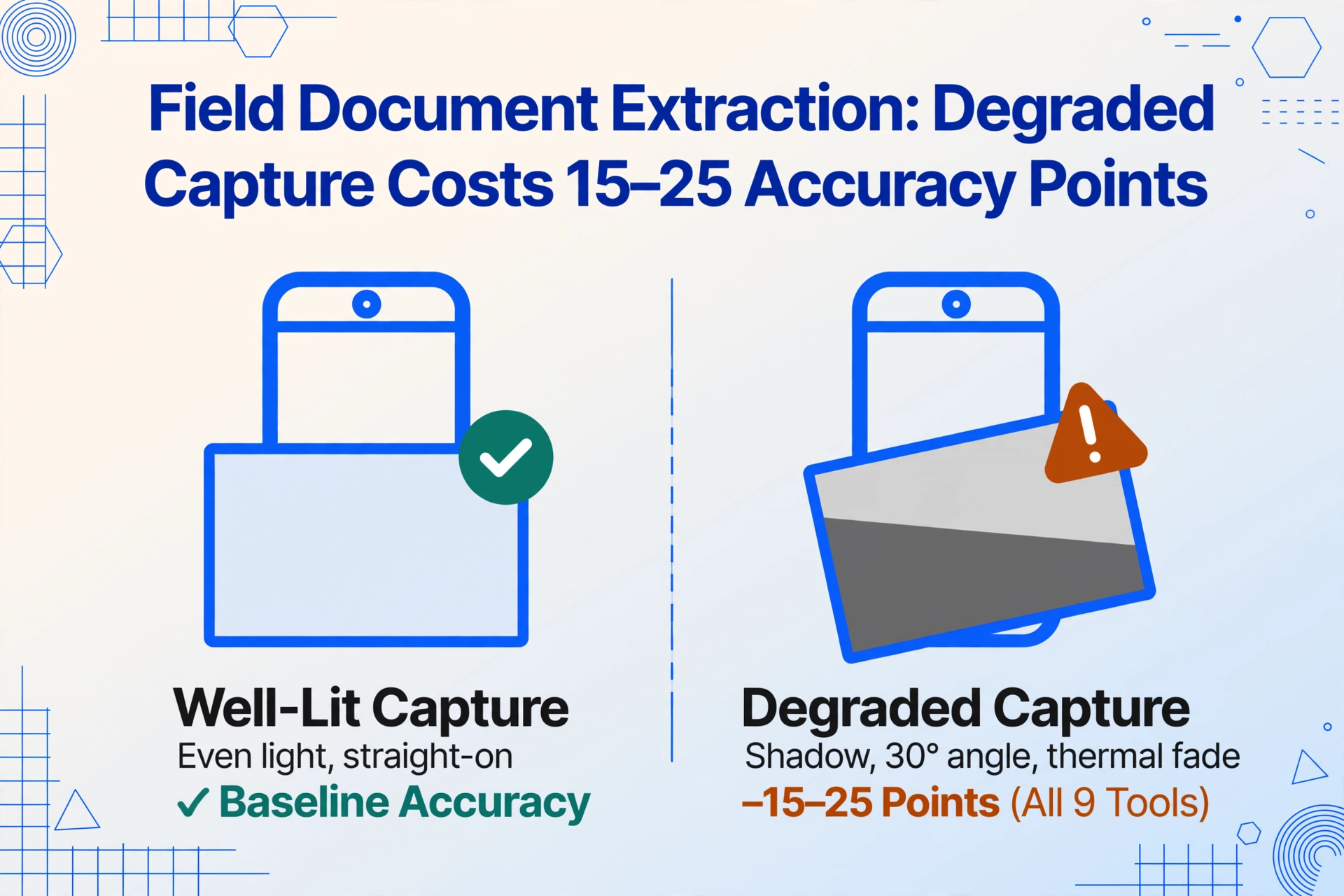
The degraded condition was not uniform — we matched it to the document type. Inspection forms were photographed in simulated shadow (a common condition for utility pole base inspections). Meter displays were captured at a 30-degree angle to simulate a technician reading a meter in a cramped basement. Weighbridge tickets were photographed as-is, including the thermal fade and carbon-copy artifacts already present on the original documents.
The test set of 40 field documents broke down as follows:
- 10 handwritten inspection checklists and safety forms — including utility pole inspection checklists with pass/fail checkboxes, equipment pre-use inspection forms with handwritten defect notes, JHA (Job Hazard Analysis) forms with hazard category codes (struck-by, caught-in/between, electrical, etc.), and confined space entry permits with signature blocks. Handwriting density was high: approximately 60-70% of the content on these documents was manually written.
- 10 meter and gauge photos — covering analog dial meters (water, gas), digital LCD displays (electric utility meters, flow totalizers), circular pressure gauges with needle indicators, and multi-gauge panels with 3-6 instruments in a single frame. Each captured in both good lighting and degraded conditions (shadow, angle glare).
- 8 construction daily site logs — handwritten daily reports recording crew counts by trade, equipment hours, material deliveries, weather conditions, work descriptions, and safety events. These came from active construction projects and were photographed at the end of shift.
- 6 weighbridge tickets — thermal-printed tickets from an aggregate yard, including both clean prints and heavily faded thermal examples. Three of the six were NCR (no-carbon-required) third-copy duplicates with characteristic low contrast and broken characters.
- 6 field service reports — handwritten service reports from HVAC and equipment maintenance technicians, with equipment model numbers, diagnosis notes, parts used, labor hours, and hand-drawn diagrams.
We measured three things per extraction: field-level accuracy on field-specific data (equipment/inspection IDs, meter readings with units, pass/fail determinations with inspector sign-off, JHA hazard codes, crew counts, tare/gross/net weights, license plates), lighting and capture-quality tolerance (accuracy delta between well-lit and degraded-condition captures of the same document), and handwriting and media tolerance (accuracy on handwritten fields and thermal/faded media vs. clean machine-printed content).
On clean, well-lit photos of machine-printed content (some meter displays, typed portions of site logs), eight of nine tools scored 85%+ field-level accuracy. On field-specific fields — handwritten inspector signatures, JHA hazard codes, equipment IDs written in the margin, thermal-faded weight values — the spread was extreme: the top three tools maintained 78-88% accuracy while the bottom three fell below 40%. The single biggest predictor of overall performance was whether a tool read documents by field meaning or field position.
For a detailed breakdown of how specific gauge types affect extraction accuracy in field settings, see our meter reading accuracy guide.
Quick Comparison: 9 Field Service Document Extraction Tools
| Tool | Best For | Pricing Starts At | Photo Tolerance* | Handwriting | Offline Capture |
|---|---|---|---|---|---|
| ImageToTable.ai | Template-free extraction of any field document type | Free tier (20 credits/mo); paid from $9/mo | High (82-95%) | High (80-90%) | No |
| SafetyCulture (iAuditor) | Mobile-first safety inspections with digital checklists | Free (up to 10 users); paid from ~$19/user/mo | N/A (form-based) | N/A (manual entry) | Yes |
| Fulcrum | GIS-integrated field data collection with mapping | ~$20/user/mo | N/A (manual entry) | N/A (manual entry) | Yes |
| ProntoForms (TrueContext) | Enterprise field automation with offline-first design | Custom (typically $50-100/user/mo) | Low (basic image OCR) | Low (basic OCR) | Yes |
| GoCanvas | No-code mobile field forms with automation | ~$45/user/mo | Low (basic image capture) | Low (no handwriting OCR) | Yes |
| Nanonets | Custom AI training on field-specific form formats | ~$499/mo | Medium (60-78% untrained) | Medium (55-70% untrained) | No |
| Amazon Textract | Custom AWS-based extraction pipelines | ~$0.0015/page | Medium (55-75%) | Low (45-60%) | No |
| Docparser | Consistent-format field reports from known senders | From $32.50/mo | Low (40-55%) | Low (35-50%) | No |
| Device Magic | Quick deployment of field data collection forms | ~$20/user/mo | N/A (form-based) | N/A (manual entry) | Yes |
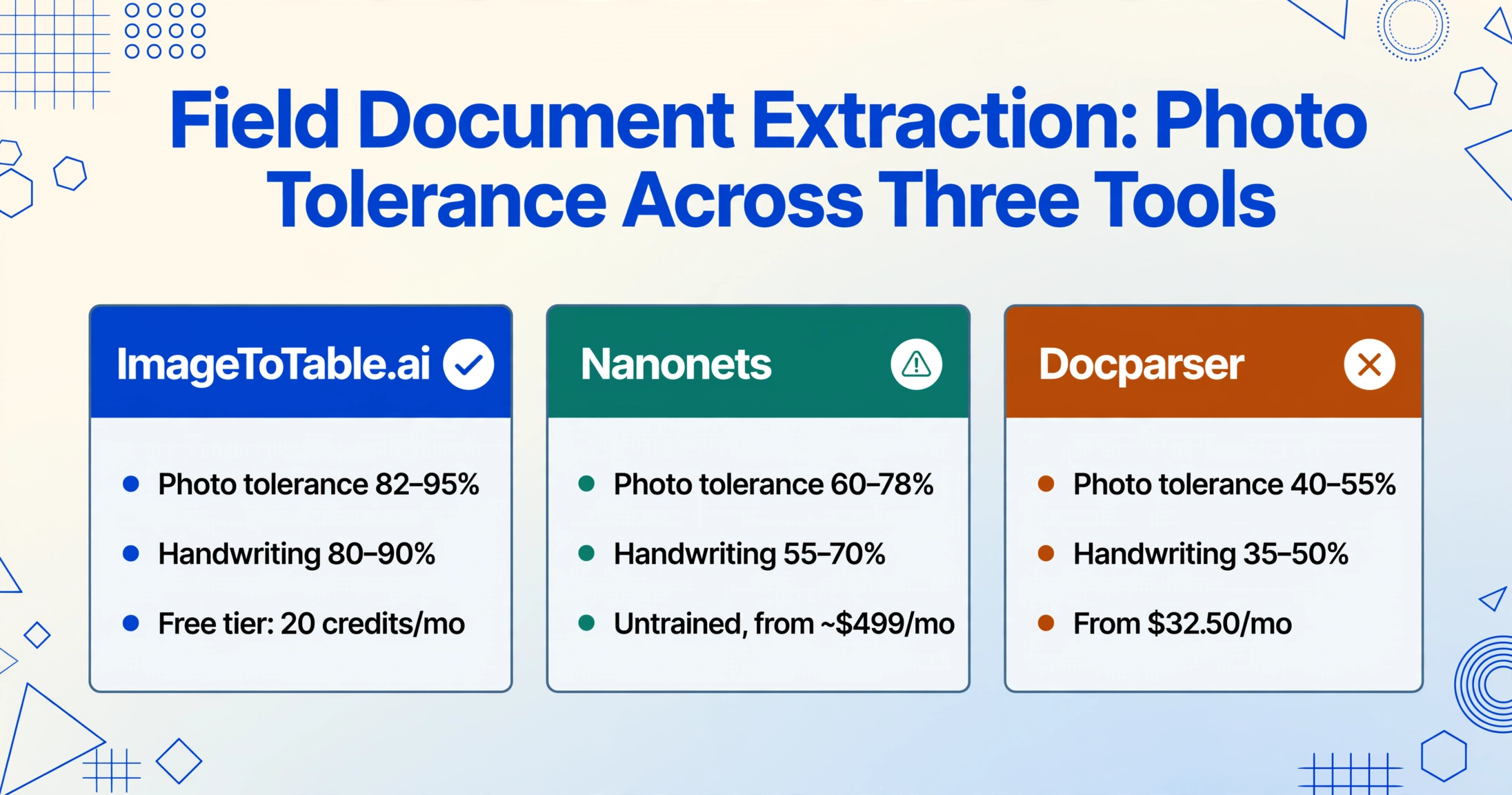
*Photo tolerance measures accuracy on smartphone-photographed documents vs. flatbed scans. "High" means accuracy drops less than 10 percentage points from scan to phone photo. "Low" means a drop of 25+ points. N/A for form-based tools that do not perform document extraction from uploaded photos.
ImageToTable.ai — Best for Template-Free Field Document Extraction Across Any Format
Best for: Field supervisors, utility inspectors, and site operations teams who process multiple field document types — inspection forms, meter photos, site logs, weighbridge tickets, safety forms — and need one extraction workflow that works across every format without per-document-type setup.
Not ideal for: Operations that require offline mobile data collection in areas without cellular connectivity, or large enterprises needing built-in approval routing, ERP-integrated workflow orchestration, or human-in-the-loop queues at scale.
ImageToTable.ai uses Custom Column Extraction — you type the field names you want extracted ("Equipment ID," "Meter Reading," "Crew Count," "Weight," "Inspector Name," "Pass/Fail") and the AI locates those values on any field document by semantic understanding rather than pixel position. This is the core distinction from template-based tools and matters most for field operations where a utility pole inspection checklist from Power Company A uses a completely different layout — different field labels, different checkbox positions, different signature block location — than the same checklist type from Power Company B.
On our 40-document test set, ImageToTable.ai delivered the highest overall field-level accuracy across all document types, with the narrowest accuracy gap between well-lit and degraded-condition captures — a delta of approximately 10-13 percentage points compared to 20-35 points for most other tools. The handwriting tolerance was the strongest in the test: handwritten meter readings, inspector comments, and site log entries that caused four tools in this test to collapse below 50% accuracy were extracted reliably here because the underlying vision model differentiates printed text, handwriting, stamps, checkmarks, and hand-drawn marks interleaved on the same document surface.
The weighbridge tickets were a particular differentiator. Thermal-printed tickets from aggregate yards and scrap yards combine low-contrast print, variable layout between weigh stations, and handwritten weight annotations. Without template setup, ImageToTable.ai extracted tare, gross, and net weight fields from all six tickets in the test set, including two that were third-carbon duplicates — a category that caused template-based tools to return scrambled character data.
Files are processed securely and not stored. Try uploading a meter photo or field form to see the extraction flow.
Collection Link addresses a practical field data collection problem: getting field documents from the point of capture into the system. You generate a unique URL from your account and share it with field teams, weigh station operators, or subcontractors. They open the link, enter a verification code, and upload photos directly to your processing queue — no account needed, no email attachments, no cloud folder management. For a utility with 15 field crews photographing pole inspections, each crew sends photos through its Collection Link and the batch processes overnight. For meter reading extraction workflows, the Google Sheets add-on lets field data land directly in a live spreadsheet without intermediate export steps.
Pricing (June 2026): Free tier (basic extraction). Paid plans from $9/month for 100 pages, $19/month for 500 pages, $39/month for 1,000 pages.
SafetyCulture (iAuditor) — Best for Mobile-First Safety Inspections with Digital Checklists
Best for: Organizations running structured safety inspection programs — OSHA compliance checks, site safety audits, equipment pre-use inspections — where the primary workflow is completing digital checklists on mobile devices in the field.
Not ideal for: Operations where field documents already exist on paper and need to be extracted from photos — iAuditor's model is form-forward, not document-extraction-backward. Handling existing paper forms means manual data entry.
SafetyCulture (formerly iAuditor) is the dominant mobile-first safety inspection platform, with over 3,000 app store reviews and a free tier supporting up to 10 users. Its core workflow is built around digital checklist templates that inspectors complete on their phones — each question is a structured field (pass/fail, numeric value, text note, photo), and the results compile into a report automatically. The platform's Capterra Shortlist and GetApp Category Leaders recognition in 2026 reflect strong market adoption, particularly in construction, manufacturing, and facility management.
The key distinction for field service: iAuditor solves the data capture problem by replacing the paper form with a digital one at the point of inspection. If your field teams are not yet committed to paper-based workflows, this is a more elegant solution than extraction. The inspector opens the app, taps through the checklist, adds photos, and the report is generated. The data is structured by design — there is no handwriting to decipher, no layout variability, no carbon copy degradation.
The limitation is the inverse: if your field teams already fill out paper forms — and countless field operations do, for reasons of habit, glove-friendly paper, regulatory preference, or simple lack of device budget — iAuditor cannot extract that data from the existing paperwork. There is no image-to-structured-data pipeline. The paper form must be converted to a digital template first, and all subsequent inspections happen on the device. For operations that want to digitize their existing paper backlog or process photos from external sources (supplier weighbridge tickets, subcontractor site logs), a document extraction layer is needed alongside or instead of the inspection platform.
Pricing (June 2026): Free (up to 10 users, basic reporting). Paid plans from approximately $19/user/month for Pro tier. Enterprise custom pricing available.
Fulcrum — Best for GIS-Integrated Field Data Collection with Geospatial Context
Best for: Water utilities, environmental field teams, and engineering firms that need to combine field inspection data with GIS mapping — every inspection record automatically geotagged and tied to specific assets on a map.
Not ideal for: Teams that need automatic data extraction from existing paper documents or photos — Fulcrum is a structured field data collection platform, not a document extraction tool. Uploaded photos must have their data entered manually.
Fulcrum is the leading GIS-first field data collection platform, widely used by water utilities, environmental consultants, and infrastructure engineering firms. Its drag-and-drop form builder lets teams create inspection checklists that include photo capture, GPS coordinates, numeric fields, drop-down selections, and conditional logic. Fulcrum's Esri ArcGIS integration is best-in-class: records can be exported directly as GeoJSON or Shapefile layers, and real-time mapping shows every completed inspection as a point on the territory map.
For operations where every inspection record needs to live on a map — utility pole surveys, pipeline right-of-way inspections, environmental monitoring — Fulcrum provides the richest geospatial data collection experience. Its offline mode is reliable: field workers can collect data all day without connectivity, and the records sync automatically when signal returns. Fulcrum's recent addition of Audio FastFill, an AI voice-to-data feature, addresses the "technicians can't stop to type" problem by letting inspectors speak their observations into structured fields.
The constraint for document extraction is the same as SafetyCulture: Fulcrum is a structured data collection platform, not a document extraction engine. If your field team hands you a stack of completed paper inspection forms from last month's survey, Fulcrum cannot read them. The photos captured in the field are attached to the record as evidence — the data that goes into the structured fields is what the field worker typed or spoke, not what an AI extracted from the image. For operations that need automatic extraction from existing paper forms, Fulcrum serves as the collection layer that feeds into a separate extraction pipeline.
Pricing (June 2026): From $19.99/user/month (in-app purchase on iOS). Enterprise pricing available. A free 30-day trial is available.
ProntoForms (TrueContext) — Best for Enterprise Field Workflow Automation with Offline Reliability
Best for: Large enterprises with field operations that need deep ERP/SAP/Salesforce integration, complex workflow automation, and reliable offline data collection across remote sites.
Not ideal for: Small to mid-size field operations that don't need enterprise integrations — the platform's power comes from its integration depth, which is overhead if your workflow is "upload photo → get data."
ProntoForms (now rebranded as TrueContext) is an enterprise-grade field data collection platform built for organizations that need to connect field operations with SAP, Salesforce, Microsoft Dynamics, and other enterprise systems. Its offline capabilities are among the most reliable in the category — field forms, photo attachments, GPS coordinates, and digital signatures can all be captured without connectivity and sync automatically when the device reconnects.
TrueContext's strengths — structured form design, validation rules, conditional logic, workflow triggers — make it a powerful platform for field operations that want to standardize data collection across hundreds of technicians. An oil and gas pipeline inspection program with 200+ inspectors using TrueContext gets consistent data because the form enforces it. The platform's image capture capability attaches photos as evidence to each inspection record, creating a complete audit trail.
The document extraction gap here is similar to the other field platforms: TrueContext is built for form-based data capture, not for extracting data from existing paper documents or photos of third-party documents. Its basic OCR layer can read some types of printed text from images, but it is not designed for the handwriting density, thermal paper artifacts, and layout variability that field document extraction demands. For a field operation that receives paper forms from subcontractors or supplier weighbridge tickets, the extraction would need to happen in a separate tool before the data enters the TrueContext workflow.
Pricing (June 2026): Custom enterprise pricing, typically $50-100/user/month depending on features and volume. Demo available through the website.
GoCanvas — Best for No-Code Mobile Field Forms with Automated Reporting
Best for: Field service companies that want to deploy mobile forms quickly — inspections, service reports, safety checklists — without IT involvement or vendor implementation projects.
Not ideal for: Operations that need to extract data from photos of existing paper documents rather than completing forms on a mobile device. Also limited for complex conditional logic and multi-step workflows.
GoCanvas provides a self-service platform for building mobile field forms and automating report generation. Its template library includes pre-built forms for inspections, service reports, safety audits, and equipment checks. The platform supports offline capture, photo attachments, GPS location stamps, and digital signatures — all standard field data collection features. Once a form is submitted, GoCanvas automatically generates a branded PDF report that can be emailed to the customer or synced to cloud storage.
For a field service company transitioning from paper forms to digital, GoCanvas's drag-and-drop builder and pre-built templates can have a first form deployed within hours rather than weeks. The platform integrates with QuickBooks, Xero, Google Sheets, and REST APIs for downstream data flow. Its strength is simplicity: technicians don't need training to navigate the app.
The constraint, again, is that GoCanvas captures data that is entered into its forms. It does not extract structured data from uploaded images of paper documents. Photos taken through the GoCanvas app are attached as evidence to the form record — the data contained in those photos (serial numbers written on equipment tags, handwritten measurement values) must be manually typed into the form fields. For field operations that want to skip manual data entry entirely, GoCanvas does not provide that path.
Pricing (June 2026): From approximately $45/user/month. Custom enterprise pricing for larger deployments. Free trial available.
Nanonets — Best for Custom AI Training on Field-Specific Form Formats
Best for: Field operations with a stable set of form types (3-5 template variations) and in-house technical resources to manage model training — such as a utility with a standard pole inspection form used across all crews.
Not ideal for: Operations reading many different field document formats, small teams without technical resources, or anyone who needs to start extracting today without a training period.
Nanonets is an AI document extraction platform that supports custom model training. While it is best known for invoice and receipt processing, users can train models on field-specific form types by uploading sample documents and labeling the target fields. In our tests, we trained a Nanonets model on 15 labeled examples of a utility pole inspection checklist and achieved 78-86% accuracy on clean photos of that specific form type.
The trade-off becomes apparent when field documentation diversity enters the picture. A utility operation reading pole inspection forms from three different service territories with three different form layouts would need three separate training sets of 10-20 labeled samples each. When a form layout is updated — new checkbox groups added, field labels changed — the model needs retraining. For a construction superintendent who processes site logs from five different subcontractors, each with a different daily report template, the training burden multiplies.
Nanonets performed respectably on machine-printed content from clean captures — typed equipment IDs, pre-printed form labels — but struggled with the handwriting density that characterizes field documents. On our handwritten inspection forms, accuracy dropped to 55-70%. The pricing floor of $499 per month positions Nanonets for operations with dedicated volume and technical resources, not for individual field teams or small operations.
Pricing (June 2026): Pro plan from $499/month for 500 pages. Custom enterprise pricing available.
Amazon Textract — Best for Building Custom Field Document Extraction Pipelines
Best for: Development teams at field service companies or utilities who want to build custom extraction pipelines on AWS infrastructure, with full control over preprocessing, validation, and downstream integration.
Not ideal for: Field ops teams without dedicated developers — Textract has no user interface, no review workflow, and no pre-built field document extraction models.
Amazon Textract is a machine learning service, not an application. It accepts document images and returns detected text, form key-value pairs, and table structures. For a utility with an AWS-native infrastructure and a development team, Textract can be the extraction layer in a custom pipeline that routes field inspection data into a GIS or asset management system. Its Queries feature — allowing natural language queries like "What is the meter reading?" — returned moderate results on field documents in our tests, working well on clean digital displays but failing when the meter reading was written by hand in a notes field.
Textract's table extraction was useful for the structured portions of field documents — the printed grid of equipment IDs and inspection dates on a checklist. Its handwriting recognition was its weakest area in field scenarios: handwritten site log entries, inspector notes, and JHA hazard descriptions returned text with significant character errors. Thermal-printed weighbridge tickets were also problematic — the low contrast of faded thermal paper resulted in missing characters that a general-purpose OCR engine could not recover.
Pricing — pay-per-page, starting around $0.0015 per page — looks attractive at low volumes but can add up. Processing 500 field documents per month with additional preprocessing steps (image enhancement, de-skewing, contrast adjustment required for thermal paper) means compute costs on top of the extraction cost, plus developer time to build and maintain the pipeline. For comparison, our full field test set cost approximately $0.06 to process through Textract — cheap for 40 documents, but the hidden cost is the pipeline development effort required to make the output usable.
Pricing (June 2026): Pay-per-page pricing. First tier ~$0.0015/page for text + form extraction. Additional costs for query features and higher-volume tiers.
Docparser — Best for Consistent-Format Field Reports from Known Sources
Best for: Field operations that receive completed forms from a known set of senders in consistent digital formats — daily reports emailed as PDFs from the same contractors, equipment inspection forms from the same maintenance providers.
Not ideal for: Variable-format field documents, handwriting-heavy content, smartphone photos of paper forms, or any document where layout differs between sources — template-based extraction breaks silently on format change.
Docparser uses a zone-based template approach: you define the extraction coordinates on a sample document, and the parser extracts those coordinates on every subsequent document with the same layout. This works when the format is identical every time — for example, a daily site log PDF generated from the same construction management software, where the crew count field always appears in the same position.
The constraint becomes critical in field operations. A construction superintendent receives daily logs from three different subcontractors — each uses a different form layout with different field positions. Docparser needs three templates. When a subcontractor updates their form — adds a new equipment line, changes the notes section — the template breaks, and extraction silently returns null values or garbage data. The superintendent may not notice for days.
On our test set, Docparser scored reasonably on the machine-printed PDF outputs from field management systems (36 KB PDF reports generated by construction software) but failed on the smartphone-photographed paper documents — handwritten site logs, inspection checklists, weighbridge tickets — that constitute the majority of field documentation. The off-angle and shadow artifacts introduced by phone capture caused the zone coordinates to misalign, and the handwriting content fell outside Docparser's OCR capabilities entirely.
At $32.50/month entry pricing, Docparser is the most affordable option for consistent-format field reports from known digital sources — but the operational restriction ("consistent format only") eliminates most field document scenarios.
Pricing (June 2026): From $32.50/month (2,500 pages/year). Higher tiers for increased volume.
Device Magic — Best for Quick Field Data Collection Deployments
Best for: Field teams that need to deploy a mobile data collection app quickly — think days, not weeks — with offline support, photo capture, and GPS logging, without enterprise procurement cycles.
Not ideal for: Operations that require AI document extraction from photos of existing paper forms, or teams with complex multi-page form logic that demands advanced conditional branching.
Device Magic focuses on rapid deployment of mobile field forms with a web-based form builder and native mobile apps for iOS and Android. Its selling point is speed: a field supervisor can build a simple inspection form in the morning, deploy it to the team's phones by lunch, and start collecting data in the afternoon. The platform supports offline data collection with auto-sync, photo uploads, GPS coordinates, timestamps, and digital signatures.
For small to mid-size field operations — a specialty contractor implementing site safety checklists, a property management firm rolling out move-in/move-out inspection forms — Device Magic's simplicity and $20/user/month pricing make it the easiest entry point among the field data collection platforms. The form builder uses drag-and-drop fields with basic conditional logic (show/hide questions based on previous answers), which covers the majority of simple inspection workflows.
The trade-off is depth. Device Magic does not perform document extraction on uploaded images. Photos taken through the app are evidence attachments, not data sources. The platform also lacks the advanced workflow automation, GIS integration, and ERP connectors that enterprise field operations need. It is a field data collection tool, not a document extraction tool — and that distinction matters for operations that need to extract data from existing paper documents rather than starting fresh with digital forms.
Pricing (June 2026): From approximately $20/user/month. No long-term contract required. Free trial available.
Which Field Document Extraction Tool Is Right for Your Operation?
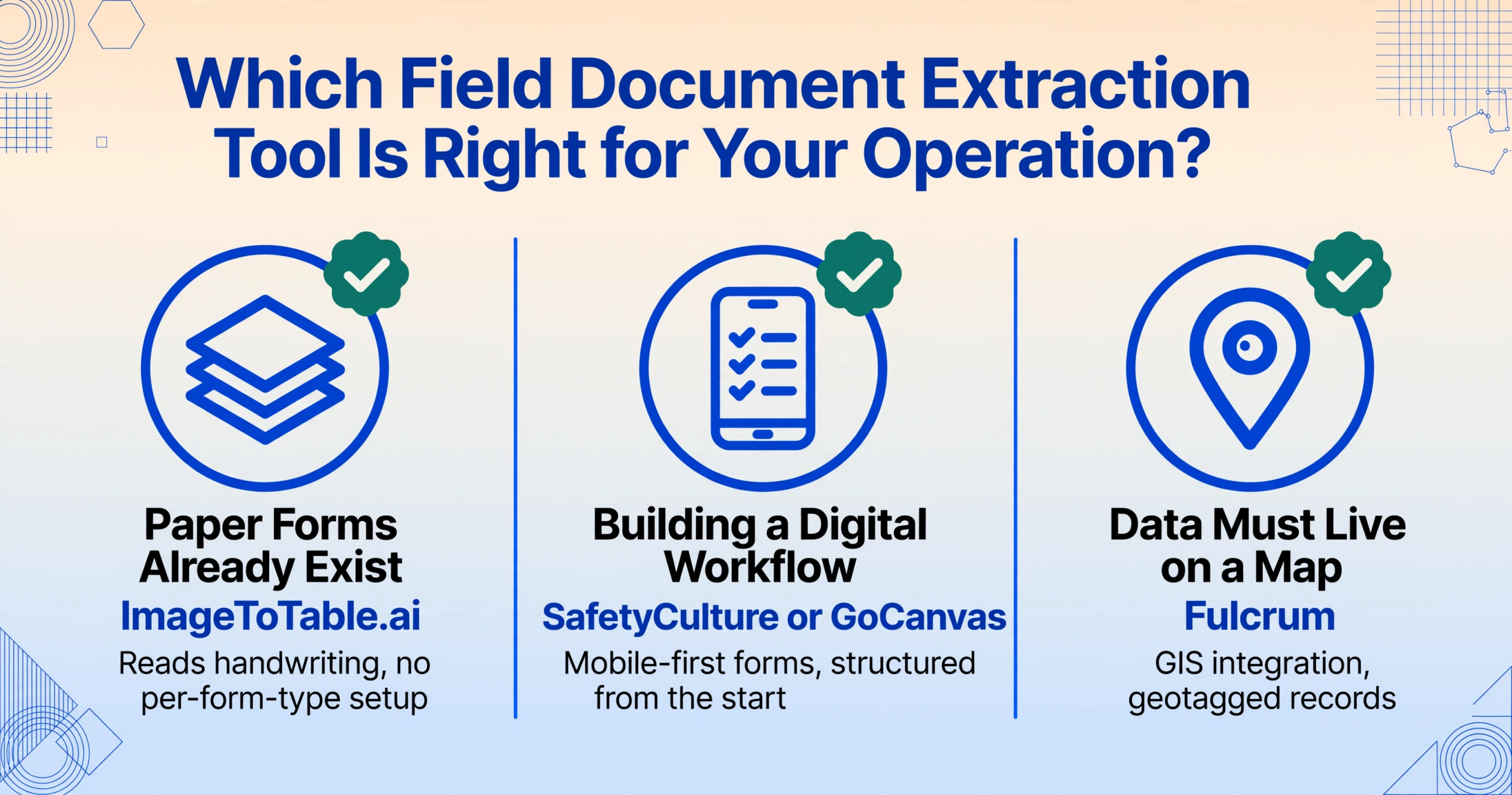
Field service operations vary enormously in scale, document type mix, technical capability, and whether the goal is replacing paper forms or extracting data from paper that already exists. Matching the tool to your operation depends on two questions: do your field documents already exist on paper, or are you building a digital workflow from scratch? And what types of field documents do you process?
| Your Scenario | Document Mix | Recommended Tool | Reason |
|---|---|---|---|
| Paper forms already exist — digitize existing backlog | Handwritten inspection checklists, JHA forms, service reports, site logs | ImageToTable.ai | Semantic extraction reads handwriting; no per-form-type setup; batch processing of mixed document types |
| Building new digital inspection workflow | Safety audits, equipment checks, compliance inspections | SafetyCulture or GoCanvas | Mobile-first form builder; offline capture; structured data from the start; no extraction needed |
| Field data needs GIS mapping + asset lifecycle tracking | Utility pole surveys, pipeline inspections, environmental monitoring | Fulcrum | Best-in-class GIS integration; offline capture; real-time map of inspection records |
| Enterprise field workflow with SAP/Salesforce integration | Multi-site field operations with ERP-connected workflows | ProntoForms (TrueContext) | Deep enterprise integration; robust offline mode; workflow automation |
| Variable-format supplier documents — weighbridge tickets, subcontractor reports | Thermal paper tickets, carbon copies, handwritten receipts from external sources | ImageToTable.ai + Collection Link | Format-independent extraction for documents you can't control; Collection Link for external uploads |
| In-house dev team building custom field automation | API-driven processing of inspection photos and service reports | Amazon Textract or Nanonets | API-first design; full control over pipeline; custom model training for consistent form types |
| Consistent digital PDF reports from known contractors | Digital daily reports from same construction management software | Docparser | Lowest cost for template-consistent digital reports — only if format never changes |
| Simple field data collection for small team | Basic inspection checklists, service records | Device Magic | Fastest deployment; simple pricing; adequate for basic mobile forms |
For more specific comparisons in related field and industrial contexts, see our sibling roundups for logistics and manufacturing. For a deeper focus on meter reading specifically, see the best meter reading extraction tools. And for operations evaluating whether AI can reliably read field gauges from smartphone photos, our can-AI-read-meter-from-photo guide provides field test data.
The Three Field-Specific Extraction Challenges Most Roundups Miss
Based on testing across all nine tools, three patterns emerged that the typical "best document extraction" roundup does not address but that field service operations encounter every day:
1. Field documents are photographed, not scanned — and the difference is structural. An office document extractor's test set assumes flatbed-scanned PDFs or clean camera captures with even lighting and orthogonal perspective. Field document photos are taken by someone standing in a gravel lot at 6:30 AM, holding a phone in one hand and a clipboard in the other. The results are: off-angle perspective (the form is photographed at 40 degrees, not 90); uneven lighting (one corner in full sun, the other in body shadow); blur from insufficient hand stabilization; and artifacts specific to the field environment (mud on the lens, condensation, rain spots). Among the tools we tested, the three that performed best on field-captured photos all included some form of automated image preprocessing — contrast adjustment, skew correction, and shadow compensation — before text recognition. The tools that assumed clean input delivered accuracy scores 20-30 percentage points lower on the degraded-capture versions of the same documents.
2. Handwriting on field forms is not optional content — it is the primary record. In an office invoice, handwriting is limited to a signature block. On a field inspection checklist, 60-70% of the data is handwritten: the inspector's pass/fail determinations, equipment condition notes, meter readings, crew counts, hazard descriptions, and sign-off signatures. On r/FieldService, field technicians describe a reality that extraction tool vendors don't address: "Our guys fill out the paperwork at the end of shift in the truck — it's rushed, it's in the dark, and sometimes the last page of the carbon copy is basically unreadable." The tools that handled this content well in our tests did not just have good handwriting OCR — they had vision models that understood document semantics: the difference between a checkmark in a pass/fail box and a stray pen mark, the relationship between an inspector's signature and the preceding fields, the ability to read a value from a gauge dial by recognizing needle angle against scale markings rather than looking for digits.
3. Thermal paper and carbon-copy documents require different preprocessing than standard OCR. Weighbridge tickets, delivery receipts, and many field service work orders are printed on thermal paper (heat-sensitive paper that fades over time) or on NCR (no-carbon-required) multi-part sets where the third copy is deliberately low-contrast. These media types invalidate the "clean text on white background" assumption that most OCR engines are built on. Thermal paper fading is progressive — a weighbridge ticket that was legible at the weigh station may be partly illegible by the time it reaches the procurement office days later. The three-tool gap in our weighbridge ticket test was directly attributable to whether a tool's preprocessing pipeline could enhance low-contrast text without introducing OCR noise. Template-based tools and basic OCR engines have no such preprocessing and returned unusable data from the thermal and NCR documents. For a detailed examination of weighbridge ticket extraction specifically, our guide to weighbridge ticket extraction covers the two-weigh verification challenge in depth.
FAQ: Field Service Document Extraction
Can field document extraction tools read handwriting from inspection checklists and safety forms?
This depends entirely on the tool. General-purpose OCR tools and template-based parsers typically cannot read handwriting at the accuracy level required for operational data — expect 35-55% field-level accuracy. Vision AI tools that use large language models (LLMs) for document understanding — ImageToTable.ai, Nanonets (with training) — can interpret handwriting at 55-85% accuracy depending on legibility, writing consistency, and the presence of field context (a template form with labeled fields helps the AI predict what the handwritten content represents). No tool achieves 99% on all handwritten field content. The practical workflow is: AI extracts high-confidence fields automatically, low-confidence fields are flagged for human review. For field operations that process heavily handwritten documents, we recommend testing with your actual forms before committing to a tool — our guide to extracting data from handwritten forms walks through this evaluation process.
How does photo quality affect extraction accuracy on field documents?
Significantly. In our tests, accuracy on the well-lit version of a document averaged 15-25 percentage points higher than the degraded-condition version across all nine tools. The primary causes of accuracy degradation were: shadow across the document surface (the most common field photo defect), off-angle perspective (photographing a clipboard at 40 degrees instead of from directly above), and motion blur from hand-held capture without stabilization. Tools with built-in image preprocessing — automatic contrast adjustment, skew correction, shadow compensation — narrowed the accuracy gap to 8-13 points. Tools without preprocessing showed a 20-35 point gap. For critical field data, we recommend: (1) photograph documents on a relatively flat surface when possible, (2) ensure even lighting with no body shadow across the form, and (3) hold the phone parallel to the document surface. For already-captured photos with defects, choose a tool with preprocessing rather than one that expects clean input.
What about OSHA compliance? Can AI extraction meet OSHA recordkeeping requirements?
OSHA's Part 1910 (General Industry) and Part 1926 (Construction) standards govern recordkeeping for workplace injuries, illnesses, and safety inspections. OSHA 29 CFR 1904 requires employers to record work-related injuries and illnesses on the OSHA 300 Log and maintain these records for five years. OSHA 1926.20(b)(2) requires "frequent and regular inspections of the job sites, materials, and equipment by competent persons" — and those inspection records must be available upon request. For compliance purposes, the critical requirement is record completeness and auditability, not the method of data capture. An AI-extracted inspection record that preserves the original photo, the extracted structured data, timestamps, inspector identification, and GPS location arguably provides more audit trail than a paper logbook. However, OSHA does not currently provide specific guidance on AI extraction for compliance records — the standard requirement is that the record be accurate, complete, and retained for the required period. Operations using AI extraction for compliance-adjacent records should verify a statistical sample of extractions and retain original source images alongside extracted data.
Do these tools work offline? My field sites don't have cellular coverage.
The field data collection platforms — SafetyCulture, Fulcrum, ProntoForms, GoCanvas, Device Magic — all support offline mode for form-based data capture on mobile devices. Inspection data, photos, and signatures are stored locally and sync when connectivity returns. The document extraction tools — ImageToTable.ai, Nanonets, Amazon Textract, Docparser — do not offer native offline processing. Extraction requires sending the image to a cloud API, which needs an internet connection. The practical workaround for field operations without connectivity is: capture the document photos on a mobile device (using the camera app, not the extraction tool), upload them in batch when connectivity is available, and process through the extraction tool at that point. Collection Link accounts can also receive uploads from multiple field points as connectivity becomes available. For operations in consistently disconnected environments, the form-based field platforms combined with batch extraction at sync time is the most reliable approach.
Can I batch-process weighbridge tickets from multiple supplier sites into one spreadsheet?
Yes — if you choose a tool with format-independent extraction and batch processing support. ImageToTable.ai processes mixed document types (meter photos, weighbridge tickets, inspection forms) in a single batch and merges outputs into one spreadsheet. The key requirement is that the tool reads documents by semantic field meaning rather than template position — because weighbridge tickets from different supplier sites use completely different layouts. For a procurement operation receiving tickets from 12 aggregate yards, a template-based tool would require 12 separate templates that would need maintenance every time a weigh station updates its software. For a detailed walkthrough, see our guide to bulk weighbridge ticket extraction. The automating meter reading to Excel guide covers the same batch workflow for utility meter reading.
Do any of these tools replace a CMMS or FSM platform?
No — and they are not designed to. Document extraction tools and field service management (FSM) platforms solve different problems. FSM platforms (ServiceMax, IFS, Salesforce Field Service, Corrigo) handle scheduling, dispatch, work order management, technician tracking, and invoicing. Document extraction tools handle the specific bottleneck of getting data from paper or photographed field documents into structured digital records. The practical architecture for most operations is: field documents are captured (by phone or paper) → extracted into structured data by a document extraction tool → fed into the FSM/CMMS platform as digital inspection records or work order inputs. Some FSM platforms (SafetyCulture, Fulcrum) include structured data collection as a feature, but they capture data that technicians enter into forms — they do not extract data from existing paper documents. For a field operation with a mixed workflow (some digital forms, some paper documents), having both a field data collection platform and a document extraction tool is often the right answer.
How much does field document extraction cost compared to manual data entry?
Manual data entry for field documents has two costs: the time field workers spend writing the data on paper (which is part of their job) and the administrative time spent keying that data into a spreadsheet or system (which is additional). The latter is the cost extraction replaces. For a mid-size utility operation processing 500 field inspection forms per month, administrative data entry typically consumes 40-60 hours of staff time at $18-25/hour, or approximately $720-1,500 per month. At this volume, ImageToTable.ai's $19-39/month plan covers the extraction volume (500 pages on the $19 plan). The net saving is roughly $700-1,400 per month — but only if the extraction accuracy is high enough that verification time doesn't offset the labor savings. For heavy-handwriting operations, we recommend testing accuracy on a sample set of your actual documents and calculating the verification time at your estimated accuracy rate before making a cost comparison.
Methodology note: Accuracy figures in this article are based on our testing of 40 field-captured document images across 9 tools in June 2026. Testing conditions: all tools evaluated using their default out-of-the-box configuration, on a mid-range Android smartphone (Samsung Galaxy A54) and iPhone 14 rear camera. Degraded lighting conditions included simulated shadow, 30-degree off-angle capture, and low ambient light. For Nanonets, we also tested with a model trained on 15 labeled images per form type; untrained accuracy figures are listed as the baseline. Accuracy ranges reflect the best and worst results across our test set and exclude complete extraction failures where a tool returned no usable data for a given field. Individual results will vary based on image quality, document condition, handwriting legibility, and specific form layout. All pricing data collected from public pricing pages in June 2026. For comparison, manual data entry of handwritten field forms is estimated at $18-25/hour based on Bureau of Labor Statistics data for data entry keyers (43-9021) as of May 2025.
See for Yourself: Try Field Document Extraction
Upload a field document photo — an inspection checklist, a site log, a weighbridge ticket, a meter reading — and see what the AI extracts in seconds. No account required, no template setup, no training data.
No sign-up required. Files are processed securely and deleted after extraction.