AI PDF Tools Summarize.
You Needed a Table You Can Reuse.
Ask an AI PDF tool for a table and you often get something else: a paragraph, a bulleted recap, or an answer buried in a chat window. It looks like progress until you try to sort it, sum it, or match it against the next document. A thread on r/pdf describes the pattern in one line: the tools feel "either too limited or too messy" (r/pdf). The reading is usually fine. The mismatch is in the deliverable, because a summary and a table are two different kinds of output.
Key Takeaways
- Most extraction tools report a single accuracy number, and it is high enough that you stop comparing there.
- A model can score 86.3% on individual fields and still get fewer than half of the rows completely right.
- The test that matters is not accuracy but one yes-or-no question: can you name the columns before the file is uploaded?
A Summary and a Table Are Two Different Deliverables
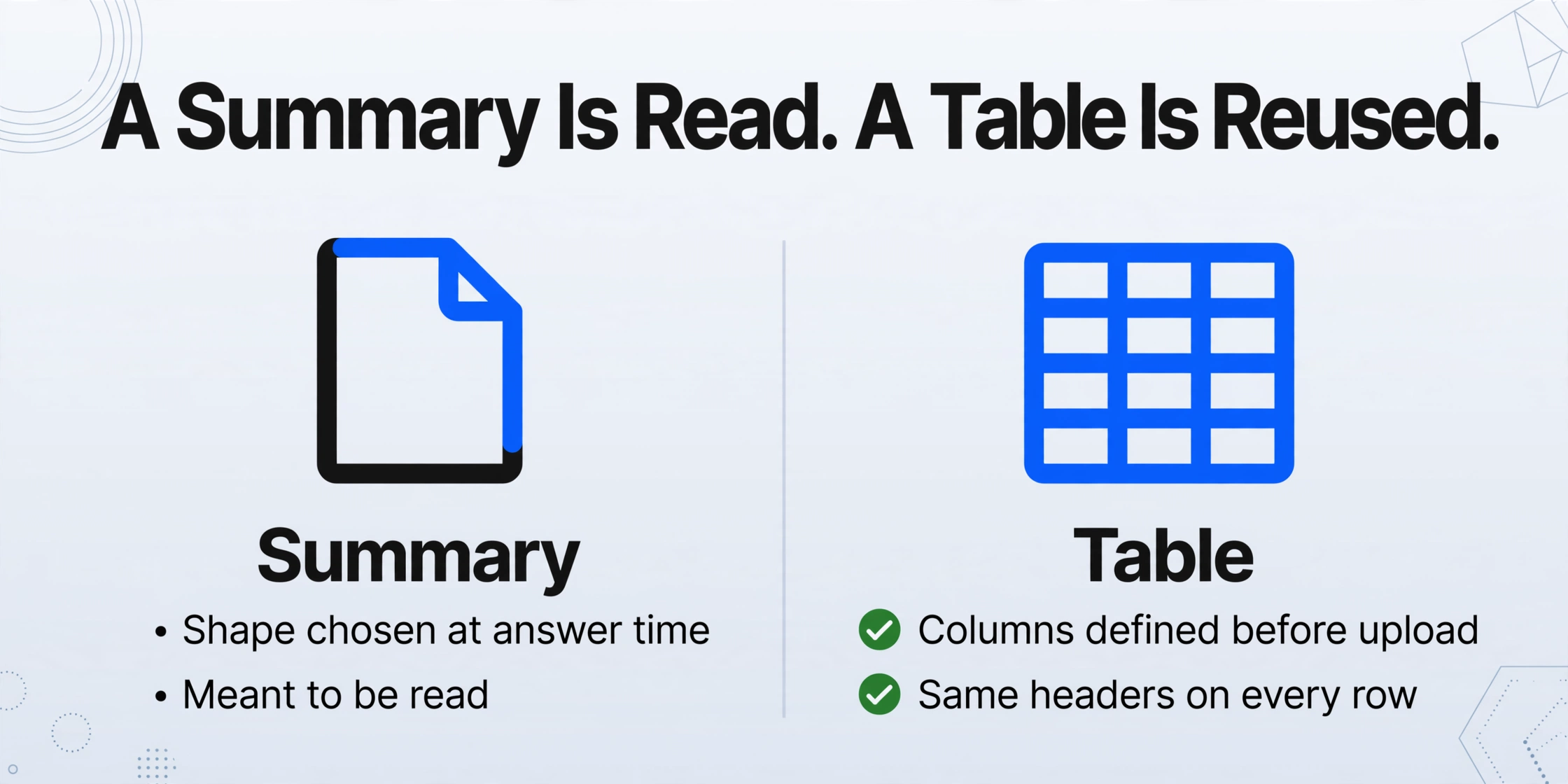
A summary is a document that describes the source. A table is a schema you define in advance and fill from every file. Only one of them can be reused on the next PDF without a person in the middle.
When a tool summarizes, it produces prose. The shape of that prose is chosen at answer time: three bullets here, a short paragraph there, a longer explanation when the document is dense. The output is meant to be read, and reading it is the point.
A table works differently. You decide the columns before the file is opened, for example Vendor, Invoice Number, Due Date, and Total. The tool then fills those same columns from every document in the batch. The value lives in the shape: row 40 has the same columns as row 1, so the result can be sorted, summed, and imported without cleanup.
The industry keeps these two jobs under one label and still separates them when it counts. Gartner defines intelligent document processing as software that extracts data "from multiple formats and various layouts of document content," and its 2025 Critical Capabilities assessment splits the work into distinct use cases, including augmented reading and handling on one side and extraction and retention of data on the other (Gartner). Forrester's 2025 update to its document mining and analytics landscape makes the same point from the other direction: generative and agentic AI is reshaping the category, and buyers now have to choose the kind of vendor that matches the job (Forrester).
In practice, the tools sort into two camps. On the reading side: ChatGPT, Claude, Gemini, Adobe Acrobat's AI Assistant, NotebookLM. On the extraction side: ABBYY, Google Document AI, Microsoft's Azure Document Intelligence, AWS Textract, Rossum. Some products sit in both, which is exactly why the output contract, not the brand, is the thing to test.
| What you are doing | A summary or chat tool | An extraction tool |
|---|---|---|
| Output shape | Decided by the model at answer time | Decided by you before the file is read |
| What you get back | Prose, bullets, or a chat reply | Rows and columns in a spreadsheet |
| Same file, second run | Wording and structure can change | Same columns, because the columns are yours |
| Ten files at once | One conversation per file | One table from the whole folder |
| Best for | Understanding what a document says | Turning what it says into data you can compute on |
| Weak at | Producing a fixed schema across many files | Explaining, interpreting, or discussing a document |
The rest of this article is about telling the two apart before you spend an afternoon pasting outputs into a spreadsheet, and about what to ask for once you know which one you need.
Why the Same Tool Gives You a Different Table Each Time
The output shape belongs to the model, not to you, so it can change between two runs on the same file even when the text on the page has not moved.
This is not a defect that a stronger model quietly fixes. It is how these systems are built. OpenAI's API documentation states that chat completions are "non-deterministic by default," meaning outputs may differ from request to request (OpenAI). Microsoft's documentation for reproducible output goes further: even with a fixed seed and the same system fingerprint, it says, "determinism isn't guaranteed" and a degree of variability is common (Microsoft Learn).
A person reading a single summary will not notice. A person merging ten summaries into one sheet notices immediately, because the second run may rename a column, reorder two fields, or fold two values into one cell.
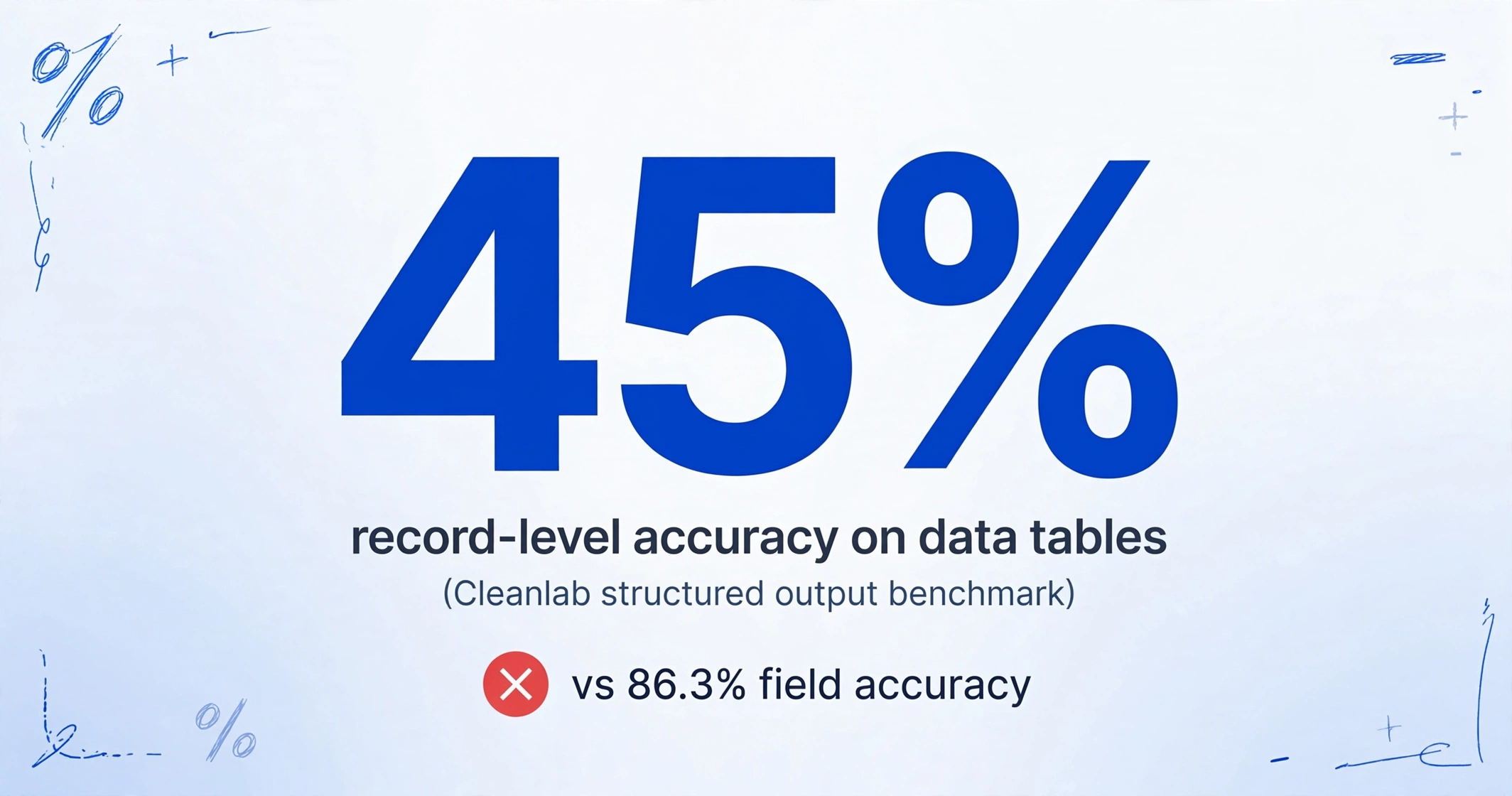
The accuracy numbers hide the same problem. Cleanlab's structured output benchmark separates two measurements that most tool pages blur together: Field Accuracy, the share of individual fields that are correct, and Output Accuracy, the share of records where every field is correct. On its data table set, gpt-4.1-mini scored 86.3% at the field level and 45% at the record level. On insurance claims, record accuracy landed between 30% and 40%; on personal information extraction, between 26% and 46% (Cleanlab).
A 90% field number sounds reassuring until you need the whole row. Ten fields at 95% each leave roughly a 60% chance that any given row is completely clean, and the errors stack as the batch grows.
There is a second reason a summary can look fine while the data underneath is incomplete. A PDF stores where characters sit on a page, not which column or row they belong to. NVIDIA's engineers describe the failure directly in a PDF extraction study: a general vision model can misread content, skip embedded text, or hallucinate a title that was never on the page, while a structure-aware pipeline kept more of the table intact (NVIDIA). A paragraph does not have to account for every line item. A table does, and that is the standard worth holding the tool to.
Real users run into this when they ask for structure and get a description. One r/ChatGPT thread starts from a PDF of 100 people and a request for a spreadsheet (r/ChatGPT). Another reports that a 30 to 40 page PDF under 300 KB was still too much for a chat model to summarize reliably (r/ChatGPT). The requested output is where the trouble sits.
One Rule Tells a Summarizer From an Extractor
Ask whether you can name the output columns before you upload. If the tool will not let you, it is deciding the shape of the answer for you.
That single question separates structured extraction from summarization faster than any feature list. A summary tool takes a file and returns whatever structure it chooses. An extraction tool takes a file and your column names, and returns those names as the headers of a table.
The rule also explains why rephrasing the prompt does not close the gap. A better prompt can improve one answer. It cannot hand the model a fixed schema that survives fifty files, because the schema was never part of the request. The distinction matters most for recurring work: next month's invoices, the next batch of statements, the folder that grows every week.
There is a practical second half to the rule. Once you can name the columns, ask where the values came from. If a tool cannot point at the region of the page a number was read from, verification stays manual, and a value you cannot verify is a value you re-check by hand.
Five Questions That Expose the Difference
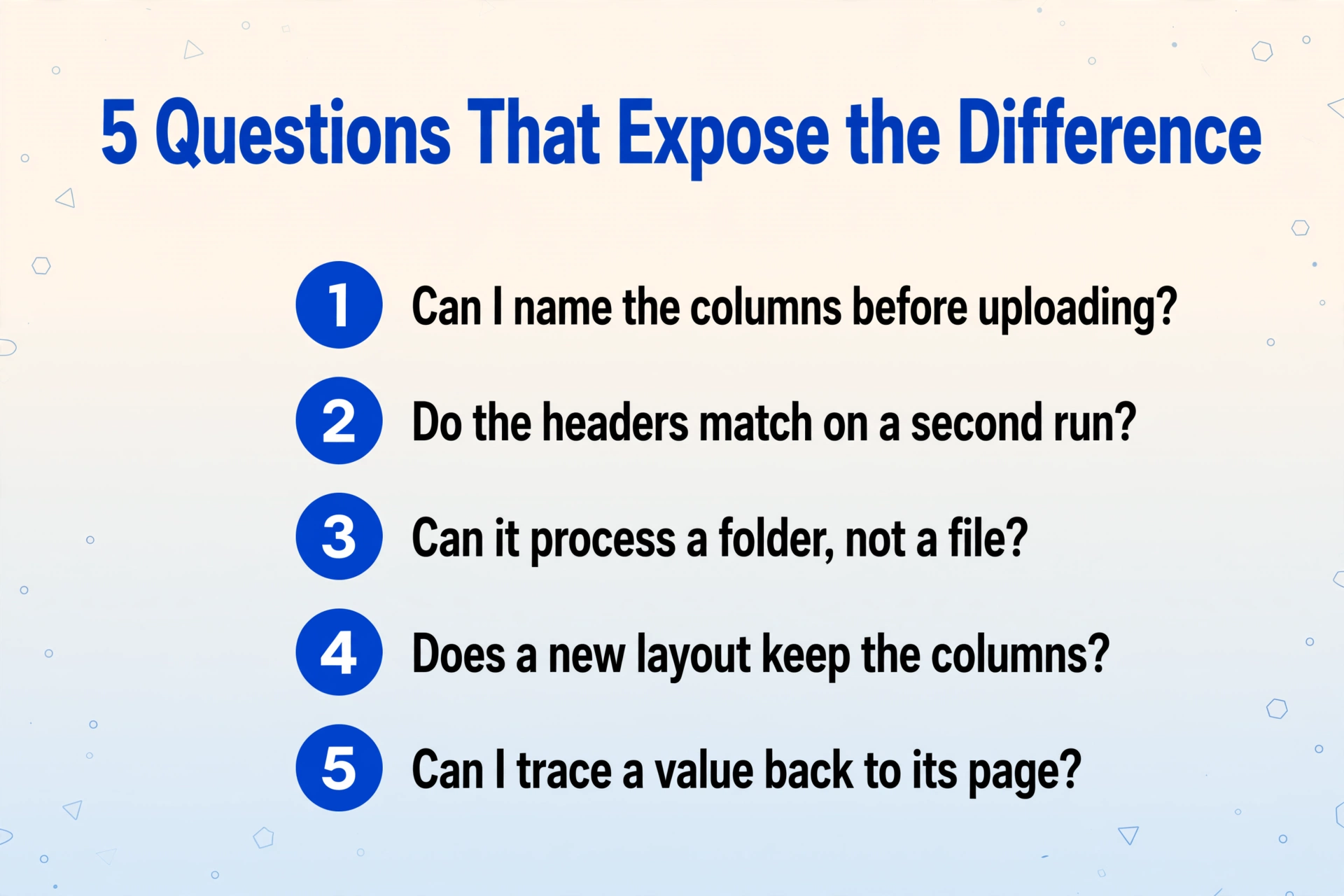
Five questions separate a tool that reads documents from one that turns them into data, and you can run all of them on your own files in a few minutes.
Can I name the columns before uploading?
If the interface asks for field names, it is built for extraction. If the only input is a chat box, the shape of the output is not yours to set.
Do the headers match when I run the same file twice?
Compare the header row cell by cell. Different names or a different order mean there is no fixed schema, and no formula built on top of it will hold.
Can it process a folder, not a file?
A tool built for one document at a time forces you to merge fifty answers by hand, which is where the mess in the r/pdf thread comes from.
Does a file with a different layout keep the columns?
Add a statement from another bank or an invoice from another vendor. Real document sets are never uniform, so this is the difference between a demo and a process.
Can I trace one value back to its page?
Pick a cell and find it in the source. If that means reopening the PDF by hand, the extraction moved the review step instead of removing it.
If a tool fails any one of these, treat it as a reading tool. It may still be excellent at that job.
What to Ask For Instead
The first thing to fix in a PDF to table workflow is who defines the output. Name the columns you want and let those names become the headers, so the contract is yours from the first file to the fiftieth.
This is what Custom Column Extraction means in practice. Instead of letting the model decide what to return, you type the field names you need, for example "Statement Date," "Description," and "Amount," and the tool locates each value by what it means rather than where it sits on the page. Because the column list comes from you, it does not change when the next vendor sends a different layout. That is the property that makes the output reusable rather than merely readable.
The second thing to ask for is batch processing. Batch-first processing means a folder of documents goes in and one table comes out, with the same header row across every file. This is where a chat interface is structurally weakest: it is built around one conversation per document, so the merging happens afterward, by hand, on the person who was trying to save time.
Two smaller settings finish the picture. If a column is a calculation rather than a field printed on the page, a computed column lets you describe it in the column name, for example "Line Total (Qty × Unit Price)," so the AI does the arithmetic during extraction and you get the answer rather than the raw numbers. And Review Mode with Bbox lets you hover a cell and see the region of the source it was read from, which is what makes question five above answerable in seconds instead of minutes.
If the output you actually need is the whole document rather than a table, an extraction tool is still the wrong shape, and a conversion mode is the right one. ImageToTable.ai's To Word mode rebuilds the original layout as an editable Word file, which is the correct output when the goal is a readable document and not a row of data.
Files are processed securely and not stored.
The same approach is described from a different angle in the guide to turning a folder of PDFs into one Excel sheet, and the mechanics of how a model finds a field by meaning are covered in what AI document extraction is and how it works. If your files mix native and scanned pages, the method-by-method breakdown lives in the PDF to structured data guide.
Where Extraction Stops and a Chatbot Is the Right Tool
An extraction tool answers "what are the values." It does not answer "what does this document mean," and it will not write you a summary.
That limit is worth stating plainly, because the two jobs are easy to confuse. If you want a conversational read of a contract, a narrative summary of a report, or an answer to a question about a policy, a general assistant such as ChatGPT, Claude, Gemini, or Adobe's AI Assistant is the correct tool. Several of them handle a single clean document well. They are the right choice for understanding, and the wrong choice for producing the same fixed table from a folder of files.
Extraction has honest edges too. It returns the fields you asked for, not an interpretation of them. Handwriting and poor scans lower accuracy, which is why a review step matters for anything that feeds payments or compliance. A value the tool cannot find is not an invitation to guess; a good tool leaves it empty or flags it rather than inventing a plausible number.
If the task is specifically to pull data out of an image or a photo, the same reasoning applies on a different input, and it is covered for handwritten documents and for screenshots. If you are weighing a general assistant against a purpose-built tool, the ChatGPT comparison goes through the tradeoffs directly.
AI PDF Tools and Structured Extraction: FAQ
Is summarizing a PDF the same as extracting data from it?
No. A summary is a document that describes the source and is meant to be read. Extraction produces a table whose columns you defined in advance, and its value is that the same columns come back from every file. A tool can do both jobs, but the output contract is different, and only one of them can be reused on the next batch without manual cleanup.
Why do AI PDF tools give different results each time?
Because chat completions are non-deterministic by default, as OpenAI's own API documentation states, and Microsoft's documentation notes that determinism is not guaranteed even with a fixed seed. The model chooses the shape of the answer at generation time. If that shape is not pinned down by a schema you supplied, it can vary between runs on the same file.
Can I get a table from a scanned PDF or a photo?
Yes, if the tool reads the page as an image rather than relying on an embedded text layer. Scanned PDFs and photos have no text layer, so a text-based importer returns nothing. A vision-based extraction tool reads the pixels directly, which is the same reason it can handle a photographed receipt.
Do I just need a better prompt?
A better prompt can improve a single result and is worth trying. It does not create a fixed set of columns across fifty files, and it does not raise the ceiling on how many files one run can hold. Those are structural properties of the tool, not phrasing problems.
What if I actually want a summary?
Use a tool built for reading. ChatGPT, Claude, Gemini, and Adobe Acrobat's AI Assistant are all reasonable choices for a narrative summary or a question about a document. Extraction tools are optimized for a different output, and asking one for prose is as much a mismatch as asking a summarizer for a stable schema.
Can one tool do both?
Some products cover both reading and extraction. When they do, judge the extraction side by the five questions above, because reading quality and schema stability are separate properties. A tool that summarizes beautifully can still return different headers on two runs of the same file.
The useful shift is from "which AI is smartest" to "what shape is this job." A summary and a table are two deliverables, and the tool that reads a document well is not automatically the tool that turns a folder of them into a spreadsheet. Decide which one you need first, and the question of whether to change your prompt or your tool answers itself.