Most Affordable AI Document Extraction
Tools in 2026, Ranked by Value
Eight document extraction tools advertise plans under $50 per month. Their entry prices range from $9 to $39. But "starting at" pricing tells you what the cheapest plan costs — not what each processed document costs. A $39/month plan covering 100 documents runs $0.39 per document. A $9/month plan covering 150 documents runs $0.06. The tool that looks more expensive by sticker price is actually 6.5x more expensive per document. This article normalizes every sub-$50 tool to a single metric — per-document cost at your actual volume — so you can compare what each dollar buys.
Key Takeaways
- $39/month can cost 6.5x more per document than $9/month — because "starting at" pricing hides three costs that never appear on the pricing page: expired credits, template labor, and gated add-ons.
- Every tool in this comparison uses a different billing unit — credits, pages, documents, emails — so two plans both labeled "$39/month" can deliver 100 documents or 33, depending on which fine print you missed.
- One number cuts through it all: per-document cost at your actual monthly volume — and at every volume from 50 to 500, ImageToTable.ai lands 2–6x below the next cheapest option.
Why "Starting at $X/Month" Tells You Almost Nothing
Every tool in this comparison publishes a monthly starting price. None of them use the same billing unit. Docparser charges per credit, where one credit covers one document up to five pages — a six-page contract costs two credits. Parseur charges per page regardless of document boundaries. Airparser uses credits where one credit equals one page, one email, or one image.
The result: two tools both advertising "$39/month" deliver wildly different amounts of extraction. One gives you 100 single-page documents. Another gives you 100 pages — but if your invoices average three pages, that's only 33 documents. A third gives you 100 credits that could mean 100 pages or 100 emails depending on input format.
The only way to compare them honestly is to convert every tool to one number: what it costs to process one document at a specific monthly volume. That's what the tables in this article do. For a broader look at document extraction pricing across all price ranges, including enterprise tools, see the pricing hub. Here, the filter is strict: nothing above $50/month at entry tier.
Eight Tools Under $50/Month: What You're Actually Buying
This comparison includes every self-serve document extraction tool with a published plan under $50/month. Enterprise-only platforms (Nanonets at $999/month, Rossum at $18K/year, ABBYY FlexiCapture with sales-call pricing) are excluded. The tools are ordered by entry-tier per-document cost, lowest first.
| Tool | Entry Plan | Monthly Cost | Included Volume | Per-Doc Cost | Extraction Method |
|---|---|---|---|---|---|
| ImageToTable.ai | Basic | $9/mo | 150 credits | $0.06 | Vision AI (no templates) |
| Parsli | Starter | $20/mo | ~100 pages | ~$0.20 | Google Gemini AI |
| DigiParser | Startup (annual) | $20/mo | 100 pages | $0.20 | AI-driven OCR |
| Airparser | Starter (annual) | $33/mo | 100 credits | $0.33 | GPT-based parsing |
| Docparser | Starter | $39/mo | 100 credits (1 credit = up to 5 pages) | $0.39 | Template-based zonal OCR |
| Parseur | Starter | $39/mo | 100 pages | $0.39 | AI + template hybrid |
| ImageToTable.ai | Pro | $19/mo | 400 credits | $0.0475 | Vision AI (no templates) |
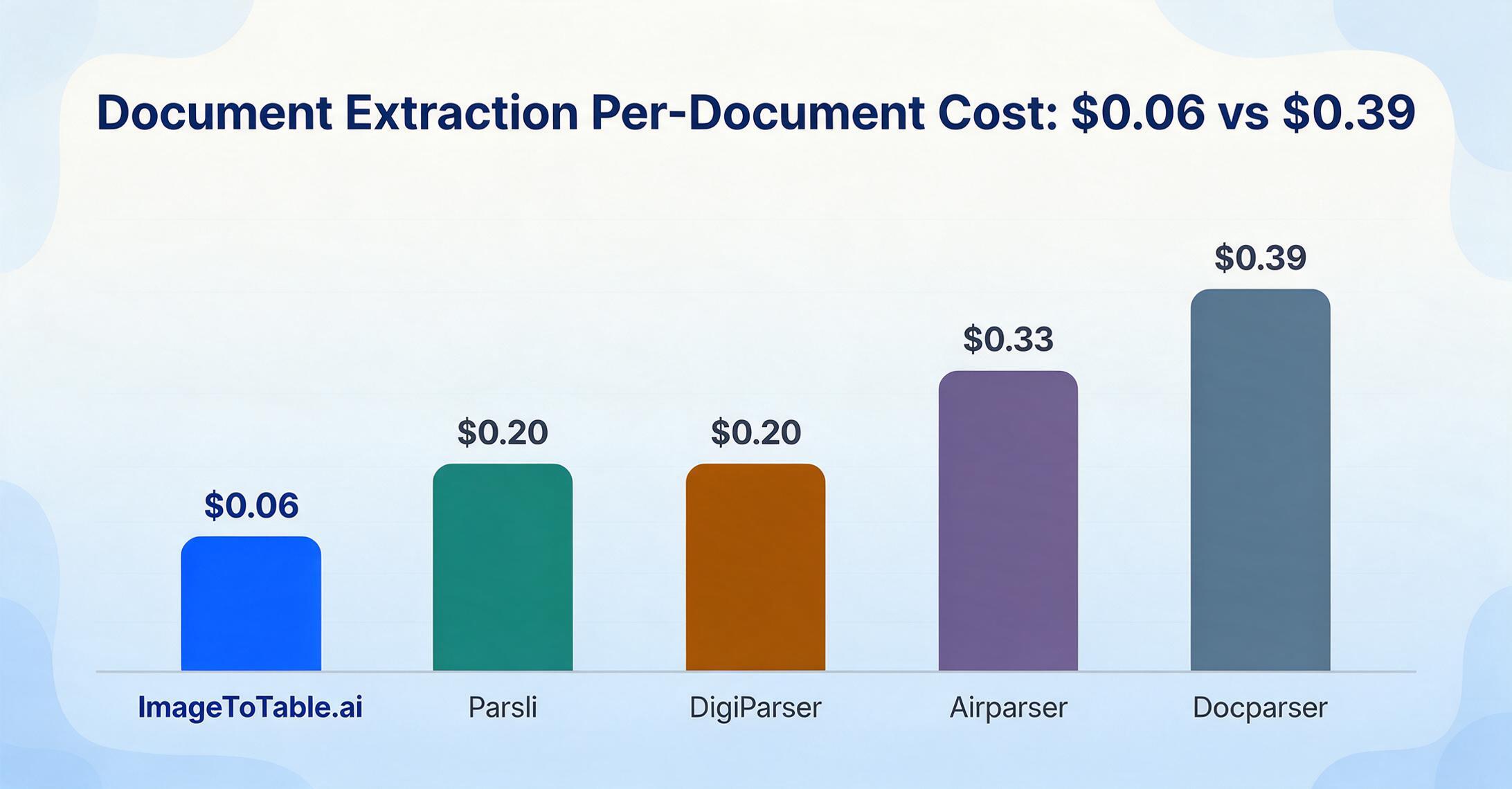
Two things stand out immediately. First, ImageToTable.ai's Basic plan at $9/month is the lowest entry point by a wide margin — the next cheapest AI-powered option costs $20/month. Second, Docparser at $39/month is the only tool in this group that doesn't use AI at all; it relies on template-based zonal OCR where you manually draw extraction zones on a document layout. Every other tool uses some form of AI or LLM-based extraction.
Docparser's credit system deserves a closer look. One credit covers one document up to five pages, which sounds generous — until you realize that a six-page contract burns two credits, and a 15-page lease burns three. At $0.39 per credit, a 15-page document costs $1.17 to process. Per-page tools like Parseur charge the same regardless of document boundaries, making their costs more predictable for multi-page documents. For a deeper comparison of Docparser specifically, see the Docparser alternative analysis.
Per-Document Cost at Three Real-World Volumes
Entry-tier per-document cost only matters if you stay within that tier's limits. Most users don't. The tables below show what each tool actually costs at three common volumes, accounting for plan upgrades, overage charges, and the cheapest available configuration at each level. All calculations assume single-page documents for consistency. For the pay-as-you-go vs subscription trade-off, that's a separate decision — here we're comparing the cheapest path to each volume.
Tier 1: 50 Documents per Month
A freelance bookkeeper, a consultant tracking expenses, or a solo professional digitizing receipts. At this volume, the free tiers on some tools might cover you entirely — but free tiers come with limitations (watermarks on Parseur, no API on some tools, 30-day data retention).
| Tool | Plan | Monthly Bill | Per-Doc Cost |
|---|---|---|---|
| ImageToTable.ai | Pay-as-you-go (no subscription needed) | $3 | $0.06 |
| Parsli | Free tier (30 pages) + Starter | $20 | $0.40 |
| DigiParser | Startup (100 pages) | $20 | $0.40 |
| Airparser | Starter annual (100 credits) | $33 | $0.66 |
| Docparser | Starter (100 credits) | $39 | $0.78 |
| Parseur | Starter (100 pages) | $39 | $0.78 |
At 50 documents, ImageToTable.ai's pay-as-you-go option is the cheapest paid path at $3/month for 50 documents, with no subscription commitment and credits that never expire. That last detail matters — if you process 30 documents one month and 70 the next, unused credits carry over. Most subscription tools expire unused credits at month's end. The freelancer's guide to document extraction on a budget covers this exact scenario in more depth.
Tier 2: 200 Documents per Month
A small business with 15-30 regular suppliers, or an accounting practice managing several client accounts. Manual entry at this volume takes roughly 10 hours per month — enough to justify a paid tool, not enough to justify an enterprise platform.
| Tool | Plan | Monthly Bill | Per-Doc Cost |
|---|---|---|---|
| ImageToTable.ai | Pro (400 credits) | $19 | $0.095 |
| DigiParser | Startup (100 pages) + overage | ~$40-50 | ~$0.20-0.25 |
| Airparser | Starter annual (100 credits) + overage | ~$66 | ~$0.33 |
| Docparser | Professional (250 credits) | $74 | $0.37 |
| Parseur | Pro (500 pages) | $69 | $0.35 |
| Parsli | Starter or next tier | ~$20-49 | ~$0.10-0.25 |
At 200 documents, the budget tier starts splitting into two camps. Tools with generous credit allotments — ImageToTable.ai's Pro plan includes 400 credits for $19 — stay well under $0.10 per document. Tools with 100-credit entry plans force you into either their next pricing tier ($74/month for Docparser Professional, $69/month for Parseur Pro) or overage charges that can double your effective bill.
This is also where Docparser's template maintenance cost becomes real. At 200 documents per month, you're likely processing invoices from at least 10-15 different suppliers. For affordable invoice extraction specifically, the savings at this volume are significant even before accounting for template labor. Docparser requires a separate template for each layout — building and maintaining 15 templates takes hours that don't show up on the invoice. AI-powered tools handle layout variation automatically. For a detailed analysis of whether one tool or multiple specialized tools makes more sense at this volume, the cost math is tighter than most people expect.
Tier 3: 500 Documents per Month
A growing business, a multi-client bookkeeping practice, or a procurement team handling vendor invoices across departments. At this volume, the tool saves 25+ hours of manual work per month, and per-document cost becomes more important than entry price.
| Tool | Plan | Monthly Bill | Per-Doc Cost |
|---|---|---|---|
| ImageToTable.ai | Pro (400) + 100 PAYG credits | $25 | $0.05 |
| Airparser | Growth (500 credits) | $49 | $0.098 |
| Parseur | Pro (500 pages) | $69 | $0.14 |
| Docparser | Professional (250) + overage | ~$113 | ~$0.23 |
| DigiParser | Pro (1,000 pages) | $99 | $0.198 |
| Parsli | Mid tier | ~$49 | ~$0.10 |
At 500 documents, the spread narrows but ImageToTable.ai maintains a 2x cost advantage over the next cheapest option. Its Pro plan ($19/month for 400 credits) plus 100 pay-as-you-go credits at $0.06 each totals $25/month. Airparser's Growth plan — the next cheapest — costs $49/month for the same 500-document volume. Over a year, that's $288 vs $588 — a $300 difference that buys a lot of other software.
Notice that Docparser, which started at a competitive-looking $39/month, now costs $113+ for 500 documents because its entry plan only includes 250 credits. The tool that appeared cheapest for someone processing fewer than 100 documents becomes one of the most expensive at scale. For the invoice-specific price comparison with even more tools, the pattern holds across document types.
AI Extraction vs Template Extraction: Same Price, Different Value
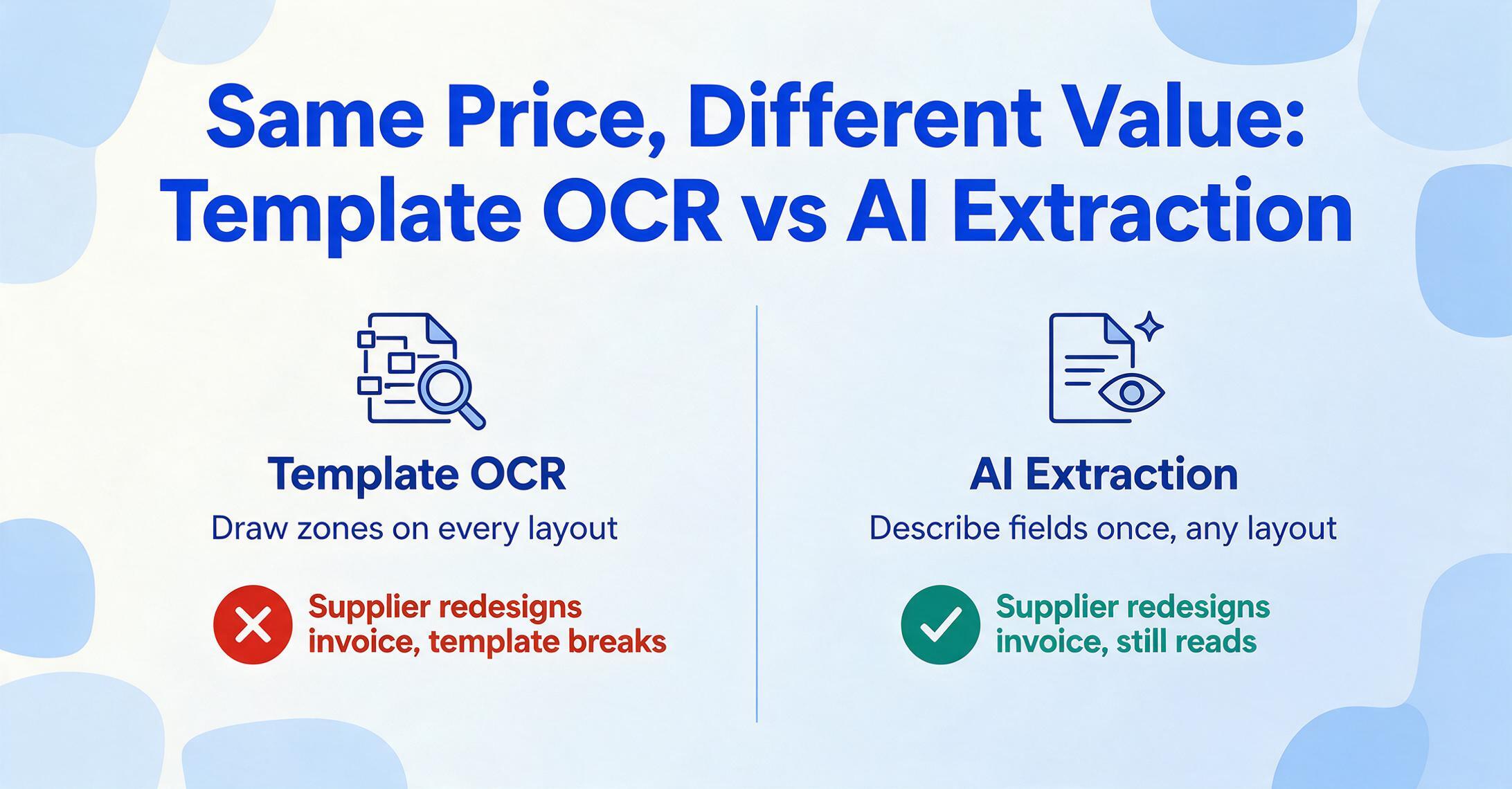
The pricing tables above compare monthly bills. They don't capture the most important difference between these tools: whether they use AI to understand documents or templates to match document layouts.
Template-based tools require you to build a new extraction template for every document layout you encounter. AI-powered tools handle any layout automatically — you describe what data you want, and the AI finds it regardless of where it appears on the page.
At $39/month, both Docparser and Parseur sit at the same price point. But Docparser uses zonal OCR: you open a sample document, draw rectangles around each field you want to extract, and Docparser pulls data from those exact coordinates on every subsequent document. When a supplier redesigns their invoice — different logo placement, rearranged fields, new line item layout — your template breaks. You build a new one.
Parseur uses a hybrid approach: AI-assisted parsing for common document types with manual templates as fallback. Airparser and ImageToTable.ai both use pure AI extraction — GPT-based for Airparser, vision large model for ImageToTable.ai — meaning no templates to build or maintain. This distinction barely matters at 10 documents per month from one supplier. At 200 documents from 20 suppliers, the template maintenance hours on Docparser can exceed the time saved by automation.
Consider the real cost calculation. Docparser at $39/month with 15 supplier templates, each taking 20 minutes to set up initially and 10 minutes per month to maintain when layouts change: that's 5 hours of initial setup plus 2.5 hours monthly. At $30/hour for bookkeeper time, that's $150/month in labor on top of the $39 subscription. A $9/month AI tool with zero template maintenance costs $9. The hidden cost gap between free OCR and AI extraction follows the same pattern — the sticker price is the smallest line item.
What $9/Month Gets You That $39/Month Doesn't
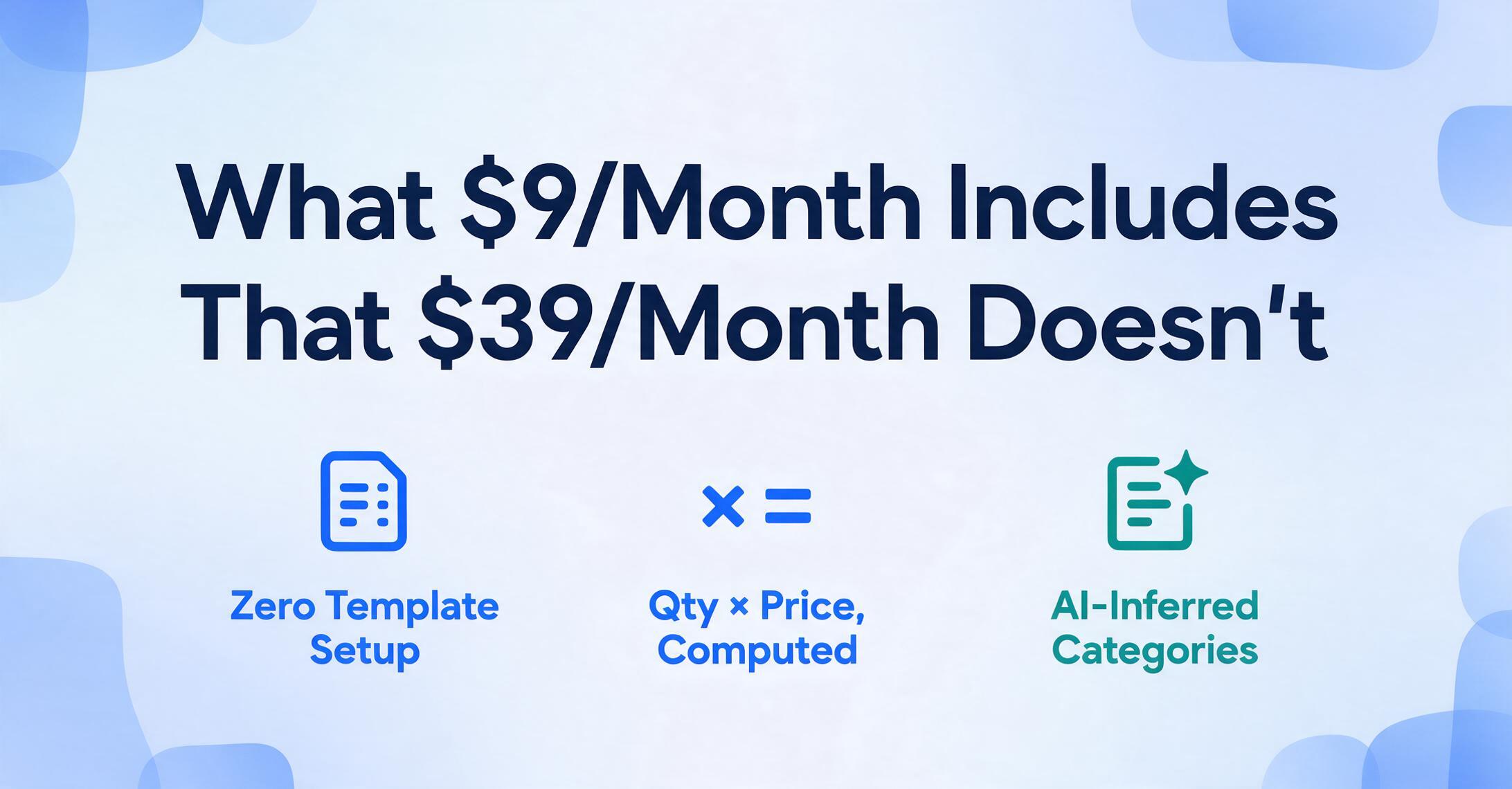
ImageToTable.ai's Basic plan costs $9/month — less than a quarter of Docparser or Parseur's entry price. The natural assumption is that you get a quarter of the functionality. That assumption is wrong. Here's what the $9 plan includes:
The feature gap between ImageToTable.ai at $9/month and the $39 tools isn't about who has more features — it's about the extraction approach. Vision AI reads documents the way a human does: looking at the entire page, understanding context, finding data by meaning rather than position. Template tools read documents the way a scanner does: looking at predefined coordinates and copying whatever characters appear there. The first approach handles any layout automatically. The second breaks when layouts change. Both exist at the sub-$50 price point, but only one eliminates the setup and maintenance work that makes budget tools feel expensive. For a more comprehensive look at what data extraction software can do across document types, the capabilities extend well beyond invoices.
Files are processed securely and not stored.
Which Tool Fits Your Volume and Workflow
Per-document cost is the most important metric, but it's not the only one. The right tool also depends on how your documents arrive, what you do with the data afterward, and how much setup you're willing to invest.
Freelancers & Solopreneurs (under 100 docs/mo)
Best value: ImageToTable.ai pay-as-you-go ($0.06/doc, no subscription) or Basic ($9/mo for 150 docs)
At this volume, a $39/month subscription wastes 50-70% of your credits. Pay-as-you-go lets you pay for exactly what you use. Credits never expire, so a slow month doesn't burn money. If documents arrive as photos from your phone, the vision AI handles camera angles and lighting variations that template tools can't.
Small Business (100-300 docs/mo)
Best value: ImageToTable.ai Pro ($19/mo for 400 docs) or Airparser Growth ($49/mo for 500 docs)
Both offer AI extraction with no template setup. ImageToTable.ai costs less and adds computed columns for in-extraction math. Airparser offers slightly more credits and strong email parsing if your documents arrive as attachments. Avoid Docparser at this volume — template maintenance across 15+ supplier formats negates the automation savings.
Growing Teams (300-500 docs/mo)
Best value: ImageToTable.ai Pro + PAYG ($25-31/mo) or Parseur Pro ($69/mo for 500 pages)
ImageToTable.ai's hybrid approach — subscription credits for predictable volume, pay-as-you-go for overflow — keeps costs below $31/month at 500 documents. Parseur is worth considering if your workflow is email-heavy and you need native Zapier/Make integrations for downstream automation. The no-enterprise-contract guide explains what you gain by staying in the self-serve tier.
Email-Heavy Workflows
Consider: Parseur ($39/mo) or Airparser ($33/mo annual)
If documents arrive exclusively as email attachments and you need automatic forwarding rules, Parseur and Airparser both offer native email inbox parsing. ImageToTable.ai handles PDFs and images from any source but doesn't have built-in email ingestion — you'd upload attachments manually or use its Collection Link feature to receive files from others.
The Hidden Costs That Don't Appear on Pricing Pages
Three costs consistently inflate the real price of document extraction tools beyond their published rates:
Credit expiration. Most subscription tools expire unused credits at month's end. If you buy a 100-credit plan and use 60 credits, those 40 unused credits vanish. Over a year, a user with variable monthly volume can waste 30-40% of purchased credits. ImageToTable.ai's pay-as-you-go credits never expire.
Template creation and maintenance. Docparser's $39/month buys extraction capacity, not extraction readiness. Before you process a single document, you need to build templates — and every unique document layout needs its own template. A bookkeeper handling invoices from 20 suppliers needs 20 templates. When suppliers update their invoice design (which happens at least once a year for most), templates break and require rebuilding. AI tools have zero template cost because they don't use templates.
Add-on charges and feature gating. Docparser charges $5.95/month extra for multi-factor authentication and $29.95/month for multi-layout parsers — a feature that's essentially mandatory if you process documents from more than one supplier. Parseur gates post-processing (custom Python scripts) behind its Scale tier at $399/month. These add-ons can double or triple the effective cost of an entry-tier plan. ImageToTable.ai and Parsli include all features on every plan.
Feature-by-Feature: What Each Budget Tool Includes
Price per document tells you cost efficiency. This table tells you what you're getting for that cost — which features are included at entry tier and which require upgrades or add-ons.
| Feature | ImageToTable.ai | Airparser | Docparser | Parseur |
|---|---|---|---|---|
| AI Extraction | Vision LLM | GPT | No (zonal OCR) | Hybrid |
| Template Setup Required | No | No | Yes | Optional |
| Custom Fields | Unlimited | Unlimited | Template-defined | Unlimited |
| Computed Columns | Yes | No | No | No |
| Inferred Columns | Yes | Partial | No | No |
| Batch Processing | Yes, merged output | Yes | Yes | Yes |
| Output Formats | XLSX, CSV, JSON, Word | JSON, CSV, webhooks | XLSX, CSV, JSON, XML | Google Sheets, XLSX, JSON |
| Google Sheets Add-on | Yes | No | Export integration | Export integration |
| API Access | All plans | All plans | All plans | All plans |
| Handwriting Recognition | Yes | Limited | No | No |
| PAYG / No Expiry | $0.06, never expires | No | No | No |
Two features in this table are unique to ImageToTable.ai across the entire sub-$50 tier: computed columns and non-expiring pay-as-you-go credits. Computed columns mean you can extract data and calculate derived values in a single pass — "Line Total (Qty × Unit Price)" or "Tax Amount (Subtotal × 0.08)" — without post-processing in Excel. No other budget tool offers extraction-time computation. Non-expiring credits mean variable-volume users don't subsidize months they don't use the tool. For comparisons against Nanonets, the feature gap becomes even more pronounced at higher price points.
Frequently Asked Questions
Is there a completely free AI document extraction tool?
Several tools offer free tiers: Parsli (30 pages/month), Parseur (20 pages/month with watermarks). These work for evaluation or very low volume, but they restrict features — limited retention periods, no API access on some, export limitations. For consistent use, even at low volume, ImageToTable.ai's pay-as-you-go at $0.06/page with no subscription and no credit expiry is cheaper than any free tier's restrictions once you hit 30+ documents.
Does cheaper always mean worse accuracy?
No. Extraction accuracy depends on the AI model and document quality, not the subscription price. ImageToTable.ai at $9/month uses a vision large model that achieves up to 99% accuracy on printed table data — the same engine runs regardless of plan tier. Template-based tools like Docparser can achieve high accuracy on documents that match their templates exactly, but accuracy drops to near zero on documents without a matching template. The accuracy question isn't "how good is the cheapest tool" but "how often will my documents match the tool's expected format."
Can I use these tools with QuickBooks or Xero?
Most sub-$50 tools export to Excel or CSV, which you can then import into QuickBooks or Xero. Docparser and Parseur offer direct integrations via Zapier. ImageToTable.ai exports to XLSX, CSV, and JSON, and its Google Sheets add-on writes extracted data directly into a spreadsheet that can feed into your accounting workflow. None of the budget-tier tools offer native, one-click QuickBooks/Xero sync — that's an enterprise feature that starts at $500/month and up.
What's the difference between credits, pages, and documents?
This is the single biggest source of pricing confusion. A "credit" means something different on every platform. On Docparser, 1 credit = 1 document up to 5 pages. On Airparser, 1 credit = 1 page, 1 email, or 1 image. On ImageToTable.ai, 1 credit = 1 image or 1 PDF page. When comparing tools, always convert to a common unit: cost per single-page document processed. The tables in this article already do that conversion for you.
Do I need a subscription, or can I pay per document?
ImageToTable.ai is the only tool in this comparison that offers true pay-as-you-go with no subscription requirement and no credit expiry. You buy credits when you need them at $0.06 each and use them whenever. Every other tool requires a monthly subscription — even at volumes well below their plan limits. For the full trade-off analysis between pay-as-you-go and subscription models, the decision depends on how predictable your monthly volume is.
The Budget Extraction Decision in One Table
After comparing eight tools across three volume tiers, the pattern is consistent: ImageToTable.ai delivers the lowest per-document cost at every volume level while offering the broadest feature set (AI extraction, computed columns, no templates, non-expiring credits). The gap isn't marginal — it's 2-6x cheaper per document than the next closest option, depending on volume.
The most affordable document extraction tool isn't always the one with the lowest monthly price. It's the one with the lowest per-document cost at your actual volume — and the one that doesn't charge you for setup time, expired credits, or template maintenance that never shows up on the bill.
Test it on your own documents. Upload an invoice, a receipt, or a bank statement and see what the extraction looks like before you compare pricing pages.