Invoice Extraction Pricing Compared
True Cost Per Document in 2026
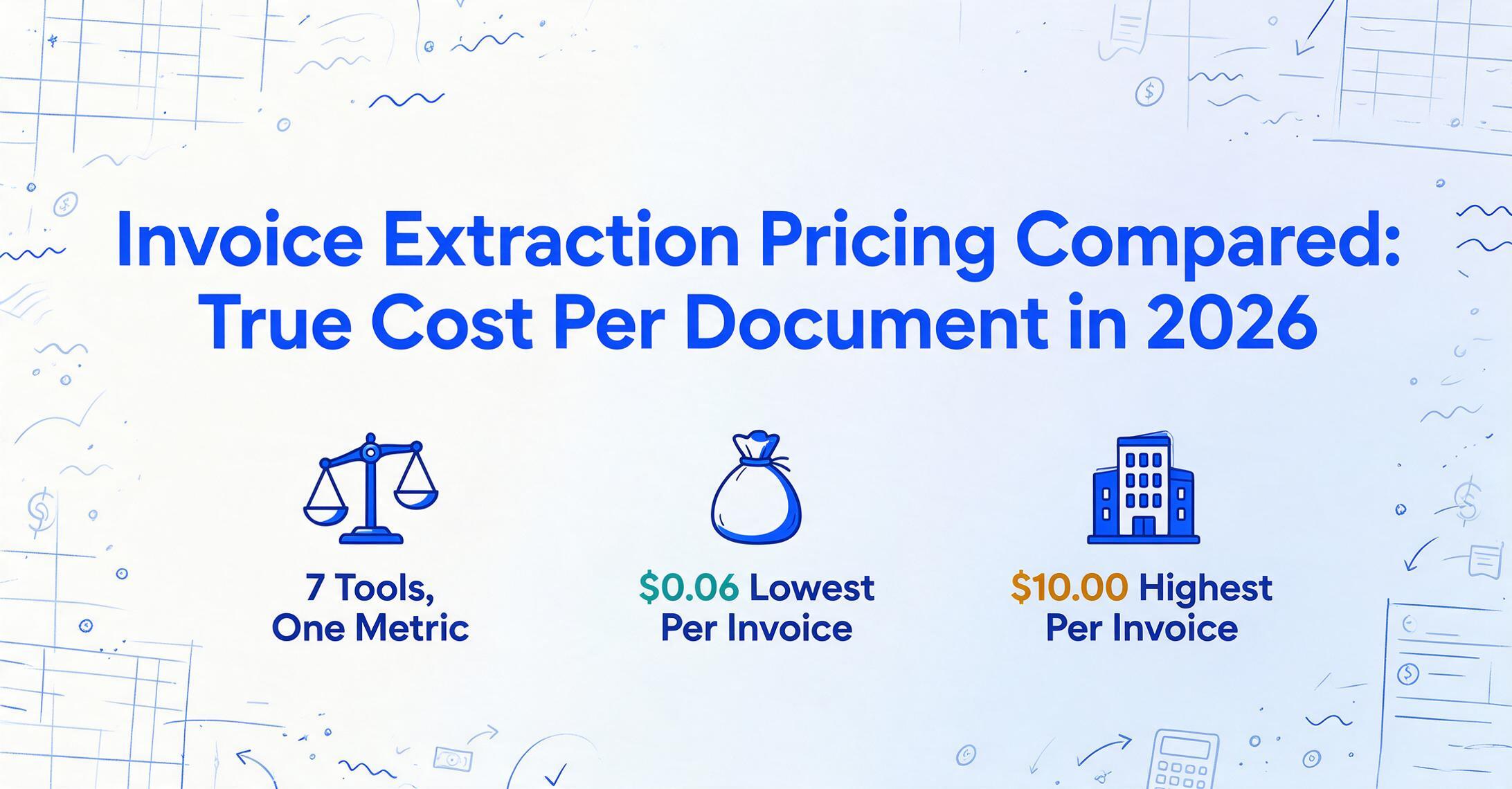
Every invoice extraction tool publishes a starting price. Few tell you what you'll actually pay when you process your real monthly volume. A $39/month plan that covers 100 documents costs $0.39 per document. A $500/month plan covering 3,125 invoices costs $0.16. The cheaper-looking plan is 2.4x more expensive per invoice. This article does the math that pricing pages skip: what each tool costs per document at three common invoice volumes, and what features each dollar actually buys.
Key Takeaways
- "$39/month" appears on two different pricing pages — one delivers invoices at $0.39 each, the other at $0.14, because "credit" means a different thing on every platform and nobody reads the footnotes.
- Template setup hours, credit expiration, per-block workflow charges, and add-on fees can triple a tool's real cost — but they're scattered across line items that never get totaled.
- Only one number cuts through the noise: your per-document cost at your actual monthly volume — ImageToTable.ai hits $0.04 per invoice at 1,500/month because there are no templates, no add-ons, and no expiring credits to inflate it.
Why Pricing Pages Don't Tell You What You'll Pay
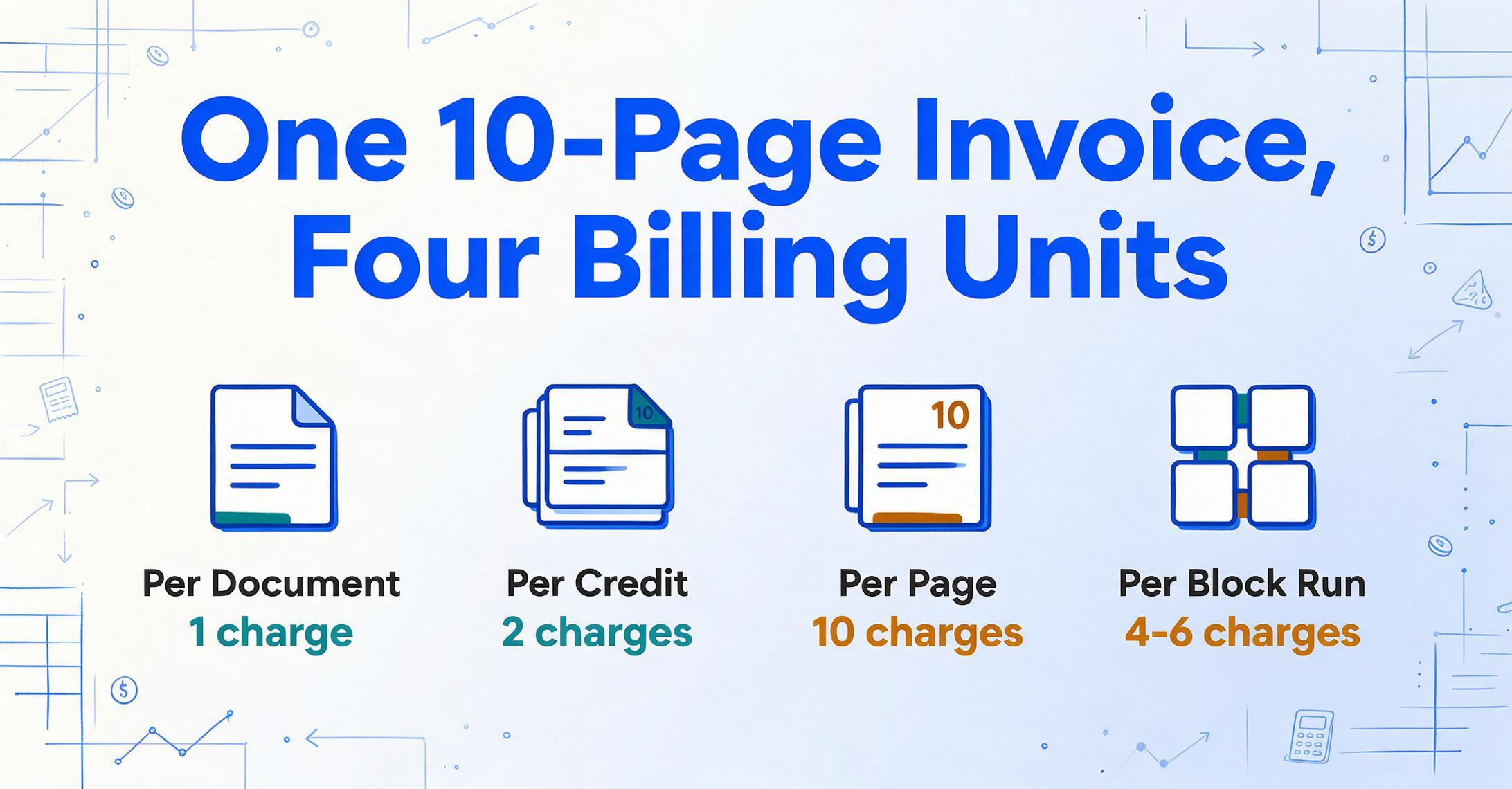
Invoice extraction pricing uses at least four different billing units: per page, per document, per credit, and per "block run." These aren't interchangeable. Docparser defines one credit as one document up to five pages — a ten-page invoice consumes two credits. Veryfi charges per document regardless of page count, but counts each API call as a transaction. Nanonets bills per workflow step, so a single invoice passing through extraction, classification, formatting, and export triggers four separate charges.
The result: two tools advertising "$39/month" deliver wildly different value. One includes 100 single-page documents. Another includes 100 credits that cover up to 500 pages. A third includes 100 pages but defines a page differently from a document. Without converting every tool to a common unit — cost per invoice processed — the comparison is meaningless.
That's what this article does. For a broader look at document extraction pricing across all document types, see the pricing map. Here, the focus is invoices specifically: seven tools, three volume tiers, one consistent per-invoice cost.
The Seven Tools in This Comparison
This comparison includes tools that a self-serve buyer can evaluate without a sales call, plus two enterprise-tier platforms included for context. The goal isn't to rank them — it's to make their pricing directly comparable.
| Tool | Pricing Model | Entry Price | Billing Unit | Positioning |
|---|---|---|---|---|
| ImageToTable.ai | Subscription + pay-as-you-go | $9/mo | Per image/page | AI extraction with custom columns, no templates |
| Docparser | Subscription (credits) | $39/mo | Per credit (1 credit = 1 doc, up to 5 pages) | Template-based zonal OCR parsing |
| Parseur | Subscription (pages) | $39/mo | Per page | Email parsing + template-based OCR |
| Airparser | Subscription (credits) | $33/mo (annual) | Per credit (1 credit = 1 page/email/image) | GPT-based document parsing |
| Nanonets | Credits + subscription | $0.30/page (PAYG) | Per block run (~4-6 blocks per invoice) | ML-trained custom models, workflow automation |
| Veryfi | Subscription (minimum) | $500/mo | Per document (invoice: $0.16/doc) | API-first mobile receipt/invoice OCR |
| Rossum | Annual contract | $1,500/mo ($18K/yr) | Unlimited seats, volume-tiered | Enterprise cognitive AP automation |
Notable omissions: Affinda and ABBYY FlexiCapture require sales calls for pricing and don't publish self-serve plans. Affinda's per-page rate starts around $0.20 based on third-party comparisons, but without a public pricing page, they can't be included in a fair apples-to-apples comparison. If you're evaluating either, ask for a per-document quote at your specific volume and compare it against the numbers below.
Per-Document Cost at Three Volume Tiers
The tables below convert each tool's pricing to a single metric: what you pay per invoice at your monthly volume. This includes the plan cost, any overage charges, and assumes single-page invoices (the most common format for standard supplier invoices). Multi-page invoices increase costs for per-page tools but not for per-document tools like Veryfi.
Tier 1: 150 Invoices per Month
A freelance bookkeeper, a small e-commerce shop, or an independent contractor with a dozen regular suppliers. This is the volume where most buyers start evaluating tools.
| Tool | Plan Required | Monthly Bill | Per-Invoice Cost |
|---|---|---|---|
| ImageToTable.ai | Basic (150 credits) | $9 | $0.06 |
| Airparser | Growth (500 credits) | $49 | $0.33 |
| Docparser | Starter (100 credits) + overage | ~$58 | $0.39 |
| Parseur | Pro (500 pages) | $69 | $0.46 |
| Nanonets | Pay-as-you-go | $45 | $0.30 |
| Veryfi | Starter ($500 minimum) | $500 | $3.33 |
| Rossum | Starter ($18K/yr) | $1,500 | $10.00 |
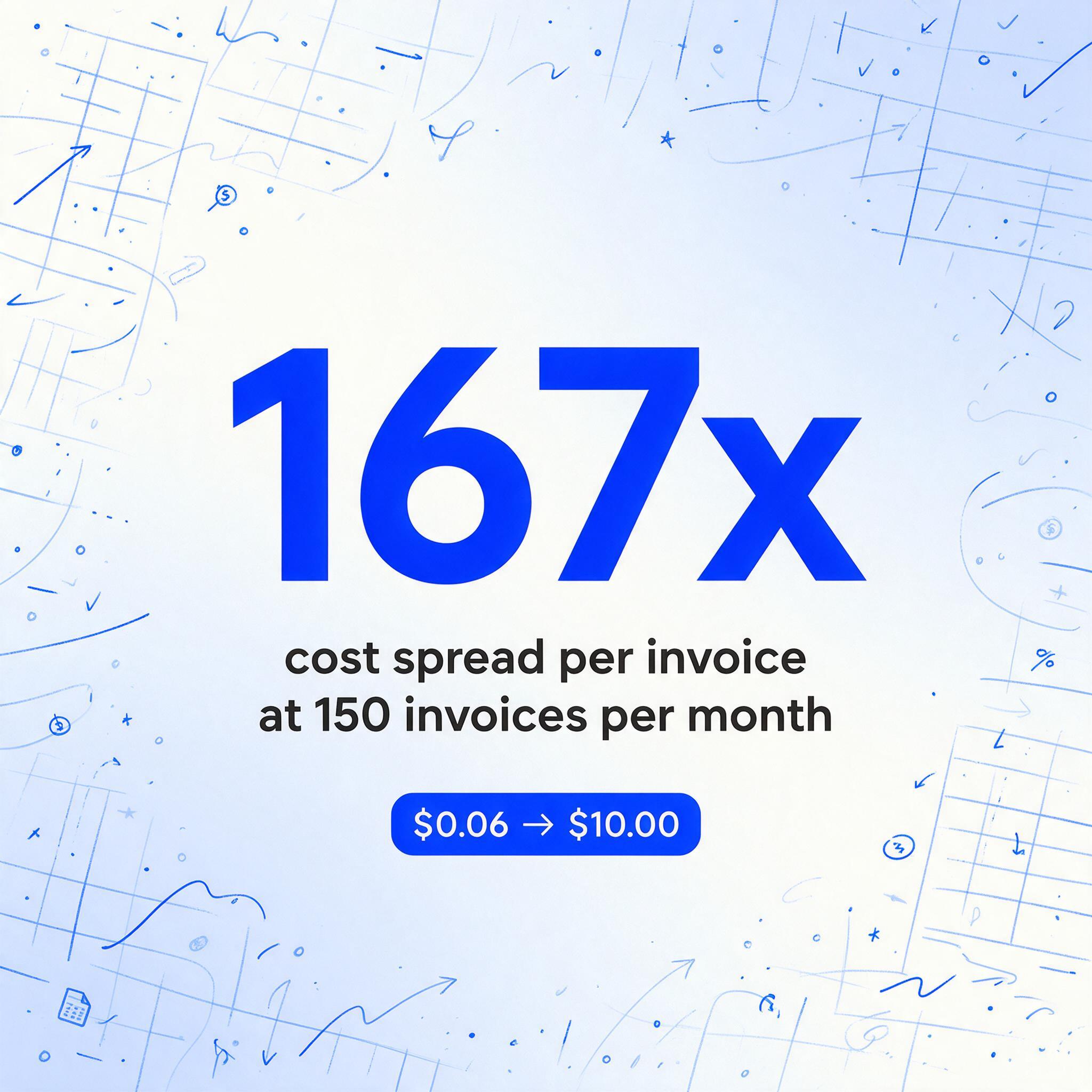
At 150 invoices per month, the spread is 167x — from $0.06 to $10.00 per invoice. The enterprise tools aren't overcharging; they're including AP workflow automation, ERP connectors, and human-in-the-loop review queues that a 150-invoice-per-month operation doesn't need. For a closer look at what affordable invoice extraction actually does at this volume, the capabilities are broader than you might expect. Paying $1,500/month for invoice capture when your entire AP workflow is "download PDF, enter into QuickBooks" is buying a forklift to carry a grocery bag.
Tier 2: 500 Invoices per Month
A growing small business with 30-50 suppliers, or an accounting firm handling five to ten client accounts. Volume is high enough that manual entry takes a full workday, but not high enough to justify enterprise software.
| Tool | Plan Required | Monthly Bill | Per-Invoice Cost |
|---|---|---|---|
| ImageToTable.ai | Pro (400) + 100 PAYG | $25 | $0.05 |
| Airparser | Growth (500 credits) | $49 | $0.098 |
| Parseur | Pro (500 pages) | $69 | $0.14 |
| Docparser | Professional (250/mo) | $74+ | $0.15+ |
| Nanonets | Pay-as-you-go | $150 | $0.30 |
| Veryfi | Starter ($500 minimum) | $500 | $1.00 |
| Rossum | Starter ($18K/yr) | $1,500 | $3.00 |
At 500 invoices, the gap narrows to 60x but the pattern holds. Budget-tier AI tools stay under $75/month. Mid-market tools like Nanonets hit $150. Enterprise tools remain above $500 regardless of volume — you're paying the platform minimum, not your actual usage.
This is also the volume where Nanonets' pay-as-you-go rate starts to sting. At $0.30 per page, 500 invoices costs $150/month — more than three times what a $49 Airparser plan or a $25 ImageToTable.ai setup costs for the same volume. (For a detailed look at what you gain and lose switching from Nanonets, see the Nanonets alternative comparison.) Nanonets' Pro plan at $499/month doesn't make economic sense until you're processing well over 1,600 pages monthly.
Tier 3: 1,500 Invoices per Month
A mid-size company with a dedicated AP clerk, a multi-client accounting firm, or a procurement team handling vendor invoices across several departments. At this volume, the right tool saves 75+ hours of manual work per month.
| Tool | Plan Required | Monthly Bill | Per-Invoice Cost |
|---|---|---|---|
| ImageToTable.ai | Max (1,500 credits) | $59 | $0.039 |
| Airparser | Business (2,000 credits) | $149 | $0.075 |
| Parseur | Scale (1,000 pages) + overage | ~$200 | ~$0.13 |
| Docparser | Business (1,000/mo) | $159+ | $0.11+ |
| Nanonets | Pay-as-you-go / Pro ($499) | $450–499 | $0.30–0.33 |
| Veryfi | Starter ($500 minimum) | $500 | $0.33 |
| Rossum | Starter ($18K/yr) | $1,500 | $1.00 |
At 1,500 invoices, the enterprise tools finally start approaching their intended per-document economics. Rossum drops to $1.00/invoice — still 25x more than ImageToTable.ai's $0.039, but at least it's in the range where Rossum's AP workflow features (approval routing, duplicate detection, SAP/Oracle integration) could justify the premium for a large AP department.
The critical finding across all three tiers: budget-tier AI extraction tools deliver per-document costs between $0.04 and $0.10 — a range where the technology pays for itself if it saves even 30 seconds of manual entry per invoice.
What the Same Dollar Buys: Features at the $9–59 Price Range
Per-document cost only tells half the story. Two tools at similar price points can differ dramatically in what they actually do. Here's what the budget tier ($9–59/month) includes — and doesn't — across the tools in this comparison.
| Feature | ImageToTable.ai ($9–59) | Docparser ($39–159) | Airparser ($33–149) | Parseur ($39–399) |
|---|---|---|---|---|
| Template-free AI | Yes | No (zonal OCR) | Yes (GPT-based) | Partial (template + AI) |
| Custom column names | Yes — you type field names, AI locates values by meaning | Requires drawing zones per layout | Yes (schema-based) | Template fields per format |
| Batch processing | Yes — merged Excel output | Yes | Yes | Yes |
| Computed columns | Yes — AI calculates during extraction | No | No | No |
| PDF + image support | PDF, JPG, PNG, WebP | PDF, JPG, PNG, TIFF | PDF, JPG, PNG | PDF, images, emails |
| New layout = new setup? | No — same columns work on any format | Yes — new template per layout | No | Yes — new template per sender |
| Add-on fees | None | MFA $5.95/mo, Multi-Layout $29.95/mo | None on paid plans | None |
The feature gap matters most for template-based tools. Docparser's $39/month Starter plan works well if every invoice comes from the same supplier in the same format. The moment you add a new supplier, you build a new template. If you handle invoices from 20 suppliers — a normal number for a small business — that's 20 templates to create and maintain. The time cost of that maintenance isn't on the pricing page, but it's real: a Reddit user on r/automation noted that Docparser "breaks on changing layouts", a known trade-off of zonal OCR. If you're currently on Docparser and hitting that wall, see a detailed comparison of template-free alternatives.
ImageToTable.ai's approach works differently: you type the column names you want — "Invoice Number," "Vendor Name," "Total Amount," "Due Date" — and the AI locates those values by understanding what they mean, not where they sit on the page. The same column definition works across invoices from any supplier. That's what "Custom Column Extraction" means in practice: no templates to build, no zones to draw, no maintenance when a supplier updates their invoice layout. For a deeper look at how this works with invoices specifically, see the invoice processing workflow; if you are comparing software rather than one extraction workflow, use the invoice processing software page as the commercial overview.
Hidden Costs That Change the Math
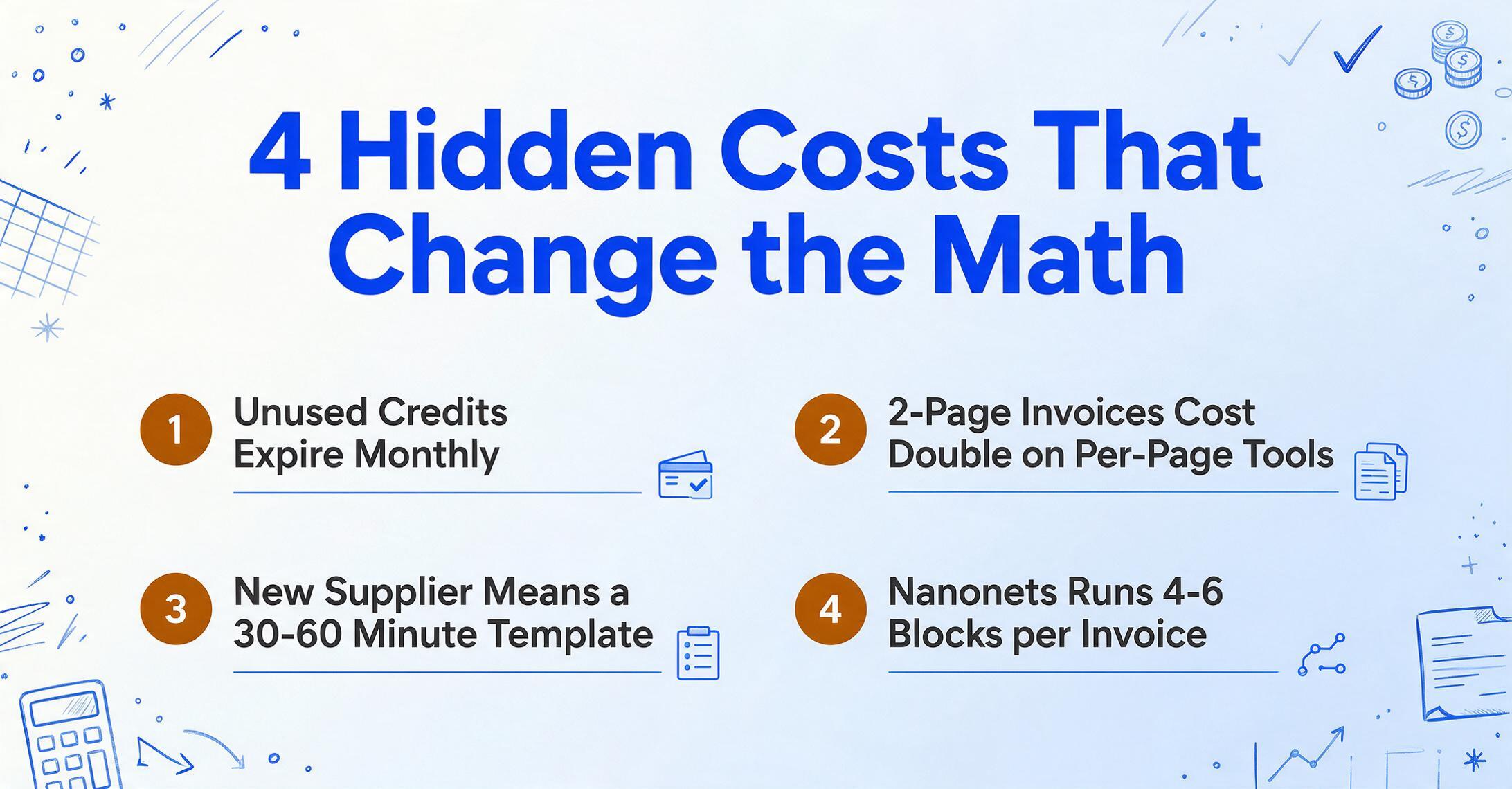
The per-document costs above assume clean, straightforward usage. In practice, several hidden costs can shift the total:
Credit expiration
Most subscription tools reset unused credits monthly. If you pay $39/month for 100 credits and use 60, those 40 credits vanish. ImageToTable.ai's pay-as-you-go credits never expire — you buy them once and use them whenever. At irregular volumes (tax season spikes, quiet summer months), non-expiring credits save 20-30% compared to fixed monthly plans.
Per-page vs. per-document billing
A three-page invoice costs one credit on Docparser (up to 5 pages per credit) but three credits on Parseur and Airparser (per-page billing). If your invoices average two pages, per-page tools cost twice what the pricing page suggests. Veryfi charges per document regardless of page count — an advantage for multi-page invoices.
Template creation time
Docparser and Parseur require a new template for each invoice layout. At 20 suppliers, budget 30-60 minutes per template — that's 10-20 hours of setup before you extract your first invoice. AI-driven tools like ImageToTable.ai or Airparser need zero template setup: define your columns once, apply to all formats.
Workflow block charges (Nanonets)
Nanonets' block-based pricing means a single invoice workflow can consume 4-6 blocks (extraction, classification, formatting, export). The $0.30/page listed on the pricing page is per extraction block — the full workflow cost per invoice can reach $1.00-1.80 depending on how many steps you configure. This makes the real cost 3-6x higher than the headline rate.
Add-on features
Docparser charges $5.95/month for multi-factor authentication, $9.95/month for parser version control, and $29.95/month for multi-layout parsers. A Starter user who needs all three pays $84.85/month — more than double the advertised $39. Other tools in this comparison include these features in the base price.
A Calculation Framework for Your Own Volume
Rather than telling you which tool to pick, here's how to calculate your actual cost with any tool. You need three numbers:
Your monthly invoice count × average pages per invoice × tool's per-page or per-document rate = your base extraction cost. Then add: minimum plan fee (if applicable), credit overage rate, and any add-on charges.
Walk through it with an example: a retail business processes 300 invoices per month, averaging 1.5 pages each — so 450 pages total.
| Tool | Calculation | Monthly Cost |
|---|---|---|
| ImageToTable.ai | Pro plan (400 credits) at $19 + 50 PAYG credits at $0.06 each | $22 |
| Docparser | 300 docs ÷ 1 credit per doc = 300 credits → Business plan at $159/mo (1,000/mo capacity) | $159 |
| Parseur | 450 pages → Pro plan (500 pages) at $69/mo | $69 |
| Airparser | 450 credits → Growth plan (500 credits) at $49/mo | $49 |
| Nanonets | 450 pages × $0.30/page | $135 |
| Veryfi | 300 invoices × $0.16 = $48, but $500 minimum applies | $500 |
| Rossum | Annual contract: $18,000/yr minimum | $1,500 |
Same 300 invoices. Seven different monthly bills ranging from $22 to $1,500. The 68x spread isn't because some tools extract data 68x better — extraction accuracy across AI-driven tools is broadly similar for standard invoices. The spread reflects what else is bundled: ERP integration, compliance features, approval workflows, dedicated support. If you need those, the premium has value. If you don't, you're subsidizing someone else's requirements.
For more on this dynamic — when paying more actually makes sense and when it doesn't — see how enterprise and SMB extraction needs actually diverge.
When Enterprise Pricing Is Worth It
This article focuses on per-document cost because that's the metric most relevant to buyers processing under 2,000 invoices per month. But it would be dishonest to imply that Rossum at $1,500/month or Veryfi at $500/month are categorically overpriced. They're not — they're built for different buyers.
Rossum's value proposition is cognitive AP automation: the AI learns from your corrections, routes invoices through approval chains, matches against purchase orders, and integrates with SAP, Coupa, Workday, and Oracle. (For a feature-level comparison, see how budget tools compare to Rossum's capabilities.) For an AP department processing 10,000+ invoices monthly across 500 suppliers feeding into a multi-entity ERP, the $18,000/year Starter plan drops to $0.15 per invoice — competitive with budget tools — and the workflow automation saves far more than the subscription costs.
Veryfi's strength is its mobile SDK: field teams scanning receipts and invoices on phones, with real-time extraction optimized for glare, shadows, and tilted captures. If your invoices arrive as phone photos from 50 field workers, Veryfi's $500/month delivers a capability that desktop-first tools don't match.
The question isn't "which is cheapest" — it's "which matches your workflow." A tool you can start using today without a sales call or annual contract has a different kind of value than a tool with deeper ERP connectors. Both are valid depending on where your invoices come from and where they need to go.
See What $9 Per Month Gets You
The tables above show the numbers. Here's what the cheapest option in this comparison actually looks like in practice. Upload an invoice below — the demo uses the same AI engine as the paid plans, with the same batch extraction capability available at every tier. For the broader tool shortlist behind this pricing view, read the invoice extraction software buyer guide.
Files are processed securely and not stored.
Frequently Asked Questions
Which invoice extraction tool has the lowest per-document cost?
At volumes under 2,000 invoices per month, ImageToTable.ai has the lowest per-document cost: $0.06 per invoice on the Basic plan ($9/month for 150 credits) and $0.039 per invoice on the Max plan ($59/month for 1,500 credits). Pay-as-you-go credits are also available at $0.06 per image with no expiration.
Is Nanonets more expensive than it looks on the pricing page?
It can be. Nanonets charges per workflow "block run," not per document. A typical invoice extraction workflow uses 4-6 blocks (extraction, classification, formatting, export), so the effective per-invoice cost is higher than the $0.30/page headline rate. At 500 invoices per month on pay-as-you-go, you'd pay approximately $150 — comparable to tools with much lower advertised prices. The Pro plan at $499/month becomes cost-effective only above ~1,600 pages monthly.
Do I need an enterprise tool like Rossum for invoice extraction?
Only if you need what enterprise tools bundle: AP approval workflows, purchase order matching, ERP integration with SAP or Oracle, and multi-entity processing. If your workflow is "extract invoice data → export to Excel or QuickBooks," a $9-59/month tool handles the extraction with the same class of AI. Rossum's $18,000/year minimum is justified for AP departments processing 10,000+ invoices monthly, not for small businesses handling a few hundred.
What's the difference between per-page and per-document billing?
Per-page tools (Parseur, Airparser, ImageToTable.ai) charge for each page in a document. A three-page invoice uses three credits. Per-document tools (Veryfi, Docparser) charge once regardless of page count — Docparser covers up to five pages per credit. If your invoices are consistently one page, both models cost the same. If they average two or more pages, per-document billing is cheaper per invoice but often comes with higher plan minimums.
Can I switch between invoice extraction tools without losing data?
Yes. Invoice extraction tools process documents and output structured data (Excel, CSV, JSON). Your extracted data lives in your spreadsheet or accounting system, not in the extraction tool. Switching means pointing your documents at a different tool — there's no migration of historical data because the tool doesn't store your financial records. Most tools offer free trials or pay-as-you-go options, so you can test a new tool on a real batch before committing.
Does ImageToTable.ai work with invoices from different countries and languages?
Yes. The AI uses vision-based extraction that reads documents by visual layout and semantic understanding, not by language-specific rules. It handles invoices in any language — including those with mixed-language content (e.g., a Japanese supplier invoice with English line items). Multi-currency invoices are extracted as-is; the tool captures whatever numbers and text appear on the document.
The best pricing comparison is one you run on your own invoices.
Upload a sample invoice and see extraction results in under 10 seconds. No sign-up required.
Try ImageToTable.ai Free