AI Invoice Extraction Tools Compared:
Which One Works for a Finance Team Without IT Support
There are dozens of AI invoice extraction tools on the market. Prices range from $29 to $18,000 per year. Some need a template for every vendor. Some need 100 sample invoices before they work. Some read any invoice on first upload. The right choice depends on three things your tool vendor won't ask you first: how many suppliers you have, how different their formats are, and whether anyone on your team knows what an API is.
Key Takeaways
- Position-based extraction works reliably for 10 suppliers — but at 200, every vendor format change silently breaks the pipeline, and the person who built the templates left six months ago.
- Extraction tools that learn from training data need 50-100 sample invoices before reaching usable accuracy — which means the tool category with the most impressive benchmark scores is the hardest one for a finance team without IT support to actually start using.
- A finance manager can test a modern AI extraction tool on a new supplier's invoice during lunch and have spreadsheet-ready results before 1 p.m. — no template builder, no IT ticket, no training samples needed.
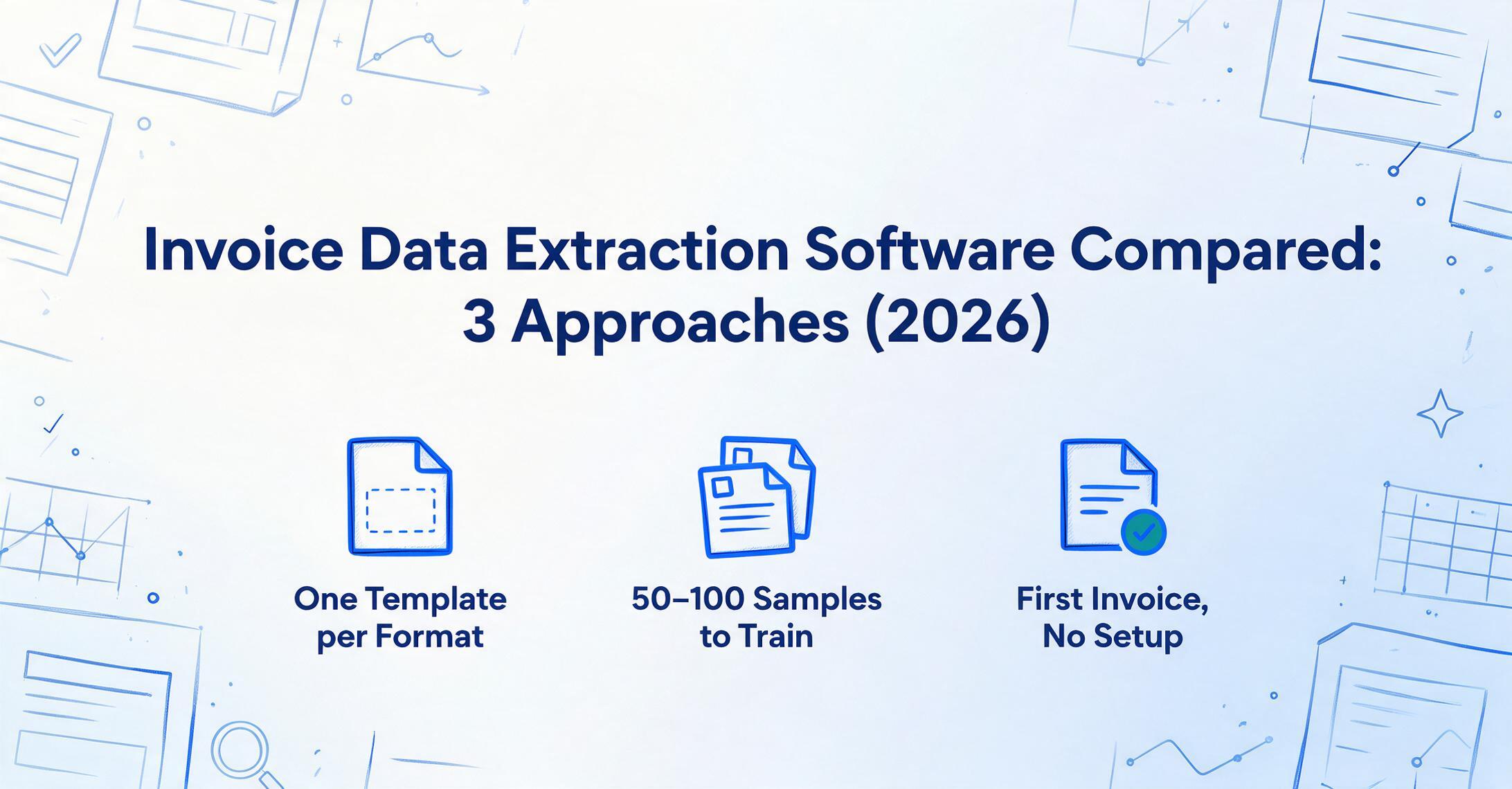
Three Fundamentally Different Ways to Extract Invoice Data. Most Comparisons Don't Explain the Difference.
Open five "best invoice OCR software" articles and you'll get five different lists of tools, each one conveniently recommending the author's own product as #1. What none of them explain is that the tools fall into three architectural categories — and the category determines whether the tool will work for your team more than any feature comparison ever could.
The three approaches, from oldest to newest:
Template-Based OCR — You draw boxes around fields on a sample invoice. The tool remembers where each field is. Every new vendor format needs a new template. Works perfectly for 10 suppliers with consistent formats. Breaks at 200 suppliers with different layouts.
ML-Trained AI — You upload 50-100 sample invoices per vendor type. The model learns patterns from the training data. Accuracy improves over time as you correct errors. Requires upfront training investment and ongoing correction cycles.
VLM-Based Extraction — The AI reads each invoice the way a person would: understanding what a field means, not where it sits. No templates. No training samples. First invoice processes immediately. Handles format changes automatically.
Each category exists for a reason. Each solves a different problem. The mistake most buyers make is buying a tool from one category when their actual situation calls for another.
Before you compare tools, compare your situation against the categories. How many suppliers do you have? How often do their formats change? Who on your team will manage the tool after setup? The answers point to one category — and then you pick the best tool within it.
Category 1: Template-Based OCR — Reliable, Predictable, Doesn't Scale
Template-based tools work by recording the position of each field on a known document layout. You upload a sample invoice, draw bounding boxes around "Invoice Number," "Vendor Name," "Date," and "Total," and label each box. The next time an invoice with the same layout arrives, the tool extracts data from those same positions.
Tools in this category: Docparser (from $39/month), Parseur (from $99/month), ABBYY FlexiCapture (enterprise pricing).
The strengths are real. Template extraction is deterministic — the same layout always produces the same output. There's no AI hallucination, no confidence-score guessing. For a business that receives invoices from a small number of vendors with stable formats, template OCR is reliable, predictable, and inexpensive. A property management company receiving monthly utility bills from five providers, a retailer restocking from three distributors, a manufacturer buying from a dozen raw material suppliers — these are textbook template-OCR scenarios.
The limitation is structural. Each new vendor format requires a new template. At 10 suppliers, that's 10 templates — one afternoon of setup. At 50 suppliers, that's 50 templates — and some of them will change formats without notice, silently breaking the extraction pipeline. At 200 suppliers — normal for a mid-market manufacturer or distributor — maintaining templates becomes a job in itself. The person who set up the templates six months ago may have left. The vendor who redesigned their invoice last month didn't inform you. The extraction that was working last quarter now produces garbled data, and nobody noticed until month-end close.
Parseur's own comparison page acknowledges the tradeoff explicitly: Docparser's "reliance on Zonal OCR means users must create new templates for each document layout." This isn't a flaw — it's the category definition. Template tools are template tools. They do what they're designed for, and nothing more.
Best for: Organizations processing invoices from fewer than 30 vendors with stable, consistent formats. Teams that value predictability over flexibility. Scenarios where template setup is a one-time investment that pays off across high volumes from the same suppliers.
Not for: Teams dealing with 50+ vendors, international suppliers with diverse layouts, or any situation where vendor formats change regularly.
Category 2: ML-Trained AI — Powerful When You Have Training Data
Machine-learning-based tools improve on template OCR by learning from examples rather than fixed positions. You upload 50-100 sample invoices, label the fields you want extracted, and the model learns to identify "Invoice Number" based on context — surrounding text, document structure, field naming patterns — rather than pixel coordinates.
Tools in this category: Nanonets (from $499/month), Rossum (from ~$1,500/month, enterprise-focused), Docsumo (custom pricing).
The advantage is genuine: a well-trained ML model handles format variation within a vendor type. Once trained on invoices, it recognizes invoice fields across different suppliers without needing a new template for each one. As you correct extraction errors, the model improves — accuracy compounds over time. For organizations processing thousands of invoices monthly from a diverse supplier base, this compounding accuracy justifies the upfront training investment.
The limitation is the training requirement itself. These tools don't work out of the box. A Reddit user in r/Entrepreneur who built on Nanonets described the reality: "most generic OCR tools will give you maybe 60-70% accuracy" on messy or scanned invoices — the ML needs labeled training data to get to 95%+. Nanonets' own documentation confirms this: custom model training is resource-intensive, requiring both sample volume and human correction cycles.
This creates a barrier for finance teams without technical resources. The setup process — uploading samples, labeling fields, validating outputs, correcting errors, iterating — is closer to a data science project than a software installation. Teams with dedicated IT support or a data-savvy AP manager can manage it. Teams where "the person who knows Excel macros" is the technical ceiling will struggle.
Rossum, the enterprise player in this category, takes a different approach: its Aurora engine is pre-trained on millions of invoices, reducing the per-customer training burden. But at a starting price of approximately $18,000 per year, it's positioned for organizations where invoice volume justifies six-figure AP automation budgets — not for a 10-person finance team.
Best for: Mid-size to enterprise organizations processing 1,000+ invoices monthly, with IT resources available for model training and maintenance, and budget for $500+/month platforms.
Not for: Finance teams without technical resources. Organizations that need to process invoices from a new vendor immediately — not after a training cycle. Small teams where per-invoice processing cost matters more than marginal accuracy gains.
Category 3: VLM-Based Extraction — Reads Any Invoice on First Upload
Vision Language Model extraction represents the newest architectural category. Unlike template OCR (which remembers positions) or ML training (which learns from labeled samples), a VLM reads each document fresh, understanding the semantic role of every field regardless of layout.
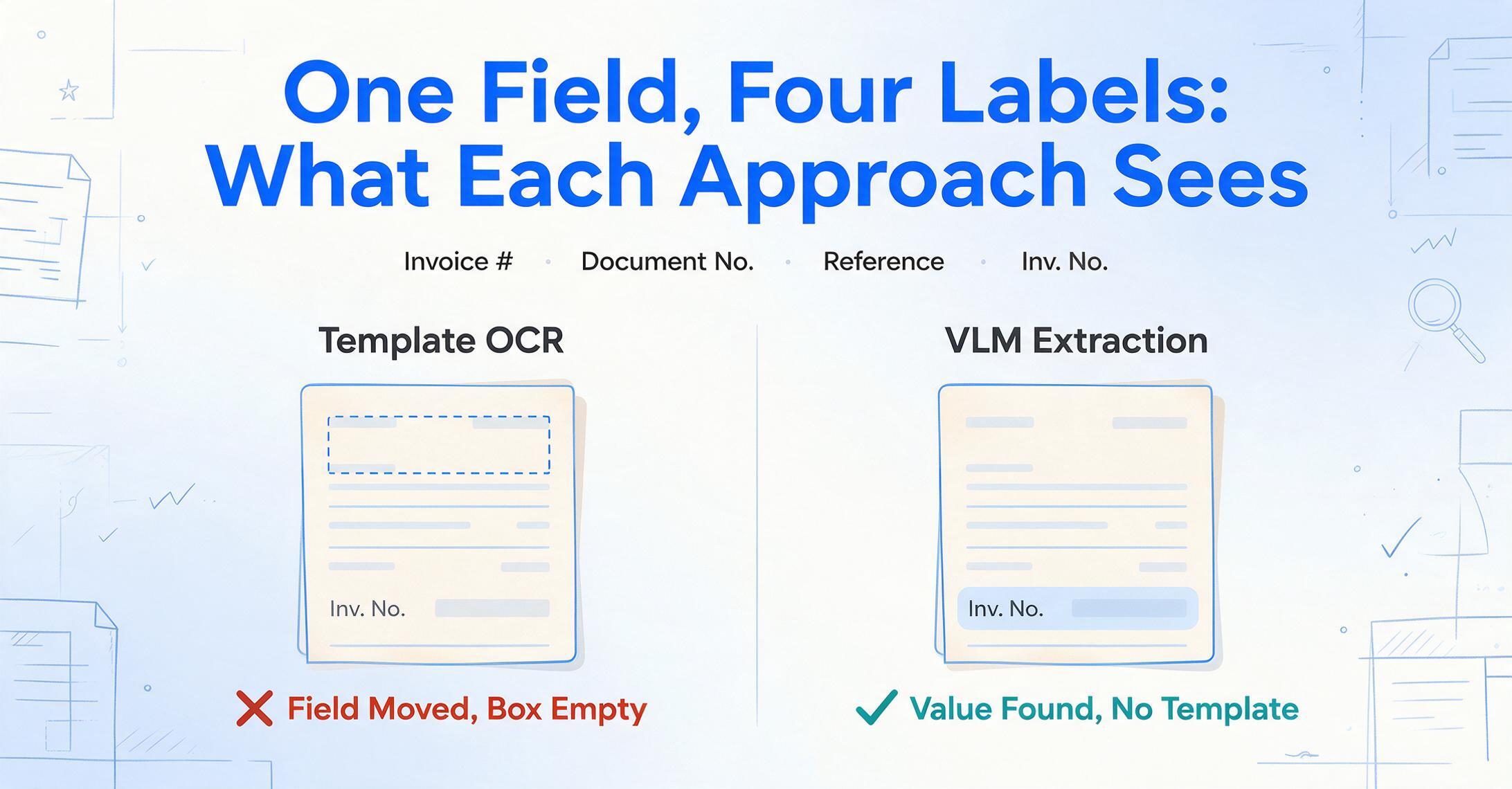
When you tell a VLM-based tool to extract "Invoice Number," it doesn't look for a specific position or refer to a trained pattern. It reads the entire document, identifies text that functions as an invoice identifier, and returns the value — whether the label says "Invoice #," "Document No.," "Reference," or "Inv. No." The approach works because it's reasoning about meaning, not matching positions or patterns.
Tools in this category: ImageToTable.ai ($0 to start, usage-based plans), Parsli (from $16/month), Tofu (entity-based pricing).
The operational difference is immediate. A finance team receives a PDF from a new supplier. They upload it. They specify the columns they want — "Vendor Name," "Invoice Date," "Line Description," "Qty," "Unit Price," "Total." The extraction happens in seconds. There's no template to build, no training samples to upload, no correction cycle to manage. The first invoice from a vendor processes as reliably as the hundredth.
This changes the adoption dynamic. Template tools require setup before value. ML tools require training before accuracy. VLM tools deliver results on the first document — which means a finance manager can test the tool on their own invoices during a lunch break and decide by 1 p.m. whether it works for their vendor mix.
The tradeoff is accuracy nuance. On clean, printed PDF invoices, VLM extraction typically achieves 95-99% field-level accuracy. On heavily degraded scans, crumpled paper photos, or documents with unusual formatting, accuracy can dip. But unlike template tools (which fail completely on unexpected formats) or ML tools (which produce low-confidence outputs until retrained), VLM tools degrade gracefully — they extract what they can and flag uncertain fields for review.
Best for: Finance teams that need results today, not after a training cycle. Organizations with 50+ vendors using diverse formats. Teams without IT resources. Anyone who wants to test a tool on real invoices during a free trial and make a decision based on actual output, not a sales demo.
Not for: Scenarios requiring 100% fully automated extraction with zero human review — no tool in any category achieves that across all invoice formats.
How to Choose: A Decision Framework
The table below maps the three categories against the factors that actually determine whether a tool will work for your team — not feature lists, but operational fit.
| Decision Factor | Template OCR | ML-Trained AI | VLM Extraction |
|---|---|---|---|
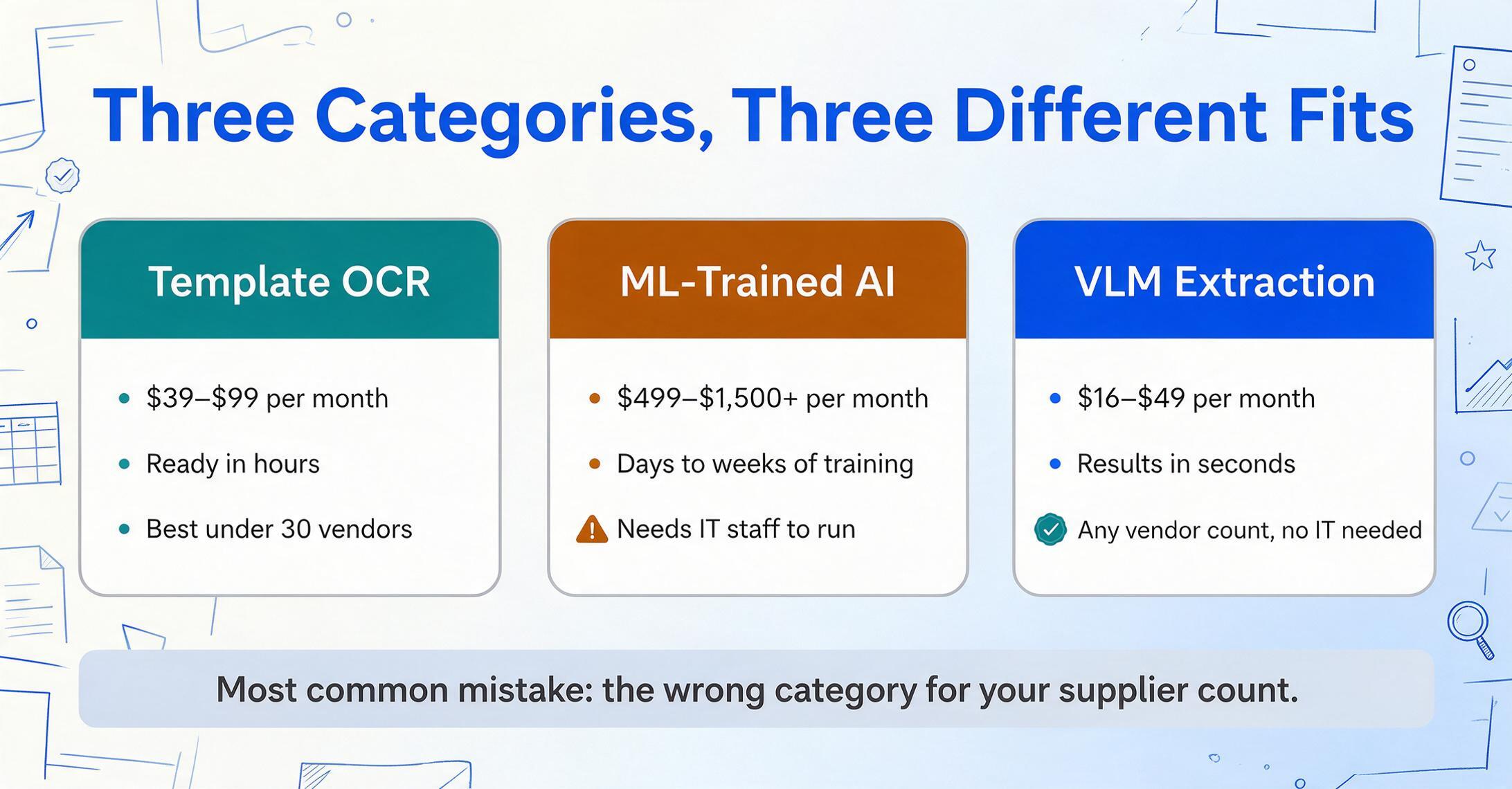
| Time to first result | Hours (template setup) | Days to weeks (training) | Seconds |
| New vendor handling | New template required | Retraining recommended | Works immediately |
| Format change resilience | Breaks silently | Degrades, needs retraining | Reads fresh each time |
| IT involvement required | Template builder (low) | Model training (medium-high) | None |
| Monthly starting price | $39 – $99 | $499 – $1,500+ | $16 – $49 |
| Best for supplier count | <30 vendors | 50 – 500+ vendors | Any number |
| Accuracy ceiling | 99%+ (on known templates) | 95-99% (after training) | 95-99% (varies by doc quality) |
If you have fewer than 30 vendors with stable formats and want the lowest cost: template OCR works. The upfront template setup pays off across consistent, high-volume processing from known suppliers.
If you have 50-500+ vendors, dedicated IT resources, and can invest in training: ML-trained AI delivers compounding accuracy. The training investment is front-loaded, but accuracy improves month over month.
If you have any number of vendors, no IT support, and need results immediately: VLM extraction is the practical choice. No setup. No training. No template maintenance. See results on your own invoices before committing.
The most common mistake: buying an ML-trained tool because "AI" sounds more advanced, when your team has 200 vendors, no IT support, and can't wait three weeks for model training. The tool isn't wrong — it's in the wrong category for your situation.
What About Enterprise Platforms Like Rossum and Tipalti?
Enterprise AP automation platforms — Rossum, Tipalti, Stampli, ABBYY — solve a broader problem than data extraction. They combine extraction with approval workflows, PO matching, payment processing, supplier portals, and ERP integration. They're designed for organizations where invoice volume justifies six-figure annual software spend and a dedicated implementation team.
For a Fortune 500 AP department processing 50,000 invoices a month across 30 countries with SAP as the ERP, these platforms make sense. The extraction capability is one module in a larger procure-to-pay suite, and the implementation cost is amortized across thousands of transactions.
For a finance team of five people processing 500 invoices a month — the typical profile of a mid-market company evaluating extraction tools — enterprise platforms are overengineered and overpriced. The extraction component is what they need. The workflow, payment, and supplier portal components are what they already have in their accounting software. Paying for the full suite to get the extraction capability is like buying a factory to get a single machine.
Parsli's comparison notes that Rossum's strengths — "validation rules and approval workflows are unmatched" — are precisely the features a lean finance team doesn't need. They already approve invoices. They already pay suppliers. What they don't have is the extraction layer that turns PDFs into spreadsheet data without manual keystrokes. If PO matching and tax verification are the two checks you actually need without buying a full platform, see how an extraction-layer approach to AP automation handles both inline during extraction.
What to Actually Test When Evaluating a Tool
Vendor demos use clean, well-formatted PDFs from large suppliers. Your reality is different. Here's what to feed any tool you're evaluating — during the trial period, on your own documents, not the vendor's sample set:
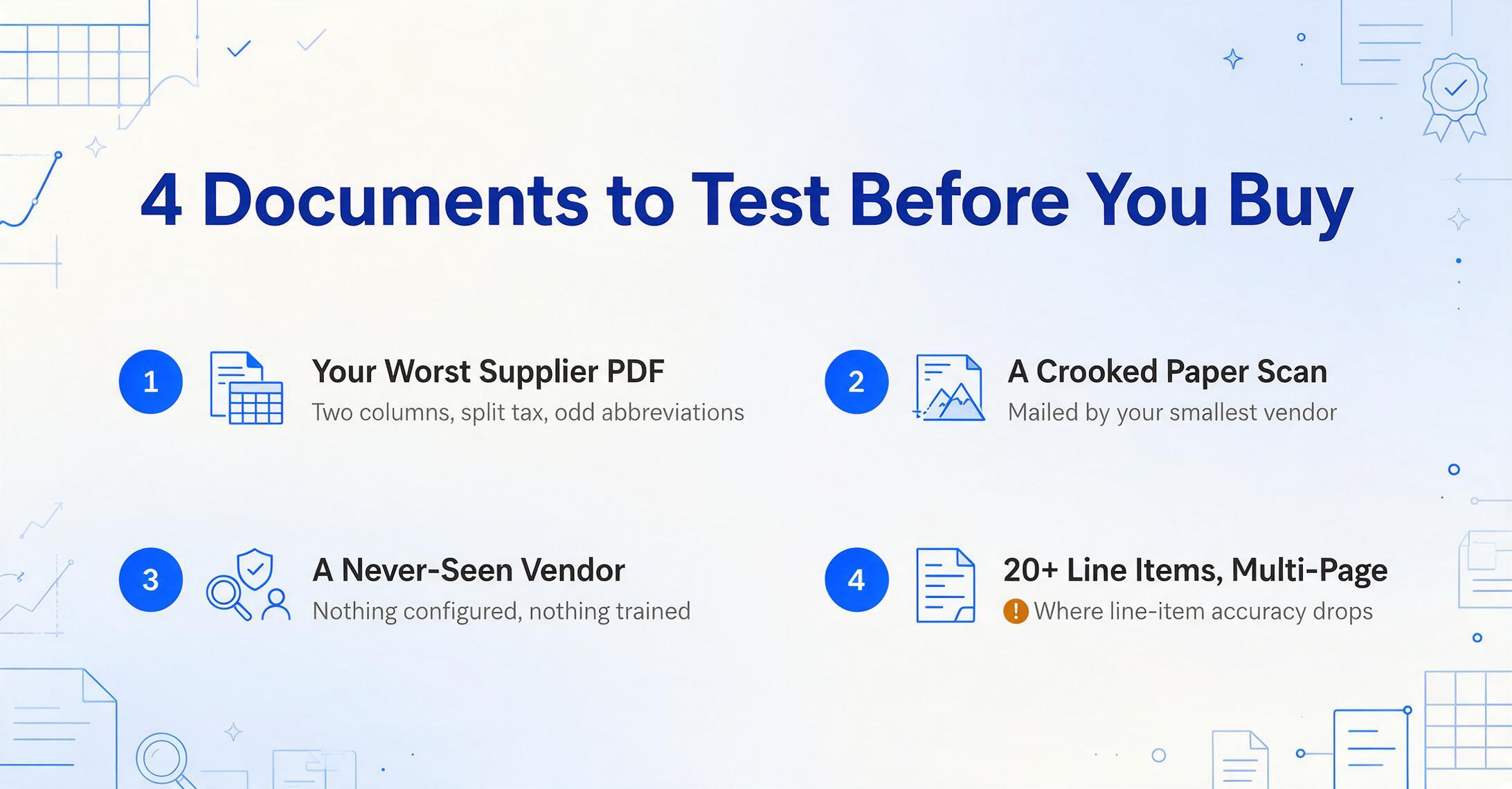
1. A PDF from your most problematic supplier. The one whose invoice uses a two-column layout, splits tax across three line items, and abbreviates field names inconsistently. If the tool handles this one, it handles the easy ones.
2. A scanned paper invoice. Slightly crooked. Marginally legible. The kind your smallest vendors mail because they don't use email. This reveals whether the tool actually handles scanned documents or only "supports" them in the marketing copy.
3. An invoice from a vendor you haven't processed before. This tests the core promise of template-free tools — and exposes the limitation of template-based ones. Don't test on a vendor the tool has already been configured for.
4. A multi-page invoice with 20+ line items. Line-item extraction is where most tools lose accuracy. A tool that correctly extracts header fields but scrambles line items across page breaks isn't saving you time — it's creating cleanup work.
For a deeper look at the broader diagnostic — why manual invoice entry persists as a structural problem beyond just tool choice — see our analysis of why AP teams still manually enter invoice data in 2025. For the operational side of making the switch, see our guide on automating invoice processing with AI extraction. If you're starting from zero, our explainer on what invoice data extraction is covers the basics, and the invoice data extraction guide walks through the full 2026 workflow. Teams without an ERP can still automate extraction — see how to extract invoice data without an ERP. If you want to test the product path directly, start with the invoice processing workflow, then compare the software-buyer version if you are evaluating tools rather than one extraction job.
This article is the decision framework — not the ranked list. If you already know your category and want a side-by-side vendor comparison, see our 2026 invoice data extraction software roundup (eleven tools with pricing) or the per-document cost comparison if price per invoice is your deciding factor. For budgets under $50 a month, the small-business pricing guide models costs at 10/50/100 invoices.