The AI Invoice Workflow You Built
Is Slower Than Typing
An invoice pipeline that works and an invoice pipeline that saves time are two different things. The first can be assembled in an afternoon with n8n, Make, or Zapier: watch a mailbox, push each attachment through an OCR model, hand the text to an LLM, and write a row into a spreadsheet. The second has to survive the documents that never appeared in the demo.
That gap is structural, not a matter of engineering skill. Benchmarking puts the invoice exception rate at 18.4% (Ardent Partners' State of ePayables 2025). Nearly one invoice in five refuses the path a workflow was drawn around. A pipeline built for the clean path spends its real hours on that fifth, and those hours come straight out of your day.
Key Takeaways
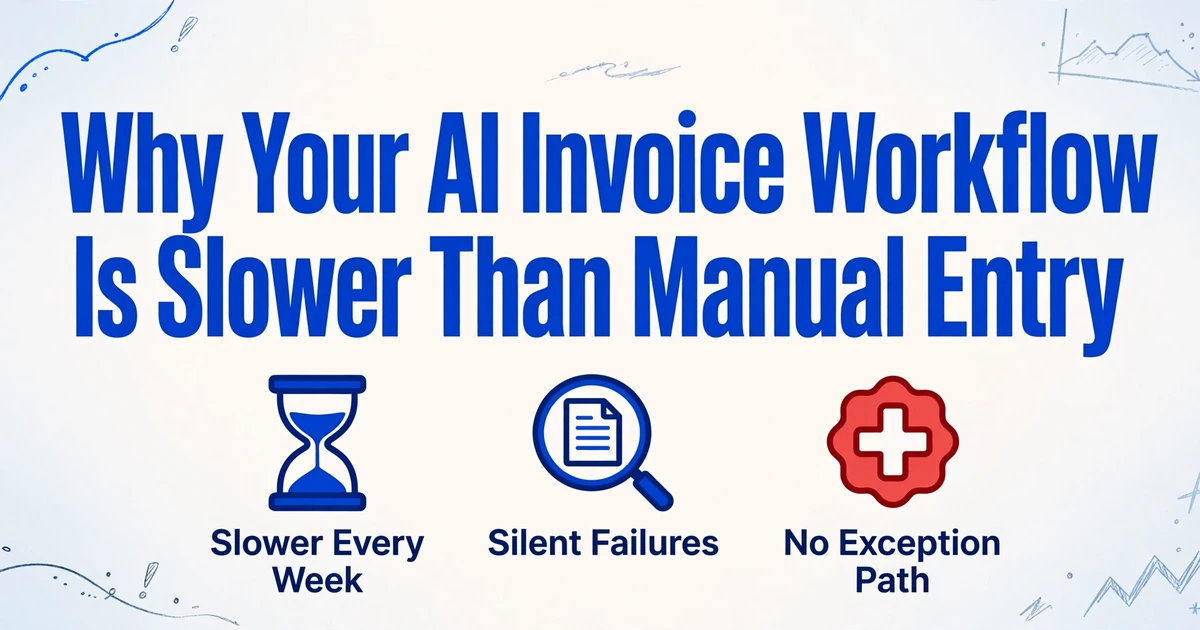
- Your pipeline works in the demo and slows down in a real month, and the gap is structural rather than a flaw in how you built it.
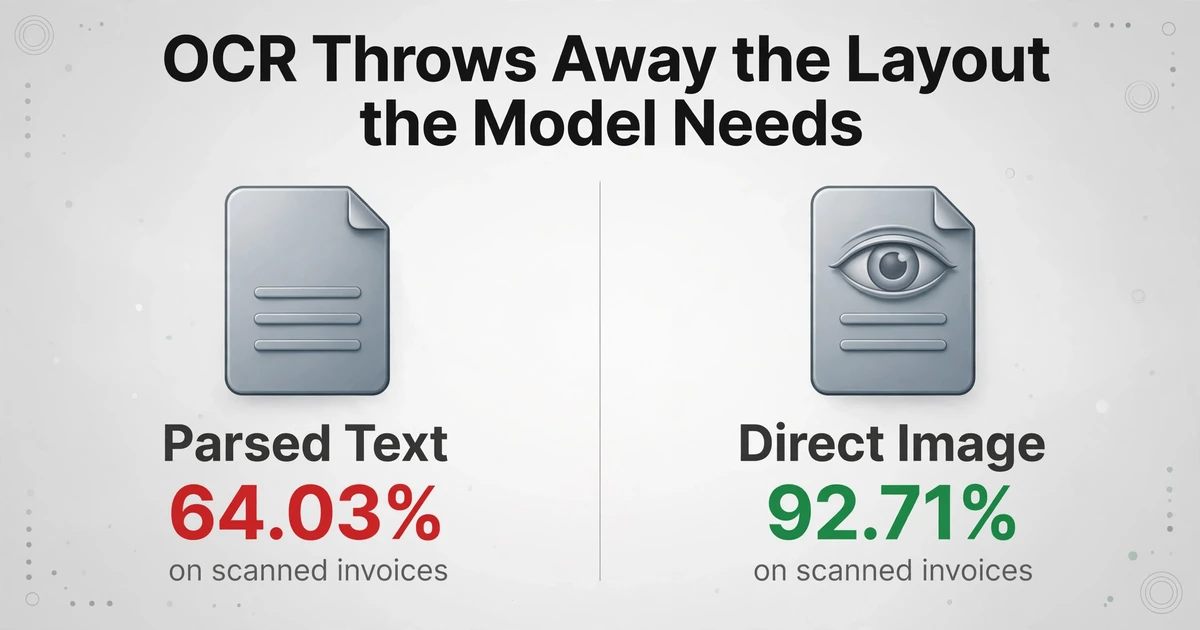
- 92.71% for direct image reads on scanned invoices against 64.03% for the OCR-to-text route, because flattening the page destroys the layout the model needs.
- Make every extracted value point back to the page region it came from, so review costs seconds per field and judgment stays with you.
The Pipeline Works on Day One and Costs You Time by Week Six
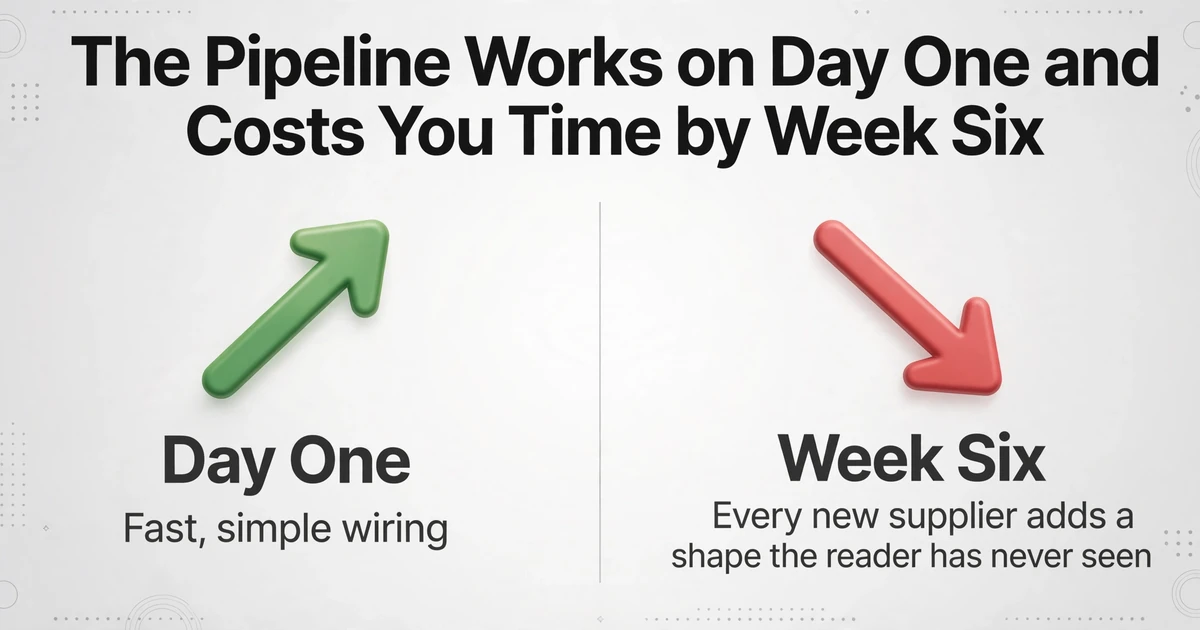
A DIY invoice workflow inverts the usual trend. Software normally gets more useful as you run it. This kind gets slower, because every new supplier adds a shape the reading step has never seen, and the workflow has no way to notice that it is now guessing.
The reversal is easy to explain and hard to feel in advance. n8n makes the wiring part genuinely simple, so the first working run feels like proof the hard part is done. The trigger and the spreadsheet append were the easy parts. The hard parts are document understanding and knowing what to do when understanding fails. The wired version of the pipeline quietly answers "nothing" to both, which is why a community of builders keeps landing in the same place. The correction they get is always the same: imperfect OCR, no error handling, and the reminder that finance has to be effectively perfect.
The detail that catches people is that a failing extraction rarely looks like a failure. One builder described it precisely in an invoice bot thread: "the moment a client scans something on their phone at 150dpi, or worse a scan of a fax, accuracy drops fast and you wont see it coming because the confidence scores still look ok." The pipeline reports success. The numbers are wrong. Nobody notices until reconciliation.
Orchestration is a solved, cheap problem. Extraction accuracy and exception handling are neither, and a workflow tool only sells you the first.
What the DIY Pipeline Is Actually Doing
Almost every self-built invoice workflow is the same three-stage machine. Naming the stages makes it clear where the time goes and why.
Intake and orchestration
A trigger watches a Gmail or Outlook folder, a shared drive, or a form, and routes each file. n8n, Make, and Zapier are excellent here. This layer is reliable because it moves bytes; it does not read them.
Reading the page
An OCR or document parser turns the image into text. Common choices are Tesseract.js, Mistral OCR, LlamaParse, Mindee, AWS Textract, or ABBYY. Output is a text stream, sometimes with coordinates, sometimes as markdown.
Structuring the text
An LLM is prompted to return JSON, usually with fields like vendor, invoice number, date, totals, and line items. The values get mapped to columns and appended to a sheet or pushed toward Xero, QuickBooks, or Sage.
Each stage is individually reasonable. The trouble lives at the seams. Stage two is lossy, and stage three trusts stage one to have caught the exceptions it never checked. The complete guide to invoice data extraction covers the field types and formats in detail; the question here is why this particular chain breaks where it does.
The First Break: OCR Throws Away the Layout the Model Needs
OCR converts a page of positioned marks into a flat stream of words, and that conversion is lossy in exactly the place invoices matter most. An invoice line item is not a sequence of words. It is a relationship between a description, a quantity, a unit price, and an amount that sits in the same row and aligns under the same column. Flatten the page and the relationship becomes guesswork: multi-column layouts concatenate unrelated text, tables become runs of numbers, and headers detach from the rows they label.
This is not a small penalty you can prompt your way out of. A 2025 benchmark compared feeding invoice images directly to a vision model against first parsing the document into text and then handing that text to an LLM. On scanned invoices, direct image processing reached 92.71% accuracy while the parsed-text route topped out at 64.03%. On clean invoices, the parse step compressed every model into an 84% to 85% band, which is a strong signal that the OCR and markdown conversion, not the language model, had become the bottleneck. The same study found alphanumeric fields such as IBANs hit hardest, with OCR routinely confusing a zero for the letter O.
Builders discover this empirically before they can name it. The failures they cannot fix with regex are always the same set: Total vs Subtotal, Vendor vs Bill-To, invoice number split across lines. Every one of those is a layout problem masquerading as a text problem, and the more effort goes into patching them with regex, the clearer it becomes that the transcription step is the wrong place to fix them.
If the layout is discarded before the model sees the page, no prompt recovers it. You are asking an LLM to rebuild a table from a single column of words.
For how the two families of tools approach the same messy documents, the traditional OCR versus AI extraction comparison runs the same invoices through both. The short version: the newer approach wins by reading the page image rather than a transcription of it.
The Second Break: Long Invoices Fail Quietly in the Middle
When a long invoice goes into a single prompt, the model pays attention to the beginning and the end and skims what is in between. This is a measured property of long-context language models, documented in Lost in the Middle: How Language Models Use Long Contexts. Applied to a multi-page invoice, the failure has a recognizable shape: the header on page one extracts correctly, the total on the last page extracts correctly, and a slice of line items on pages in the middle goes missing.
Missing is the better case. The worse one is invented. A model that loses track of what it actually saw can fill a gap with something plausible: a quantity for a blank field, a line item for a numbering jump, a realistic-looking tax ID that appears nowhere on the page. Finance workflows treat these as the most dangerous errors precisely because they pass every downstream check that only asks "is there a value here."
Self-reported confidence does not rescue this, which is the part DIY pipelines most often get wrong. A model can be confidently wrong in the same direction every time, so a score based on its own certainty stays green while the value is bad. The distinction that matters is field-level accuracy on your documents rather than a headline percentage, which the practical guide to invoice extraction accuracy treats in detail. The core problem is silent failure: a blank cell looks exactly like a field that was legitimately empty.
The practical consequence is already visible in finance teams that adopted extraction without solving verification. The outcome is predictable: validation layers get bolted on because the model keeps missing payment terms or mixing up line items on multi-page invoices, and someone still ends up babysitting every extraction. That is extraction working and trust failing. The post-extraction data mistakes breakdown catalogs the specific errors that survive a first look.
A wrong number that reads cleanly is more dangerous than a blank one, because only the blank one announces itself.
The Third Break: There Is No Path for the Invoice That Does Not Fit
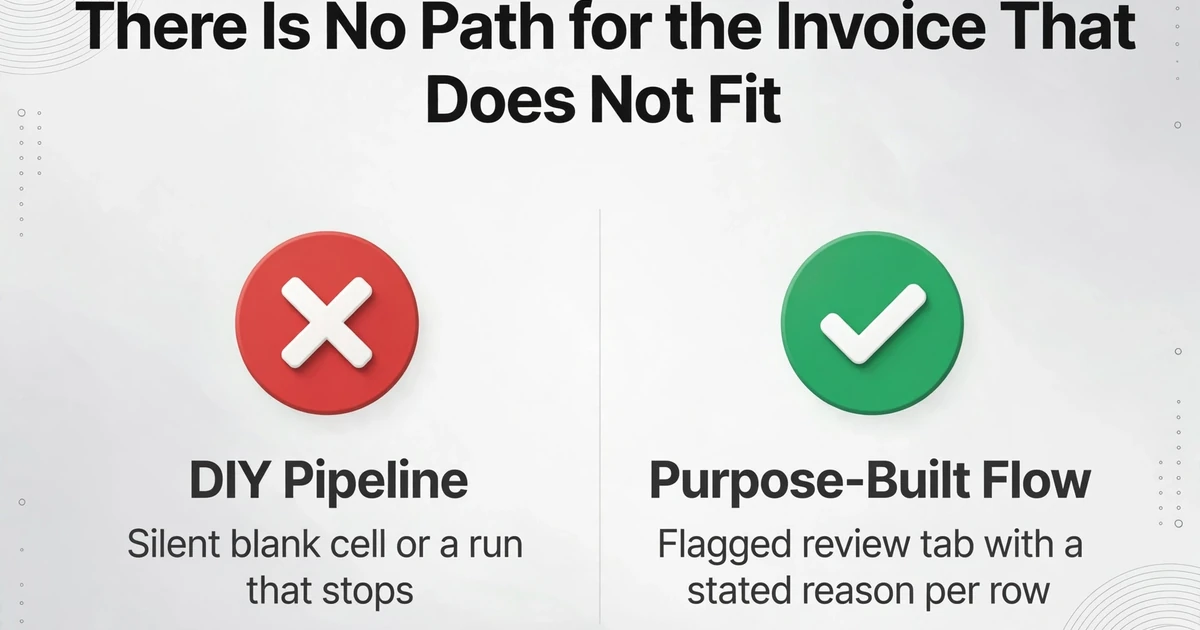
In a self-built pipeline, every problem becomes one of two things: a silent blank cell or a run that stops. Neither is an exception workflow. And exceptions are where the work actually is. With roughly 18.4% of invoices failing to process straight through, the value of any AP system is decided by how well it handles the fifth that misbehaves, not the four-fifths that sail through.
Most DIY builds try to patch this with a threshold: if OCR confidence is below some number, route the file to a review queue. It sounds right and mostly does not work, for a reason covered above. The confidence signal is unreliable, so the queue either stays empty while bad rows pass through, or it fills with everything and becomes a second inbox. Either way the human ends up re-checking work the automation claimed to finish.
The people living with this describe the same cycle. Load the invoices, check that everything is correct, fill in the missing data, fix the errors, approve, then fix the mapping issues between systems. The work does not get smaller; it changes shape.
That is the real cost, and it explains why manual entry can win. If the workflow cannot tell you which rows it got wrong, your only safe move is to verify every row, and verifying every row takes about as long as typing them in the first place. The reason AP teams still key invoices by hand is often not stubbornness. It is that a workflow which cannot flag its own mistakes has moved the work rather than removed it.
If the pipeline cannot tell you which rows it got wrong, checking every row is rational. And that check is the manual entry you were trying to delete.
What a Purpose-Built Extraction Flow Does Differently
A better prompt or a third OCR engine bolted onto the chain will not fix this. The durable answer is removing the lossy intermediate and making verification part of extraction rather than a manual step after it. Three capabilities map directly onto the three breaks.
The first is Custom Column Extraction. Instead of transcribing the page to text and hoping the layout survives, the vision model reads the page image directly. You type the column names you want, such as Vendor, Invoice Number, Invoice Date, Line Description, Quantity, Line Total, Tax, and Amount Due, and the AI locates each value by understanding what it means rather than where it sits. The names you type become the headers of your output sheet. This is the architectural difference behind that 92.71% versus 64.03% result: the model keeps the two-dimensional relationship between a description and its row, so "Total vs Subtotal" and "invoice number split across lines" stop being regex problems. If you are still weighing whether the switch is worth it, the guide on when to move from OCR to AI extraction frames the tradeoff.
The second is Review Mode with Bbox verification, and it targets the silent failure directly. In the review screen, hover or click any extracted cell and the region it came from highlights on the original document. The link runs both ways, so clicking a region jumps back to its cell, and an edited value can be reverted to the AI's original read. This does not promise that every value is right. It changes an invisible wrong value into a checkable one, which is what the "babysitting every extraction" complaint actually needs: review measured in seconds per field instead of a full re-type per invoice.
The third is Model Tier. Dense handwriting, complex layouts, and difficult scans are exactly where a standard reader degrades, so accounts can run at Standard, Advanced, or Premium, with higher tiers using a stronger underlying vision model. Standard covers most printed tabular documents, and a batch is billed and refunded against the tier active when it was submitted. This matters for the phone-scan-at-150dpi case: the fix is a stronger reader on the hard documents, not a second OCR stack layered on top.
Two supporting pieces keep the rest of the chain from reintroducing manual work. Batch processing runs many files at once and merges them into a single Excel output, so a month of invoices becomes one sheet instead of one file at a time. And Email Inbox gives every account a dedicated address: forward or route invoices to it, turn on auto-process with a bound template, and attachments land in the queue on their own, with a sender whitelist to keep unrelated mail out. If you would rather call extraction from your own code than run it in a browser, the v1 API exists for that, while the web route still suits anyone who wants to start with a folder. To see the extraction route for an AP use case end to end, the accounts payable automation workflow walks through it. For teams weighing purpose-built extraction against the alternatives, the comparison of invoice extraction tools for finance teams organizes them by architecture rather than feature list.
Files are processed securely and not stored.
If You Keep the Pipeline, Four Checks Are Non-Negotiable
Plenty of teams will keep their n8n build, and that can be the right call for a narrow, low-exception workload. If you do, the durability comes from four additions, none of which is about the orchestration layer.
Read the image, not only the OCR text. Keep the original page in the flow and run at least the difficult fields past a vision model, so a value is never trusted from a flattened transcription alone. Validate the arithmetic the invoice itself implies. Sum the line items and compare to the subtotal; add tax and compare to the total; flag mismatches instead of writing them. Invoices are self-checking documents, and these rules catch a large share of silent errors. Ground every value in its source. Store the page and region a number came from, so a reviewer can confirm or reject it in one click rather than reopening the PDF. Make the exception path a real output. A flagged review tab with a stated reason per row is worth more than a confidence threshold, because the reason tells a person where to look.
These are the same properties a purpose-built tool ships by default. If you have already built the first three, the honest question is whether maintaining them is cheaper than not owning that maintenance, which is a question about your team rather than about the software.
What a Purpose-Built Flow Still Does Not Do
It extracts; it does not orchestrate. ImageToTable.ai will not run your n8n, Make, or Zapier workflow, and it will not post into your ERP for you. It produces structured data from a document, and the wiring into other systems stays where it belongs. The v1 API is there if you want to call extraction from inside your own pipeline, but the tool is not a workflow engine and does not pretend to be one.
It does not match documents against each other. It will not decide that this invoice belongs to a particular purchase order, and it will not perform field-by-field comparison across two documents to declare them a match. Three-way matching is a separate step that a spreadsheet lookup or your ERP should own. What the tool gives you is clean, columnized data that makes that matching possible.
Accuracy is high, not perfect. Up to 99% recognition on printed table data is our own figure for a specific input type, not a guarantee on a poor scan or heavy handwriting, which is exactly why Review Mode and Bbox verification exist. On fields with financial weight, such as amounts, tax, and account numbers, the verification step is not optional.
A human still owns judgment and exceptions. The tool removes transcription and the hunt for where a number came from. It does not decide whether a price variance should be disputed, whether a duplicate is genuine, or whether an invoice should be paid early. Those stay with the AP team, which is the intended division: judgment keeps its place, and routine typing stops consuming the week.
Frequently Asked Questions
Is n8n the reason my pipeline is unreliable?
No. n8n, Make, and Zapier do orchestration well, and that is a different job from reading a document. The unreliable parts are the OCR-to-text conversion that loses layout and the absent exception path around it. You can rebuild the same workflow in any tool and carry both problems with you.
Can I fix it by adding a better OCR model or a second LLM pass?
It helps at the margins and it does not change the architecture. A second pass still starts from a transcription that has already dropped the layout, so you are stacking cost and latency on top of a lossy step. The larger gain comes from letting a vision model read the page image, which removes the lossy step instead of adding another reader behind it.
Does ImageToTable.ai replace my n8n workflow?
No. It replaces the extraction and verification layers, not the orchestration. If you want extraction called from inside your existing pipeline, the v1 API supports that. If you would rather not maintain a pipeline at all, you can use the web upload and batch flow, or point invoices at an Email Inbox and let them queue automatically.
How do I trust the output if I cannot check every row?
You check the rows that carry financial weight. Review Mode with Bbox verification lets you hover a cell and see its source region on the original in one step, so verification is fast enough to do selectively rather than exhaustively. Pair it with the arithmetic checks above, since a line-items-versus-total mismatch is a strong signal that a value deserves a closer look.
What about invoices that run to many pages?
Longer and denser documents are where a higher Model Tier earns its cost, because the stronger vision model holds detail that a standard reader loses. Separately, if a single logical document is uploaded as several pages or images, Multi-Page Merge can fold those pieces back into one row. Reading a long invoice and reassembling a split one are two different problems, and the tool addresses them with two different settings.
Is it worth switching if I have already built the pipeline?
It depends on where your time goes. If most of your volume is clean, digital, single-page invoices and exceptions are rare, hardening what you have is reasonable. If a meaningful share of each week is spent checking rows the workflow could not vouch for, the extraction and verification layer is where that time is leaking, and it is the part worth replacing first.
The Pipeline Did Not Break Because You Built It
The self-built invoice workflow fails for an unglamorous reason. It deleted a human step without replacing the function that step was performing, which was catching the documents that did not fit the pattern. Typing was always doing three things at once: reading, noticing, and correcting. Remove the typing and the noticing has to be rebuilt somewhere, or it lands back on the person, one silent wrong cell at a time. A purpose-built extraction flow does not promise an end to review. It makes review cheap enough to keep, and it keeps the layout, the source location, and the arithmetic in the picture so the check is seconds rather than a re-type.