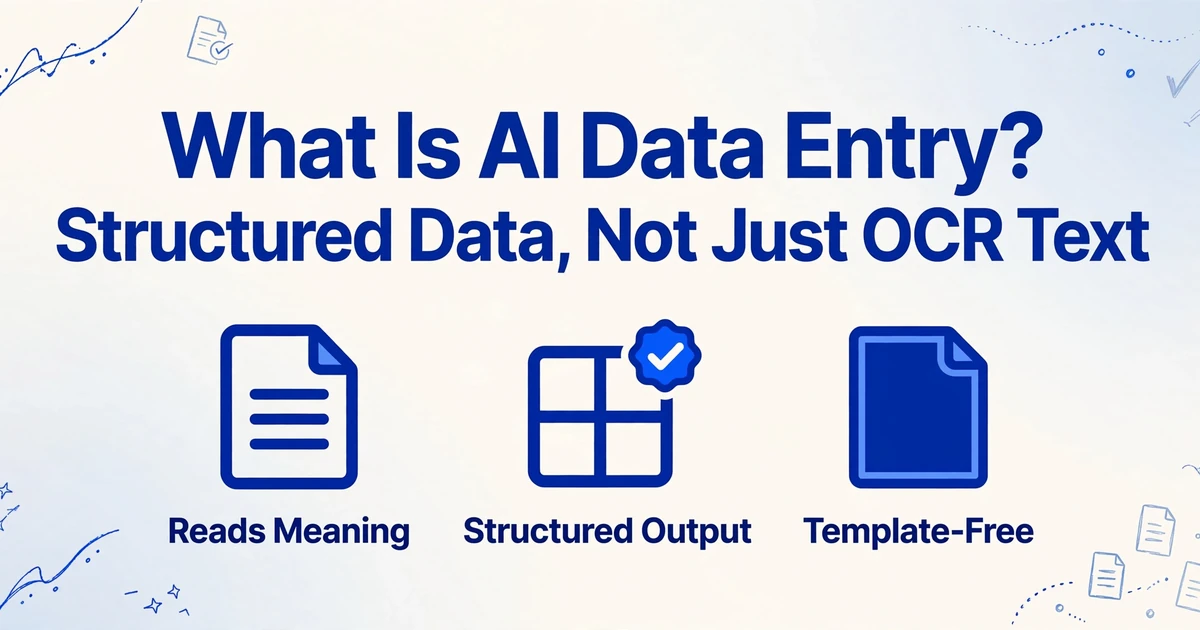
What Is AI Data Entry?
Structured Data, Not Just OCR Text
Take an invoice. Run it through OCR. You get this: Invoice #INV-2024-0891 Date: March 15, 2024 Total: $4,230.50 Vendor: Acme Corp. A wall of text. To get that data into a spreadsheet, you still have to highlight each field, copy it, and paste it into the right cell — the OCR didn't save you from data entry. It just moved the text from paper to screen. Now run the same invoice through AI data entry. You get four columns — Invoice Number, Date, Total, Vendor — each with the right value, ready to use. Same document. Completely different result. This isn't a minor upgrade over OCR. It's a different category of tool, and understanding why is what this article is about.
Key Takeaways
- OCR digitizes text but never touches the actual data entry work — every field still sits in an undifferentiated text block, waiting for you to copy-paste each value into the right spreadsheet cell by hand.
- OCR reads characters one at a time with zero understanding of what they mean, which is why it can't tell a dollar amount in the Total row from the same number in a line item — and why manual field hunting still eats 40+ hours a month after "automation."
- ImageToTable.ai closes this gap by reading the whole page at once, recognizing that a value labeled "Invoice #" belongs in one column and a value called "Total" belongs in another — across any layout, without templates or training.
What AI Data Entry Actually Means
AI data entry is software that reads a document, understands what each piece of information means, and places it into the correct column of a spreadsheet — automatically. Unlike OCR, which converts images of text into digital text characters, AI data entry produces structured output: rows and columns where Invoice Number is in the Invoice Number column, Date is in the Date column, and Total is in the Total column, across every document in a batch.
The mechanism that makes this possible is Custom Column Extraction: instead of programming extraction rules or drawing boxes around fields on a template, you type the column names you want — "Invoice Number", "Due Date", "Vendor Name", "Line Total" — and the AI locates each value anywhere on the page by understanding what it means semantically, not by matching a fixed position. The column names you type become the headers of your final spreadsheet. That's the fundamental shift: you describe the output, not the input.
This distinction matters because it changes who can use the tool. Template-based extraction requires someone to build and maintain templates for every document layout that comes in. Custom Column Extraction works the same way whether you're processing 50 invoices from one vendor or 50 invoices from 50 different vendors with completely different layouts.
Core insight: OCR digitizes characters. AI data entry structures information. One produces text you still have to work with. The other produces a spreadsheet you can already use.
Why OCR Alone Was Never Data Entry
To understand what AI data entry does differently, it helps to see the gap OCR has always left behind. Here's a real invoice, processed both ways.
OCR output — what you get from a traditional OCR tool pointed at a standard vendor invoice:
INVOICE
Acme Industrial Supply
451 Commerce Drive, Suite 200
Chicago, IL 60607
Invoice #INV-2024-0891
Date: March 15, 2024
Due Date: April 14, 2024
PO Number: PO-77231
Item | Qty | Unit Price | Total
Hex Bolt M10 | 200 | $2.40 | $480.00
Steel Washer M10 | 500 | $0.15 | $75.00
Threaded Rod 1m | 50 | $12.80 | $640.00
Subtotal: $1,195.00
Tax (8.75%): $104.56
Shipping: $45.00
Total: $1,344.56
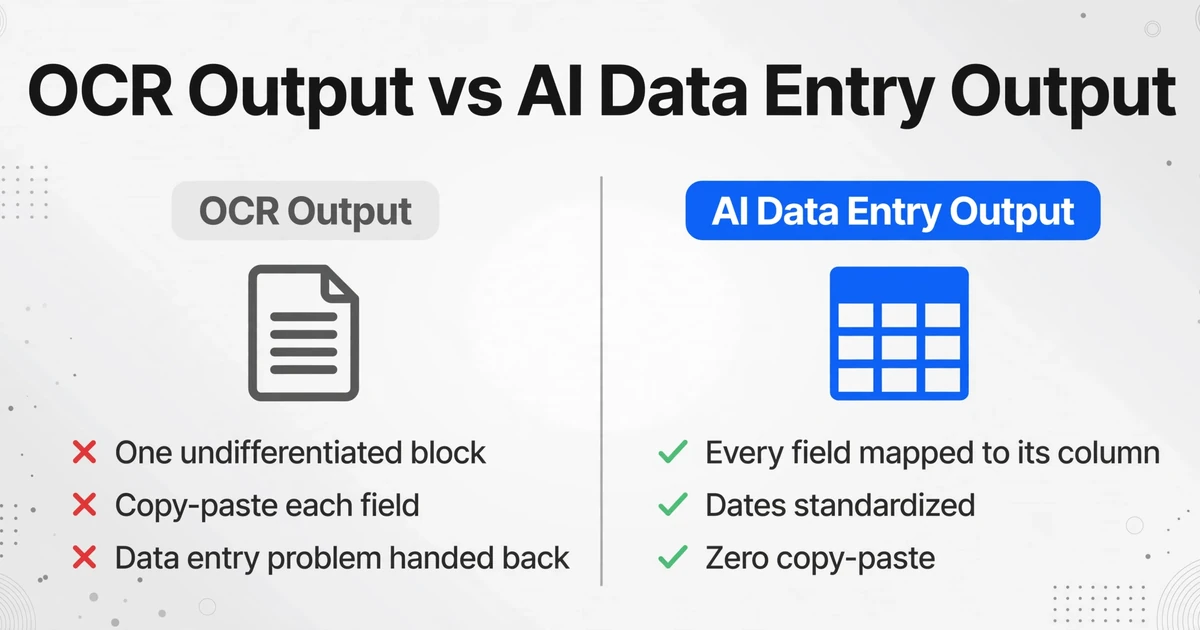
Everything is there. The characters are correct. But it's one undifferentiated block. To get "Invoice Number" into your spreadsheet, you find the line that starts with "Invoice #", select the identifier, copy it, switch to your spreadsheet, paste it. Then find the date. Then the PO number. Then each line item. OCR gave you the text, but it handed you the data entry problem right back.
AI data entry output — what you get from AI-powered extraction with the same invoice:
| Invoice Number | Date | Due Date | PO Number | Vendor Name | Subtotal | Tax | Shipping | Total |
|---|---|---|---|---|---|---|---|---|
| INV-2024-0891 | 2024-03-15 | 2024-04-14 | PO-77231 | Acme Industrial Supply | $1,195.00 | $104.56 | $45.00 | $1,344.56 |
Every field mapped to its correct column. Line items extracted into their own rows. Dates standardized to a consistent format. Zero copy-paste. Zero manual field hunting. The difference isn't about speed — though AI is significantly faster — it's about the output being already structured. OCR output requires a second step (manual data entry) before it's useful. AI data entry output is useful immediately.
EY's 2025 research found that a single manual HR data entry task now costs organizations an average of $4.86 — up from $4.39 in 2018, and trending upward every year. Across thousands of documents, the gap between "OCR digitized the text" and "AI structured the data" compounds into real operational costs.
How AI Reads Documents: Vision Meets Language
OCR works character by character. It looks at a pattern of dark and light pixels, matches them against a library of known shapes, and outputs the closest letter. This is why OCR can produce "rn" when it meant to read "m" — it's making decisions at the character level, with no awareness of the word, let alone the document's structure. When OCR encounters a table with merged cells, it reads line by line and loses the column relationships entirely.
AI data entry uses vision language models (VLMs) — a class of AI that processes documents the way a human does: by looking at the whole page at once. A VLM simultaneously analyzes three layers of information:
Visual layout.
Where is each element positioned? Is it in a header, a table, a footer? Is this text bold, indented, or inside a bordered box? The model understands document structure — not just what the pixels look like, but how the page is organized.
Text content.
What does the text say? The model reads characters, words, and numbers — but unlike OCR, it reads them in the context of their position on the page and their relationship to nearby elements.
Semantic meaning.
What does each piece of data represent? A number in the top-right corner next to the word "Invoice #" is an invoice number. A number in bold at the bottom-right corner next to "Total" is the amount due. The model connects visual position to semantic role — it doesn't just read "INV-2024-0891", it understands this is the invoice identifier.
These three layers — layout, content, and meaning — are processed together, not sequentially. When the AI sees a dollar amount in the "Total" row at the bottom of an invoice, it doesn't have to decide "is this text or a number?" and then "what does this number mean?" as separate steps. It understands the whole picture at once: this is a monetary value, it's positioned at the end of the document, it's labeled "Total", and it's likely the sum of all line items above it. The output is a value with a semantic label, not just a string of digits.
This is what people mean when they say AI "understands context." It's not magic — it's models trained on millions of documents learning that when a number appears below a column of figures and next to the word "Total," that number has a specific meaning that a number in the middle of a line item table does not.
Three Ways AI Extracts Data From a Document
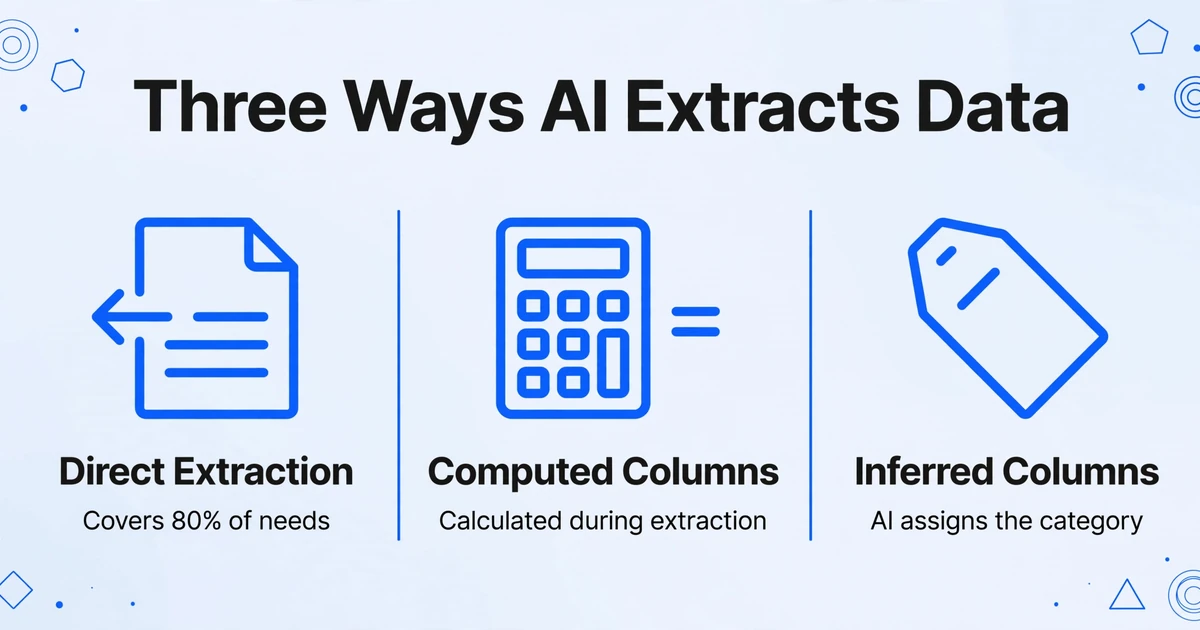
Not all extraction is the same. AI data entry operates across three distinct modes, each solving a different problem. Understanding which mode applies to which field is what separates a working extraction from one that produces incomplete results.
Direct Extraction — When the Data Is Printed on the Page
This is the most straightforward mode: the field you want is visibly present on the document. An invoice has a date printed on it. A receipt has a total. A purchase order has a vendor name. The AI locates the value by understanding its semantic role and places it in the correct column.
Direct extraction covers about 80% of what most people need from document processing. It handles printed text, tables with clear columns, and fields in predictable positions — even when those positions vary across layouts. Because the AI isn't matching a fixed coordinate, a date in the top-right corner of one invoice and a date in the bottom-left of another invoice both map correctly to the "Date" column.
Computed Columns — When the Answer Isn't Written, But the Ingredients Are
Sometimes the number you need isn't printed anywhere on the document — but the components to calculate it are. This is where Computed Columns come in. Instead of extracting a value, the AI performs a calculation during extraction and puts the result in your spreadsheet.
For example, a purchase order might list a quantity of 200 and a unit price of $2.40, but nowhere does it print "Line Total: $480.00." With Computed Columns, you define a column called Line Total (Qty × Unit Price). The AI extracts the two source values, performs the multiplication, and outputs $480.00 — all in a single pass. No post-extraction formula work in Excel required.
Computed Columns support row-level arithmetic, cross-row aggregation (summing all line items in a section), conditional logic (flagging when calculated totals don't match the printed total), and fixed parameter references (embedding a tax rate that applies across all documents in a batch). The computation happens during extraction, so your output is ready-to-use answers — not raw data you still need to process.
Inferred Columns — When the AI Fills In What's Not There
The third mode tackles a problem OCR and template-based tools can't touch: what if the information you need isn't written on the document at all? Inferred Columns let the AI read a document and make a judgment about what category, tag, or label applies — then fill that into your spreadsheet.
A classic case is expense categorization. A receipt from a restaurant doesn't say "Category: Meals." But you need to sort expenses for tax reporting. With Inferred Columns, you define a column called Category (options: Meals/Transport/Office/Other). The AI reads each receipt — a lunch receipt from a sushi restaurant, a gas station receipt, a Staples receipt — and determines the correct category for each. The output is a spreadsheet where every row already has its category assigned. Extraction and classification happen in a single pass.
Inferred Columns work the same way on any document type: flagging rush orders from delivery notes, detecting currency type from international invoices, identifying document subtype from insurance certificates. The AI reads the document content and makes a structured inference — something OCR, which has no semantic understanding, cannot do.
What This Means in Daily Use
The three extraction modes converge on a single operational change: you no longer need to teach the tool what your documents look like. You describe what you want out of them.
In a template-based OCR workflow, adding a new vendor's invoice format means opening the template editor, drawing zones around each field, testing it against a sample, and hoping the zones don't shift on the next invoice. Multiply that by 20 vendors and you're spending more time maintaining templates than you would have spent on manual entry. With AI data entry, you type your column names once. They work across every layout the AI encounters — because the AI is understanding the document, not measuring coordinates.
Batch processing takes this further. Upload 50 invoices from 15 different vendors. Type your column names once. The AI processes all 50, identifies each field across every layout variation, and exports a single spreadsheet with 50 rows — one per invoice — with every field in the right column. What used to be an afternoon of manual entry becomes a few minutes of upload-and-review.
Files are processed securely and not stored.
For a broader view of how AI extraction compares to traditional document processing approaches, our introduction to data extraction software covers the full category landscape. And if you're evaluating tools, the evaluation framework walks through the criteria that separate production-grade extraction from demos that work on one sample document.
What AI Data Entry Does Well
AI data entry handles any document where structured information exists in a visual layout. The most common applications cluster around a few high-volume document types.
Invoice processing. The flagship use case. Invoices from different vendors have radically different layouts, but they share the same semantic structure: vendor name, invoice number, date, line items, totals. AI reads across layouts, making it practical to extract invoice fields to Excel without building a template for each supplier. Gartner projects that by 2030, up to 80% of B2B invoices worldwide will be processed automatically — a prediction that assumes exactly the kind of layout-agnostic extraction described here.
Receipt scanning. Receipts are the hardest document type for template-based OCR: every store prints a different format, many are thermal-printed and faded, and they often arrive as phone photos at odd angles. AI data entry converts receipts to structured spreadsheet rows by understanding the receipt's layout visually — identifying the merchant name, date, total, and line items regardless of format.
Bank statement reconciliation. Bank statements present a particular challenge: multi-page PDFs with transaction tables that span columns across page breaks, debit and credit columns that sometimes overlap, and running balances that need to maintain integrity. AI data entry converts bank statements to Excel while preserving the transaction structure — each row is a transaction, each column is a field — so reconciliation can happen in your spreadsheet rather than by cross-referencing a paper statement against a screen.
Form processing. Paper forms — job applications, patient intake forms, survey responses — arrive in batches with consistent questions but wildly inconsistent handwriting, checkboxes, and fill patterns. AI reads the form structure and extracts each field into a column, digitizing form data without per-form setup.
Handwritten documents. Modern AI data entry handles legible handwriting — printed forms filled in by hand, delivery notes with handwritten signatures and quantities, timesheets with hand-written hours. The accuracy on handwriting is lower than on printed text (more on this in the limitations section), but for structured forms where the handwritten content is constrained to known fields, results are production-ready for many use cases. Our guide to handwriting recognition for data extraction covers the details.
What AI Data Entry Still Struggles With
AI data entry is not solved. There are document types and conditions where accuracy drops below what's acceptable for hands-off automation. Being clear about these limitations matters — it's the difference between setting up a workflow that works and one that creates a new cleanup problem.
Extremely poor scan quality. Documents that are severely faded, photographed in low light with motion blur, or scanned at very low resolution (under 150 DPI) degrade extraction accuracy. The AI can compensate for moderate quality issues — slight blur, tilt, inconsistent lighting — but when characters become genuinely ambiguous to a human reader, the AI will also struggle. Confidence scoring (where the AI flags low-certainty fields for human review) mitigates this but doesn't eliminate it.
Overlapping handwritten text. When handwriting is clear and separated, modern AI handles it well. When characters overlap — a hastily written correction squeezed between two lines, a strike-through with new text written over it — accuracy drops sharply. The model has to decide where one character ends and another begins, and at some level of overlap, that decision becomes guesswork even for a human.
Documents where data is purely visual or graphical. If a document communicates information exclusively through diagrams, charts without data tables, or color-coded maps with no text labels, AI data entry has nothing to extract. The AI reads text and layout — it doesn't interpret a bar chart's height into a numeric value or decode a color legend into categories. For documents that mix text and visuals (a report with both a data table and a chart), the table is extractable; the chart generally is not.
Extreme cursive and non-standard handwriting. Neat handwriting on a structured form is manageable. Rapid cursive with highly stylized letterforms — the kind found in some medical prescriptions or old handwritten ledgers — remains challenging. The gap is narrowing as models improve, but as of mid-2026, heavily stylized cursive still produces unreliable results that require human verification.
Multi-page tables with complex spanning logic. When a table runs across three pages with merged cells, split rows, and subtotals that reference values from a previous page, even AI can lose the thread. Modern VLMs handle simple multi-page continuity well, but complex spanning logic — where a single line item's description runs across two pages and its quantity is on a third — still produces errors in a meaningful percentage of cases.
The honest summary: AI data entry handles the 80% of documents that are clean, legible, and structurally clear with high accuracy (up to 99% for printed table data). It handles the next 15% — moderate quality issues, light handwriting, simple multi-page tables — with accuracy that's still usable but may need spot-checking. The last 5% — the overlapping handwriting, the severely degraded scans, the purely graphical documents — still needs human attention. Our accuracy comparison across extraction tools provides detailed benchmarks for specific document types.
Frequently Asked Questions
Is AI data entry the same as OCR?
No. OCR converts images of text into digital text characters — it reads letters. AI data entry understands what those letters mean in context and places them into structured columns. OCR gives you a text file. AI data entry gives you a spreadsheet. OCR is one component that AI data entry systems may use, but by itself, OCR performs no structuring or understanding.
Do I need to train the AI on my documents?
No. Modern AI data entry tools using vision language models work out of the box on documents they've never seen before. You don't upload training samples, label fields, or configure templates. You type the column names you want, upload your documents, and the AI extracts the data by understanding the document visually and semantically — not by matching a pattern learned from previous examples. For comparison, older machine-learning approaches required hundreds of labeled documents per format; newer VLM-based tools need zero.
What document formats does AI data entry support?
PDFs (both native and scanned), JPEG, PNG, WebP, AVIF, and webpage screenshots. The AI processes whatever image or document you upload — it doesn't need the source to be a clean digital file. A photo of a receipt taken on a phone works the same way as a PDF generated by accounting software. For a detailed comparison of format support across tools, see our evaluation framework.
How accurate is AI data entry compared to manual entry?
For printed table data, AI extraction achieves up to 99% accuracy. Manual data entry accuracy typically ranges from 96-98% and degrades with fatigue, volume pressure, and unfamiliar document formats. At 1,000 documents per month, the difference is roughly 10-40 errors (manual) versus fewer than 10 (AI). A single page that takes 3 minutes to enter manually processes in 5-10 seconds with AI — an efficiency gain of over 18x. However, accuracy depends heavily on document quality: a clean, well-lit scan of a printed invoice will achieve near-perfect accuracy; a faded, low-resolution photo of a handwritten receipt will be lower.
Can AI data entry read handwriting?
Yes, but with qualifications. Legible handwriting on structured forms (a printed form filled in by hand) is handled well by modern AI — the form's structure provides context that helps the model interpret the handwritten content. Free-form handwritten notes, rapid cursive, and overlapping handwriting produce less reliable results. If your use case involves heavily handwritten documents, expect to verify results rather than process them straight through. For more details, see our handwriting recognition guide.
How much does AI data entry cost versus traditional OCR?
AI data entry tools are typically subscription-based with per-page or per-document pricing tiers. Traditional OCR tools are often cheaper at the base level but require additional investment in template setup, maintenance, and the manual labor of structuring the raw text they output. The cost difference is rarely about the software price alone — it's about total operational cost including the time spent on post-extraction data handling. Our cost comparison between free OCR and AI extraction and the 2026 pricing landscape overview cover this in detail.
What happens to my documents after processing?
This varies by provider. Reputable tools process documents, extract the data, and discard the original files — they don't store or train on your documents. Always check the provider's data handling policy before uploading sensitive documents. Look for explicit commitments about file deletion, no-training-on-user-data, and encryption in transit and at rest.
AI data entry changes what's possible with document processing — not by doing the same thing faster, but by doing a different thing entirely. The question isn't whether it's better than OCR. It's whether the documents you process every day are structured enough for AI to handle, and whether the time you'd save is worth more than the cost of the tool. The only way to know is to try it on your own documents.