Real Estate Lead Emails to CRM
Contacts Without Retyping
Harvard Business Review audited 2,241 companies in 2011 and found that only 37 percent responded to a new web lead within an hour, 23 percent never responded at all, and the average response among those who did was 42 hours. That gap between a lead arriving and somebody actually working it is where most real estate opportunities die.
The National Association of Realtors' 2025 Profile of Home Buyers and Sellers adds the part most agents already feel: 67 percent of first-time buyers and 76 percent of repeat buyers interviewed exactly one agent before choosing. The first agent who reaches a ready buyer, well, usually gets the business. Which makes the unglamorous step between the inbox and the CRM, the part where a lead's name, phone number, and question get typed into a contact record by hand, the single least defended bottleneck in the whole pipeline.

Key Takeaways
- The average company took 42 hours to answer a new web lead, and 23 percent never answered at all, which is where most real estate deals quietly die.
- 20 minutes of retyping per lead is where that delay actually lives, not thinking time at all, and no template survives it because every portal, IDX vendor, and handwritten sheet formats its fields differently.
- Define the seven contact columns once, and the AI finds those values across portal alerts, IDX forms, and open house handwriting, so all three lead sources land in one CSV your CRM already imports.
Real Estate Leads Don't Arrive as Contact Records
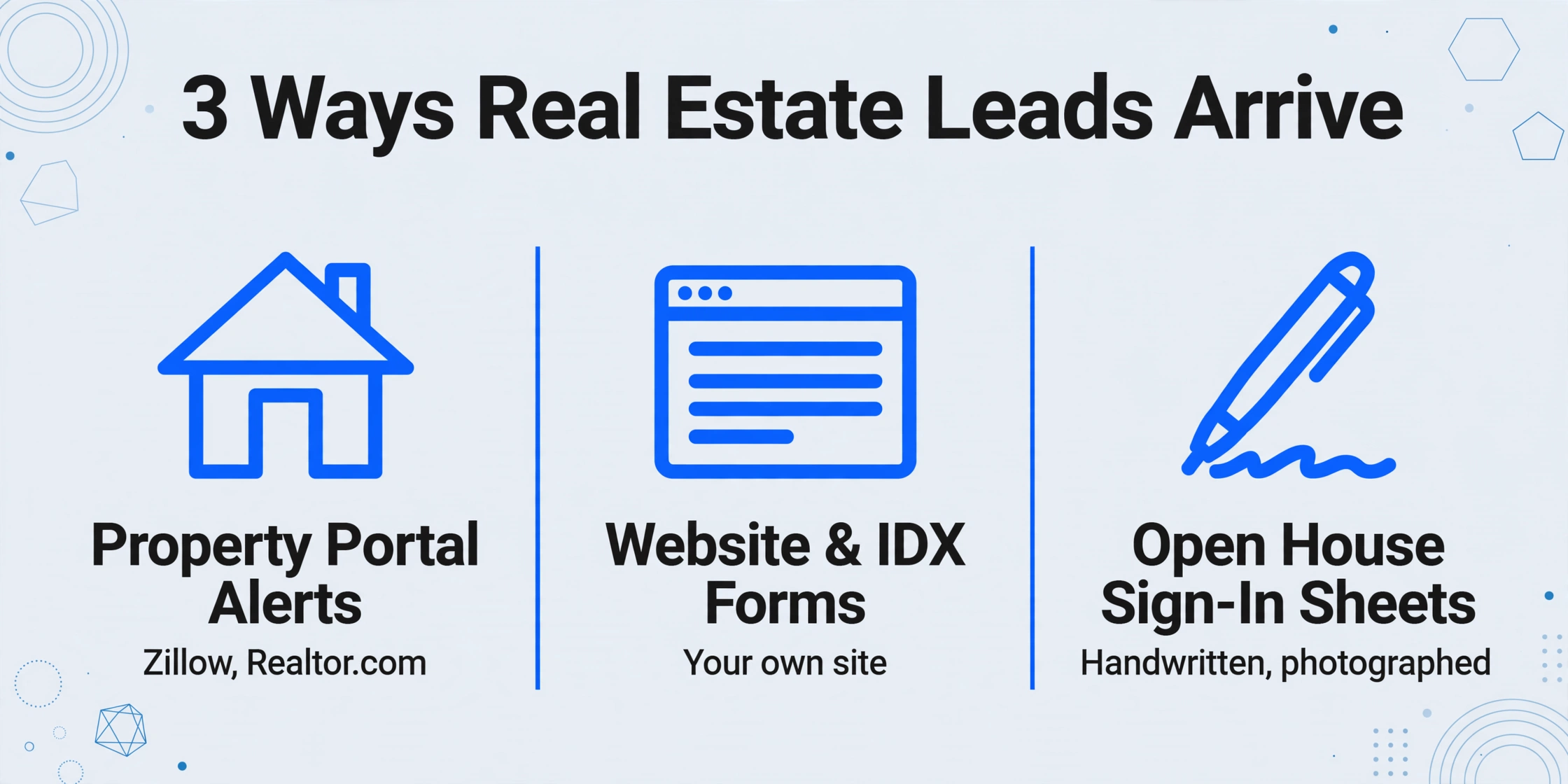
Before any automation conversation makes sense, it helps to look at the raw materials. A "lead" in real estate is not a spreadsheet row waiting to be opened. It arrives in one of three shapes, and each shape takes a different amount of friction to turn into a CRM contact:
Property portal alerts. The buyer fills in an inquiry form on Zillow, Realtor.com, or Trulia, and the portal emails you a notification with the buyer's name, phone number, email, and the listing they asked about. Clean, but it still lands as prose inside an email. If you use the portal's own lead system, the data is already structured on the portal side, and the problem becomes getting it out of the portal at all.
Website and IDX form notifications. The inquiry comes through your own site's forms, usually the IDX search tool that lets buyers browse listings. The email notification arrives at whatever inbox your team actually checks, often a shared team account or the admin's personal one. Format varies from one IDX provider to the next, and the fields shift between providers.
Open house sign-in sheets. The highest-intent leads of the week, people who physically visited a property, written by hand on a paper sheet, photographed on a phone, and emailed to the admin the next morning. Every open house across the country produces the same aftermath: a page of handwriting that needs to be read, decoded, and retyped before it becomes a contact at all.
NAR's 2025 report puts the last source in perspective: 43 percent of buyers rated open houses as a very useful information source during their search. The visitors who walked through your listing are not scrapable, not API-backed, and not typed. They are the cheapest real estate leads most agents ever get, and also the most likely to never make it into the CRM, because nobody retypes handwriting at 11 pm.
The Handoff Where Response Time Actually Dies
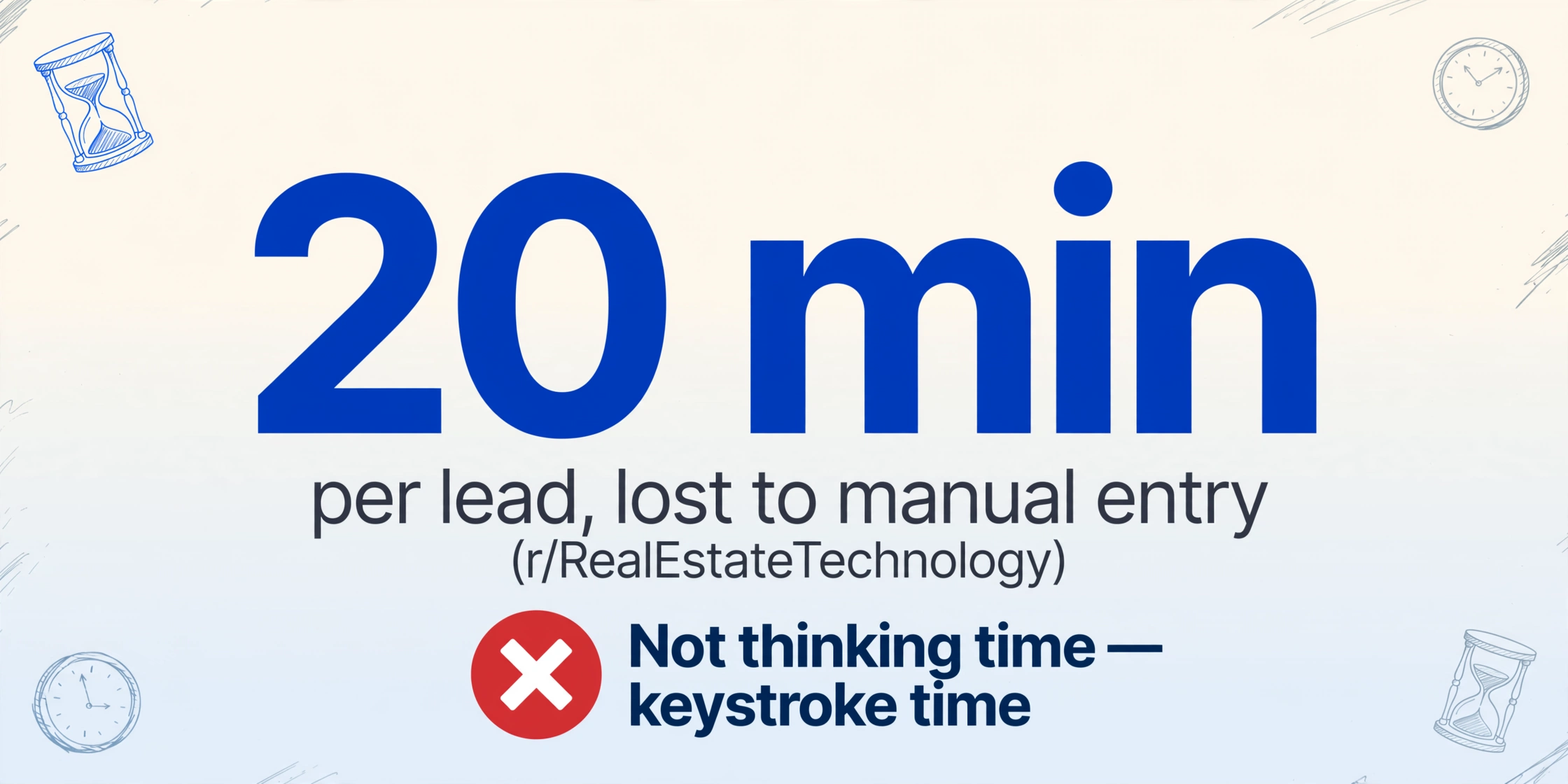
The HBR study measured the time from "lead submitted" to "company responds." In real estate that interval is rarely spent deciding what to say. It is spent on the data entry between the incoming email and the CRM record.
Agents describe the step plainly. One acquisition-focused poster in r/RealEstateTechnology wrote that he kept two virtual assistants on speed-to-lead and follow-up, "spending close to $2,200 a month fully loaded," and the realization that broke him was pulling the numbers and finding 68 percent of closed deals came from leads over 45 days old. Another thread about CRM data entry put the per-lead cost at "20 minutes gone per lead" just for manual entry. In r/automation, someone who built a lead pipeline for a brokerage described the pre-automation state as "copy pasting lead data from portals into sheets," four hours a day of it, cut to 15 minutes of review.
The pattern is the same in every account: the delay is not thinking time, it is keystroke time. An admin who opens a portal alert at 9 am, copies the name and phone number into the CRM, sets a follow-up task, and repeats the sequence twelve times has answered zero buyers by noon. A team where that step runs itself answers the same buyers while the admin sleeps. In other words, the road from a real estate lead email to CRM contact currently runs through manual data entry, and that is exactly the leg this article is about shortening.
There is also a second cost that never shows up in response-time studies: the leads that never get typed at all. A misread digit on a handwritten sign-in sheet, an email address with one letter off, a sheet that goes in a drawer because nobody has thirty minutes to transcribe it. These are not slow responses, they are non-responses, and open house visitors in particular accept them. The median consequence, from r/Real_Estate, is a familiar one: "Lead comes in, saved in WhatsApp. Follow-up happens via WhatsApp. Deal closes and the agent remembers it."
Why Template-Based Lead Parsing Keeps Failing
Most tools aimed at this exact problem, email parsers that create CRM contacts, approach it with templates. The promise sounds perfect: the parser watches the inbox, matches the incoming email against a predefined layout, pulls the fields from their fixed positions, and pushes the contact to the CRM automatically.
Templates work where the input format is guaranteed. Portal alerts are close to that, but only for one specific portal version at a time. The reality of lead intake is that the format is the least reliable thing about it:
Every portal and every IDX provider produces a different email layout. Zillow's alert structure is not Realtor.com's, and neither matches the notification from your IDX vendor. A template tuned to one source needs a sibling template for every other source, and the moment a portal redesigns its notification email, that template silently starts picking up the wrong fields.
Handwritten sign-in sheets have no layout at all. A template is a set of coordinates. A photographed open house sheet is handwriting at arbitrary positions, sometimes crossing table lines, with phone numbers missing area codes and emails written in shorthand. No coordinate system survives contact with a real sign-in sheet.
The contact fields themselves differ by lead source. A portal buyer comes with budget and property of interest. An open house visitor comes with "already working with an agent?" checked. A referral email carries context in the body that no template knows to look for. The output schema is often the one thing every source shares, and conversely the one thing template parsers hard-code per source.
This is the distinction that the template tools rarely surface: position-based extraction answers "where on this exact layout is the phone number," while semantic extraction answers "what does a phone number look like on this document, whatever the layout." The second approach is what makes one pipeline handle all three lead shapes without a per-source setup step. For more on why the two approaches differ in practice, our template-free versus template-based comparison walks through the mechanism on real documents.
One Column Set for Email, Attachments, and Handwriting
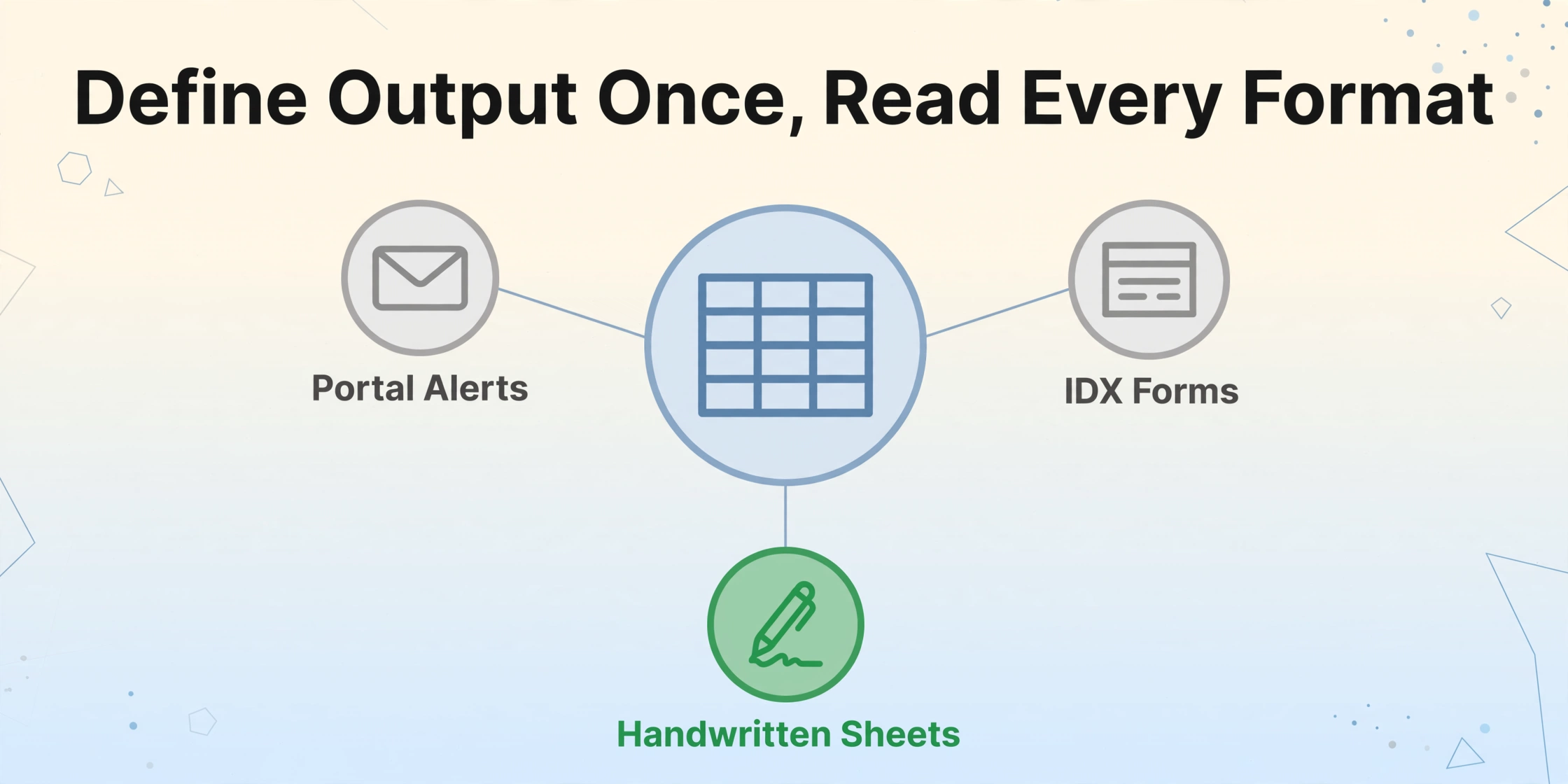
A template-free lead intake pipeline works the other way around. Instead of configuring the parser for each incoming format, you define the output once: the columns the contact record needs. Then the AI reads each incoming document and finds those values, wherever they sit, whatever the source.
For real estate lead intake, a workable first column set looks like this:
| Column | What it captures | Typical source |
|---|---|---|
| Name | Full buyer or seller name | Portal alert, sign-in sheet, referral email |
| Phone | Primary contact number | Portal alert, sign-in sheet |
| Reply address | Portal alert, website form, IDX notification | |
| Inquiry Type | Buying, selling, tour request, open house visit | Email subject and body |
| Property of Interest | Listing address or MLS reference | Portal alert, website form |
| Budget | Price range if stated | Portal alert, referral email body |
| Lead Source | Zillow, Realtor.com, website form, open house | Inferred from the document or email header |
With these columns defined, every incoming document lands in the same shape: one row per lead, seven columns, ready for the CRM. The package is complete without per-source templates: you automate real estate lead intake by defining the output once, and the AI finds the values in every format that arrives. The AI infers the Lead Source column even when no source name appears in the document, which matters for reporting on which channel pays rent. For how to tune the column definitions and extract fields exactly the way the rest of the team expects them, the guide to pulling fields straight out of an email body shows the same idea applied to invoicing, with the mechanics spelled out step by step.
How the documents themselves arrive matters just as much as the columns. The workflow starts with a dedicated inbox address that lives in the extraction tool, not in your personal mailbox. Portal alerts, IDX notifications, and photo emails from open houses get forwarded there, and the attachments land straight in the processing queue, no upload page involved. Once a column set is bound to that mailbox, processing starts the moment mail arrives, including encrypted PDF attachments when the password is saved ahead of time, which happens more often in this industry than anyone likes to admit. A sender whitelist limits the queue to known lead sources, so a stray email from an unknown address does not end up mixed into your contact rows. The email parsing setup covers the configuration options, including the choice of reading attachments only, the email body only, or both, because some portals write every buyer detail into the message text with no attachment at all.
Files are processed securely and not stored.
From Spreadsheet Rows to Follow-Up Tasks
Extraction gets the lead into a clean row. Getting that row into the CRM is a separate, mostly boring step, and the honest version of this article does not pretend there is a magic button that writes straight into LionDesk or Follow Up Boss. There are two realistic paths, and both are standard.
Path one: export and import. Every real estate CRM worth the subscription imports CSV. Zillow buyers become a spreadsheet row set, you download it, and the CRM's import tool creates contacts, which is exactly how most teams already push portal data around. Extraction results that land directly in Google Sheets make this even less painful, because the sheet is already the import file.
Path two: the API. For teams with a developer, or a larger lead volume, the extraction itself is available as a REST API with webhook notifications, so processed lead rows can be pushed into a downstream pipeline the moment they exist. This is the option for brokerages that already route leads into a dialer or a distributed CRM. It is also the path that lets a team keep its own deduplication, assignment, and SMS logic in front of the contact creation step. This article deliberately does not claim a native CRM integration on our side: the honest wording is that the output is structured data, and CRM platforms all speak CSV or have an API waiting for it.
Either path ends with the same outcome that the manual process was trying to reach: a contact record with a phone number, an email, and a reason to follow up, created while the lead is still warm. The HBR numbers say the entire game is getting there in minutes, not hours. The extraction setup itself is a one-time effort, and after that the weekly cost is a review pass over the rows, not a retyping session.
What Automation Does Not Replace: Review and Consent
A template-free pipeline removes typing, but it does not remove judgment, and treating it as if it did is how leads get lost in the other direction. Three things keep a human in the loop, and the article would be overpromising without being explicit about them.
Handwritten fields deserve a glance before they enter the CRM. A phone number written in a hurry, an email address with one smudged character, these are exactly the fields where an AI extraction can guess wrong. Because lead documents are usually short, a quick scan of the extracted rows is cheap insurance. The human review workflow for extracted documents explains how to structure that check so it catches the bad rows without reviewing every good one a second time. Sketchy handwriting is where a higher-precision processing tier pays for itself, which is worth knowing on weeks with heavy open house traffic.
Automated follow-up messages need consent rules, not just content. Texting a new lead automatically is regulated in the United States: the Telephone Consumer Protection Act requires prior express written consent before marketing texts, and the FCC's one-to-one consent rule tightened that further in 2025. Email has the lighter CAN-SPAM opt-out regime, but it is not consent-free either. NAR's own telemarketing and cold-calling guidance for agents is the right starting reference before any automated outreach sequence gets turned on. Extraction solves the data-entry bottleneck; it does not grant permission to contact anyone.
The first real phone call still has to be a person. Automation gets a contact into the CRM while the buyer is still looking. Everything after that, the read of an expressed interest, the question about financing, the listening, is human work and it is the half of the job that does not scale. A pipeline that retypes leads at machine speed leaves more of the agent's day for exactly that call, which is the point.
Two adjacent scenarios deserve a different article each. A real estate closing document package is the transaction-side paperwork of a deal that is already underway, and lease extraction is portfolio data for property managers, both further down the timeline than lead intake. The scope of this article stops at the contact record.
FAQ
Can ImageToTable.ai create contacts directly in LionDesk or Follow Up Boss?
Not natively. There is no built-in connector that writes straight into a real estate CRM. Extraction output is a spreadsheet (Excel or CSV) or JSON, and every mainstream real estate CRM imports CSV, so the standard path is export then import. Teams that want a direct push use the REST API with a webhook as their own bridge.
Does the email side handle attachments, or only the message body?
Both. The Email Inbox is a dedicated address that leads get forwarded to, and the processing can be set to read only attachments, only the email body, or both. Some portals put the buyer details in the body, some attach PDFs, and some IDX notifications put everything in a signature block. Configuring body-plus-attachments covers the realistic mix.
Can it really read handwritten open house sign-in sheets?
Yes, with one honest caveat: printed material extracts at very high accuracy, and handwriting is read well but not perfectly, which is why a quick review step matters more for sign-in sheets than for portal emails. A photographed sheet uploads like any image and produces the same contact rows. For heavy handwriting weeks, the higher-precision processing tier meaningfully reduces the number of rows that need a second look.
Is automated text messaging to new leads allowed?
Only with compliance built in. Under US law, marketing texts sent with an autodialer require prior express written consent, and the FCC's one-to-one consent rule applies from January 2025. NAR's guidance page for agents covers the rules in the brokerage context. Nothing about document extraction grants texting consent, so the consent capture has to be part of the lead capture design, not added later.
Is this the right fit for a solo agent, or only for teams?
A solo agent gets proportionally more value than a team, because there is no admin to absorb the typing. The setup cost is the same either way: one column set defined once, one forwarding rule, and the sign-in sheet workflow for open house Sundays. The volume threshold is lower than most people assume, roughly a handful of leads per week already justifies it.
What is the difference between this and the portal's own lead delivery system?
Portals that integrate directly with a CRM (some do, via the CRM vendor) deliver structured data with zero extraction, and when that works it is the cleanest option. It only covers that one portal. Every other source, from other portals to your IDX forms to open house sheets, still shows up in an inbox. A template-free extraction layer is the only approach that treats all three shapes as the same problem, and it exists precisely because the portal-to-CRM connectors cover so little of the actual week.
Leads go cold while a buyer waits through a 42-hour average response, and most of that time is spent retyping lead details into a contact record, not deciding what to say. For a buyer who interviews exactly one agent, that wait is often the end of the conversation.
That is the gap a template-free intake pipeline removes: three sources of leads, one column set, one import file, and the agent's first real call starts minutes after the lead does, instead of after the admin catches up. Try it on a real lead email or sign-in sheet and see how many contact rows come back.