When the Invoice Is the Email Body,
Not the Attachment
Most invoice extraction tools are built on a single assumption: the data you want is inside a file attached to the message. That assumption holds for a large share of supplier invoices. It fails completely for the ones where the invoice is the email itself, written out as HTML or plain text in the body, with no PDF anywhere in the message. When that happens, an attachment-first tool does not return a wrong number. It returns nothing, and it does not tell you it returned nothing.
Key Takeaways
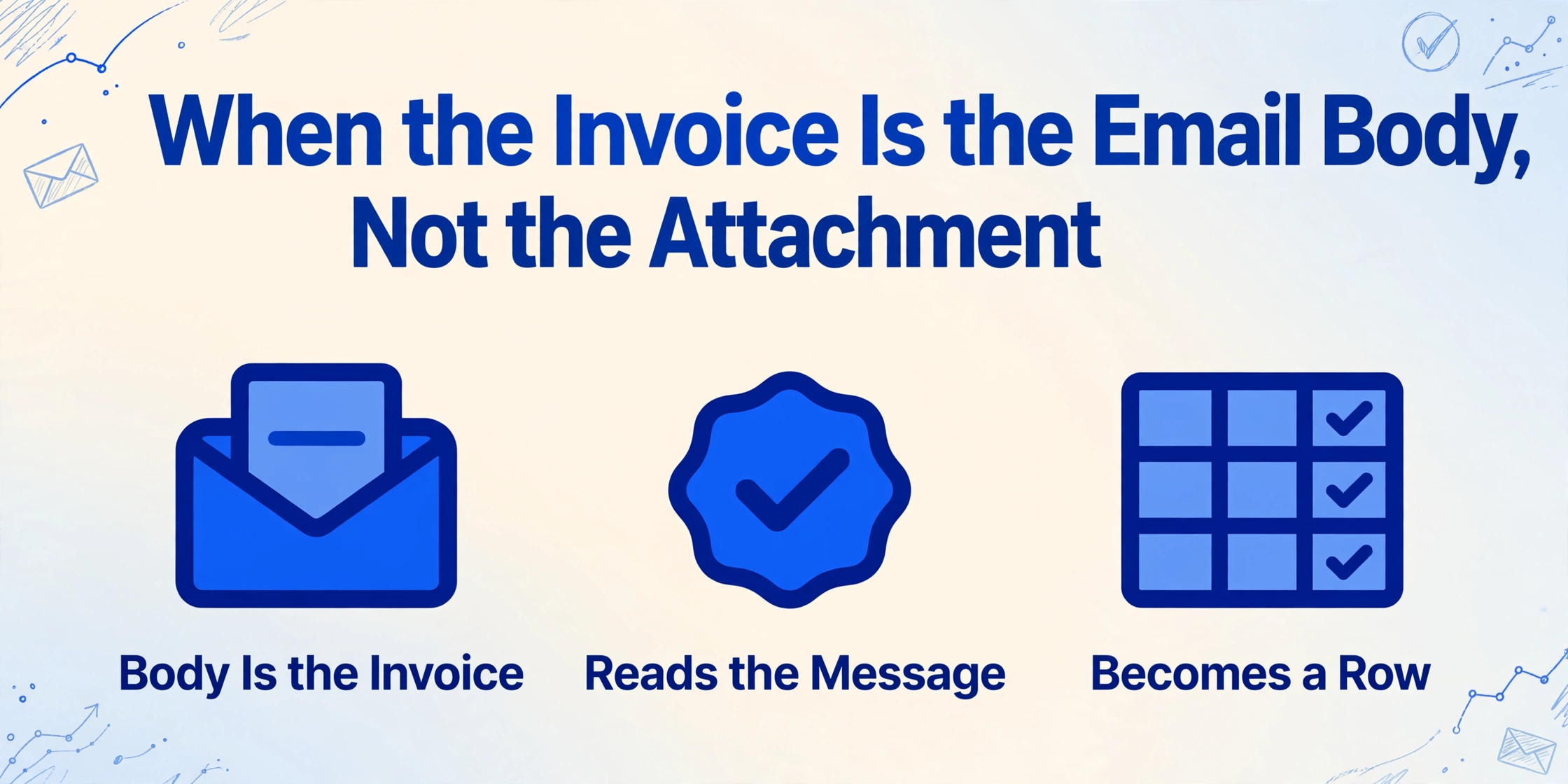
- The invoice parser you already trust is right about most invoices, because most of them arrive as attachments.
- On a body-only invoice it returns an empty row and reports no error, which is the more expensive kind of failure.
- Switching the email inbox to read the body itself turns that same email into a spreadsheet row, with no print-to-PDF step.
When the Invoice Exists Only in the Email Body, Attachment-First Tools Return Nothing
An invoice that lives only in the email body has no file for an attachment-first parser to open, so the parser returns an empty row and reports no error. The extraction pipeline looks like it ran. The output looks like a message that simply had nothing to extract. Nobody gets an alert, and the invoice sits in the inbox until a human notices the row is blank.
This is not a rare format. It is the default for a specific and growing slice of B2B billing. Subscription and advertising platforms send their invoices as formatted messages rather than files: Stripe receipts, AWS monthly billing summaries, Google Workspace billing notices, Meta Ads and Google Ads invoices, Uber for Business trip statements. Smaller suppliers and freelancers do it too, typing an invoice number and a total directly into the message because it is faster than generating a PDF.
The cost of missing these is not theoretical. Ardent Partners put the average all-in cost of processing a single invoice at $9.40 in 2025, against $2.78 for best-in-class teams, and found that only 32.6% of invoices move through without a person touching them (Ardent Partners, AP Metrics That Matter in 2025). Every invoice that falls out of the automated path gets handled by hand, at the manual end of that cost range.
An attachment-first parser does not fail loudly on a body-only invoice. It succeeds at finding no attachment, which is the more expensive kind of failure.
Body-Only Invoices Arrive in Three Shapes, and Only Two Carry Extractable Data
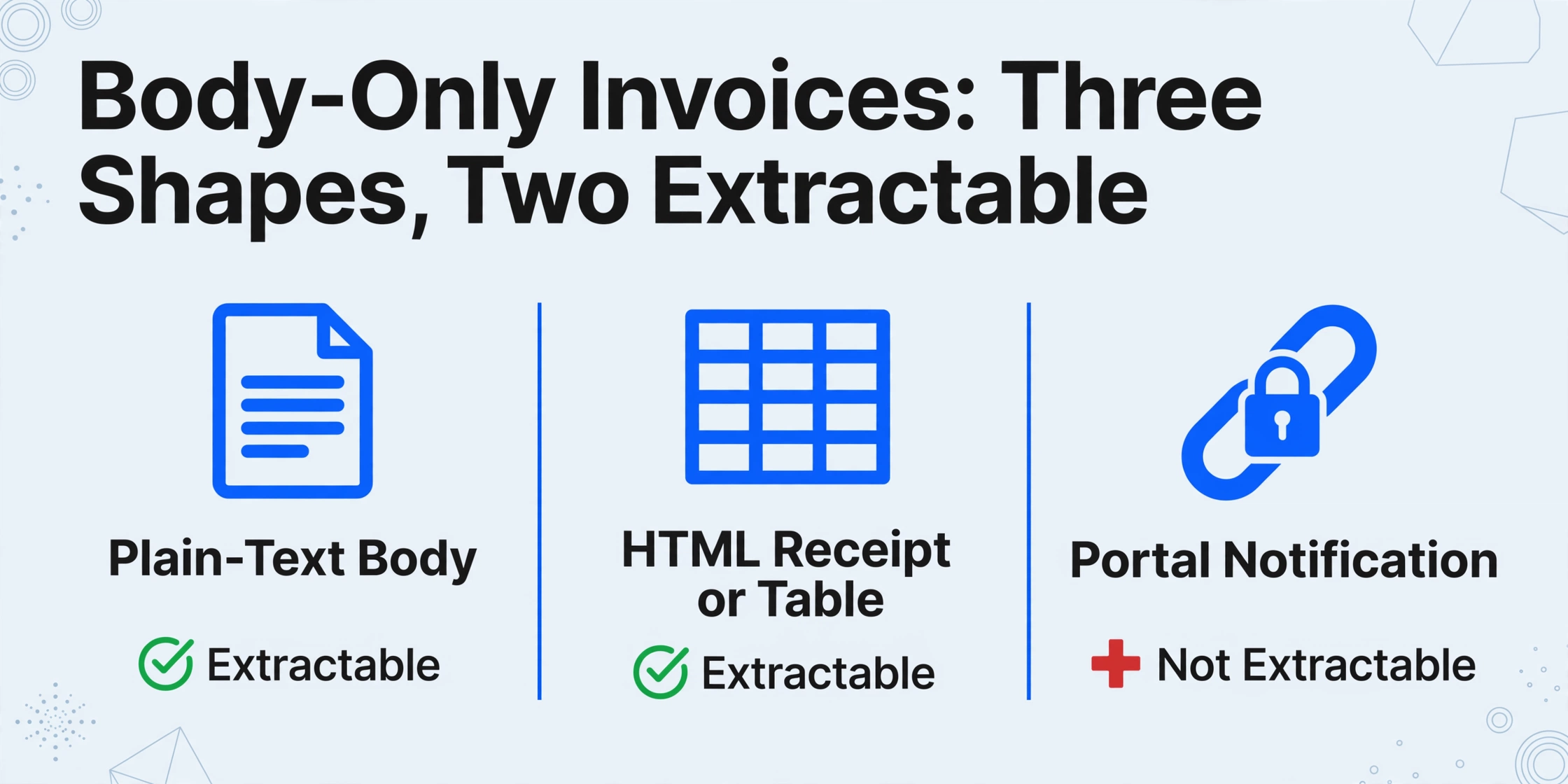
Body-only invoices reach the inbox in three shapes, and only two of them contain data a machine can actually read. Knowing which shape you are looking at tells you whether extraction is possible at all, or whether you are chasing a link that was never going to be a spreadsheet row.
| Shape | What it looks like | Can it become a spreadsheet row? |
|---|---|---|
| Plain-text body | A freelancer or small vendor types the invoice number, amount, and due date directly into the message | Yes. The values are present as text, even if they are unstructured |
| HTML receipt or table | A subscription or ad platform renders a formatted receipt, often a real table, in the body | Yes. The values are present, but as layout rather than as fields |
| Portal notification | "Your invoice is ready. Log in to view and download." The message announces the bill; the bill itself sits behind the login | No. The email points at the invoice instead of carrying it, and the download link expires |
The distinction between the first two shapes and the third is the difference between a structured document and a notification about one. The European Union draws that line precisely in its eInvoicing definition: an electronic invoice is one "issued, transmitted and received in a structured data format which allows for its automatic and electronic processing" (European Commission, Directive 2014/55/EU). A formatted HTML email is not that. It is a picture of an invoice drawn in markup.
Under the European standard EN 16931, an invoice field is a defined semantic element with its own node in the UBL syntax: the invoice number is cbc:ID, the issue date is cbc:IssueDate, the amount payable is cac:LegalMonetaryTotal/cbc:PayableAmount (Peppol BIS Billing 3.0). In an HTML receipt, those same values sit in table cells positioned by a stylesheet, with no labels a program can rely on. That gap is why a body-only invoice is a harder extraction problem than an attached PDF, not an easier one.
Why Parsers Break Here: HTML Is Not Plain Text, and Print-to-PDF Degrades the Data
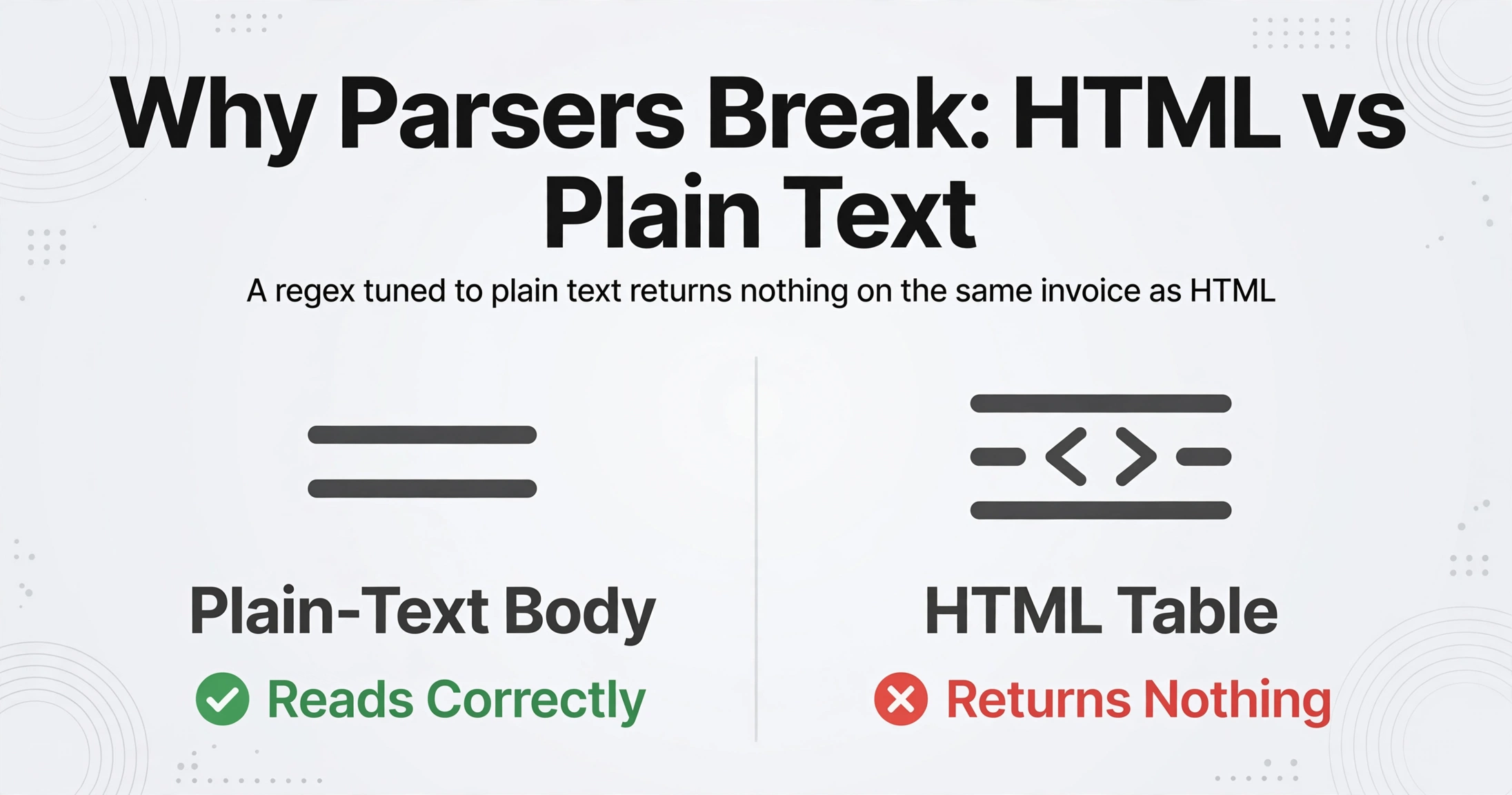
Parsers break on body-only invoices for a reason that has nothing to do with OCR quality: an email body is HTML, not the plain text most parsers assume. A regular expression tuned to "Amount due: $X" reads a plain-text body correctly and returns nothing on the same invoice rendered as an HTML table, because the value and its label are separated by markup. The plain-text fallback part of a multipart message often strips the table entirely, leaving the reader with a layout that no longer lines up.
The usual workaround is to print the email to PDF and process that. It is what most bookkeepers do today, and it is fragile for three separate reasons. The first is pagination: a long receipt or itemized table splits across pages, and the totals land on a different page from the line items. The second is noise: the printed PDF carries the sender, subject line, signature block, and legal disclaimer, so the extractor has to tell an invoice total from a footer that happens to contain the word "total." The third is that the print to PDF step is itself a document-quality downgrade.
A 2025 benchmark from Fraunhofer IAIS and the Lamarr Institute tested eight multimodal models on invoice extraction and found the same top model scoring 96.50% on clean digital invoices, 92.71% on scanned invoices, and 87.46% on scanned receipts (arXiv:2509.04469). Accuracy tracks document quality far more than it tracks the model. Rendering an HTML invoice into a PDF or a screenshot moves it down that scale on purpose.
The frustration shows up in plain language from the people doing the work. In r/Bookkeeping, a bookkeeper described the routine: "One of the banes of my existence is when a receipt or invoice is embedded directly into the body of an email rather than as a nice, tidy PDF attachment. I have to manually save the email to PDF and upload that instead and it's rarely clean." They had tried screenshotting the receipt portion too, and found it no better: "if it's long it's not really practical and honestly takes more time than printing to PDF anyway." Another commenter in the same thread named the underlying cause: "The invoice embedded in the body of an email is more than likely just HTML under the covers" (r/Bookkeeping).
The workaround exists because the tool expects a file. Remove that expectation and the workaround disappears with it.
The Fix Is to Switch the Inbox Mode So Extraction Reads the Body Itself
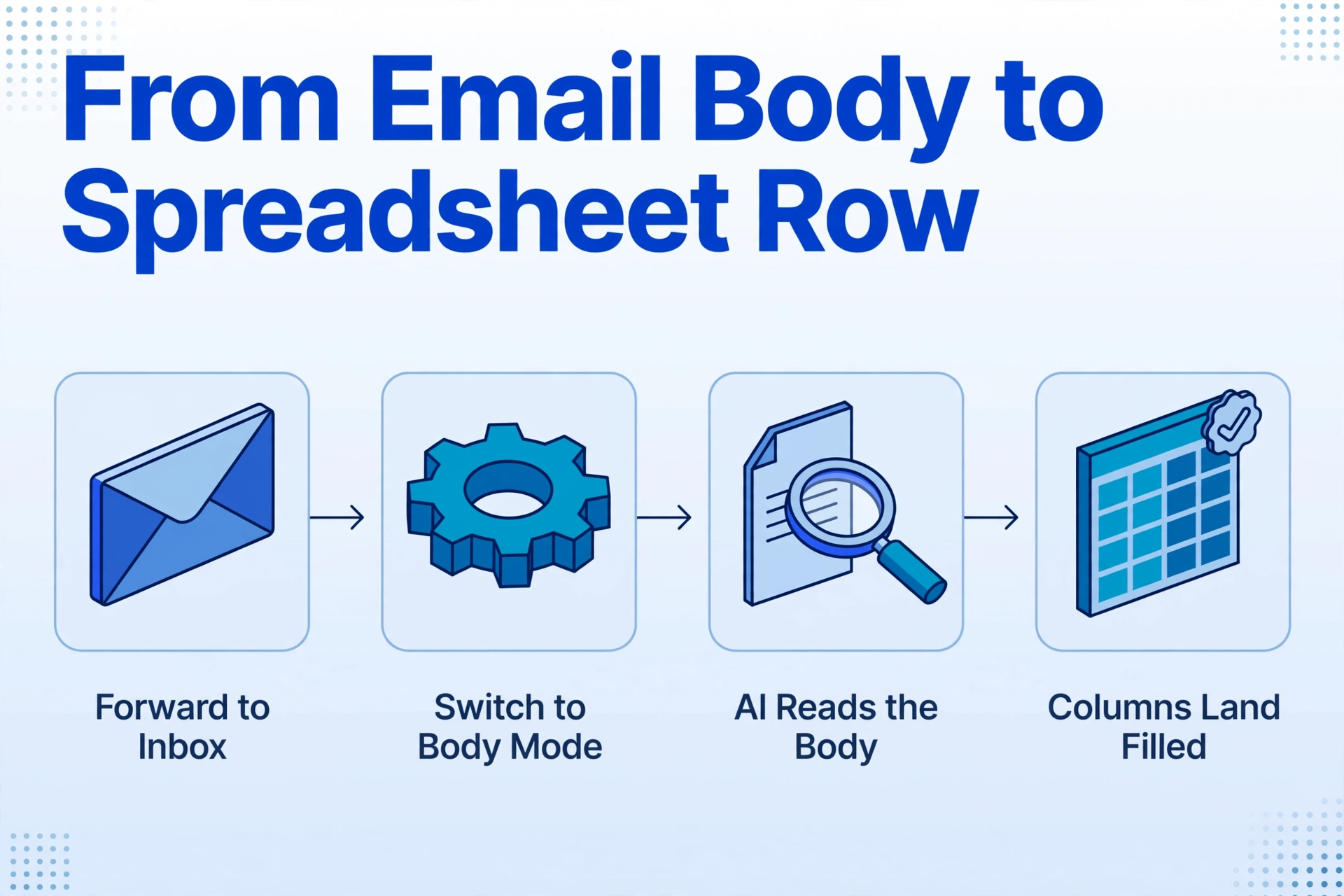
The fix is to switch the inbox's processing mode so extraction reads the message body directly, instead of waiting for an attachment that will never arrive. ImageToTable.ai's Email Inbox gives every account a dedicated inbox address you forward mail to, and its default behavior is the one that causes the problem: it reads real attachments and ignores the body. The setting that matters is the one you change next. You can switch processing to body only, which ignores attachments, or to attachments and body, which reads both in the same pass.
That single toggle is what makes a body-only invoice a first-class input instead of a gap. The message no longer needs a file to be worth processing, because the thing being read is the message content itself.
What happens to the content is Custom Column Extraction. You type the column names you want, such as Invoice Number, Vendor, Invoice Date, Due Date, and Total Amount, and the AI locates each value by understanding what it means, not where it sits. The names you type become the headers of the output spreadsheet. Because the columns are defined by meaning, the same column set reads a plain-text body, an HTML receipt, and a PDF attachment without a separate rule for each one. A vendor that changes its email template, or a new vendor that sends a format you have never seen, needs no reconfiguration.
Forward the mail to your dedicated inbox address
Every account gets one address. Share it with suppliers, or set a forwarding rule in your own mailbox so invoice mail routes there automatically. Turn on the sender whitelist to keep unrelated mail out of the queue. Nothing gets downloaded or re-uploaded.
Change what the inbox processes
In the inbox settings, move off the attachment-only default. Choose body only if your invoices arrive as text or HTML with no file, or attachments and body if you receive both kinds and want them read together. This is the step that covers the invoices no attachment parser ever sees.
Name the columns once and bind them to a template
Type your column names, save them as a template, and turn on Auto-Process so extraction starts the moment a message lands. Each email becomes one row. Export the batch as Excel, CSV, or JSON, or send the rows straight into Google Sheets.
If you already run an email-to-sheet workflow for attached invoices, this is the missing branch rather than a replacement. The email parser that reads attachments and the supplier-email-to-AP pipeline both assume a file is present. Switching the processing mode is how the same inbox also catches the messages that arrive without one.
Files are processed securely and not stored.
What This Does Not Solve
This approach handles body-only invoices that carry their data in text or HTML, and it cannot help with the emails that carry no data at all. Four boundaries are worth stating before you build a workflow on top of it.
A portal notification has nothing to read. When a vendor sends "your invoice is ready" with a login link and no figures, the body-mode switch has nothing to extract, because the data is behind an authenticated portal. Reading that invoice means logging in and downloading it, and the link in the email often expires. No inbox parser closes this gap, because the email was never the invoice.
Fields that are absent from the body cannot be invented. A plain-text invoice that says "Invoice 2026-041, $1,850, due Oct 15" has no line items, so a Line Items column comes back empty. The extraction is honest about this: it fills what the message contains and leaves the rest blank, which is more useful than a guess you have to catch later. Where the message does contain an itemized table, the table is read; where it does not, the row simply reflects what the email had.
The output is structured data, and it stays structured. What you get is a spreadsheet, a CSV, or JSON row, and the tool does not re-render the HTML email as a document. If you specifically need a tidy PDF of the email for an audit file, that is a separate job.
It is not a QuickBooks or Dext integration. The output lands in Excel, CSV, JSON, or Google Sheets, and what happens next is your workflow. Teams that use Dext, Hubdoc, or Bill.com for capture and QuickBooks or Xero for the ledger typically treat this as the structured feed that those systems consume, rather than a replacement for them. For the wider picture of where extraction sits relative to those tools, the complete guide to invoice data extraction and the accountant-focused extraction guide cover the surrounding workflow.
One more caveat applies to forwarded chains. When a message quotes several older replies, the same total can appear more than once, and the oldest copy often sits in the quoted text. Extraction reads by meaning, but a chain like this is the one case where confirming which occurrence a value came from is worth thirty seconds. Review Mode exists for that: hovering a cell highlights exactly where on the source the value came from, so the check is a glance rather than a re-read.
FAQ
Can it read an invoice that is only in the email body, with no attachment at all?
Yes. Set the inbox processing mode to body only, or to attachments and body if you receive both kinds. The message content is read directly, so an invoice typed into the email or rendered as an HTML receipt becomes a spreadsheet row without being downloaded, printed, or screenshotted first.
What about invoices that arrive as an HTML table in the email?
Those work in the same pass. The AI reads the rendered content by meaning rather than by parsing the raw markup for a fixed pattern, so a formatted receipt with the amount, date, and invoice number laid out in table cells is read the same way a plain-text invoice is. You do not need a rule per sender or per layout.
Do I still need to print the email to PDF or take a screenshot?
No, and for long invoices it is the weaker path. Printing or screenshotting paginates the receipt, pulls in the signature and disclaimer text, and lowers the document quality the model sees. Reading the body directly avoids all three problems and removes a manual step that the r/Bookkeeping thread describes as the part that "really adds up."
What about "your invoice is ready" emails with a portal link?
Those cannot be extracted from the email, because the email does not contain the invoice. The data is behind a vendor login, and the download link frequently expires. This is a real limit, not a configuration gap: the fix is a portal download or a vendor-specific integration, not a better parser.
Does it push data into QuickBooks or Xero?
It outputs structured data as Excel, CSV, or JSON, or writes rows into Google Sheets. Integration with an accounting system happens downstream of that output, through your own import or workflow. It is not a native QuickBooks or Xero connector, and it does not replace the capture and ledger tools you already run.
Will it convert the HTML email into a PDF?
No. The job here is extraction: turning the invoice content in the message into named columns. If you specifically need a PDF artifact for your records, generate that separately; this produces the structured row that a PDF would only be an intermediate step toward.
The useful shift is small and specific. A body-only invoice stops being an exception that forces a manual workaround, because the thing the workflow reads is no longer a file. When the invoice is the email, the email is the document.