Parsing Email Signatures
Without the Wrong Signer
A phone number is the easy part. A regular expression finds one in a signature in milliseconds. The hard question is whose number it is, whether the line above it is a job title or a department, and whether the value is still current.
That gap is why email signature parsing demos look better than live mailboxes. A demo has one sender, one signature, one language, and no quoted history. A working inbox has several of each, often in the same thread. This guide covers what the block contains, the four places extraction breaks, which fields survive across clients and languages, and a workflow for turning messages into a contact table without merging two people into one row.
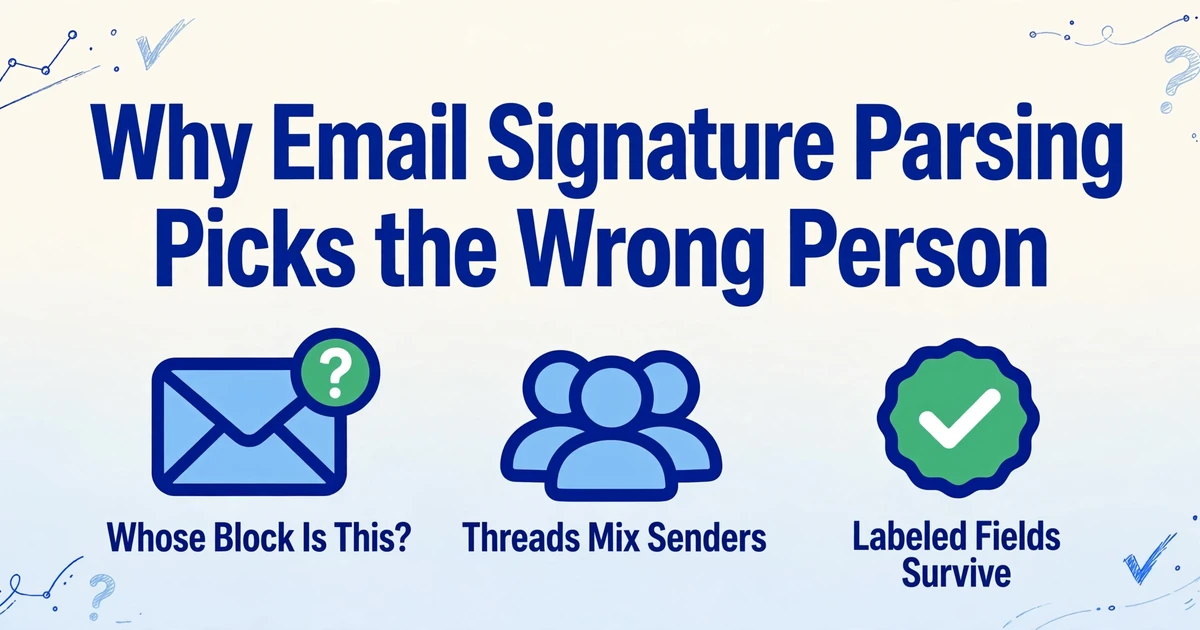
Key Takeaways
- The signature can be read perfectly and still belong to the wrong person.
- Mailgun's Talon sorted 92% of signature lines correctly and still got roughly one line in twelve wrong.
- Set the row owner first: the address that sent the message, not the last name in the body.
What the Signature Block Actually Contains
A signature is a short contact block at the end of a message, and almost nothing about its layout is standardized. An email has six parts that matter to an extractor: the header, the new message, the sign-off, the signature block, any quoted history, and whatever follows it. The last part is the one people forget. It can be a legal disclaimer, a banner image, a quoted reply from someone else, or nothing at all.
| Part | What it carries | Why it confuses extraction |
|---|---|---|
| Header | From, To, Date | The display name may be an initial or a job title instead of a full name |
| Body | The message itself | It can mention other people, other phone numbers, and other companies |
| Sign-off | "Best," "Thanks," a name | It looks like the start of a signature even when no contact block follows |
| Signature | Name, title, company, phone, links | Line order changes by person, client, and language |
| Quoted history | Earlier messages and their signatures | It adds other people's blocks below the current one |
| Trailer | Disclaimer, registered address, banner ad | It adds company-like strings and a second address below the real one |
Only one marker has any claim to being a standard: a line containing two dashes and a space, the Usenet signature separator documented in the 2004 RFC 3676. It is a convention, not a requirement, and many clients compose signatures without it. HTML makes the boundary softer still. A signature laid out as a table can put the name in one cell, the title in another, and the logo in a third. The text is all present; the reading order is whatever the HTML source says, which is not always the order a human sees.
A signature has no required opening marker. Every extractor has to guess where the block starts.
The Failure Is Attribution, Not Pattern Matching
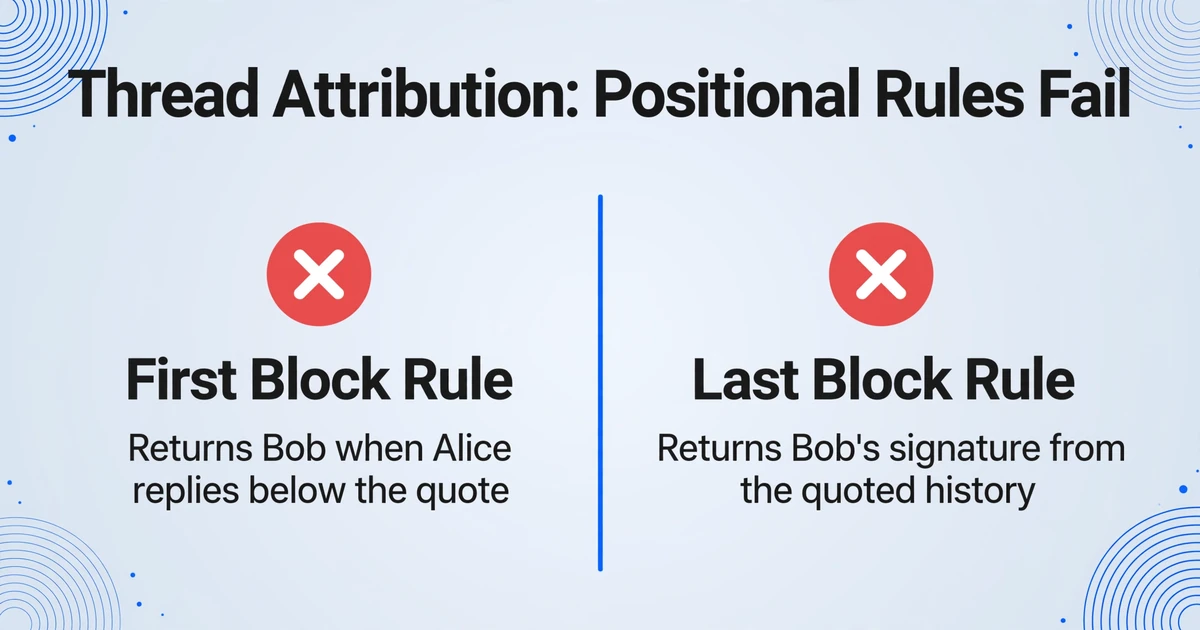
The failure that matters most in email signature extraction is a correct signature that belongs to someone else. Four situations produce that result, and all four are common enough to plan for.
A reply chain with two signatures. Alice replies to Bob. Her message sits at the top; Bob's quoted message and his signature sit below. A parser that takes the last block returns Bob. A parser that takes the first block returns Alice only if she wrote above the quote; if she replied below it, the first block is Bob's too. Both rules are positional, and a thread gives neither rule a stable position.
A shared or role mailbox. An address like sales@ or info@ may be signed by one person, by a team block listing two, or by an assistant writing for an executive. If your record key is the sender address, two people become one contact. If your key is the name in the signature, one person becomes two contacts when the name format changes. In a 2021 HubSpot Community thread, CRM users describe the same tangle: inquiry mail arrives from a generic address, the real contact details sit inside the body, and someone dissociates the person from the mailbox by hand (HubSpot Community).
The same pattern shows up in real estate lead email inboxes, where a portal alert and an open house sign-in sheet describe the same buyer in two formats.
A forwarded message. "FYI, see below" has no signature from the forwarder. The only signature in the body belongs to the original sender. A row keyed to the forwarder's address now carries someone else's phone number.
None of these is fixed by a better pattern. They are fixed by deciding the row's owner before extraction: the address of the message being processed, not the last name in the body. When the input is a thread, you also need the message boundary, not just the signature boundary. Name formats create a smaller version of the same problem: a header that says "J. Rivera" and a signature that says "Jordan Rivera, VP of Sales" are one person in two formats, and the merge rule has to know that.
A parser that takes the last block in a thread returns the last person who wrote, not the person who sent the message you are processing.
Where Regex Breaks: Four Concrete Cases
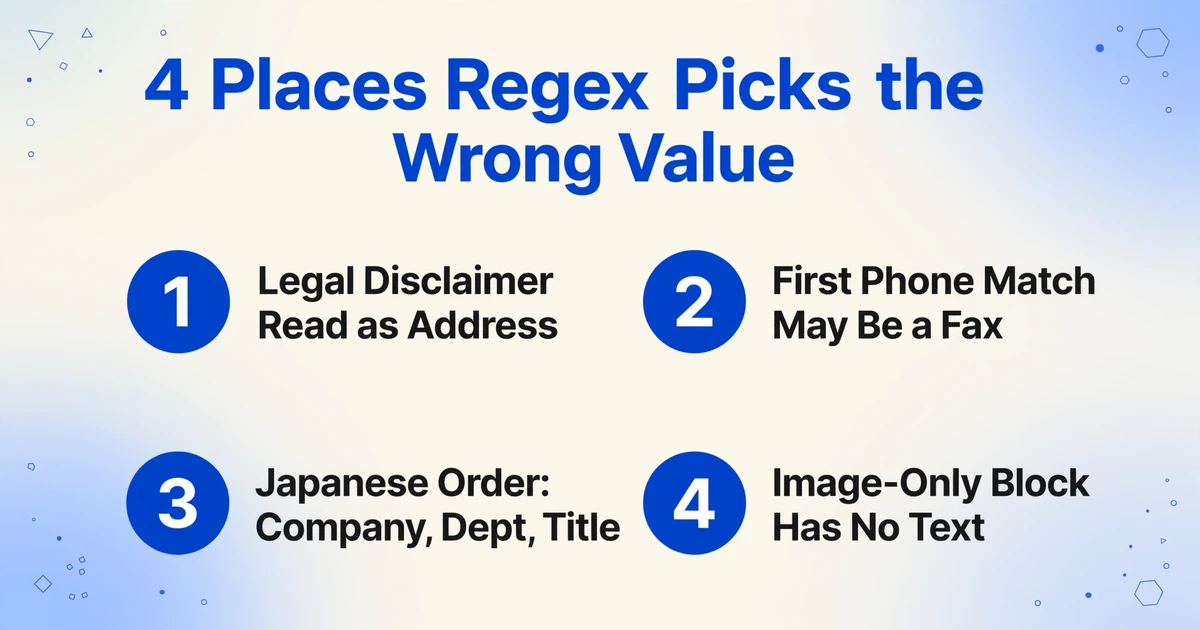
Regex is reliable on fields with punctuation and unreliable on fields with meaning, which is most of a signature. Teams that parse email signatures with rules usually start with phone numbers, email addresses, and URLs, because those patterns work. The failures appear on the lines around them.
The legal disclaimer below the signature. A confidentiality notice, a registered company name, and a registered office often sit under the real block. A rule that collects everything after the sign-off reads the notice as an address, and a suffix such as LLC or GmbH inside it can be captured as the company. A semantic reader can separate a legal notice from "Acme GmbH, Musterstrasse 1," because the notice is a sentence about the message and the address is a location.
The phone number that appears twice. A body line can say "call my cell" with one number while the signature carries an office line, a fax, and a mobile. A regex returns the first match, which may be a fax number or a customer number quoted in the message. The label is the field: Tel, Mobile, Fax, or 携帯 (mobile in Japanese). Drop the label and the extractor returns a number without knowing what it is.
The signature that is not in English order. English signatures tend to run name, title, company. Japanese signatures run company, department, title, name, often with no spaces between words. 部長 (department manager) is a title, but it is not in an English title dictionary, and the name may be written surname first. German Geschäftsführer (managing director) and French Directeur général (general manager) create the same mismatch in reverse. A rule that expects Title Case and a comma between title and company has nothing to match.
The block with no text, or almost none. An image-only signature contains no text at all. A phone reply may carry only "Sent from my iPhone," which has the shape of a one-line signature and none of the fields. An HTML table can reverse the visual order of name and title when tags are stripped.
A cleverer regex does not close this. When Mailgun open-sourced its Talon library in 2013, it used a machine-learning classifier to sort signature lines from non-signature lines. On a 2,912-line test set, the classifier got 92% of lines right, which still leaves roughly one line in twelve wrong (Mailgun). That is line classification, not field assignment. Researchers annotating the HPI email corpus in 2018 split messages into five zones, including signature, because the task is segmentation before it is extraction (Hasso Plattner Institute).
Regex reads shapes, not roles. A fax number and a mobile number have the same shape.
Which Fields Survive Across Clients and Languages
Email address, full name, company, and job title survive most signatures; phone and postal address survive only when the extractor keeps the label that identifies them.
| Field | Where it comes from | What breaks it | Practical rule |
|---|---|---|---|
| Email address | Header | Role aliases, plus addressing, forwarded mail | Lowercase it, strip the plus tag, and treat role addresses separately |
| Full name | Header display name and signature | Initials, name order, Chinese, Japanese, and Korean name conventions, honorifics | Prefer the longest non-initial form; keep the header value as a fallback |
| Job title | Signature | Language, abbreviations, department versus title | Store the original string; map seniority later |
| Company | Signature and email domain | Brand versus legal entity, suffixes, translations | Take the legal name from the signature; use the domain only as a check |
| Phone | Signature | Several numbers, labels, country codes | One column per label: office, mobile, fax |
| Postal address | Signature | Line order, postal code position | Keep it as a multi-line block; split only when you need a country field |
| Website and social | Signature | Shortened links, tracking parameters | Store the raw URL and normalize after extraction |
The pattern is simple: a field survives when its meaning comes from a header or a label, not from its position in the block. A phone number needs its label; a postal address needs its line breaks kept together.
Language is the second filter. SigParser's own FAQ ranks English first, German second, then Spanish, French, Portuguese, Russian, and Dutch (SigParser). That is a useful admission: many parsers are English-first, and the further a signature moves from English conventions, the more the tool relies on a general language model rather than a title list.
Keep the original title string. Translating Geschäftsführer to "Managing Director" during extraction is a decision you cannot undo, and it may be wrong for the person's legal role. Store the original and map it later.
A header field is stable because the client writes it. A signature field is stable only when its label survives.
From a Mailbox to a Contact Table
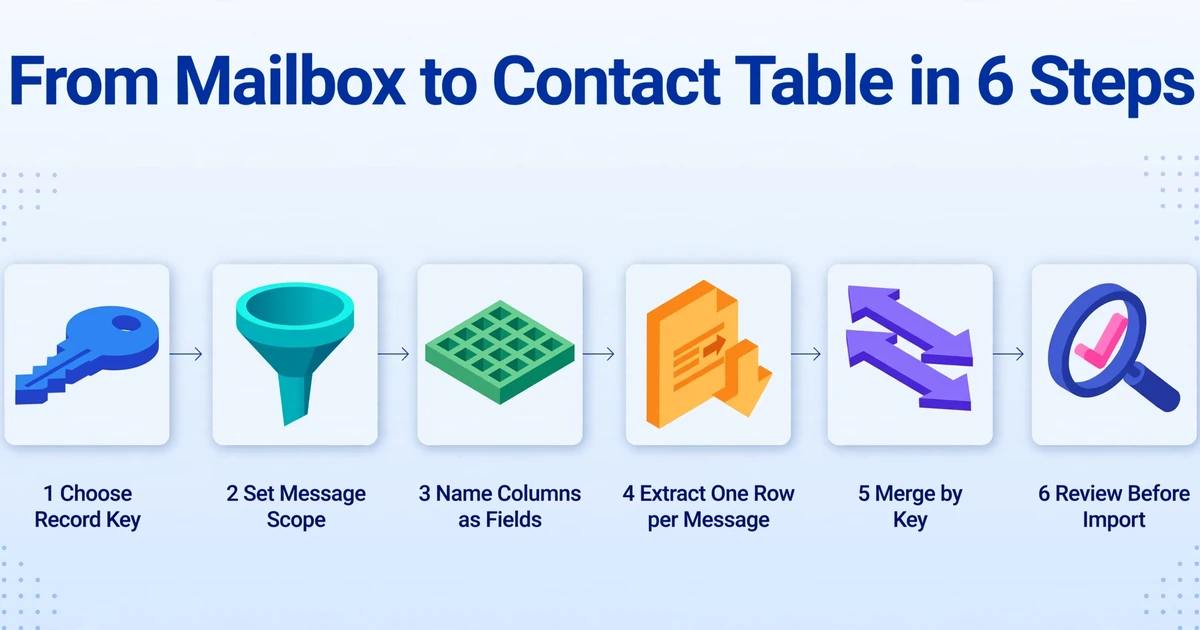
The table is built in two passes: one message becomes one row, then rows are merged by email address under an explicit conflict rule. Doing both at once is how two people become one contact. Most teams that extract contact info from email start with the second pass and discover the first one was wrong. The work usually falls to a sales ops lead or CRM admin, and it has to hold up for the sales rep forwarding the mail and for the contact whose details are stored.
Choose the record key
Use the sender's full email address, lowercased and stripped of plus tags. Give role addresses such as sales@ and info@ their own row or a separate company table; merging a person into a role address hides both.
Set the message scope
Start with inbound mail over a fixed window and exclude automated senders before extraction. Calendar replies, no-reply notifications, and ticketing systems rarely carry a human signature.
Name the columns as fields
Full Name, Job Title, Company, Office Phone, Mobile, Country, Source Date. Avoid "Contact Info," which is a blob, and "Phone," which is ambiguous. If attribution matters, put it in the column name: Name of the sender of this message.
Extract one message per row
Keep the source date and message identifier in the row; those details decide which of two values is newer when the same person appears again. An email parser built around named columns handles this pass more reliably than a per-client rule set.
Merge by key
Newest non-empty value wins for title and phone. Keep the longest non-initial form of the name. Keep the legal company name from the signature and use the domain only as a check. When two values conflict and neither is clearly newer, flag the row instead of choosing silently.
Review before import
Check rows with a role address, a missing name, more than one signature in the source, or a title in a script the reviewer cannot read. Import is the wrong place to discover that a row belongs to a colleague. The same discipline applies to mapping parsed columns into HubSpot.
| Field | Merge rule | Why |
|---|---|---|
| Name | Longest non-initial form | "J. Rivera" and "Jordan Rivera" are one person |
| Title | Newest non-empty value | People change roles, and old mail keeps the old title |
| Company | Legal name from the signature | Brand names and email domains drift from the registered entity |
| Phone | Newest value per label | Office and mobile are different fields, not competing values |
| Address | Newest complete block | A partial address should not overwrite a complete one |
Silent conflict resolution is what makes a contact table untrustworthy. Flag the row instead.
Where ImageToTable.ai Fits, and Where It Stops
ImageToTable.ai can run the extraction pass on forwarded messages and stops before the parts that need a mailbox crawler or a CRM. The processing mode is the part that decides whether it works.
Email Inbox gives every account a dedicated address. You forward a message to it, or set a rule in Gmail or Outlook to forward matching mail. The inbox has three processing modes: attachments only, body only, and attachments plus body. For signature work, body only is the relevant one, because the signature lives in the message, not in a file.
What happens next is Custom Column Extraction: you type the column names you want, and the AI locates each value by meaning. The names become the headers of the output table. For a signature, that means Full Name, Job Title, Company, Office Phone, and Mobile, with the column name stating that the value should come from the sender's block, not a quoted one. Each message becomes one row. Results export as Excel, CSV, or JSON, and the Google Sheets add-on writes rows into the open sheet, so the merge happens where the list already lives.
Review Mode lets you open a row, check a cell, see the AI's original value, and revert an edit. It is the manual check for the rows the merge rules flag, and it is cheaper than discovering the error after an import.
Three limits matter. There is no mailbox connection or historical crawl: the tool reads what you send it, not the last ten years of a Gmail account. There is no guaranteed signature-block detector: it reads the message and fills the columns you named, which means a forwarded thread with three signatures is still one document and attribution can go wrong. And there is no deduplication or CRM sync: two messages from the same person produce two rows unless you merge them. The output is a table, not a contact record.
The same field problem appears on paper: a business card photo is a signature block without the email around it.
The Privacy Rules You Inherit
A work email address, job title, and direct line are personal data in the EU and UK, so the contact table inherits a lawful-basis and retention obligation. The fact that the data was visible in a business email does not make it free to keep.
Many teams rely on legitimate interests for business contact data. The ICO's guidance says business contacts are more likely to expect their professional details to be processed, but the basis is not automatic: you need a documented legitimate interest assessment, a necessity test, and a balancing test. The right to object is absolute for direct marketing, which means an objection has to reach the table, not just the unsubscribe link in a campaign (ICO).
Data minimisation is the practical part. Collect the fields you will use, not every field the signature offers. A personal mobile number and social profile are not required to route a B2B contact, and storing them increases the cost of a deletion request. Keep the source date, set a retention period, and make sure the mailbox owner knows the table exists. If you process contacts for a client, the contract and privacy notice need to cover it. This is a checklist, not legal advice.
Collect the fields you will use, record where they came from, and delete them when the reason is gone.
FAQ
Can you parse email signatures with regex?
For email addresses, phone numbers, and URLs, yes. For names, job titles, and company names, not reliably. Regex can match the shape of a value, but it cannot tell whether a line is a title or a department, whether a number is a fax or a mobile, or whether the block belongs to the sender or to someone quoted below.
Why does a parser pick the wrong person from a thread?
Because a thread contains more than one signature and a positional rule has no concept of message ownership. The last block usually belongs to the last person who wrote, which may be the person quoted, not the person whose message you are processing. Forward one message per row when attribution matters.
Which fields can I reliably extract from an email signature?
The email address, full name, company, and job title are the reliable core. Phone is reliable only when the label is kept, so use separate office, mobile, and fax columns. A postal address is the least reliable field because line order and postal code position vary by country.
Does signature parsing work for Japanese, German, or Arabic?
It depends on whether the tool reads meaning or matches English patterns. Japanese signatures often run company, department, title, name with no spaces, and titles such as 部長 are absent from English title lists. German and French titles have the same problem in reverse, and right-to-left scripts break line-order assumptions. A semantic model handles these better than a keyword list, but the output still needs review.
Can ImageToTable.ai scan my whole mailbox?
No. It processes messages you forward to your Email Inbox address, or mail routed there by a forwarding rule. There is no mailbox connection, no historical crawl, and no access to mail you did not forward.
Is it legal to store contact details from email signatures?
In the EU and UK, usually under legitimate interests if you document the assessment, collect only what you need, set a retention period, and honor objections. Direct marketing objections are absolute. Rules differ outside the EU and UK, so check the jurisdiction your contacts are in.
The Signature Is a Convention, Not a Form
A signature was designed to end a message politely, not to populate a database. That is why the block has no reliable marker and why the same person can look like two records across five emails. The extraction step can be automated; the decision about who owns a row and which value is current is still a judgment about the inbox.
Send a forwarded email with a signature you know, name the columns you actually need, and check whether the row belongs to the person you expected. The first wrong signer is cheaper to find there than in a CRM import.