Where a Human Review Step Belongs in a Document Extraction Workflow
Most document automation stacks treat extraction and import as one motion: the AI reads the document, and the result lands in your accounting system, database, or webhook. The teams that run this in production know the risky step is not extraction. It is the moment between the extracted table and the import, because that is the moment nobody is looking.
That gap is measurable. In accounts payable, the average straight-through processing rate is 32.6% (Ardent Partners 2025), which means nearly two-thirds of invoices still receive some human touch somewhere in the cycle. The teams that keep extraction reliable usually got there the same way: they decided in advance where people check the output, staffed that step, and scheduled it before anything is imported.
Key Takeaways
- 49.2% is the best-in-class straight-through processing rate, so even the top teams still hand about half their invoices to a person.
- Even at 95% per-field accuracy, a 15-field invoice comes out fully correct less than half the time.
- A review gate is not a sign the automation failed, it is what makes the pipeline safe to run unattended.
An automation project usually starts with a number the team wants to hit: process 500 invoices a day, close the bank feeds without retyping, load every proof of delivery into the ERP. Then the extraction is switched on, the table fills up, and the first real decision appears: who looks at this table before any of it moves downstream? This article walks through why that question deserves an explicit answer, where the review step fits in a document intake flow, and how a cell-level source check keeps it fast enough that the gate does not become the bottleneck.
What a Missing Review Step Costs
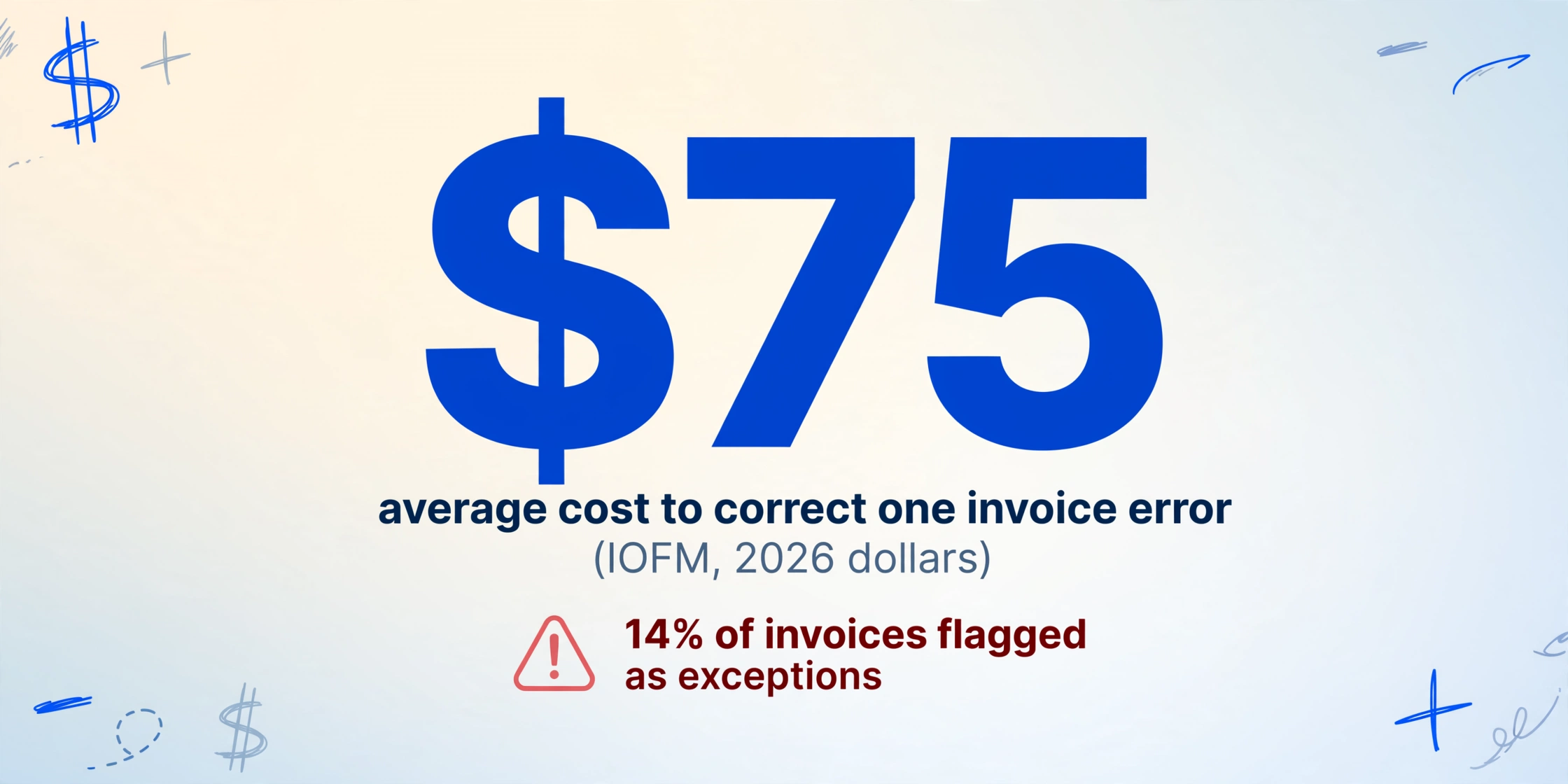
Skip the gate and an extraction error becomes a business error with no owner. A transposed digit changes an invoice total from $2,470 to $2,740. A vendor name misread once means a payment routed to the wrong account. A line item from page two lands on the wrong document when a multi-page set is merged. Each of these sits inside the 14% of invoices that Ardent Partners' 2025 survey flags as exceptions, and each one is cheap to catch inside the table and expensive to fix after it posts.
The cost side is well documented. IOFM benchmarks an average manual invoice touch at 12.5 minutes, with each exception adding 15 to 45 minutes of special handling on top. Correcting a single invoice error runs about $75 in 2026 dollars once investigation, correction, and follow-up are included, and an error that reaches reconciliation can add 25-50% to the original invoice cost (IOFM; Ardent Partners 2025). The exception queue is the expensive small minority: exceptions typically make up 5-15% of document volume but 30-50% of total processing cost, because every exception consumes skilled human attention.
People who live with this know it by feel. In an r/Accounting thread on automated invoice extraction, one AP practitioner described what their team built after a year of trusting the tool: "we had to set up like three different validation layers because the ai kept missing payment terms or mixing up line items on multi-page invoices... you still need someone babysitting every extraction" (r/Accounting). What that story shows is a reactive gate: the humans were added after the first bad import, when a deliberate review step designed up front would have caught the same errors at a fraction of the cost.
The Intake Flow and Where a Gate Can Sit
Document intake has a recognizable shape in most operations teams. Documents arrive (email forwarding, a collection link, a shared folder, an upload page). An extraction engine reads each one and produces a table. That table is exported or pushed to the system of record: Xero, QuickBooks, NetSuite, a SQL database, a webhook into a wider automation. The pipeline has four moments where a review step could be placed:
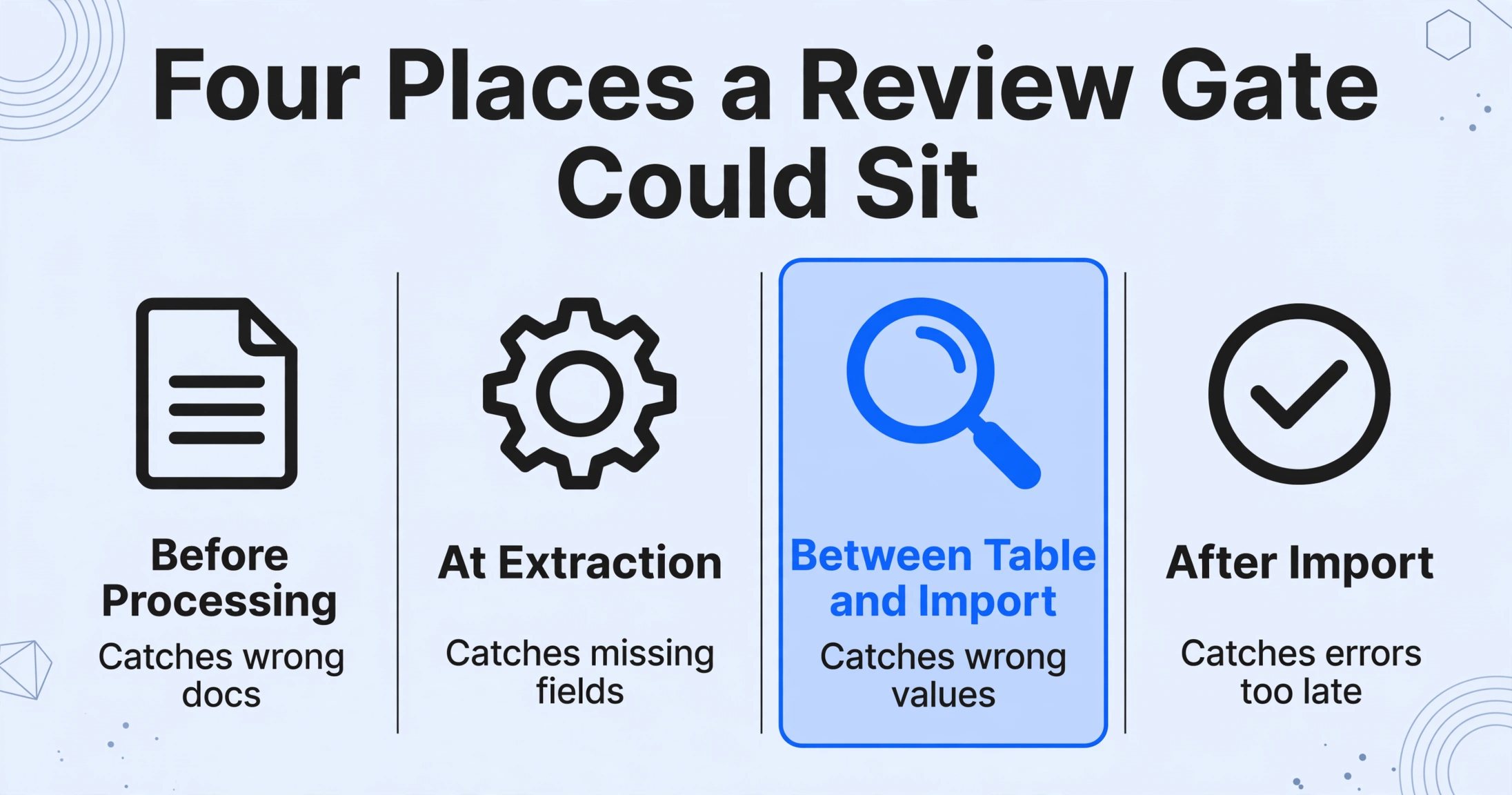
| Gate position | What it catches | What it misses |
|---|---|---|
| Before processing (queue approval) | Wrong documents, duplicates at intake | Nothing about the extracted values |
| At extraction time (validation rules) | Missing fields, totals that do not reconcile | Values that are present but wrong |
| Between table and import (human review) | Values that are wrong, misread, or ambiguous | Errors when the reviewer is not looking |
| After import (posting audit) | Errors that survived, after the cost is incurred | Everything until someone notices |
The third position is the one most teams under-use. Validation rules catch structural problems, but they cannot tell you whether the extracted amount is the amount printed on the page. That comparison, extracted value against source, is a human-visible fact, and it is exactly what a review step between table and import is for.
Why 100% Straight-Through Is Not the Realistic Target
Setting up a review gate feels like admitting the automation is incomplete. The honest framing is the opposite: a gate is what makes the automation safe to run unattended on the documents it can handle. Straight-through processing means a document completes ingestion, extraction, validation, and posting with zero human touch. From the same Ardent Partners dataset, only 32.6% of invoices run straight through on average, and the best-in-class figure is 49.2% (Ardent Partners 2025). The reference page on straight-through processing rates explains the formula and why best-in-class teams still leave roughly half their documents with a human touchpoint.
There are good reasons those documents exist. A missing field (the PO number is not on the invoice) is an absence no extraction engine can invent, and treating it as a misread leads nowhere. Handwriting, low-quality scans, and European date formats trip character-level readers. Multi-page invoices get their line items merged in inconsistent order. And per-field accuracy compounds: even at 95% per-field accuracy, a 15-field document is fully correct less than half the time (0.95 to the 15th power), which is why a whole-document "clean" expectation fails long before any model is blamed. The document automation exception rate data collects the independent numbers behind all of this.
The practical rule from these numbers is a split queue: documents whose extracted fields pass your checks move through without a look, and a smaller flagged set gets human review before import. Being in that set only means the automation is doing its job by saying "check me"; it says nothing about the quality of the document or the extraction.
Which Rows Actually Need the Human Look
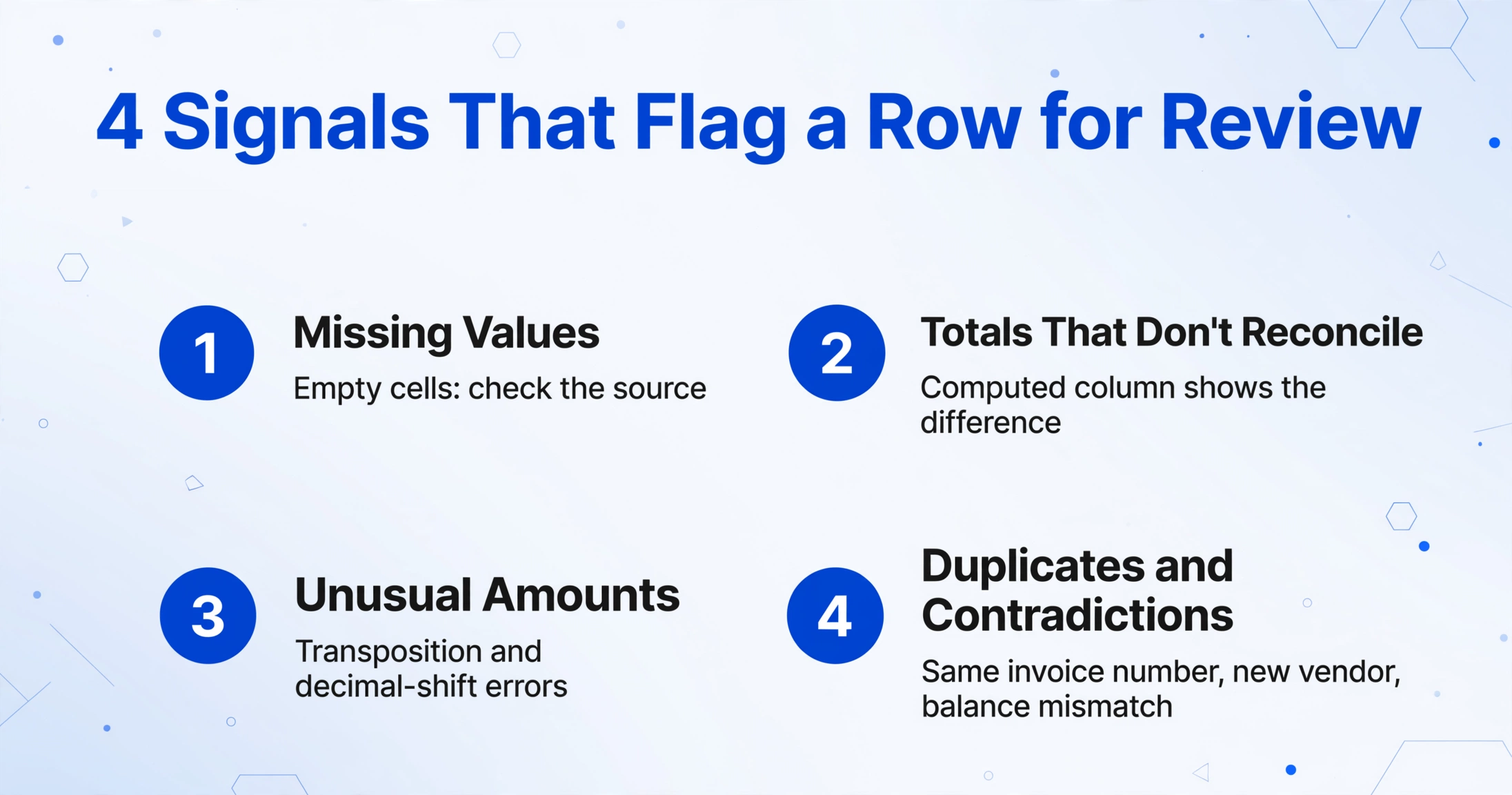
Reviewing every row is as wasteful as reviewing none. The design question is which rows carry the most risk. In practice, four signal types cover most of what a review gate should catch:
- Missing values. A field the extraction returned empty (invoice number, date, total). Sort the table by empty cells and check the source: the field may be genuinely absent, or the engine may have missed it.
- Values that do not reconcile. A total that does not match the sum of its line items. If the extraction tool supports computed columns, ask it to output the difference as a verification column, then look at the rows where the difference is not zero.
- Unusual amounts. Values outside the range the vendor normally invoices, or a total that looks off by a factor of ten. These are the transposition and decimal-shift errors.
- Two documents that should not behave identically. Duplicate invoice numbers, payments to a vendor account you have not seen before, or a bank statement balance that contradicts the previous period.
None of these signals require reading every cell. They are filters you apply to the table first, which is what keeps the human step at minutes rather than hours. Our guide on verifying extraction results with targeted spot checks covers the sampling logic in depth, including why random sampling misses the errors that cluster in amounts, dates, and identifiers.
How the Review Step Maps to a Configuration
ImageToTable.ai supports review by linking every extracted cell back to the location it came from on the original document. This is what makes the between-table-and-import gate fast enough to run in production. Setup breaks into four steps.
Extract the batch into one table
Name the columns you want (Invoice Number, PO Number, Total, Due Date) and let the extraction engine fill them by finding each value anywhere on the page. Batch upload merges every document into a single spreadsheet, so the review gate works across the whole set rather than file by file. The API version of the same flow feeds your existing downstream systems directly.
Turn on auto-annotation for the batch
Enable "auto-annotate after processing" so every extraction comes back with its source locations attached. Hover or click any cell in the review screen and the original image highlights exactly where that value was read from. Click a located region on the image and it jumps to the matching table cell.
Verify the flagged rows against the source
Sort by your risk signals: empty cells, computed-column differences, duplicate identifiers. For each flagged row, check the cell against its highlighted source location. If a value is wrong, edit it in place; one click shows the AI's original value and lets you revert if your edit was the mistake.
Import only after review
Export the reviewed table, or push it through the v1 API, only when the flagged rows have been checked. Nothing in the tool sends data to your accounting system on its own; the import is a step you trigger after the gate has closed.
This sequence is deliberately small. It adds one configuration (auto-annotate) and one habit (check before import) to a flow that otherwise looks identical to a blind straight-through pipeline. The difference is where the errors surface: in the table, where a fix costs seconds, instead of in the ERP, where the same fix costs $75 plus a follow-up conversation.
What This Setup Does Not Do
Being precise about the gate's limits is part of making it reliable. Three boundaries matter here.
The gate is a step you run, not a server-side hold on a webhook. Some document platforms let you configure a delivery condition that withholds documents below a confidence score until a human approves them in a separate queue. ImageToTable.ai does not behave that way: the review happens inside the extracted table, before you export or call the API. If your workflow requires a hard technical block at the webhook boundary (nothing reaches the next system until an approval record exists), compare the two architectures on our Airparser comparison page before committing.
Cell-to-source verification is not a business judgment. The review screen shows you where a value came from, so you can confirm the extraction matches the document. It does not decide whether the amount is acceptable, whether the contract term is favorable, or whether a payment should be approved. For operations under segregation of duties (the SOX 404 control environment, or any audit framework), the human who verifies extraction should still be a different person from the one who approves the payment.
A review step does not replace output-side QA. The gate catches misreads against the source. It is not a substitute for the spreadsheet-level checks that happen before data enters any system: column alignment, row counts matching file counts, and date and numeric formatting. Our 7-point QA checklist for extracted spreadsheets is a separate layer that a review gate should sit alongside, not instead of.
Making the Gate a Process, Not a Hope
The teams that get this right treat the review step as a scheduled part of the day, not as something that happens when someone has time. Assign one person per batch, define which documents bypass review entirely, and agree on what happens to a flagged document that needs a second opinion. The widely shared upgrading of trust happens in the first few hundred documents: your team builds a list of the error patterns the extraction actually produces on your document mix, and your flags get sharper because they are based on observation, not on a generic threshold.
That is the honest measure of an extraction deployment. A single "99% accurate" claim captures none of the operating reality; what actually earns trust is a defined human step looking at the rows that matter before anything moves downstream.
Frequently Asked Questions
Can ImageToTable.ai hold a document before it reaches my accounting software?
Not in the webhook-condition sense. The tool extracts into a table, and the review gate is the step you run in Review Mode before you export or post via the API. There is no automatic hold that blocks delivery based on a confidence score. If you need that exact control at the system boundary, a platform with approval-gated delivery is the architecture to compare against our Airparser alternative page.
How do I know which rows to review without a confidence score?
Build the signals into the table itself: sort by missing values, add a computed column that outputs the difference between the total and the sum of its line items, and look for duplicate identifiers or out-of-range amounts. Review Mode then lets you verify exactly those cells against their source locations.
Do I have to review every document in a batch?
No. The intent is that most documents pass their checks untouched. If your exception rate looks lower than expected, check that your filters are not too loose; a sampled audit of the passing rows is a good safeguard and can stay small once you know the actual error pattern of your documents.
Does the review screen work for every file I process?
Source locations are generated per file through bbox annotation. Trigger it on a single file when needed, or enable auto-annotate after processing so reviewed batches already have their highlights attached.
What if my reviewer edits a value and gets it wrong?
Every edited cell keeps the AI's original value one click away, so a reviewer can revert their own change instead of compounding a mistake. Errors are correctable in both directions.
Test it on your own batch and see whether the flagged-row review fits into the minutes you budgeted. The gate is a small habit, and it is the difference between extraction data that is trusted and extraction data that is imported hoping.