ImageToTable.ai vs Airparser:
Direct Batch Extraction vs Email-Driven Automation
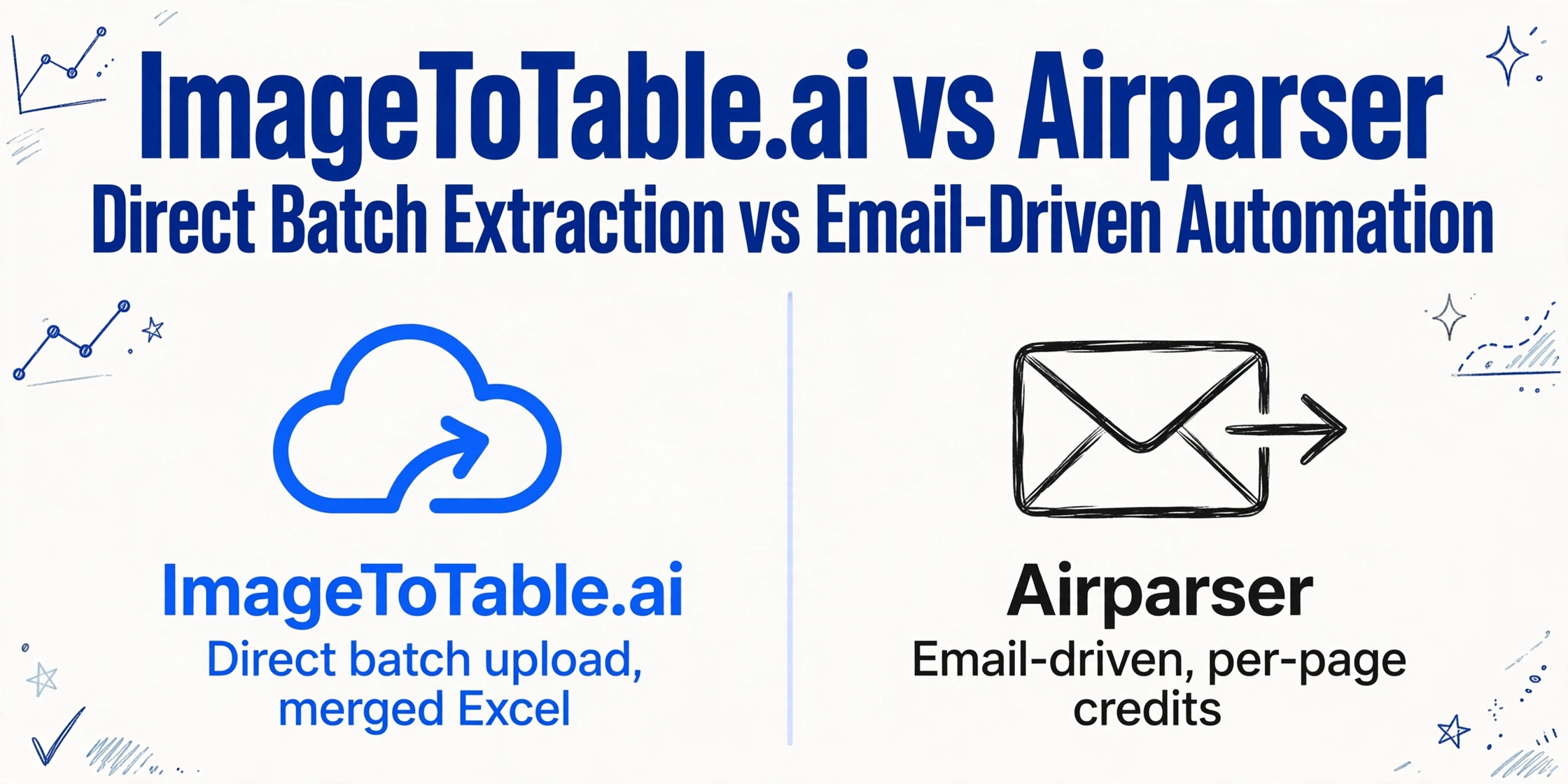
Both tools extract structured data from documents using LLMs — no templates, no model training required. The difference is in how you get documents in, how many steps stand between you and a spreadsheet, and what batch processing actually costs per page.
Quick Comparison
Choose ImageToTable.ai if…
- You want to upload a batch of files directly and get a merged Excel with your column names
- Your documents come from varied sources — not a single shared inbox
- You process multi-page invoices, statements, or reports where per-page costs add up
- You want custom column names that match across all documents in a batch
- You need to get started without configuring an email forwarding or API pipeline first
Choose Airparser if…
- Documents arrive regularly through a shared inbox and you want automatic processing on receipt
- You already use Zapier, Make, or n8n and want to plug parsing into an existing workflow
- Your documents are consistently short (1–5 pages) and fit within the credit model
- You need to push extracted data directly into HubSpot, Airtable, or Salesforce
- Email body + attachment parsing in a single step matters for your workflow
Feature Comparison
| Feature | Airparser | ImageToTable.ai |
|---|---|---|
| Document ingestion | Email forwarding, API upload, or manual dashboard upload | Direct browser upload — any file, any source, immediately |
| Batch processing | Documents processed individually as they arrive; no cross-document merging | All files in a batch merged into one aligned spreadsheet automatically |
| Custom column naming | Define a field schema in plain language; fields are extracted per document | Type column names once; AI extracts and aligns them across every document in the batch |
| Credit / pricing model | 1 credit = 1 email, 1 document, or 1 PDF page. A 10-page invoice costs 10 credits. | Priced per document, not per page. Multi-page files do not multiply cost. |
| Long document handling | Soft limit: not recommended above 10 pages; accuracy degrades. Optimal range is 1–5 pages. | No page-count restriction on accuracy |
| Output formats | Excel (XLSX), CSV, JSON — direct dashboard download or via integrations | Excel (XLSX), CSV, JSON, Word |
| Email parsing | Native — forward emails to a dedicated Airparser address; parses body + attachments together | Dedicated per-account inbox address; forwarded mail queues automatically, Auto-Process extracts on arrival with a bound template. Configurable: process attachments, the email body, or both |
| Collecting files from others | Via email forwarding — recipients send to a shared inbox | Collection Link (/c/xxxx) — share a link; recipients upload directly to your account queue, no registration required |
| Automation integrations | Zapier, Make, n8n, webhooks, Google Sheets, HubSpot, Salesforce, Airtable, QuickBooks | Google Sheets add-on; REST API on paid plans; Excel/CSV/JSON export |
| Language support | 60+ languages | All languages supported by the underlying vision LLM |
| Free tier | 30 credits (one-time, non-renewable trial) | Free guest mode; daily free quota on registered accounts |
| Pricing | Starter $33/mo (100 credits); Growth $49/mo (500); Business $149/mo (2,000) | Paid from $9/month; pay-as-you-go from $6/50 pages. No annual lock-in. |
How Many Steps to a Spreadsheet?
Both tools are genuinely no-code — no templates to build, no model training required. But the number of steps between "I have documents" and "I have a spreadsheet" differs.
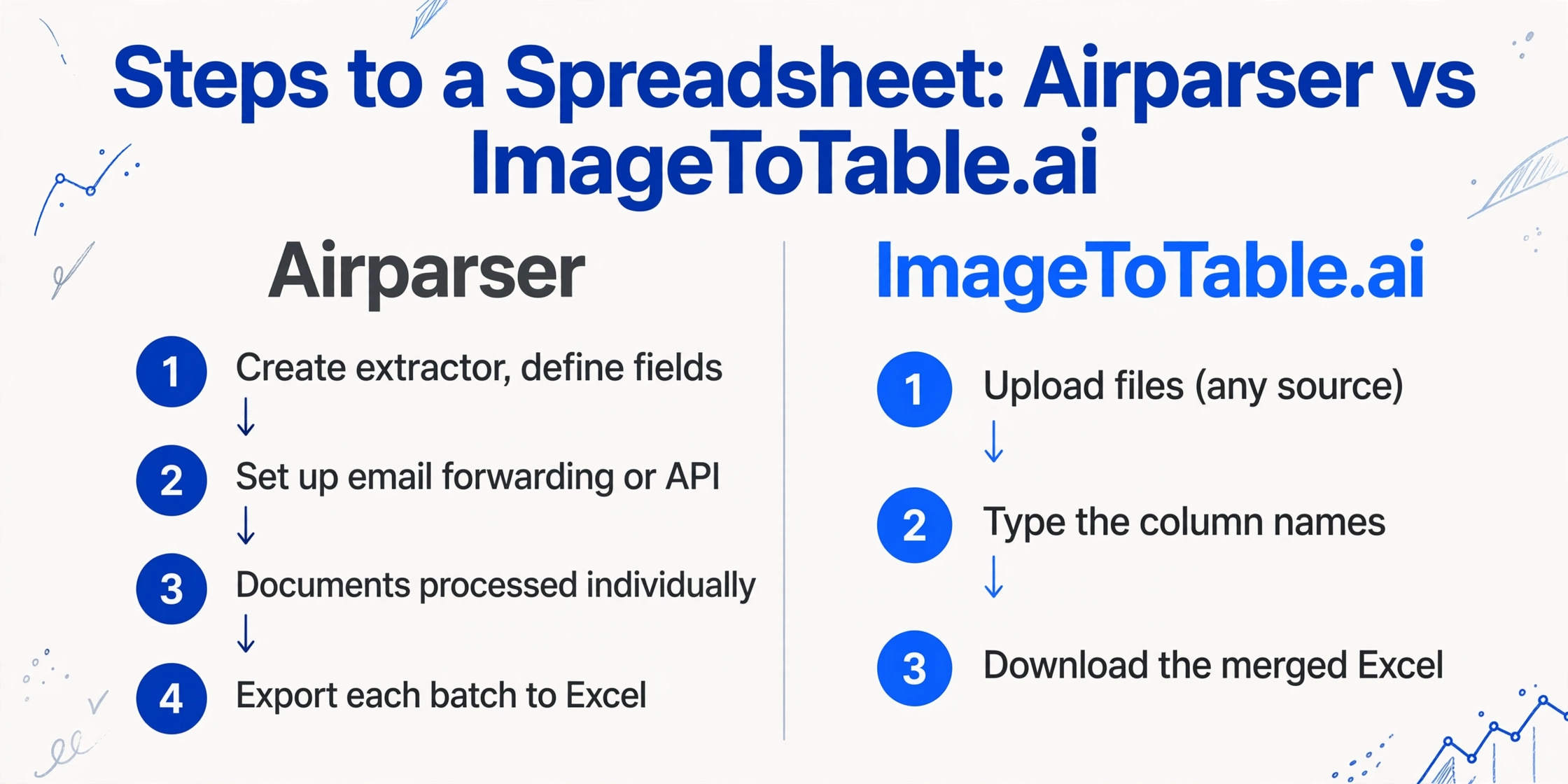
Airparser workflow:
- Create an extractor and define the fields you want in plain language
- Choose how documents enter: set up email forwarding, configure an API connection, or upload manually through the dashboard
- Documents are processed individually as they arrive
- Export each batch to Excel/CSV from the Parsed Data page, or connect a Zapier/Make workflow to push rows to Google Sheets automatically
ImageToTable.ai workflow:
- Upload files (any source, any format)
- Type the column names you want
- Download the merged Excel
Airparser's additional steps aren't unnecessary complexity — they're the foundation of its automation value. If you're processing invoices that arrive daily through a shared AP inbox, setting up the email forwarding once means every subsequent invoice is handled automatically. That upfront configuration cost pays off at scale.
If you're processing a batch of documents that don't arrive through a consistent channel — collected from field staff, received from multiple vendors, downloaded from various portals — the email-forwarding model doesn't fit. ImageToTable.ai's direct upload handles mixed sources without any ingestion configuration. If those mixed documents are mainly bank statements and invoices, our DocuClipper comparison covers a financial-document specialist built for that narrower scope.
Per-Page Billing and What It Means for Batch Costs
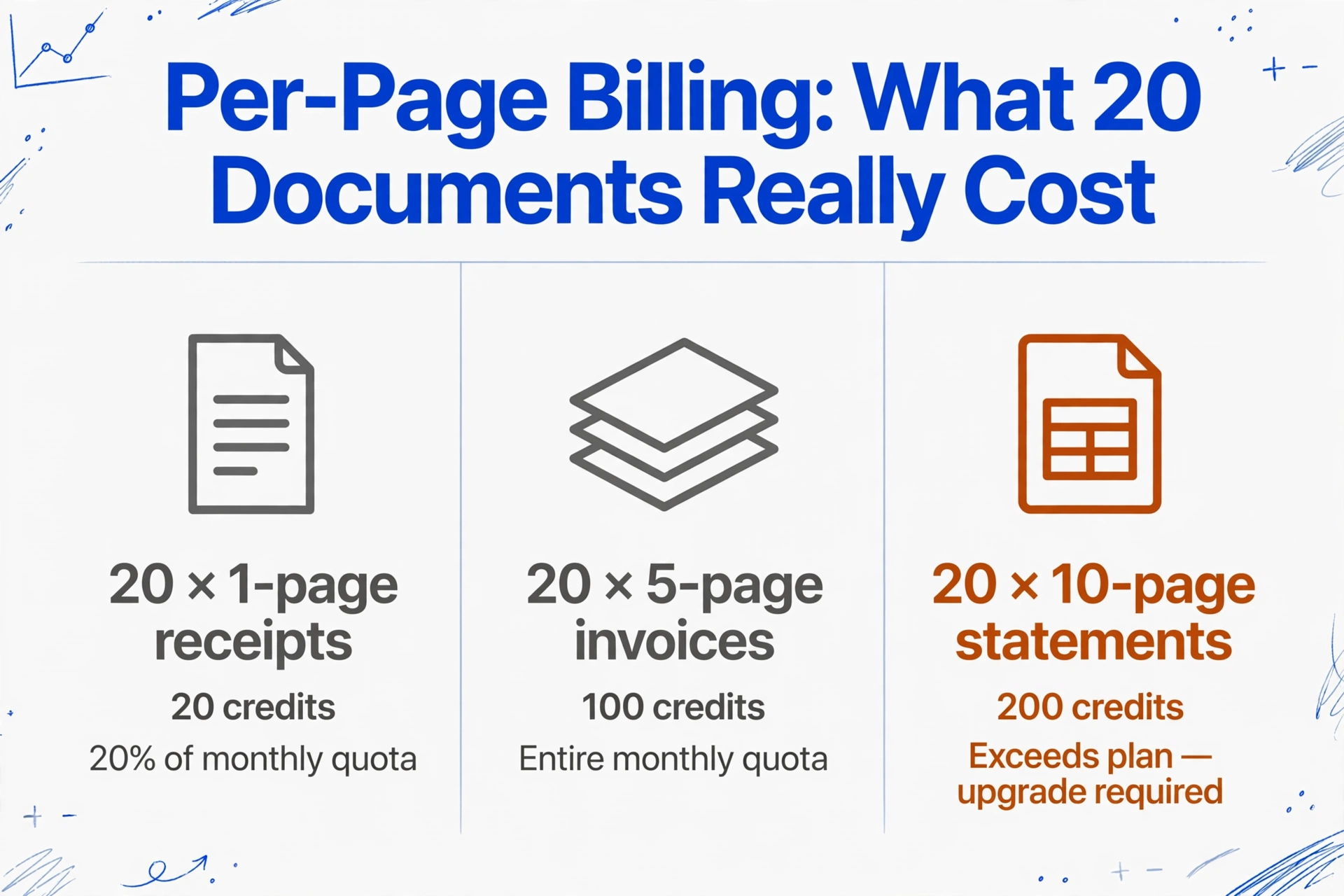
Airparser's credit model charges one credit per PDF page — not per document. The official FAQ confirms: "We charge per email, per document, or per page for PDFs." — Airparser FAQ
For short documents, this is unobtrusive. For typical business documents, the cost stacks up quickly:
| Scenario | Airparser credits used | Starter plan ($33/mo, 100 credits) |
|---|---|---|
| 20 × 1-page receipts | 20 credits | 20% of monthly quota |
| 20 × 5-page invoices | 100 credits | Entire monthly quota |
| 20 × 10-page bank statements | 200 credits | Exceeds plan — upgrade required |
Airparser also documents a soft accuracy limit at 10 pages: "Airparser is not designed for long documents. We don't recommend parsing PDFs longer than 10 pages." — Airparser FAQ. For contracts, multi-page statements, or catalogs, accuracy can degrade past that threshold.
ImageToTable.ai prices per document rather than per page. A 10-page invoice and a 1-page receipt cost the same credit. For teams processing multi-page documents in volume, the cost difference becomes significant.
Where Airparser Genuinely Wins
Email-driven document automation. Airparser's standout capability is its dedicated forwarding address: route your AP inbox to Airparser and every inbound invoice — including the email body and any attachments — is parsed automatically on arrival. No manual upload, no human in the loop. For a team that receives dozens of invoices by email every day, this is a meaningful workflow advantage. Parseur takes a similar inbox-first approach with a template engine — our Parseur comparison covers that difference.
That said, ImageToTable.ai addresses the file-collection problem differently. Its Collection Link feature generates a shareable URL (/c/xxxx) that you send to vendors, field staff, or team members. Recipients open the link, enter a short verification code, and upload files directly — no account or login required. Files land in your account's processing queue automatically. For teams that need to gather documents from multiple external parties, this covers a similar need without requiring everyone to have an email address on a monitored inbox.
Real-time downstream integrations. Airparser pushes extracted data directly to HubSpot, Salesforce, Airtable, QuickBooks, and 9,000+ apps via Zapier — in real time, as each document is processed. If your workflow requires extracted data to land in a CRM or ERP immediately after receipt, Airparser's integration depth is hard to match.
Fitting into an existing automation stack. Teams already running Zapier or Make workflows will find Airparser slots naturally into their pipelines. The tool is explicitly designed as a parsing node in a larger automation graph — if that graph already exists, the incremental setup cost is low.
Frequently Asked Questions
Does Airparser export directly to Excel, or do I need Zapier?
Airparser has a built-in dashboard export that downloads data as Excel (XLSX), CSV, or JSON directly — no Zapier required for a basic export. Zapier and Make integrations are available for automating the delivery of extracted data to Google Sheets, HubSpot, or other destinations in real time, but they are not required to get a spreadsheet out of the tool.
How does Airparser's per-page billing affect batch processing costs?
Airparser charges one credit per PDF page, not per document. A batch of 20 five-page invoices costs 100 credits — the entire Starter plan monthly quota at $33/month. Moving to the Growth plan ($49/month, 500 credits) supports larger volumes, but the per-page model means costs scale with document length, not just document count. ImageToTable.ai prices per document regardless of page count, which makes costs more predictable for multi-page documents.
Does Airparser have a page limit for PDFs?
Airparser officially states it is "not designed for long documents" and does not recommend PDFs longer than 10 pages, with the optimal range being 1–5 pages. Longer PDFs can be submitted but accuracy degrades. For contracts, multi-page financial statements, or catalogs, Airparser recommends splitting files before upload. ImageToTable.ai does not impose a page-count recommendation on extraction accuracy.
Can ImageToTable.ai process documents that arrive by email?
Yes. Every account gets a dedicated inbox address — forward invoices or receipts to it, or share it with vendors, and incoming mail queues automatically with no manual upload step. Turning on Auto-Process with a bound extraction template starts processing the moment mail arrives, a sender whitelist keeps unrelated mail out, and encrypted PDFs are handled too — saved passwords are tried automatically against incoming attachments. You can set the inbox to read attachments, the email body itself, or both, so a supplier who types invoice details straight into the message text (no file attached) still gets extracted. The difference from Airparser: it's one inbox per account rather than a separate forwarding address per extractor. If your workflow needs a different forwarding address per document type, Airparser's native email-first design still goes further.
Is Airparser related to Parsio?
Yes — both products are developed by the same company. Airparser's own help documentation describes them as two distinct products: Parsio uses rule/template-based extraction for known document types, while Airparser uses LLM-powered extraction for unstructured documents. They operate as separate subscriptions with separate pricing.
Try ImageToTable.ai Free
Upload your documents, name your columns, and download a merged Excel file — no ingestion pipeline, no per-page billing, no account required to try.
No credit card required. Free credits included on signup.